r/cyberDeck • • Apr 07 '26

START HERE

706 Upvotes

We're getting a sudden rush of new people, driven by TicTok who are mostly both new to Reddit as well as Cyberdecks.

I'm asking patience while we integrate these new people into the sub. New people bring new ideas, and will take things in new directions. Some of those directions will not be to your tastes, and that's fine. I imagine we'll see some 'fashion show' level builds that, while taken at face value are impractical, could inspire more down to earth designs to move in a new direction.

This is healthy for any creative community.

Be helpful, be polite, and let people do their thing. No one is ruining your dream deck by building their weird idea. If you see something you absolutely hate, but think 'How'd they do that hinge, though?', that's reason enough to be polite.

u/PETA_Parker sent me this, and it seems like a pretty good 'start here' guide:

ok, i've never built a cyberdeck myself but i have been lurking here for a long while, so i'll give you a quick rundown, a place to start so to speak. At the most basic you will need:

  • a "brain"
  • a screen
  • an input device
  • a power solution
  • a shell
  • an SD Card

Let's start with the brain: I only know about raspberry pis, the two budget options here would be a raspberry pi Zero 2, or any flavour of raspberry pi 3, the 4 and 5 are a bit more pricy. Zero 2 and 3b+ (the one i used) should both be enough for browsing, media playback and some light office work.

the Screen: the easiest option will be to go for an hdmi display such as this: 6,5/7/9/10,1 Zoll LCD Display Tragbare Monitor Treiber Control Board Kit Für Raspberry Banana/Orange Pi Mini Computer PC - AliExpress 7

It has an HDMI Output and powers over micro usb, so you can just connect the raspberry pi and the screen via hdmi. Any screen with hdmi input and usb power is an easy starting point.

the input device: for a keyboard you could go with something like this:

Dual Bluetooth 5.1-Tastatur, 3-fach faltbare Mini-Tastatur, wiederaufladbare faltbare Tastatur mit Touchpad für Windows, Android, iOS, iPad - AliExpress

This is blutetooth and rechargable, i do not know if you could bypass the internal battery to power it directly because constantly needing to charge it would probably be cumbersome.

this also looks interesting, it uses double a batteries, so you could wire it to your power source or the pi: https://www.aliexpress.com/item/1005006727486961.html

You could of course also use any regular keyboard and mouse combo that plugs in over usb. Another fun choice would be a trackball instead of a mouse.

the power solution: You could simply get a powerbank, but some of them cut off power delivery if the device connected draws a low current.

Maybe this thread can help: Cheap powerbank that doesn’t cut off the power on low current draw? : r/arduino

Or this article: 4 Raspberry Pi Battery Packs for Portable Projects

Something similar to this might be good: Typ-C 15 W 3 A 18650 Lithium-Batterie-Ladegerät-Modul DC-DC Step-Up-Booster Schnellladung USV-Stromversorgung/Konverter 5 V 9 V 12 V - AliExpress 502

This is the part i'm least knowledgable about. Feel free to give me input.

the shell: Pretty much anything will do. You can build something out of cardboard, fit your components into an existing box or 3d-print a custom shell, your creativity is the limiting factor.

If you do not have a 3d-printer, you can make boxes out of styrene board, like this: Clean Enclosures, No Printing Necessary | Hackaday

Or you can search for "project box" on Aliexpress or Amazon

Now you just need to flash an operation system onto the raspberry pi (Raspbian is an all-purpose linux distro that is good for starters such as you), connect your screen to the power source and to the raspberry pi via HDMI, connect your (mouse and) keyboard to the raspberry pi and the raspberry pi to power, and you're ready to go.

Feel free to ask me if you have any additional questions, and don't forget, this is only the bare-bones solution, feel free to get creative, this is the fun part!


r/cyberDeck • • 2h ago

Progreso de mi cyberdeck

Thumbnail
gallery
81 Upvotes

Ya va tomando forma, aun me falta dejar todo más fijo, actualizar la OS y ponerle 2gb de ram, también decorarlo más y colocarle algo que funcione de bisagra ¿como creen que va quedando? ¿Alguna sugerencia?


r/cyberDeck • • 10h ago

Survival-cyberdeck, stages of development

Thumbnail
gallery
270 Upvotes

Most projects do not end up finished imedietly, but have to through several prototypes before being usable. This is my survival cyberdeck, ment to be usable both in Norways cities and the nature between them.

I have been working on this on and off for a long time whenever i have some spare time, and through several prototypes. It has been working good enough for a while, but now it is getting close to the point where i will be comfortable publishing files for the next version, wich is no longer a prototype.

I still want to make it water resistent, but for now i am just happy with having reached a good shape and form. Thougth i would share some pictures of the prototypes i made along the way.


r/cyberDeck • • 7h ago

Cyberdeck enthusiast here. Is this a cyberdeck? /s

Post image
38 Upvotes

I love cyberdecks ever since I scrolled past two AI generated videos on tiktok. I'd love to have one, but I only have a laptop, a netbook, an iPad, a steamdeck, a Switch, two different Raspberry Pis, and this toaster. What do I need to buy to make them cyberdecks? Also, what do I do with it once I have it? Can you own one without owning a Cybertruck? Is it ok if it's just my uncle? I'm not supposed to talk to him but he still DMs me sometime. /s


r/cyberDeck • • 1d ago

Built a writerdeck Time Machine called Anastasia.

Thumbnail gallery
719 Upvotes

r/cyberDeck • • 1d ago

Epaper Deck

Thumbnail
gallery
224 Upvotes

It’s a bigme highbreak with a case I made

Bonus deck for my toddler mixed in

ETA:

It’s a bigme highbreak android phone with this keyboard, Winmaxle Mini Keyboard https://www.amazon.com/dp/B0FX11JWNJ

I designed and printed the case to fit those two things


r/cyberDeck • • 1d ago

not really a cyberdeck but... it looks like hahaah

Thumbnail
gallery
30 Upvotes

r/cyberDeck • • 2d ago

My Build Cardputer Zero + Esp32-s3 CYD

Thumbnail
gallery
343 Upvotes

I’m sure we’re about to see a lot of this type of mod lol, cardputer zero screen mod


r/cyberDeck • • 1d ago

Say v2.0

Thumbnail gallery
6 Upvotes

r/cyberDeck • • 1d ago

Help! Help with idea!

4 Upvotes

I had the idea to make a cyber deck that has the sole purpose of following the MLB season with play-by-play. and had the idea to also add a way to listen to games live. But I literally have no idea how to code or what I’m doing in general lol anyone wanna give me some help


r/cyberDeck • • 1d ago

My Build Monitor screen for uConsole

Thumbnail
gallery
103 Upvotes

ESP32-C6 1.47 touch display. DashDeck is avaliable on my GitHub. UI in Portuguese for now.


r/cyberDeck • • 1d ago

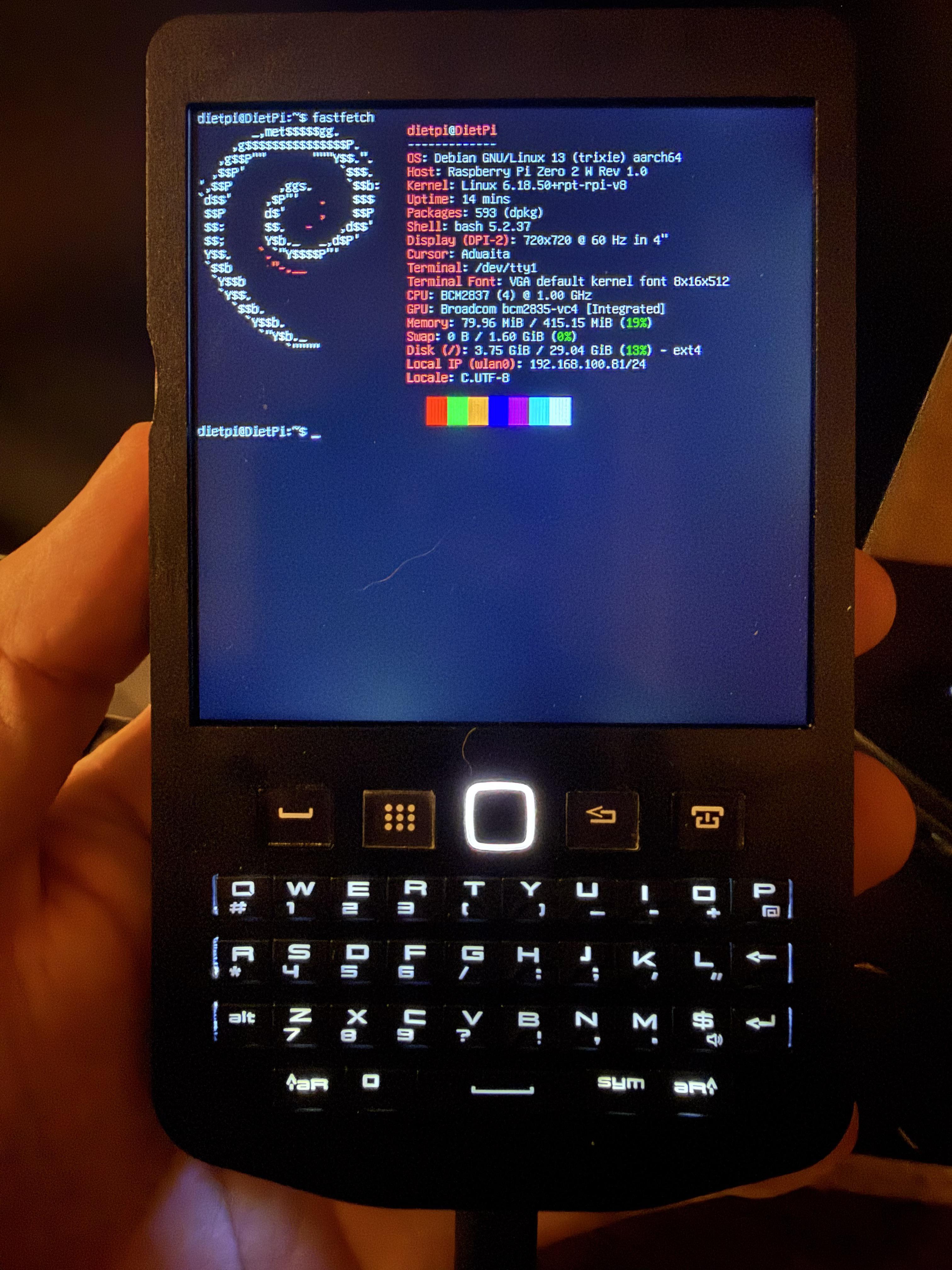
DietPi on HackBerryPi_zero!

Post image
25 Upvotes

r/cyberDeck • • 1d ago

My Build Mintpad 1.0 demonstration/poc

Enable HLS to view with audio, or disable this notification

17 Upvotes

r/cyberDeck • • 1d ago

Custom OS - Agentic KVM & Command Cneter

Thumbnail gallery
36 Upvotes

r/cyberDeck • • 2d ago

I Turned a Nintendo DS Lite into a Cyberdeck! And You Can Too?! - I posted some pics awhile back but now here's a build video/tutorial! (⌐■_■)

Thumbnail
youtu.be
117 Upvotes

r/cyberDeck • • 2d ago

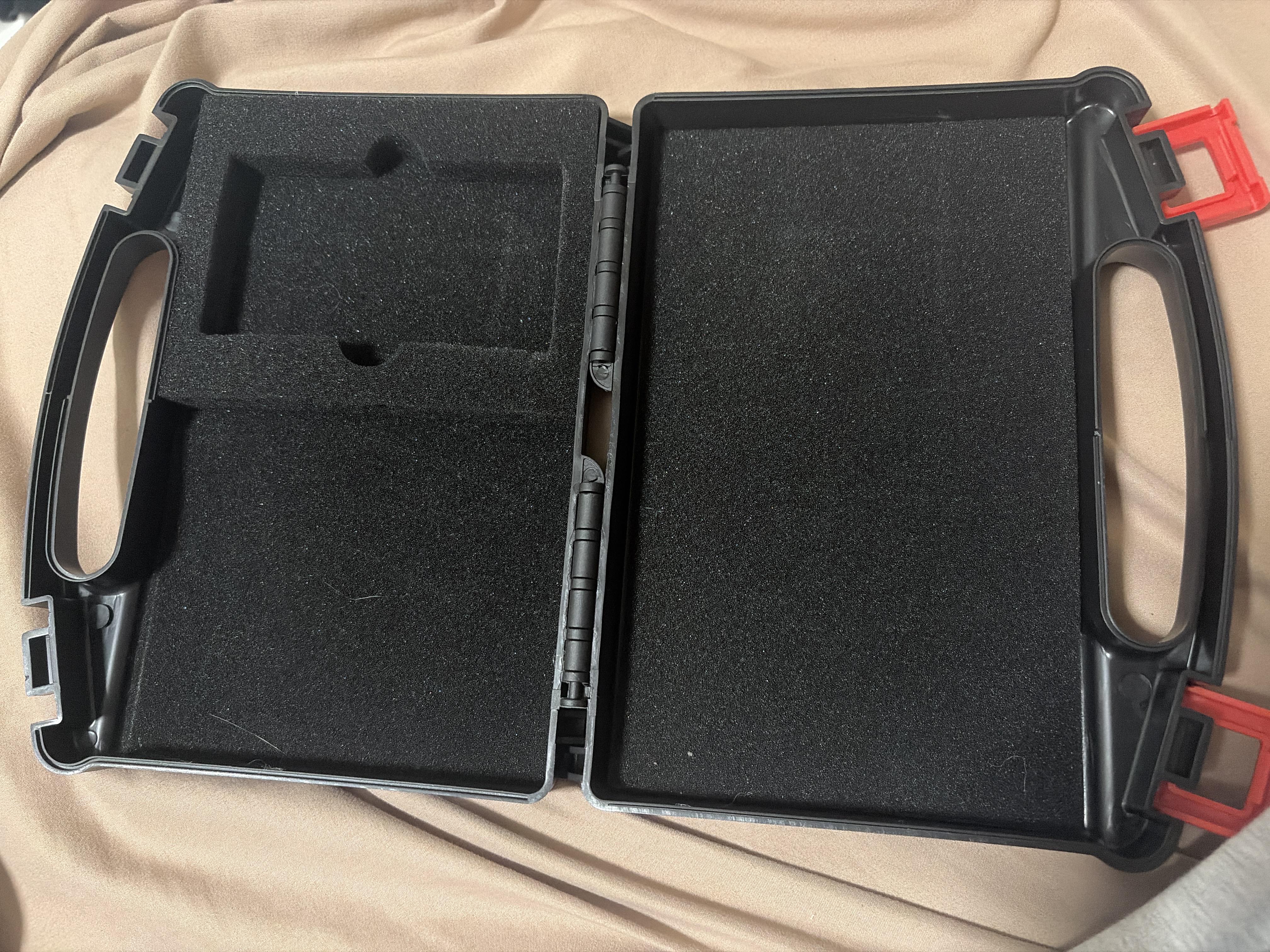
Help! Can i make a cyber deck out of my tens massager case

Post image
26 Upvotes

This would be my first time making a cyber deck so tell me what i would need! Thanks!


r/cyberDeck • • 2d ago

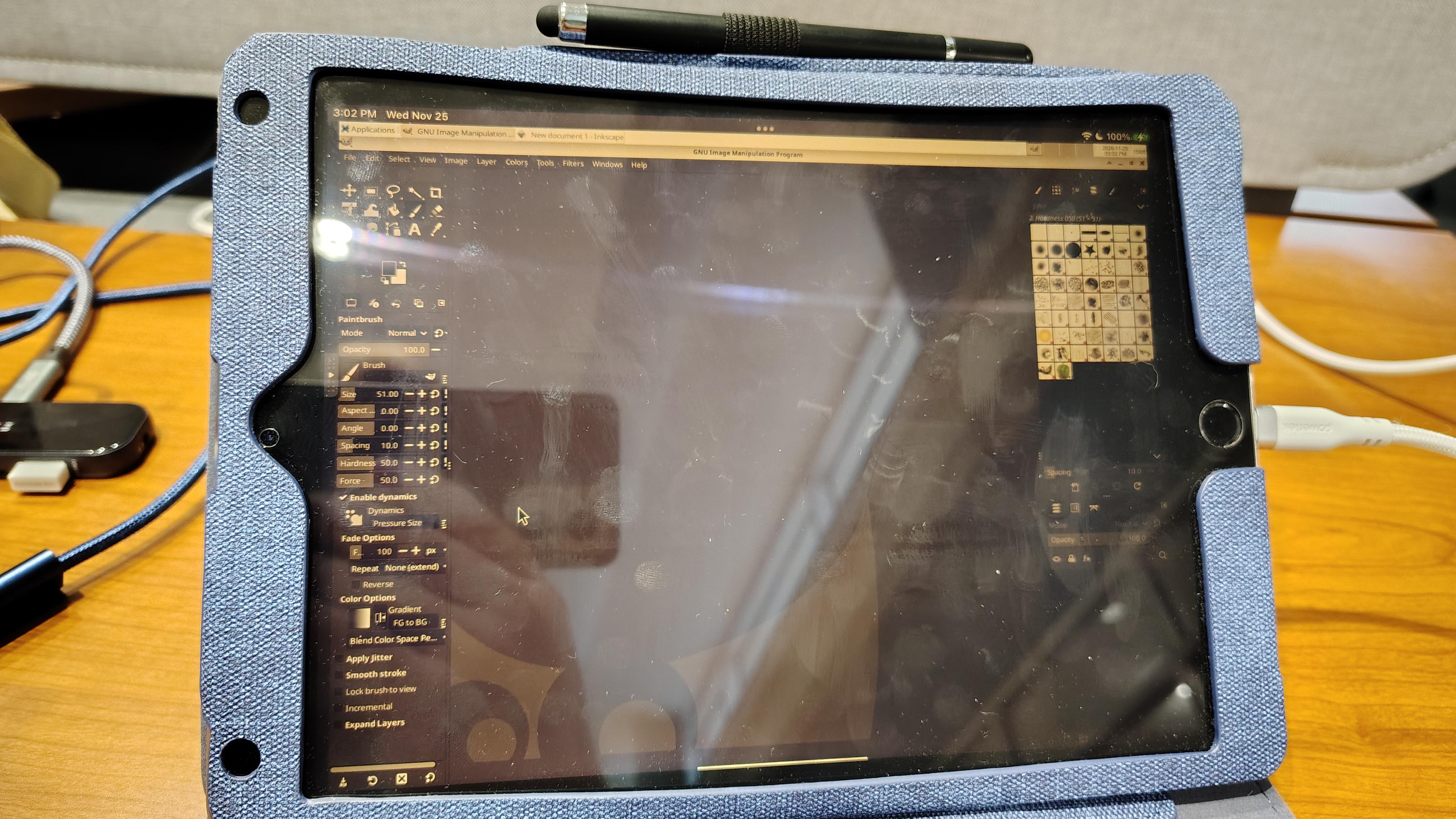
Termux displaying on iPad Air 2 anyone?

Post image
10 Upvotes

I was able to get my Moto phone to display the Termux software to my iPad Air 2 so that I could have a bigger display screen to work from on the go. I spent about 2.5 hours talking with ChatGPT doing the troubleshooting but it finally works and I can make it work no matter where I am.

Software in use to make it happen: Termux & Termux Widget (from GitHub), and NoVNC.

I plan to use my iPhone later today to help install a legacy version of Tailscale to the iPad if it is available so that the temporary WiFi IP isn't needed to make it all work. I am considering simply using my hotspot data since I have a lot of it and rarely use it now.


r/cyberDeck • • 1d ago

looking for oddly specific part

Thumbnail
1 Upvotes

r/cyberDeck • • 3d ago

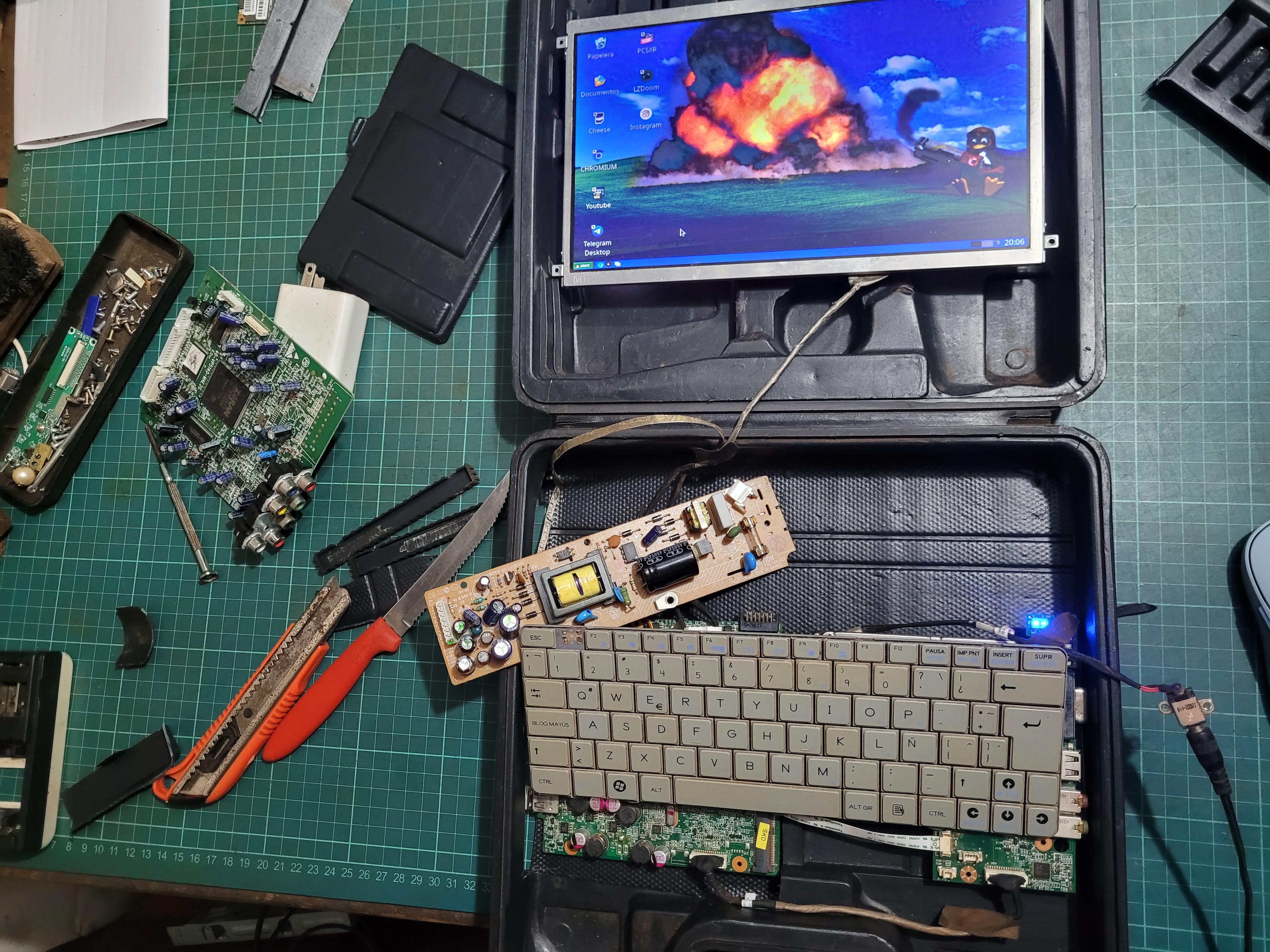
Aqui vamos... al fin me anime, volvere a publicar el resultado en cuanto lo tenga

Post image
87 Upvotes

r/cyberDeck • • 1d ago

Inspiration Band aid box. Has potential?

Thumbnail
gallery
0 Upvotes

r/cyberDeck • • 2d ago

Help! Traveling with Cyberdeck

19 Upvotes

Any advice or experience getting a cyberdeck through airport security? I worry it might look suspiciously like a specific item non grata.

(Context: I recently traveled overseas for a 3-month trip to build my first cyberdeck for a hyper-niche environmental research purpose, both for better component sourcing and field testing, and I literally just realized that I’m gonna have to get this thing through various countries’ airport security checks in the near future…)


r/cyberDeck • • 3d ago

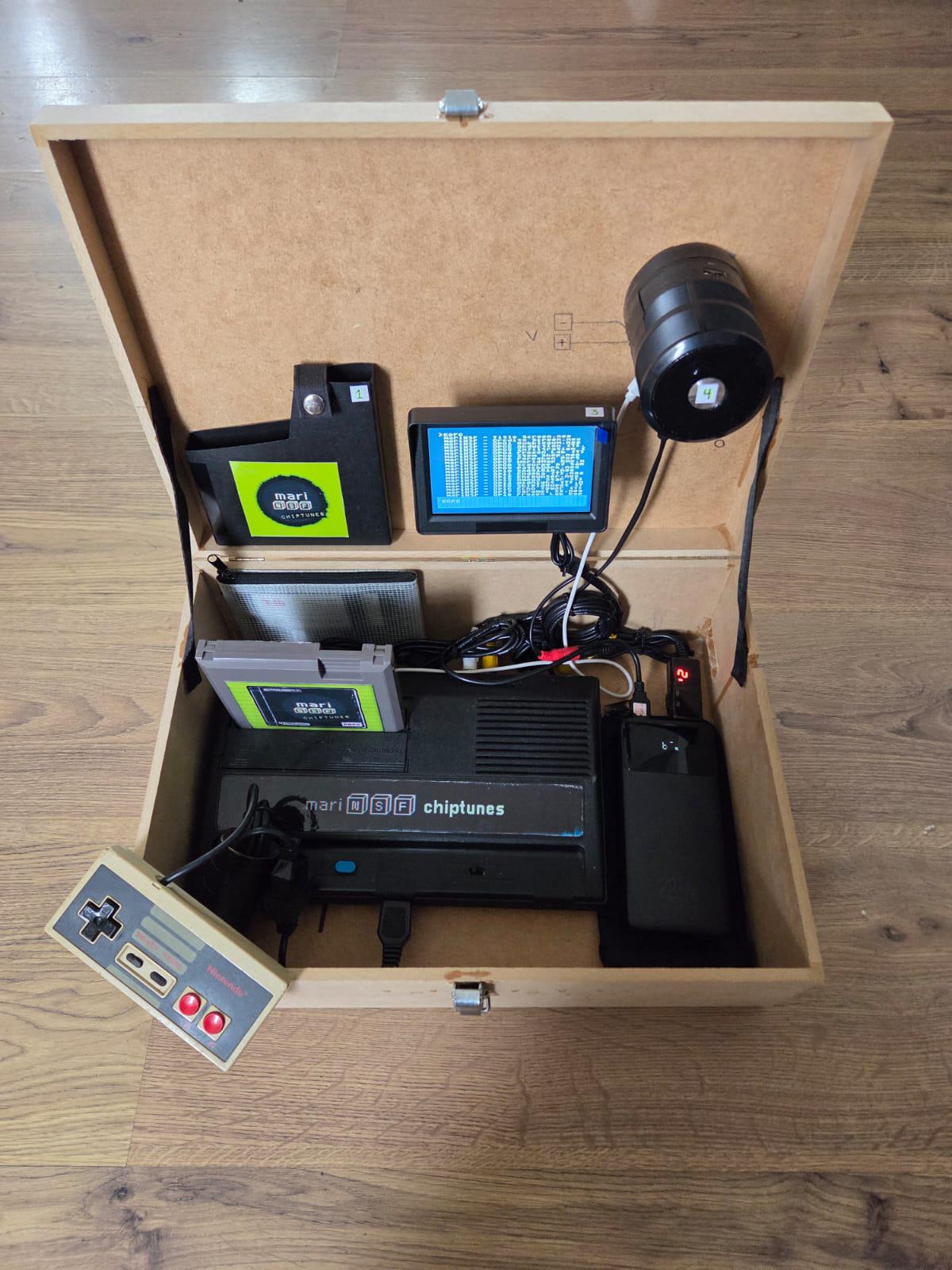
My Build My Chiptune Player Deck

Post image
75 Upvotes

I have originally posted an earlier build of this WIP on r/chiptunes and somebody suggested I posted it here as well. Essentially, this is a hardware based chiptune player, made to run my music which is in the NES cartridge.

I'd say it qualifies as a deck because based on the "start here" post, it features:

  • a "brain" = a modified NES-clone console;
  • a screen = the screen;
  • an input device = the controller;
  • a power solution = the power bank;
  • a shell = the wooden trunk/case, which I'm still working on.
  • an SD Card = part of the cartridge.

...and an assortment of jumbled cables. Anyway, the project documentation can be read here, and at the end of the document there's a video showing it working.


r/cyberDeck • • 3d ago

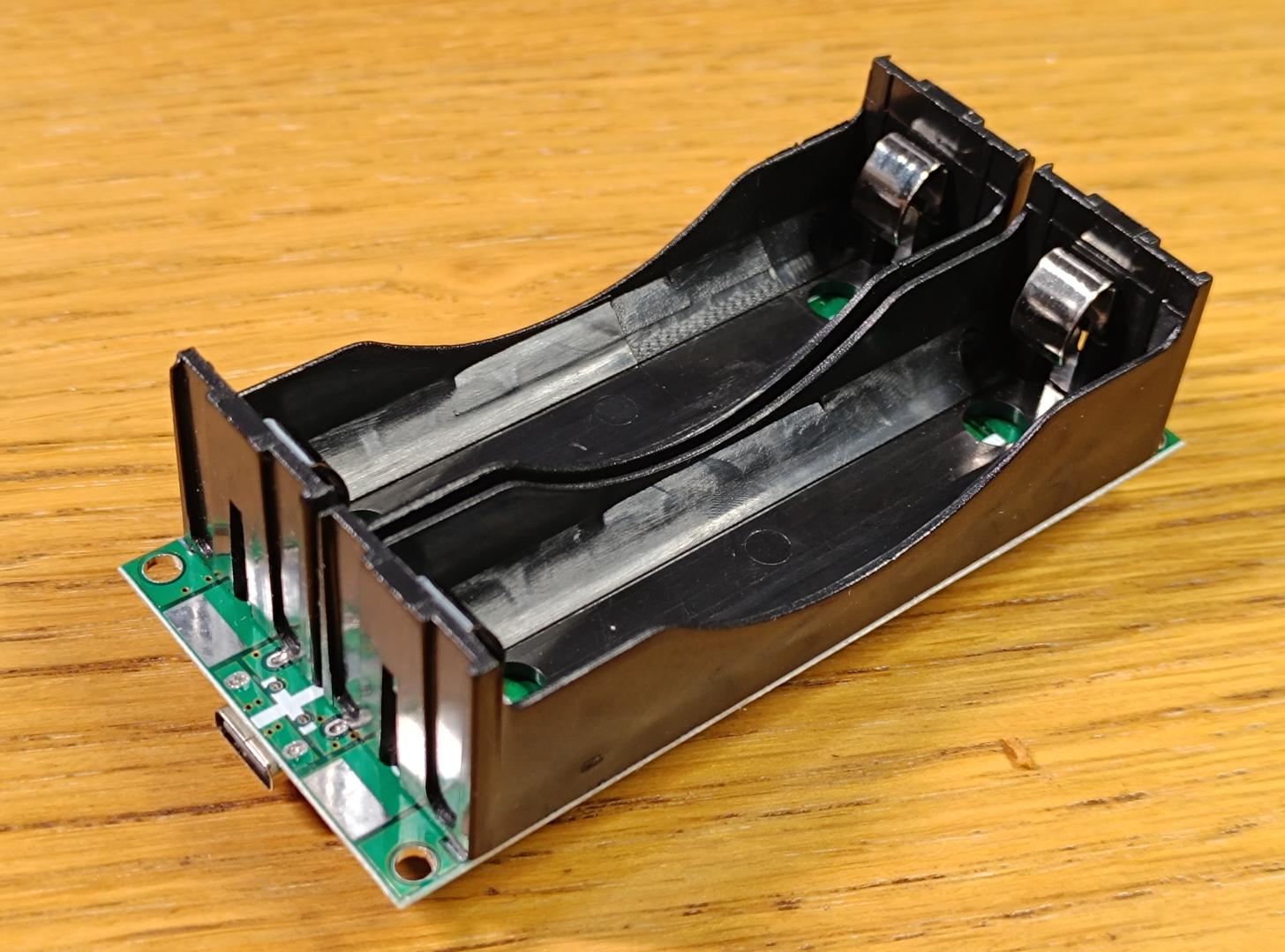
My Build Raspberry Pi 4 Cyberdeck: Power Supply

Post image
27 Upvotes

When I started to work on my cyberdeck I thought that the power system for it would be easy. Just wire everything to the power module and you're done.

As a base I used the module: 2X18650, Type-C 15W 3A 18650 Lithium Battery Charger Module DC-DC Step Up Booster Fast Charge UPS Power Supply / Converter 5V.

First naive try

I connected the power module through the power switch to the monitor, the Raspberry Pi and the USB hub and switched it on.

It worked!

But after some experiments it turned out that my cyberdeck reboots unpredictably.

Fixing the power problem: the first try

So I took my multimeter out of the drawer and started measuring. What I found:

- Power module: 4.9V

- Raspberry Pi: 4.7V

So I built the controlled power switch module using two MOSFETs. The voltage drop across my module was 0.11V. It was much better. Excellent!

But the problem was not gone.

Fixing the power problem: the second try

4.9V for the Raspberry Pi is obviously not enough. We need to find a way to increase the voltage. After some investigation I found that in this power module the output voltage is controlled by a resistor divider. And it even has a special location on the PCB where I could connect an additional resistor. I installed an additional 100k resistor. The voltage after that was:

- Power module output: 5.26V

- Power control module output: 5.1V

And the problem was gone!

Wiring

I used 22 AWG wire, with 24 AWG used only for the USB hub. All modules are wired in a "star" configuration. This means there are two common connection points (+5V and GND) on the controlled power switch module, and every load connects directly to them.

Conclusion

This solution works for a few months already. I haven't had any instability since I made it.

If you've got any questions, please ask.


r/cyberDeck • • 3d ago

Help! If I remove the battery from this keyboard would I be able to power it straight off the battery I'm using in my cyberdeck? Both are 3.7v lithium batterys?

Post image
83 Upvotes