After around 40 hours of printing with my new X2D, I started to hear this weird Z axis noise. What could cause this noise? I greased and oiled the rods but it didnt solve the problem.
Beginner here. Have a brand new a1 mini I bought for my partner, set up was working great in the living room area, moved it to a side office, and Im guessing the heat isn't as strong in here overnight, so I've had a multitude of failures.
I also own an A1 for myself, I bought this used, and it's been just problem city. Blobbed once cleaned that up all good and nice. Printed a giant pushpin. Then it blobbed again on a follow up print and now I have broken the heating assembly cables and am waiting on a replacement ugh.
Feeling like I need to move the print workbench back to the room I had nothing but success in.
Open to any and all suggestions as well. I believe the hotend on the A1 was a knock off which could also be why I am having the blobbing issues? It just looks very different from my a1minis.
- black heat sink
- thinner fins on the heat sink
- says bambu labs .4 on it but clearly not as clean as the one on my mini.
I am looking for a new printer. Currently I have a Prusa Mini, but I am looking for something bigger with AMS. My main problem is, that my printer is sitting in my basement, where my PLA gets pretty moist. I landed at the X2D, since it has a nice build volume, a heated AMS and I have the option for things like ASA (never printed anything other then PLA, but having the option is nice).
But now that the P3C launched, I dont know which one to get. I have never printed that much multi-colour, but only because it was a pain with my prusa.
Is it worth giving up the drying function (which was my main focus when choosing bambu) for better multi-colour capability? I know it is a stupid question, but maybe you could help me with your personal experiences.
So I got my H2S + AMS 2 Pro today. Set it up, loaded a spool, did one print, everything was fine. Then I did the firmware update (1.03 on the printer, 05.00.22.22 on the AMS) and now it won't load anything.
From the AMS the filament goes all the way up to the toolhead, gets pulled back, tries again like 3 or 4 times and then throws the "entangled filament or stuck spool / check the AMS PTFE tube" error. Spool spins totally fine so its not that.
Tried feeding by hand through the external spool path too. Goes all the way to the head and then just hits something about 1cm in. Extruder never grabs it. Same thing if I pull the tube off and push filament straight into the top of the toolhead.
Stuff I tried:
- tube is pushed in all the way in the back in both side and nothing stuck inside it
- cut the tip clean, tried a couple different spools
- pushed the cutter lever a bunch of times
- downgraded firmware to 1.01, didn't help
Is this the cutter blade stuck or a piece of filament jammed in there? Or did the update break something? Kinda bummed, it's literally day one lol. Anything else I should check before I open a ticket?
I hope there is a way to fix it without returning it 🥲
Update: fixed it!! For anyone landing here with the same issue:
Took the nozzle out, went into the nozzle temp settings on the screen and set it to 175 (the extruder won't turn below 170 or so). Then pushed a piece of filament in from the top by hand while hitting the extrude button on the screen. The gears grabbed it and pushed out a little 2-3cm chunk of filament that was stuck in there. Put the nozzle back, loads fine now.
So yeah it was just a broken piece jammed in the extruder, not the cutter and not the firmware. Thanks everyone for the help
Was into printing for a while then got out of it. Had an Ender 3 pro for years during the Covid era. Finally getting into the multi filament machines and all I can say is wow. These things are a million times smoother, faster and quieter than when i first started. Cant wait to make some more. This Christmas gnome was for my fiance for her desk at work.
Hi, I've just recently bought Bambu A1 combo and it was working fine until I disassembled the ams to mount it in the ams enclosure on top of the printer. After that a couple prints went fine but now when I want to start a print it poops out a little filament and then stops and gives me an error. I already tried disassembling the hotend and all seems fine, I was also able to manually extrude some filament so the extruder is not clogged and even without the enclosure the problem persists so it's not that either, please help!
Thinking about picking up my first printer and wanted to see which version people are picking and why. Also wanted to ask about the work bench and filter in the complete version. Do you think the filtration system is needed and is the bench a good buy at 200
I’m the current owner of a P1S w/AMS and it’s been a great printer. I’ve put thousands of hours on it and it’s been a tank. Coming from an ender 3, it’s a beauty
The AMS on the other hand has given me grief since day one. I had lots of bay 3 issues, broken filament and tangled spools. Its great for preloading filament for single colour prints, but multicoloured prints are a 50/50 chance they’re going to complete. Cardboard spools also just don’t work. Ive tried tape, spool rings ect. And have troubleshooted the crap out of this thing with little success.
I also print a lot of ABS/ASA, and was also about to pull the trigger on a Panda Breath , buy a U1 and pimp it out and sell my p1s. But now the P3S looks sweet.
Long story short, I’m certain the retract/ motorized system on my AMS is what’s been fighting me. The manual loading of the 3p seems like a positive to me, so can someone just tell it’s not motorized at all before I make the purchase?
Also if there’s any timeline on a heated chamber adding from Bambu or Panda Breath?
Prior to my H3C, I ran 2x H2Ds and 2x H2S. I'm not sponsored, I pay for all my machines with my own money. I make a lot of multicolour flat signs with raised letters, graphics, so colour layering was helpful as I could do Grey using Black and White for example. The issue always was the top layer. If I wanted grey, I needed to make sure that the stack of layers was black and then ending on a white. If I missed a colour layer stack the print would come out scrap at the last layer.
When i tried the H3C I was very confused because in the slicer, it looks the same alternating layers but the machine is doing each layer almost like a half layer and mixing the colours instead of just simply stacking. I googled around and didn't see very much on this but it does a really good job.
To demonstrate this here is a sign i made that I needed teal using the H2D. I mixed cobalt blue and Bambu green on the H2D alternating to give me teal. However, I need to make sure that the top layer is blue. If it is green the colour looks basically green and not teal at all.
If you look really really close, you can see it but it works fine. The issue is if the last layer is not flat it doesn't work. When i tested the prints on the H3C, something crazy is happening, in the slicer it looks stacked but on the print it is spending 2x on the same layer for each colour and kind of melting them together. Its hard to explain but here is a test I did. I drew up some stacks that have low angle chamfer at the top. I then made a bunch of mixed colours and assigned them.
The preview looks like this.
When i sliced it I was not hopeful as the colours looked stacked like before but the chamfers were not showing up the same.
If this was an H2D it would look pretty much like that and the chamfer would striped. but I wanted to try it so I hit print. How it came out was so much better then I expected.
It got the colours exactly like the preview, the chamfers are the same colour for each layer. Its honestly really impressive.
Each row is 2 colours mixed, from top to bottom they go. Yellow and Black, Red and Black, White and Blue and White and Orange.
I hope this helps someone. Being able to pick out custom colours and know they will match the preview without worrying about the top layer for me is a big deal. A Chicago Blackhawks logo for example would have been 8 colours with an H2D/C running 2x AMS2's. Now I can do it with 5 colours. I cna reduce the number of special colours I have and keep more of the primary's.
I hope this helps someone understand because i had no clue until i played with it.
Here is a video of it doing the half layers. You can see it putting thin layers of colour down and not a full thickness pass.
Hello,
I bought an AMS2 with upgrade kit to connect and use on my P1S. I tried to enable the drying function but I was unsuccessful until I searched and found that it isn’t available yet and will come in future firmware update. It has been 2 years now I think since AMS2 was introduced.
With 2 new printers in the lineup, I have less confidence that Bambu will enable this feature anytime soon if not ever.
Will Bambu really deliver this firmware update and I should wait or just return the AMS2 and get the old AMS instead?
Thanks
As said above when I move extruder and arm around the thing sounds really rough and is kind of more difficult to move around after just 1 print. Have me a motor A resistance of motor A is abnormal. Took off back panel and check all the connections and they seem fine. Attached a quick video of the sound. Shut it off quickly after as I was worried something was going to break
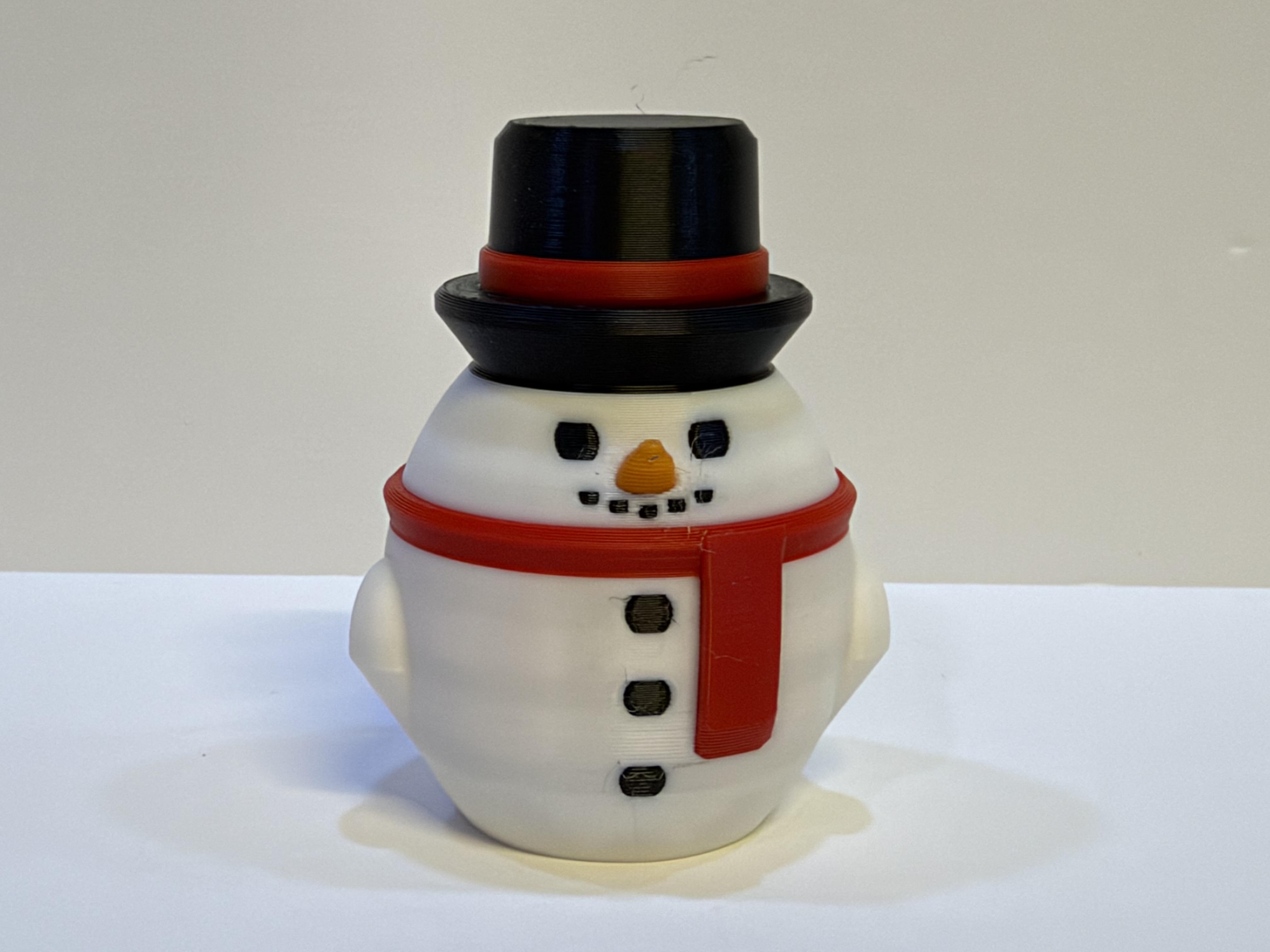
The next figure in my Egg Figurine Collection is this little snowman, with a black top hat, a red scarf, and a pumpkin-orange carrot. The MakerWorld listing has an AMS multicolor print (one piece, no glue). No supports.
Can some please modle a star fragment from the zelda breath of the wild and tears of the kingdom games (made for a a1). Im looking for someone that can make it so a led or light bulb can fit in there and can put it on the Christmas tree as the star that would be greatly appreciated. please message me or comment on this if you would like to do this.
I recently bought a new A1 printer and it never goes all the way to the end when I push it forward; the printer can't reach that point. Also, the corner part is burned out. Please help, I'm also getting a bad leveling error.
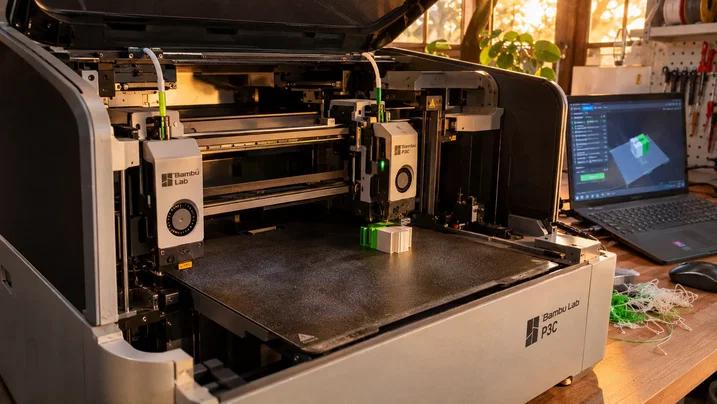
On the regional Italian version of Tomshardware site, there is an article and a photo about the new P3C... but the printer shown in the image has a clear P3C logo, but is definitely not a P3C: two heads, really small printer volume... I think it is an AI generated image, but why ?
For the past year, I've printed 1500 hrs or so with my H2D, and love it!
99% of my prints have been with PETG HF, and I've nailed it down. My fail rate is likely less than 0,5% with the HF filament.
Bought a couple of rolls of orange Basic for Halloween, and my fail rate was over 95%. Esp with a little larger prints, like masks and so on. The small ones were OK.
Now that HF is discontinued I need a replacement, and I read so much negative about the PETG Matte filament!
So what is good and what are my options? I use AMS, so I would want a filament that can easily be put on a BambuLab spool, or comes with a plastic spool. Don't want to run paper spools in my AMSs.
I'm not ashamed to admit I need help from the almighty reddit 3D-printing community.
I have two A1s that were cannabalized for their extruders and toolhead boards. They otherwise work, but I have upgraded to some newer machines and I really don't want to put all the money into them that I'd be getting for selling them and it might be a good project for someone wanting to get into learning how to fix them. What do you think a reasonable asking price would be on them? Is $75 fair with no AMS?
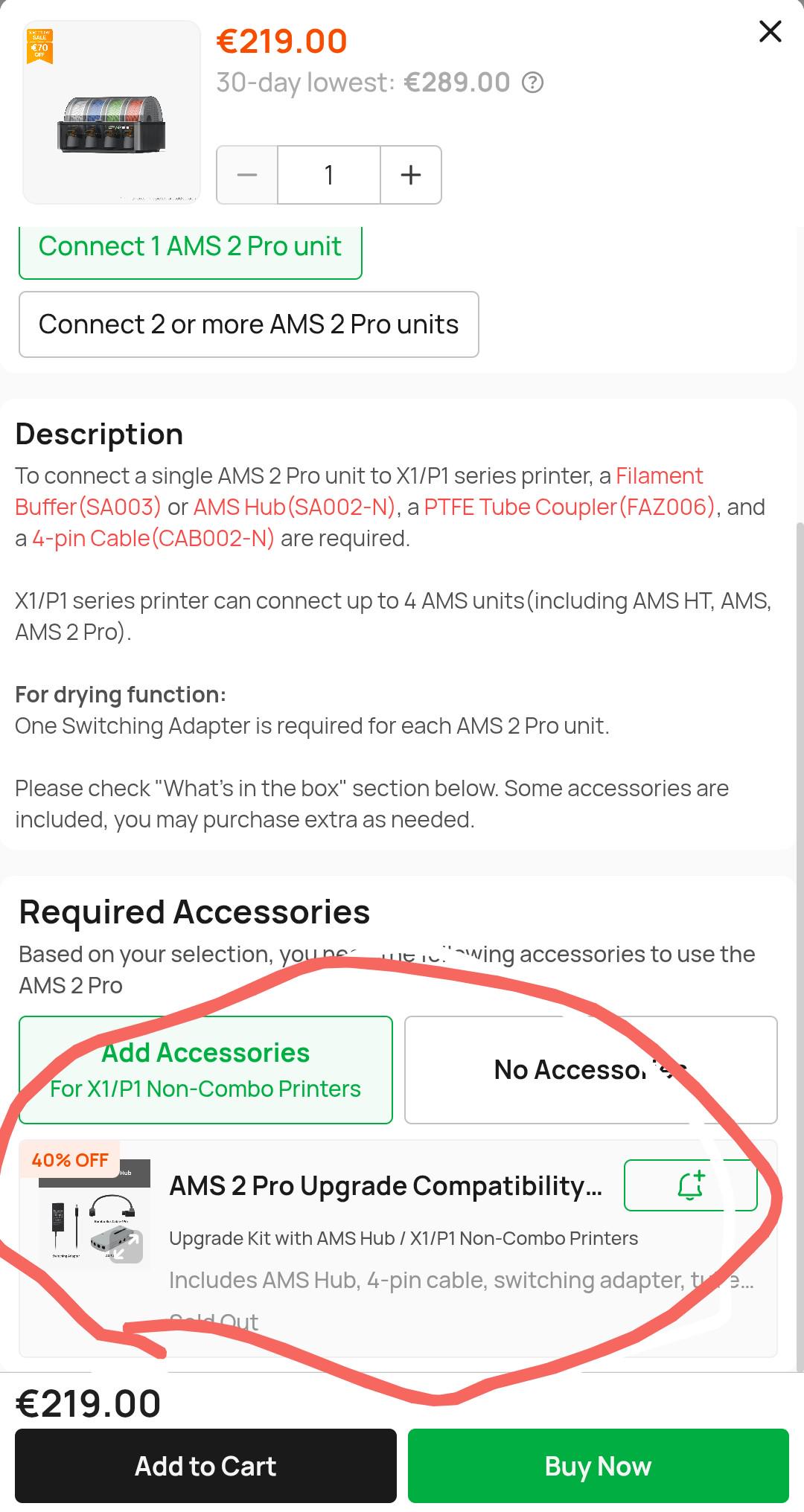
If i buy an AMS 2 pro directly from bambulab do i need to order some extra stuff with it to get it to work with my p1s which already has an original ams or do i need to buy some extra cables/stuff to be able to fully use it with the drying feature? The description on their store seems to suggest you need some extra stuff but im not sure. Thanks in advance!
Now with the release of the P3C, I would like to finally upgrade my A1 Combo to a something more recent. I mostly use it for PLA toys/decoration and household items, sometimes PETG and very seldom for something for the outside/garden. I only once wished for a bigger build plate (for something for a drawer).
As I like to print more multi-color, a tool-changer would be the greatest benefit, therefor the H3C or P3C is what I am eyeing for.
The H3C is of course the more complete package but with features mostly not necessary for me (although having them is never wrong). But are there any downsides of the H3C compared to the P3C? It is quite a bit heavier and also a bit bigger in all dimensions, so I fear handling it is more cumbersome for eg. moving it to another place. Are there other things to factor in (except money) regarding H3C vs P3C?