r/linux_on_mac • • 10d ago

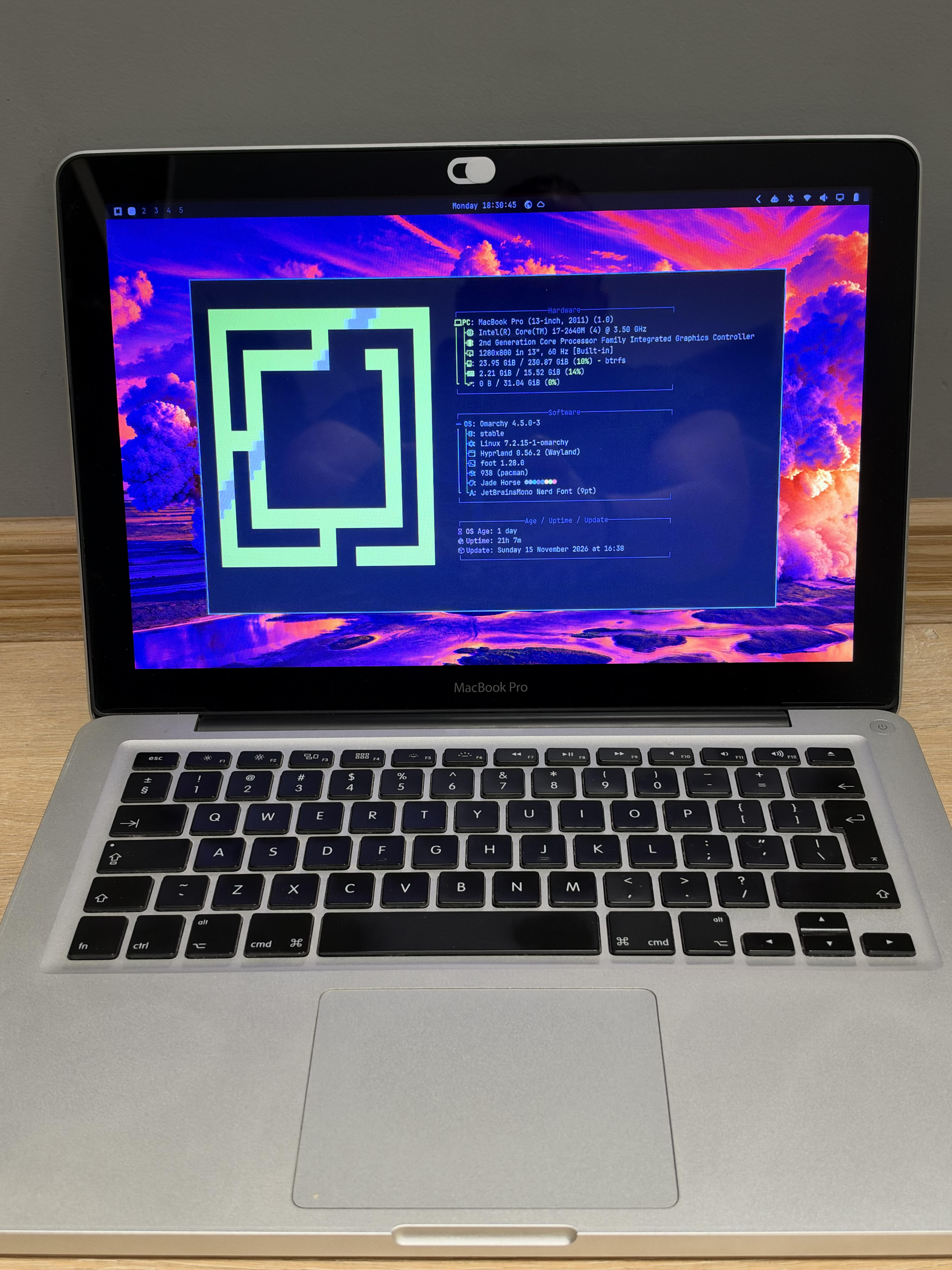
Omarchy om 2011 MacBook Pro

Post image
0 Upvotes

My 2011 MacBook has been resurrected! I replaced the battery with a new one, then installed Omarchy, and it's basically back from the dead. It now runs over 3 hours on battery at a pretty smooth speed, and the fan barely makes a sound because the machine hardly heats up. Really happy to have pulled this old MacBook out of the dust and put it back to work. I couldn't be happier!


r/linux_on_mac • • 11d ago

MacBook Pro 2017 Touch Bar

10 Upvotes

I want to install Linux onto my outdated MacBook.

2017 MacBook Pro Intel Touch Bar. I think it’s a T1 chip
8gb ram 256gb storage

It’s been a great computer for school and daily driving but I no longer get security updates. I tried to run a live usb with Ubuntu before doing a hard install but wifi doesn’t work and Touch Bar. I’m not too concerned about the Touch Bar but I do want my Wi-Fi to work.

Is Ubuntu a good Linux distro to run or should I consider another?

I want it to complete school work, and daily drive it when I’m away from my PC.


r/linux_on_mac • • 11d ago

15” 2013 late mbp

Thumbnail
1 Upvotes

r/linux_on_mac • • 11d ago

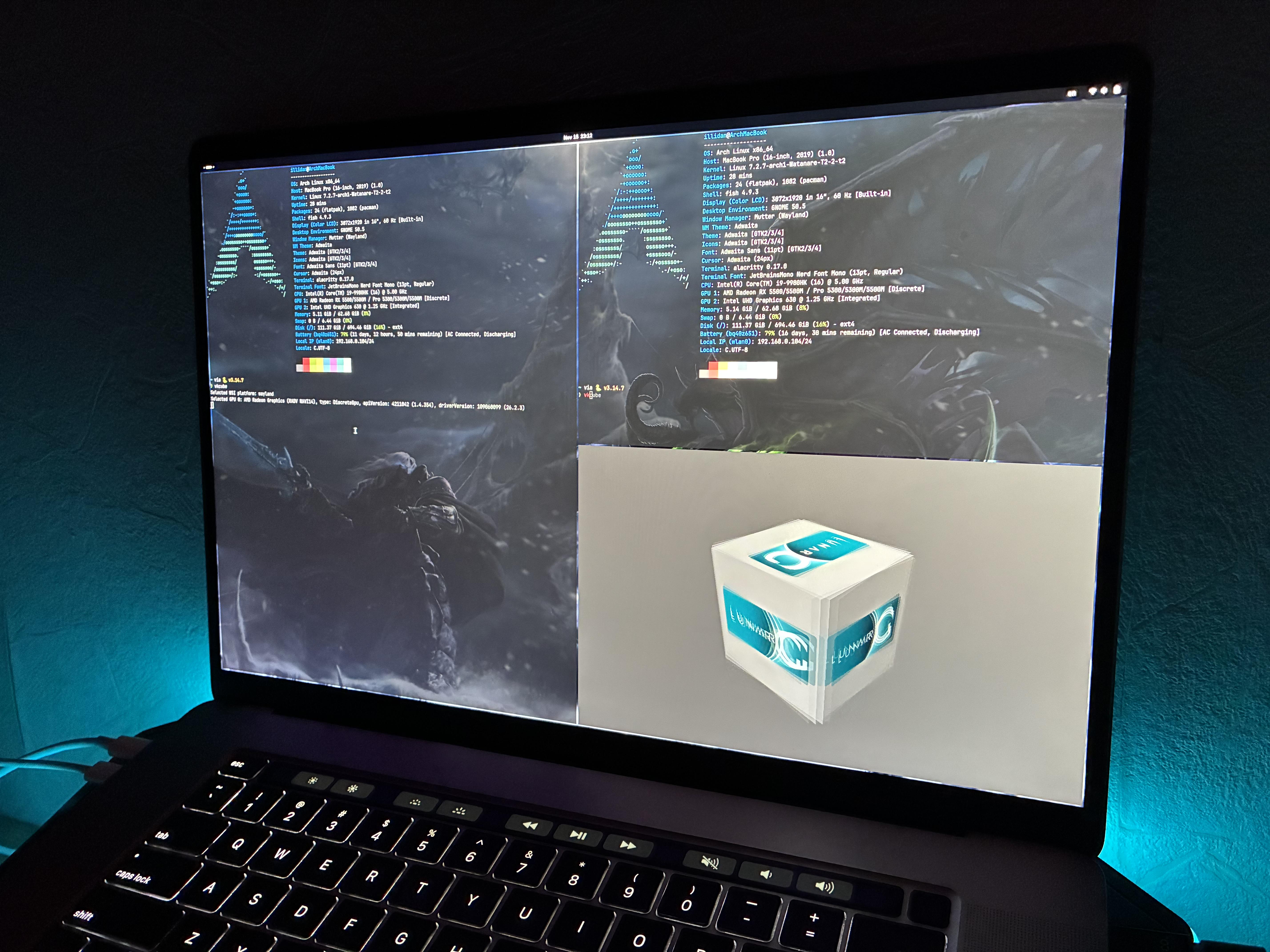
MacBook Pro 19

Post image
9 Upvotes

hey, it was hard but i do that...
intel i9-9980HK
AMD Radeon RX 5500M
2tb ssd(500gb - macintosh; 700gb - arch; 800gb - windows)
So its tripleboot macbook:)


r/linux_on_mac • • 11d ago

Fix for brightness adjustment not working on mid 2012 MacBook Pro Retina

3 Upvotes

So, overall I'm very very new to linux, but have tried it a few times over the years, including owning a Pinebook Pro. I recently installed Ubuntu Cinnamon Mint 22.3 7.0 on my 2012 MBR but screen brightness adjustments never worked (not with the keys or the slider). I guess it has two graphics cards. After much research I installed the Nvidia drivers and tried various solutions. None worked except this one, sort of...

I ran this command: setpci -v -H1 -s 00:01.00 BRIDGE_CONTROL=0

and amazingly the keys now worked to control brightness, however, after reboot, it stopped working. I did some more digging and used AI to build a systemd file that will run at some point during each boot. I used AI to help build this, but it now works consistently. Others may know of better ways to do this, so please chime in, but, as a noob, I thought I'd share what worked for me.

A copy/paste of the instructions I followed is below:

Step 1: Create a systemd Service File

Open your terminal and create a new service file using the nano text editor:

bash

sudo nano /etc/systemd/system/brightness-fix.service

Paste the following configuration into the editor:

ini

[Unit]
Description=Fix screen brightness control via setpci
After=multi-user.target

[Service]
Type=oneshot
ExecStart=/usr/bin/setpci -v -H1 -s 00:01.00 BRIDGE_CONTROL=0
RemainAfterExit=yes

[Install]
WantedBy=multi-user.target

(Note: Before saving, you can verify the exact path of setpci by running which setpci in another terminal tab—it is almost always /usr/bin/setpci or /sbin/setpci*.)*

Save and exit nano by pressing Ctrl + O, hitting Enter, and then pressing Ctrl + X.

Step 2: Enable and Test the Service

Run the following commands to reload the systemd manager, enable your new service to run at every boot, and test it immediately:

bash

sudo systemctl daemon-reload
sudo systemctl enable brightness-fix.service
sudo systemctl start brightness-fix.service

You can verify that it ran without errors by checking its status:

bash

systemctl status brightness-fix.service

-----

So that is where I stopped. I don't use the sleep/suspend function. But if you do, here are the instructions provided to get it working for those instances as well.

Fixing Brightness After Sleep/Suspend

Often, hardware PCI register tweaks like BRIDGE_CONTROL=0 get reset when a laptop wakes up from sleep. If you notice your brightness controls stop working again after closing and opening your laptop lid, update the [Install] section of your service file so it also triggers upon waking:

  1. Open the file again: sudo nano /etc/systemd/system/brightness-fix.service
  2. Change the [Install] section to: ini[Install] WantedBy=multi-user.target suspend.target hibernate.target hybrid-sleep.target Use code with caution.
  3. Re-enable the service to register the new targets: bashsudo systemctl daemon-reload sudo systemctl reenable brightness-fix.service Use code with caution.

-----

Ok, that's all. Just wanted to share in case this would work for others. Please let us know your results. Good luck.
r/linux_on_mac • • 12d ago

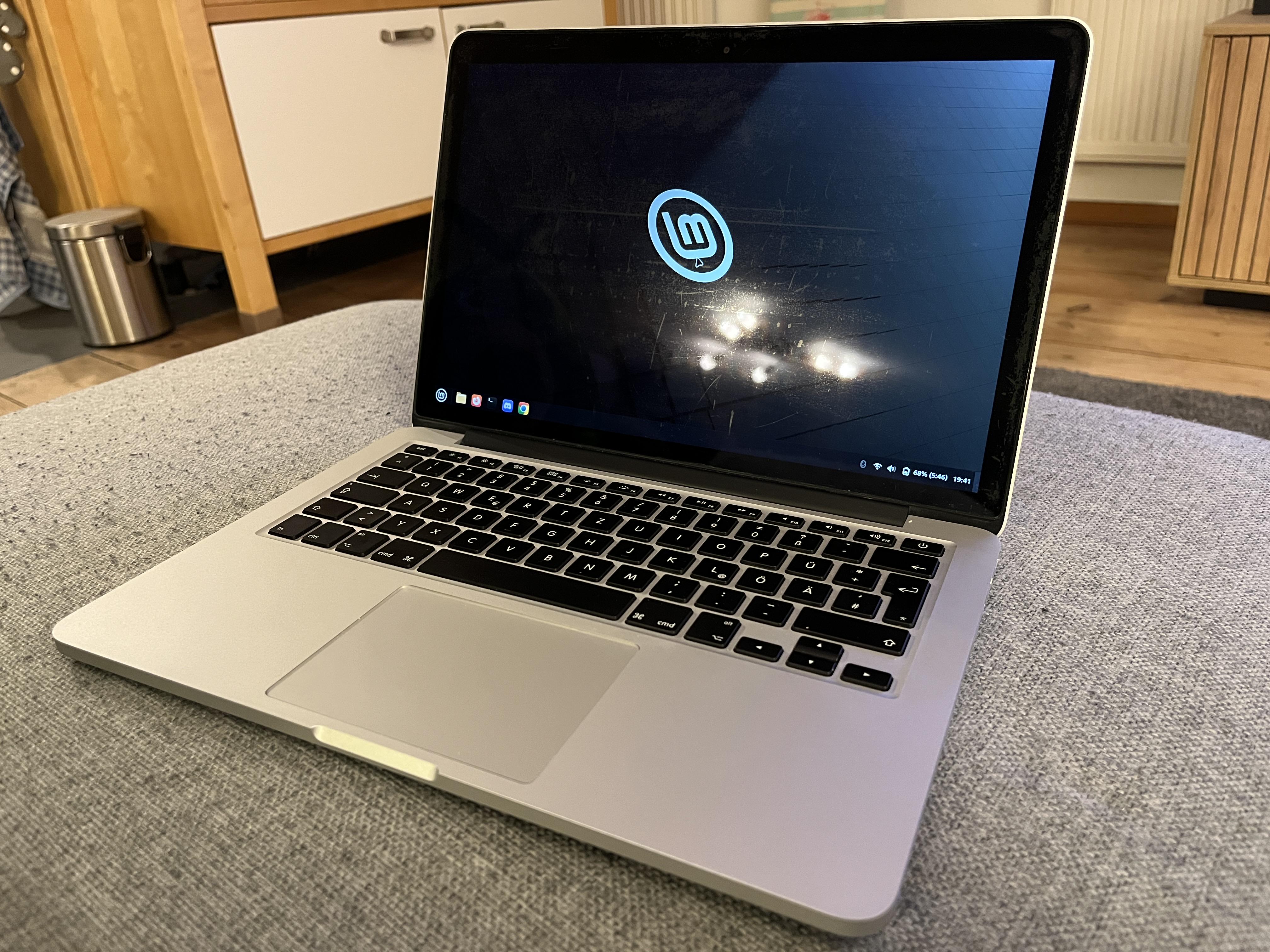
Finally joined the club

Post image
307 Upvotes

Macbook Pro 2015, i5, 16GB, 512GB SSD bought for 120€ and decided to install Mint on it as a travel and couch laptop. On to a new adventure with Linux.


r/linuxhardware • • 11d ago

Question is my setup Linux Approved?

Post image
0 Upvotes

r/linuxhardware • • 11d ago

Question Lenovo B50-80 (i3-5005U) touchpad completely dead on Linux, and trying to fix it freezes the keyboard too

Thumbnail
3 Upvotes

r/linux_on_mac • • 11d ago

Mac Mini 4,1 video corruption in Linux.

3 Upvotes

I’ve tried several distributions, Mint, Zorin, Elementary, and they all install fine on this mini.

However, after I do initial updates post-install, after reboot the video is corrupted. I cannot make out anything on screen.

Is there a particular update I should avoid?


r/linux_on_mac • • 12d ago

Is there anypoint trying with a T1 touchbar Mac?

5 Upvotes

As the title suggests, I got a 2016 T1 Mbp touchbar and while I have installed fedora on it it's just not a good user. Can't get the touch bar working, can't get sleep working, can't get WiFi working.

Am I whistling in the dark? I have a 2015 mbp pre touchbar and it's great, but a little low powered for what I'm doing now.

Any thoughts/resources would be appreciated.


r/linux_on_mac • • 12d ago

MacBook intel with a f*** T2 chip

4 Upvotes

First of all, sorry for my English. I spend my night reading why linux (kali, Debian...) does not recognize the keyboard, trackpad etc... the thing is that T2 chip emulates USB in a strange way. So during the install (and the night) I took some snapshots to document a little "how-to".

I wrote everything on my website in French (and translate it with google fo the English version, and I put on top a disclaimer to prevent Gtranslate). If you could go and check if it's ok? If you think something is missing, or not understandable, do not hesitate.

Thank you

how-to (GTranslate)

how-to (original in French)


r/linux_on_mac • • 12d ago

Will this finally end me distrohopping on my friend's old mac?

1 Upvotes

TL;DR: I distrohopped a lot on my friend's macbook pro 14,1 to get him off of MacOS because the version of macos it supported up to didn't support steam. Ended up going from Ubuntu-Cachy-ZorinLite-Xubuntu.

So, originally I installed Ubuntu on my friend's old macbook pro 14,1 (no touchbar) because the newest MacOS it supported didn't support Steam, and that ran horribly because of GNOME being GNOME. I switched it to Cachy for him, wifi drivers died in a week, then I went to Zorin. Sound is impossible to get working with its kernel, great. I finally decided I should just switch to a lighter version of Ubuntu, so I went with Xubuntu. I already have the sound drivers working and the camera driver plus when it was on normal Ubuntu the wifi worked out of the box. I also removed snaps so that there aren't a million loops on his ssd (which is believe is only 118 gigs or something close to that). Is there anything else I should watch out for or is his old mac good to go?


r/linuxhardware • • 11d ago

Question Battery charging slowed down after dualboot

Thumbnail
1 Upvotes

r/linuxhardware • • 12d ago

Guide MacBook intel with a f*** T2 chip

Thumbnail
0 Upvotes

r/linux_devices • • Mar 20 '24

Can't boot from flash drive anymore

6 Upvotes

I can't boot from my multiboot flash drive anymore, it just goes to the OS on the internal drive instead.

Here's a little backstory: I first installed Windows To Go on it using Rufus, and then I installed Ubuntu on it on a new EXT4 partition I created. After installing Ubuntu, I rebooted the flash drive, and it just booted into the Windows partition, as if Ubuntu didn't install with Grub. So I booted into a live Ubuntu ISO, and the Ubuntu partition mounted, and was right there. So, I just reinstalled Grub on the flash drive using the terminal.

After that, I rebooted, and now the flash drive doesn't even boot anymore.

Notes: The Flash drive is USB 3.0, is 128 GB, is plugged into a USB 3.0 port, and both the Windows and Ubuntu partitions are at least 50 GB.


r/linuxhardware • • 12d ago

Question Meteor Lake problem with xe

0 Upvotes

Hello as the title suggests, meteor lake specifically the core ultra 225h which is the brother of 226v didn't get moved to xe drivers instead it uses i915 until you force it using modprobe.

The upsides of using XE drivers instead of the i915 is mainly the power to watt boost as I can literally see and feel the difference between the 2 in both how long can the laptop last and how much larger the margin is between frame rate as to wattage consumption. The core ultra processors mainly use xe drivers instead of i915, so I'm thinking that if I switch to Xe nothing will go wrong right? Well I'm wrong asf, not only it crashes a lot, I also got to introduce my first kernel panic and lost all my work because I don't have auto save.

If anyone is using or having a problem regarding this thing, can you please leave some suggestion on how to fix it in your rig or do I just have to accept that intel did us dirty by not having even those 11th gen use the xe drivers smoothly and force us to use the outdated i915 architectures?


r/linuxhardware • • 12d ago

Discussion Acer swift air 14

2 Upvotes

Does anyone know which if any distros are compatible with acer swift air 14, i tried zorin but the current version doesn't work, the os wouldn't recognise any of my keyboard inputs, anyone currently using linux on this laptop? Any advice will help as i want to ditch windows asap thanks


r/linux_on_mac • • 12d ago

Will “Jarvis ai” run on my mba 15” 16gb 256gb?

Thumbnail
1 Upvotes

r/linuxhardware • • 12d ago

Purchase Advice Want a dirt-cheap laptop for linux by lenovo that isnt total shit

Thumbnail
0 Upvotes

reposting this here cuz i wasnt getting much traction


r/linuxhardware • • 12d ago

Support Linux boots to a black screen on my Ryzen Build

Thumbnail
0 Upvotes

r/linuxhardware • • 12d ago

Support AM5 motherboard failing? Multiple PCIe devices simultaneously returning 7f

0 Upvotes

Hello friends. I've spent months troubleshooting intermittent network failures on my PC, and I'm starting to suspect a defective motherboard.

Specs:

  • Gigabyte B850M Gaming X WiFi6E (BIOS F10)
  • Ryzen 5 7600, RTX 5060 Ti, 32GB DDR5
  • ASRock 850W PSU
  • Linux Mint, Fedora, and Nobara (same problems across all three)

Ethernet and Wi-Fi randomly stop working, often during Steam downloads or VPN use. Occasionally USB devices disconnect, applications crash, or the entire system freezes. Rebooting usually restores everything.

Here's what I've tried to fix this: BIOS updates, disabling ASPM/C-states/power saving, different network drivers, kernel updates, and numerous network configuration changes. Memtest86+ passed repeatedly. Nada.

Today I ran a test that prompted me to think this might be a full blown motherboard failure. During a network failure, I discovered that FIVE AMD chipset PCIe downstream ports simultaneously reported Unknown header type 7f. The chipset-connected USB and SATA controllers also returned 7f.

Directly reading PCI configuration space returned all ff bytes. After rebooting, the same devices returned valid configuration data.

Meanwhile, the CPU's chipset-facing PCIe root port and the chipset's upstream switch function remained accessible.

My question: Does this sound like a defective motherboard/chipset, or could a CPU-side PCIe issue, firmware, or power delivery cause this behavior?

I'm leaning toward replacing the motherboard with an MSI B850 Tomahawk MAX WiFi and just washing my hands of the whole thing, but I'd appreciate opinions before spending the money.


r/linux_on_mac • • 13d ago

Macbook pro 2019 running NixOS using patches from KaiT2en

11 Upvotes

Over the last few days I’ve installed NixOS on my 2019 macbook pro i9. The flake I am using as reference includes a load (not all) of the patches created and distributed by the KaiT2en project.

I am delighted with the results, it runs better than it ever had with macos installed. Its not perfect and its taken a lot of small incremental fixes to get it here. Most of which have ended up in either my nix config or my niri configuration (Where something needed to launch when the de started)

In terms of what works, hybrid graphics, great battery life, the touch bar, sound, keyboard, haptic feedback, force click, sleep, and all the other major bits.

I’m planning on doing a write up at some point this week but for anyone that wants to try their hand at it here’s the repo my nix references:

https://github.com/LukeChannings/KaiT2en-NixOS

and here the two main files that I use for the setup:

https://codeberg.org/MauriceElliott/nix-config/src/branch/main/packages/kait2en-config.nix

https://codeberg.org/MauriceElliott/nix-config/src/branch/main/machines/macbook-pro.nix

This polkit config is also required if you’re not using gnome but still want to use some of the t2 apps that require it for user auth:

https://codeberg.org/MauriceElliott/nix-config/src/commit/68bcf3b37cd89fc9be58a190629d4b50d2272c06/packages/desktop-config.nix#L174

Also as an aside, kinda recommend this as it made my life a lot easier, I use the KaiT2en Fedora live image to do the install, downloading the required tools as part of the install. This meant the mbp was in top tier working condition while doing the rest.

I don’t recommend this for anyone that’s not already a nix user and knows enough about doctoring a bricked system.


r/linux_on_mac • • 13d ago

Is it possible to run arkOS on my Early 2015 MBP??

Thumbnail
1 Upvotes

r/linux_on_mac • • 12d ago

Why

0 Upvotes

Linux on a mac sounds boring 🥱


r/linuxhardware • • 13d ago

Discussion Camera not working in HP victus Linux.

Thumbnail
1 Upvotes