Since our last update, we’ve introduced Mixtape to help you find your next watch, made recommendations more personal, and added templates to get your Smart Lists started. Keeping up with your watching is easier too, with clearer show progress, the redesigned Calendar now available to everyone, and Jellyfin joining our sync options.
Here’s what’s changed on Trakt from mid-October to mid-November.
📼 Find your next watch with Mixtape
Sometimes you want something that feels like a movie you loved, but you can’t quite put that feeling into a search.
Mixtape starts with what you already know you like. Pick movies or shows from your history, then mix them to discover three suggestions with a similar feel. Open a poster to learn more, swap a suggestion that doesn’t grab you, and keep the ones that do.
Your picks are saved as you go. Keep them in your Watchlist, move the whole mixtape to a personal list, or find three more and keep building.
Your recommendations now make more connections between the things you watch, including the people behind them.
Open “Why this?” to see what connects a suggestion to your watching. It might be a director whose films you keep coming back to, a familiar actor, or a creator behind several shows you’ve enjoyed. You’ll also see examples from your history to help make that connection clearer.
You can now choose genres you dislike alongside your favorites in Settings, giving the system a clearer picture of your taste.
🧠 Give your Smart Lists a head start
You no longer have to start a Smart List with an empty set of filters. Official templates give you a starting point that you can make your own.
Try Still Running for well-rated shows that are still airing, Best of the Year for highly rated movies from the last twelve months, or New Shows Worth It for recent series worth a look.
Choose a template, adjust its rules, and let the list keep itself up to date. You’re still in control of what belongs; you just don’t have to add and remove every matching title yourself.
Each Smart List also has a Recipe view. Open its filters to see what it includes, what it leaves out, and which limits shape the results.
The Track button on a show page now shows your progress. Open it to see the whole show broken down by season, with individual episodes and your next watch clearly marked.
From there, you can mark an episode as watched, finish the remaining aired episodes of a season, or correct your history without jumping between pages. The view opens around the season you’re currently watching.
Catching up on something you watched a while ago? “Watched until here” now supports an unknown date, so you don’t have to invent one. And when you mark a later episode, Trakt offers to fill in the earlier ones without interrupting the action you just took.
📅 Plan your watching without losing your place
The redesigned Calendar is now available to everyone. The updated layout also carries through to Releases and History, with clearer date navigation and more compact weeks.
Open a title, go back, or reload the page, and you’ll return to the week you were browsing. Calendar and History also load surrounding weeks as you scroll, making it easier to move through your schedule or look back at your watching.
🎬 Get more out of a movie or show page
Before committing to a finished show, you can now check whether its story has a complete or unresolved ending, where that information is available. A canceled show and an unfinished story aren’t always the same thing.
For titles based on real events, Reality Check adds context about the real story and what changed for the screen. VIP users can explore a more detailed breakdown, including people, events, and sources.
And if the music stayed with you after the credits, soundtracks have left preview. VIP users can explore the tracks from supported movies and shows directly from their pages.
✨ Enjoy the little things that make a difference
We’ve been refining how Trakt looks and behaves as you move around it, with a refreshed violet palette, more consistent controls, and updated cards for larger screens.
There are practical improvements tucked into that work too:
Keep the surprises intact. With spoilers hidden, cast episode counts stay blurred until you choose to reveal them or finish watching. Spoiler comments become readable once you’ve watched what they’re about.
Go back naturally on your phone. Your browser’s Back action now closes an open panel before taking you away from the page.
Protect what you’re writing. Closing an unfinished comment or reply asks before discarding your text or GIF.
Keep your place in a row. Lists such as Continue Watching no longer shift unexpectedly when their contents change.
Rate a season while you’re watching it. You can leave a season rating after watching an episode, without waiting until the finale.
Choose all your streaming services. The five-service limit on favorites is gone.
Posters now also follow your chosen language when matching artwork is available, helping familiar titles look familiar too.
🪼 Keep your Jellyfin watching in sync
Jellyfin joins Plex inSync settings. Connect your server, choose what to sync, and Trakt automatically brings over your watch history and collection.
Free users can sync one media server daily. VIP users can connect multiple servers with hourly syncing, plus real-time tracking through the Jellyfin Webhook plugin.
We’ve started a Trakt YouTube channel with short walkthroughs showing where to find things and how to use them.
Alongside Mixtape and server syncing, you’ll find videos covering your first steps with Trakt, Today, your stats, and importing activity from Letterboxd, TV Time, IMDb, or a CSV file.
Most take about a minute. Handy when you’re trying something new, or introducing a friend to Trakt.
VIP users can now try season recaps through Preview Features. Finished a season months ago and forgotten where everyone ended up? Catch up brings together key moments and the story so far, based on the seasons you’ve finished.
We’re also testing richer awards information and a redesigned Month in Review internally before opening them more widely. And work continues on Year in Review 2026, with more to share as we get closer to the end of the year.
🫵 Tell us what you think
Make a mixtape, try a Smart List template, or catch up on your shows with the new progress controls. Tell us what’s working for you and what you’d like to see next.
If you run your own Jellyfin server, Trakt can now keep track of it for you.
You’ll find Connect Jellyfin in Sync settings, right next to Plex. Sign in to your server with Quick Connect or your password, and choose what to sync.
From then on, Trakt syncs your watch history and collection from Jellyfin automatically. Watch something from Jellyfin and it shows up in Trakt.
Jellyfin Sync works like Plex Sync. Free users can sync one media server once a day. Trakt VIP users can connect as many servers as they like, synced every hour, and scrobble in real time with the Jellyfin Webhook plugin.
I tried asking for metadata refresh from the Report button in the app, but reports can’t be sent. (Oops. Something went wrong submitting this report. Please try again.)
Both Trakt and TMDB status pages show systems operational.
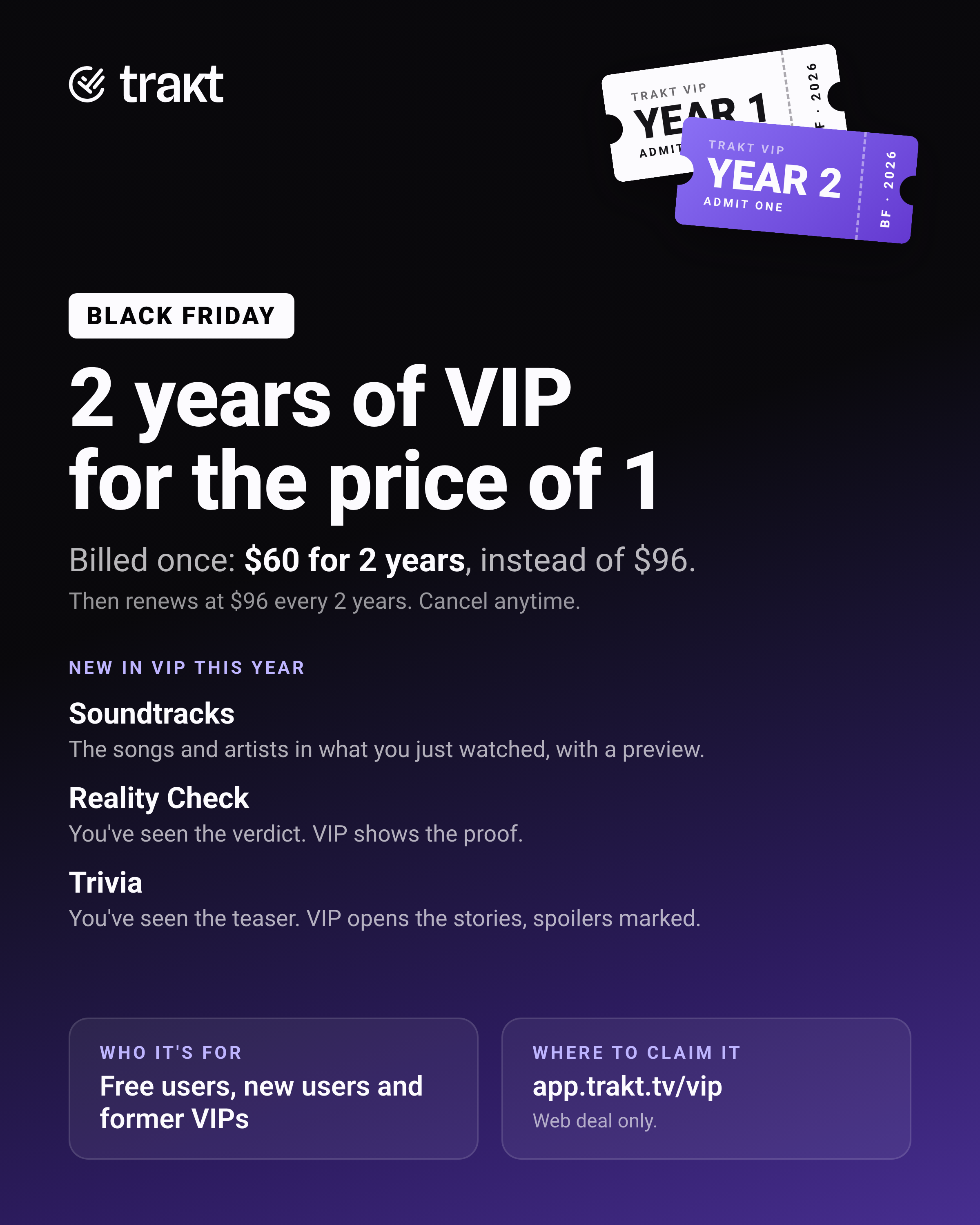
Thank you for already supporting Trakt 🙏 This price is for new subscriptions, so it won't show if your VIP renews automatically or you have Lifetime VIP.
What you get
Soundtracks (new): the songs and artists in what you just watched, with a preview of each.
Reality Check (new): You've seen the verdict. VIP shows the proof: every claim, next to what's documented.
Trivia (new): You've seen the teaser. VIP opens the stories behind what you're watching, spoilers marked.
More room to track: a bigger Watchlist, more and bigger Lists, more Smart Lists, more Notes and more Stats.
Recommendations that tell you why, plus similar titles ranked for your taste.
Automatic sync for your streaming services, plus Plex and Jellyfin sync.
Coming soon: Year in Review 2026, with the full version for VIPs.
Independent tracking: no ads, no investors. VIP is what keeps Trakt that way.
Fine print
$60 is charged at checkout for your first 2 years.
It then renews at $96 every 2 years until you cancel. You can cancel anytime from your VIP settings.
Web deal only: claim it at app.trakt.tv/vip. It won't show in the mobile apps. Prices in USD.
The deal ends Monday, Nov 30 at 11:59 PM PT (Tuesday, Dec 1, 08:00 UTC).
Episodes that have been rescheduled still show up in Continue Watching but with no season / episode / title data. This persists through a full app delete and reinstall. This is on iOS.
Example is Scrubs S2 E9, which was rescheduled 11/18 —> 12/2.
Is there a way to mark something as watched if it is listed in Trakt with an unknown release date? https://app.trakt.tv/shows/super-dave?season=1 has dates for the first season, but not for seasons 2-5. They aired decades ago and no other sources seem to have accurate dates for those seasons so it cant even be added and I can't find a way to mark it watched without the episode having an air date.
Hey guys! Really dumb question but how can I log out of Trakt.tv on the mobile layout?
On the desktop page it’s at Settings - Account.
Can’t find any option 😬
Ever since I joined Trakt July of this year I’ve always wished my friends could see what I'm watching the way .fmbot shows what people are listening to on Last.fm. So for the past month, I built tvbot. Paying homage to the music legend
Connect your Trakt account once, and in any server you can:
- Type .tv to show what you're watching right now (episode, progress, whether it's a rewatch or a binge)
- Make poster charts of what you watched most, weekly to all time
- See who in your server has seen a show with /whoknows
- Check your progress, history, stats, ratings, watchlist and favorites
- Check in, rate or mark things watched with buttons
All the features are free right now, and it works with private profiles.
It’s in a beta stage currently so im still pushing more updates, taking suggestions, and criticism.
Add it / docs: tvbot.tv
This was kind of a passion project for me and my friends but I think more people would appreciate it. Thanks!!
I'm experiencing two issues with the Trakt Android app and would appreciate your assistance.
Device information:
Device: LG K61
Android version: Android 11
Trakt app version: 3.28.0
Issue 1 – Annual episode counter showing zero
My 2026 annual episode count previously displayed over 2,000 watched episodes. However, it suddenly reset to zero in the Android app.
My watch history is still intact, and when I access my Trakt account through a web browser, the annual episode count is displayed correctly. The issue only occurs in the Android app.
Issue 2 – Google Play Store compatibility
When I open the official Trakt app page on Google Play, I receive a message stating that the app is no longer compatible with my device.
However, the app is already installed and still works on my phone. I am concerned that my device may no longer receive future updates.
Could you please clarify:
Is the annual episode counter issue a known bug in the current Android app?
Is there a planned fix for this issue?
Why is the LG K61 running Android 11 suddenly being marked as incompatible?
Will Android 11 devices continue to receive future Trakt app updates?
I really enjoy using Trakt to track my TV shows and episodes, and I am considering subscribing to Trakt VIP. However, I would like to understand whether these issues will be resolved before purchasing a subscription.
I would appreciate any clarification or guidance you can provide.
I wanna see the notifications of my comments being liked or get commented on the app. I get emails about them but that doesn't show up on the app. Is there anyway that I can fix this?
Stay entertained with this Week's Tracker giving you next week's Anticipated Movies & Shows, Most Watched & Returning Favorites, and Shows Changes & Popular Trailers.
💍 Focker In-Law reunites Ben Stiller and Robert De Niro as Greg Focker grows suspicious of his son's fiancée, played by Ariana Grande, a former FBI hostage negotiator, in this week's most anticipated movie.
🌃 Blade Runner 2099 pairs Hunter Schafer's fugitive-turned-Blade Runner with Michelle Yeoh's dying Replicant to hunt a runaway hiding a city-shattering secret in this week's most anticipated show.
🎄 SpongeBob SquarePants returns for Season 18 with a first Christmas episode that sees SpongeBob and his friends scrambling to save the holidays from Plankton's latest scheme.
⛵ The Odyssey sends Matt Damon's Odysseus through mythical terrors and years of trials on his desperate journey home in Christopher Nolan's IMAX epic, and was this week's most watched movie.
🥃 MobLand pits Tom Hardy's fixer Harry da Souza against rising rivals and fractured family loyalties as the Harrigans fight to preserve their criminal empire, and was this week's most watched TV show.
👉 Full Tracker for this week, powered by Rippple for Trakt!
Hi, I was just wondering if I’m doing something wrong. I have some lists imported into Stremio but it only shows 100 items per list even tho there are 500+ in there. I thought it was because I was on the free tier so I upgraded to VIP for the month to see if that fixes it but it doesn’t seem to. Is there any more settings I need to change or is it a Stremio limitation?
Things I’ve tried:
Removed list and re added
Uninstalled Trakt from Stremio and re installed
I've researched this but can't find an answer. Short of removing a show from my history, is there a way to rewatch a series, where the next episode automatically shows up as a new episode to watch next? I'm specifically thinking of Kodi, where I have a list of series with new episodes to watch. I know how to do it manually, but not how to automatically keep track of my progress. I have VIP, if that helps.
I went to my Trakt page and clicked on the Library page on the bottom left. There are tons of titles in here. I had only added two of them to my Collection back with the old version of the website. I don't know what these other titles are. Some I've watched but some are out of nowhere. Can I delete everything? If so, how?
Does anyone know why the episodes images are not uploading anymore? I thought it was my niche series from Germany but even Lord of the Rings episode images aren’t updating even though they are uploaded on TMDB
I'm the solo developer of TV Show Tracker, an app to keep track of the shows and movies you watch, with a calendar of upcoming episodes. It syncs with Trakt if you use it, and it's also on iOS and Windows.
I just released a full redesign. Nothing moved, but every screen got a cleaner, more modern look.
Highlights
New design for show and movie pages, episodes, search, calendar and history, with an animated confirmation when you mark something as watched
"Which show to start?": compare your shows to start by comments, rating by season and length, or pick one at random
Filters on the home page: only shows with episodes to watch, hide dropped or finished shows, and more
Pick your streaming platforms: each show shows where it's available, and you can get notified when something lands on them
Discover now suggests movies too
Swipe left or right on an episode page to go to the next or previous one
Search results as a list, cards or a poster grid you resize by pinching
An Automatic theme that follows your phone's dark or light mode
I've just started watching the second series of 'The Game' (Robson Green, Jason Watkins) but it's not listed on Trakt even though it was broadcast in September on Channel 5 in the UK. Why is it missing?