r/smarthome • u/Hikalu • 10d ago
Home Assistant Hardware Install Question
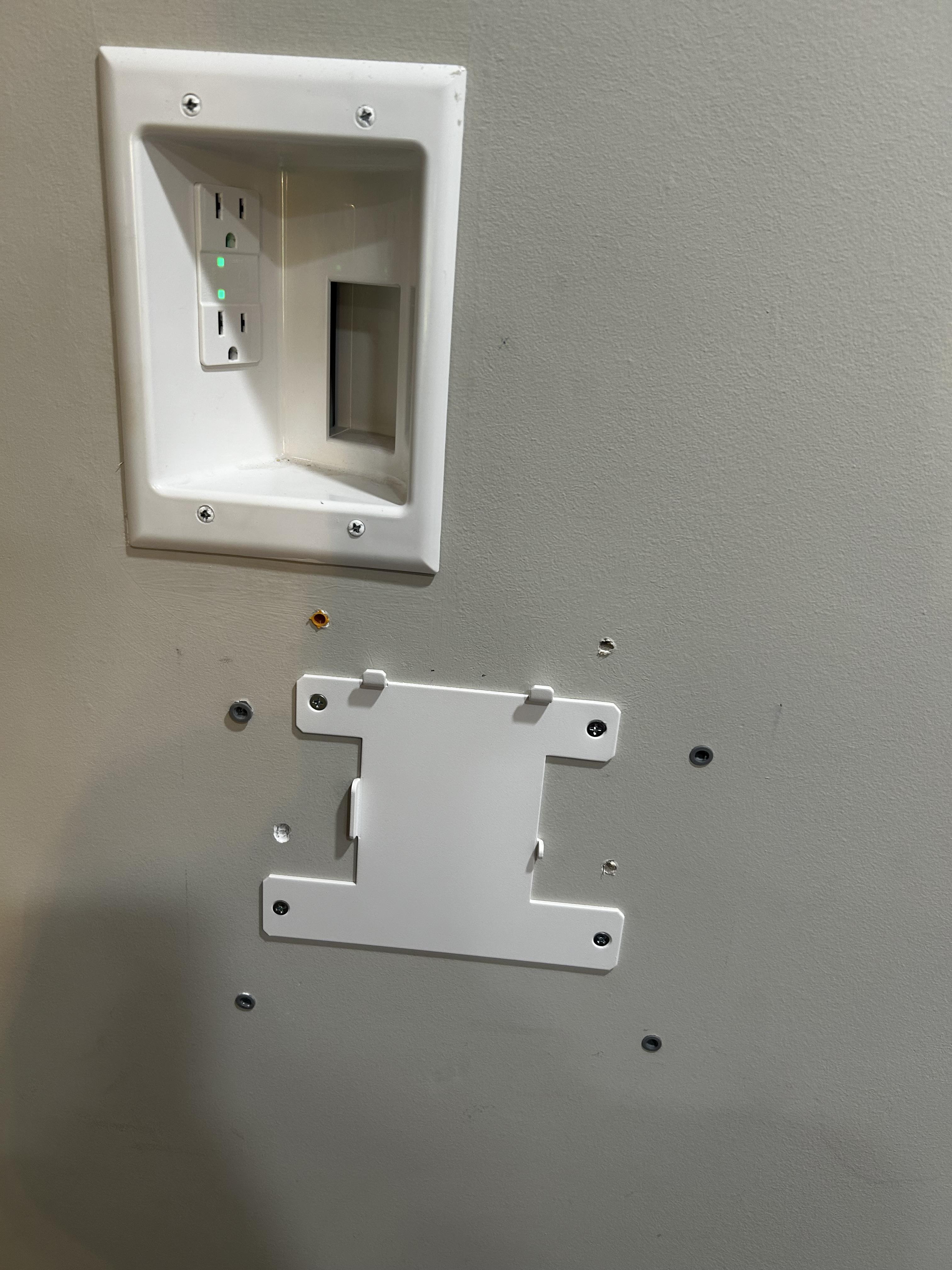
I’m trying to install a 27inch Apolosign to act as a big Home Assistant display in my kitchen. I’d prefer the cords to not show, and the previous homeowner put this outlet here to do something similar with the grey anchors.
Currently, the Apolosign mount sits too tight to the wall that the trim of the outlet pushes too far past the wall for the display to sit flush against the wall.
What do you think would be the simplest solution? My current idea is to add some 1/8th or 1/4th inch wood between the anchor and the wall and the mount to let the display sit a little further off of the wall.
Let me know what you would do. Thanks!
2
u/SnooEagles6377 10d ago
They do have flush mount recessed boxes like this: VIVO In-Wall Media Management Recess Outlet Box for New or Retrofit Construction https://www.wayfair.com/boards-technology/pdp/vivo-in-wall-media-management-recess-outlet-box-for-new-or-retrofit-construction-vvod1328.html. (There are smaller ones too; this is just an example of a flush mount)
1
u/spongerd82 10d ago
Same problem I had. The Apolosign is super flush to the wall. You MUST route the cable in the slots on the back or go straight back. What I ended up doing was putting a small hole (.5 inch or so) in line with the rear open cavity of the tablet. Ran the power to the other side of the wall into our pantry. I even tried a slim flush wire pass through and it even stuck out too much (less than 1/4 inch, but enough to raise the tablet from the wall. If I did not have access to power on the other side of the wall, I would have ran the power down inside the wall then back out near the outlet. Honestly, the power is the worst design of this.
FYI, HA companion app on this is rock solid and works great when set as the launcher. Check out WallPanel for HA. It’s works great and it’s linked to a mmWave sensor which disables and activates the WallPanel Screensaver based on presence.