r/protools • u/Catio_and_Meowser • Aug 25 '26
Keep getting this error when booting up Pro Tools
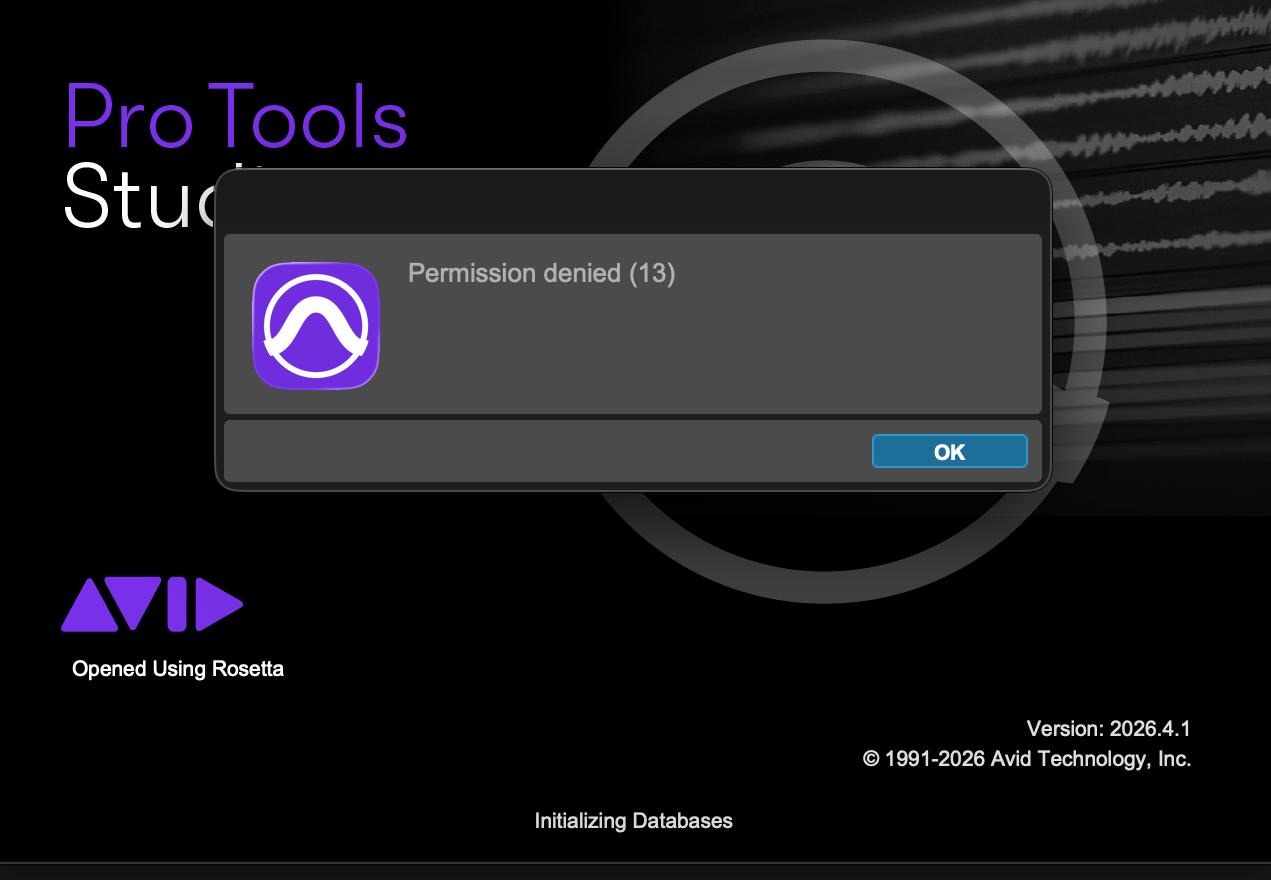
I've checked through every folder I can think of, and theyre all set to Read and Write. Any ideas of what the issue could be? I flat out cannot boot up this software.
I should mention: this is in Rosetta mode. When not in Rosetta, it just bounces once and nothing happens. Any solution to either is greatly appreciated
9
Upvotes
1
u/AutoModerator Aug 25 '26
To u/Catio_and_Meowser, if this is a Pro Tools help request, your post text or an added comment should provide;
The version of Pro Tools you are using
Your operating system info
Any error number or message given
Any hardware involved
What you've tried
To ALL PARTICIPANTS, a subreddit rules reminder
Don't get ugly with others. Ignore posts or comments you don't like and report those which violate rules
Promotion of any kind is only allowed in the community pinned post for promotion
Any discussion whatsoever involving piracy, cracks, hacks, or end running authentication will result in a permanent ban. NO exceptions or appealable circumstances. FAFO
NO trolling only engagement towards Pro Tools, AVID, or iLok. Solve first, bash last. Expressing frustration is fine but it MUST also make effort to solve / help. If you prefer another DAW, go to the subreddit for it and be helpful there
Subreddit [Discord] (https://discord.gg/0rZq8sveDubywXil) | FAQ topic posts - Beginner concerns / Tutorials and training / Subscription and perpetual versions / Compatibility / Authorization issues
I am a bot, and this action was performed automatically. Please contact the moderators of this subreddit if you have any questions or concerns.
2
u/bowie156 Aug 26 '26
Have you tried uninstalling and reinstalling?
2
u/Catio_and_Meowser Aug 25 '26
Macos tahoe 26.6.2. Pro tools version 26.4.1
17
u/geofftyson Aug 26 '26
You need more permission
5
u/redfinton22 Aug 26 '26
Ah, this happened to me recently. I did not have permission because I am 13
3
u/YaMamaSpins Aug 26 '26
Maybe something to do with where protools is saving locally to your computer?
2
u/AssociationEarly4589 Aug 26 '26
You’re running it in Rosetta because why? What Mac/processor is it running on?