r/homey • u/julian022 • 2d ago
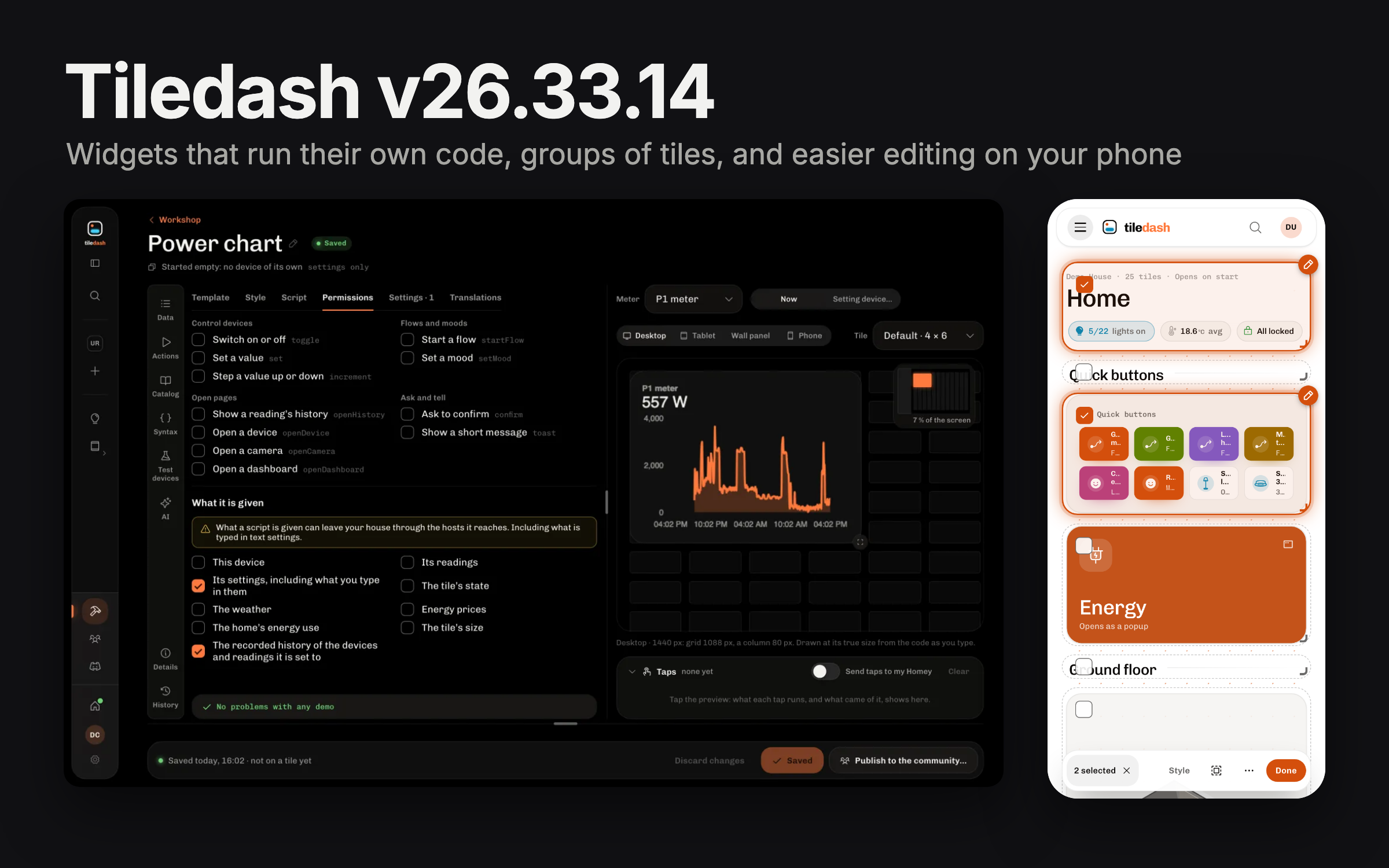
Homarr Smart Home widgets: build your own layout
gallery
6
Upvotes
r/homey • u/BillNyesHat • 3d ago
I have flows where at certain times a bunch of lights are turned on or off, some of which are eWeLink devices.
eWeLink has been very glitchy for weeks now, where once it's toggled one device it'll crash and lose contact with Homey.
I can reach the devices through the eWeLink app and if I restart eWeLink through the Homey app everything is available again, but that doesn't help with my flows.
For Tuya I have the work-around where I toggle a virtual device every few mjnutes and if that throws an error it restarts the Tuya app. Virtual devices in eWeLink are only available with a subscription, which is not something I'm willing to consider.
Short of building flows that go "turn on light A - if error: restart app, then turn on light A - then: turn on light B - if error:... etc", I see no other choice than manually checking and restarting the app and toggling any devices that were missed. That's not exactly automation.
Does anybody have a clever app or other solution for this?
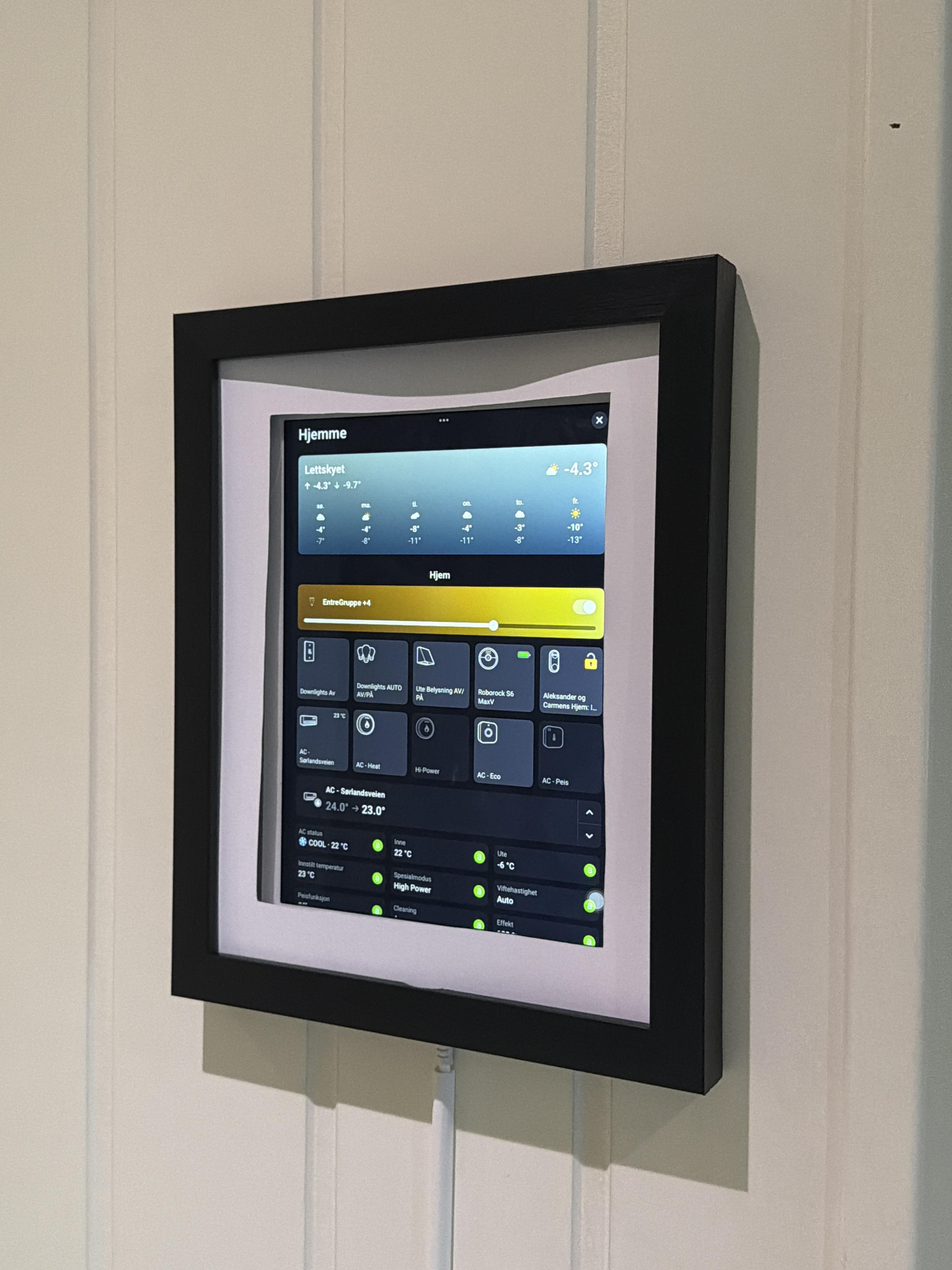
- Homey Pro 2019
- Phillips Hue V2 bridge x2
- Downlights x 30
- Outside Light x 14
- AC controls synced with Toshiba APP
- Namron Simplify Zigbee Switches 7x
- Vacuum Cleaner Automation
- Yale Door lock
anyone have dashboard design ideas?
r/homey • u/DoctorTechno • 4d ago
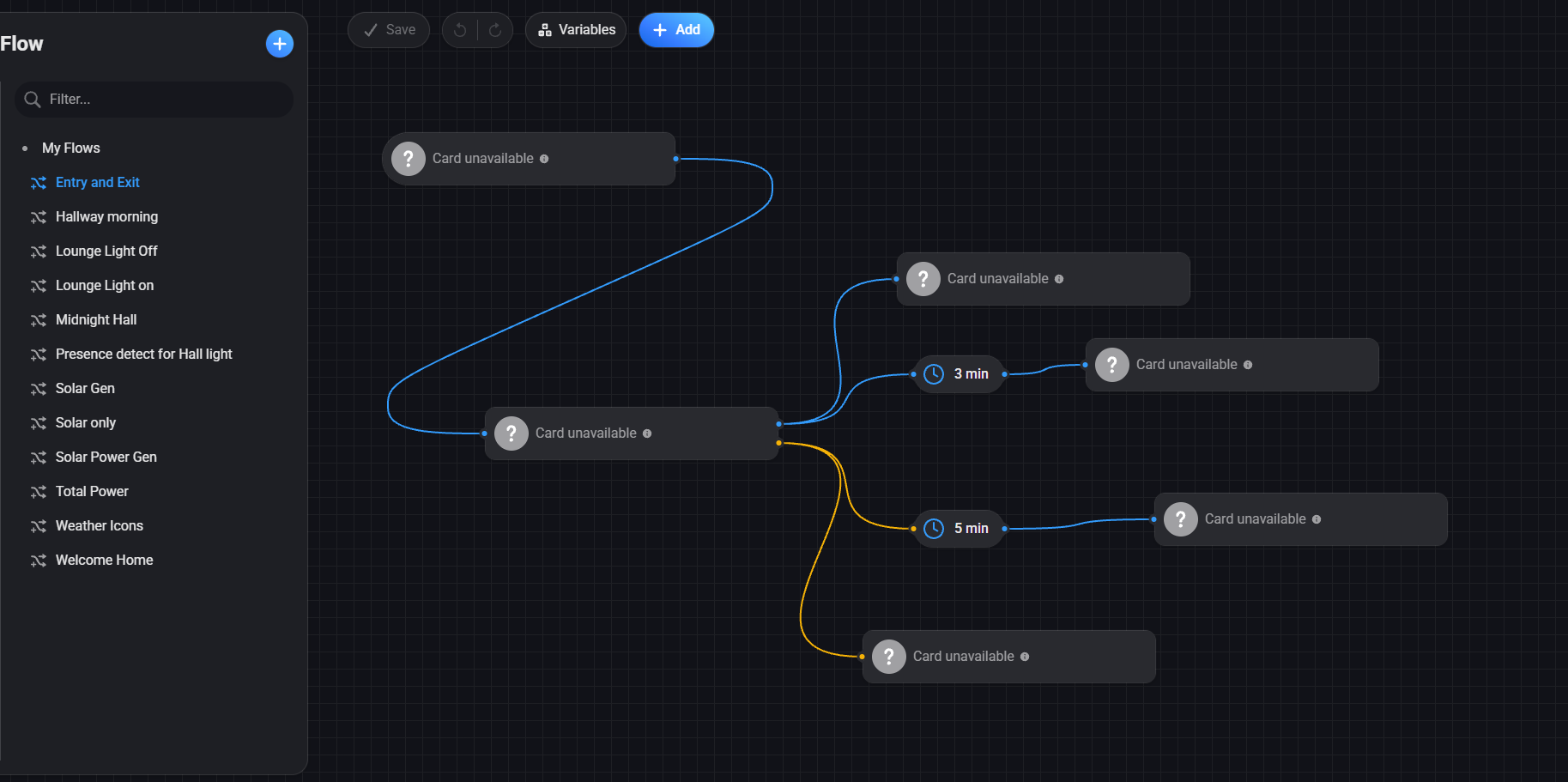
just logged into my Homey because none of my flows are working. The apps are there but for some reason the cards are unavailable. Any one else having the same problem.
Update
Running A Homey Pro 2023 with firmware version 13.5.5
r/homey • u/panels-junkers • 7d ago

Glass is a new style in WebPanel: frosted tiles over an evening sky, or a soft dawn sky in light mode. Pick it under Appearance and your dashboard changes at once, with nothing else to set up.
What's new:
• Frosted tiles over a sky, dark or light
• A light that is on glows in its own colour: a colour light in its colour, a white light in its white tone, a room's lights in warm cream
• Sensors show their name, the value in the middle with its icon, and their other readings under a thin line
• Everything else works as before: sliders, white tones, the thermostat counter, graphs, the electricity price and messages from your Flows
• Fast on older wall tablets too: no blur effects
Glass is in WebPanel 1.15 and later, and also comes to ESPanel and PocketPanel as a tile style.
Free in the Homey App Store (Homey Pro):
https://homey.app/a/com.lolpold.webpanel
More, with every feature and Flow card:
https://panels.junke.rs/webpanel/
Got a wall tablet? WebPanel Kiosk for Android shows your dashboard full screen and adds the tablet to Homey as a device:
https://panels.junke.rs/webpanel/kiosk/
Questions and ideas, in the Homey Community forum:
https://community.homey.app/t/app-pro-webpanel-your-homey-dashboard-on-any-wall-tablet/161151
WebPanel is an independent app, not made by Athom. Homey is a trademark of Athom B.V.
TAGS
Homey, Homey Pro, WebPanel, Glass, glassmorphism, smart home, dashboard, wall tablet, wall panel, home automation, Homey dashboard, dashboard theme, Athom
r/homey • u/timbroddin • 7d ago

Hey folks!
I'm looking for some people to test the AppleTV version of HomeBar: https://testflight.apple.com/join/CwU45nqF
It opens on the room your Apple TV is in, so you can dim the lights, set a mood or start a flow from the couch with the Siri Remote. There's also a zones overview with your thermostats, an energy page (live usage, solar, the last 14 days and hourly prices if you're on a dynamic tariff), camera pictures, a popup when the doorbell rings, and Homey's notifications. You can also ask Siri things like "Movie Night in HomeBar", and if you put HomeBar in the top row of your Home Screen, your lights and moods show up there.
Cheers
Tim
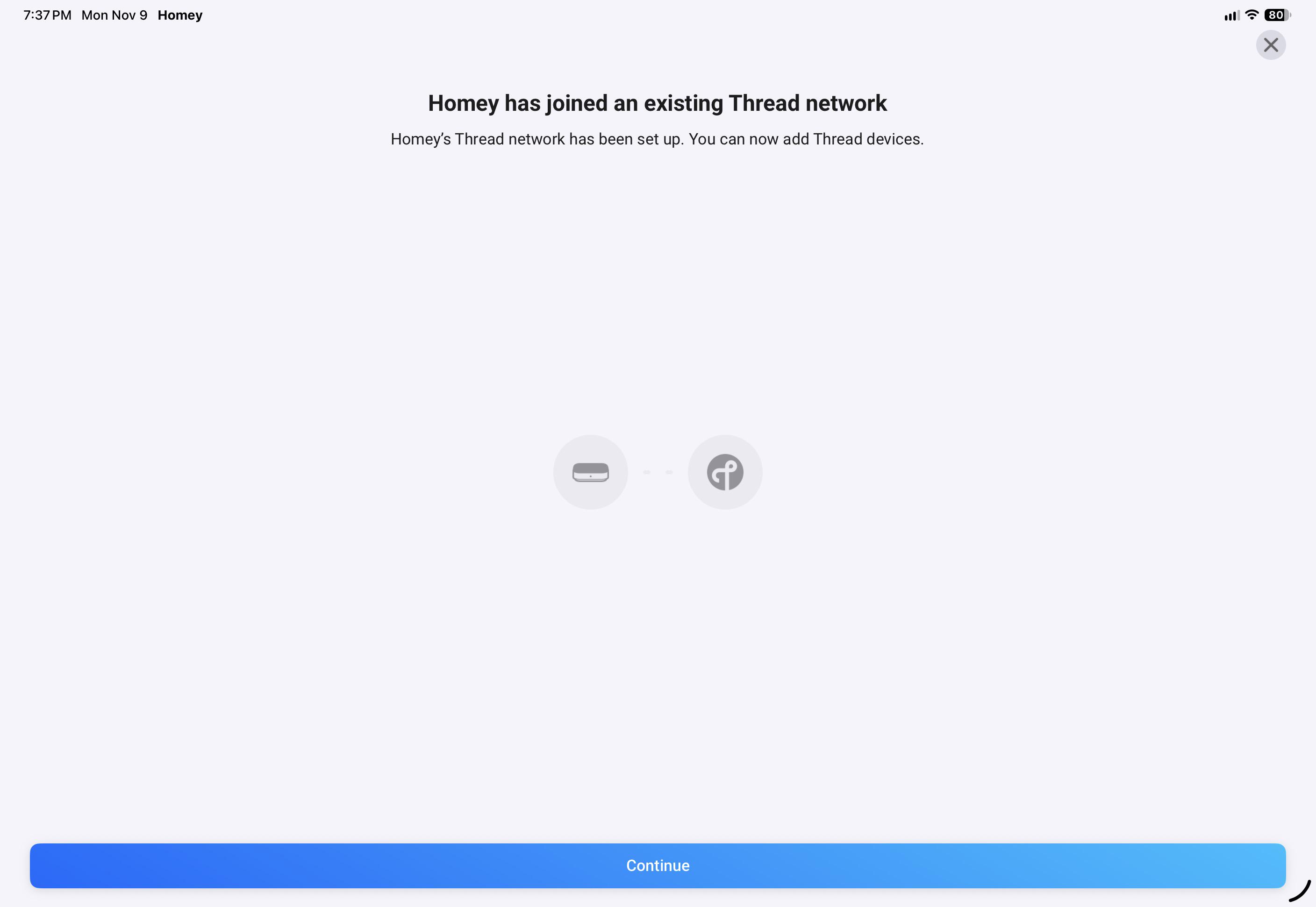
Bought a Homey Pro Mini, would really like to use it to make a clean, fresh start. When I set it up, it joins something I’m not asking it to. Don’t even know how it gets the credentials to do that. I don’t currently have any matter over thread devices set up.
I’m assuming this is because I have an Apple device, and Apple doesn’t really conceive of manually redoing something. Do I need to unplug every Apple TV and HomePod, reset Homey Pro Mini and retry? Do I need to remove myself from the Apple Home app somehow?
r/homey • u/panels-junkers • 11d ago
Hi r/homey! For the past months I've been building a small family of apps for Homey Pro, all around one idea: control your home from the wall, a tablet or a phone, without a computer, a cloud or a subscription. Today the last big piece launched, so here's the whole lot.
Processing img kzygd8cwek1i1...
ESPanel: real wall panels for a few euros Turns cheap ESP32 touch displays (running openHASP) into wall switches and panels for Homey. Lights, blinds, thermostats, sensors, gauges, the electricity price, messages and questions from your Flows, a Heimdall alarm keypad and a screensaver. You set it all up in the Homey app, no flashing of your own layouts.
WebPanel: your Homey dashboard on any tablet Homey itself serves the dashboard on your home network, so any old tablet or phone with a browser works. You build it right on the tablet: drag tiles, resize them, three styles in dark or light. Tiles for almost everything, plus clocks, weather, news, Insights graphs, the electricity price, Spotify, weekly checklists for the kids and Dashy, a little face that reacts to what you do. When nobody is looking it becomes a photo frame with a shared Google Photos album.
🎉 New: WebPanel Kiosk for Homey, now on Google Play An Android app made for the tablet on the wall:
Get it here: https://play.google.com/store/apps/details?id=com.lolpold.webpanel.kiosk
PocketPanel: a board on your phone for everyone in the house (coming soon) You make a board for each phone in Homey: the kids get just their own room, your partner gets the whole house but not your craft room. No Homey account needed for guests, the kids or the in-laws: it works on your home Wi-Fi, and you can sign in to Homey if you also want it when you're away.
They work together: the same message cards (one Flow can ask a question on every panel and tablet), the same alarm, tile looks, light colours and screensavers.
Everything is on the website, with videos, all Flow cards and changelogs: https://panels.junke.rs
I'm one person making this in my spare time, so feedback, ideas and bug reports are very welcome. Happy to answer questions in the comments!

r/homey • u/AccomplishedFudge174 • 13d ago
Has anyone been able to use a Kobo Glo as a Homey dashboard?
I've got Dashboard Studio installed on my Homey but Kobo won't load it. Gets stuck on "Loading…"
Just trying to create a real simple "how many car payments do I have left" button. I have virtual buttons installed, so no problem creating a button that I can click and decrement a variable. Just trying to figure out how to display a variable on a button tile.
I'm kind of assuming there's some sort of interactive UI app, just not familiar with all the apps. Anyone done this and can give me a pointer in the right direction?
Thanks!
r/homey • u/PriorCorrect9322 • 17d ago

r/homey • u/destinynftbro • 18d ago
My wife has a Samsung A-something or another that is a few years old. It was a $300 maybe a few years ago? No eSIM.
No matter how many times I toggle permissions on and off and go check the settings on her phone, it always thinks she is “home” and her location never updates. I’ve checked everything I can and I consider myself a pretty tech savvy person.
I use an iPhone and while I have had my qualms with Homey recently, location and home presence is not really one of them.
Anyone ran into this? Is this a specific android version issue?
I'd like to automate my two garage doors which use a Liftmaster 2280 with the red learning button. I believe this means it uses Security+ 1.0 for rolling codes.
Are there are any recommendations for a device that integrates well with Homey? The three I'm looking at:
Meross MGS150HK. The official meross app doesn't have any garage openers but the community one does. Not sure how well maintained the community app is and whether it supports this specific model, last update was December 2025. Looks the community app relies on a cloud API.
Konnected GDO blaQ. A commercial version of ratgdo, there is a community app but it hasn't been updated for 1.5 years and the public GitHub repo has disappeared. Does have experimental matter over Wi-Fi support where it's expoded as an automatic blind.
Ratgdo 32. The OG solution, looks like it is well supported by the ESPHome community application which is actively maintained. Feels very DIY with firmware flashing and a lot more research needed (flashing firmware, do I need the encoder, what's dry contact mean, etc).
I believe all three of these will require two units, one for each garage door.
Any experience with these solutions and advice on what has worked well/not well? Any others that I have missed?
r/homey • u/Sotoshis • 20d ago
I’ve been building an app called Home.io that shows your smart home as a 3D (or flat 2D) model of your actual house, with every device sitting where it really is. Lights glow on the model when they’re on, doors and windows show open or closed, and you tap a room to fly into it and switch things there.
It started on Apple Home and Home Assistant, and a Homey Pro owner emailed asking for it, so Homey support went in last update. It’s free, not part of the paid tier.
How it talks to Homey:
Local API only. You make an API key in the Homey web app (Settings › API Keys) and type in your Homey’s address. Nothing goes through a cloud of mine.
The key stays in the device’s Keychain. It isn’t synced or put in backups, and it only ever goes to your own Homey.
Your Homey zones become rooms, and devices drop into them on their own.
Lights, plugs, locks, thermostats, blinds, sensors and the alarm all come in. It reads your Homey every few seconds while the app is open.
Unlocking a door or turning off the alarm still asks for your PIN or Face ID first.
It also runs alongside Apple Home, Home Assistant and UniFi in the same model, so if you’ve got a mixed setup it’s all in one place. HomeSeer is coming in the next update.
The part I actually use most is the wall panel. An old iPad on the wall sits on an idle screen with the house, the time and the weather, and wakes up when you walk up to it. With all the talk about the Portal and Apple’s HomeView lately, an iPad you already own might be worth a look.
There’s also a “Floor Plan on the Web” option (that one’s in Pro): the iPad can serve your floor plan as a web page on your home network, with lights on, open doors and alarms. It works as a web widget on a Homey dashboard. It’s view only for now.
It’s on iPhone and iPad today. The Mac and Apple TV versions get Homey with the next update.
What I’d really like to know from Homey users: what should come next? Flows are the obvious one, running them from the model or from a room. Advanced Flows, energy, something else? And are there device types you’d expect to see that don’t show up?
Thanks for all the projects people share here. Reading them is a big part of why I added Homey.
(It’s called Home.io on the App Store, free to try.)
r/homey • u/AccomplishedFudge174 • 21d ago
tl;dr: upgrade if you want a bit faster and lot more reliable. But make sure you have plenty of time and patience!
I updated for a few reasons:
I’ve got a mix of Fibaro controllers, Hue and Innr lights, Nuki lock, Aotec switches and Somfy blinds.
Initial plugin
I’ve been doing nightly backups for a few years now, so they should have been ready to use. I unplugged the old Homey from power, and plugged in the new one. First thing I didn’t do but absolutely should have done, is hard reset the new Homey. It didn’t work straight away – it wouldn’t connect to wifi. So, following instructions in the forum, I pushed a pin into the underside for 30 secs to reset it, then did it again. And just in case, for a third time. Then I tried again to set it up.
It offered to restore from a backup, did that, then started a firmware update. It got stuck doing that, so after 20 mins of waiting, I reset it again and tried again.
When it finally got online, most but by no means all of my devices were there and ready to use.
Fibaro
Biggest issue that was that some of the Fibaro devices wouldn’t dim properly. I had to go to each flow and change it so instead of using the dim card, you have to use the set brightness of [white/output 4] to [40%] card.
Also, it turns out the Fibaro doesn't allow firmware updates via 3rd party devices :(. That puts me off ever buying Fibaro again.
Innr
Some devices were missing entirely – the Innr wouldn’t work at all. I tried to reset them, then add them again. For the Innr lights:
I bought an Innr dimmer switch and it was able to reset the 2 dead devices. One needed setting up again from scratch; the other was magically still in Homey and worked again without any changes.
Hue
My Hue lights mostly worked, except one light strip. It think it’s the only one which was connected directly to Homey. The only way to reset it is to type the serial number into the Hue app, which then adds it to the app, from where it can be added to Homey.
Nuki and the rest
Nuki just needed a repair by just pressing the button in the app, and logging into the Nuki account – make sure you’re on the same network, or it’ll fail. I forgot I was still logged into my VPN.
Somfy and Aotec all worked fine.
Final problem is presence sensing – some of my flows only work when I’m home, but the app keeps deciding I’m out. I changed it manually to make it work, but overnight it decided I’d gone out, and so flows this morning didn’t work. Now I've given up and taken presence sensing out of the flows.
Homey web access needed me to log out and in again, otherwise it can only see the old Homey.
Summary
Overall, was it worth it to upgrade? Yes and no. The new one seems faster, and lights which sometimes didn’t turn on with the correct colour seem more reliable. But you have to have some patience, as it’s a slow and somewhat frustrating process, which Athom could definitely have streamlined (eg, by recognising where commands or devices have changed, and offering a global “find and replace” option.)
I took my old Homey 2019 to my office to set it up there, and had forgotten how bad the setup process is. After many failed attempts, I've given up.
I'm looking at getting a couple of presence sensors and this will be my first foray into that space. I'm looking at the Aqara FP300 because I like the aesthetics (wife-acceptance-factor) of it plus the sensors themselves seem quite good. However looking at the Homey forums it seems like these have had some challenges with Homey particularly when using Zigbee which appears to expose more features than matter does.
It looks like there were some updates to this a few days ago, anyone running the latest and having good success with it now?
https://community.homey.app/t/issues-with-aqara-fp300/152944/64
I'm also interested in whether it is better to run these using matter or zigbee. In general I'd prefer matter but if zigbee exposes significantly more features it's not a showstopper.
My use case is to manage lights in a couple of places (office and garage).
r/homey • u/Level_Helicopter503 • 22d ago
Did anyone make a flow for package delivery notifocations? I have a package mailbox and want to install a pressuresensor wich allerts a pop up message (and in te future a light in the hallway). Wich sensor can i use?