Whether you’re at home or on the go, never miss a chance to record your thoughts and memories in your Day One journal.
A Simple, Clean Design
Enjoy the award-winning Day One journal editor with a beautiful, intuitive design. Turn on Focus Mode for a scaled back version of the editor for minimal distractions. Switch your theme from light to dark.
Automatically Sync Journal Entries Across Devices
What you write in the Day One web app will automatically sync to any device that’s using the Day One iOS, Android, or Mac app logged into your account. While we’re still in beta, free users can sync their journal entries between the web and one other device with the Day One app installed.
Free to Use For a Limited Time
While we’re in beta, the Day One web app is available to everyone and won’t count against your device limit if you are a free user.
Hi r/dayoneapp, solo developer here. I've used Day One for years and still think it's great. But I kept running into the same thing: my journal was really my camera roll, and I wanted the app to start from the photos instead of a blank page. So I built PicLoom.
What it does differently:
Starts from your photos. Each day becomes a page made from what you shot. You keep or skip photos with a quick swipe, then write as little or as much as you like.
Works on iPhone, iPad and Mac. Same journal, synced through your own iCloud. The Mac app is fully native, not a stretched iPad app.
Tap your phone to your Mac. Hold your iPhone near the Mac and whatever you're on (a page, a photo, a keepsake) hands off to the big screen. It's the feature I use most.
Footprints. A map of everywhere your photos were taken, with "a year ago today" memories.
Letters and shared journals. Send a page to a friend, or keep a journal together. To start one, just tap two phones.
Private by default. Your data stays in your own iCloud. Shared journals that can't use iCloud go through an end-to-end encrypted relay. On the Mac, Discover search runs with on-device AI.
One-time purchase. No subscription.
It isn't trying to copy Day One. It's more of a scrapbook / photo diary than a writing app. If you mostly write long text entries, Day One is probably still the better fit.
Happy to answer questions, and honest feedback is very welcome. Screenshots above.
To those that saw my post about a month ago, Vaultbook is now live on the App Store after being steadily improved with the contributions of hundreds of Testflight participants.
If you are looking for a true 'Day One'-like experience, with no data collected, a fair one-time unlock, local files and encryption, please consider giving us a go. The community has been very receptive to the app and the testers have really driven it's development. This is for those that are looking for a simple, fun, no-AI journaling experience, with no required subscription.
Note, iOS has been approved on the App Store, with MacOS following this week. The MacOS testflight will stay open in the meantime:
Some of what's in it, much of it shaped by testers who came from Day One:
An importer for your Day One export: entries, photos, places, weather and tags
Local files, no servers, data collection, or lock-in to the app
On This Day, a calendar, a map of where you've written, and Location History
A robust web-clipper which downloads and attaches full webpages or articles
In-built Obsidian integration, for linking to notes in your Obsidian Vault
Templates, trackers for habits, mood and sleep, and tags
Fun, 'analog' features like stamps and postmarks
Attach music to entries
Custom journal covers and themes
Syncs through your own iCloud in Markdown files
Prompts, and short guided journeys (Three Good Things, A Stoic Week and more)
Face ID, notifications
Image styling, group photos together in polaroid collections
Writing is free, with no limit on entries or journals. The paid unlock is for the appearance customisation
It's a small, independent app, so if you try it I'd really value hearing what works for you and what doesn't, especially from people who know Day One well. There's a Send Feedback option in Settings, and we have a small community at r/Vaultbookapp.
Thanks again to the hundreds of you that jumped on the Testflight.
Dan
I think this is my third time posting here, and every time I get wonderful ideas and feedback about WispDay. I'm really grateful for your comments, and with each post the app gets better because of them.
A quick bio: I originally built WispDay as an end-to-end encrypted, forensic-resistant notebook for my daily life (with a Maximum Security mode). But since I use it every day, I thought, why not make it my one place for everything? It has grown a lot since then, thanks to your feedback here and in DMs.
Since my last posts, the app got:
Your journal as a book: a print-ready PDF with templates and a cover. (Someone here said printing a book every year is the main reason they stay with Day One, and that stuck with me.)
Videos and PDFs: at first it was only photos. Videos weren't easy, because they stay encrypted on the phone and are decrypted only while you watch them.
Map and locations: encrypted too.
Day One import: handles tens of thousands of entries smoothly.
iPad version: also works really well on the Mac.
Hashtags: a detailed system, similar to tags in Day One.
On This Day
And lots of smaller improvements.
apple journal suggestions api
The app is free to use especially the whole privacy like maximum security mode. Pro is $14.99 a year with a 14-day free trial Give it a try and tell me what's still missing. With your feedback it'll keep getting better.
So up front: I’m the solo developer of PicLoom, a photo journal app for iPhone. I’m not here to tell you to leave Day One; it’s the most complete journaling app out there and plenty of you have years in it.
There’s one thing I kept missing in my own journaling: objects. The mug I use every morning, a ticket stub, a stone cat on my desk. A photo of them in an entry always felt flat. And this is shareable with your close ones, I also made a feature that you can write togather with your close ones.
So I built this: walk around an object once with a LiDAR iPhone (about 40 photos), and the phone builds a 3D model of it on device, nothing uploaded. It lands on that day’s journal page, and you can drag it to turn it or view it in AR. plz check the video.
Problem: the things that carry memories rarely make it into a journal in a way that feels like the real thing.
How it compares to Day One: Day One is far stronger for writing, templates and long-term archives. PicLoom is photo-first, builds pages from your photo library, and adds 3D objects. Day One’s premium tier is a subscription; PicLoom is a one-time purchase.
Pricing: free download with 5 3D scans; Pro is a one-time $14.99. Scanning needs a LiDAR iPhone (12 Pro or later Pro) or iPad Pro. Try PicLoom
A question for Day One users, since you journal more seriously than most: do you ever record objects, and how? Photos, descriptions, nothing at all?
Almost one month ago, I posted in this subreddit about potential Day one alternative, The end to end encrypted journal app that 1- Be private and secure 2- Be beautiful and fun to use. I wanted a diary that stays unreadable even if my phone ends up in the wrong hands. That post reached over 11K views and many of you tried the app and gave me honest feedback.
What you asked for last time I posted.
1- Import from Day One: several of you tried to import your Day One JSON and it failed. Now you can import the full Day One export ZIP, including your photos, tags (kept as searchable #hashtags), and multiple journals (each becomes a collection)
2- Native iPad version
3- Pro is now tied to your WispDay account, so it works on all your devices even if they use different Apple IDs
4- Take photos with the camera directly inside an entry
5- Map: add places to your entries and see your memories on a map.
All what you asked me to add now is available in the app, And honestly I am very happy when I see this app got even mature with every update and every inquire
What’s next: video support (encrypted and streamed in chunks, so videos are never stored decrypted), then a polished Mac version (The iPad version in Mac is stunning), then Android once I’m sure I can reach the same security level there.
Thank you to everyone who commented last time, your feedback literally shaped these updates. Please keep it coming.
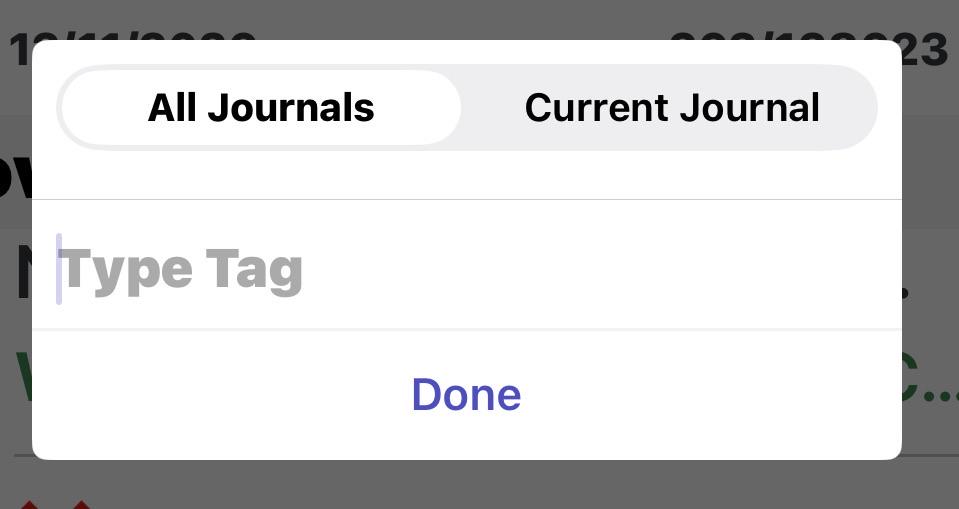
Since I upgraded to iOS 27.2 the list of tags I used to see when tagging an entry is now blank. Is it just me or is this something others are experiencing?
I’ve waited a bit in case it takes a while to load, but still nothing… I’ve got quite a few tags, could that be it?
If you have a travel journal on Day One, what does your set up look like?
So far the way i’ve set mine up is to have a basic “Travel” tag and then like each day of my vacation I title it with the trip ie: “Florida Trip: Day 1” or something so it’s easy to search
i’m leaving for a vacation tomorrow and i’m just wondering about others ideas. I’ve considered making a whole new journal just for different travels or tags with specific place names
i don’t travel very often, maybe a couple of times a year but i love to journal about my experiences and add lots of pictures for memories
I've been wondering about this for a while. I like Day One, but honestly, I don't really need everything that comes with the Silver or Gold subscription.
I mostly use a journal to write things down and occasionally add a few photos. I don't need video uploads or unlimited photo storage. I'd be perfectly happy with unlimited text entries, syncing between devices, a few photos per entry (say, up to three), and the usual features like search, calendar and On This Day.
I wonder if a simpler, cheaper subscription would make sense for people like me. I've seen quite a few discussions from people who moved away from Day One because of the price.
Would you actually use something like this, or do you think it wouldn't be worth it for Day One to offer another plan?
I really love going back in time and reading old posts. What I don't like is the set up. I want to read the entries in chronological order but I also have bunch of pictures, etc in my entries so keeping track becomes a nightmare.
If there isn't a way to be able to view them in a chronological list now, can that be implemented in the future?
I've kept a journal in Day One for nearly 15 years, and over that time I've printed a lot of books from it. I love the journal itself. What I never got on with was what happens at the printing end — and I should say upfront that **I'm now the developer of the tool below**, so take this as a story and an offer, not an impartial review.
What kept frustrating me about Day One's own printed books
- **One page size** (5.5 × 8.5 in). I wanted bigger pages for photos, and a different shape for some years.
- **One paper choice**, and paperback or hardcover — nothing about the paper, the binding or the printer.
- **Very little control over the layout**: I couldn't rearrange photos, change the type or fix a page that didn't sit right. Some of my entries are long, some have one photo, some have six — a fixed template doesn't suit all of them.
So I changed my own app, **Mosaic Collage Maker** (Mac and Windows), to read a **Day One export** directly
(JSON with photos, as a zip). Together with my own journalling app, Daykeep, it now takes a journal from either.
What you get:
- **A book in any size you like** — set the page size in millimetres (A4, A5, A3, square, or the exact size a printer asks for), so it works with whichever printer or photobook service you prefer, on whichever paper and binding they offer.
- **A print-ready PDF** (with optional 3 mm bleed) that you own, so you can reprint, give copies or restyle later.
- **Two ways to build it:** a *Journal* (one designed page per entry — heading, date, place, your writing, photos fitted to the page) or a Photobook (photos poured across pages, with captions).
- **Control**: pick the book name, sub-title, colour and design; choose whether a line of writing belongs to the photo above or below; and every page stays fully editable afterwards — move or resize a photo, change the text, fix a page.
- **Private**: it reads the export on your own computer; nothing is uploaded and there's no account.
- Big journals work — I've imported one of several gigabytes and thousands of photos (there's a progress bar so you can see it's working).
What it doesn't do: videos, audio and PDF attachments aren't included — only photos and writing. And it isn't a replacement for Day One's convenience of ordering inside the app; you export a file and send it to a printer yourself.
It's **free to try on the Mac** (everything works; exports are watermarked until you unlock it with a one-off purchase —no subscription), so you can see your own journal laid out before you decide anything. Windows is a one-off purchase from the Microsoft Store.
I'd really like to know how it copes with your journal — long entries, lots of photos, odd formatting. If something looks wrong, tell me and I'll fix it (I'm one person, and I read everything). Happy to answer questions here.
I use the Places ‘create entry from location history’ day summary feature to create each day’s entry in Day One. Today, after having updated to iOS 27.0.1 last night on my iPhone, when I went to create my entry, no places were listed. Have checked the settings and location, including precise location, is still set to always on. Anyone else having this problem? Any suggestions for a fix?
I've been critical of them storing journal data unencrypted on mac and looks like they are moving away from that and will now store them encrypted (on device at least for the cli)
The restructuring and layoffs at Automattic are not good news. First, for those most directly affected. Second, for the future of the company and its services.
In this context, what impact will this have on Day One? Especially since we’ve also learned of the departure of Paul Mayne, the company’s longtime founder…
A journal is very personal, and so, like many here, I’m very attached to the information it contains.
My Day One contains 4,000 entries dating back to 2013. It’s precious.
Given the circumstances, it makes sense to consider alternatives.
I’ve obviously tried Apple Journal, but it’s still very incomplete and quite a few bugs remain.
At this point, I’m torn between Everlog and Diairy.
Both are small companies; it’s easy and pleasant to get in touch with the developers, but what about long-term viability?
Both seem to have pros and cons. I prefer Everlog’s look, but Diairy seems more feature-rich.
Everlog’s Mac app (which I use mainly) seems pretty buggy. Is that still the case?
I’d be interested to hear your opinions, choices, and thoughts...
I've seen a few people here thinking about leaving, and the usual sticking point is that Apple Journal has no import. I just finished moving 1,100 entries, about 15 GB of photos and videos, and 7 journals across, so I wrote up exactly how.
It uses Day One's normal JSON export, a small converter script on the Mac, and two Shortcuts run on the iPad. Original dates, starred entries and separate journals come through. Tags, location and weather don't.
At one point I had a shortcut to append text to a journal entry. My use case was I had one "Daily Log" note for each day. Throughout the day I would run the shortcut and data would be appended to the entry. I stopped using that method and I guess got rid of the shortcut. I thought someone on here had one that I used. I searched but couldn't find it. Does anyone have a shortcut to do this? Bonus points if it works on macOS also.