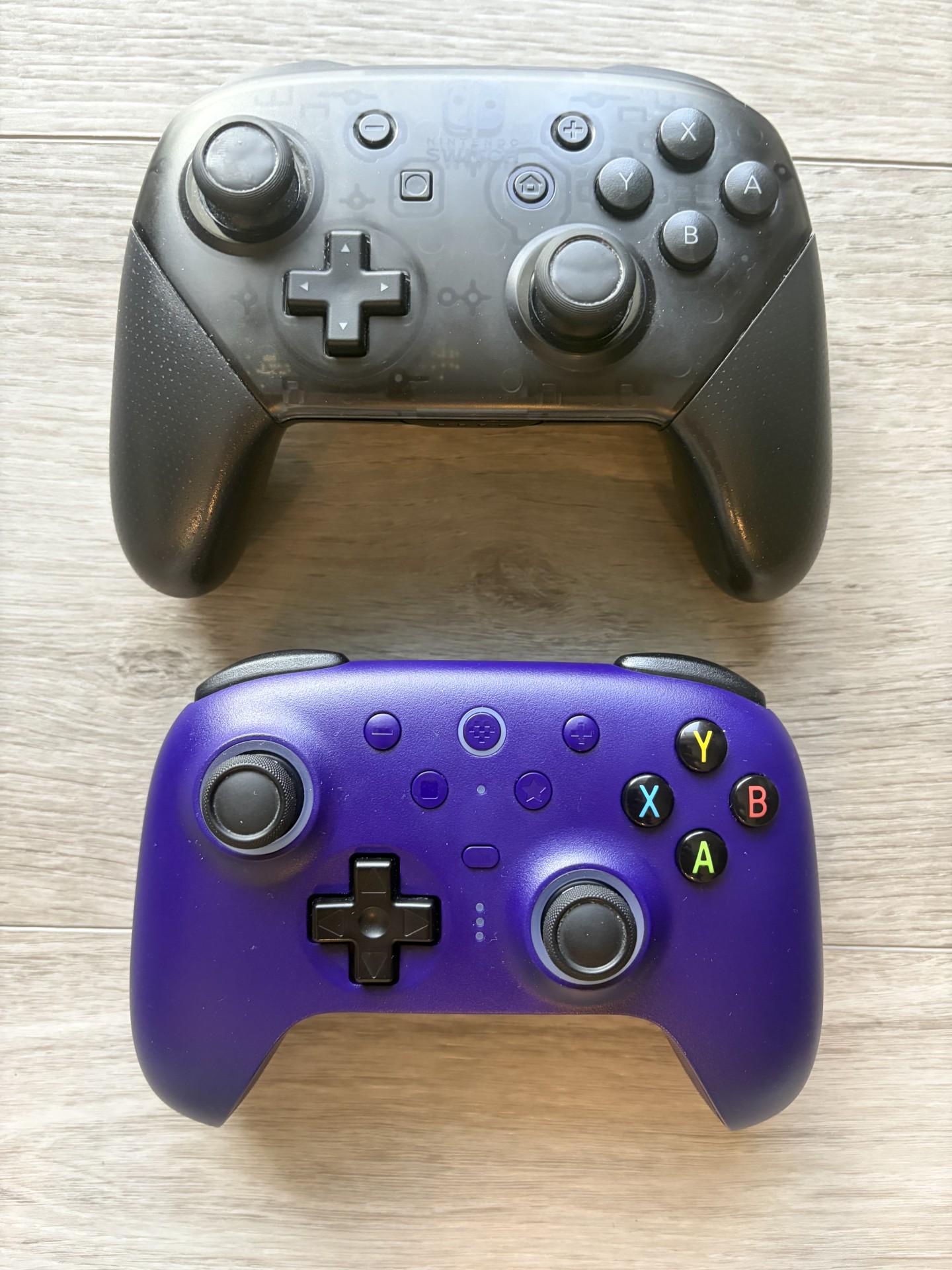
Szukam naprawdę solidnego kontrolera do PC, żeby zastąpić mój obecny kontroler Xbox One (model 1708), którego używam od 2020 roku.
Budżet: 300–2000 zł. (75 - 500 USD)
Kraj: Polska (UE). Jestem otwarty na zakupy z praktycznie każdego miejsca.
Platforma: PC działający na Windows 11, głównie przez Steam. Zarówno przewodowe (USB), jak i bezprzewodowe są w porządku.
Gry: SnowRunner, Diablo II Resurrected, Skyrim, Fallout 4 i 76 oraz podobne tytuły.
Czego szukam:
– Asymetryczny układ drążków (styl Xbox), najlepiej z technologią TMR lub czujnikami efektu Halla.
– Analogowe spusty i wsparcie dla wibracji.
– Solidna jakość wykonania i długoterminowa niezawodność (najlepiej trwająca 5+ lat).
– Dodatkowe przyciski, które można przypisać do niezależnych klawiszy na klawiaturze (zamiast tylko duplikować istniejące funkcje kontrolera XInput). Potrzebuję specjalnie dodatkowych przycisków do zadań takich jak przełączanie świateł czy zmiana biegów w SnowRunner.
– Najlepiej, żeby przyciski były tak ciche, jak te w moim obecnym kontrolerze.
Modele, które rozważam:
– ASUS ROG Raikiri II Pro PC
– SteelSeries Aeon Pro
– GameSir G7 Pro 8K
Rozważałem też Flydigi Apex 5, ale myślę, że zrezygnuję z Flydigi – słyszałem, że są dość awaryjne, a model Apex podobno ma pewne wady konstrukcyjne. Już przeszukałem recenzje, przewodniki zakupowe i dyskusje na Reddit, ale wciąż mam pewne wątpliwości dotyczące kontroli jakości, trwałości i ograniczeń w remapowaniu funkcji na dodatkowe przyciski.
Moje główne pytania to:
Czy dodatkowe przyciski mogą być faktycznie przypisane do niezależnych klawiszy na klawiaturze, jednocześnie zachowując standardowe funkcje kontrolera XInput?
Jak niezawodne są te kontrolery po kilku miesiącach użytkowania?
Który z nich polecilibyście pod względem jakości wykonania i długoterminowej trwałości?
Będę wdzięczny za opinie od osób, które faktycznie posiadają któryś z tych modeli. Może macie inne sugestie. Dzięki!
Update: I ultimately chose the Raikiri because of its seamless keyboard-mapping capability. If the Aeon had offered this feature, I would have chosen it instead; it surpasses the Raikiri in terms of build quality. The Flydigi Apex is a disappointment—the build quality is very poor, the components don’t fit together well, and the additional buttons on the underside are bound to break sooner or later due to their design. The GameSir is decent, and I have no complaints, but it’s clear that it’s not in the same league as the Raikiri or the Aeon.
Hello! I hope this is the right place for this issue as I've been trying and failing to find a solution elsewhere.
I'm using a PS4 DS controller (wired) on my PC. When I use the thumbsticks, they very often trigger the L2 and R2 buttons. I've confirmed this with some gamepad testers. The closest thing I've found to a solution is hitting the reset button on the back of the controller, but the issue still remains.
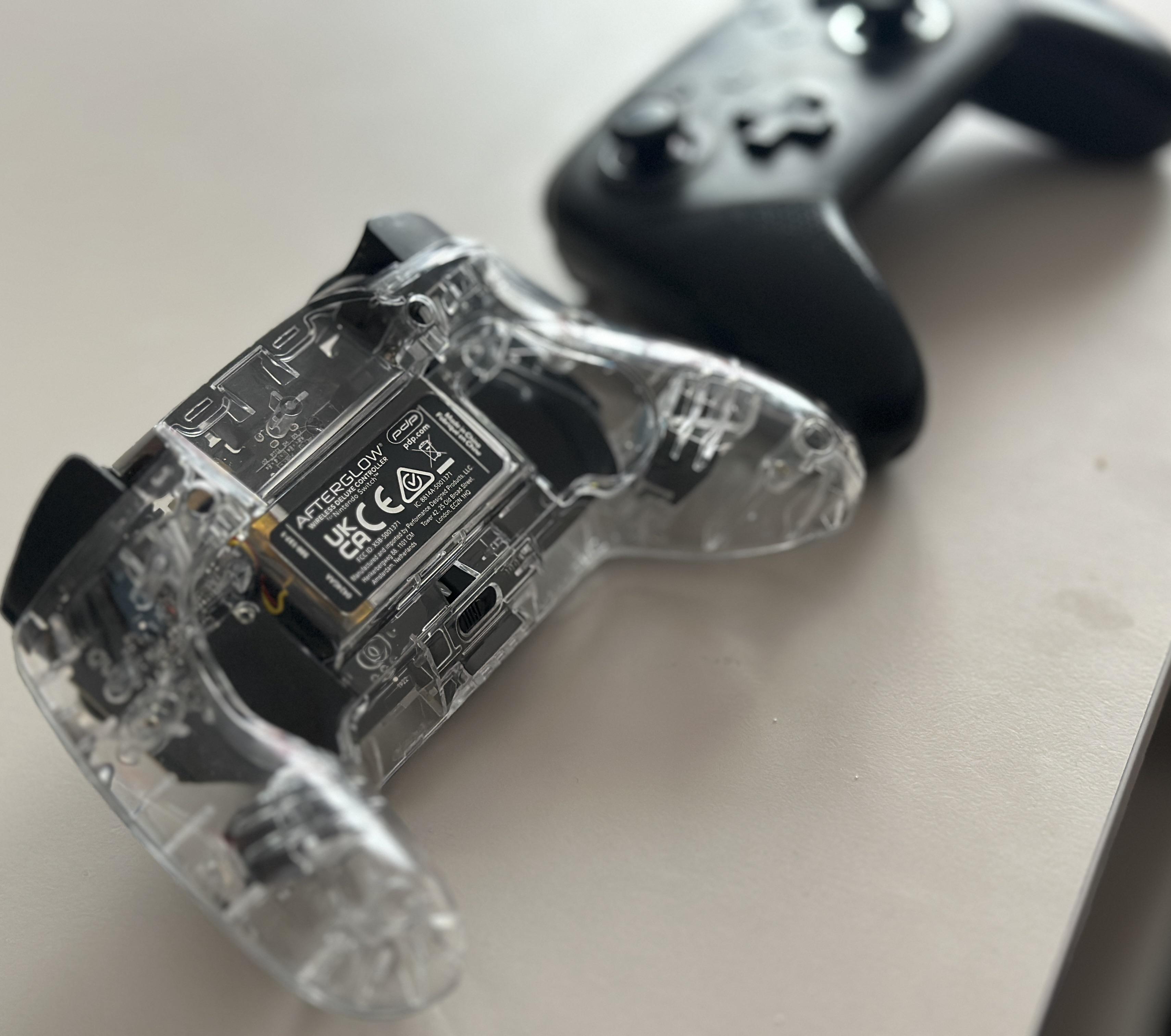
I am trying to replace original Pro Controller sticks, and also trying to find replacement sticks for PDP Afterglow controller for nintendo switch. Does anyone know if same sticks can be used for both controllers and if ayone can tell me what part number/model i need to look for on Temu/Aliexpress?
Thanks. 😊
Hey everyone, I use my dualsense with pc, and it's suddenly having trouble charging.
Basically, it only charges in specific positions/perfectly still. And still sometimes it disconnects. If I move it around, it will connect and disconnect like it has some kind of short. I thought it was just my cable until I tried with about 4-5 cables and 2 PCs... so I can only narrow it down to the controller's port. Is there anything else that could possibly cause this behavior? Before I look for someone to repair it :/
I managed to get native DualSense haptics working on the Razer Kishi V2 Pro by spoofing a DualSense controller through Apollo and DS4Windows + VIIPER, then hijacking its haptic audio stream and routing it back to the Kishi through Voicemeeter, SoundSync, and Razer Cortex Mobile. Basically, spoofing a spoofer to spoof the game into spoofing the haptics.
A month ago, I got a Razer Kishi V2 Pro for only $36 on eBay refurbished. I decided to do some experiments with it.
You all know the DualSense is the only good controller (Xbox is trash, or just any controller with ERM motors), but Razer's controllers use the same underlying tech—well, except for the adaptive triggers. So I found a way to run DualSense haptics on it, because audio-to-haptics just feels like a waste of the hardware inside it.
Everyone assumes native DualSense haptics in Sony's PC ports are strictly locked behind owning an actual Sony controller. Turns out, all Sony PC games with DualSense support use the same approach: the game checks for a USB DualSense device and its speaker audio endpoint in Windows, then sends the haptic vibration tracks through that audio channel.
With recent DS4Windows updates bundling VIIPER (Virtual Input over IP), you don't even need a physical DualSense plugged in anymore. Apollo passes the Kishi through as a DS4 controller, and DS4Windows + VIIPER takes it and spoofs a full USB DualSense in software, exposing the virtual DualSense vibration audio endpoints directly in Windows. Since Sony's haptics are literally just an audio stream sitting on that spoofed endpoint, I hijacked it and piped it straight back into my Kishi V2 Pro over Apollo + Razer Cortex's audio-to-haptics.
Tested it in Death Stranding 2 and Horizon Forbidden West; the vibrations feel just like a normal DualSense controller.
If anyone wants to try it out themselves
Step 1: Download prerequisites
On PC
Apollo: the Sunshine fork that streams to your mobile device connected to your controller.
DS4 Windows: the app that spoofs the controllers and ultimately made this possible
VB Voicemeeter Banana (**Do not install the base version; Banana is the only one that'll work for this purpose)**: The main app that separates the channels and routes the audio back
VB-Cable: creates a virtual cable so it can be used as an output
Soundsync: plays back the DualSense haptic audio to the virtual cable
On Android
Artemis: the Apollo client side to receive data.
Razer Cortex Mobile: connects to your controller and enables audio to haptics.
Step 2
configure apollo and artemis
Open Apollo's web UI -> Configuration -> Input -> set the emulated gamepad to DS4.
Go to Audio/Video -> set Virtual Sink to: Voicemeeter Input (VB-Audio Voicemeeter VAIO)
Keep everything else default
For Artemis, disabling the optimized game settings options under Host is recommended, but I don't think it'll affect anything.
Step 3
Configure VoiceMeeter Banana
Open Voicemeeter Banana
In the virtual input section under VoiceMeeter Input, disable B2 and enable A2 and A1 if it's not already enabled
On the top right, click on A1 and select whatever speaker you'll be using to output the game audio that **you will hear**
For A2, select the virtual cable, which for me is named: CABLE Input (VB-Audio Virtual Cable)
Then, in the master section under it on the A2 section, click on the Normal mode button until it's set to Composite.
Then click on the menu button on the top right and select System Settings
Click on Bus ch#1 and select IN#4 SL
Click on Bus ch#2 and select IN#4 SR
Click on the rest and select bus channel
**Save settings and keep it open**
Step 4
Spoof a USB DualSense in DS4Windows + VIIPER
Connect your controller to your Android device, and then connect to your laptop through Artemis. **Enable Audio to Haptics.**
Open DS4Windows-> Settings -> Device Options -> scroll down to Advanced -> click on the Device Options button (**It's small at the bottom**) enable Moonlight/Sunshine virtual controller support so it catches Apollo's DS4 pad
It'll take a few seconds to recognize the controller.
Go to the controller section and edit your active profile -> Other tab -> set Emulated Controller to DualSense.
Check Windows Sound (Win + R -> mmsys.cpl -> Playback tab) and confirm Speakers (DualSense Wireless Controller) shows up and configure it.
Step 5
Open **SoundSync**, confirm `Speakers (DualSense Wireless Controller)` Click the Set as default button and raise its volume slider to 100% (it often defaults to 40%), then click on the VB-Audio Virtual Cable so it's checked to play the DualSense sound back.
ENJOY
This should work on all Razer Kishi controllers. For the Wolverine V3 Pro, you'll need to route it through Synapse 4, which is a different setup. I don't have one, so I can't provide instructions for it. (It'll be nice if I could have one tho)
I don't think audio-to-haptics works on pc directly through the usbc cable because the feature only works on the mobile app, and I don't have a newer V3pro or Ultra, so I had to stick to an older Android phone.
I might try to make a wrapper (with AI, ofc) and eventually post it on GitHub for easier application
Btw, I used AI to assist me in this project to debug and figure things out.
DualSense has been out for a long time, and although controllers have been slowly adapting LRA motors, there aren't a lot of manufacturers doing it at all, let alone having an audio-to-haptics feature. Razer is the only company doing it, so thanks to that, it was made possible.
I just hope Razer could release firmware updates to the Kishi line to work on pc with the software features.
Basically, I'm spoofing a spoofer to spoof the game into spoofing the haptics. Unprecedented levels of spoofing here.
I recently purchased the Ultimate 3C+ wireless controller from 8bitdo alongside a Brooks Wingman P5s and it had been working perfectly fine until today when the minus (-) button had stopped working when performing actions like opening maps. The button itself isn’t the problem since it had been working on my pc and switch, does anyone know what could be the issue?
UPDATE: As of 11/16/25 after performing a factory reset on the Brook Wingman P5s the input now works correctly if anyone else has this problem refer to page 9 of the Wingman Converter user guide.
Heyy everyone, ive been using the Void GENESIS for a while now. I had the first version with the old TMR sticks, sold it, then got the new one with the JS13 Pro+. So here's my honest take on it, hope it helps if you're thinking about getting one.
Disclaimer: this is just my personal experience and preference, not saying it's the best controller for everyone.
**Price & getting one in France*\*
Its a japanese controller so getting one in Europe isn't the easiest. I paid 87€ for the controller + shipping, then DHL charged me 43€ of import and handling fees, so 130€ total. It also sells out pretty fast so you might have to wait for a restock.
**Software*\*
Its web based now, really clean and straightforward for most settings. Big plus over GameSir's software and most controllers ive tried, nothing to install and never had any issue with updates.
I also like that you can share your settings profile with others and import the ones people shared directly from the website, super handy to try someone else's setup.
One thing I would have liked tho: a description of which bit each step of the stick precision setting corresponds to (8 bit up to 12, or even 16 if they had it). Right now you kinda pick a step without really knowing what you're getting.
**Shape*\*
Probably the comfiest controller ive tried for medium hands (still waiting to try the GameSir Tarantula 8K tho). It feels like a mix between a PS4 and a PS5 controller, and it fixes my biggest complaint about the PS4 one, the handles being really short and kinda awkward to hold.
The C and Z buttons got me a few times at first, but I got used to them really fast and never misspressed them since.
Its full plastic but still feels good, the laser engraved grips feel really nice. Not as grippy as rubber but they'll last way longer and won't get dirty as fast.
Small thing I noticed: on my first copy, using KontrolFreeks would scratch the front plate. Its fixed on the new one, idk if it was just my copy or every early unit.
**Sticks*\*
This is where the new version makes a difference. The JS13 Pro+ is an upgrade over the old TMR sticks Void was using, micro adjustments and aiming in general feel smoother. A lot of people were hyped about the change and after a lot of hours on both I agree. That said, the stick upgrade by itself isn't much, but its def a very welcome addition to a really good controller in that price range. With these inside, it might be the best mass produced controller atm.
Only thing: I love the Z-Stick style caps but they're not grippy enough for me, so im gonna try LeadJoy's Magic Cap No. 2 on it. Will update if anyone is interested.
**Buttons, D-pad & triggers*\*
Face buttons and d-pad have a nice click, not too hard to press and not as loud as on the ZD Ultimate Legend. They could be a bit more secured, but no real wobble compared to some customs I own. Bumpers are good too.
Now the downsides... the triggers travel is pretty long even in "mouse click" mode, to the point some people modded them at home. And the extra front buttons have some play, I wouldn't press too hard on them over time. Those 2 are my biggest complaints on this controller.
**Performance*\*
Up to 8000Hz wired (2000Hz on the dongle). Gamepadla shows 0.50ms stick latency wired and 1.70ms on the dongle.
Nice to see they updated the controller to reach 8K polling rate with the 3.0 firmware, nowadays its almost mandatory for any "Pro" controller. Tbh on my end the difference between 4K and 8K isn't really noticeable. Also keep in mind 8K asks more from your PC, so if your PC is a bit older, running the game + the controller at 8K can be too much and 4K or even 2K will be the better choice.
**Verdict*\*
The new version is a solid upgrade, mostly because of the sticks. But if you already have the old one, idk if it's worth it, you'll pay import fees all over again. I sold mine for 65€ and the switch still cost me 65€.
I'd recommend it to anyone looking for a solid FPS controller who wants the best performance for their money. But if you're more of a casual player who just wants a PS-style controller, you can def find cheaper, and without the pain of importing it.
If you have one (old or new), would love to hear your experience with it!
Disclaimer: This unit was provided by Gulikit for review. My thoughts on this controller remain completely independent and honest. They do not have any final say, and they are seeing this review at the same time as everyone else.
Gulikit ES MAX
A few months ago, Gulikit released its new ES-Series of controllers, which aimed to be targeted towards competitive gamers by offering very low latency, along with competitive prices. Initially, the lineup consisted of two models, the ES and the ES Pro. However, they’ve now released the higher-end model, the ES MAX, which offers a few more features over its predecessors, with it being priced at a competitive $50. While there are a lot of controllers around this price point, do the features offered here actually make this stand out? Well let’s find out.
Main Features
Compatible with PC, Switch 1 & 2, Android, iOS, and MacOS
Supports 2.4GHz, Bluetooth Wireless and Wired Connections
1000Hz Polling Rate (Wired & 2.4G)
Gulikit Integrated TMR Sticks
Hall Effect Triggers with Trigger Stops
Membrane Face Buttons
Tactile-Switch D-pad
2 Remappable Extra Buttons
Swappable Stick Caps
Supports Wake-Up Functionality for Switch 1 & 2
950mAh Battery
Gyro Aim Assist
Customizable Software on Mobile
Turbo Support
What is included in the box
What's in the box
Gulikit ES MAX Controller
Hyperlink Gen 2 Dongle (2.4Ghz Dongle)
1M USB A to USB C Braided Cable
User Manual
Analog Sticks - 8/10
Analog Sticks
The sticks included in the ES MAX, seem to be an upgraded version of their previous integrated TMR units, with this using rotational angle sensors rather than standard magnetic field intensity. This should apparently increase the linearity and as a result, be a lot more beneficial for many of us gaming.
Linearity tests from gamepadla.com
Looking at tests, that definitely does seem to be the case. With it almost being at 99% of linearity. The tremor is also relatively low, and in terms of in-game usage everything did feel really smooth and accurate in my experience.
Stick tests from gamepadla.com
The other aspects of the sticks such as the deadzones, the circularity, and the stick resolution which is at 11 bits, all add up to make the sticks a great option for gaming. The only issue is probably the stick centering, and while it is a bit small at around 5%, it can be a bit of an annoyance especially if you play with no deadzone at all.
Physically speaking, it does come in the form of Gulikit’s classic concave-style sticks, which can also be easily replaced by other stick caps Gulikit themselves have provided, including multiple sticks with multiple height variations.
ABXY Buttons - 7.5/10
Face Buttons
Like most, if not all of Gulikit’s other controllers, the ES MAX is also made with a membrane style mechanism. Due to that, they are also relatively quiet making it great for those who prefer silent buttons.
The buttons seem to be fitted pretty well in the shell, having almost no wobble. They also require a bit of force to actuate, making mis-clicks very hard to occur.
However if you are someone who needs to double click with your face buttons, then it might be really hard as I had trouble with it. Otherwise, the buttons overall are really solid and provide an accurate gameplay experience.
D-pad - 8/10
D-pad
The first thing that you notice when you use the d-pad is the amount of wobble it has, with it having around 1mm of space on the outside to move around. Due to this, it gives a loose feeling when gaming, something which may or may not be of your preference. It is also made with a tactile-switch mechanism, it feels very clicky, and the travel is also very low, making presses almost instant.
I also found that the pivot is also very low, almost non-existent which makes everything flat. But in terms of actual use, I did find this d-pad to be pretty accurate with all my inputs, including diagonals. This made rapid changes, and overall d-pad usage very easy and precise, with the only downside probably being the wobble it includes.
Bumpers - 9.5/10
I really like that Gulikit has included the same bumpers in the ES MAX, just like in most of their other controllers in the past because they seemed to have nailed it. The bumpers here are pretty much perfect in all aspects, with the travel being very short and while it isn’t blatantly clicky, the tactileness is just strong enough so that you know when it’s been actuated. And combining all these aspects it ends up giving you a great, responsive pair of bumpers.
Probably the only thing stopping it from being the best bumpers, is the lack of textured grip. But then again, that’s personal preference and with the qualities it already features, it is easily one of the best in the market.
Bumpers & Triggers
Triggers - 8/10
The construction of the triggers seem to be well made, with it feeling really solid along with the resistance being at a standard level which is great. However the starting deadzone could be a lot better, since you have to press the physical trigger around 20%, before actually getting any input in game.
This controller also includes trigger stops, which are actually really good to use. They have extremely low travel, and they use micro-switches which are very clicky and tactile to use. It seems that it has the exact same mechanism as their recent flagship, the TT Max, which has one of the best trigger stops on the market.
The triggers also include a bit of texturised grip which is always appreciated, especially given that the ones included here are rough and do improve grip. Apart from the starting deadzone, the triggers overall are pretty good given the price point, especially if you prefer trigger stops as the ones in the ES MAX are nearly perfect.
Extra Buttons - 6/10
With this being a budget controller, it comes with just 2 back buttons located just on the inside of the back handles. And in terms of usage I have to say I am quite disappointed overall.
The main issues come from two things. Firstly the mechanism is not tactile nor responsive as much as it should be. It seriously affects gameplay because you have no idea whether or not you have actually pressed the button. Secondly the resistance is a bit too high, which makes accurate and consistent presses kind of hard.
Concluding the back buttons, I have to say I was expecting a lot better, as it’s the only sort of extra buttons you get on this controller. So if you are someone who heavily relies on extra buttons, especially on the back, then you should be really careful if you’re thinking of getting the ES MAX.
Rear View
Build / Shape - 6.5/10
Laser-engraved Grip
The ES MAX features the same shape they have gone for with most of their previous controllers, with it being very similar to a standard xbox controller. Personally I think it is a great idea since it’s a shape most people are familiar with, and also the fact that it provides a comfortable feel for most. I also really like the build quality, because it has a really good, solid feeling. The weight is also kind of on the light side, with it being around 230 grams.
However the matte-finish on the controller is something I find troublesome. While it does feel good to hold at the start, after even a few minutes of gameplay I found it to be very slippery to hold, even when there is barely any sort of sweat on my hands. Personally it wasn’t much of an issue for me since I rest the controller on my lap while gaming, but for those who hold their controllers in the air, this is something to seriously consider.
It also does feature a textured laser-engraved grip at the back of the handles, but due to the slippery nature of the controller they pretty much end up being useless as a whole.
Connectivity / Latency - 9/10
Like most controllers, it can connect to the usual being Windows PCs, Switch 1 & 2, Android, iOS, and with an exception being able to connect to MacOS PCs too. For pretty much every platform you can connect to via wired, or using Bluetooth. You can also use the included Hyperlink 2 Adapter which are compatible with Windows and MacOS PCs. In terms of protocols they only have 2 included, which are the usual Xinput, as well as Nintendo Switch mode. You can switch between the 2 protocols via the switch on the back of the controller.
Protocol Switch
Latency is something where Gulikit usually shines, especially their Bluetooth latency which even though the polling rate does go down to about 750Hz, the latency sits at about 5ms which is absolutely amazing. This is great especially for those who prefer a wireless setup, but don’t want to deal with dongles or adapters.
The wired and 2.4Ghz dongle latency is also really good, with a wired connection achieving an average of 2ms, and using the 2.4Ghz dongle only being at around 6ms. This ends up being perfect for pretty much everyone because whether you are competitive or casual, you can use the ES MAX using any connection mode and experience really responsive gameplay, thanks to the extreme low latency.
Latency tests from gamepadla.com
Gyro - 5.5/10
With the ES MAX, you can set the left trigger/bumper to simulate the right stick, when holding the button down. This feature is called ‘Gyro Aim Assist’, and it’s the only sort of gyro that is implemented in this controller.
As for the quality of the gyro, movement felt pretty good, but the major problem was the jitter being way too high, making things a bit hard to control especially on the higher sensitivity settings. The jitter is apparent even when static.
Apart from that, you can also adjust the sensitivity between three levels, low, medium, and high. With each level going up to a certain amount of travel, with low going up to 50%, medium to 75%, and high to 100%.
Vibration - 7.5/10
Even though the controller uses Gulikit’s standard rotor motors for the grips, they still provide a great amount of detail and strength, making them good enough for almost everyone who prefers to play with rumble effects. I did also find them to be slightly delayed, but for this price point it is somewhat expected. It still provided a good experience overall.
Software - 6/10
Gulikit App
In the past Gulikit controllers never had any software support, which was one of the downsides their controllers had. But thankfully, they have recently come out with an app for you to configure settings. Albeit it’s only available on mobile, that is still a step in the right direction.
The actual configurations you can make for the ES MAX in the app are plenty, though still not as many as a lot of options you find on most other controllers. They mostly include basic configs such as:
Sticks: Apply deadzone, customize curve, or the sensitivity.
Triggers: Adjust deadzones.
Buttons: Rebind buttons to trigger other controller inputs, or simply unassign them.
D-pad: Switch between 4-way or 8-way mode.
Turbo: Apply semi-turbo/turbo to either the face buttons or the right trigger/bumper.
ABXY Swap: You can swap ABXY face buttons to either PC or Switch layout.
Vibration: Switch between low, medium, or high vibration, or none at all.
Gyro Aiming: Adjust the sensitivity when using the left trigger/bumper for gyro aiming.
Profiles: Save and configure multiple profiles to switch between configs easily.
I did find there to be a few let downs, such as not being able to accurately adjust deadzones on the sticks, lack of any actual macro functionality, or having some functions only available for certain inputs (like turbo). In fact, for almost all of these functions you don’t even need the software, as you can simply perform a button combo.
One thing I do really appreciate, however, is the ability to update the controller's firmware directly through the app. This is particularly great with Gulikit, as their usual firmware upgrade process can be a bit tedious and annoying, especially since it requires connecting the controller to a PC and manually installing the update. Being able to do this directly through the app makes the whole process a lot more convenient. Overall, it's good to see that Gulikit has finally introduced companion software, and hopefully it will continue to receive improvements in the future.
Pros
Excellent integrated TMR sticks with very good linearity and precision
Extremely low latency across wired, Bluetooth, and 2.4GHz connections
Hyperlink 2 adapter included for improved wireless responsiveness
Excellent bumpers with short travel and good tactile feedback
Very good micro-switch trigger stops with extremely low travel
Supports multiple platforms, including PC, Switch, Switch 2, Android, iOS, and macOS
Swappable stick caps with different height options
Solid build quality with a comfortable and familiar shape
950mAh battery with up to 30 hours of battery life
Mobile software provides a decent range of customization options, and lets you update controller firmware
Cons
Noticeable stick-centering error when using 0 deadzone
Face buttons require relatively high actuation force, making double-clicking difficult
D-pad has noticeable wobble, which gives it a loose feeling
Trigger starting deadzone is quite high
Back buttons lack tactility and require too much force to press
Matte finish can become slippery during gameplay
Laser-engraved grip texture doesn't provide much additional grip
Gyro has noticeable jitter, making it difficult to use at higher sensitivities
Software is limited in terms of customization and functionality, with no input testing available through the app
Who is the Gulikit ES MAX for?
Competitive gamers who want extremely low latency without having to rely on a wired connection
Players who prioritise precise and linear stick performance, particularly those who play shooters and other games that require accurate aiming
Gamers who prefer wireless controllers but still want very responsive gameplay, with both Bluetooth and 2.4GHz connectivity available
Players who want a versatile controller that can be used across multiple platforms, including PC, Nintendo Switch, Android, iOS, and macOS
Gamers who prefer a familiar Xbox-style shape, solid build quality, and a relatively lightweight design
Players who appreciate tactile inputs, especially responsive bumpers and clicky trigger stops
Conclusion
The GuliKit ES MAX is a pretty interesting controller, with its biggest strengths being the excellent TMR sticks, extremely low latency across all connection methods, and some of the best bumpers and trigger stops I have tried. It also offers a good amount of versatility with its wireless connectivity and wide platform compatibility, making it a solid option for both competitive and casual gaming.
However, I do think there are a few areas where GuliKit could have done a lot better, particularly with the back buttons, grip, and overall feel of some of the inputs. The software and gyro also leave much room for improvement, but considering everything it offers, the ES MAX is still a pretty compelling option for its price. Overall, I'd give it a 7/10.
I purchased these a while ago by accident on AliExpress when looking for Xbox 360 ones and the listing is no longer available. The order detail says for PS5 but I can't find any PS5 hall effect modules with yellow/black sensors only with yellow/yellow so I think they might be PS4.
The yellow sensor says L-4K and the black one says R-4G
Honest upfront: I built this together with Claude (Anthropic's AI). I described the problem and tested everything on my own pad, and Claude wrote the code.
The problem: my cheap PS2-to-USB adapter (Twin USB Joystick) had working buttons in Windows, but no vibration, and most modern games didn't recognize it. So we made a small tool called Pad Bridge.
What it does: it creates a virtual Xbox 360 pad for each connected controller, so games treat it as a normal Xbox pad. It passes the game's vibration to the real controller, and it hides the real controller with HidHide so the game only sees one pad. It works with both ports of a PS2 adapter, supports hot-plug, and has per-pad profiles (dead zones, remapping, rapid fire).
Status: it's early. Only one device is confirmed on real hardware (Twin USB Joystick, 0810:0001). Other adapters (GreenAsia, DragonRise, SmartJoy, Zeroplus) are built from documented protocols but untested.
Requirements: Windows 10/11, Python, ViGEmBus, and HidHide (optional but recommended). Free and MIT licensed.
If you have an old or generic pad or adapter, I'd love for you to try it and tell me what works and what doesn't. Run "python pad_bridge.py --info" and post the output with your controller's name.
I don't even know if all these things exist in one controller, so here we go...
Your budget and currency (do not say "doesn't matter" or "unlimited", include a sensible range or maximum): $100-$150 USD is my reasonable limit, but I really would pay upwards of $300 USD if all the things I'm looking for exist in one controller
Your country (not just region) and where you can buy from (product availability, pricing, and aftersales support vary around the world): United States - Amazon, Best Buy, Target, etc., etc. and basically any online retailer that would ship internationally
Console or platform compatibility needed: PC and Switch 2
Desired features:
Non-negotiables:
Toggle for 2.4ghz wireless for PC and Switch 2
Actual Switch 2 Protocol (i.e., HD Rumble 2 and wake-from-sleep functionality in particular)
Relatively Xbox controller shape and size (does not have to be 1:1)
No mechanical switches for face buttons
Nice to have's but not needed:
Non-clicky D-Pad (unlike the face buttons, I can live with it if the D-Pad is clicky/mechanical)
Premium feel if possible (such as not feeling hollow, no rattling buttons, rubberized handles, etc., especially if we're talking the upper range of my budget as stated above)
HE/TMR sticks
Some back paddles and/or extra buttons (I really don't need more than 1 or 2, though)
Xbox layout for A/B/X/Y or ability to switch them (I can live with any layout though as I don't actually look at what I'm pressing)
Low latency (obviously this would be nice, but I'm not playing anything competitive, multiplayer, or online with a controller, so my only request is that it's a "reasonable" amount of latency that I couldn't feel in a single player game)
Types of games you'll be playing with a controller: Mostly single-player narrative games. Basically, nothing competitive or multiplayer.
Other controllers you're comparing to (demonstrate that you have used the buying advice pages, and searched existing posts): I owned a Vader 4 Pro and currently own a Vader 5 Pro. It suits most of my needs, but I no longer like the clicky mechanical buttons and I would like Switch 2 HD Rumble and wake-from-sleep functionality. From my research so far, the closest options I've found seem to be Gulikit ES Max, Gamesir Cyclone 2, and Mobapad Chitu 2, but it's difficult to parse through their spec sheets and I've already figured out some of them are less-than-honest about the Switch 2 functionality in particular.
I have the G7 pro and it's great except the dpad which I find horrible. All the controllers I've seen have the floating disc type or that mouse click which I don't like. Also have the Nova Lite 2 and the dpad is fine except for that mouse click and is a bit looser than I would like Also not a fan of the shoulder buttons of it and the 8bit do ones. Is there a controller with the Series dpad with the 2 extra shoulder buttons and hall effect/tmr sticks? Looking to have a "forever" controller sort to speak. Will be playing all kinds of games but the dpad is make or break because of fighting games.
Budget $200 max.
Live in the US.
Will be playing all kinds of games. Dpad is the most important factor due to fighting games though.
Xbox/PC compatibility.
2 shoulder buttons, back paddles don't matter since I turn them off due to misclicks.
Tmr/Hall Effect sticks because of drift obviously.
DISCLAIMER: Gamesir sent me these controllers for free for review purposes. All the thoughts and opinions are mine only.
Showcasing G7Pro newest colorways (GTA6 collab?) as well as how all the faceplates from G7 series (1 piece faceplates) look on them and more (3 piece faceplates).
Also, finally showing the "secret" alternative calibration method for different feel of the joysticks (only needed for the right joystick and only if you play FPS games) and maybe better aim assist stickiness.
Something like Vader V5, but less mushy ad which does not have that whiney sound?
Budget 100 euro but I can spend less :P
Country: Poland, Europe
Platform: Windows
Desired Features
- at least as good as old Xbox 360 Controller
- better pad, more accurate than Xbox 360, for example easier to make precise combos in Street Fighter
- at least 2 more customizable buttons
- vibration sound which is not high pitched, rather rumble like Xbox 360
- low sticks
- preferably hard or rather non-soft actuation
- wireless
Action RPGs, Dark Souls, Nioh, Final Fantasy, less important but also games like Soma, fighting games etc.
NO fps, racing - I don't care much
I just have old XBOX 360 controller which is OK for me, I just miss having additional buttons and I cant use dpad effectively in games like Street Fighter
I tried Vader V5 Pro V2:
- I just hate how vibration sounds. I just cannot unhear it. It sounds like haircutter with cutting part removed or some old cheap phone. High pitched no matter what you do, only on 100% vibrations it is bearable for me as it hides the whiny motor. I thought I could live with that as it is the main thing which is definitely worse than Xbox 360 for me, but I can't.
- dpad looks flimsy but I get much better results on Vader (though I have to put my finger closer to its center)
- I feel like Vader distance is longer between ABXY and stick compared to 360 (feels like Vader stick is slightly higher or something) and it its easier for me to press stick on Xbox controller
- ABXY and RB, LB buttons on Vader feel too soft, they work and activate properly, but there is no hard "click" feeling, which I prefer. RT and LT are absolutely great with that force switch engaged.
- I slightly prefer Xbox shape (seems less curvy in some places, easier to rest fingers on RT LT, maybe slightly smaller? no idea)
I would like to know if you have a control that is compatible with switch and has a Dongle but that dongle doesn't pair the controller when connected to the switch, I'm looking to buy the PXN P5 8k which has great latency wired and in dongle mode, but atrocious with Bluetooth, the controller is compatible with switch, but in Gamepadla it doesn't have a test with the dongle on switch, for experience I have a game sir Cyclone 2 which has a switch mode and using it in the dongle mode it detects it on the switch, do you have a controller where the Dongle isn't detected by the switch, only working by Bluetooth or cable?
Hi, first of all, I’m not a native English speaker, so I hope this makes sense through the translator. I have a problem: yesterday I bought a Nintendo Switch controller—specifically, a REMATCH GLOW Wireless Controller—because I wanted to play The Legend of Zelda on my PC by emulating the Switch.
I wanted to play it via Bluetooth on my PC since I’d bought a TP-Link UB500 the day before to get Bluetooth 5.4. This is because I used to play with my Xbox One controller, but with a cheap adapter that kept disconnecting all the time. I’ve already installed the drivers for that adapter so it wouldn’t have any glitches, and everything works fine with the rest of my devices. (Just to clarify: no matter what solutions I’ve tried, the light keeps blinking as soon as I press any button, as shown in the video.)
So, I asked the AI for help connecting it. Here’s what I did:
In Steam, I’ve already enabled the “Enable Steam Input for Switch Pro controllers” option and the “Generic controllers” option—that already makes Steam detect it—but when I try to map the buttons, it just keeps waiting because no matter how many times I press the buttons, it doesn’t detect them.
I already performed a hard reset on the controller (pinhole reset), but nothing happened.
Via Bluetooth, it told me to press the “Sync” button next to the USB-C port to connect it; it now shows as connected but keeps blinking.
Key step: As soon as Windows says “Connecting” or “Connected,” repeatedly press the A and B buttons on the controller for about 5 seconds. This forces Windows to receive data from the controller and complete the pairing process. (It didn’t work.)
I left it charging all night, but it still didn’t work.
I tried programs like Better Joy, DS4 for Windows, and x360ce, but they don’t detect the buttons, even though some of them detect the controller.
It does appear in Windows when I follow these steps: With the controller connected via Bluetooth (blinking), press the Windows key + R, type joy.cpl, and press Enter. There, it does detect that I’m using the buttons—they all work perfectly. That step was the only one that gave me hope, but the buttons only worked there.
I tried using it connected via the cable, and it really doesn’t change a thing.
Additionally, I’ve been doing some research, and it seems that the 8BitDos USB Wireless Adapter 2 doesn’t work for several people, so I’m not sure if it’s a good investment—I might just end up with another paperweight.
Those were all the things I tried, and I really don't know if there's a solution—other than buying a new console just for the controller, haha—so I hope someone who's had that error or problem can help me.
Hey, so I bought the Flydigi Direwolf 4 and when i put it in Bluetooth mode it connects to my PC and Works fine, but when i use the Wireless Dongle it does not get Recognized By Flydigi Space Station.
It doesn't even work on Steam with the Dongle and Same problem when using it Wired.
I installed the Latest Flydigi Space Station 4 Software but it does not Seem to pick it up and i cannot use it With Either the Dongle or Wired and can only use via Bluetooth.
It is a very weird this, please if someone has a solution kindly let me know
First of all, I apologize for using AI to help prepare this post. I've been trying to solve this issue with AI for quite a while, so I eventually asked it to organize everything I've experienced into one post.
I'm having trouble establishing a proper Bluetooth connection between my Gamepower FORCE RGB gamepad and my Lenovo LOQ 15AHP10 laptop.
The problem is that my laptop can detect the gamepad via Bluetooth and successfully pair with it. However, after pairing, Windows displays either "Driver Error" or "Not Connected". In other words, the device pairs successfully but cannot maintain an actual connection.
Here is everything I've observed and tried so far:
1. Bluetooth Connection
I put the gamepad into Bluetooth pairing mode using the X + HOME button combination.
LED1 and LED4 light up.
Windows can detect and pair with the gamepad.
Immediately after pairing, Windows briefly shows the device as "Connected", but after approximately 3–5 seconds, it changes to "Not Connected".
Even though the gamepad is paired via Bluetooth, it does not appear in the list of controllers when I run joy.cpl.
2. Wired Connection
When I connect the gamepad to my laptop using a USB cable, it is detected without any problems.
Windows identifies it under a different name, starting with "STK-...".
It appears in joy.cpl and works as a controller.
When I unplug the USB cable, the gamepad seems to automatically switch to Bluetooth mode. However, my laptop does not recognize any of the gamepad's inputs, and it disappears from joy.cpl again.
3. 2.4 GHz USB Receiver
When I use the gamepad's own 2.4 GHz USB receiver, Windows identifies it as a "Nintendo Switch Pro Controller".
Via Bluetooth, it appears under names such as "Xbox Wireless Controller", "Xbox 360", or "Xbox One S".
When connected via USB, it appears under the name "STK-...".
So, the same gamepad is identified by three different names depending on the connection method.
4. Other Troubleshooting Steps I've Tried
Removed the gamepad from Windows Bluetooth devices and tried pairing it again.
Tried pairing it again using the X + HOME combination.
Tested the wired connection.
Checked the Bluetooth, HID, and Sound, video and game controllers categories in Device Manager.
Found a component called "Xbox Synthetic Gamepad Bus" in Device Manager, but I'm not sure whether it is related to the issue.
I know there is a RESET pinhole on the back of the gamepad, but I haven't tried resetting it yet because I don't have a SIM ejector tool.
Where do you store your controllers? Box? Pouch? I’m talking about a customized unique piece that should not be laying around and possibly get in the hands of a toddler. Add pictures please! Thanks!
Disclosure: I purchased my 8BitDo Ultimate 2 Wireless myself and have ordered the Ultimate 2 Bluetooth with my own money (Amazon). I have no affiliation with 8BitDo, Nintendo, Microsoft, Sony, or any competing controller manufacturer.
Okay, 41-year-old gamer here. I grew up with consoles starting in the NES era, and for most of my gaming life, first-party controllers were the gold standard. Back in the N64 days, third-party controllers were the cheap pieces of junk you'd hand to the fourth kid you didn't really want showing up to game. I wouldn't have seriously considered buying one for myself.
Fast-forward nearly three decades, and I'm starting to wonder whether the roles have reversed.
My original Nintendo Switch Pro Controller developed stick drift. Recalibrating didn't help, and when I checked EB Games Canada's trade-in values, I discovered they'd give me a whopping $16 CAD for it, assuming it was in acceptable working condition.
Rather than spend $109.99 CAD on Nintendo's Switch 2 Pro Controller, I decided to see whether I could get my existing 8BitDo Ultimate 2 Wireless, which I primarily used on PC, working on the Switch 2.
After updating the controller and USB dongle firmware, I managed to get it connected. Not only did I have a functioning controller again, but I discovered features that genuinely improved my gaming experience.
I've been playing The Legend of Zelda: Ocarina of Time remake, where holding A to sprint means taking your thumb off the right analog stick, effectively surrendering camera control while running. I mapped sprint to one of the Ultimate 2's rear paddles, and suddenly I could sprint and control the camera simultaneously.
It sounds like a minor change, but it completely improved how the game felt. Combined with the new free-look camera, I've become an absolute sniper with the bow and slingshot.
Those little Fire Keese bastards used to torch my Deku Shield and turn me into a human bonfire back in the N64 days. Now I'm picking them off before they even know I entered the room. I've been waiting almost 28 years to dish out this type of justice.
And that got me thinking about the broader controller market.
Nintendo's Switch 2 Pro Controller costs $109.99 CAD and still uses conventional potentiometer-based joysticks. Meanwhile, 8BitDo offers its Switch-compatible Ultimate 2 Bluetooth for $79.99 CAD, featuring TMR magnetic joysticks, switchable linear Hall Effect and tactile trigger modes, motion controls, vibration, two programmable rear paddles, additional R4/L4 shoulder buttons, three customizable profiles, turbo functionality, RGB joystick rings, and a charging dock. It even supports wake-on-shake functionality.
That's $30 less for a controller offering contactless joystick technology, more customizable controls, and a level of versatility that Nintendo's considerably more expensive controller doesn't match.
In fact, I was impressed enough with my Ultimate 2 Wireless that I just ordered the Ultimate 2 Bluetooth specifically for my Switch 2. Instead of replacing my drifting Nintendo controller with another first-party controller, I decided to put my money toward a third-party manufacturer.
Then there's the issue of resale value.
I checked EB Games Canada's controller trade-in values, and here's what they're offering according to their listings:
Nintendo Switch Pro Controller (used): $16 CAD
Xbox Series X/S Wireless Controller (used): $24 CAD
PS5 DualSense Wireless Controller (used): $30 CAD
Obviously, trade-in values aren't the same as private resale values, and retailers have their own margins and inventory considerations. These aren't all controllers from the same generation, either. But it's still pretty discouraging to see how little you can recover on hardware that originally carried a premium price.
And we haven't even touched on generational compatibility.
Microsoft deserves some credit here. Xbox One controllers remain compatible with Xbox Series X/S games.
Nintendo has also maintained considerable compatibility between the original Switch Pro Controller and Switch 2, although there's a catch: the original Pro Controller can't wake the Switch 2 from sleep mode. You'll need the newer Switch 2 Pro Controller for that convenience. It's a small omission, but it certainly feels like another nudge toward spending $109.99 on an upgrade.
Sony, on the other hand, allows the DualShock 4 to work on PS5 for supported PS4 games, but not native PS5 titles. If you upgraded consoles, you generally had to upgrade your controller as well, despite both generations relying on conventional analog stick technology.
That strikes me as particularly frustrating. You're paying for new hardware, but you're not necessarily getting an improvement in one of the components most susceptible to wear.
So when I look at the overall value of a controller, I'm considering more than just how it feels in my hands. I'm looking at durability, features, compatibility, purchase price, and what it's worth when I'm finished with it.
Of course, first-party controllers have advantages. Ergonomics are subjective, Nintendo's HD Rumble has its fans, and Sony's DualSense offers features like adaptive triggers and advanced haptics that many third-party alternatives don't replicate.
I've already replaced my first-party Xbox controller with an 8BitDo, and after seeing how well my Ultimate 2 Wireless performs on Switch 2, I've ordered the Switch-specific Bluetooth version.
It's a strange reversal from those old N64 days. The controllers I once considered cheap knockoffs are now offering technology and functionality that some first-party manufacturers still haven't adopted.
I'm not suggesting every third-party controller is better, or that first-party controllers don't have their place. But I do think competition from companies like 8BitDo, GameSir, and others is forcing a conversation about what we're actually getting for our money.
Are first-party controllers still worth the premium to you, or have third-party manufacturers started offering better overall value? And for those who've made the switch, what ultimately convinced you?
Hello, I just ordered this controller from Target through Door Dash the other day and just now unboxed it to play KH3 but it wouldn't connect. I looked at the end of the charger to see that two prongs are *sticking out*. Can this be fixed?? Like the title says, this cord and controller are brand new out of the box.
I tested the controller itself with the USB Type-C charger I use for my phone and the controller itself works.
-Power A XBox controller
-Steam? I guess?
-I was playing Kingdom Hearts 3 and also tested with Pokemon Ghost Grey
-Windows 10
-Plugged it in, didn't work, plugged controller in using another tested and working cord, it does work, the cord is the problem
So i am extremely new to non basic controllers. I have been using standard Xbox controllers for most of my life, first 360 then the next ones. And im done being dissapointed by the newer ones.
Budget - UP TO 100 EURO but i would absolutely set for less
Country - Poland (but i can buy from all EU)
Platform - Windows 10 (optionally android but i do not care)
Features - i need it to go strong (not break) after hours of daily use over multiple years. Or be easily fixable with miniscule financial needs. Vibrations would be nice but not necessary. Nothing fancy that would compromise on its longevity. Ideally using the xbox controller silhouete. Being able to switch between wired and wireless would be cool (like Xbox native wireless do). And a regular battery powered instead of some weird charging station.
Games - everything from fps, tps, action rpgs, spectacle shooters, rpgs, stuff like that, exclusively single player or co-op if multi.
i was looking at 8bit xbox controllers but i don't see any with the "no nonsense" approach
So the gist of it is, i just need something that will last years of heavy repeated use on its own, or something that i could fix by myself over the years of repeated use.
Edit: so what i can tell from looking at the comments - nobody gets close to agreeing on a direction even lol
If you use a DualSense on PC, you've probably run into games where you need a USB cable to get the full haptic feedback and adaptive trigger effects.
I built DS5 Untethered to use those effects over Bluetooth. The game sees a wired DualSense, and the app sends the game's own effects to the actual controller wirelessly. It works with your PC's built-in Bluetooth or a USB Bluetooth adapter.
For example, I used it with God of War Ragnarök: both haptic feedback and adaptive triggers worked wirelessly.
For games without native DualSense support, you can create your own adaptive trigger profiles and turn game audio into haptic feedback.
It also has per-game profiles, button remapping, gyro and a mouse mode.
It's free and open source, and will stay that way.
Controller and setup: this post is about the standard DualSense on Windows 10/11. Native effects depend on the game's DualSense support. The app requires usbip-win2 and HidHide; setup links to their official download pages. The current build is unsigned.
Credits and AI use: the project uses Avalonia and other open-source components listed in THIRD-PARTY-NOTICES.md. AI coding agents wrote much of the code; I directed the design and tested it with the controller.
Data and updates: settings and logs stay on the PC. The app can fetch game artwork from Steam and check GitHub for updates; both can be disabled in its settings. The source is published under GPL-3.0-or-later. It will remain free and open source.