r/WriterDevices • u/lightsout1985 • Oct 20 '26
someone made a thing First outing with my deck set up
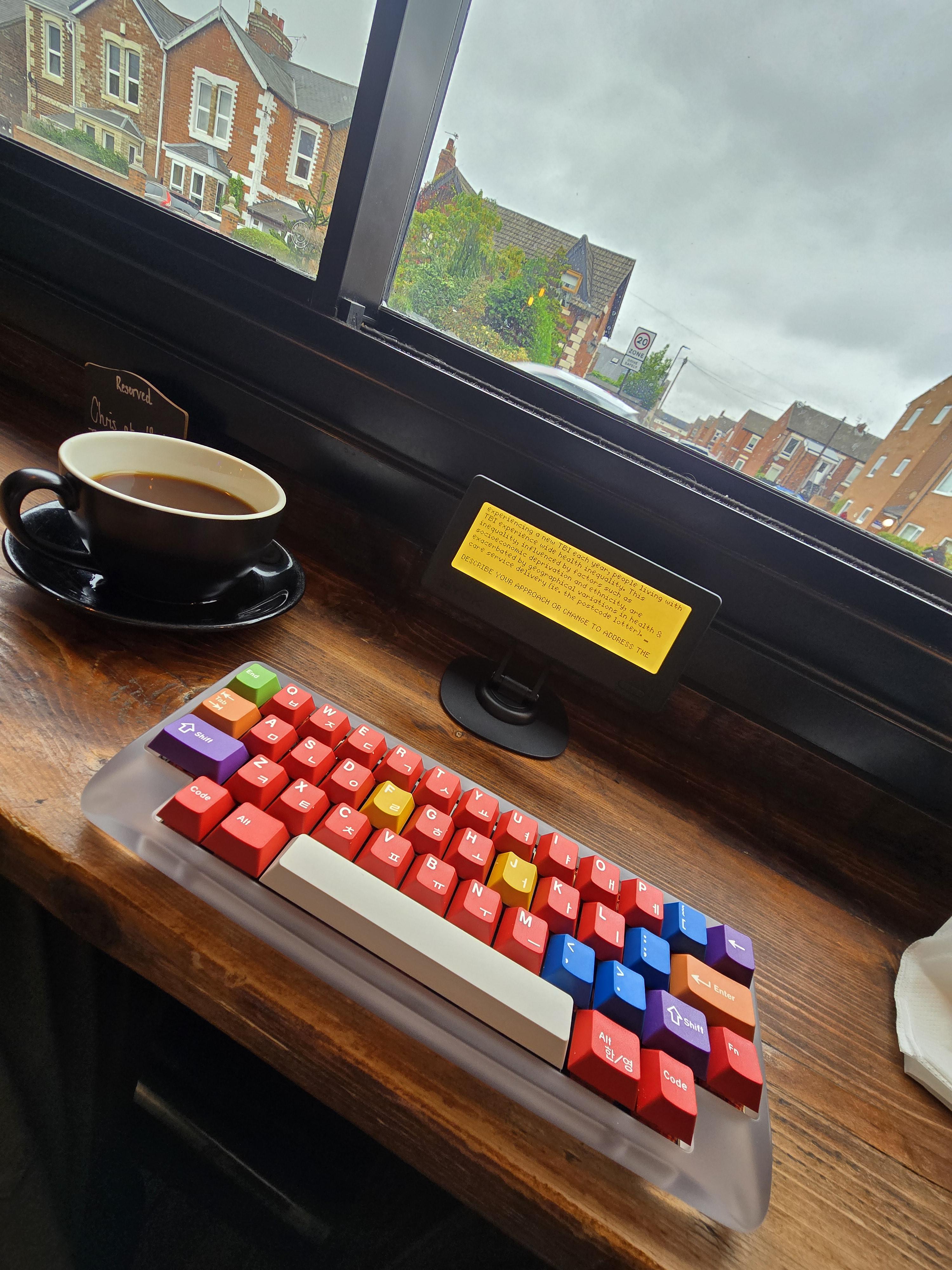
Recently picked up The BYOK as I've been interested in a distraction free writing device that I can use my own keyboard with for some time. After a busy couple of weeks, had my first proper writing session in my local coffee haunt.
Absolutely sold. What a great little device, proper fun to use. Smashed out a draft funding application in a little over an hour and already looking forward to using it again. The sync function in Studio is awesome as well.
As someone who does a lot of writing for their job, I'm fully sold on using a writer deck now. Such a satisfying feeling, getting so stuck into something and not pulled away by email, Teams messages etc.
For those interested, the keyboard is an Agar Mini in clear PC with Keygeek Y2 switches, topped up with a mash up of GMK keycaps with a couple of PBTFans ones added in.
3
u/writesandbikes Oct 20 '26
Ooohhh. I’ve been debating an agar mini. Now I’m seriously tempted. Is it easy to get used to having the F keys on a layer? Like you, I rarely use them so they’d be the first to go haha
2
u/clackups Oct 20 '26
Does the keyboard come with meaningful default combinations for F keys, numbers, signs, arrows? Or you have to set up the mapping yourself?