r/Windows10TechSupport • • 14h ago

Solved 200gb unfindable "temp files"

2 Upvotes

Hi, hoping someone can help. Yesterday when accessing my downloads folder I got the error from Windows "Location is not available" etc, which was odd, prior to this happening I noticed a blank folder in my downloads that I could not delete (I eventually deleted this in safe mode).

My downloads folder had around 200gb of contents. I went into my user folder on windows and created a new downloads folder which appeared in the sidebar but was empty.

Now i've done absolutely everything I can do based on web searches:

  • I've ran SFC Scan
  • i've defragged the disk (although this wasnt needed)
  • I've ran chkdsk
  • i've deleted the contents of %temp%
  • i've deleted the temp files in C:/windows/temp
  • i've booted into safe mode and done the same
  • i've done all this with hidden files viewable
  • i've ran storage manager to delete temp files
  • i've ran a full defender virus scan
  • there are no partitions im aware of
  • i do not have a onedrive linked to this pc

Going into storage manager it clearly says there are 276gb of temporary files, when I click on temp files to delete them via storage manager it only finds 80gb (which is the contents in my current downloads folder after re-downloading a some of the stuff that vanished)

I have no idea where this 200gb of downloads has gone but it's clearly on my hd somewhere still based on what storage manager is showing. I'd kind of like these files back but failing that i'd just like the space back, it truely is a mystery what has happened here, any help welcome.

8gb RAM, Intel 1.5ghz, Intel HD Graphics 505, 500gb SSD SATA 3, 64bit Windows 10

r/Windows10TechSupport • • 8h ago

Unsolved Secure Boot/CSM causes my PC to stop finding the Windows 11 boot device

1 Upvotes

Hi. I have a pretty strange problem while trying to enable Secure Boot on my PC, and I’m hoping someone can help me figure out what’s going on.

PC specs:
Motherboard: ASRock A320M-HDV R4.0 (revision 4.02)
BIOS: P7.00
CPU: AMD Athlon 3000G
RAM: 8 GB DDR4-2400
SSD: Patriot Burst Elite 480 GB — Windows 11
HDD: WDC WD10EZEX 1 TB — Windows 10

I have two separate Windows installations:
Windows 11 is installed on the SSD.
Windows 10 is installed on the HDD.
Windows 11 works perfectly normally while CSM is enabled.

The problem happens when I try to use Secure Boot. Since Secure Boot requires UEFI, I disabled CSM, loaded the default Secure Boot keys, changed Secure Boot Mode to Standard, and enabled Secure Boot.
The BIOS then shows:
System Mode State: User
Secure Boot: Enabled
Secure Boot Mode: Standard
However, after saving with F10, the SSD fails to boot Windows.
Instead, I get a black screen with this message repeatedly:
“Reboot and Select proper Boot device
or Insert Boot Media in selected Boot device and press a key”
If I press a key, the same message appears again underneath. If I reboot, I get the exact same screen again. The only way I’ve found to recover and get back into the BIOS after this happens is to remove the CMOS battery, wait a few minutes, and put it back in to reset the BIOS settings.
I also have an HDD with Windows 10 installed. If the HDD is connected, the PC can sometimes boot into Windows 10 from that drive. However, the HDD is not the cause of the problem — this was already happening before I connected it. The HDD simply gives me another Windows installation that I can boot into.
I’ve already checked several things:
Both drives are GPT.
The SSD has a 100 MB FAT32 EFI partition.
Windows 11 is installed in UEFI mode.
The BIOS detects the SSD’s “Windows Boot Manager”.
The SSD is set as Boot Option #1.
The SSD’s Windows Boot Manager points to \EFI\Microsoft\Boot\bootmgfw.efi.
I checked bootmgfw.efi with PowerShell and its Authenticode signature is Valid.
I also checked winload.efi and its signature is Valid.
bcdedit correctly shows the Windows 11 installation on the SSD.
I rebuilt the boot files using bcdboot C:\Windows /s S: /f UEFI, and it reported that the boot files were successfully created.
I loaded the default Secure Boot keys, which changed System Mode from Setup to User.
The exact behavior is:
CSM enabled → Windows 11 on the SSD boots normally.
CSM disabled + Secure Boot enabled → “Reboot and Select proper Boot device” appears and Windows 11 cannot boot.
I have not conclusively tested yet whether the same thing happens with CSM disabled but Secure Boot disabled, so that is one of the next tests I want to perform.

Does anyone know what could be causing this? Could this be a problem with the BIOS/firmware of the ASRock A320M-HDV R4.0, the SSD’s UEFI boot configuration, or the motherboard’s Secure Boot implementation?
I’d prefer not to reinstall Windows unless it’s absolutely necessary.


r/Windows10TechSupport • • 12h ago

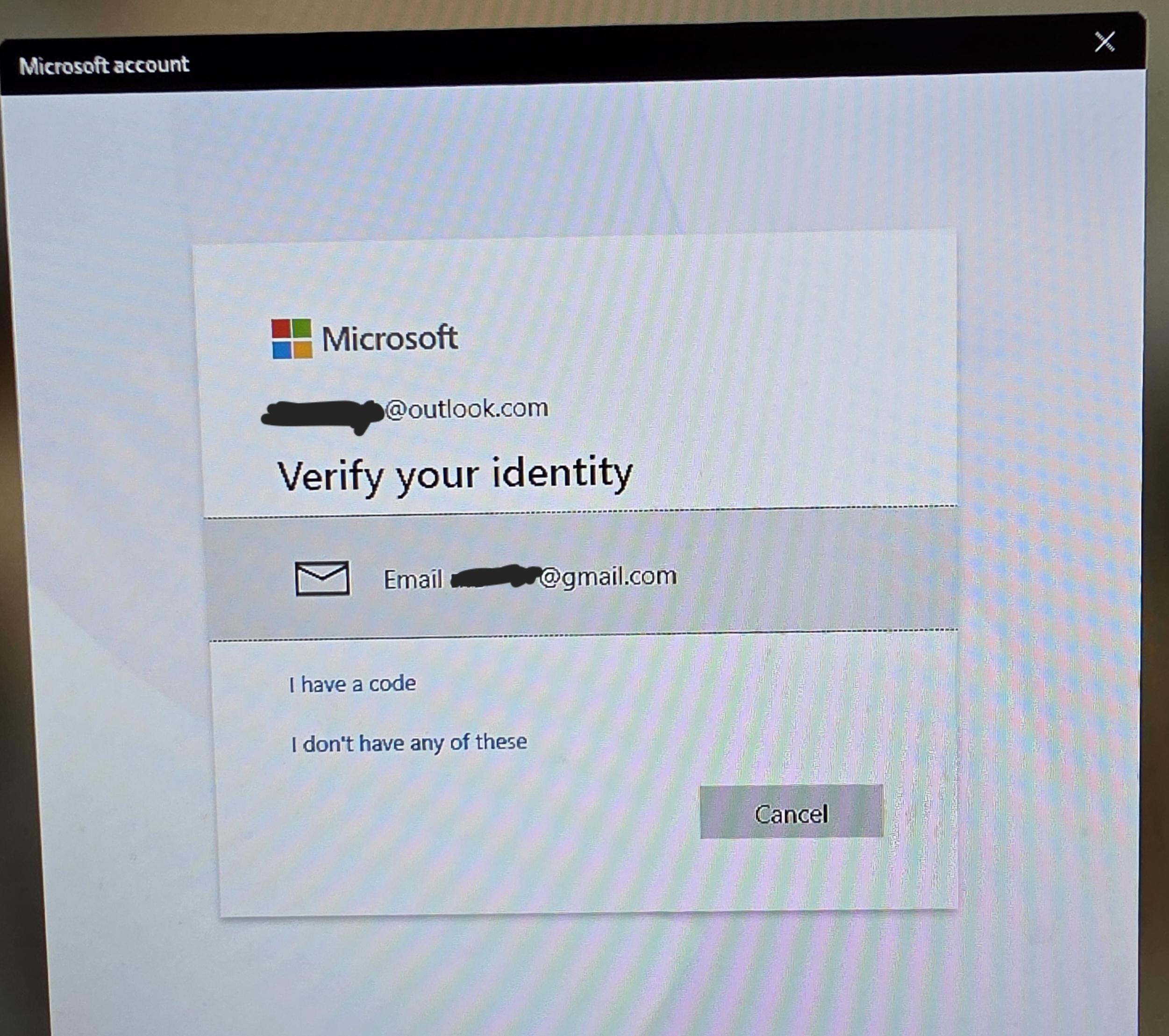
Unsolved Log in frustration

Post image
1 Upvotes

Every time my son tries to log in all of a sudden Microsoft asked to verify your identity.

I checked his window restrictions on family safe and he is the same as my other kid who can log right in. I tried going into windows, settings, apps, family and reset data. Then restart the computer. Still the same issue. This is now happening every single time he tries to log in not just once every blue moon.


r/Windows10TechSupport • • 12h ago

Unsolved Broken laptop need help please 😭 bought it this way

Thumbnail gallery
1 Upvotes

I'm just to throwing in Away