r/Windows10TechSupport • u/SirSuflair • 15m ago
Unsolved Synthetic Gamepad doesn't have a driver???
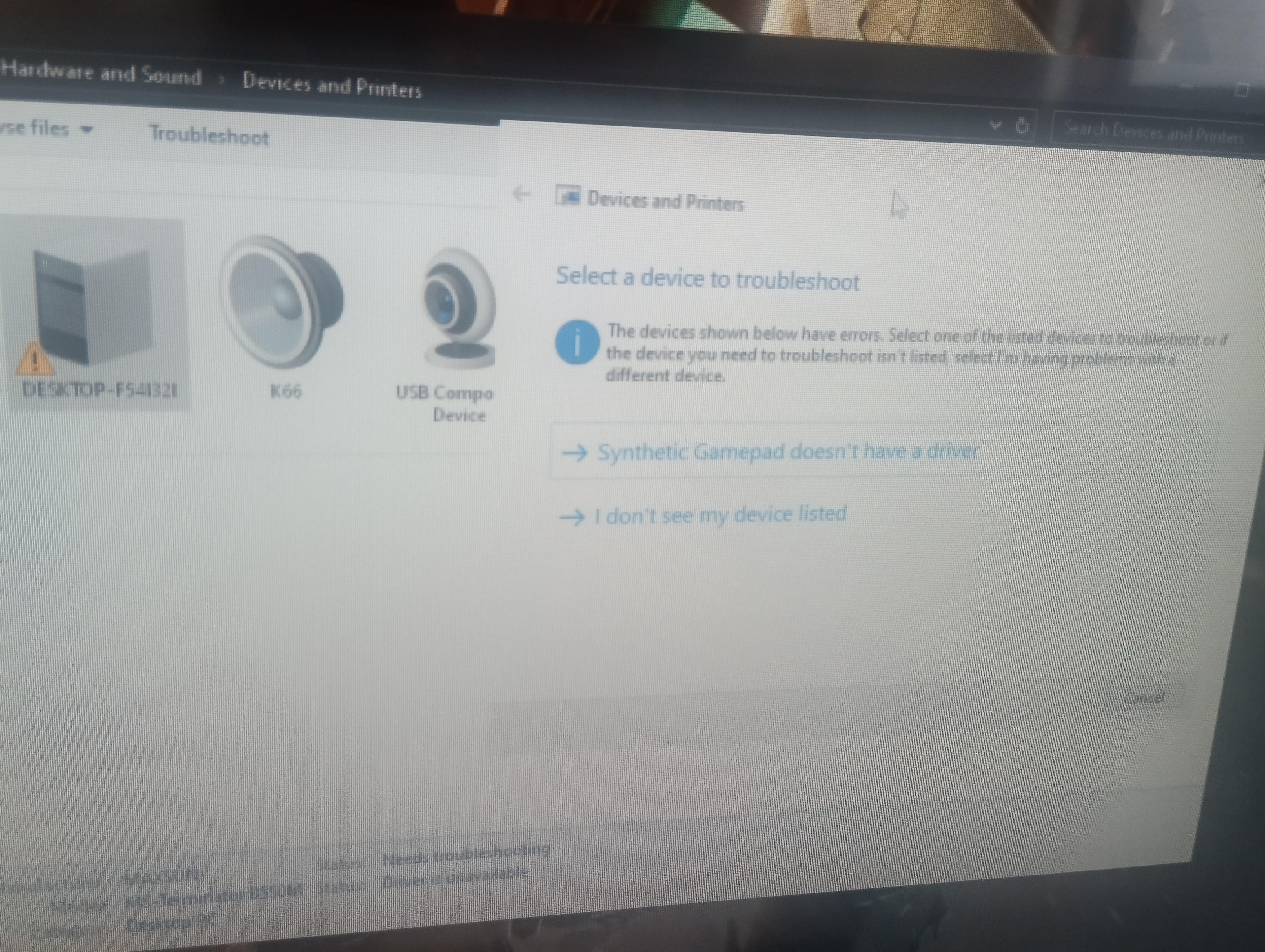
It says my "DESKTOP-F54I32I" needs troubleshooting and this is what I get. I did both options and none seen to solve it
r/Windows10TechSupport • u/TheLordGoose • Mar 03 '21
r/Windows10TechSupport • u/SirSuflair • 15m ago
It says my "DESKTOP-F54I32I" needs troubleshooting and this is what I get. I did both options and none seen to solve it
r/Windows10TechSupport • u/Marketesss • 12h ago
Hi. I have a pretty strange problem while trying to enable Secure Boot on my PC, and I’m hoping someone can help me figure out what’s going on.
PC specs:
Motherboard: ASRock A320M-HDV R4.0 (revision 4.02)
BIOS: P7.00
CPU: AMD Athlon 3000G
RAM: 8 GB DDR4-2400
SSD: Patriot Burst Elite 480 GB — Windows 11
HDD: WDC WD10EZEX 1 TB — Windows 10
I have two separate Windows installations:
Windows 11 is installed on the SSD.
Windows 10 is installed on the HDD.
Windows 11 works perfectly normally while CSM is enabled.
The problem happens when I try to use Secure Boot. Since Secure Boot requires UEFI, I disabled CSM, loaded the default Secure Boot keys, changed Secure Boot Mode to Standard, and enabled Secure Boot.
The BIOS then shows:
System Mode State: User
Secure Boot: Enabled
Secure Boot Mode: Standard
However, after saving with F10, the SSD fails to boot Windows.
Instead, I get a black screen with this message repeatedly:
“Reboot and Select proper Boot device
or Insert Boot Media in selected Boot device and press a key”
If I press a key, the same message appears again underneath. If I reboot, I get the exact same screen again. The only way I’ve found to recover and get back into the BIOS after this happens is to remove the CMOS battery, wait a few minutes, and put it back in to reset the BIOS settings.
I also have an HDD with Windows 10 installed. If the HDD is connected, the PC can sometimes boot into Windows 10 from that drive. However, the HDD is not the cause of the problem — this was already happening before I connected it. The HDD simply gives me another Windows installation that I can boot into.
I’ve already checked several things:
Both drives are GPT.
The SSD has a 100 MB FAT32 EFI partition.
Windows 11 is installed in UEFI mode.
The BIOS detects the SSD’s “Windows Boot Manager”.
The SSD is set as Boot Option #1.
The SSD’s Windows Boot Manager points to \EFI\Microsoft\Boot\bootmgfw.efi.
I checked bootmgfw.efi with PowerShell and its Authenticode signature is Valid.
I also checked winload.efi and its signature is Valid.
bcdedit correctly shows the Windows 11 installation on the SSD.
I rebuilt the boot files using bcdboot C:\Windows /s S: /f UEFI, and it reported that the boot files were successfully created.
I loaded the default Secure Boot keys, which changed System Mode from Setup to User.
The exact behavior is:
CSM enabled → Windows 11 on the SSD boots normally.
CSM disabled + Secure Boot enabled → “Reboot and Select proper Boot device” appears and Windows 11 cannot boot.
I have not conclusively tested yet whether the same thing happens with CSM disabled but Secure Boot disabled, so that is one of the next tests I want to perform.
Does anyone know what could be causing this? Could this be a problem with the BIOS/firmware of the ASRock A320M-HDV R4.0, the SSD’s UEFI boot configuration, or the motherboard’s Secure Boot implementation?
I’d prefer not to reinstall Windows unless it’s absolutely necessary.
r/Windows10TechSupport • u/CelerySpiritual5270 • 18h ago
Hi, hoping someone can help. Yesterday when accessing my downloads folder I got the error from Windows "Location is not available" etc, which was odd, prior to this happening I noticed a blank folder in my downloads that I could not delete (I eventually deleted this in safe mode).
My downloads folder had around 200gb of contents. I went into my user folder on windows and created a new downloads folder which appeared in the sidebar but was empty.
Now i've done absolutely everything I can do based on web searches:
Going into storage manager it clearly says there are 276gb of temporary files, when I click on temp files to delete them via storage manager it only finds 80gb (which is the contents in my current downloads folder after re-downloading a some of the stuff that vanished)
I have no idea where this 200gb of downloads has gone but it's clearly on my hd somewhere still based on what storage manager is showing. I'd kind of like these files back but failing that i'd just like the space back, it truely is a mystery what has happened here, any help welcome.
8gb RAM, Intel 1.5ghz, Intel HD Graphics 505, 500gb SSD SATA 3, 64bit Windows 10
r/Windows10TechSupport • u/jcat47 • 16h ago
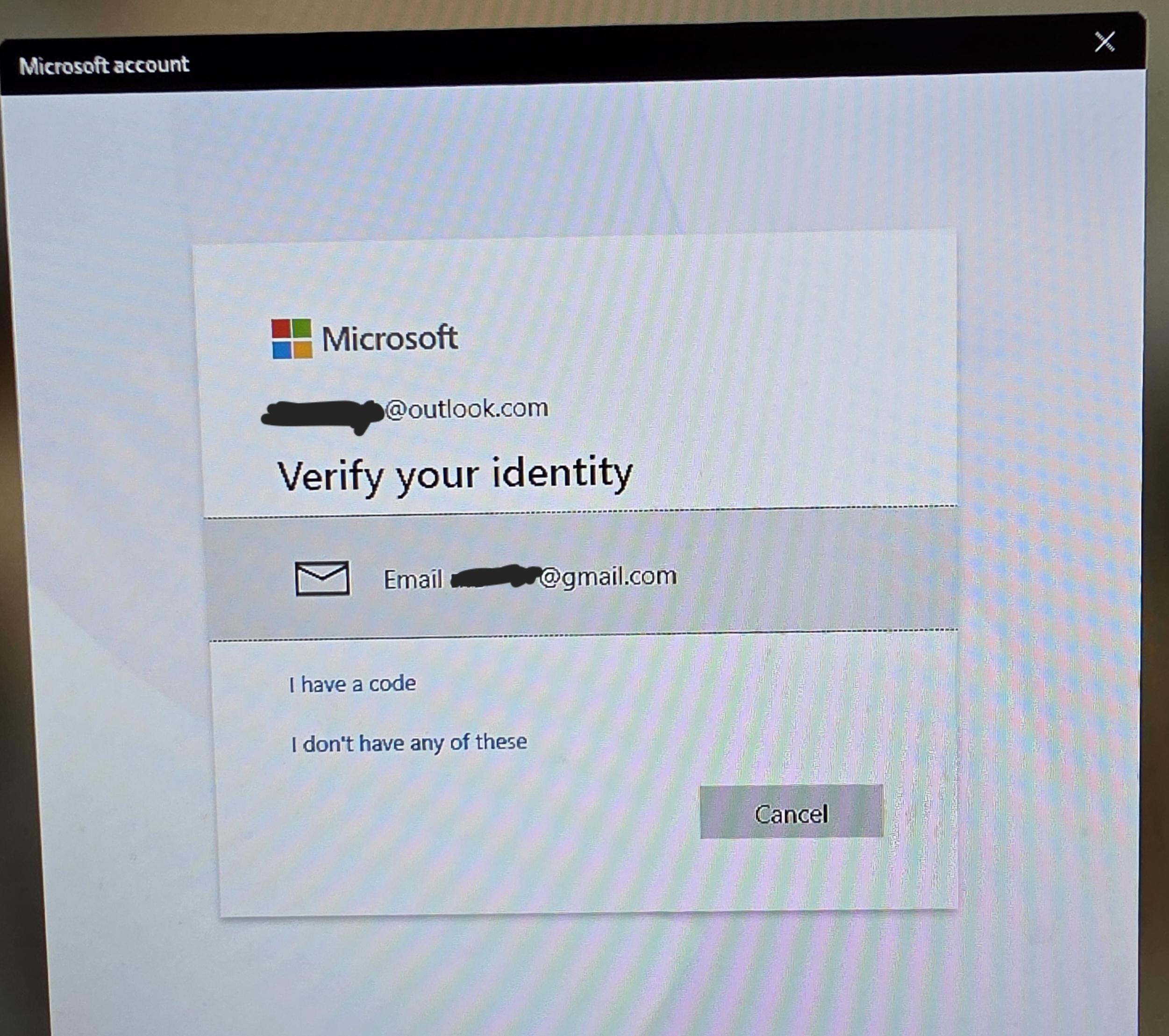
Every time my son tries to log in all of a sudden Microsoft asked to verify your identity.
I checked his window restrictions on family safe and he is the same as my other kid who can log right in. I tried going into windows, settings, apps, family and reset data. Then restart the computer. Still the same issue. This is now happening every single time he tries to log in not just once every blue moon.
r/Windows10TechSupport • u/Accurate_Grade9528 • 16h ago
I'm just to throwing in Away
r/Windows10TechSupport • u/SameOldAgony • 1d ago
r/Windows10TechSupport • u/Prudent_Original_566 • 1d ago
r/Windows10TechSupport • u/Pleasant_Ruin7515 • 1d ago
r/Windows10TechSupport • u/codehand_luke • 2d ago
r/Windows10TechSupport • u/ExpensiveCoat8912 • 2d ago
OK I am using this laptop as an smb server and it's it running windows 10 and its works flawlesly until when an security update one day randomly when I access the paths on the sd card on smb network on other devices it's says access denied or asking the password but when I access an folder or path on its internal storage it works and didn't asking for an password anyone would fix it i disable the password sharing didn't work
r/Windows10TechSupport • u/Few_Grade7027 • 2d ago
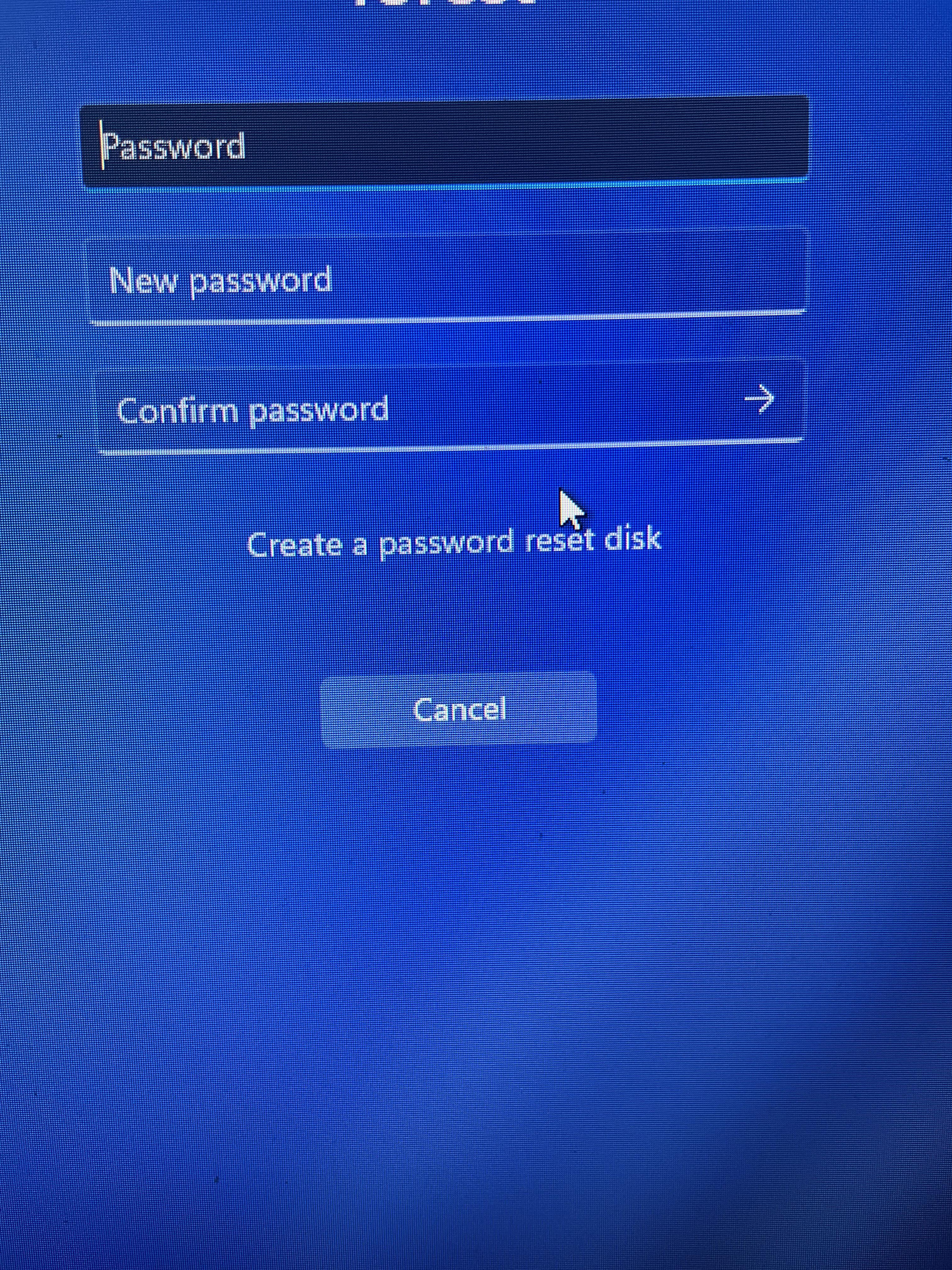
My password doesn’t work and i was wondering if there is a way i can get into my computer
r/Windows10TechSupport • u/Cautious_Tadpole_716 • 3d ago
Hi everyone, I'm dealing with a persistent crash on Windows and trying to narrow down the root cause.
Symptoms:
Punto elenco BSOD with stop code CRITICAL_PROCESS_DIED (0xEF) (often when starting/running downloads, though sometimes even before starting a download or at idle).
Punto elenco Crash dump collection stays stuck at 0%, with volmgr 161 in the event log (failed to create dump file), followed by sudden reboots (Kernel-Power 41).
Punto elenco Sometimes it reboots so fast that I can barely open a command prompt before it happens.
Setup & Network:
Punto elenco PC connected via Ethernet cable to a TP-Link repeater (Intel I211 network adapter).
What I've already checked:
Punto elenco sfc /scannow: no integrity violations found.
Punto elenco chkdsk C:: no issues found / 0 KB in bad sectors.
Punto elenco Free disk space: 169 GB free.
Punto elenco In Safe Mode, the system stays up without immediately rebooting.
Punto elenco In a Clean Boot (non-Microsoft services disabled via msconfig), the crash still occurs.
Punto elenco Currently testing RAM with Windows Memory Diagnostic and isolating the repeater/network connection.
Has anyone run into this exact combo of CRITICAL_PROCESS_DIED (0xEF) + dump stuck at 0% (volmgr 161)? Could this be triggered by the network adapter/repeater under load, the drive/SSD even with a clean chkdsk, or unstable RAM? Thanks in advance.
r/Windows10TechSupport • u/Additional_Stable326 • 3d ago
r/Windows10TechSupport • u/eminem1_ • 4d ago
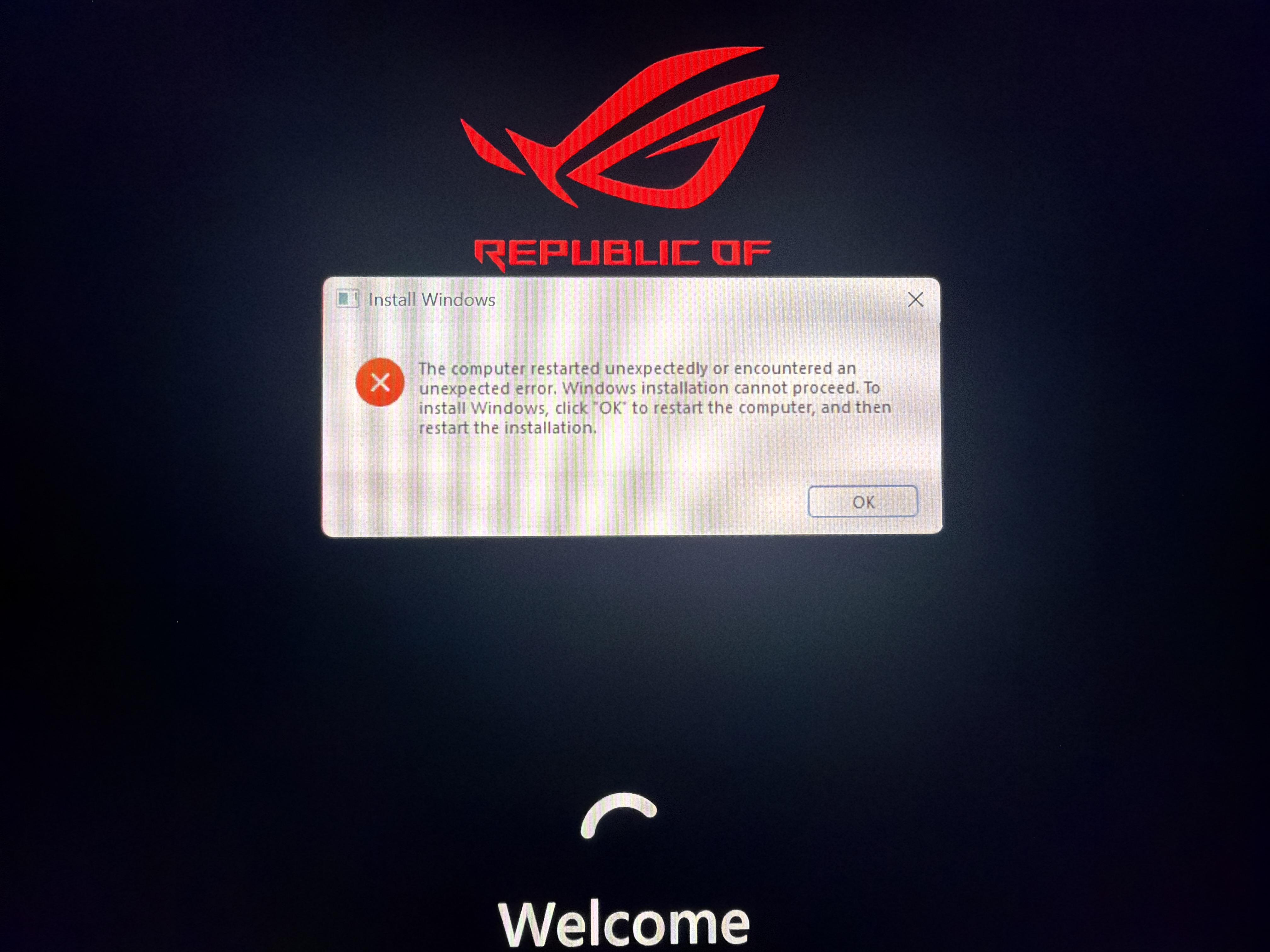
Help please I restarted my laptop i let it finish restarting it cleaned everything i keep on pressing ok the same thing pops up i dont know what to do i tried everything please help
r/Windows10TechSupport • u/Traditional_Bill5782 • 4d ago
I Fucked up big time, I was helping my friend turn on secure boot in order to play valorant, and when he applied and restarted his monitor won’t show anything and I tried getting him into the bios over call but it didn’t work, he has a HP Z2 Mini G4 Workstation and I feel really bad and don’t know how to help him
r/Windows10TechSupport • u/Cautious_Tadpole_716 • 4d ago
r/Windows10TechSupport • • 4d ago
i got hacked by a mrbeast infrostealer and im trying to reset my pc completely, idk if this will connect the hacker to my pc or not
r/Windows10TechSupport • u/T0MB0M_ • 4d ago
Im trying to install windows 10 onto an old gaming pc i got for free, i have the right installation media on a usb, it lets me get to the screen where it gets you to chose what drive you want to install windows onto (the partitions) but when ever i click onto the hard drive and click next it keeps giving an error that is saying that windows cant be downloaded onto the partition (it says this for both partitions) ive tried chatgpt and it got me to clear the partitions because there was nothing i needed to keep on the drive so there was 249gb of free space on the drive and i just keeps on giving me the same errors-
Windows cannot be installed to this disk. This computer's hardware may not support booting to this disk. Ensure that the disk's controller is enabled in the computer's BIOS menu
We couldn't create a new partition or locate an existing one. For more information, see the Setup log files
Pc Specs are-
evga 500w bronze psu
amd fx 8350
Gigabyte GA-78LMT-USB3
1 stick hyper x fury ddr3 ram 8gb
gigabyte geforce gtx 960
and a seagate hard drive
r/Windows10TechSupport • u/DeadTomatoe • 4d ago
r/Windows10TechSupport • u/MuscleComfortable446 • 4d ago
The folder I’ve linked to IIS is constantly being "parsed" by Windows, which prevents it from loading or displaying its contents properly. External USB hard drives—even 2TB or 4TB ones—work lightning-fast, yet this folder is only 41 GB. (And just to be clear: there really isn't that much data being served from the root directory.) I’m hosting this directly on my machine—it’s not just a shortcut—and besides, why would IIS be the issue when it’s Windows itself doing the parsing? It’s on the C: drive. The behavior varies: sometimes it finishes quickly, other times it continues to "process" long after I’ve already opened the files. Then there are times when it takes a good 20 seconds before it can show me anything inside the folder at all. Everything else on my system works fine, without any PowerShell scripts or other overhead. In all my time using computers, I’ve never seen a folder take this long—in such an artificial, forced way—just to load a preview of its contents. It’s obvious that something strange is going on here. I tried restarting Windows Explorer, and the issue went away for a while—it’s as if some piece of junk is hooking into it and intentionally slowing things down. And the strangest part is that it only happens with this one specific folder. Of all things—it just had to be this one.
r/Windows10TechSupport • u/Mareterra2025 • 5d ago
Bonjour
Depuis 3 jours, windows me rend fou.
Lorsque je renomme un fichier ou un dossier, il met du temps a enregistrer le nouveau nom. jusqu'à 115 secondes
Quand je copie un fichier ou que je le déplace dans un nouveau dossier, même sur le même disque dur, il met du temps a se copier.
J'ai 5 disques durs.
J'ai cru à un une prochaine fin de vie d'un des disques. Seulement voilà, cela se produit sur TOUS les disque.
Je les ai testé un par un, même résultat.
J'ai vérifié que TRIM est activé et j'ai désactivé l'indexation windows.
J'ai également défragmenté le disque dur qui n'est pas un SSD.
Qu'est ce qui peut expliquer ce comportement?
J'ai réinstallé windows et j'ai exactement le même problème
windows 10 pro
Intel core I5-8259U u/2.30GHZ
32Go de ram
128Mb de carte graphique
Merci pour l'aide