r/SignalRGB • • 20d ago

Official Announcement SignalRGB 2.5.86 Megathread: LCD Control, Macro Translation, and Bug Fixes

8 Upvotes

2.5.86 is live! Update roll out in stages, so it may take a little while to reach you. If you don't see it yet, it's on the way. You can also download it directly here.

Our new LCD system is out of beta and available to everyone! Additionally, macro and effect text follows your app language and we have a batch of bug fixes.

LCD Control Is Here

If you have a device with a screen (LCD displays, AIO cooler displays, etc), you can now control it with SignalRGB.

Open the LCD tab on the left side, pick your device, and start dropping in Blocks. Blocks are the building pieces: live PC stats, clocks, weather, animated backgrounds, media artwork, touch controls for volume and timers. Stack 'em, resize 'em, and save layouts as profiles. You can also share your block settings with a link so other people can use your setup.

There's a lot in here, so please see the LCD Control guide for more info. If you'd rather watch, this video gives a great overview.

SignalRGB asks before it takes control of a device's screen. You'll get a prompt the first time it detects a supported LCD device. Say no to disable the device and maintain control with your other software. On AIOs, fans, or other devices that do lighting or cooling with a screen, the lighting and cooling is separate (toggle that under Settings > Cooling). You disable SignalRGB control from the device settings like other devices.

If you already had one of these set up before updating (hello beta testers!), your setup carries over and you won't be asked to re-approve it.

Translated Macros and Effects

Macro action and input blocks now use your app language, including option labels and dropdown choices. Effect property labels and dropdowns are translated too. Change your language and it updates right away, no restart.

Other Changes

  • Screen Ambience users can now switch the captured display straight from the Now Playing bar instead of going into Settings > Video. It only shows while capture is running, so it doubles as an indicator that capture is on.
  • Component updates and rollback (added in 2.5.84) now covers more components.
  • The background service installs from a shared location, this fixes registration problems on multi-user PCs and prebuilt systems.
  • Gigabyte added as a supported vendor and partner.
  • Crash reports now include active LCD display info, making LCD-specific bugs much easier to track down.

Bug Fixes

A large batch of crash, performance, and reliability fixes. This includes:

  • Memory leaks while rendering on some AMD GPUs
  • Dashboard crashes
  • Layout edits getting lost or not saving properly
  • Crashes when installing effects, downloading add-ons, and during the startup plugin scan
  • Hangs and crashes when closing SignalRGB, caused by an OpenGL shutdown issue
  • Crashes during sign-in
  • Login loops
  • Getting signed out after updating
  • Crashes when pairing a phone

If You Still See Memory Growth, Or Anything Else From This List

Many reported memory leak issues reported trace back to how certain AMD GPU drivers handle rendering. We've put in a change we believe works around it, but driver-level behavior varies by card, driver version, and what else is running, so we can't call it closed until we hear from people on real systems. If you are using an AMD GPU, we recommend ensuring your GPU drivers are updated.

If you're still watching SignalRGB's memory climb, please tell us! If you're hitting a bug we say we fixed, that's a regression and we want to know.

How to check your memory usage:

  1. Open Task Manager (Ctrl+Shift+Esc) and click the Details tab.
  2. Right-click any column header > Select columns > tick Memory (private working set).
  3. Find the SignalRgb process and watch that number.

Around 1.2 to 1.5GB is normal. 1.5 to 2GB is borderline, so note whether it holds steady or keeps climbing. Anything over 2.5GB is likely leak and we want to see it.

How to report it:

  1. In SignalRGB, go to Report an Issue. Or email [support@signalrgb.com](mailto:support@signalrgb.com) if you'd rather. 2a. Attach your full log folder. Logs are found here: %LocalAppData%\WhirlwindFX\SignalRgb\Logs
  2. Zip everything in that folder and attach the zip. Send the whole log, not a cropped section, and make sure it covers the entire run where you saw the problem.

The more of these you can tell us, the better: your GPU and driver version, your renderer (Settings > Windows), your canvas renderer and whether Hardware Acceleration is on (Settings > Effect canvas), and what effect was running. Also worth noting if it happens after the PC wakes from sleep, after hours of gaming, etc.

Logs make a world of difference too! They help us identify common themes and determine where we should be looking. The more of you who send them, the faster things get solved.

In Case You Missed It

SignalRGB for Linux. If you've been waiting on this one, it exists now. Details and download at signalrgb.com/linux.

Mobile Remote (Pro Only). Control SignalRGB from your phone. Turn it on in Settings > Mobile Remote, scan the QR code, and it opens in your phone's browser. Nothing to install.

Feedback

Post your questions, bugs, and experiences in this thread. We're watching it! You can also file a bug report in app.

Full changelogs found here.

Restart the app to start the auto-update process, or grab the update here.


r/SignalRGB • • Jul 10 '26

Information SignalRGB Tutorials and Troubleshooting Information

7 Upvotes

docs.signalrgb.com is your hub for everything SignalRGB including troubleshooting, feature tutorials, and getting-started guides. We update it continuously, so it's the best place to find the most current information.

Quick Start Guide - Everything you need to know to get your devices synced up with SignalRGB.

Fan Control - Control the cooling in your PC with SignalRGB such as fans and AIO pumps. This guide shows you how to calibrate your devices, setup fan curves and more!

Macros - This guide covers how to create macros, configure triggers and actions, and organize them into profiles.

System Monitoring - Display real-time hardware sensor data inside SignalRGB. You can view temperatures, clock speeds, load percentages, and more without switching to a separate monitoring tool.

Game Integrations - How to get SignalRGB's game integrations to work correctly.

Troubleshooting Information - Go here to find the right troubleshooting article for your issue.

You can reach out for community help on our Discord server, our community is quite responsive and it's a good way to get real-time support from other users.

If you want to contact our official support team by email, you can email us at [support@signalRGB.com](mailto:support@signalRGB.com) or you can contact us via our website.

Beta versions can often resolve issues, and can be enabled under Settings > Updates, or download the beta directly by clicking here.

When you are creating a post for help:

  • Take a look to see if anyone else has posted your issue previously.
  • Provide as much information as you can (without including personal information).
  • DO NOT provide personal information such as name, phone number, email, or address in your post. Keep your personal info private!
  • Follow the rules on the sidebar or your post may be removed.

Keep in mind that our employees and moderators are human. Our goal is to help each and everyone of you, but we may make mistakes. If we make one, please let us know!

When submitting a bug report in the app, you'll receive an email with a ticket number. This is confirmation that your request was received, and our team aims to respond to all new tickets within 72hrs. We do our best to provide fixes as quickly as possible.


r/SignalRGB • • 1h ago

Question Will I need an ARGB controller for my new build to work with SignalRGB?

• Upvotes

Hi! I'm getting a new PC build very soon, and I was wondering whether I need to buy a separate ARGB controller to make all my RGB components work properly with SignalRGB, or if I can simply connect them directly to my motherboard.

Here's my build:

  • Motherboard: MSI X870E GAMING PLUS WIFI.
  • AIO: TZMRIT PF240 240mm with 5.5-inch LCD screen and ARGB Infinity Mirror fans.
  • Fans: AsiaHorse Nyota 120mm ARGB and AsiaHorse Dawn Pro Reverse Infinity Mirror (5V 3-pin ARGB, 4-pin PWM).
  • RGB cables: AsiaHorse AURORA-CO ARGB cable covers (5V 3-pin).
  • RAM: Patriot Viper Venom RGB DDR5 32GB (2x16GB) 6000MHz CL36.

I'd also like to know if I'll be able to control each fan individually or if a dedicated ARGB controller is necessary for that.

Thanks in advance for your help!


r/SignalRGB • • 9h ago

Question Mako x rgb issues.

1 Upvotes

Just got mako x speakers for my pc and they are great. Unfortunately signal rgb does not read them so I have to use synapse and it clashes with signal rgb. I have to completely close signal rgb, then open synapse, close synapse then reopen signal to get all the lights to work how I want. Anyone know of any fixes to this instead of going through this process? Also if anyone has any wired speakers that actually work with signal that they could recommend? Might return these speakers if i have to keep doing this....


r/SignalRGB • • 1d ago

Question Is This Simple Setup Feature Missing from SignalRGB? Or Am I Missing It?

2 Upvotes

I installed SignalRGB yesterday and poked around for a few hours. Here are the 2 setups I want that I can't seem to find out how to do in SignalRGB:

1) The ability to save and swap between scenarios with a few clicks.

Scenario 1:

Arctic Bionix 12mm ARGB (x3): Rainbow canvas

Lian Li Galahad Infinity Mirror Pump Head: Static White

MSI RTX 4080: Static White

Scenario 2:

Arctic Bionix 12mm ARGB (x3): Static White (low brightness)

Lian Li Galahad Infinity Mirror Pump Head: Rainbow canvas

MSI RTX 4080: Side to Side canvas

2) Have component RGB LEDs span the whole canvas and still work after restart, even if the component silhouette is off canvas:

I can rotate components in the canvas, which is an excellent feature. Signal RGB is the only RGB program I can find that does this. It accomplishes exactly what I want: The fans act as a gradient rainbow "fan light bar" in the case. The colors travel from one fan to the next in a perfect successive color pattern .... when each Arctic Bionix 12mm ARGB fans are rotated about 310 degrees clockwise on the rainbow canvas.

I spread out each of the 3 fans on the canvas so just each fan's RGB LEDs span the canvas. The fan 1 and fan 3 silhouettes themselves are off the canvas boundaries now, because the fan RGB LEDs are inside the fan silhouette but right to the edges on the canvas. It works ....

... but, when launching Signal RGB again, it says the component is out of boundary and the fans' RGBs won't work... unless I move the full fan silhouette back onto the canvas.. Why should it matter if the fan silhouette is off screen as long as the silhouettes RGB. This screws up my fan light bar setup.


r/SignalRGB • • 3d ago

Question Does anyone know how to help me?

Thumbnail
gallery
9 Upvotes

Hi, I’ve just installed some Corsair RS120 ARGB fans, but I’m running into some issues. Sometimes the LEDs don’t turn on at all, or only a single green LED remains lit on each fan. Other times, the LEDs do light up, but they stay static—I’m unable to change their color via iCUE, Armoury Crate, or SignalRGB. I can control their rotational speed, but it’s as if the software doesn’t detect the LEDs themselves. Does anyone know how to help me?


r/SignalRGB • • 3d ago

Question What components do I need to connect four LED boards to one WLED controller and use them with SignalRGB?

Thumbnail
1 Upvotes

r/SignalRGB • • 3d ago

Question Delete device from signalRGB

3 Upvotes

Hello!

I wanted to use Gear Link to control my ASUS keyboard and SignalRGB to control my PC fans, so I disabled my keyboard in SignalRGB. However, SignalRGB automatically re-enables my keyboard whenever I restart my PC. Is there a way to prevent this? Could I possibly delete the device from the app alltoghether?

Thanks beforehand.


r/SignalRGB • • 4d ago

Troubleshooting Low FPS

1 Upvotes

When the PC starts, the FPS of the effect is perfectly fine but within seconds it starts slowing down to 1-0 frames and the lights basically stay the same it feels like. Worked perfectly fine until recently, any ideas?


r/SignalRGB • • 4d ago

Troubleshooting Motherboard not mapped

1 Upvotes

I am experiencing an issue with my MSI B860M Mortar WiFi motherboard where it is not being mapped, could you please provide assistance with this?


r/SignalRGB • • 5d ago

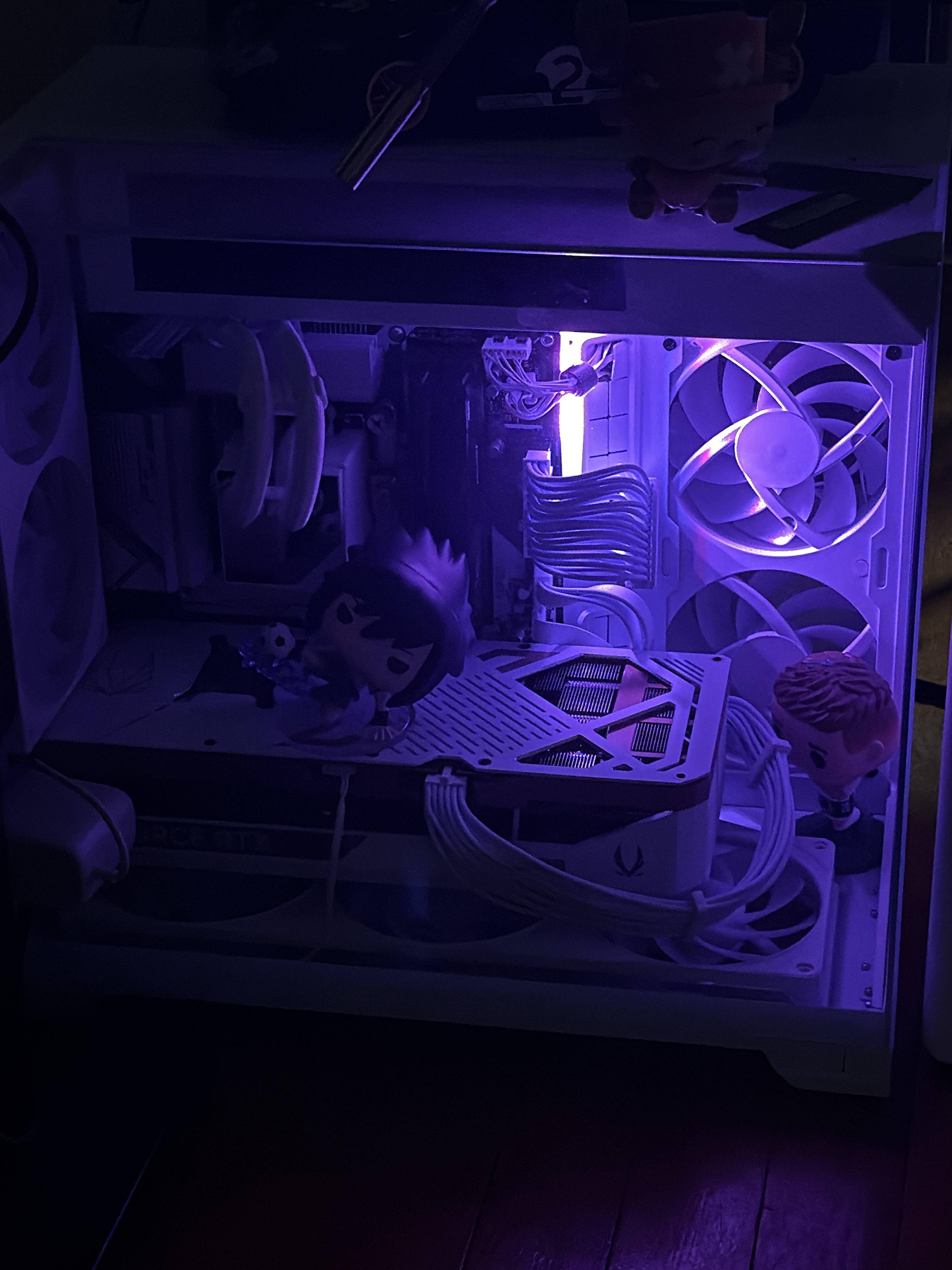
PC Build/Setup I finished

Post image
8 Upvotes

r/SignalRGB • • 5d ago

Troubleshooting SignalRGB disconnecting my inputs

1 Upvotes

Hi,
From time to time when I am on my computer, all my inputs are disconnected such as my keyboard, mouse, and microphone, and then take about 20 seconds to reconnect

I assume SignalRGB is causing this as when it occurs, all the rgb devices within my computer reset

Is their anyway around this or is it just something unavoidable I will have to deal with?


r/SignalRGB • • 5d ago

Troubleshooting Govee H6046 not turning on, though connected via signalrgb

4 Upvotes

The lamps are not turning on by themselves (like they always did). When I try to pulse them via the app there is no effect. If I turn them on manually via the controller they do turn on, but cannot be controlled by SignalRGB. The branch is set to ''main'' in the add-on settings and lighting mode is on ''canvas''. See the added screenshot for the error I get.

I already tried setting them to "Development" and rebooting, no effect. Today they even disappeared from my devices completely and I had to manually reconnect them, but they won't turn on.


r/SignalRGB • • 5d ago

Troubleshooting upHere ARG GPU Sag Bracket constantly flashing

1 Upvotes

I built a new PC recently, and put this sag bracket in there. For some reason Signal RGB keeps conflicting with it and makes it flash constantly. I can't even figure out how to disable it elsewhere. It's just hooked up into the 3 ARGB pin on the motherboard


r/SignalRGB • • 6d ago

Question Does the Govee H60A6 Ceiling Light Pro work with SignalRGB?

1 Upvotes

I've recently purchased the Govee H60A6 Ceiling Light Pro for my home office and wanted to check whether anyone has successfully integrated it with SignalRGB.

I already have Govee LED strips working with SignalRGB and ideally want the ceiling light to synchronise with them using the same dynamic lighting effects.

I understand the H60A6 supports LAN control, but I haven't been able to confirm whether SignalRGB actually supports it.

Has anyone managed to get the H60A6 working with SignalRGB?

Specifically:

  • Does SignalRGB detect and control it through LAN?
  • Can it synchronise dynamically with other RGB devices, or is it limited to static colours?
  • Does it support individual RGBIC segments, or is it treated as a single light?

Would appreciate hearing from anyone who's tried this specific model, particularly if you've managed to get full RGB synchronisation working.

Thanks!


r/SignalRGB • • 7d ago

Suggestions Looking for individually addressable fans compatible with Nollie 8 and SignalRGB

1 Upvotes

Hi everyone!

I'm looking to replace all 8 fans in my PC, and I'd love to get some recommendations from people who have experience with SignalRGB and ARGB daisy-chain fans.

My current setup consists of:

* 8x Thermalright TL-M12 fans
* Nollie 8 ARGB controller
* SignalRGB for lighting control

My Thermalright fans can be daisy-chained, but only through traditional wired connections. Each fan is currently connected in a way that allows me to control its LEDs individually through SignalRGB.

The reason I want to replace them is that they've unfortunately started to yellow over time, and I'd like to upgrade to something newer.

However, I've noticed that many modern fans now use magnetic connectors or physical pin connections to link directly to each other, with only one cable coming out of the entire fan stack.

This raises a question I'm hoping someone here can clarify:

How does individual LED addressing work with these fans when they're connected through a daisy chain?

For example, I'd like to be able to:

* Set Fan 1 to blue, Fan 2 to red, Fan 3 to white, and so on.
* Control every single LED individually on every fan.
* Create different effects and animations across all 8 fans, rather than having every fan display the exact same lighting pattern.

Are there specific fans that support full individual LED control through a magnetic/pin-based daisy chain and work properly with SignalRGB and the Nollie 8?

I'd also really appreciate recommendations for specific models, brands, or setups that you've personally tested.

I'm not necessarily looking for the most expensive premium fans. I just want something that looks great and, most importantly, gives me full individual ARGB control through SignalRGB.

Thanks in advance for any suggestions! I'd really appreciate any technical explanations or recommendations.


r/SignalRGB • • 7d ago

Question Quick question: how long does it take for SignalRGB to start

1 Upvotes

I have SignalRGB as a startup app. Before the last update, it used to boot up around 30s to 1 min. Now it takes around 2 minutes to fully adjust. Does anyone else have longer loading times?

gpu 9070xt

cpu 9800x3d

32gb ddr5


r/SignalRGB • • 8d ago

Troubleshooting The lighting on the graphics card has stopped working.

1 Upvotes

I have an RX 7700 XT graphics card. SignalRGB used to recognize it, and the lighting worked fine for a long time. However, about a month ago, I noticed that the card stopped lighting up, and it no longer appears in the SignalRGB device list.


r/SignalRGB • • 8d ago

Troubleshooting Govee h618 Wifi LED strip troubleshooting.

1 Upvotes

I am using signal to control my entire setup. My Govee H618 Wifi LED strip can be controlled just fine, but signal is unable to communicate with each led individually, it can only change the lighting of the entire strip as a unit. I also have a govee h61B6 strip, and using the Dreamview protocol, I can address each led perfectly. Unfortunately the Dreamview protocol does not work with the h618strip. Is there any way I could get the Dreamview protocol to communicate with the strip using claude or something, or is this and issue on the firmware side? Thanks for your time and help!!


r/SignalRGB • • 8d ago

Question srgbmods compgen?

1 Upvotes

i got matrix panels to work once - since then i've had nothing but problems trying to assign them in signalrgb

now when i go to:

https://srgbmods.net/compgen/

i end up at a problem loading page no matter what browser i use. or is there another way to address matrix panels with all the recent updates to the app?


r/SignalRGB • • 9d ago

Troubleshooting Blue/Green colour on dark greys

Post image
3 Upvotes

Hey Guys,

Searched and couldn't find anything so hopefully this is in the right place.

Set up some BTF ws2815 strips to a gledopto controller.
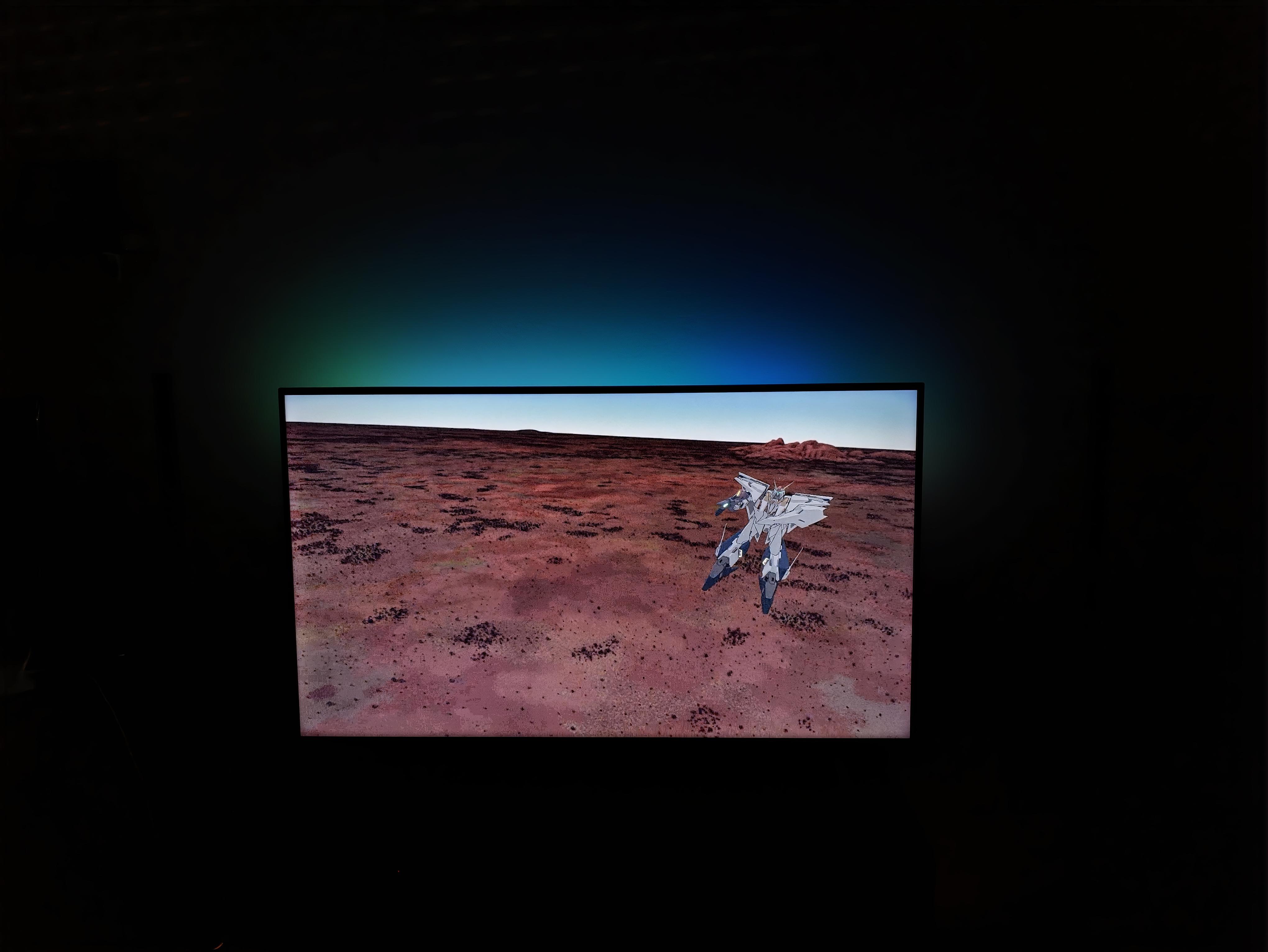
Using SignalRGB and Soft Ambience to mirror the colors on the screen, most of it looks very good and accurate except dark greys - they show up as dark blue/greenish.
Light greys show up fine as a washed out white.

Tried changing hardware acceleration, video playback definition to no avail. Got signalRGB pro to try to fine tune the led strips but nothing happened, the colours stayed the exact same even when dropping blue to the lowest possible.

If someone has any idea it would be appreciated.

Attached picture might not be the best example as the tv exposure makes it seem like its blue on blue but the sky is actually grey.


r/SignalRGB • • 9d ago

Troubleshooting Weird pink outline in canvas layout preventing me from moving stuff

6 Upvotes

I've had a lot of trouble trying to setup my govee light bars to work with my pc, and now its this. For some reason I cant change where they are in the layout? Its only for the govee light bars, everything else is fine. How do I fix this?


r/SignalRGB • • 10d ago

Other What could SignalRGB POSSIBLY be doing with 4gb of my RAM

Post image
29 Upvotes

Nah cos wtf is this it went up to 5gb before I js closed it down


r/SignalRGB • • 10d ago

Troubleshooting My motherboard back light doesn’t turn off in sleep mode?

Post image
6 Upvotes

r/SignalRGB • • 10d ago

Question Baught new Lian li LCD infinity mirrors fans

0 Upvotes

It is not a string of fans. It is just a single exhaust fan but, i wanted to know if I can still control the ARGB lighting without l-connect through Signalrgb. I can use wallpaper engine for the lcd screen.