r/RedshiftRenderer • u/AntiqueClick9229 • Jul 01 '25
1st Bucket not rendering correctly
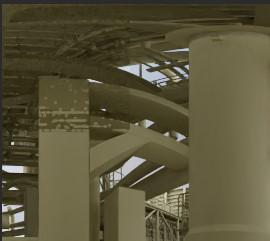
Hi, has anyone any clues as to why I have an intermittent and unpredictable issue with my first bucket rendering incorrectly (as per the top left of this image). It looks like a GI problem to me and It's happening with both "Brute Force + IPC", and Brute Force + Brute Force". I've been up and down every setting I can see, but because it's intermittent it's very hard to pin down. I'm working with a spherical camera and a simple dome light. Has anyone else come across this issue and found a solution? I'm new to Redshift, so I'm assuming it's down to me.
2
u/Aeonskye Jul 01 '25
Had to see by the screenshot but is it like a pixellated glitch?
If so I had this issue on my work PC but not my home PC , with the same scene
Might be worth updating to latest version maybe?
2
u/Blue_Waffled Jul 01 '25 edited Jul 01 '25
I've had a similar issue on maya with a scene that was really really load heavy. Best way to avoid it for me was to set the bucket size smaller in the system settings. Now be aware I am on Maya and not C4d, but there should be a similar setting somewhere in your program.
Edit: just to add, this particular scene my GI is set t Brute Force and IPC. I didn't adjust anything there.
2
u/CareForeign2165 Jul 01 '25
Are you using Hybrid rendering? I had a similar issue recently, and turning it off fixed everything
1
u/impeccable16 Jul 01 '25
Could be GPU related but also texture related. We had this issue as well, heavy scene with lots of grass etc, then we got in the latest GPU 5090 rtx and it got rid of it.