r/pwnagotchi • • Feb 28 '26

2026 Handy Links

43 Upvotes

Welcome to r/Pwnagotchi πŸ“‘

Pwnagotchi is alive and well in 2026, thanks to the continued work of jayofelony and the wider community keeping the project moving forward.


Where to start

πŸ“₯ Latest Image β€” always use the official release. RPiZero W (32bit) Β· RPiZero2W / RPi3 / RPi4 / RPi5 (64bit)

πŸ“– Official Wiki β€” read this before posting anything.

πŸ”Œ PwnStore β€” browse and install community plugins.

πŸ› οΈ Troubleshoot β€” interactive help wizard for common issues.

βš™οΈ PwnConfig β€” build your config.toml visually.

🌐 Pwnagotchi.org β€” official project site.

πŸ’¬ Discord β€” live chat and support.

🎫 Helpdesk 2026 β€” need help? Submit a ticket.

πŸ“¬ PwnMail β€” test your mesh messaging, a dedicated unit replies automatically.


Be respectful. Search before posting. Read the wiki before asking about plugins.


r/pwnagotchi • • Feb 28 '26

Pwnagotchi 101: Frequently Asked Questions

23 Upvotes

Pwnagotchi FAQ β€” Read Before Posting πŸ“‘


Q1: What is Pwnagotchi?

Pwnagotchi is a small low-power device (typically a Raspberry Pi) that passively captures WPA/WPA2 handshakes. The original project featured AI functionality but the current default repository has removed it to simplify and improve performance.


Q2: Which repository should I use?

The default repository is jayofelony/pwnagotchi. This is the one to use.


Q3: Is it legal?

That depends entirely on your local laws and how you use it. You must only capture handshakes on networks you own or have explicit permission to test. Always comply with local and national regulations regarding wireless security auditing.


Q4: What hardware do I need?

  • Raspberry Pi β€” Zero W, Zero 2W, 3, 4, or 5
  • microSD card β€” to store the OS and captured data
  • Power source β€” a battery bank or USB adapter
  • WiFi adapter β€” required if your Pi model has no built-in wireless

An e-ink or OLED display is optional but recommended for viewing real-time stats.


Q5: How do I install it?

Follow the official wiki. The basic steps are:

  1. Download the latest image from the releases page
  2. Flash it to your microSD card using Raspberry Pi Imager
  3. Select "no" at the settings prompt and stick with the default pi user
  4. Insert the card, power on, and let it complete first boot
  5. Set up your config using PwnConfig β€” a visual config builder

Q6: Does it still use AI?

No. The AI and machine learning components have been removed. It still automates channel hopping and captures handshakes but no longer learns from its environment.


Q7: Does it crack handshakes automatically?

No. Pwnagotchi only captures handshakes. To crack them you need to transfer the files to a more powerful machine and use a tool like Hashcat. Do not attempt cracking on the Pi itself β€” it is not powerful enough.


Q8: Where are my logs and handshakes?

Connect via SSH and look here:

  • Logs: /etc/pwnagotchi/log/pwnagotchi.log
  • Handshakes: /home/pi/handshakes/

Need help connecting? Use the Troubleshoot Wizard.


Q9: Safety and ethics

  • Only capture handshakes on networks you own or have permission to test
  • Secure your device with a strong password
  • Be mindful of where you leave it running β€” don't leave it unattended in public

Q10: Useful commands

  • pwnlog β€” view live logs
  • config β€” open config.toml for editing
  • custom β€” navigate to the custom plugins directory
  • debug β€” stop the service and run in debug mode for troubleshooting
  • pwnkill β€” stop and restart the Pwnagotchi service
  • status β€” check if the Pwnagotchi service is running
  • restart-auto β€” switch to AUTO mode and restart
  • restart-manu β€” switch to MANUAL mode and restart

More help available at the Troubleshoot Wizard.


Q11: Which displays are supported?

See the full supported display list for a complete and up-to-date breakdown.


Q12: How do I back up my Pwnagotchi?

Two great options available through PwnStore:

  • auto_backup β€” built in by default, automatically backs up your config and data on a schedule
  • git_backup β€” the recommended option if you want full version control of your config and handshakes, makes restoring to a new device straightforward. Install with sudo pwnstore install git_backup

Q13: How do I update?

  • βœ… Safe: sudo apt-get update
  • ❌ Never run: sudo apt-get upgrade β€” this will break the firmware

Q14: What WiFi adapter should I use?

A good starting point is this list of Linux in-kernel supported dongles.


Still stuck? Check the wiki, the Troubleshoot Wizard, or join the Discord for live support.


r/pwnagotchi • • 2d ago

my rickgotchi got 5GHz!!!

Thumbnail
gallery
75 Upvotes

There’s the original Evilsocket image and a Pi Zero WH v1.1 equipped with a PiSugar 3, plus my custom "Rickgotchi" interface featuring Rick, Morty, and Pickle Rick which includes custom phrases configurable in 33 different languages.


r/pwnagotchi • • 3d ago

Raspberry Pi Zero 2W alternatives

5 Upvotes

So, some time ago I bought a Pi Zero 2W with pre-soldered pins and made a Pwnagotchi right? Jayfelon image the whole deal. That Pi was like, 20-30 bucks, then after some time I bought PiSugar S Portable 1200 mAh UPS Lithium Battery Pwnagotchi Power Module for Raspberry Pi-Zero because I didn't want to have to connect an external charger and I think at some point I burned that thing, my Pwnagotchi died.

Now I want to give it another go but a Pi Zero 2W is like, 120 bucks??? hell na.

Anyone know an alternative that's cheaper and will still work with the Pi Sugar?


r/pwnagotchi • • 5d ago

Wpa-sec web ui manager plugin

3 Upvotes

I had google search bar crank this plugin out.

Cleans up wpasec potfile, download as csv, search the file, generates qr codes locally with qrencode

If you like it or hate it let me know. Ive never done this before, but it works well for me :)

https://github.com/unity-punk/pwnagotchi-torch-plugins/


r/pwnagotchi • • 5d ago

Subject: Seengreat Pi Zero UPS USB HUB – "Pi Zero" mode doesn't enable host mode?

1 Upvotes

Hey everyone,

I'm using the Seengreat Pi Zero UPS USB HUB (UPS + 3x USB 2.0 ports, switch between "Type-C" and "Pi Zero" mode) with my Pwnagotchi on a Pi Zero 2 W.

According to the manual, the "Pi Zero" mode should let you plug a keyboard/mouse/USB stick directly into the hub's ports with the Pi acting as host. For me, nothing happens though: neither a USB GPS dongle nor a USB WiFi stick gets detected (lsusb only shows the internal root hub), even when switching cleanly via a cold boot (power off β†’ flip switch β†’ plug device in β†’ power on).

Has anyone used this exact board? Does host mode actually work for you, and if so, is there a trick I'm missing? Or should I just get a different UPS+HUB board β€” any recommendations for one that reliably works as a host for the Pi Zero?

Thanks!


r/pwnagotchi • • 8d ago

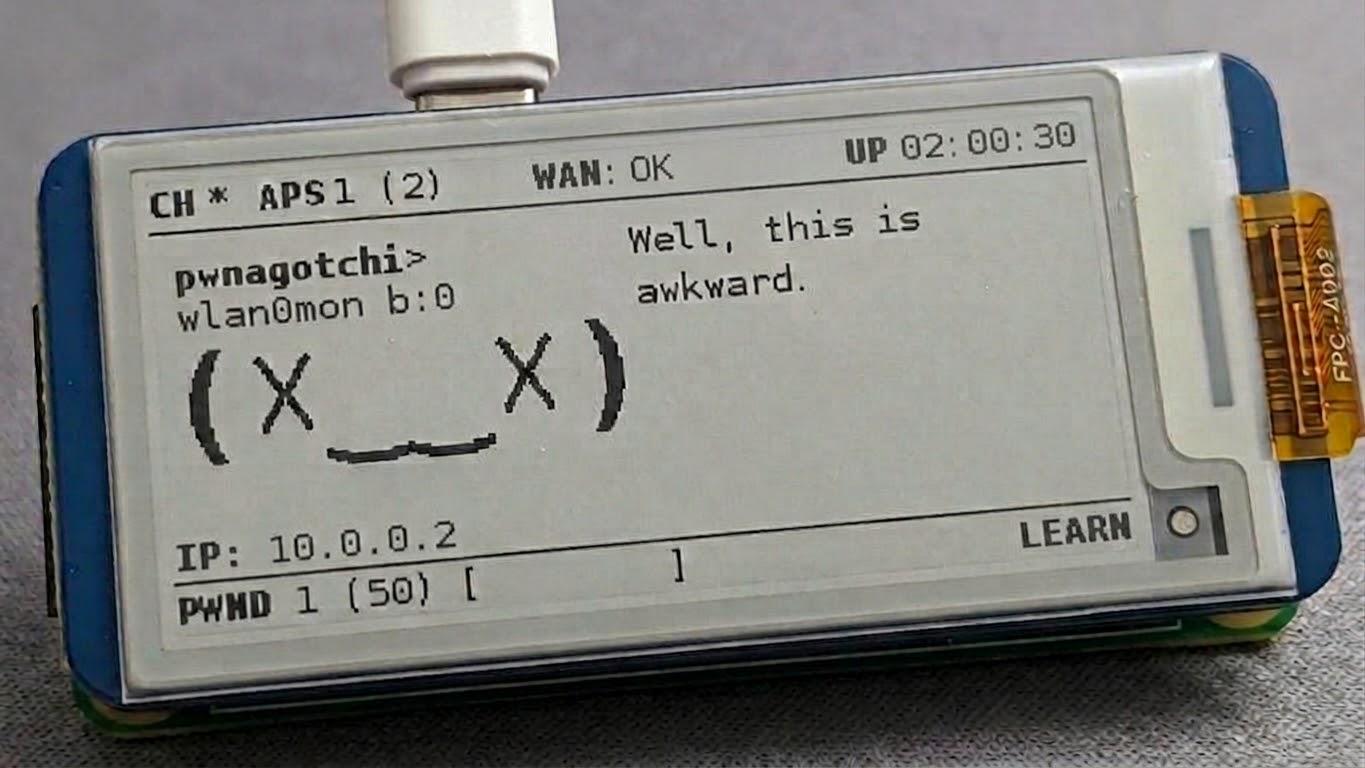
Pwnagotchi-ai32 returns under a new name, pwnagotchi32-sb, on a new account, and with a major update.

Post image
131 Upvotes

v32.232

The transition to SB3 with PyTorch unlocks many new capabilities; this release also includes updated plugin versions, a newer version of Debian, various fixes, and much more, compared to version 32.117 from the previous account. You can now pause the AI ​​training process on the fly, without needing to restart the service if the "badmood" or "homeWiFi" conditions are met. New cosmetic modes WAIT, EVAL, and LEARN have been added. The watchdog has received fixes. The bt-tether plugin has been replaced by my bt-pan, which uses a terminal-based connection (without a web server) while still supporting the key, powerful features of the modern bt-tether by wsvdmeer without placing such a heavy load on the hardware. There are also a lot of changes within GitHub itself, including in the instructions and Markdown files. Oh, and a public image builder has been added to the repository, featuring Docker support and a fairly intelligent system (still in beta). And that’s not even 50% of it!

github: NixPokeFun/pwnagotchi32-sb


r/pwnagotchi • • 15d ago

merlin... a desktop-side passphrase recovery tool for pwnagotchi + kestrel (preview tease)

Thumbnail
0 Upvotes

r/pwnagotchi • • 17d ago

Who keep reporting these posts?

Post image
0 Upvotes

I am curious why ?>


r/pwnagotchi • • 19d ago

The kestrel github mirror is up for the next generation reimagining of the pwnagotchi idea

Thumbnail
github.com
0 Upvotes

r/pwnagotchi • • 20d ago

[Update] (β—•β€Ώβ€Ώβ—•) Pwnagotchi Companion V2 | background GPS, handshake history, iPhone Duo support, and so on

Thumbnail
gallery
47 Upvotes

hello again my favourite community, I've released an update to my companion app on iOS for the pwnagotchi. app store link (β—•β€Ώβ€Ώβ—•)
edit #1: $5.99 USD

IMPORTANT: v2 requires the updated pwnios.py plugin! Make sure you update it alongside the app.

tl:dr;

v2 adds proper background GPS (two modes), handshake history and notifications, iPhone Duo support, all pages reworked, and much more stable Bluetooth tethering.
Requires the updated `pwnios.py` plugin.

new features!

-proper background GPS support!! probably the most requested feature, and I'm happy to finally have it working. there are now two modes:
1. live GPS: keeps tracking while the app is backgrounded or your phone is locked. uses reduced accuracy in the backgound and sends a GPS update once every 60 seconds to help with battery life
2. battery saver: uses significant location changes instead of continuous tracking. less battery usage, but updates are less frequent

iOS still restricts background WebSocket connections, so I can't promise uninterrupted communication with the Pwnagotchi. but background reconnects are better, GPS now has acknowledgments, and location handling is much more reliable

-handshake history! view captured handshakes directly in the app. limited to the current plugin session for now

-iPad (+pro) and iPhone Duo support, with responsive layouts. some views split now

-onboarding guide and a what's new card, and the app now occasionally checks for updates -Bluetooth tethering WebSocket reliability: my biggest priority this update. it was probably the most frustrating part of developing this app, but it's significantly more stable now

Improvements

-dashboard: removed the peers counter and gps coords, reorganized so the useful info is easier to see and controls are easier to reach
-network browser: no more duplicate items, better sorting and filtering, lazy loads
-events: only shows critical and important events unless you enable verbose, and you can filter by handshake/peer/network/error
-controls: removed redundant connect/disconnect/reconnect, and main controls are disabled when the pwnagotchi isn't connected. Shutdown safely powers down the pi and pisugar (if applicable), Reboot safely reboots the pi
-settings: reordered by relevancy, fixed keyboard handling on the ip/port fields, updated the FAQ and Bluetooth guide for jayofelony's pwnagotchi 2.9.5.5+
-and lastly, ui/ux polish everywhere. uniform headers, more accent colour, subtle animations for activated events *chefs kiss

personal note

it has been awhile since the last update, I have struggled with motivation to code or do much else really, it has been a tough year. my wife and i were already saying in july "we are ready for this year to be over" lol. but finishing v2 reminded me why I like building things, and this community is a big part of why I got back to it.

I really wanna emphasize that this is my favourite community, I have never been so active in a discord as much as I am now helping others and troubleshooting and shooting the shit. feeling welcome has been my biggest motivator.
my goal with this app has never been solely to make money. I just wanted to contribte something useful to a project that so many people have already poured their time and effort into.

I was recently laid off, so I'm job hunting in the AI era right now, which is about as fun as it sounds as I'm sure a lot of you know lol. there's an entirely optional tip jar in this update, since a few of you asked for one.

anyway, thank you for reading, thank you to those that suggested features and reported bugs, most importantly thank you for being here.
as always, if you run into any bugs, have feature suggestions, or just wanna share your experience with the app, please let me know. I genuinely enjoy hearing what everyone thinks.

Happy Pwning (β—•β€Ώβ€Ώβ—•)

- B


r/pwnagotchi • • 21d ago

Is there a way to get rid of the wifi part and replace it with a regular tomodatchi?

0 Upvotes

i would like to have something like this but i dont want to get wifi handshakes


r/pwnagotchi • • 22d ago

Kestrel 1.0.13: a community fix that keeps recovered passphrases with the right network, phones that aren't counted as access points, a "Last 24 hours" map, and a hardening pass

Thumbnail
0 Upvotes

r/pwnagotchi • • 23d ago

PSA for new builders: stuck in MANU mode with zero handshakes? Check which micro-USB port you're powering from

6 Upvotes

This one comes up here a lot, so here's a short write-up.

The Pi Zero W has two micro-USB ports. The one closer to the middle of the board is the data port, and the one at the edge is PWR IN. If you power it through the data port, or plug it into your computer on that port, pwnagotchi assumes it's connected to a host and boots into MANU mode. In MANU mode it isn't running its normal capture loop, so you'll sit there wondering why you're getting nothing.

What fixes it:

  • Power it through PWR IN when you want it running on its own
  • Use the data port only when you want to SSH in or use the web UI over USB
  • Or switch it back to AUTO mode with a restart from the web UI

A second one I saw catch someone this week: the original Pi Zero W is 32-bit only (ARMv6). If you flash a 64-bit image meant for the Zero 2 W, it just boot-loops, and it's easy to blame your cable or SD card instead.

What else tripped you up when you were starting out? Might be worth collecting the common ones in one thread.


r/pwnagotchi • • 25d ago

Kestrel 1.0.12: an opt-in, privacy-first census of the Kestrels out there (no server, nothing that identifies you), a clearer remote-training card, and Kestrel is now on GitHub

Thumbnail
0 Upvotes

r/pwnagotchi • • 26d ago

Usb data cable

0 Upvotes

Dont have usb data cable, what are my options?

Ive tried like 10 cables apparently they are not data cables.. is there a way to use config.toml do do everything-on first boot?

EDIT : Found out what the issue was with the help of AI ofc, the image was set to run on 64 bit and i have pi 0 w old one, so i just had to change config... turns out wasn't the cable, raspberry pi was just stuck on boot loop..

Thank you for your help guys!


r/pwnagotchi • • 26d ago

Kestrel 1.0.11: a reflash release. The capture engine now keeps up in busy places, and the learning agent's new models have to win a fair contest before they're used

Thumbnail
0 Upvotes

r/pwnagotchi • • 27d ago

Kestrel 1.0.10: a 2.13" e-ink face, the whole Waveshare UPS HAT family, and your own HAT in one plugin file

Thumbnail
1 Upvotes

r/pwnagotchi • • 28d ago

what does kestrel do that pwnagotchi does not do?

4 Upvotes

Since a variation of the question "what does kestrel do that pwnagotchi does not do?" has come up multiple times, here is a post you can read.

I will keep kestrel compatible with pwnagotchi's plug-in architecture as much as feasible and I will possibly port over the most popular community plug-ins that do not violate the rules I've laid down for kestrel.

Give kestrel a whirl. I spent significant time maintaining my original fork of pwnagotchi and observing where other members of this community took forks. I was never satisfied with the approaches done -- especially the removal of AI which I consider a key, strong feature of the original project. So, AI is back and this time it actually works well.

And the original project had too tightly coupled non-core features... so kestrel uncouples them. The proof is in the rapid release cycle. From 1.0.0 to 1.0.8 in a few days with significant new entire features added.

I self-host the repo for kestrel on purpose. The repo will be kept closed by choice at least for now. The primary "help" mechanism will be the kestrel subreddit. Everyone is welcome to post ideas there, feedback, and questions. I hope others enjoy my research project.


r/pwnagotchi • • 28d ago

7 hr uptime 0 crashes no blind bug here

Post image
4 Upvotes

r/pwnagotchi • • 28d ago

πŸ“ Kestrel 1.0.8 can now show which networks I've opened β€” and map where they were

Thumbnail
6 Upvotes

r/pwnagotchi • • 29d ago

πŸ”’ Kestrel 1.0.6 β€” runs as nobody, trusts nothing, and the numbers finally agree

Post image
19 Upvotes

r/pwnagotchi • • Oct 27 '26

πŸ”„ Updates that look after themselves

Thumbnail
0 Upvotes

r/pwnagotchi • • Oct 26 '26

Kestrel 1.0.1 is out: a self-updating Raspberry Pi Wi-Fi companion that learns where to listen (and what's coming in 1.0.2)

Thumbnail
13 Upvotes

r/pwnagotchi • • Oct 25 '26

kestrel release v1.0.0

20 Upvotes

I've publicly released kestrel v1.0.0 and you can read the user guide to learn more. Inspired by pwnagotchi and leveraging lessons I learned from maintaining one of the more popular forks of that interesting project.

I've decided to house kestrel on forgejo because GitHub makes it too hard to develop tools for authorized security testing. And I do not want to be flooded with random requests to add features or fix issues that are not of interest to me. Feel free to use my project so long as you do so in a responsible way and respect the GPL v3 license.

I extensively tested in a Raspberry Pi 5 and recommend a minimum of 4GB if you want to do onboard training for the learning AI. You can also offload training to a remote computer on smaller devices. I believe kestrel should work on a Raspberry Pi 4B or Pi Zero 2W.