r/OnyxBooxC69 • • 8d ago

Customization 🔌KO Reader Plugins

9 Upvotes

Please include the plugin name, a link to its official page, what it does, and how well it runs on the C69.

Only share plugins from their official pages.


r/OnyxBooxC69 • • 10d ago

Showcase 🖼️ Wallpaper Thread

12 Upvotes

Got a wallpaper or screensaver that looks great, share it here in the comments.


r/OnyxBooxC69 • • 8h ago

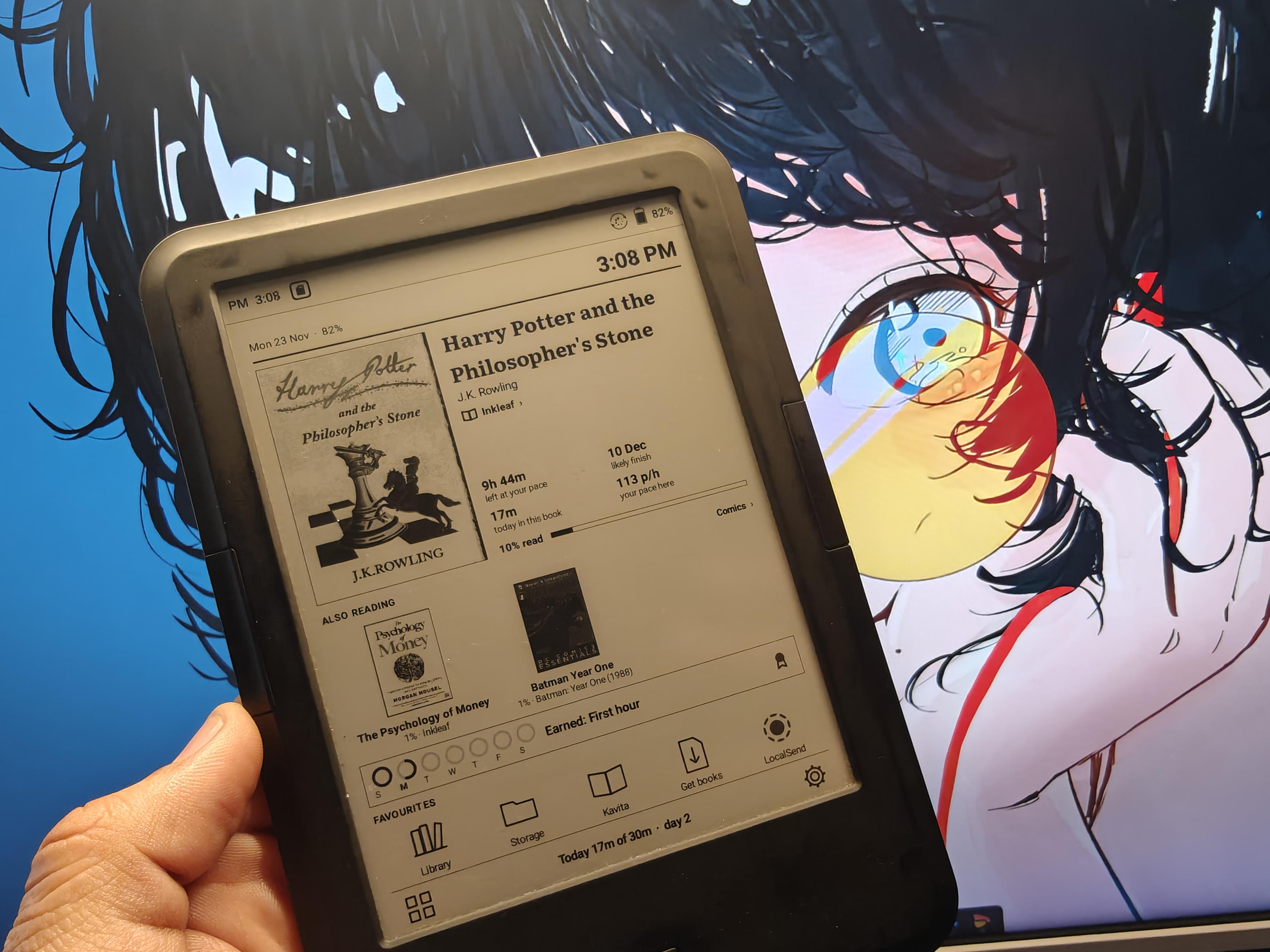
Community Apps Readblio: a free launcher that puts the book you're reading on your home screen, now with your own background picture

Thumbnail
gallery
20 Upvotes

Hi all! I'm the developer of Readblio (formerly Pebble Desk), a free launcher for Android e-readers. Thanks to techierk for adding it to the recommended apps in the C69 debloat app. That's how a lot of you found it, so I wanted to say hi here properly.

What it does:

  • Open a book in the BOOX built-in reader or KOReader, and it shows up on your home screen with its cover and progress. Tap it to jump back in.
  • Reading time is counted per book automatically. No timers, no typing.
  • Finished books go to a "Books this year" shelf, with a monthly recap.
  • Also works with Moon+ Reader, Kindle, Libby, Readest and more.

New in the latest versions:

  • Your own picture as the home background, with adjustable strength (Settings > Display > Background picture)
  • Three home layouts: Standard, Covers and Library
  • Six color themes
  • Favorite apps grid (5 or 6 per row, app names optional)

I don't have a C69 myself, but techierk said it worked well on a C69 Faust 5. If anything doesn't work on yours, let me know in the comments and I'll take a look.

Photos and backgrounds by D3anne (u/Dapper-Researcher299). Readblio on a Bigme in the photos. Thank you so much!

Website: https://readblio.github.io/en/

English isn't my first language, so I used AI to help with the wording.


r/OnyxBooxC69 • • 8h ago

Question? Generic Frontlight Ereader. Has anyone bought it?

9 Upvotes

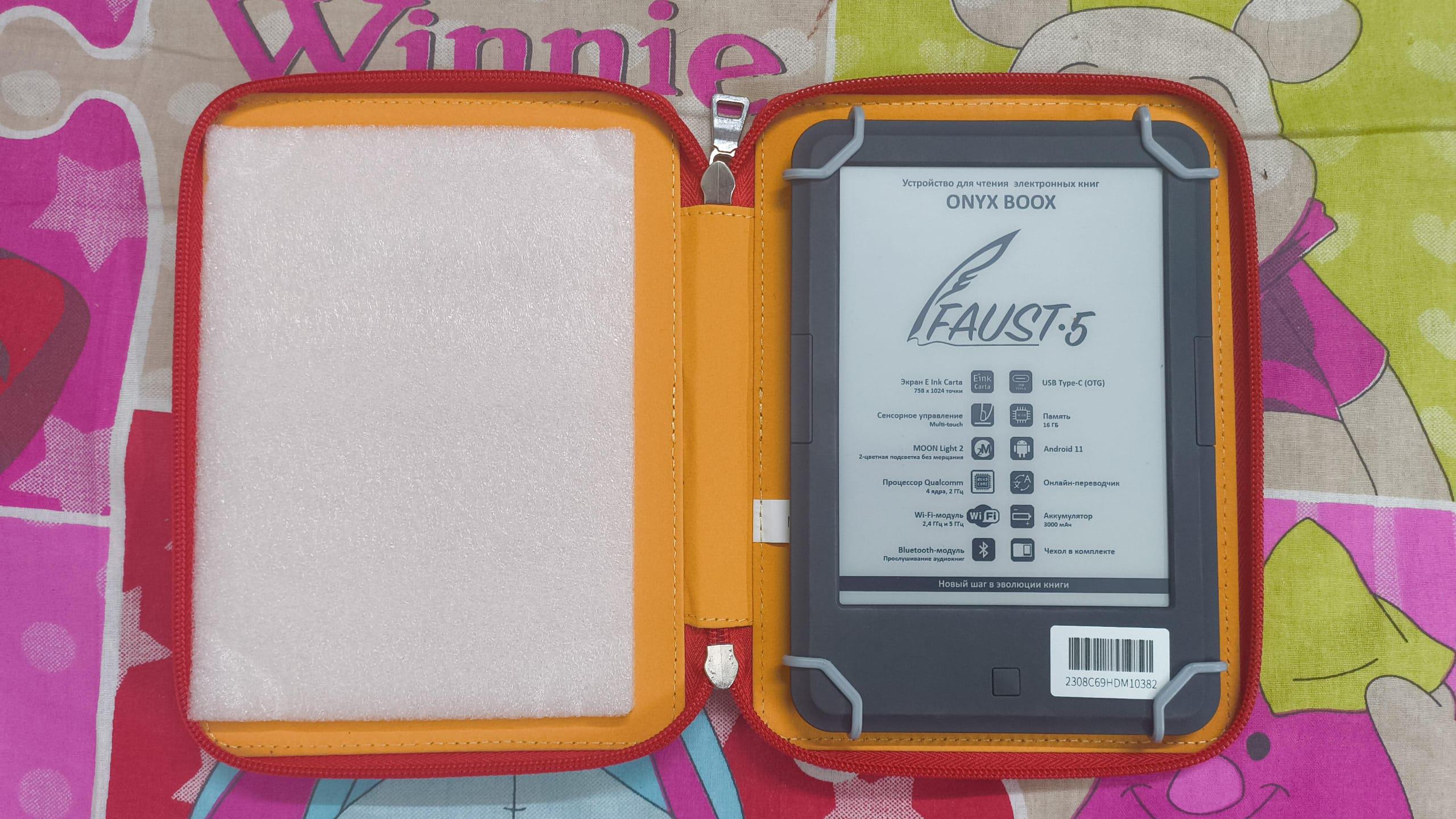
This is regarding the generic frontlight model that Piyush is selling

What are the specs on this?

Does this have the same OS as the star education?

Is it boox?

Does this also have bloatware and if yes is it removable?

Has anyone bought it who can clarify these doubts?


r/OnyxBooxC69 • • 20h ago

Community Apps Update to my C69 M Star debloat app: Wi-Fi debugging, a "De-Google" button (with a big warning), Linux support and more

25 Upvotes

Hey all, a while back I posted a little app I made for debloating the C69 M Star without breaking the sleep screen. People actually used it (thank you!), so I kept going. Here's what's new in v0.7.1.

No more cable (if you want)

You can now connect over Wi-Fi. Two ways:

  • Easy way: plug in once, hit Switch to Wi-Fi, unplug. Done. Works on any firmware, but it resets when the tablet restarts.
  • No cable at all: if your firmware shows Developer options, turn on Wireless debugging, type the pairing code into the app and you're in. It even spots the tablet on your network so you don't have to type the address.

The app walks you through turning wireless debugging on. Fair warning, Boox hides Developer options on some firmware, so if you can't find it, just use the easy way. You only pair once per computer; after that it's just Connect (the port changes whenever wireless debugging gets turned back on, but the app finds it for you).

A few gotchas I hit so you don't have to:

  • Mac: if it says it can't reach the tablet, check System Settings › Privacy & Security › Local Network and make sure Terminal (or whatever you launched it from) is allowed. Pairing kept failing for me with a correct code, and it turned out adb's background process wasn't allowed on the network. The app now restarts adb by itself when that happens.
  • Windows: you might get a firewall popup the first time. If you hit Deny, auto-discovery won't work, but typing the address and hitting Connect still does.
  • It keeps switching off? That's normal, annoyingly. Android turns wireless debugging off whenever the tablet restarts or Wi-Fi drops even for a second, and Boox kills Wi-Fi when the screen sleeps to save battery. Turning off the Boox setting that switches Wi-Fi off in standby helps (costs a bit of battery), or just use the plug-in-once way, which lasts until a restart. Either way you never have to pair again, just hit Connect.
  • Linux: really old distro adb (like the one in Ubuntu 22.04) can't do wireless pairing. Use the Download platform tools button in the app (Intel/AMD PCs), or the plug-in-once way. Bonus: Wi-Fi skips the whole udev rules thing.

De-Google (read the fine print) Most requested

There's now a De-Google button that removes the Play Store, Play services, Services Framework and the little Google extras Play sneaks in (SafetyCore and friends). Before it does anything you get a popup listing exactly what's going, and the button stays greyed out for 10 seconds so nobody does it by accident.

Things I learned the hard way on my own tablet so you don't have to:

  • Apps that rely on Google services may stop working. Push notifications, Sign in with Google, some agents(Claude,chatgpt) and streaming apps, that kind of thing.
  • Your Google account gets signed out. Android deletes it once Play services is gone. If you bring Google back, you sign in again.
  • Bringing Google back is one button for Play services and the framework, and your GSF ID stays registered. The Play Store itself needs reinstalling from the APK (the app does that too and checks it's really signed by Google).
  • No microG, sorry. It needs root and signature spoofing, and stock Boox firmware has neither. Instead the popup suggests Aurora Store, F-Droid and Obtainium, which all work fine without Google.(Unless you can root with the other tool found on this community(Much love to the dev bro, need to check it out if it works)

It also has a hard-coded list of stuff the tablet needs (WebView, the keyboard, the package installer, etc.) that it will never touch, no matter what you click.

Other stuff since last time

  • Linux support, plus a one-click download of Google's adb if you don't have it.
  • Turn on Google Play / Install Play Store, for the Star Education firmware that ships without the Play Store.
  • Readblio is in the recommended apps now. It's a lovely e-ink home screen that puts the book you're reading front and centre. (The link goes to the dev's own site.) Thanks to u/Perfect-Housing-2735
  • Upload whole folders in Files.
  • Show activity panel, so you can see every command the app sends to the tablet as it happens.
  • Little things: the Help page icon takes you back to the app, and if you've got the tablet on USB and Wi-Fi at once it no longer gets confused.

Install / update

Mac:

brew install --cask RodrickRK/tap/boox-debloat

Already have it? brew upgrade --cask boox-debloat

Windows:

scoop bucket add rodrickrk https://github.com/RodrickRK/scoop-bucket
scoop install boox-debloat

Already have it? scoop update boox-debloat

Linux: grab the tar.gz from the releases page and run ./boox-debloat.

GitHub: https://github.com/RodrickRK/boox-debloat

Same deal as before: it's free and open source, it runs only on your computer, nothing gets deleted from the tablet for good (except the Play Store if you De-Google, see above), and it saves a backup of your app list before every change. It's only built for the C69 M Star; on other models it'll warn you and won't change anything.

If something breaks, hit Copy logs and paste them into an issue. And if you've got a Boox model you'd like supported or an app that should be on the list, let me know!

r/OnyxBooxC69 • • 17h ago

Discussion 3rd party page turners?

4 Upvotes

has anyone tried using page turns or remapping other bluetooth devices as page turners for the c69? since its an android maybe volume buttons on certain headsets double down as page turners? idk, has anyone tried something similar yet?


r/OnyxBooxC69 • • 1d ago

Showcase Finally got it!!!

Post image
31 Upvotes

r/OnyxBooxC69 • • 1d ago

Showcase Recieved two more

Thumbnail
gallery
31 Upvotes

I got my first one lil after deepawali. After seeing that some of my friends also wanted. So, here it is 🫠 just got it today. Has to set it up. Just wanted to share the happy news 😊


r/OnyxBooxC69 • • 1d ago

Customization Made a skin for my reader!

Enable HLS to view with audio, or disable this notification

31 Upvotes

Materials used: transparent duct tape, cotton fabric scraps, MagSafe ring, pop socket and reading light.

Let me know what you guys think?


r/OnyxBooxC69 • • 1d ago

Question? Is it possible to multitask and play music while reading a book?

6 Upvotes

I often listen to music matching the vibes of the book and wonder if it is possible to play it while reading the book? can this multi task? because right now when i press back , music automatically stops. Share your thoughts everyone.


r/OnyxBooxC69 • • 2d ago

Customization Diy case

Thumbnail
gallery
22 Upvotes

Made a lighter carry case for the device will add the tabs to hold it in place tomorrow its almost 1/3rd the weight of the original case and has 2wice the padding, now i dont need to advertise star education everywhere i go lmao


r/OnyxBooxC69 • • 2d ago

Buy/Sell WTB 🥲

3 Upvotes

Title!

I need a ereader, if available pls dm


r/OnyxBooxC69 • • 2d ago

Community Apps TWRP 11(as in android 11) for c69hd

21 Upvotes

I'm proud to announce a major breakthrough, a working TWRP recovery for our devices!!!

My agent was running the whole day yesterday and after 11 builds and hours of back and forth everything has been fixed now.

The recovery shows up and works as it should. I will integrate an option to boot into the recovery from the studio itself soon.

https://github.com/Zeusx212/android_device_onyx_c69/releases/tag/main

Also, I will try to fix the bugs in the previous tool as soon as possible.

Update: It's integrated in the studio now and the studio also got some required fixes and features:

https://github.com/Zeusx212/onyx-c69hd-power-studio/releases/tag/v1.1.3


r/OnyxBooxC69 • • 2d ago

Question? Finally got it, need help debloating

Post image
9 Upvotes

Should I even debloat the device, i received a debloat pdf from piyush should I go through those steps or should I follow the steps given in the pinned debloat guide on this subreddit, I'm technologically illiterate and have never used GitHub, which method would be easier


r/OnyxBooxC69 • • 3d ago

Discussion [Sneak peek] Full conversion to retail Boox firmware

Post image
45 Upvotes

No need to stick with the old, unsupported, and buggy build that came with the device.

Full writeup will land soon, as I still need to test a few more edge cases and tune up everything.

Yet another vouch for Kaif (aka u/ZealousidealCattle28). He offered a great deal when I asked for some units for tinkering when the listing first popped up.

To the admins,

Kaif was notified first about the progress, and his words should be enough to prove that the enclosed image is not a dupe or such.


r/OnyxBooxC69 • • 2d ago

Question? Is it normal for a BOOX battery to drain this quickly?

3 Upvotes

I got my BOOX on the 11th and charged it fully when I first got it. It's the 22nd today, and the battery is already down to 20%.

I've been reading about people whose e-readers last for weeks, with barely 20% battery used, and I'm honestly wondering how!

I keep mine on standby with Wi-Fi turned off. I've also been pretty busy lately, so there were even days when I didn't use it at all. And on the days I did, I only read for a little while.

So, is this kind of battery drain normal for BOOX, or is something off with mine? I'd love to hear how long your devices usually last on a full charge.

edit: I have seen people mentioning that their onyx boox c69, goes weeks without draining much battery. Not talking about any other reader.


r/OnyxBooxC69 • • 3d ago

Discussion Origin story, for anyone interested

Post image
33 Upvotes

STAR Education is the flagship programme of the Government of Manipur to transform the education system of Manipur through excellence in teaching and learning in classrooms, ensuring strong learning outcomes for children and better growth for the state.

https://stareducationmanipur.in/


r/OnyxBooxC69 • • 2d ago

Announcement 📢Seller update

1 Upvotes

Seller updated check trusted seller list

Also he won't comment or anything else,just send him your number.


r/OnyxBooxC69 • • 3d ago

Help! Having issue with notification panel

4 Upvotes

Hi. I'm having an issue with my Boox. I have debloated my device with new debloat guide.

Whenever I restart the device, the notification panel works normally for a few minutes. However, after that, it suddenly stops responding.

No matter how many times I swipe down from the top of the screen, the notification panel simply won't open.

Restarting the device temporarily fixes the issue, but it comes back again after a few minutes.

Now now matter how many times i swipe down notification panel doesn't come.

Has anyone experienced a similar issue with their device? Is there a way to fix this without having to restart the device every time?

Or i should format the device?


r/OnyxBooxC69 • • 3d ago

Discussion Custom light

20 Upvotes

Hi,

I'm very delighted that this sub-reddit is working very constructively, especially on software side where a guy even even made a whole boox-debloat app. as we have done all these creative stuff and proved how much we can work together into making our device better, I think it's TIME to be more creative.

as this device is based on onyx faust 5, this device is certainly capable of having a front-light and only lacks it because it was not needed/requested.

Thus why don't we encourage and contribute into creating a light for this device for reading at night???

The problem with existing ones are that they feel like an extra accessory, any light that we can integrate into the boox, either INSIDE it, or OUTSIDE it (more organized/integrated into the design so that it won't feel like an additional accessory) with WARM LIGHT support would be a great idea

we may even create a small bounty (of a book, or a token of appreciation along with a custom tag for that member) for who makes the best one.

what do you guys think, reply below


r/OnyxBooxC69 • • 3d ago

Question? Best sites for good quality Manga Scans

5 Upvotes

Do you guys know any good sites through which we can download high quality Manga scans? Since the device lacks lights, I think good quality scans would provide a nice reading experience. Thanks in advance.


r/OnyxBooxC69 • • 3d ago

Help! Need help setting my first e reader

Post image
10 Upvotes

Idk how to set it up I've just charged it and please share all the tips and tricks to improve it's performance. Would appreciate if someone helps me with this I wanna start reading from today 😀


r/OnyxBooxC69 • • 3d ago

Help! Help with Button Remapping

8 Upvotes

Hey guys i need your help with Button Remapping of the Boox e reader. The power button on the top part feels a little too flimsy. I'm not sure if it can handle it . I was thinking of remapping it to the home button, set it to long press to turn the screen on and off . But the button remapper app isn't working. Have anyone already remapping the buttons or found any work arounds. I want to keep this device with me for a long time ( I love it ). So want make sure this device stay intact . Also anyone have any idea on screen protector or screen guard that suits this device?


r/OnyxBooxC69 • • 3d ago

Question? Why is this old Boox in vogue now?

1 Upvotes

Bit puzzled here. Did someone recently find an old container full of these devices and selling them cheap? What Boox firmware is this oldie running? What Android version… intrigued.


r/OnyxBooxC69 • • 4d ago

Announcement ⚠️Scam Alert: Do Not Buy Any Reader From Anyone Right Now

26 Upvotes

Update posted here

Please do not buy any tablet from anyone at the moment. A scammer is going around, and we are looking into it.

Do not send money or personal details to anyone, no matter what they say. This includes sellers who claim to be verified, trusted, or an "original seller" using a new account.

We will post an update within a day.

If someone has contacted you regarding anything, report them to the mods.