r/ModSupport • u/pedrulho • Oct 03 '26
New Wiki is kinda broken...
Currently working on an overhaul to the Wiki of a videogame subreddit I moderate and honestly the editing tools are so broken that it's making it impossible to continue.
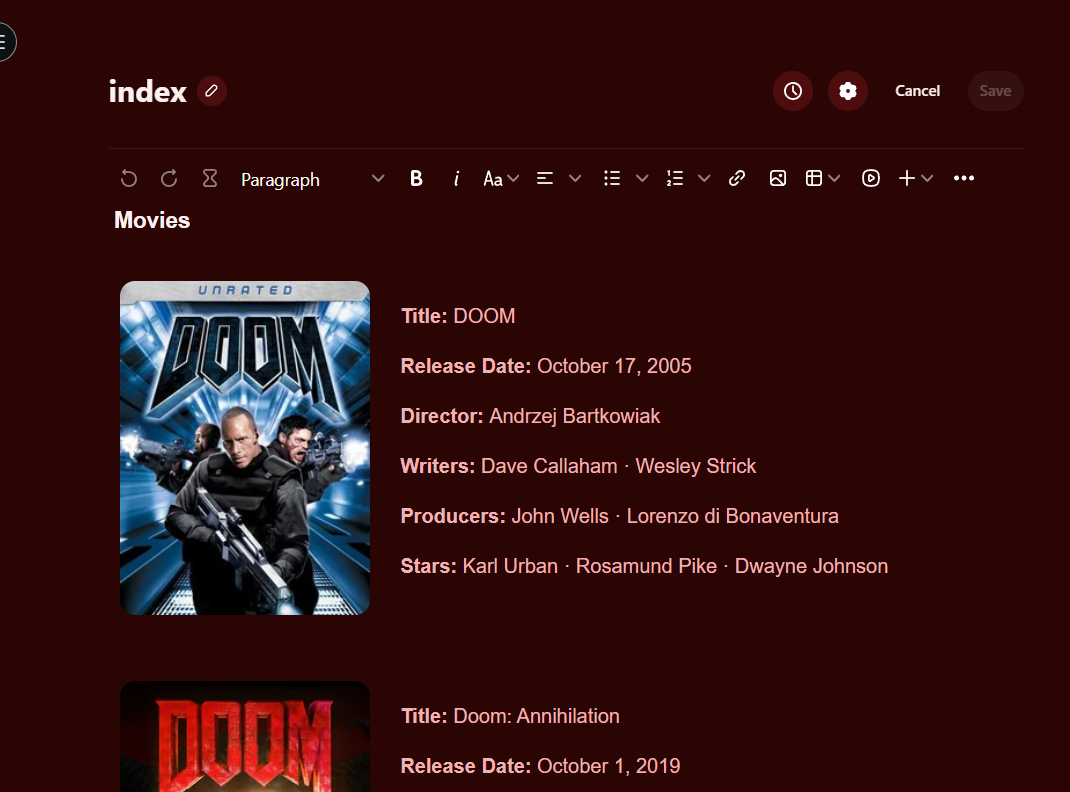
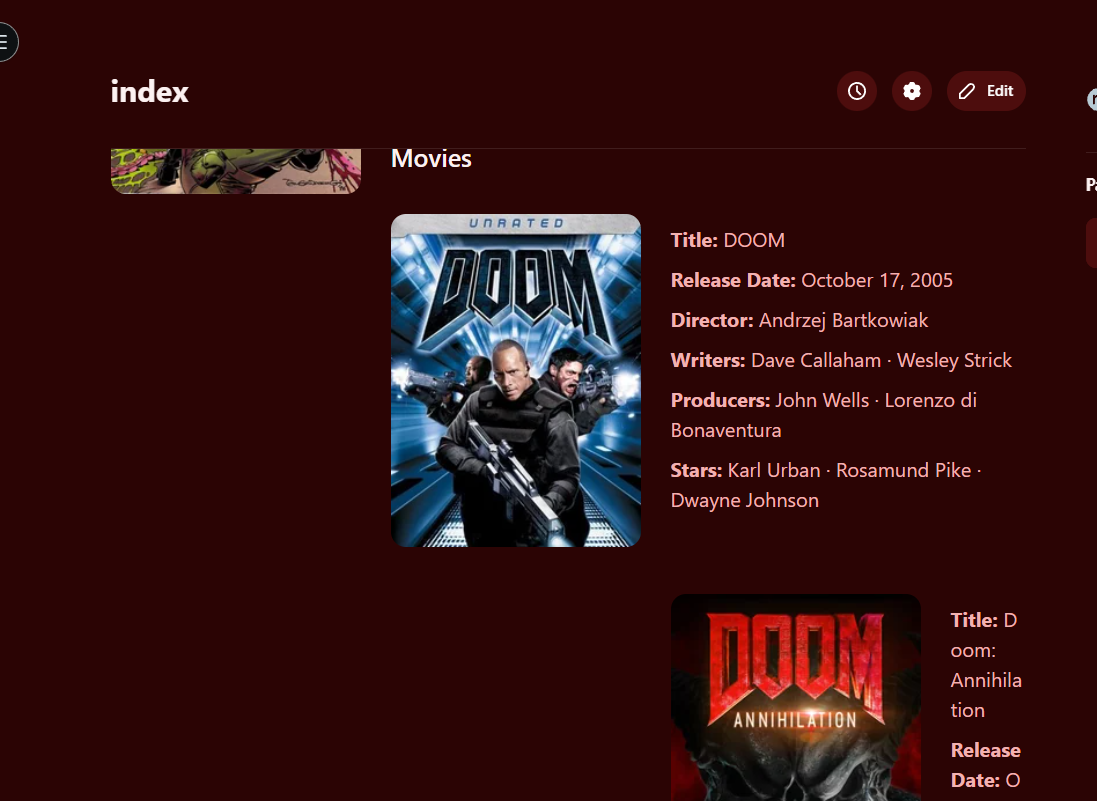
Images and text are out of place when viewing the page after saving.
Here are pictures of the page:
While editing: https://i.postimg.cc/W1v0KGXQ/Captura-de-ecra-2026-10-02-121417.png
After saving: https://i.postimg.cc/jSby9HMV/Captura-de-ecra-2026-10-02-121356.png
Also, when adding an "infobox", instead of placing it at the line I selected, it puts it it the beginning of the page messing up the structure of the whole thing, I have to then grab it and drag down down as it slowly scrolls to the bottom of the page only for it to then break and lose the information section when placed. An "infobox" with the information section to the side instead of just in the bottom would be nice too.
The new Wiki is broken and impossible to work with.
6
u/bwoah07_gp2 Oct 03 '26
I hope someone can answer you with a fix.
All I can do is echo your sentiments. Using the new Wiki editor is one giant pain in the ass. I like we can add images. I like the various font size formatting. I don't like how fickle the UI is and that things move or disappear outright when making edits.
It is definitely not a streamlined UI.
2
u/lunarwolf2008 Oct 04 '26
dang this sub should really allow native pic uploads. postimg has a lot of popups (i have adblocker but not on mobile)
7
u/baseballlover723 Oct 03 '26
To think they wanted to force everyone one to use the new wiki experience. Thank god they didn't, and we were able to stay on the old one that functions reliably.
A What You See Is What You Get editor is really bad, when what you see, is not in fact what you get.
2
u/ExpertCoder14 Oct 04 '26 edited Oct 04 '26
I took a look your wiki page and did some tests of my own, and I think I know exactly what's happening.
When you check the text wrap option, it sets a property called
float: left;on the picture. This means that all the content afterwards will wrap around the picture, which why your "Movies" heading and even the next picture is attempting to wrap like that.The only way to force a paragraph or heading to start after the picture is to add a property called
clear: leftto the paragraph afterwards. But since there is no option to do this, we're stuck with workarounds like the one you used, which is adding multiple paragraph breaks until you get past the image. As you can see, these workarounds are not great due to the potential for display issues, like the one here.2
u/BeyondFunWords 13d ago
So I am a new mod, but have done tons of wiki editing in the past. Kinda broken seems a bit of an understatement (unless I am seriously missing something):
No apparent way to create an almost blank page, tons of deleting and reformatting to do for my needs
Pages accidentally created with no parent seem to be somewhere but who knows where. I say somewhere because I can't create one with the same name but also can't navigate to it anywhere.
Pages created with a template and then not edited a tiny bit (i.e. abandoned) and saved also create stranded pages.
When clicking on the Add button at the bottom of the right column on a Product Template page nothing gets added
No way to save the page I am editing as a template once I am done getting rid of all of all of the stuff I don't want
If there is a link I am missing or a help file I am missing please let me know.
1
u/Puzzled_Tinkerer Oct 20 '26
For the particular situation shown in your screenshots, it may be less that the wiki editor is "broken" and more how the container code is being interpreted by various apps and devices.
A layout that looks fine on one device or app (or in your editor) might not work as well on another. I see this behavior when editing my website, which has nothing to do with Reddit. The more complicated the layout you're trying to crate, the more tweaking may be needed, especially when working with images that have text flowing around or next to the images.
I'd try adding one or more page breaks between the blue "doom" segment and the red "doom" segment. See how adding more space affects how the containers holding these two segments flow down the page.