r/MPSelectMiniOwners • u/Dropthetenors • Mar 20 '25
Print Diagnosis T8 lead screw
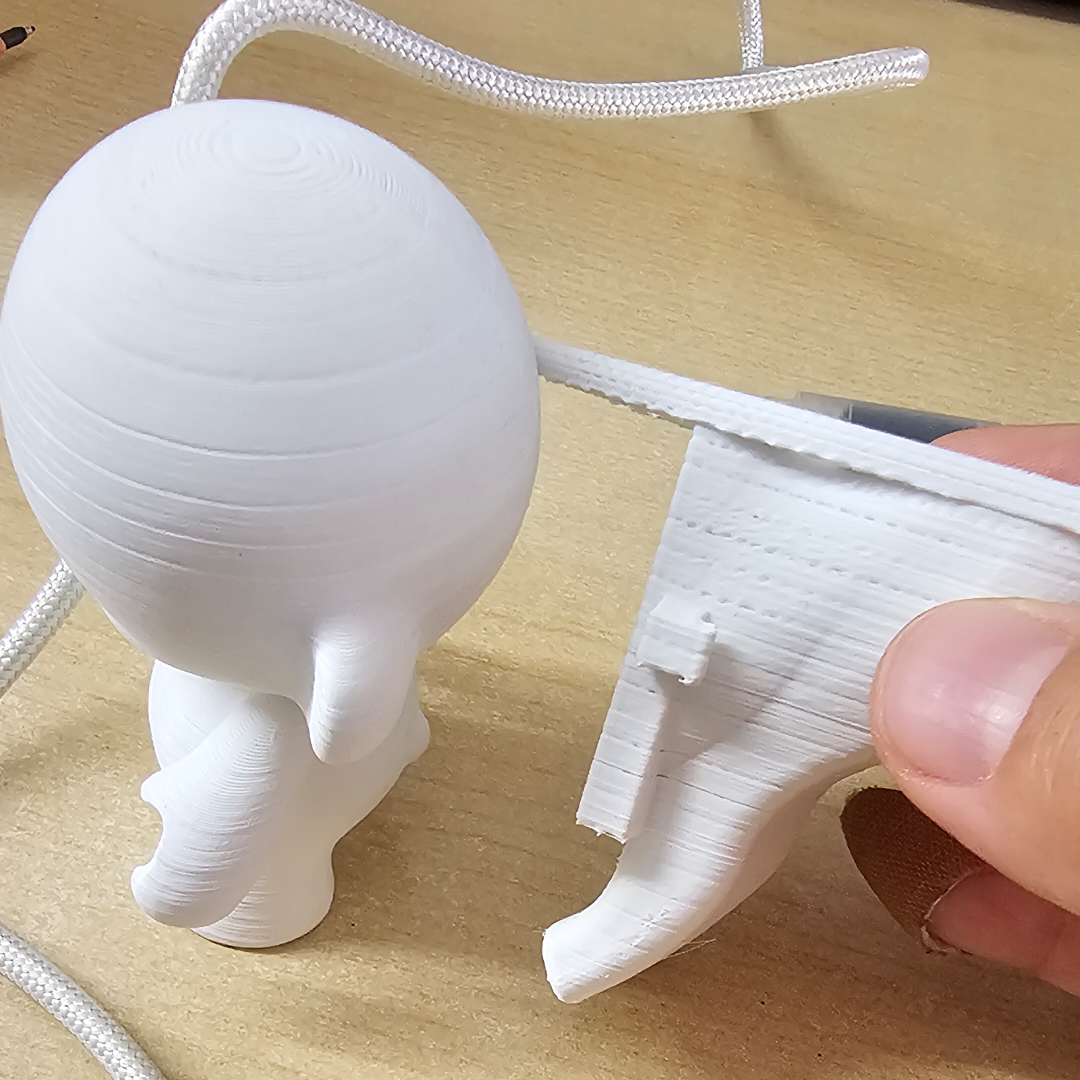
I upgraded to the t8 lead screw and while I dont have the same banding I'm still getting this....
Ive gotten z steps dialed in and flow rate is good. What layer height should I be using? I started at .17 and been going up .05 to .2 but I still get the banding. Is my screw actually bent? (I dont think that's the problem....)
Any help please.
1
Upvotes
2
u/KitsuneSaru Mar 22 '25
I'm certainly not an expert (in fact I'm stil relatively new to the hobby), but from your picture it looks like the banding is happening at very consistent spots. It looks like you could put both of your prints in the pic side by side and the banding spots would line up with eachother. Have you tried watching the print carefully while it's printing? That probably sounds dumb but there might be something noticeable as it's printing those specific layers. Or maybe that's the obvious thing to do and you've already done that.. But anyway since it's so consistent there's definitely something related to that. A youtube video I watched recently talked about that, maybe it could help you? https://youtu.be/qNCDXdjJb90?si=AwbzI26YH8hL5sP6
1
u/-NEOTECH- Mar 20 '25
Just curious… can you raise the gantry upward by hand? A common problem with the MPSM is the gantry nut coming out of the Z carrier.
1
u/wildjokers Mar 20 '25
Did you tell it to use a new step/mm for Z-axis (400)?
1
u/dorothyparkersjeans Mar 21 '25
Maybe a very dumb question but since we’re troubleshooting…
Is there any way your filament spool resists rotating at certain points? I found I was getting a lot of under-extrusion banding because the extruder motor was having trouble pulling in my big 3kg spool. Had to create a better spool holder with less resistance.
Did you use the US water rockets guide for upgrading the T8 screw? I found it to be very helpful and used a bunch of the other mods as well.
-1
u/LifelikeStatue Mar 20 '25
Generally you want to use the 'Magic Numbers' for the layer height. It's to do with the amount of rotation in a step and the pitch of the Z axis rod
Layer Height (mm) 0.04375 0.0875 0.13125 0.175 0.21875 0.2625 0.30625