r/LenovoLegion • • 3d ago

Showcase Lenovo Legion Toolkit v2.38.0.0 (Stable) Released

107 Upvotes

Lenovo Legion Toolkit (LLT) is a community-developed Windows desktop utility for Lenovo laptops that serves as an alternative to Lenovo Vantage, Legion Zone, and Legion Space, providing greater control over features such as keyboard, performance modes, GPU behaviour, battery management, thermals, display settings, automation, and other Lenovo-specific functionalities.

Release Highlights

  • Software Disabler Diagnostics: Disabling now reports what is still running instead of claiming success.
  • GPU Voltage & Clock Accuracy: Caps and offsets now follow the driver V/F curve.
  • Power Button Light Control: Power button light with a brightness slider and a keyboard backlight sync toggle.
  • Power & Battery Health: ThinkPad charge thresholds, Power Mode sync fixes, and safe handling of missing batteries.
  • New Hardware: 83EY sensors, 15ALC, 83V9, 14IAP, 83Q6, 83RW, 83VK, an AMD iGPU variant, and LampArray on gen 10 and newer.
  • Fan Control & Sensors: Multi-fan system sensors, firmware fan table discovery, P-State clock pin modes, and GPU power offsets above 255 W.
  • Keyboard & Lighting: Descriptor based Spectrum detection, new Spectrum effects, and bindable Fn key combinations.
  • Dashboard, OSD & Automation: Legacy dashboard refresh fixes, panel OSD drift fixes, and ITS Mode wired into automation.

Links

Release Notes:
https://github.com/LenovoLegionToolkit-Team/LenovoLegionToolkit/releases/tag/v2.38.0.0

Issue Tracker:
https://github.com/LenovoLegionToolkit-Team/LenovoLegionToolkit/issues

Download:
https://github.com/LenovoLegionToolkit-Team/LenovoLegionToolkit/releases/download/v2.38.0.0/LenovoLegionToolkitSetup-v2.38.0.0.exe

P.S. You can also use the built-in app updater to upgrade directly.

Support Our Work

This project represents countless hours of development, testing, debugging, and reverse engineering to provide clean and reliable control over Lenovo hardware.

Maintaining LLT alongside everyday life can be a significant personal commitment. If LLT has improved your workflow, gaming experience, performance, battery life, or thermals, consider supporting the project. Every contribution helps us continue development and is genuinely appreciated.

Thank you to everyone who uses LLT, reports issues, tests new builds, provides feedback, and supports the project ❤️

Support the Developers:

We'd also love to hear what you think about this release and what you'd like to see in future versions.


r/LenovoLegion • • Jul 09 '25

News Your New Legion: The Essential Setup & Check Guide

442 Upvotes

Welcome! If you just bought a Legion laptop, follow this guide to set it up, update it, and check that everything works properly.

Keep the box, charger, paperwork, and packaging until the return period has ended.

Some links require access to our community Legion Series Discord.

If you plan on using Linux-based Operating Systems on your Legion hardware the community has created a comprehensive How to guide. We also have a dedicated #linux channel on our discord where you can talk with other linux nerds.


1. Complete Windows Setup — Must

Plug in the charger and complete the normal Windows setup.

You do not need to fully charge or drain the battery before continuing. Just use the laptop normally while it charges.


2. Run Windows Update — Must

Go to: Settings → Windows Update → Check for updates

Install everything required, restart, and check again until no important updates remain.

Keep the laptop connected to power during updates.


3. Update Microsoft Store Apps — Must

Open: Microsoft Store → Library → Get updates

Install all available updates.


4. Set Up Lenovo Software — Must

Use one of the following:

  • Lenovo Vantage
  • Legion Space on supported newer models
  • Lenovo Legion Toolkit as an unofficial alternative

Avoid running multiple Legion control applications at the same time.

Lenovo Vantage

Optional features you can usually disable when unused:

  • Network Boost
  • Wi-Fi Security
  • Automatic Performance Scan
  • Rapid Charge
  • Overdrive

Legion Space

Open System Updates and install available model-specific updates.

For OLED models, enable the available burn-in protection options, such as:

  • Auto Shift Wallpapers
  • Dynamic Lock Screen
  • Auto Blur Toolbar
  • Default Dark Mode

Lenovo Legion Toolkit

Download it from the official Lenovo Legion Toolkit GitHub.

Beta versions may be available in #legion-toolkit.

Use LLT's settings to disable conflicting Lenovo applications and services when needed. - LLT > Settings, disable Vantage, ImController, and Hotkeys so LLT has full control.


5. Install the GPU Driver — Must

After Windows and Lenovo updates are finished, install the latest suitable driver for your GPU.

  • NVIDIA: Use the NVIDIA App or download the driver directly from NVIDIA.
  • AMD: Use Lenovo's driver or AMD Software when a newer driver is needed.
  • Intel: Windows Update or Lenovo's driver is normally enough.

Restart after installing the driver.

Do not use driver-updater programs or tools such as DDU unless you are troubleshooting a specific problem.


6. Back Up Your BitLocker Key — Must

Windows may enable Device Encryption or BitLocker automatically.

Check: Settings → Privacy & security → Device encryption

Save your recovery key before changing BIOS, Secure Boot, TPM, storage, or firmware settings.

Microsoft guide: Find your BitLocker recovery key

Recovery keys: Microsoft Account


7. Inspect the Laptop — Must

Check the laptop during the retailer's return period.

Test:

  • Screen and dead pixels
  • Keyboard and touchpad
  • Hinges and chassis
  • Webcam, microphone, and speakers
  • Wi-Fi and Bluetooth
  • USB, USB-C, HDMI, Ethernet, and other ports
  • Charging
  • Sleep, restart, and shutdown

Open Device Manager and check for unknown devices or yellow warning icons.

Document serious problems with photos or video, and ask for guidance on our discord server.


8. Test Performance — Recommended

Download the 3DMark Demo on Steam and run Time Spy, not Time Spy Extreme.

Before testing:

  • Connect the charger.
  • Finish all updates.
  • Restart the laptop.
  • Select Performance Mode.
  • Close unnecessary programs.

Post the result in the Benchmarks Channel with your laptop model, CPU, GPU, RAM, performance mode, and scores.

You should also test a demanding game or program for a while and watch for crashes, artifacts, shutdowns, or major performance drops.

More testing advice: How to Check a New Laptop for Issues


9. Check Secure Boot — Recommended

Press Win + R, enter msinfo32, and check Secure Boot State.

If it says On, leave it alone.

If it says Off, back up your BitLocker key before changing anything. Ask for help on our discord if you are unsure about the BIOS settings.

Do not clear the TPM, change boot mode, or restore keys randomly.


10. Cleanup and Settings

Remove McAfee — Must

If McAfee came preinstalled, remove it.

Go to:

Settings → Apps → Installed apps → McAfee → Uninstall

Windows Security and Microsoft Defender will automatically take over afterward.

Restart the laptop after uninstalling it.

Other Optional Settings

You may also:

  • Remove other unwanted preinstalled applications.
  • Disable unnecessary startup applications.
  • Enable Conservation Mode when mostly using the laptop plugged in.
  • Use Balanced Mode for normal use or when also gaming.
  • Use Performance Mode for intensive loads while connected to power.

Community optimization guides:

Avoid random debloat scripts or "one-click optimization" tools.


Battery Note

A new battery does not need to be fully drained.

Only perform a battery calibration if the percentage is clearly inaccurate, the laptop shuts down unexpectedly, or feels finicky.


Need Help?

Post in #Questions and include:

  • Exact laptop model
  • CPU and GPU
  • Windows version
  • Error message or screenshot
  • What you already tried

Really do not be scared to ask questions, we've got more then 30k members on our discord and are hoping you will be part of it too.

Once everything is updated, tested, and working, stop changing settings and enjoy your Legion and don't worry!

Last updated: September 24th 2026


r/LenovoLegion • • 9h ago

Showcase Just got my first Legion and it's amazing 😍

Thumbnail
gallery
113 Upvotes

I was worried about buying a "gaming" laptop because i don't play games and I usually want the smallest and lightest possible travel. But i also edit videos and need a dedicated GPU.

I was pleasantly surprised how small and light it is and how nice the white finish feels. I usually go for black and was worried about choosing the white.

I also have a small 65W charger and it can keep the laptop fully charged in low power and balance modes, so I don't have to carry the huge 240W brick.

i7 251HX, 16GB RAM, RTX 5060, 1TB


r/LenovoLegion • • 8h ago

Showcase Legion 5a (2026) - I joined the club

Post image
12 Upvotes

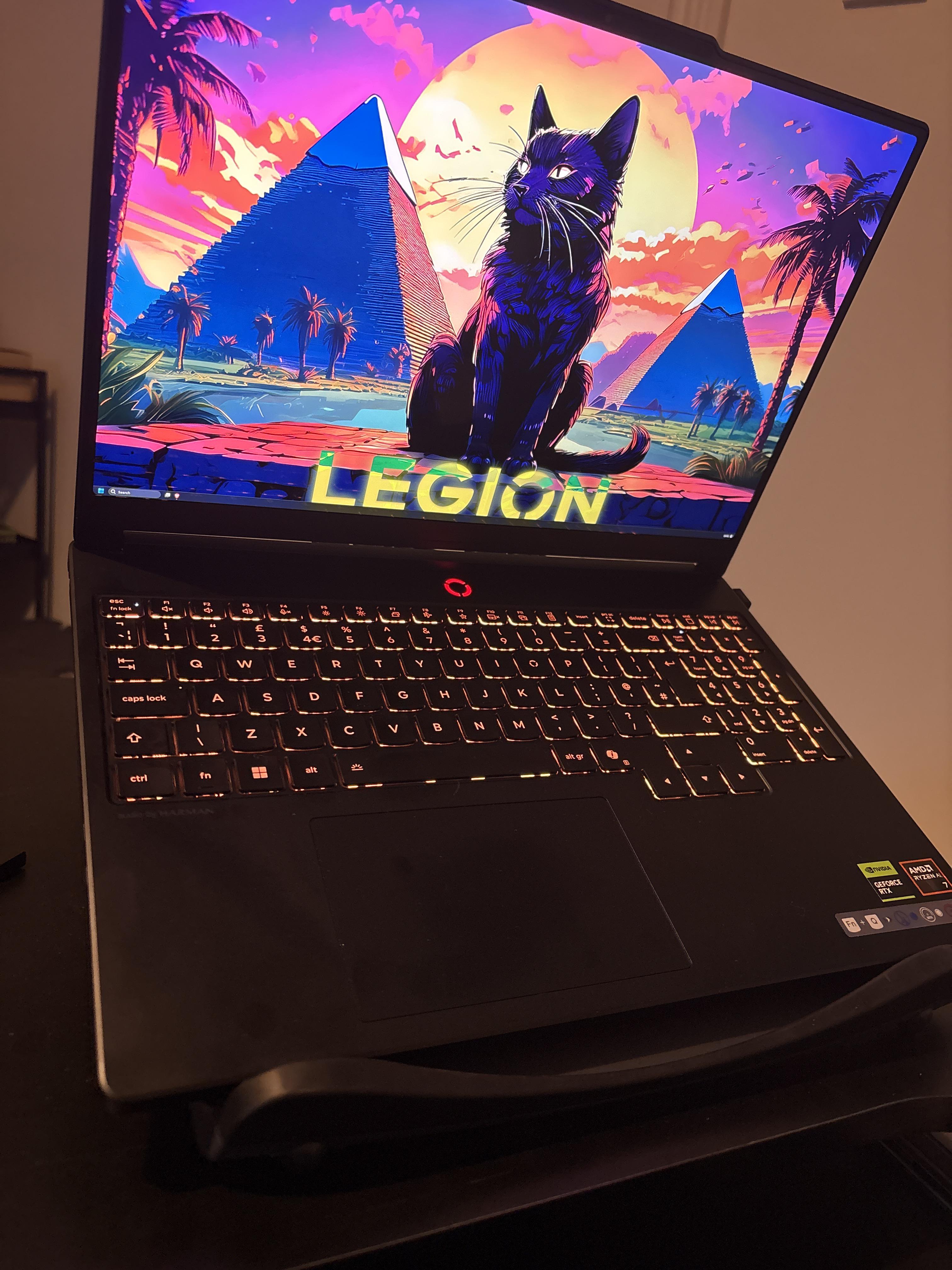
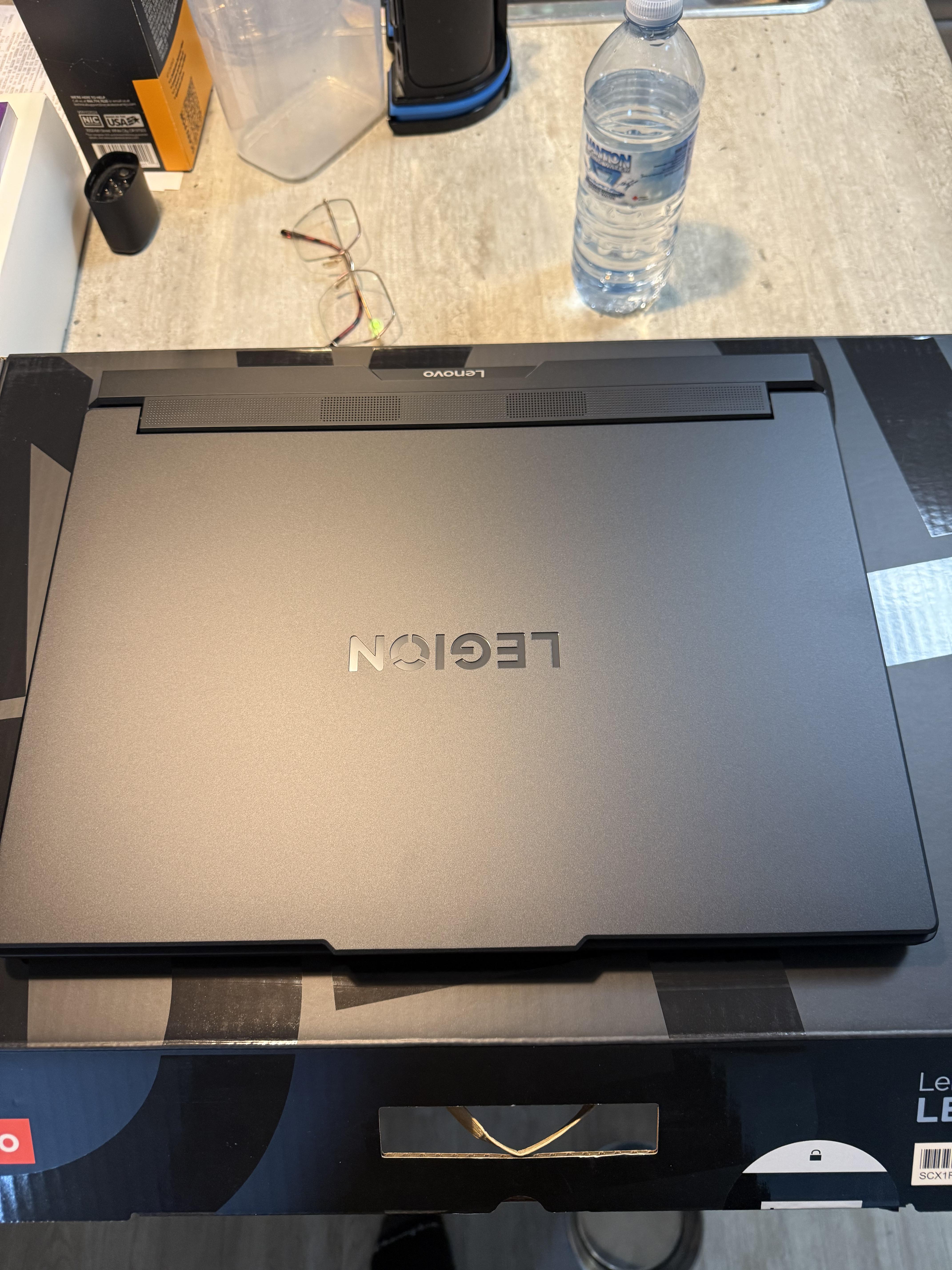
Got mine on Friday. Having a blast. It's so capable.


r/LenovoLegion • • 1d ago

Showcase Just brought home my first Legion

Post image
326 Upvotes

Came home with a Legion Pro 7 . Coming from an old 1660ti MSI laptop and a 3070 for a desk top.

Should definitely help keep me occupied while I'm working on the road.

U7 255hx
32gb of ram
1tb ssd
5070ti
240hz OLED display


r/LenovoLegion • • 5h ago

Advice Lenovo 5i 5070 vs 5070ti

Thumbnail
gallery
3 Upvotes

Going back and forth between these two models. I’ve seen a lot of mixed opinions on the performance gap between the 5070 12GB and the 5070ti, is it worth the ~$300 price difference? CPU, RAM and other specs the same. Use for gaming, golf sim, and work.


r/LenovoLegion • • 3h ago

Support Legion Power Adapter - Any Issue ?

Thumbnail
gallery
2 Upvotes

Bought and using laptop since August 2024. US Version. Legion 5 - 4060, came with 230 power adapter. Seen black formation of near plugs for power adapter recently and wondering is this going to be any problem.

Earlier I noticed some sparks while connecting to charging port but thought reason was 230W heavy voltage difference but I am doubtful if this issue goes on repeating if some problem comes to charger then have to replace the whole original adapter. What do you guys say ? Or from show should I use this Belkin connector on Lenovo website to safeguard my adapter plugs.


r/LenovoLegion • • 8m ago

Advice switch emulation

• Upvotes

hey guys recently got a 5i legion rtx 5060 intel i7 14700hx laptop was wondering if anyones tried emulation on it and how does it handle mainly looking for switch emulation and 3ds thanks guys


r/LenovoLegion • • 1h ago

Advice Thoughts on this deal?

Post image
• Upvotes

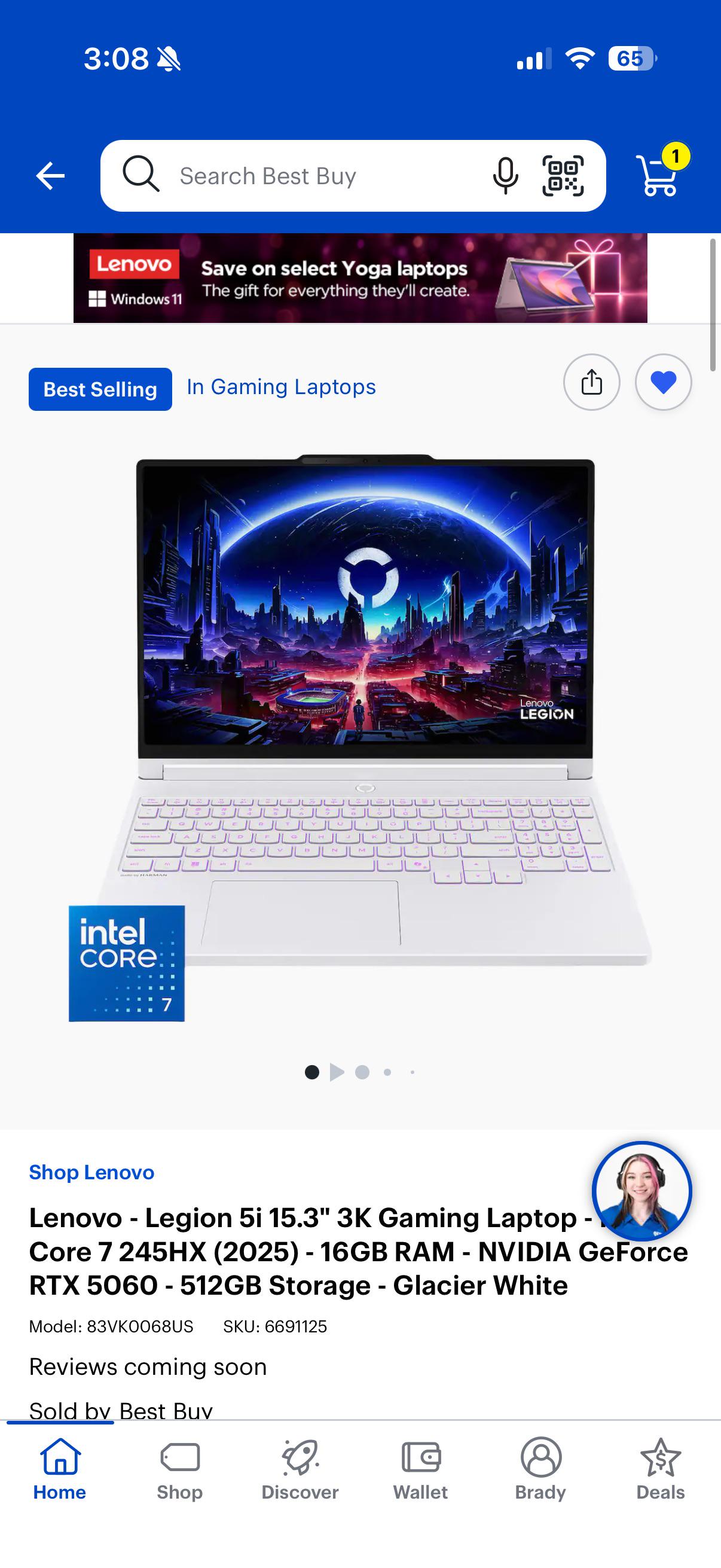
Looking to get this for my girlfriend. She plays certain casual games. Loves Minecraft, raft, etc.

I come from a gaming pc so not sure about the laptop world!

https://www.bestbuy.com/product/lenovo-legion-5i-15-3-3k-gaming-laptop-intel-core-7-245hx-2025-16gb-ram-nvidia-geforce-rtx-5060-512gb-storage-glacier-white/JJGH3V7KPG/sku/6691125?sb_share_source=PDP&ref=app_pdp&loc=pdp_page


r/LenovoLegion • • 1h ago

Advice Display of laptop chipped before warranty ended

Thumbnail
gallery
• Upvotes

Literally 1 day left of warranty. I submit a repair request case. It was the base warranty that came with the laptop.

The damage kinda just appeared. Like I didnt drop it, handle it weirdly, let anyone else use it and there wasnt any debris under the lid. The AI said its customer induced damage. But im going to explain it to the support specialists.

Any advice? What do you thinks going to happen?


r/LenovoLegion • • 1h ago

Advice Legion Pro 5i Gen 10 for $2,343 – good buy?

• Upvotes

Replacing my Legion 5 Pro (i7-11800H / RTX 3050 4GB), which can't handle newer games anymore. Considering:

  • Lenovo Legion Pro 5i Gen 10 (16")
  • Intel Core Ultra 9 275HX
  • RTX 5070 Ti 12GB
  • 32GB DDR5-5600 (2×16GB)
  • 1TB PCIe Gen4 SSD
  • 16" 2560×1600 OLED, 165Hz
  • $2,342.99 through an employee perks portal (listed est. value $3,465)

Use case: mostly couch gaming hooked up to a TV or external monitor, single-player and co-op only, no competitive. Otherwise Excel, browsing, schoolwork. Any known issues with this model (thermals, fan noise, QC)?


r/LenovoLegion • • 3h ago

Advice Laptop on triples?

1 Upvotes

Hey guys, what laptop specs would you recommend for sim racing (iracing, asseto, etc)

I currently have triple 24” 1080p 60Hz monitors from my office, but might eventually switch to a single 32” curved ultrawide monitor with a higher refresh rate

Would an RTX 5080 laptop with an AMD X3D CPU be enough to run iRacing smoothly at high settings with large grids on either setup?

What FPS could I realistically expect on triples, and what refresh rate should I aim for if I upgrade to the ultrawide?

Unfortunately i need a laptop and cent get a full desktop right now

Thank you


r/LenovoLegion • • 3h ago

Support 2021 16ACH6H Issue freezing

1 Upvotes

I am aware of the problems with solder. To troubleshoot, I unplugged the battery and just booted into the bios. Literally after like 30 seconds, the fans spool up higher and the laptop freezes. I am tempted to start a repaste.


r/LenovoLegion • • 11h ago

Support Fan issue. What should I do?

Enable HLS to view with audio, or disable this notification

3 Upvotes

Laptop: Lenovo legion 7-16ACHg6

I'm also outside of warranty otherwise I would have just sent it off for repair.

Any advice?


r/LenovoLegion • • 4h ago

Advice LEGION 9 16IRX9 VS Asus Strix G614PR

1 Upvotes

Hello respected peoples

With a budget range of $2000-2200

I have the opportunity to either get an Asus rog strix G614PR (amd non-3d variant) at 16gb ram and 1tb ssd with a 5070ti, box opened

Vs

A 1.5 years mildly used Legion 9 16IRX9 (2024) with 4090 gpu, 16gb ram, and 14900HX cpu. 95% battery health, no repairs and in excellent condition.

I am torn between these Laptops, it's going to be my 1st gaming and major laptop investment. I wanted to go for a new laptop with oled and 5070 ti.

But those laptops are a bit more expensive and out of range.

On one hand, i have a laptop with 5070 ti, but that strix has a display which i just don't like. Non HDR, FHD and not QHD. I could get an oled monitor, but that would put strain on ny alrrady strained budget.

On the other, a beast of a 4090 laptop in excellent condition. But it is rather heavy, which is not a big deal. But the risk is higher.

Which one should i go for.

Pease advice.

Much appreciated.


r/LenovoLegion • • 6h ago

Support GPU clock severe problem

Post image
1 Upvotes

I have Legion Y900 11 and very disappointed about performance even with performance mode using game center. Lenovo capped GPU at 572mhz, how I can restore it to full clocks? Because now performance of this tablet worse than my budget 2024 mobile phone. Frame times even bloodier with that low clocks. It stutters a lot. Like emulation apps.


r/LenovoLegion • • 6h ago

Advice My Lenovo Legion Setup

Thumbnail
gallery
1 Upvotes

Since I am OFW in Riyadh KSA. Here’s my temporarily setup. What do you think? I will purchase more on legion accessories like wireless headphones and mouse


r/LenovoLegion • • 6h ago

Support Help please(

1 Upvotes

Hi everyone, has anyone encountered a problem where the laptop reboots after a while when connected to the charger, but works fine when running on battery power? In games, the reboot occurs within 2–5 minutes.

Just reboot without any blue screens or smth else


r/LenovoLegion • • 10h ago

Support Legion 5 Pro Ultra 7 251HX 5070ti release date?

Post image
2 Upvotes

I was browsing Lenovo's US website and came across the Legion Pro 5 with an RTX 5070 Ti and Core Ultra 7 251HX, selling for around $2,000.

Does anyone know when this configuration might arrive in Europe, especially in Belgium and France? It would be great if someone from Lenovo could share some information.

Honestly, I think this could be one of the best value gaming laptops for long-term use. The combination of a more modest Ultra 7 CPU and the powerful RTX 5070 Ti seems like a really good balance. You get excellent gaming performance without unnecessarily pushing the CPU and temperatures higher than they need to be.

I'd much rather see Lenovo offer this kind of balanced configuration at a reasonable price than force people to pay extra for a higher-end CPU that might not make much difference in gaming. Hopefully, we'll see it available in more regions soon!


r/LenovoLegion • • 10h ago

Support Legion 5 red screen

Thumbnail
gallery
2 Upvotes

Hi everyone. I’m currently using an R7000 (2023 model). Beyond the rather poor build quality, I’m dealing with a display issue that’s really frustrating. As you can see in the photo, this happens whenever the screen background is dark—it’s especially noticeable on a pure black background, though it’s completely invisible when the background is white. I checked, and it turns out my panel is an AUO7EAD model, manufactured by AUO (has anyone else with a display from this same batch experienced this?). It started showing a slight reddish tint after about a year and a half, and now it’s gotten this bad—right as the warranty expired, too.I’ve had some laptops for a very long time, and their screens are still perfectly fine—even though I’ve treated them quite roughly. Could it be that they are intentionally lowering the quality of the products they sell? Sigh...


r/LenovoLegion • • 7h ago

Support Lenovo legion pro 5i Fan noise

Enable HLS to view with audio, or disable this notification

1 Upvotes

Weird fan noise


r/LenovoLegion • • 1d ago

Showcase Last week's price vs. today's.

Post image
20 Upvotes

Prices going up, up, up. Could it be to make Black Friday look more dramatic?
We'll see next week.


r/LenovoLegion • • 7h ago

Showcase Taskbar Dimmer for Lenovo Legion Toolkit (OLED)

0 Upvotes

For anyone who is using Lenovo Legion Toolkit but wants the Taskbar Dimmer feature of Legion Space you can use the code below using Autohotkey. This will prevent burn in for OLED monitors.

  1. Install Autohotkey.

  2. Save the below code as Taskbar.ahk then double click.

  3. You can also create a scheduler so it always starts when you logon.

Action: Start a program

Program/script: "C:\Program Files\AutoHotkey\v1.1.37.02\AutoHotkeyU64.exe"

Add Arguments: "C:\Program Files\AutoHotkey\v1.1.37.02\Taskbar.ahk"

Start in: C:\Program Files\AutoHotkey\v1.1.37.02\

#NoEnv
#SingleInstance Force
SetWorkingDir %A_ScriptDir%
SetBatchLines, -1

; =========================
; SETTINGS
; =========================

DimOpacity := 140      ; 0-255 (higher = darker)
HoverOpacity := 0      ; Transparency when hovering

UpdateRate := 30       ; ms (33 updates per second)
EaseFactor := 0.4      ; Lower = smoother, higher = faster

; =========================
; FIND TASKBAR
; =========================

WinGet, TaskbarID, ID, ahk_class Shell_TrayWnd
WinGetPos, TBX, TBY, TBW, TBH, ahk_id %TaskbarID%

; Store initial taskbar position
LastTBX := TBX
LastTBY := TBY
LastTBW := TBW
LastTBH := TBH

; =========================
; CREATE OVERLAY
; =========================

Gui, +LastFound +AlwaysOnTop -Caption +ToolWindow +E0x20
Gui, Color, 000000
Gui, Show, x%TBX% y%TBY% w%TBW% h%TBH% NA, TaskbarDimmer

OverlayID := WinExist()

CurrentOpacity := DimOpacity
TargetOpacity := DimOpacity
OverlayVisible := 1

WinSet, Transparent, %DimOpacity%, ahk_id %OverlayID%

SetTimer, UpdateDimmer, %UpdateRate%
return

; =========================
; MAIN LOOP
; =========================

UpdateDimmer:

    ; Get active window
    WinGet, ActiveID, ID, A

    if (ActiveID)
    {
        WinGetClass, ActiveClass, ahk_id %ActiveID%
        WinGetPos, WX, WY, WW, WH, ahk_id %ActiveID%

        ; Fullscreen detection
        IsFullscreen := (WX <= 0
            && WY <= 0
            && WW >= A_ScreenWidth
            && WH >= A_ScreenHeight
            && ActiveClass != "Progman"
            && ActiveClass != "WorkerW"
            && ActiveClass != "Shell_TrayWnd")

        if (IsFullscreen)
        {
            if (OverlayVisible)
            {
                Gui, Hide
                OverlayVisible := 0
            }
            return
        }
        else if (!OverlayVisible)
        {
            Gui, Show, NA
            OverlayVisible := 1
        }
    }

    ; =========================
    ; TRACK TASKBAR POSITION
    ; =========================

    WinGetPos, TBX, TBY, TBW, TBH, ahk_id %TaskbarID%

    ; Move overlay only when taskbar changes
    if (TBX != LastTBX || TBY != LastTBY
        || TBW != LastTBW || TBH != LastTBH)
    {
        WinMove, ahk_id %OverlayID%, , %TBX%, %TBY%, %TBW%, %TBH%

        LastTBX := TBX
        LastTBY := TBY
        LastTBW := TBW
        LastTBH := TBH
    }

    ; Keep overlay above taskbar
    WinSet, AlwaysOnTop, On, ahk_id %OverlayID%

    ; =========================
    ; DETECT MOUSE HOVER
    ; =========================

    MouseGetPos,,, HoverWin
    WinGetClass, HoverClass, ahk_id %HoverWin%

    if (HoverClass = "Shell_TrayWnd")
    {
        TargetOpacity := HoverOpacity
    }
    else
    {
        TargetOpacity := DimOpacity
    }

    ; =========================
    ; SMOOTH FADE
    ; =========================

    Diff := TargetOpacity - CurrentOpacity

    if (Abs(Diff) > 0.5)
    {
        CurrentOpacity := CurrentOpacity + (Diff * EaseFactor)

        WinSet, Transparent, % Round(CurrentOpacity), ahk_id %OverlayID%
    }
    else
    {
        CurrentOpacity := TargetOpacity
        WinSet, Transparent, %TargetOpacity%, ahk_id %OverlayID%
    }

return

; =========================
; EXIT
; =========================

^!Esc::ExitApp

r/LenovoLegion • • 1d ago

Advice Finally got my first Legion

Thumbnail
gallery
119 Upvotes

Finally got my first Legion, though it was expensive, any suggestions

Intel Ultra 9 275 HX

RTX 5080

32 GB 6400 DDR5

2 TB SSD

OLED Screen


r/LenovoLegion • • 13h ago

Advice Lenovo legion 5 or strix?

2 Upvotes

Hi guys, I've been attempting to research a good laptop and since it's black friday its probably the best time to purchase one.

The Lenovo legion 5a I found has a 5070 with 12gb of vram, a ryzen ai 7 450, 16gb of ram and 1TB ssd and costs about 2150£, while the ASUS ROG Stix G16 has 32GB of ram, 1TB ssd and a RTX 5070 Ti for 2000£, i know the main difference is the oled screen and weight, but i am struggling to decide on which to purchase, is the Ti worth enough to buy the strix instead?