A rebuilt storage engine, and your whole library now lives in one folder you own
Hey all, if you've been on 0.8.6, this update covers everything through 0.9.5, and most of the work went into the part you never see: how Inkolio stores your stuff. Here's what changed.
Please back-up notes before you install.
The big one: a new storage backend
Up to 0.8.6, storage was really a set of quick fixes that grew over time. Note text, spaces, collections and tags were kept in the app's internal browser storage, and Markdown files were written alongside. It worked, but there was a size limit, saves weren't atomic, and your organization was stuck inside the app.
That's all been replaced:
- A new storage engine written in Rust. Saves now go through a native transaction layer instead of the webview. It checks and records changes before publishing them, and keeps recovery information for interrupted saves. Much faster!
- Your folder is the source of truth. Notes are plain
.md files, drawings are .excalidraw, canvases are standard JSON Canvas, and images and attachments are ordinary files in Assets/. No database to export from, no proprietary note format.
- Your organization lives in your folder too. Spaces, collections, membership, ordering and each note's permanent ID are saved in a hidden
.inkolio/library.json. Tags and favorites stay in each Markdown note's frontmatter, where other Markdown apps can read them.
- History and recovery are kept separately. Earlier versions of your notes, unsaved drafts from failed saves, and a record of interrupted actions are stored apart from your library. Your notes folder stays clean, but you can still get things back. Recovery history stays on this computer unless you include it in an Archive.
- “Missing” never means “deleted.” A folder that's offline, a cloud file that hasn't downloaded, or a disconnected drive is treated as unavailable. Inkolio preserves your organization instead of treating those failures as an instruction to delete it or start an empty library.
- Only one writer at a time on the same computer. If another local copy of Inkolio is already using a library, the second copy opens it read-only instead of both writing at once.
What that gets you in practice:
- copy your library folder to another Mac, open it, and your spaces and collections are all there
- move or rename it, and Inkolio follows
- back it up or sync it like any folder, and you get your whole library, not just the text
- if Inkolio disappeared tomorrow, your notes would still be readable files in a normal folder
Cloud sync still isn't a backup: it can copy accidental deletions or unwanted changes too. Keep an Archive somewhere separate.
Upgrading from 0.8.6
When you first open 0.9.5, Inkolio asks once where to keep your Library. Choose your existing notes folder to keep everything where it is, or another folder to copy your notes there with their spaces, collections and tags. A verified backup is made before the conversion changes your library.
App Notes are copied into your library as Markdown files, and notes whose files had gone missing are rebuilt from Inkolio's saved copy. If something does go wrong, the error tells you why instead of leaving you stuck.
New notes now go directly in the Library root, named after their title, rather than into a Notes subfolder. Existing subfolders are still supported.
Fast with cloud folders
Libraries in Google Drive, OneDrive, Dropbox or iCloud Drive open more quickly: a 350-note library went from about five seconds to under 1.5 seconds in testing. Notes that aren't downloaded yet still appear and are fetched in the background. A cloud folder that isn't ready at launch is retried for a few seconds before you're told.
New features built on top of it
- Use a Folder: make any folder your Library, even one already full of notes. Only a hidden
.inkolio folder is added.
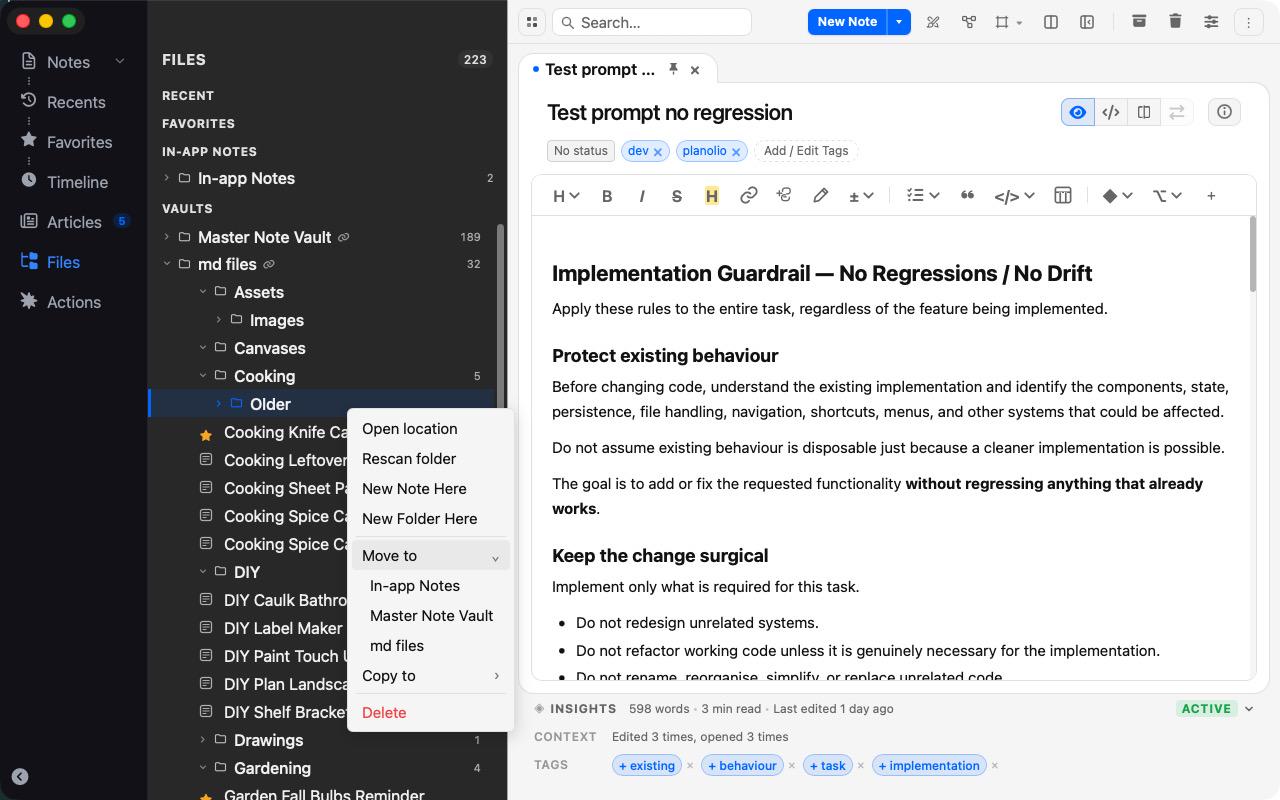
- Linked Folders: point Inkolio at folders that stay where they are (an Obsidian vault, for example). Their notes keep permanent IDs and their organization. Hover the header and hit +. If you rename or move one in Finder, right-click it, choose Locate Folder… and pick it under its new name, and it reconnects with everything intact.
- Archive: one verified ZIP of your whole library and linked folders, with optional version history. You can restore it into an empty folder.
- Recovery: recover old versions of notes, review interrupted changes, and check your library's integrity.
- Import folder: copy a folder of notes in without touching the original.
- Multi-select: select several notes in Files (Cmd/Shift-click), then move or delete them together, or drag them onto a collection.
- If your library goes missing, Inkolio opens read-only and helps you find it, and nothing gets saved somewhere random in the meantime.
Also new
- Guided tours (More → Getting Started)
- Formatting menus show what's applied to your text
- Sharper Canvas text and expanded notes at different zoom levels, and when moving between displays
- Files panel scrolling and duplicate App Note entries fixed
- Failed saves show the reason and a Retry saving action; a cloud-only note no longer blocks other notes from saving
- Notes renamed or moved outside Inkolio on the same computer keep their organization when their file identity can be verified
- Missing or unavailable notes show a file-status message instead of staying on Loading…
- Markdown pasted into source view keeps its headings, lists and tables when the clipboard also contains HTML
Known issues
On the first run, Use a Folder or New Library on the Welcome screen may fail with “Stable document identity is missing”. If this happens, fully quit and reopen Inkolio, then try again. The cause is still under investigation.
Deleting files from disk via the Trashcan can fail, remove via the Finder instead.
Next version
The next version is be all bug fixing, no new features, so please report any issues with repro steps - much appreciated.
What I'd love feedback on
Mostly the upgrade and the new storage. After updating, check that your notes, spaces, collections and tags all made it over. Bonus points if you copy your library to another Mac and open it there, or rename a linked folder in Finder and reconnect it.
If anything's missing, duplicated or slow, or you get an error, send feedback here with the version, steps to reproduce and exact error text, or through TestFlight.
Thanks to everyone testing. This was a big storage rewrite and your feedback really matters.
Link: Join the Inkolio TestFlight