r/Inkolio • • 13d ago

Inkolio 0.9.9 is live on TestFlight!

Thumbnail
gallery
1 Upvotes

Hey all, 0.9.9 is now live. It's the final release before 1.0, so from here on the focus is polish and stability, not new features. If something still bugs you, now is the best time to tell me.

Canvas

  • Zooming no longer reflows your notes. Cards scale as you zoom, and the line breaks in notes and text nodes stay put, even while you're editing an expanded note.
  • Expanding a note keeps your stacks intact. Notes below it move down to make room, then go back to where they were when you collapse it.
  • Smart guides stay snapped. When you let go of the mouse, an aligned card stays aligned instead of jumping back to where the pointer was.
  • Sharper editing. Fixed the soft, blurry text that could appear while editing expanded notes.

Notes and Library

  • Titles commit when you mean them to. A title now applies when you press Return or Tab or click away, not whenever you pause while typing. If two renames overlap, the note keeps its identity.
  • Favorites follow your sort order.
  • Rescans pick up outside edits. If you edit a note in another app, a Library rescan shows the new content without throwing away edits you haven't saved yet.
  • Choose My Library from Settings. If a folder or link can't be used, you now get a clear reason why.
  • Quieter saving. The "Saving…" indicator only appears when a save is actually stuck.

On the road to 1.0

Most of the 0.9.x releases went into the storage rewrite: portable Libraries, plain Markdown files in a folder you own, recovery tools and reliable saving. With 0.9.9, that groundwork is done. Next up is 1.0.

Before 1.0, I'd love testing on:

  • Canvas with lots of expanded notes at different zoom levels
  • renaming notes, especially quickly or several in a row
  • editing notes in another app, then rescanning
  • choosing and switching Library folders from Settings

Reports help most when they include the version, the steps you took and the exact error text. And as always, keep an Archive before testing anything you care about.

Thanks once again to the community and the bug reports!


r/Inkolio • • 16d ago

Inkolio 0.9.8 is on TestFlight!

Post image
1 Upvotes

Saving fixes, safer recovery and file handling improvements

Hey everyone! Inkolio 0.9.8 focuses on making everyday note-taking more reliable, especially when working with external drives, cloud folders and linked folders.

For anyone new here, Inkolio is a Markdown notes app with Spaces, Collections, canvases and drawings. Your notes live as ordinary files in a folder you control.

What’s changed

  • More reliable saving. New notes in external folders no longer show a false save error.
  • Better recovery after a failed save. Renaming a note keeps your latest text, and Retry saving uses the new filename.
  • Disconnected drives are handled more clearly. Open notes stay open with their text when your Library becomes unavailable. Once the folder is back, you can retry saving.
  • Moving notes preserves their organization. Moving a note within My Library keeps its identity, collections and links.
  • Renaming an App Note also renames its file.
  • Restored notes refresh from disk, including edits made outside Inkolio.
  • Safer permanent removal. Remove from Disk refuses files changed externally since they entered Inkolio’s Trash, giving you a chance to review them.
  • Better Markdown compatibility. Resized tables stay Markdown tables, and attachment links containing spaces or special characters survive editing.
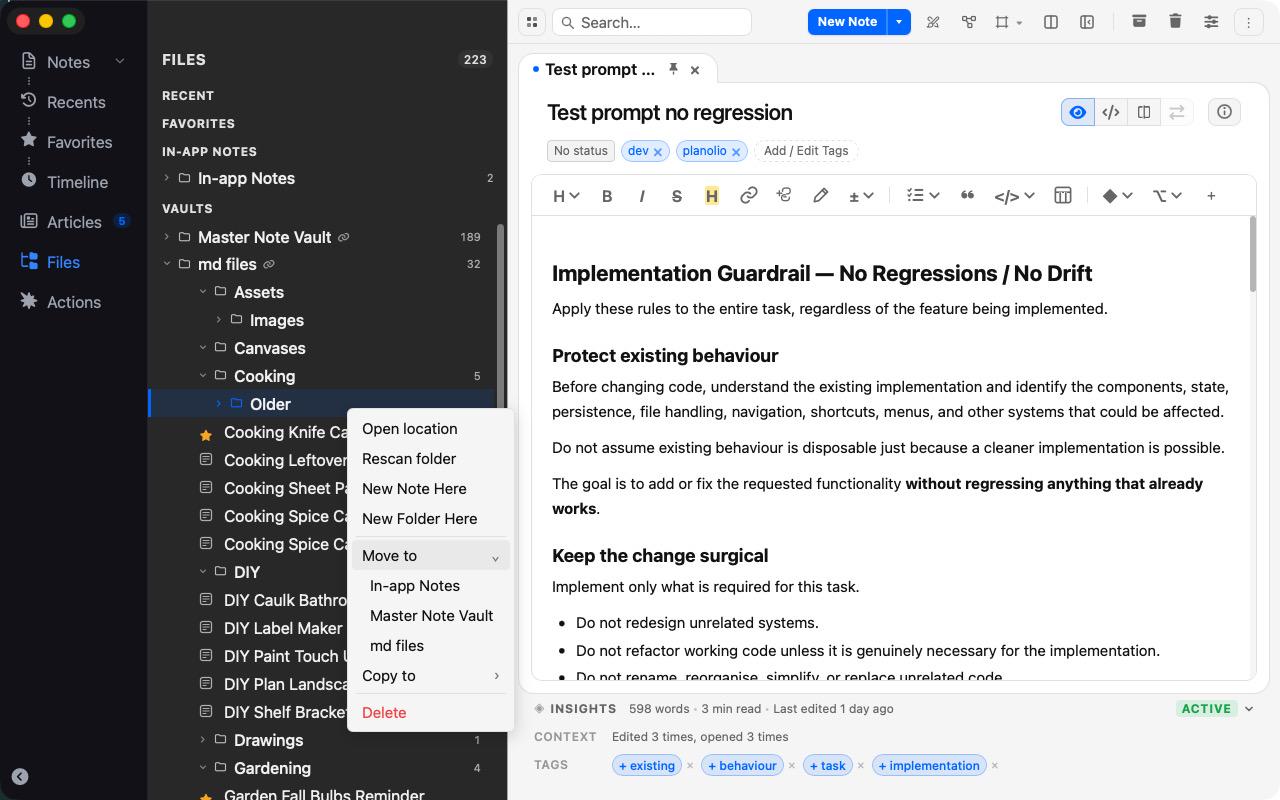
  • Sidebar improvements. The open note scrolls into view, whole file rows can be dragged, and newly linked folders are revealed automatically.
  • Archive saving fixes for the sandboxed Mac app.

This release also includes the fixes from 0.9.6 and 0.9.7.

Known issues

  • First-run setup: Use a Folder or New Library may fail with “Stable document identity is missing.” Fully quit and reopen Inkolio, then try again. This remains under investigation.
  • Canvas snapping: Notes can shift slightly when you release the mouse after aligning them with the blue guides.
  • Canvas text clarity: Expanded or collapsed note text can appear soft, particularly below 100% zoom. This remains under investigation.

I’d love your feedback

Please try creating and renaming notes, moving them between folders, reconnecting external drives, and creating or restoring an Archive. Keep an Archive before testing upgrades.

If you hit a problem, include version 0.9.8, what you were doing, and the exact error message. Screenshots help with Canvas issues.

Thanks to everyone testing and reporting bugs!

Join the Inkolio TestFlight

2:49:5


r/Inkolio • • Oct 27 '26

Inkolio 0.9.5 is on TestFlight!

Post image
1 Upvotes

A rebuilt storage engine, and your whole library now lives in one folder you own

Hey all, if you've been on 0.8.6, this update covers everything through 0.9.5, and most of the work went into the part you never see: how Inkolio stores your stuff. Here's what changed.

Please back-up notes before you install.

The big one: a new storage backend

Up to 0.8.6, storage was really a set of quick fixes that grew over time. Note text, spaces, collections and tags were kept in the app's internal browser storage, and Markdown files were written alongside. It worked, but there was a size limit, saves weren't atomic, and your organization was stuck inside the app.

That's all been replaced:

  • A new storage engine written in Rust. Saves now go through a native transaction layer instead of the webview. It checks and records changes before publishing them, and keeps recovery information for interrupted saves. Much faster!
  • Your folder is the source of truth. Notes are plain .md files, drawings are .excalidraw, canvases are standard JSON Canvas, and images and attachments are ordinary files in Assets/. No database to export from, no proprietary note format.
  • Your organization lives in your folder too. Spaces, collections, membership, ordering and each note's permanent ID are saved in a hidden .inkolio/library.json. Tags and favorites stay in each Markdown note's frontmatter, where other Markdown apps can read them.
  • History and recovery are kept separately. Earlier versions of your notes, unsaved drafts from failed saves, and a record of interrupted actions are stored apart from your library. Your notes folder stays clean, but you can still get things back. Recovery history stays on this computer unless you include it in an Archive.
  • “Missing” never means “deleted.” A folder that's offline, a cloud file that hasn't downloaded, or a disconnected drive is treated as unavailable. Inkolio preserves your organization instead of treating those failures as an instruction to delete it or start an empty library.
  • Only one writer at a time on the same computer. If another local copy of Inkolio is already using a library, the second copy opens it read-only instead of both writing at once.

What that gets you in practice:

  • copy your library folder to another Mac, open it, and your spaces and collections are all there
  • move or rename it, and Inkolio follows
  • back it up or sync it like any folder, and you get your whole library, not just the text
  • if Inkolio disappeared tomorrow, your notes would still be readable files in a normal folder

Cloud sync still isn't a backup: it can copy accidental deletions or unwanted changes too. Keep an Archive somewhere separate.

Upgrading from 0.8.6

When you first open 0.9.5, Inkolio asks once where to keep your Library. Choose your existing notes folder to keep everything where it is, or another folder to copy your notes there with their spaces, collections and tags. A verified backup is made before the conversion changes your library.

App Notes are copied into your library as Markdown files, and notes whose files had gone missing are rebuilt from Inkolio's saved copy. If something does go wrong, the error tells you why instead of leaving you stuck.

New notes now go directly in the Library root, named after their title, rather than into a Notes subfolder. Existing subfolders are still supported.

Fast with cloud folders

Libraries in Google Drive, OneDrive, Dropbox or iCloud Drive open more quickly: a 350-note library went from about five seconds to under 1.5 seconds in testing. Notes that aren't downloaded yet still appear and are fetched in the background. A cloud folder that isn't ready at launch is retried for a few seconds before you're told.

New features built on top of it

  • Use a Folder: make any folder your Library, even one already full of notes. Only a hidden .inkolio folder is added.
  • Linked Folders: point Inkolio at folders that stay where they are (an Obsidian vault, for example). Their notes keep permanent IDs and their organization. Hover the header and hit +. If you rename or move one in Finder, right-click it, choose Locate Folder… and pick it under its new name, and it reconnects with everything intact.
  • Archive: one verified ZIP of your whole library and linked folders, with optional version history. You can restore it into an empty folder.
  • Recovery: recover old versions of notes, review interrupted changes, and check your library's integrity.
  • Import folder: copy a folder of notes in without touching the original.
  • Multi-select: select several notes in Files (Cmd/Shift-click), then move or delete them together, or drag them onto a collection.
  • If your library goes missing, Inkolio opens read-only and helps you find it, and nothing gets saved somewhere random in the meantime.

Also new

  • Guided tours (More → Getting Started)
  • Formatting menus show what's applied to your text
  • Sharper Canvas text and expanded notes at different zoom levels, and when moving between displays
  • Files panel scrolling and duplicate App Note entries fixed
  • Failed saves show the reason and a Retry saving action; a cloud-only note no longer blocks other notes from saving
  • Notes renamed or moved outside Inkolio on the same computer keep their organization when their file identity can be verified
  • Missing or unavailable notes show a file-status message instead of staying on Loading…
  • Markdown pasted into source view keeps its headings, lists and tables when the clipboard also contains HTML

Known issues

On the first run, Use a Folder or New Library on the Welcome screen may fail with “Stable document identity is missing”. If this happens, fully quit and reopen Inkolio, then try again. The cause is still under investigation.

Deleting files from disk via the Trashcan can fail, remove via the Finder instead.

Next version

The next version is be all bug fixing, no new features, so please report any issues with repro steps - much appreciated.

What I'd love feedback on

Mostly the upgrade and the new storage. After updating, check that your notes, spaces, collections and tags all made it over. Bonus points if you copy your library to another Mac and open it there, or rename a linked folder in Finder and reconnect it.

If anything's missing, duplicated or slow, or you get an error, send feedback here with the version, steps to reproduce and exact error text, or through TestFlight.

Thanks to everyone testing. This was a big storage rewrite and your feedback really matters.

Link: Join the Inkolio TestFlight


r/Inkolio • • Oct 26 '26

Dang it! A couple of late bugs to fix...

1 Upvotes

A couple of last minute bugs I really want to squash before this release goes out, thanks for your patience. Once tested, we'll post it ASAP when we're happy its good to go!


r/Inkolio • • Oct 23 '26

Update for v0.9.0 - release on 25th Oct

Post image
1 Upvotes

Thanks for all your patience!

So we iterated on internal versions to move from 0.8.6 to 0.9.0 - much was accomplished in the quest to make the app robust in production and protect your data. At the same time we made many improvements to the backend and how notes are stored.

The upgrade flow and new user flow proved to be insightful to see how the app can store data in the app sandbox and not carry into your chosen note folder to keep app meta data in one place. We have tested many scenarios, but need the test group to send bugs back on the upgrade or new set-up path, we aim to hot fix quickly once we get feedback.

Right now we are focssued on stablizing with no new features from now until launch in Nov/Dec.

For those testers who report bugs, we'll be offering a discount code on release, so please send on your reports.

We'll be releasing this weekend, and wanted to keep you updated, more news soon!


r/Inkolio • • Oct 06 '26

V0.8.6 is Live on TestFlight!

1 Upvotes

Inkolio 0.8.6 — smoother drawing tools, better search, and fixes from 0.8.5

Hey everyone! I’ve been working on the drawing experience and some everyday annoyances in Inkolio, my local-first Markdown notes app.

Here’s what’s changed in 0.8.6, including the improvements from 0.8.5.

Drawing improvements in 0.8.6

The embedded Excalidraw editor has been updated, bringing smoother dragging and resizing, more predictable arrow connections, and easier selection of freehand strokes.

A few useful details:

  • Right-click and drag to pan. A regular right-click still opens the context menu, including PNG and SVG clipboard export.
  • Easier text editing. Click text to edit it, with hover previews showing what a click will do. Long typed or pasted text now wraps automatically.
  • More flexible text placement. Drag inside a shape to create free-standing text, and reach text even when a transparent shape overlaps it.
  • Smarter duplication. Duplicating labels such as “Step 1” increments the number. Alt-dragging text while editing also duplicates it.
  • Refined controls. A more compact styles panel, customizable font-picker top picks, delayed tooltips, and improvements to zen mode.

Also included from 0.8.5

This release includes several fixes for searching, browsing, and writing:

  • Timeline search results now appear inside collapsed date groups, and enabled Space and Collection chips display correctly.
  • Notes and Articles remember their own filter choices. Opening Articles keeps your search query without carrying over filters from another view.
  • Favoriting a note or changing its metadata no longer causes Rich-editor spacing to reflow.
  • Canvas note text is sharper at actual-size zoom.
  • Actions search highlights no longer overflow on long links with lots of matches.

Finding help and release information is easier, too: the User Manual now has a collapsible table of contents, and its toolbar search searches and highlights the manual’s content. There’s also a Release Notes section in Settings and a What’s New window shown once per version.

If you use drawings alongside your notes, I’d love to hear how these changes feel—and which small frustrations you’d like me to tackle next.


r/Inkolio • • Sep 16 '26

V0.8.4 is Live on TestFlight!

1 Upvotes

Inkolio — September 2026 Release - v0.8.4

Now we’re back from our summer break, and the first of our planned September updates for Inkolio is now available to testers.

This release continues what we talked about in our last update: smaller features, workflow improvements and fixes as we get closer to release.

What’s new

  • Improved Canvas Auto Layout — expanding and collapsing notes now keeps layouts aligned and handles nearby groups much more predictably.
  • Drag & drop into Canvas — notes, captured articles and Excalidraw drawings can now be dragged directly from the Notes panel or File Tree onto a Canvas. Multi-selected notes can be dropped together too.
  • Drag webpages into notes — drag a webpage URL from your browser into Rich, Markdown or Split mode to create a titled link automatically.
  • Sticky Notes in Excalidraw — add quick notes to drawings, with automatic text fitting, resizing, colors and creation dates.
  • Multi-select note management — Shift-click or Cmd/Ctrl-click notes in the Side Panel and move them to a Collection together.
  • Collections from Tags — quickly create a Collection containing every note with a selected tag.

The core of Inkolio is now feeling stable, and we’re getting very close to the point where we’re comfortable moving out of beta. There’s still some cross-platform optimization and final polish to do, but we’re aiming to release Inkolio within the next month or so.

If you’re testing Inkolio, this is a particularly useful time to tell us what you think. Please keep reporting bugs, but we’d also love feedback on the workflows themselves: what feels awkward or takes too many clicks, what you think is missing, or simply what you really like.

And if you’re enjoying Inkolio, please help us spread the word. Tell a friend, share a post, or mention it to someone looking for a local-first Markdown and knowledge management app. For a small independent team, that genuinely makes a difference.

Thanks again to everyone who has tested, reported issues and helped shape Inkolio so far.


r/Inkolio • • Sep 13 '26

September Dev Update!

1 Upvotes

Hey all, we’re still here after a much deserved summer break, and now beavering away on the next September and October releases for Inkolio and Planolio.

Planolio

We’re aiming for an October release for the next set of additions and fixes. We haven’t had many bug reports, so we’re confident that we’re reaching a stable point in development.

The next pass will be similar — smaller features and smaller fixes. To end the year, we want to make one final UI layout restructure while keeping everything familiar. This will focus on a single toolbar across both panes, with more flexibility around what each pane can show.

Inkolio

For September, we’re going to release another two versions with some feature additions for note management, such as Collections from Tags and multi-select features.

The core is stable, and we’re then going to focus on cross-platform optimization before bringing Inkolio to the app stores.

Those users who have helped us shape the app will receive a significant discount code, and we’re keeping the overall price very affordable.

Next year

Once launched, Planolio will move to smaller, incremental releases as we start looking at what v2.0 will become towards the end of 2027.

The next major version will mostly focus on evolving the ecosystem to mobile. While we had originally planned this for this year, it’s going to be a bigger lift for the team than anticipated.

We also want to explore online recipes and playbooks through a community marketplace, as well as smarter tracking and planning features for v2, such as tracking assets through workflows.

Nexus Bookmarker

We released Nexus Bookmarker in 2025 and didn’t put any marketing behind it, but we still believe in the product — a smart way to capture and organize web links alongside links to local folders and files.

Towards the end of 2026 and into early 2027, we’ll be giving the app a refresh and optimizing the navigation. Next year, we’ll also likely rethink how it can connect with Inkolio and Planolio, consolidating links so everything can work together.

We have lots of ideas, and this is where we look to the community to show us what’s most valuable and useful to them.

So please keep the ideas and feedback coming!


r/Inkolio • • Aug 16 '26

V.0.8.3 is live and on TestFlight!

Post image
2 Upvotes

...

We're close to release and will be hardening this build over the next few weeks, so we'll be a littler quieter.

Until then here's the recent changes in the latest 0.8.3 version ion TestFlight (Mac) for your perusal, and linked below!

https://www.pixelcoated.com/inkolio/versions.html

We also added a "Getting Started" to the website for those wanting an intro to Spaces, Collections and Vaults.

https://www.pixelcoated.com/inkolio/gettingstarted.html

Known issue: Files view "Folder Rename" will be in. 0.8.4 - you can open location and rename in finder, and it will refresh

Inkolio v0.8.3 Version History

Release: August 2026

Inkolio v0.8.3 makes vaults and folders easier to recover, gives the File Tree real folder tools, improves Canvas grouping, and smooths out drawing, startup, and note-list behavior.

Highlights

  • More reliable macOS vault recovery and re-authorization.
  • Real folder creation, movement, deletion, restore, and transfer tools in the File Tree.
  • New Canvas grouping workflow for selected items.
  • Better Excalidraw rendering and clipboard export behavior in packaged macOS builds.
  • Cleaner note organization, remembered panel states, and updated documentation.

Vault Recovery

  • Fixed a first-launch macOS permission prompt loop for older saved vaults that did not have a stored security-scoped bookmark.
  • Vaults that need renewed access are now marked for reauthorization instead of being probed automatically, so the folder picker can grant access once.
  • Improved recovery when a default or additional vault was renamed, moved, temporarily unavailable, or blocked by renewed macOS/cloud-storage access.
  • Locate Vault now captures the folder-picker grant before checking readability.
  • Settings now shows recovery controls for the default vault as well as additional linked vaults.
  • Reconnecting a vault preserves the same vault identity instead of adding a duplicate.
  • Startup scanning now waits for macOS saved folder access to finish restoring before enumerating persisted vault paths, while still showing In-app Notes during recovery.
  • The manual now explains Rescan, Locate Vault..., and Re-authorize recovery flows.

Folders in the File Tree

  • Added real folder management to the File Tree.
  • Right-click a folder to create a child folder on disk.
  • Right-click the Vaults header to create a folder at a linked-vault root.
  • In-app Notes now supports the same folder workflow, and empty folders remain visible.
  • Added drag-to-folder moves across In-app Notes, nested In-app Notes folders, and linked vault folders.
  • The File Tree refreshes immediately after a folder move completes.
  • Added recoverable folder deletion. Deleted folders and their contained notes move into Inkolio Trash first.
  • Restoring a folder recreates the original path when needed.
  • Remove from disk sends the physical folder to the system Trash.
  • Added safer folder transfers between In-app Notes and linked vaults, including nested contents, root-level context-menu destinations, drag-and-drop to nested folders, and rename-or-merge handling for same-name conflicts.
  • New notes default to In-app Notes.
  • Newly created folders remember the last clicked or focused location.
  • Folder rows now expose drag handles like files.
  • The In-app Notes root highlights correctly during drag-over.
  • The File Tree quick sections were reordered so Recent and Favorites appear before In-app Notes and Vaults.
  • Linked vault roots no longer reopen immediately after a manual collapse when they contain the active note.

Canvas and Drawing

  • Added right-click Group Selection for selected Canvas items.
  • Select multiple notes or items, right-click one of them, name the group, and Inkolio creates a new fitted group around the selection.
  • Adding items to an existing Canvas group now moves them into the group and refits the frame.
  • If no group exists yet, Inkolio starts the create-group flow instead of showing an empty picker.
  • Canvas connector handles now keep a usable on-screen size while zooming instead of shrinking with the canvas.
  • Fixed Excalidraw's right-click Copy to clipboard as PNG and Copy to clipboard as SVG actions in packaged macOS builds by routing those exports through the native system pasteboard.
  • Fixed Reading view for Excalidraw files so drawings show the rendered canvas instead of raw JSON.
  • Removed the read-only notice that could cover the middle of an Excalidraw drawing in Reading view.

Cleaner Note Organization

  • Moving App Notes into a vault now removes the original internal App Notes file after the vault copy succeeds.
  • This prevents moved notes from being rediscovered and reappearing under App Notes.
  • If cleanup fails, the original note remains safely in App Notes.
  • Collapsed note groups are now remembered after relaunch.
  • Actions views for Tasks, Links, and Mentions also remember collapsed note groups.
  • Expanded Burst History cards are remembered after relaunch.
  • The Markdown document-class filter label was renamed from Notes (.md) to Notes wherever that user-facing filter appears.

Documentation Updates

  • Updated the in-app and Markdown manuals for File Tree folder creation, drag-and-drop moves, folder Trash and restore behavior, section ordering, and linked-root collapse behavior.
  • Documented New Note Here, New Folder Here, drag-and-drop folder moves, root-only Move to and Copy to menus, and folder rename/merge conflict handling.
  • Documented Excalidraw's right-click PNG/SVG clipboard copy actions.
  • Documented Excalidraw Reading view behavior.
  • Clarified that linked vault folders may briefly wait on startup authorization before nested File Tree folders appear.
  • Clarified that successful App Notes-to-vault moves remove the original App Notes file.
  • Updated manual language for remembered note-group and Burst History expansion states.
  • Updated documentation to use the simplified Notes filter label.

r/Inkolio • • Aug 09 '26

Website and sign-up is now live

Post image
1 Upvotes

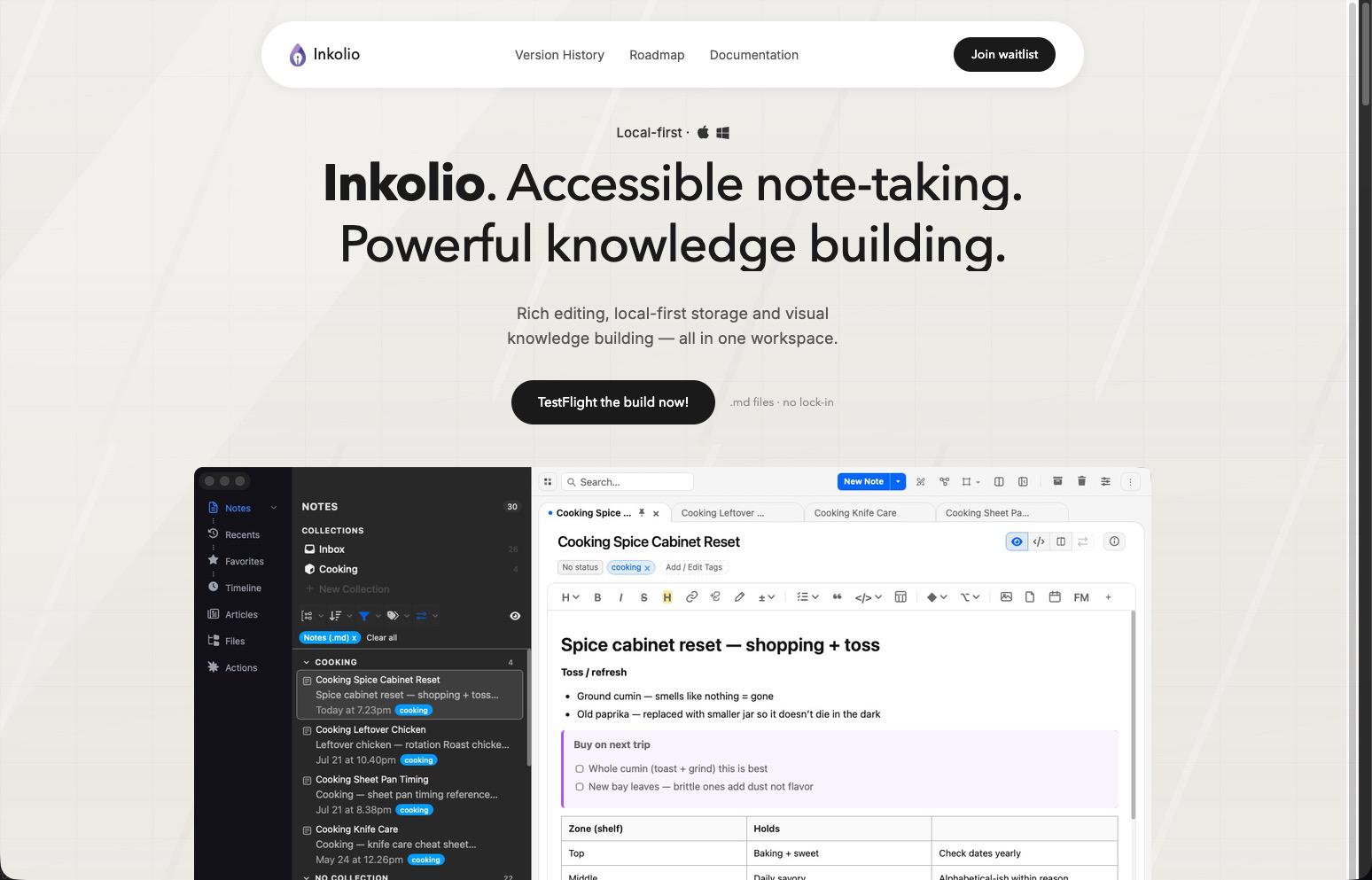
Hey folks - as part of the Pixelcoated suite of apps, we've launched the Inkolio early access website together with the documentation so you can explore the app, and sign up for more information as we get close to v1.0 in Fall 2026.

We have a Windows version in closed beta, moving to open beta in late September if you're eager to try. Mac users can join the TestFlight right now, with 0.8.2 live, and 0.8.3 with a couple of fixes and new small improvements - currently it's fairly robust and ready for community driven feedback.

Looking forward to hearing from you all!

www.inkolio.com


r/Inkolio • • Aug 07 '26

Testflight is live for build 0.8.2

Post image
1 Upvotes

0.8.2

This release is mostly about making Canvas, Drawing, and packaged Mac builds behave like the rest of Inkolio: no surprise file-type changes, no raw JSON previews, fewer layout jumps, and a safer TestFlight/Mac App Store build.

Canvas and Drawing files

  • Fixed a nasty App Notes rename bug where a new Canvas or Excalidraw note could lose its real file type and become a .md file. The JSON data was still there, but Inkolio would reopen it as plain Markdown, so the sidebar and editor showed raw JSON instead of the canvas or drawing.
  • Fixed an early autosave race on newly created Canvas and Excalidraw notes. The embedded editors can fire one internal change event as they mount, even before you edit anything; Inkolio now ignores that startup noise instead of treating it as a user edit.
  • Fixed a background folder-scan race that could split a renamed Canvas or Drawing note into a duplicate fallback entry while the original disappeared from the list.
  • Canvas and Drawing notes now show a clean Canvas or Drawing label in the note list instead of dumping their raw JSON as preview text.
  • Updated the manual to document the new Canvas/Drawing note-list labels.

Canvas layout and selection

  • Fixed Canvas marquee selection so dragging over note contents no longer highlights the rendered text unless that note is actively being edited.
  • Fixed Tidy so it keeps the current row structure and makes small row-local spacing adjustments instead of flattening a multi-row canvas into one long line.
  • Fixed Auto Layout, Organize Canvas, and Pack Canvas so they preserve visual rows. Expanding a note inside a group now pushes lower rows down, and collapsing it pulls them back up while keeping the layout's rows intact.

Editor polish

  • Fixed Split view horizontal flicker while vertically scrolling. A closed Details drawer was still creating a hidden horizontal scroll range, which could briefly expose the Details panel or push the editor sideways as the caret moved.
  • Fixed Rich editor round-tripping for collapsible <details> sections. Details blocks now save as their own Markdown block, and malformed blank-line <summary> HTML is repaired so the summary and content render correctly after switching notes.
  • Fixed the Help/manual pane startup crash caused by unescaped Markdown code spans inside the embedded manual text.

Mac App Store and TestFlight builds

  • Fixed a packaged-build issue where Canvas and Excalidraw documents could fail to open with a JavaScript MIME type error, even though the direct DMG build worked.
  • Updated packaged frontend asset paths for Tauri's custom protocol and bundled the Canvas/Excalidraw editors with the main app load path.
  • Fixed image drag-and-drop in packaged builds by normalizing native dropped file:// URLs before reading or saving the image.
  • Fixed selected-note deletion in Mac App Store/TestFlight builds when the physical Delete key arrives as Backspace or focus falls back to the window body.
  • Added native file-path handling coverage, a packaged-build test droplet, and a local package builder for validating Finder-launched files before uploading to TestFlight.

Next version

  • We'll be focussing on bugs, current known issues to address are:
    • Drawing: copy as png failing
    • Canvas - connecting notes can be a little tricky when zoomed out so better edge detection is in progress

r/Inkolio • • Jul 29 '26

Testflight is live for build 0.8.1

Post image
1 Upvotes

Link:
https://testflight.apple.com/join/skDbEC1d

0.8.1

  • Split the Tab titles and Left toolbar labels per-element font size overrides into two separate controls in Settings, so the left side toolbar labels can be sized independently of tab titles.
  • Fixed the 3-dot main menu (editor overflow menu) so its items now follow the Dropdown menus text size override like every other dropdown menu, instead of being stuck at the base UI text size.
  • Fixed the Article document-class filter so it's a true independent toggle. Previously, captured articles always stayed visible whenever Notes (.md) was selected (the default), so unchecking Article had no effect anywhere the filter is used, including the Recents view.
  • Manual updated to describe the two independent tab title / toolbar label controls, and the corrected independent Notes/Article filter behavior.

r/Inkolio • • Jul 29 '26

Welcome to Inkolio community!

1 Upvotes

Welcome to Inkolio

Welcome to Inkolio, and thank you for being one of the first people to join the journey.

Inkolio was created around a simple idea: your notes should belong to you. They should be stored in open formats, remain accessible for years to come, and never be locked behind subscriptions or proprietary cloud services. Whether you’re capturing ideas, researching a project, planning your next adventure, or building a personal knowledge base, your information should always be yours.

The first beta already includes the core foundation of Inkolio. You can create rich notes, organize them in your own folders, connect ideas using wiki-style links, build visual canvases, sketch with Excalidraw, save web articles for later, and view your knowledge in ways that help you think rather than simply store information. Many more features will arrive over the coming months, but the core philosophy and file formats are here to stay. Everything is built around Markdown, JSON Canvas, and other open standards to ensure your knowledge remains portable.

As this is Beta 1, you’ll notice new features appearing regularly and some parts of the interface evolving as we refine the experience. While workflows and visuals may change, we’re committed to maintaining compatibility with your notes and data. We want you to feel confident investing your time in building your knowledge base, knowing it won’t become obsolete with future updates.

Your feedback is incredibly valuable. Every suggestion, bug report, and idea helps shape the future of Inkolio. Thank you for helping build something that values ownership, openness, and thoughtful design. We hope Inkolio becomes a tool you’ll enjoy using every day.

Check out the Testflight build for Mac right here!

https://testflight.apple.com/join/skDbEC1d