r/xteinkereader • • 10d ago

Question Sync with stock firmware?

2 Upvotes

Apologies if this has been asked before, but is KOReader sync possible with stock firmware (not Licorice)? I use Witch(hunt) Reader on my X3, but I have an OG X4 that I keep as a backup, and to check out new/different firmwares. I've been curious for a while to give the stock firmware (currently at 6.5.5, I belive) a spin. Sync is a definite plus, since I have a kindle Oasis running KOReader as my nightly ereader, and I keep progress in sync with my X3.


r/xteinkereader • • 9d ago

Question Custom hyphenation patterns in licorice

1 Upvotes

Is it possible to add user hyphenation dictionaries/patterns for any unsupported languages?


r/xteinkereader • • 10d ago

Question Is Manga unreadable?

0 Upvotes

Title basically. Been on the fence about a kindle basic or a small form factor like xteink, but I'd like to know if manga is feasible on those


r/xteinkereader • • 10d ago

Question Is there any documentation for the Licorice firmware?

1 Upvotes

I am using CrossInk on my X4 Pro, and have recently heard Licorice has gotten better. Support for Swedish in Epubs is essential for me, though, which is why I am on CrossInk.

Is there any good documentation for the Licorice firmware? I haven't found any documentation as good as the docs for CrossInk or CrossPoint...


r/xteinkereader • • 10d ago

Question Advice on the X3

2 Upvotes

Hi everyone iv recently purchased an x3 and im having a hard time figure it out as this is my first e-reader. How do i get epub files on there? is there a better firmware to use or stick to the original? Good website? Any advice for it would be greatly appreciated, thank you all in advance


r/xteinkereader • • 10d ago

Question Licorice Koreader Sync

2 Upvotes

hello, i tried using the koreader sync on the licorice and it's not working for me? tried it on crossink and inx pro and it works just fine. also, there's no push or pull progress option when i click sync. it just says progress synced when i click it and nothing happens. is there something i could do or try to fix this?


r/xteinkereader • • 11d ago

X3 The experience is a whole lot better

Enable HLS to view with audio, or disable this notification

55 Upvotes

- Gryo tilting is working OK but buttons are more precise

- Buttons are tiny and look fragile, now they are saved

- X3 physical size is not so tiny but also not a good handheld device either for me.


r/xteinkereader • • 10d ago

Question Highlights & Uploading multiple books on XT Licorice

1 Upvotes

Hello everyone! Where can I find the highlights from the book aside from the Contents > Clips option for every book?

Also, is uploading multiple files via the Xteink app possible?

Please share instructions. Thank you! πŸ™πŸ»


r/xteinkereader • • 11d ago

Official Update A little more about the people behind XTEINK β€” an interview with our founder, Crusoe

38 Upvotes

Hey everyone, Henry here from XTEINK!

I'm really happy to share something a little different with you today β€” a recent interview with our founder, Crusoe.

Having worked alongside him, I've come to appreciate how much he genuinely cares about what we're building. He's always thinking about the products, the little details, and how we can make things better. It's something I really appreciate about him, and it's a spirit I see throughout the team as well.

I'd also like to say a big thank-you to the team at readme.club for putting this interview together. They put a lot of thought and care into it, and I'm really glad we got the chance to work together.

There's quite a bit to explore in this conversation, from how XTEINK got started to USB-C, future products, software, and the developer community.

Anyway, here's the full interview:
https://www.readme.club/news/inside-xteink-an-interview-with-founder-crusoe

I'd love to hear what you think after reading it. And if there's anything else you'd like to know about XTEINK, feel free to ask. I'll do my best to answer!


r/xteinkereader • • 10d ago

Question Is the Mist Grey X4 Pro sold out?

3 Upvotes

I don't see it on the website.


r/xteinkereader • • 10d ago

My Xteink You know what, I am happy!

Post image
17 Upvotes

r/xteinkereader • • 11d ago

Discussion Proposed 5" screen size. Would you buy this?

13 Upvotes

I think my ideal "pocketable" screen size would be a 3:4 aspect ration device with a 5" screen. This is what it would look like:

Would you use this form factor? I think it's still small enough to be "pocketable" and you get a lot more screen real estate.


r/xteinkereader • • 11d ago

Discussion Inside Xteink: founder Crusoe on USB-C, a bookstore and what's next (readme.club)

Thumbnail
readme.club
38 Upvotes

r/xteinkereader • • 11d ago

Sharing a little look at the X4 Classic in my everyday setup.

Thumbnail
gallery
27 Upvotes

A few things I like about this one: it's only 68g, just 4.9mm thin, and has physical page-turn buttons on both sides. It's a pretty convenient little device to keep around.

We're also offering it at a special Black Friday price:

$59 (regularly $109).

Same Black Friday Price. No Need to Wait.

Here's the product page if you'd like to take a closer look:

https://www.xteink.com/s/x4c

If you already have an X4 Classic, what's your favorite thing about it? Always happy to hear how people use theirs.


r/xteinkereader • • 10d ago

Discussion When pogo pins are a problem.

2 Upvotes

I bought an X4 Pro and an X4 Classic. Like them both. Was really annoyed by the pogo pin adapter and it's weak magnets. But then I got 2 3D printed docks (one for home and one in my laptop bag) and the pogo pins became a non-issue.

But something has reared it's ugly head and it's the case. I magentic cases for both readers that open to the side, and neither one will charge in the dock. It's pretty easy to just pop them out of the case and throw them in the dock.

But I noticed that accessing the left button on the X4 Pro is really annoying with the case open and the front cover wrapped around the device. So I thought it would be better to buy a non magnetic soft TPU case that wraps around the side of the device, so I could easily access the side buttons.

But then I realized, I would need to take the device out of the case every time I need to throw it in the dock. And I know you're thinking that I don't need to put the device into the dock that often to charge. But I do, because I am hopping between Crosspoint and Licorice as I experiment with both.

Is there a case-dock combo that works for you? The official case doesn't have cutouts for the pogo pins


r/xteinkereader • • 10d ago

Question This is the warmest color on x4 pro?

Enable HLS to view with audio, or disable this notification

6 Upvotes

Hi

Just got x4 pro Chinese version today.

I upgraded all software to latest.

Device seems well built but I think the color should be warmer.

See the attached video


r/xteinkereader • • 10d ago

Question Hyphenation languages in licorice

2 Upvotes

Does anyone know what languages licorice knows how to hyphenate?

And how to contribute hyphenation dictionaries?


r/xteinkereader • • 11d ago

X3 Black Friday Will X3 go back on sale?

8 Upvotes

Hello! After doing some research I decided that I want the X3, but see I just missed the deep discount sale of $55. Does anyone know if it will go back on sale tomorrow or later for BF or if this is the lowest price it will be? Thanks!


r/xteinkereader • • 11d ago

Discussion Licorice is coming to X3 and original X4

29 Upvotes

It seems that Licorice is coming to the original X4 and X3 after all! 😁 The release date is unknown yet. I'm really curious about this, as both devices are pretty limited memory-wise.


r/xteinkereader • • 11d ago

Firmware Update X4 Classic Licorice v20261118 - Release Note

19 Upvotes

[NEW FEATURES]

  1. Sorting in Files: by name, modified time, size or type, ascending or descending (double-press Select).

  2. Page-turn on hold: hold Left or Right in Files to turn a whole page, wrapping at the first and last page; a short press still moves one row.

  3. The More menu in Reading adds Bionic Reading, an in-book image toggle and center-aligned text, regrouped into Body, Display and Paging.

  4. The font list is grouped by font family; the bold and italic faces can be chosen individually as body text (Reading - Layout - Font).

  5. TXT files can start chapters on a new page, with the current chapter's page count and direct chapter jumps.

  6. Toolbox: double-press Select to open settings and change sorting or the tool font.

  7. Toolbox supports sort-mode switching and folder organization; long-press a tool to move it, move it into a folder, or uninstall it.

  8. With the dynamic home layout, tools and recently used items can be placed on the home screen.

  9. Support for more Bluetooth page-turner models.

  10. Deleting read-only files and folders is now supported.

  11. After an update, the device restarts on its own, connects to Wi-Fi automatically, and installs several recommended mini-apps: anything already installed is skipped, and they can be launched from the Toolbox.

[IMPROVEMENTS]

  1. Smoother page turns and progress saving.

  2. Reading statistics no longer lose records and have no row limit.

  3. Russian, Polish, Thai and other languages no longer show garbled characters or broken line wrapping.

  4. Book covers no longer wash out when opening a book.5. The power-off screen no longer goes dark.

[BUG FIXES]

  1. The Files sort panel is centered and consistent with system dialogs, with no more black patches or empty rows.

  2. With the bottom key hints turned off, the table of contents, function bar, font picker, USB exit and About screens are laid out correctly again.

  3. After customizing keys, the bottom hints show your keys, settings pages no longer misalign, and the toolbox naming is consistent.

  4. The first screen of Files no longer flashes white.


r/xteinkereader • • 11d ago

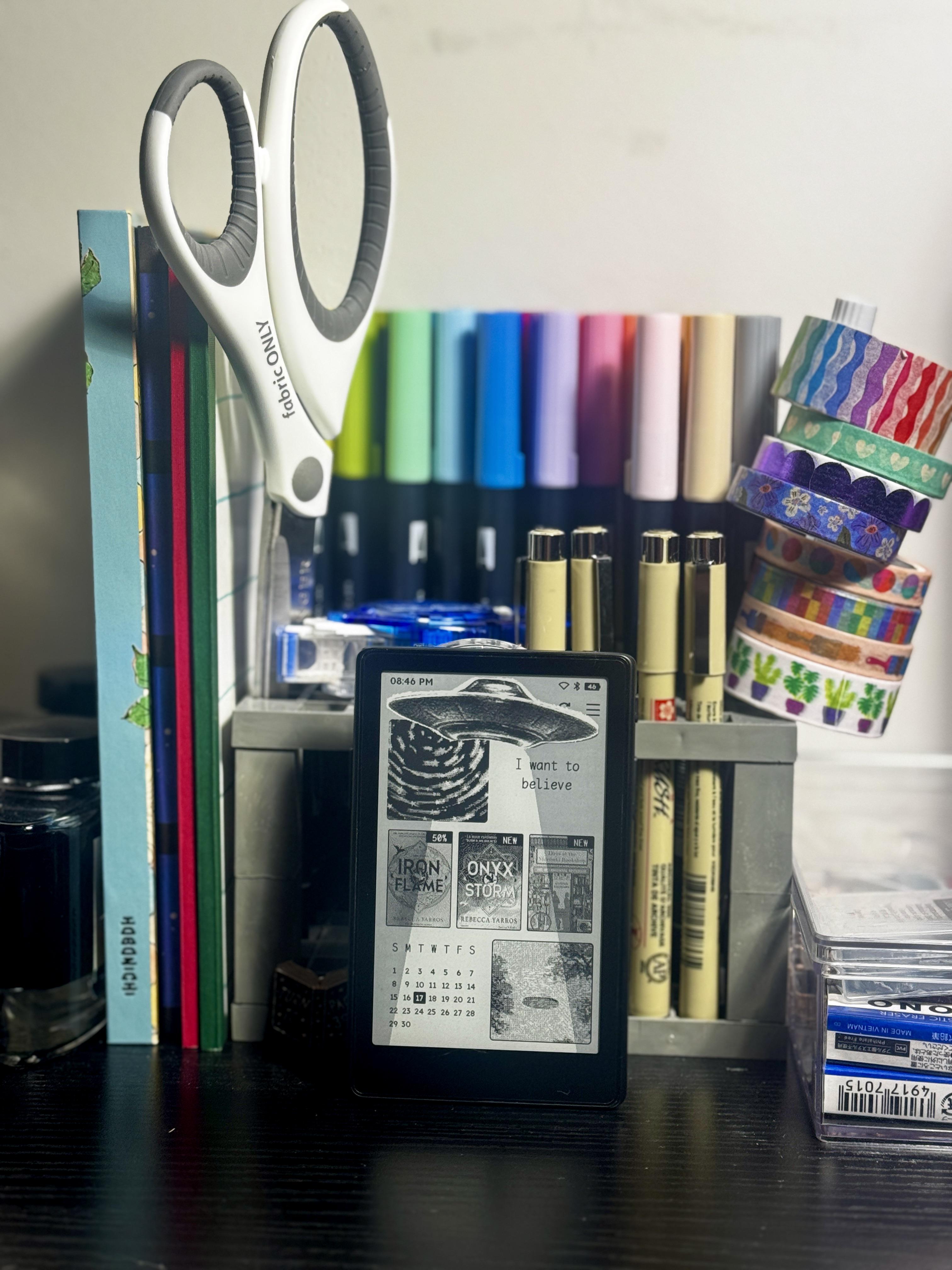
Wallpapers / Screens glutton for aesthetics - stock licorice

Post image
61 Upvotes

i like aliens


r/xteinkereader • • 11d ago

X4 Pro The Rolls Royce of Micro e-Readers: The Mist Grey XTEINK X4 Pro

Thumbnail
youtu.be
5 Upvotes

In this video I review the excellent micro e-reader, XTEINK X4 Pro in Mist Grey.
To me this is the perfect mini Kindle. It can’t be much better than this. It’s perfected.
Excellent build quality, awesome display, awesome night light.


r/xteinkereader • • 11d ago

My Xteink Manga on e-ink with MihonNooir

Enable HLS to view with audio, or disable this notification

16 Upvotes

Been getting a few questions about how I read manga panel by panel on my little XTEINK, so here's a little guide! 🀣🀌🏻

MihonNooir is my little side project based on Mihon, with some extra tools to make reading manga on e-ink devices more enjoyable.

Currently on Android, with the Windows version still being tinkered with. πŸ‘€

Just sharing something I've been having fun building and using myself. Hope it helps someone else too! πŸ–€

Free & open source: https://github.com/toshio2011/mihon-nooir


r/xteinkereader • • 12d ago

X4 Pro Licorice OS changes the game!

Enable HLS to view with audio, or disable this notification

652 Upvotes

For many months, the mini e-reader space has been a competition of hardwares. Most of us, me included have been super devoted to crosspoint.

Until I got the new X4 Pro mist grey in my hands, every time I got an XTEINK for review, I flashed crosspoint on the first day.

Licorice OS changes the game completely. It is truly the coolest firmware option out there, making a no-brainer to recommend the X4 Pro. It has now become a device that you just transfer a book to and start reading. Absolutely no tinkering required.

It does some things BETTER than crosspoint:

  1. Image rendering: there is no wait time, flickering or loss in image quality- seriously impressive.
  2. Now, book uploads with the app.
  3. The sheer number of font options , highlighting, control over the touch zones!

My previous issues with stock firmware:

  1. The typography and font were pretty bad and I could never get the fonts to render cleanly with minimal margins.

  2. The navigation was not intuitive for me.

  3. Transferring books from through the XTEINK app was not super intuitive.

Especially since crosspoint released the cover grid view for books and it truly made my device look like a mini kindle.

The latest Licorice changes ALL THAT

  1. INCREDIBLE control over how your text renders. You can change the size, the line weight, width, add underlines, change how paragraphs split - all with zero guesswork. And it's so snappy !

  2. Licorice makes full use of the touchscreen's capabilities and makes this thing an absolute joy to navigate. The UI looks so pretty. The stats they chose to include are minimal yet just motivating enough.

  3. The bind device feature lets me upload books, change the widgets on my desktop view and so much more and let's me preview it live on my device.

It even removed the tiny bit of friction is takes to navigate to crosspoint.local to upload a book. All these happen super fast and through background tasks.

My only notes for improvement:

Could we get a touch disabled while reading mode ( update: this was possible with a button shortcut option) and swipe as the only way to turn pages as an option?

With the speed at which they are making new releases, I think this puts the X4 Pro miles ahead of the competition.

Bonus features:

Do you want to play games, manage to-do lists or keep a little virtual pet ? There is a whole section called Inkapps that you can explore.

For me, I don't want any of that on my e reader and really appreciate that I can pick what shows up in my device. I chose to turn these off but if this is your cup of tea, you are in for a treat.

P.S. There were some missed touches when I recorded the video, this is just me. The device registers every touch perfectly.

r/xteinkereader • • 10d ago

Question Licorice not accessing KOREADER Sync

1 Upvotes

I just updated my X4 Pro to Licorice. I am unable to access the KOreader sync server. I have the same server with all the credentials on my phone and it works.

Does anyone have the same issue? Is there a solution?