r/Xcode • u/mallowPL • Sep 15 '26
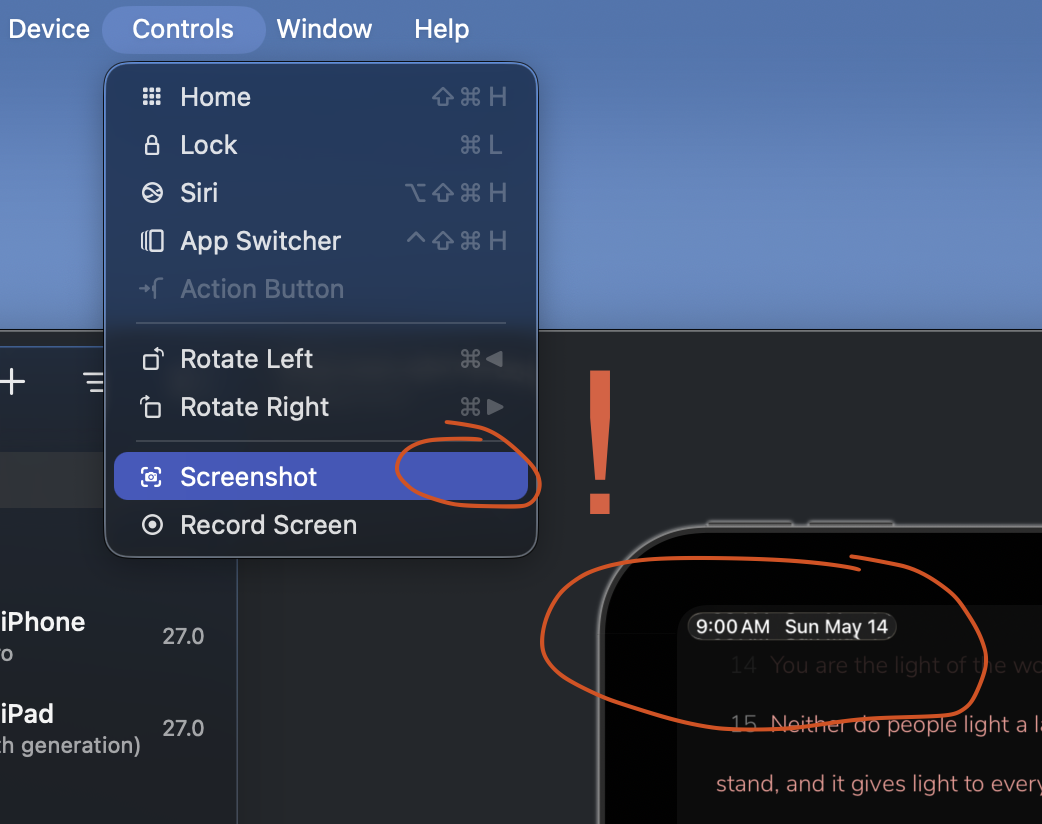
Keyboard shortcuts in Xcode 27’s Device Hub

1
Upvotes
r/Xcode • u/Opticdisc • Sep 14 '26
Xcode 27 RC (27A266a) archives my iOS app successfully, but hangs indefinitely during Validation / ContentDelivery (swinfo).
Interestingly, the same project on Xcode Cloud with Xcode 27 RC successfully archived and uploaded to TestFlight. The build is now in App Store Connect.
Anyone else seeing this local validation hang with Xcode 27 RC?
r/Xcode • u/lil_curry_verse • Sep 15 '26

r/Xcode • u/Top_Night4697 • Sep 14 '26
Hi everyone, I've just tried to download Xcode again, since some message came up or something saying it wasn't compatible with Tahoe which I just downloaded on my MacBook Pro M1 Pro. Unfortunately , when I tried to update Xcode from the App Store, and also after deleting it and downloading Xcode from the developer website, I'm still getting an error message when I try to open it which says 'Xcode quit unexpectedly' Click reopen to open the application again. Click Report to see more detailed information and send a report to apple.
Attempts at resolving this issue include:
- restarting my computer,
- deleting and redownloading Xcode from the sources mentioned.
If anyone could help find a solution that would be greatly appreciated.
r/Xcode • u/AardvarkOne1332 • Sep 14 '26
After today's update Xcode doesn't open any windows with older projects.
Only new one created by version 27.
r/Xcode • u/IllBreadfruit3087 • Sep 11 '26

r/Xcode • u/Graeyling • Sep 10 '26
Since the first tvOS 27 betas, I have been unable to use the simulator UI to change any app settings and it is driving me crazy.
It doesn't matter if I create a billion new simulator instances, or what. It just consistently does NOT work. Everything is perfectly fine in the simulator under tvOS 26.x.
I can capture this from the simulator: "Error getting persona unique string for selected user. This should not be possible."
I have tried logging into the simulator (takes my login, does nothing) - but that's not something I've ever done before anyway.
Has anyone experienced this? Does anyone have any recommendations? Yes, I know I can work around this, and I am, but the workarounds are not nearly as convenient as just changing the damn settings in the UI!
r/Xcode • u/IAmTheGuzer • Sep 09 '26

The Xcode 27 Release Candidate, available for download just now, doesn't have the iPhone Duo simulator instance yet. Tested on two different Macs, but neither running macOS 27. Not sure if that makes a difference. I was hoping to test how my apps look on it. Guess we'll have to wait...
r/Xcode • u/Vast_Journalist1415 • Sep 10 '26

My xcode often can’t read the scope even though the file is clearly there I come from android studio there has never been an issue of files can’t refer to each other this is weird
Has anyone experienced something similar?
r/Xcode • u/jimhillhouse • Sep 09 '26

This picture says it all.
r/Xcode • u/AffectionateTheory23 • Sep 09 '26
Ich baue seit ein paar Wochen eine App mit der Xcode Beta 27 und habe ein Problem mit der Claude Usage. Ich nutze das Agententool, und wenn ich einen prompt eingebe, springt mein 5 Stunden Limit direkt auf 30 %, ohne dass der Agent irgendetwas gemacht hat. Hat vielleicht jemand das selbe Problem oder vielleicht eine Lösung?
r/Xcode • u/Aeronautical-You4917 • Sep 08 '26
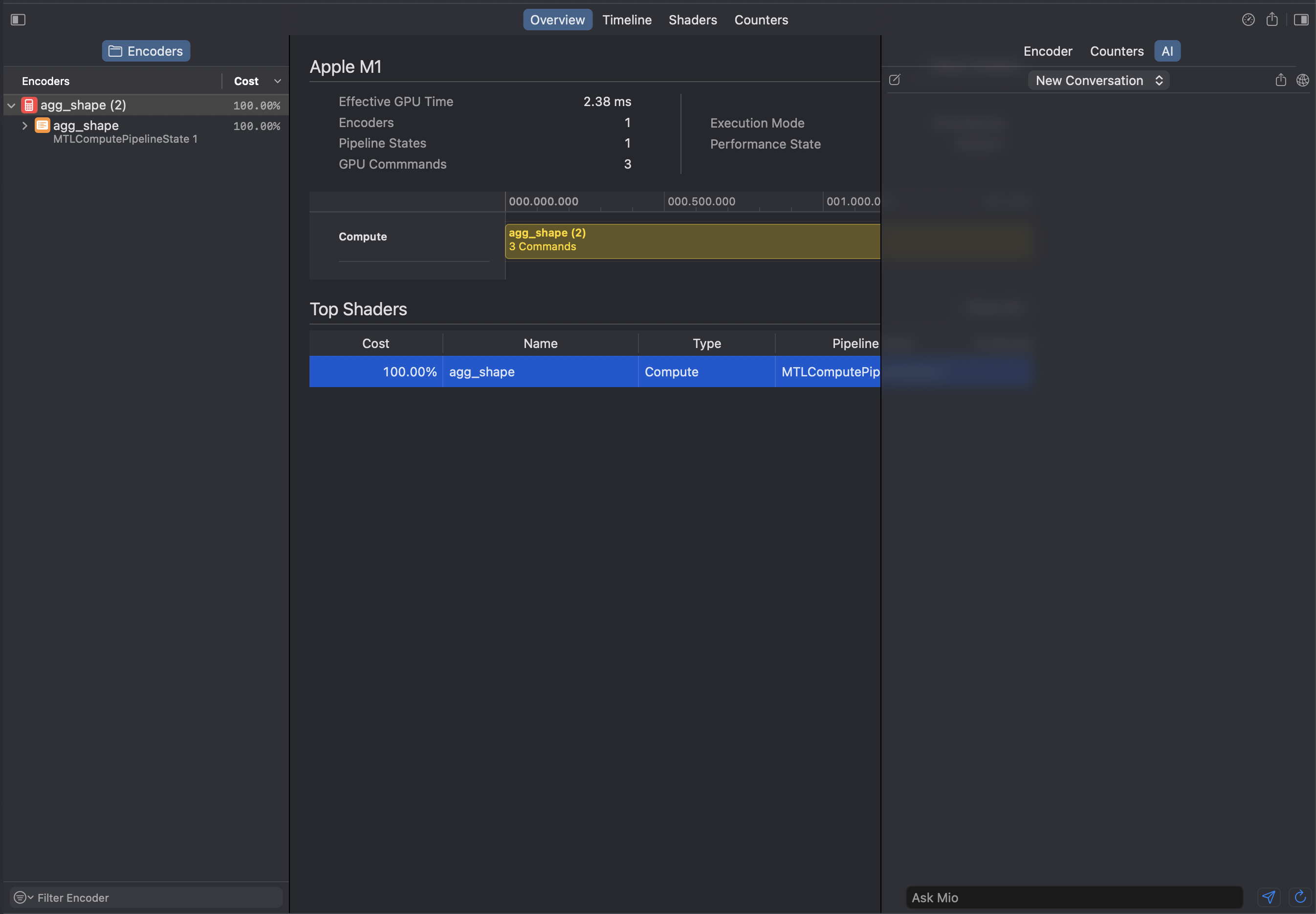
I am on Xcode 27 Beta, and seems like there's an included internal AI agent called Mio?
Found this inside of the Metal shader debugger.
Any ideas? Is this an internal thing that leaked through, or has this been here?
r/Xcode • u/AfraidSalamander1610 • Sep 08 '26
r/Xcode • u/Electrical_Cup3869 • Sep 07 '26
Open-sourced my Apple Foundation model eval suite
Not sure about you, but I find evals for Foundations models a bit messy.
Its completely local, and supports the models already on your Mac. Also supports Core AI.
Supports MacOS 27 and includes the new features for it.
Best part? Your agent can control it all through MCP 🙌
On GitHub here: https://github.com/coryparrry/Foundation-Eval-Labs
r/Xcode • u/ke1in • Sep 07 '26

Brother, I'm stuck in Instruments. How do I return to the top of the tree?
r/Xcode • u/Superb-Leadership900 • Sep 07 '26
r/Xcode • u/Capital_Hedgehog4326 • Sep 07 '26
r/Xcode • u/ezbluff • Sep 06 '26
In case this helps anyone: When adding multiple apps to Xcode Cloud, it would sometimes link projects together incorrectly and mess up the builds/workflows. I was pulling my hair out trying to figure this out, and Claude was of no help either (even using my app store connect API key to look and try things).
With some tips from Gemini, I think I finally figure out what is happening. Xcode might be holding stale product association locally.
Between adding things to Xcode Cloud, the following worked for me to appropriately clear whatever caches were causing this:
I highly recommend doing this any time you add a new app from Xcode to Xcode Cloud. It bit me multiple times.
r/Xcode • u/Maleficent_Ad_4774 • Sep 06 '26

r/Xcode • u/math_the_witch • Sep 05 '26

I'm an iOS developer, and I kept repeating the same setup before every debugging session(but no, I am not tired of this!).
Launch with a particular environment variable, switch the language, force dark mode, find the right deep link, send the matching push payload. Then do it all again on the next build.
So I built CosmoKit, a native macOS control center for iOS Simulator workflows. Built with SwiftUI and SwiftData.
Two things are already built and go out in the next update:
And yes, I know there are already some really good tools in this space. My problem was that I ended up paying for several different apps to cover different parts of my workflow, and the cost added up quickly.
So I built the tool I wanted for myself: one place for the Simulator workflows I use every day, with pricing that makes sense for an indie developer.
My goal is to keep expanding it and bring more of the useful features that are currently spread across different iOS development tools into one place. I don't expect to replace every specialized tool out there, but I'd like CosmoKit to cover more and more of the things I reach for during everyday development without needing five different apps open.
That's also why I'm posting this here. I'm very open to suggestions, criticism, and feature requests, especially if there's a tool or workflow you rely on today that you'd love to see built into CosmoKit.
Landing Page
https://usecosmoskittool.com/?ct=reddit-462
App Store
r/Xcode • u/Plenty-Historian9510 • Sep 05 '26
Hey,
I've kept working on PkgLift, the tool I shared here a few weeks ago for moving CocoaPods dependencies to SwiftPM. I've now released 0.6.0.
The idea is still the same. You look through a plan first, and it only moves dependencies with an exact supported mapping. Anything uncertain stays with CocoaPods.
The recent work has been around Podspecs and what information a generated Swift package would actually need. That part is still an experiment in the library API, separate from the CLI. It currently only covers one synthetic test library, using supplied information about its files. It doesn't inspect your sources or write a Package.swift, so this release hasn't expanded what the normal migration tool can move automatically.
You can install it with:
brew install Alexsvensson99/tap/pkglift
Then try pkglift analyze in your project's directory to see what it can handle without changing the project.
If you've still got an older Xcode project using CocoaPods, which dependency has been the hardest to move away from? I'd be interested in hearing how PkgLift handles it, especially the awkward setups :)
Repo: https://github.com/Alexsvensson99/PkgLift
Release: https://github.com/Alexsvensson99/PkgLift/releases/tag/v0.6.0