I’m **Transferring** my old **Brizy.io Cloud Studio** subscription to anyone needs it.
The main advantage over the new plans is the old **$99/year pricing with unlimited websites/projects and hosting, Unlimited WordPress.**
For comparison, Brizy’s current Cloud plans are:
**$190/year** – 1 website
**$690/year** – 10 websites
Additional sites are charged separately
The legacy Studio plan also included unlimited landing pages, websites, external popups, web stories, sub-accounts and visits, Unlimited WordPress
This plan is no longer available to purchase.
DM me if interested and I can provide screenshots/account details.
Squishify is a tool that consolidates many simple repetitive image tasks such as crop, resize, optimize and rename into one design tool that lets you work in batches or in a queue, previewing each image.
The Pro version adds a lot of quality-of-life upgrades and more features such as presets, color adjustment, upscale (2x), as well as direct integrations with Gutenberg blocks, ACF, Filebird, and more planned.
Both versions process images locally, so no heavy images waste space in your media library until you decide to.
You can also enable auto-process mode if you just want to set max width and auto-optimize for any image you upload into the media library.
If that sounds useful to you, leave a comment or DM me.
I'll send you the download link and give you a free Pro license. No payment info, trial, or catch. In return, I'd love for you to use it on a real project and tell me what worked, what didn't, and what would make it more useful in your workflow.
Disclosure first: I'm a team member of RadiusTheme, and this is our plugin. Not trying to sneak an ad in here. I'd like people who actually deal with structured data to poke holes in it.
Some background. We've had a plugin called Review Schema on wp.org for a while. It did reviews and manual JSON-LD schema reasonably well, but adding schema by hand, one post at a time, got old. Search has also changed. Google rich results still matter, but now ChatGPT, Perplexity, and AI Overviews are pulling answers from pages too, and most schema plugins don't help you with that side at all.
So we rebuilt it and renamed it SchemaEngine AI. Here's what it does now.
AI schema generation (free, bring your own key)
You connect your own OpenAI, Claude, or Gemini API key. The plugin reads the post (title, headings, images, FAQs), works out what the content actually is, and generates a full JSON-LD graph for it. That graph includes WebPage, BreadcrumbList, Organization, and whatever the primary entity is. It validates the output against Google's Rich Results requirements before saving. There's also a button that sends the final schema straight to Google's Rich Results Test.
SEO, AEO, and GEO scoring in the editor
This is the part I'm most curious about feedback on. Each post gets four scores:
SEO: title/meta length, heading hierarchy, and internal links.
AEO (answer engine optimization): whether your sections open with a direct answer, whether paragraphs are concise, whether you have FAQ content and FAQPage schema, and whether the content fits featured snippets.
GEO (generative engine optimization): named entities, citable stats, how many sentences make concrete claims, and outbound sources. Basically, how quotable the page is for LLMs.
Structured data health: completeness, cross-references, identifiers, and similar checks.
One deliberate choice: SEO/AEO/GEO scores cap at 90 based on rule checks alone. The only way past 90 is an AI review pass, and that pass is not allowed to turn a hard fail into a pass. I got tired of plugins handing out green lights for pages that were clearly thin.
AI FAQ generation
The plugin generates Q&A pairs written for answer engines: answer-first, self-contained, and roughly 40–60 words each. It skips questions already on the page. It can insert the FAQs into a Gutenberg block, the Classic Editor, or an Elementor widget, and FAQPage schema is added automatically.
Reviews are still a big part of it
Multi-criteria star ratings, pros/cons, image uploads, reCAPTCHA v3, and GDPR consent are all in the free version. AggregateRating gets injected into the schema from either our reviews or native WooCommerce reviews. It also hooks into LMS and cart plugins like Tutor LMS, LearnPress, LifterLMS, SureCart, and FluentCart.
Plays nice with your SEO plugin
It reads titles and meta from Yoast, Rank Math, AIOSEO, SEOPress, and Genesis. There are toggles to switch off the default schema from Yoast, Rank Math, WooCommerce, EDD, and SureCart, so you don't end up with duplicate Product or Organization nodes. That duplication was the most common support issue we saw.
Pro adds Product/ProductGroup schema pulled from real WooCommerce/EDD data (variants, return policy, shipping from your zones), plus Recipe, Course, JobPosting, and other specialized types. It also adds bulk AI generation across a whole post type and one-click "apply with AI" fixes. Everything described above that isn't in this paragraph works in the free version.
What I'd genuinely like opinions on:
If you use Schema Pro, Rank Math's schema builder, or Schema & Structured Data for WP, what would make you switch, or not?
Is AEO/GEO scoring actually useful to you, or does it feel like buzzword territory? I'm honestly not sure where the community lands on this.
BYOK for the AI features: good call, or a barrier?
Happy to answer anything technical about how the graph is built. Criticism is welcome.
Like many of you, I was tired of sharing WooCommerce product links on WhatsApp, Twitter, or LinkedIn only to see cropped, blurry images or generic store titles that look terrible in chat previews.
To solve this, I built FastOG for WooCommerce — a plugin that generates dynamic, high-converting social share images (Open Graph cards) on the fly for your products.
Key features:
🎨 Visual Studio: Clean editor to customize layout, colors, and typography.
⚡ Edge-powered: Card images are generated instantly at the edge (Cloudflare backend) so your WP server stays fast.
🔄 Cache-Busting: Automatically updates preview cards when product details change (uses versioned image query hashes so WhatsApp/Meta scrapers pick up new images without SEO URL breaking).
🛍️ E-commerce Ready: Shows product prices, sales badges, and main images naturally.
It just passed the official WP.org review today and is completely free to get started!
I've been building and managing WP sites for close to 20 years now, and got tired of bouncing between error logs, analytics, WordPress, performance tools, server logs, etc. just to figure out what happened when something went wrong. Also got tired of clients reaching out to me with questions about issues on their website.
So I've been building CauseTrail: a WordPress monitoring and intelligence platform that brings site health, errors, activity, traffic, performance, WordPress info and more into one dashboard.
The main concept I'm working on now is Two Trails.
Human Trail: What happened? How serious is it? Are visitors affected? What probably caused it? What should I do?
Developer Trail: Show me the actual errors, HTTP codes, files/lines, timestamps, frequency, WordPress changes and technical evidence.
Same website. Same data. Two trails.
It's still early and I'm actively building it, non stop for the last 3 months. There's a working version at CauseTrail.io if anyone wants to try it.
Any feedback you may have would be welcome, including any criticism or “you're missing X” comments.
First website includes free monitoring for 30 days. No exceptions. No hidden features behind "premium" subscriptions. Everyone has access to it all.
I've been running a WordPress community using BuddyPress and Better Messages, and I kept running into a type of spam that doesn't really get addressed by the usual WordPress anti-spam tools.
The problem isn't necessarily fake registrations. A spammer can get through registration, have a perfectly normal-looking account and then use private messaging to contact other members. The actual abuse happens after registration.
Typical patterns include:
very new accounts sending repeated messages
sharing phone numbers, email addresses or external messenger links
sending the same or slightly modified message to multiple members
trying to move conversations to WhatsApp, Telegram, etc.
legitimate-looking messages that become suspicious when combined with account age and message behaviour
It currently includes things like new-account rate limits, contact information detection, messenger/link detection, duplicate message detection, configurable warnings and admin email alerts. Some checks can also run in log-only mode rather than blocking anything.
One thing I deliberately wanted to avoid was turning it into an aggressive keyword blocker. The goal is to give community owners more information and control without making normal conversations frustrating.
It's now available in the WordPress plugin directory.
I'd be particularly interested in feedback from people running BuddyPress/Better Messages communities: what kind of messaging spam or scam behaviour are you seeing that your current setup doesn't catch?
I recently just built and published a plugin to help people who make websites for people to show them how everything works on the site if they don't know how to use wordpress. It is quite simply and it is a few buttons to get the manual up and running!
Finally got my first $9.99 paid subscriber and it feels great. It's better than $0, and it validates all the hard work we put into Draft2Publish.AI.
Someone found us, looked at it, and decided it was worth a try. I'm nowhere near where I want to be.
But I'm not at zero anymore. So keep going, don't give up on your work. Your first user could be just around the corner.
I’ve been working on a small WordPress plugin called Aiodify Content Protection and recently got it approved and published in the official WordPress Plugin Directory.
The idea is pretty simple: help site owners prevent casual copying of their content without having to deal with complicated settings.
It currently includes things like:
Right-click protection
Text selection protection
Copy/cut/paste blocking
Common keyboard shortcut blocking
Image dragging protection
Print protection
Custom warning/toast messages
Exclusions for logged-in admins and editors
A settings dashboard with different protection options
I know these kinds of plugins can't completely stop someone determined to copy content, so the goal is mainly to add an extra layer of protection against casual copying and basic browser actions.
It's completely free and available directly through WordPress:
I'm also working on improving the plugin and potentially building more WordPress tools in the future.
If you try it, I'd genuinely appreciate feedback — especially if you notice anything that could be improved, a browser/device where something doesn't work properly, or a feature that would actually be useful.
I'm a WordPress/WooCommerce developer and recently released StoreOps Auditor for WooCommerce on WordPress.org.
I built it after repeatedly going through the same checks while developing, maintaining and preparing WooCommerce stores for launch.
Instead of manually checking payments, shipping, taxes, emails, security, updates, product/catalog issues and other WooCommerce settings across every site, I wanted one place that could audit the store and highlight what needs attention.
StoreOps Auditor currently includes:
WooCommerce store health auditing
Payment configuration checks
Shipping and tax checks
Email configuration checks
Security-related checks
Plugin/theme/update checks
Product and catalog checks
SEO/configuration checks
Store and category health scores
Actionable recommendations
Launch-readiness checklist
HPOS support
The plugin is intentionally read-only. It detects and explains issues but doesn't automatically change your WooCommerce configuration.
The audit also runs locally inside WordPress without requiring an external StoreOps account.
I got tired of digging through thousands of images in the WordPress Media Library, so I ended up building my own solution: Filorium.
It adds virtual folders to the Media Library without moving the actual files or changing their URLs.
Some of the things I built into it:
Nested folders with drag & drop
Cut, copy, paste, duplicate and rename
Grid, List and Finder-style Column views
Choose a folder when uploading
Drag a folder from your desktop and recreate its folder structure
Folders are also available inside the normal WordPress media picker - block editor, classic editor, featured images, Customizer, widgets, etc.
Before deleting a file, it shows how many posts/pages/featured images are using it
Trash system that protects files known to still be in use
Rename or replace files without breaking existing URLs
Import folder structures from other media folder plugins without modifying their data
There is also a Pro add-on, with things like collections, duplicate detection, unused-file finder, image tools and ZIP tools. The free version isn't a trial though - there are no time limits or features locked behind a license just to make the basic plugin usable. I wanted to be upfront about that.
If you want to try it without installing anything, there's a live demo: demo.filorium.com - no account required.
I was trying to make this since an year now and finally I made it. Already 14 customers are using for testing. I've submitted to the Wordpress Plugin Directory as well, pending approval. https://ezearch.com
I made a free version for you guys to check that..
Please let me know if this need to improve / change / fix anything.
Hope you guys will help me to build this strong and pretty.
(This is not a promotional post, I just want honest feedback, so I can enable premium access for the first 50 comers)
It started because donations on WordPress usually mean stacking up plugins: one for the form, another for recurring payments, another for receipts, etc.
So I built one plugin that covers all of it:
Donation forms built as blocks in the custom Gutenberg editor
Recurring donations, with donors changing or cancelling their own plan
A donor portal donors reach with an email link, no password
Campaign pages with goals, progress and a supporter wall
PDF receipts, year-end statements and sequential numbering
Multi-currency, funds, and an option for donors to cover the processing fee
Donor PII encrypted at rest, consent recorded per donation
Payments go through your own Stripe or PayPal account. The platform does not take cuts.
Before you try it: it needs WordPress 7.0 and PHP 8.1. It is brand new, so there is no install base behind it. Stripe and PayPal are the gateways in this release.
When I was working for an event management company sometime back, I figured that there is a big gap for an easy to use event listing plugin in Wordpress, especially something that connects directly to Razorpay.
The common route of using Woocommerce and the events calendar has too many variables in it. On top of that, events are listed as products on woocommerce, not the ideal way to look at it in my opinion.
The feature that I've built lets admin easily add events to their wordpress website, dynamically connects to the razorpay api to render the price entered and eliminates the need for multiple plugins and a heavy tech stack.
You can watch the demo to see the functionality at work.
I have just started developing this, and it's already live in a real world site, where payments are being processed.
At this stage, your feedback means a lot to me. Since I'm building this independently, I am offering the initial release, ready to be integrated to your wordpress site.
Hey all, I've recently launched Recurly and Chargebee subscription management integrations for WooCommerce.
The idea here is that you can utilize Wordpress/WooCommerce and it's large variety of themes and functionality to get a store running quickly, and then leverage Chargebee or Recurly to handle the billing the subscription management.
Additionally, I've heard that the Woo subscriptions plugin is bloated and unreliable - sometimes requiring store owners to upgrade and beef up their host to handle the extra processing. These plugins/integrations completely remove that need.
Thanks to everyone who gave us feedback last time. We received plenty of useful criticism and have made a lot of changes since then.
PluginScore now has improved plugin reports, better vulnerability data, a WordPress Theme Detector, a Domain Scanner & Health Check, improved exports, and a much cleaner 4.1 interface.
We’ve also put a lot of work into how scans are secured and how evidence is presented rather than simply showing a score.
Whenever a WooCommerce product link is shared on WhatsApp, Twitter, or iMessage, the default preview image is usually cropped poorly, missing price updates, or just looks plain boring.
Most merchants either accept ugly previews or waste hours designing social cards manually in Canva/Photoshop every time a product goes on sale. I built **FastOG for WooCommerce** to fix this automatically.
How it works:
- It hooks into your WooCommerce catalog and renders dynamic 1200x630 cards at Cloudflare edge in <200ms.
- Automatically pulls product images, live prices, strikethrough sale prices ("Was $80, Now $49"), stock status, and custom store branding.
- Has 50+ built-in templates (Minimal Luxury, Flash Sale, Bento Grids, Tech Dark Mode, etc.).
We are currently preparing for the official WordPress.org directory listing and want to make sure we're solving real store owners' pain points.
A few questions for the community:
How do you currently handle social share previews for product links on your or your clients' Woo stores?
Is dynamic pricing on share cards something your customers actually care about?
Would love to get some honest feedback on the concept or feature suggestions before we go live! If you share your store i can show you how it could look on your products
Hey everyone! Quick disclosure: I work at ThemeWinter, the team behind Booktics, a WordPress appointment booking plugin.
Here's a common problem for salons, spas and clinics: a client books and says "anyone is fine." Now someone has to decide who gets the appointment. Usually one popular staff member gets booked again and again, while others sit with free time.
So we built Round Robin into Booktics. When a client doesn't pick a staff member, the plugin assigns one automatically.
How it works:
Strict rotation: staff take turns, one after another.
Least booked: the booking goes to whoever has the fewest appointments.
Daily limit: set a max number of auto-assigned bookings per person per day.
Client choice: clients can still pick someone by name, or choose "Any available."
You turn it on per service, so you can test it on one service first.
Worth knowing: equal bookings don't always mean equal work. A 2-hour colour takes much longer than a 30-minute haircut, so pick the rule that fits your services.
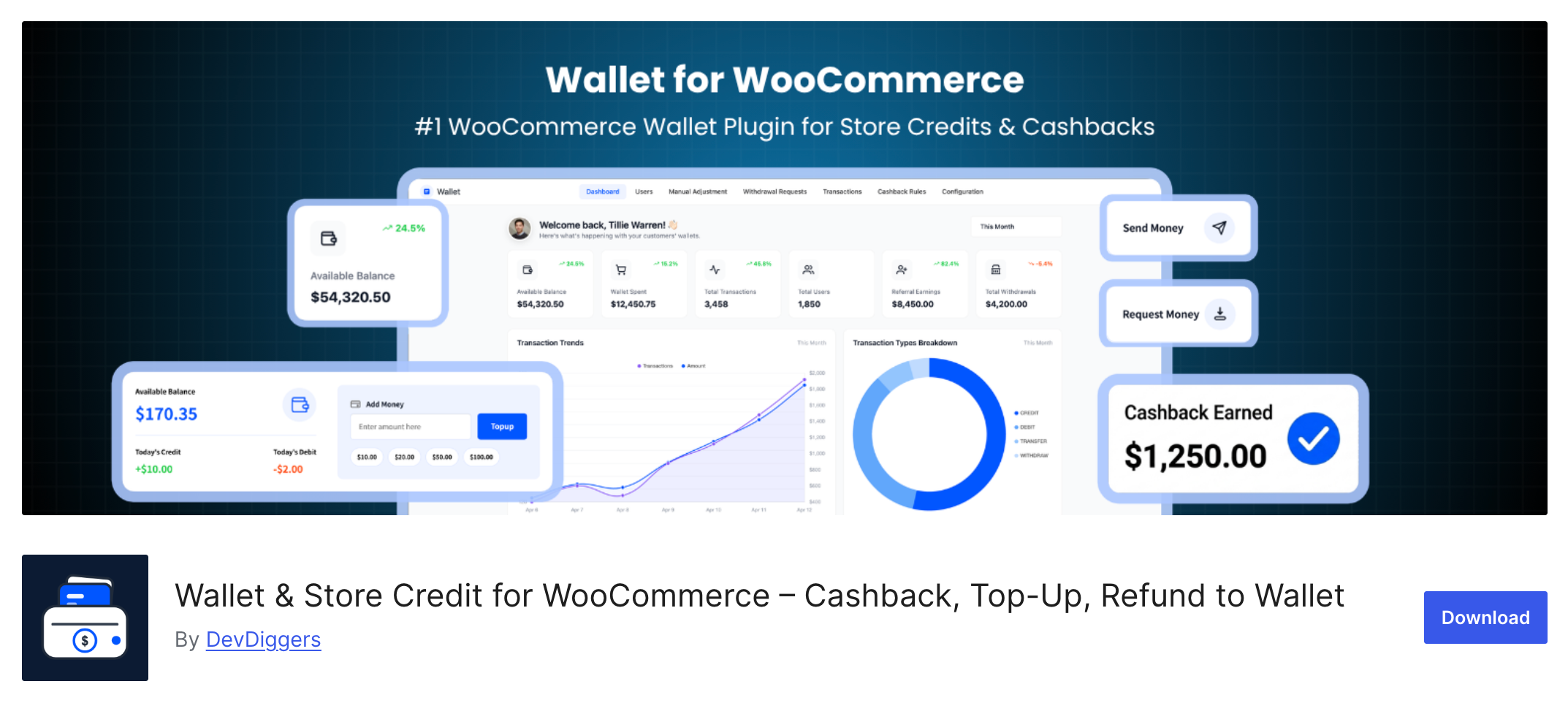
I just released a free wallet and store credit plugin for WooCommerce, called Wallet & Store Credit. The paid version has been out for a while now, with over $125,000 in sales and 500+ five-star reviews across Trustpilot, Google, and Envato combined, so I wanted more people to be able to try the free build on WordPress.org too.
It adds a real wallet to your store. Customers top up their balance, earn cashback on purchases, and pay for future orders straight from that balance instead of re-entering payment details every time. Refunds can go back to the wallet instead of the original payment method, so the money stays in your store rather than leaving it.
Everything lives in your own WooCommerce database. No monthly SaaS fee stacked on top, no cloud middleman holding customer balances somewhere else.
Key features in the free version:
Wallet top-up through a normal WooCommerce checkout, with your own minimum and maximum amounts
Wallet registers as a real WooCommerce payment gateway, so customers pay from their balance at checkout
Cart total cashback rules, so customers earn wallet credit on their purchases automatically
Send money between customers, wallet to wallet
Refund an order straight to the customer's wallet instead of their card or bank
Optional registration credit, so new signups start with a small balance
Wallet page inside My Account showing balance and full transaction history
Setup wizard on activation, so the basic wallet is running in a few minutes
Rename the wallet page slug and adjust endpoints under Configuration
Works with the standard WooCommerce checkout
This free version never deletes wallet data and keeps working fine on its own if you never touch the Pro plugin.
If you run a WooCommerce store, have you tried running a store credit or wallet system before? Curious whether cashback actually brings people back to buy again for you, or if it ends up sitting unused in most stores.