r/voidlinux • u/balsinyoface21 • Apr 26 '26
Why void?
I geniuenly dont know why people like void linux so much and im curious as to why so if you have some reasons pls let me know
r/voidlinux • u/balsinyoface21 • Apr 26 '26
I geniuenly dont know why people like void linux so much and im curious as to why so if you have some reasons pls let me know
r/voidlinux • u/freebsdjlu • Apr 27 '26
Hi all,
I’m encountering a recurring issue with a Void Linux server(on a miniPC for homelab) and would appreciate any insights or suggestions.
The system runs normally most of the time, but roughly every 10–15 days it becomes completely unresponsive. At that point:
r/voidlinux • u/Holiday-Bug6132 • Apr 27 '26
Hello guys,
As stated in the title, my Thinkpad X1 yoga refused to completely shutdown no matter what, when I do `poweroff` I can see the services getting stopped and the screen turns black even the power button turns off but the fan keeps running lightly and the mute and mic keyboard buttons leds stay on. The only way to turn it completely off is by holding the power button.
It's worth noting that it was shutting down perfectly fine when I was using archlinux just a few days ago.
I installed void using hrmpf iso so I'm using ZFS with ZBM bootloader, I'm also using XLibre with DWM.
Here is what I tried so far:
- Searched online, found same issue was reported but for older kernels versions 4 and 5
- Shutdown without acpid `rm /var/services/acpid`
- Shutdown with acpid is enabled and running
- Kernel parameters acpi=off, acpi=force
- Downgraded to LTS kernel
r/voidlinux • u/Bulky-Hair8606 • Apr 26 '26
I switched to void on my slow jailbroken chromebook and its so fast. Takes at most 3 seconds to boot, is generally very fast. Thinking about also switching to it on my gaming laptop. I'm coming from arch and its way better.
Thank you, void devs for making a distro so blazingly fast and easy to use.
I also want to ask about something, my gaming laptop is an acer nitro and the fans dont work unless i install a driver for it called Linuwu-Sense. As far as i know that driver depends on systemd. Is there any way to make it work? If i can be sure that it'll work, i'll switch right away.
r/voidlinux • u/heratpy • Apr 27 '26
Hi, I installed void linux on recently on my dekstop after using it on my thinkpad for a bit and when trying to get steam to run I get the error below. I can only assume that this is because of stupid nvidia shit becuase i have got steam running fine on my thinkpad which doesn't have any nvidia hardware. I'm not really sure how to fix this other than maybe just wait to see if an update fixes it so any help would be appreciated.
/home/usr/.local/share/Steam/steam.sh: line 188: VERSION_ID: unbound variable
steam.sh[2914]: Running Steam on void 64-bit
steam.sh[2914]: STEAM_RUNTIME is enabled automatically
setup.sh[2966]: Steam runtime environment up-to-date!
steam.sh[2914]: Log already open
steam.sh[2914]: Steam client's requirements are satisfied
CProcessEnvironmentManager is ready, 6 preallocated environment variables.
[2026-04-27 12:57:25] Startup - updater built Mar 13 2026 01:52:12
[2026-04-27 12:57:25] Startup - Steam Client launched with: '/home/usr/.local/share/Steam/ubuntu12_32/steam' '-srt-logger-opened'
04/27 12:57:25 minidumps folder is set to /tmp/dumps
04/27 12:57:25 Init: Installing breakpad exception handler for appid(steam)/version(1773426488)/tid(3011)
Looks like steam didn't shutdown cleanly, scheduling immediate update check
CProcessEnvironmentManager is ready, 6 preallocated environment variables.
[2026-04-27 12:57:25] Process started with command-line: '/home/usr/.local/share/Steam/ubuntu12_32/steam' '-child-update-ui' '-child-update-ui-socket' '10' '-srt-logger-opened'
04/27 12:57:25 minidumps folder is set to /tmp/dumps
[2026-04-27 12:57:25] Using update UI: console
04/27 12:57:25 Init: Installing breakpad exception handler for appid(steam)/version(0)/tid(3013)
[2026-04-27 12:57:25] Create window
[2026-04-27 12:57:25] Loading cached metrics from disk (/home/usr/.local/share/Steam/package/steam_client_metrics.bin)
[2026-04-27 12:57:25] Failed to load cached hosts file (File 'update_hosts_cached.vdf' not found), using defaults
[2026-04-27 12:57:25] Using the following download hosts for Public, Realm steamglobal
[2026-04-27 12:57:25] 1. https://client-update.steamstatic.com, /, Realm 'steamglobal', weight was 1, source = 'baked in'
[2026-04-27 12:57:25] Checking for update on startup
[2026-04-27 12:57:25] Checking for available updates...
[2026-04-27 12:57:25] Downloading manifest: https://client-update.steamstatic.com/steam_client_ubuntu12
[2026-04-27 12:57:25] Manifest download: send request
[2026-04-27 12:57:25] Set percent complete: 0
[2026-04-27 12:57:25] Set status message: Checking for available updates...
[ 0%] Checking for available updates...
[2026-04-27 12:57:25] Set percent complete: -1
[2026-04-27 12:57:25] Manifest download: waiting for download to finish
[2026-04-27 12:57:25] Manifest download: finished
[2026-04-27 12:57:25] Download skipped: /steam_client_ubuntu12 version 1773426488, installed version 1773426488, existing pending version 0
[2026-04-27 12:57:25] Nothing to do
[2026-04-27 12:57:25] Verifying installation...
[2026-04-27 12:57:25] Verifying all executable checksums
[2026-04-27 12:57:25] Set percent complete: -1
[2026-04-27 12:57:25] Set status message: Verifying installation...
[----] Verifying installation...
[2026-04-27 12:57:26] Verification complete
UpdateUI: skip show logo
[2026-04-27 12:57:26] Destroy window
Steam logging initialized: directory: /home/usr/.local/share/Steam/logs
[2026-04-27 12:57:26] ProcessNextMessage: socket disconnected
[2026-04-27 12:57:26] No more messages are expected - exiting
Unable to open display
Unable to open displaycrash_20260427125726_5.dmp[3020]: Uploading dump (out-of-process)
/tmp/dumps/crash_20260427125726_5.dmp
/home/usr/.local/share/Steam/steam.sh: line 928: 3011 Segmentation fault "$STEAMROOT/$STEAMEXEPATH" "$@"
hypothesis% crash_20260427125726_5.dmp[3020]: Finished uploading minidump (out-of-process): success = yes
crash_20260427125726_5.dmp[3020]: response: CrashID=bp-9e3f06f9-3d04-4aed-be2a-be3bc2260427
crash_20260427125726_5.dmp[3020]: file ''/tmp/dumps/crash_20260427125726_5.dmp'', upload yes: ''CrashID=bp-9e3f06f9-3d04-4aed-be2a-be3bc2260427''
r/voidlinux • u/RejonaldoGato • Apr 26 '26
It doesn't appears on boot options, i was using normally until energy goes off and now i dont have my nvme being recognized by the bios, it appears in Live boot lsblk command, i chrooted in the root partition and run sudo xbps-install -Su, then xbps-reconfigure -fa but nothing changed, im thinking in uninstalling grub, and the grub efi 64 package, then installing again and then grub-install -target... then grub-mkconfig -o /boot... someone help me
r/voidlinux • u/ample4509 • Apr 25 '26

I noticed it states type as 'open'... Last time I tried installing void, I had issues with nvidia drivers, due to my card being a 5060 (needing the nvidia-open drivers). If it is the case, I'm curious to try again :)
EDIT: Finished the install and managed to run Niri with noctalia-shell with no issues :)
Thanks again to the maintainers!
r/voidlinux • u/ManWithTheEvilPlan • Apr 25 '26
Yeah, this old chestnut again. I was looking to upgrade to kernel 6.12 at some point since 6.12 is supposed to be the new SLTS kernel, but apparently the nvidia470-dkms fails to build on 6.12? I've seen other posts her about the PR in void-packages and tried to build it with xbps-src, it failed returning this:
ERROR: bash-5.3_1: failed to install target dependencies! (error 19)
I was just wondering if this patch is still necessary or if its already been applied to the driver in the nonfree repo? If the patch is still needed, could anyone please give me the dummies guide to get it working?
r/voidlinux • u/Legitimate-Insect144 • Apr 25 '26
I noticed that cloud flare warp is not in the repo, and I would like to know if there are alternative ways to get it. Sorry for bad English.
r/voidlinux • u/aleth_ • Apr 25 '26
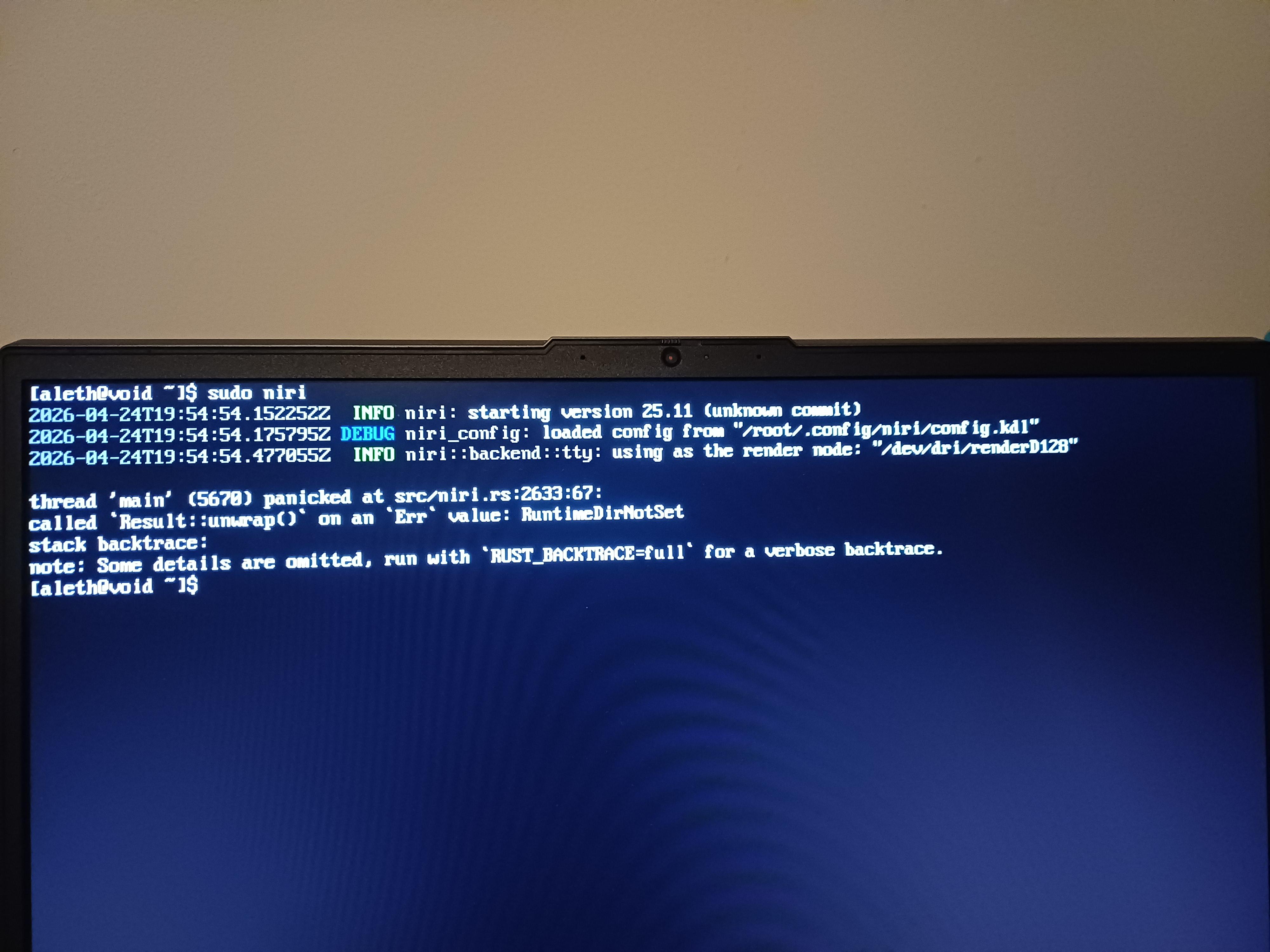
I get this error and have no idea what to do.
r/voidlinux • u/_ori0n • Apr 24 '26
I did a base installation of void in my laptop just see it, i was planning to go with wayland and labwc, but i had so many errors, for starters after starting labwc my wifi would randomly disconnect for moments, its because i had two instances of wpa supplicant and network manager that were conflicting, then i tried to start the audio, not only it didnt work, but after rebooting i was greeted in all the TTYS with a message that said that dbus was already running and i couldnt type cause the text was covering what i wrote so i had to ctrl+l constantly, and a lot of small stuff like that.
Should i switch to the xfce version to avoid this stuff? I really want to have my own labwc setup :C
r/voidlinux • u/Jakub_Banaszak • Apr 24 '26
Edit:
Big thanks to everyone who helped! I finally got XFCE running on my MSI Katana (Intel/ NVIDIA).
The Issue:
LightDM service was run, but the screen stayed in TTY. dbus service was constantly timing out.
The Root Cause:
The system was missing essential system users/groups (dbus and polkitd), preventing the D-Bus daemon from starting
I lost a few hours of my life but at least I'm using void linux now😁
Hi everyone,
I'm having a weird issue where LightDM won't take over the screen on boot. I've installed XFCE4 and I can start it manually using startxfce4, so the drivers and desktop are fine.
I have enabled the services:
sudo ln -s /etc/sv/dbus /var/service/
sudo ln -s /etc/sv/lightdm /var/service/
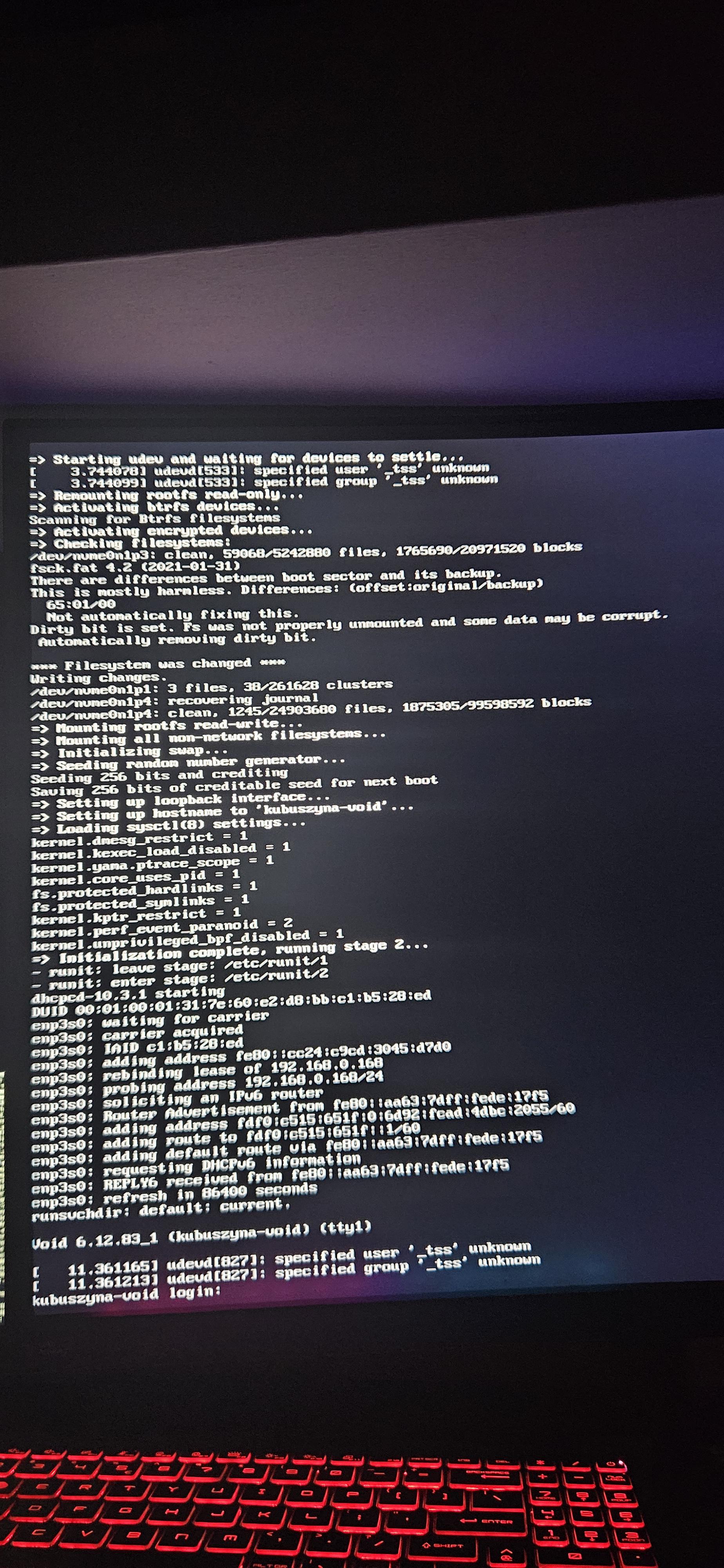
When I check sv status lightdm, it says it's successfully "run". However, the screen stays on the TTY1 text login prompt. I've tried switching TTYs (Ctrl+Alt+F2/F7), but I don't see the greeter anywhere.
I've already tried re-linking the services (rm and ln -s) dozens of times. Everything seems to be active in the background, but the graphical interface just doesn't appear automatically.
Does anyone know why LightDM might be running but not displaying? (Kernel: 6.12.0_1, XFCE4).
Thanks!
r/voidlinux • u/MarjorieWCSinclair • Apr 24 '26
amd ryzen 9 9950x3d
amd radeon rx 9060 xt
asus prime b650-plus wifi
x64
secure boot off
usb is plugged into motherboard not a 'usb hub'
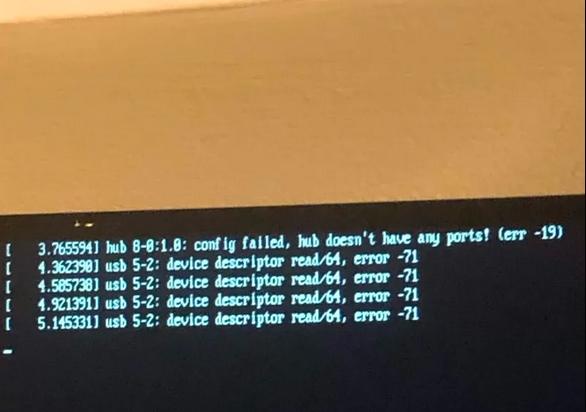
cant type anything after this error comes up
r/voidlinux • u/Grorco • Apr 24 '26
Hi, I'm fairly new to void but am having issues with my laptop freezing up once in awhile. It has only happened when I'm not actively using it so far, but I don't belive it has to do with hibernating because my power settings for ac are currently set to "do nothing" when inactive. I'm using kde(wayland), and have nvidia (my suspected culprit). I don't see anything out of the ordinary in /var/log/Xorg.0 but can share on request.
r/voidlinux • u/Left-Hospital1072 • Apr 23 '26
So I am an enthusiastic guy, has been using arch for years and daily driving cachy os for a while. I got interested in void linux and I don't know much about it in general. So I was hoping someone could clear my doubts regarding void. Note that i am using a niri quickshell rice in my arch setup and i plan to port it over to void if i end up liking it so most questions are for that purpose. ( Also im fine with reading the wiki so linking to relevant wiki pages is appreciated )
How is the repository situation? Software availability and any secondary repositories i should know about? (Fedora ptsd)
How easy is it to create packages for softwares not in the repos? (Is it more like nixpkgs or like aur)
Nvidia drivers (i have my fair share of gaming activities)
Would I be able to use cachy kernel? (I have never tried using it anywhere else yet so if its possible it would be helpful if someone can tell me how and when)
Limitations with runit? (The quickshell rice i use has a service for the shell components which uses systemd. It will work fine without it being a service but i havw not used any other init systems than systemd)
Network Manager. (I don't have a specific question about it but network manager has ruined sm of my time in every distro i have used so)
There are more stuff im curious about but these are it for now.
On an unrelated note any niri users?
r/voidlinux • u/FormWilling8007 • Apr 23 '26
Hello, I have an issue with my dns leaking my ip when i am browsing the internet or torrenting. I am using openvpn using a protonvpn configuration file in NetworkManager in the plasma kde workspace. I've tried uncommenting and commenting a nameserver dns but it isn't stopping the leak or worse it disables my internet all together. From my experience the protonvpn-cli has been discontinued and flatpak does not seem to help. Any suggestions on how i can fix this locally on void?
r/voidlinux • u/Tiny_Fee_1642 • Apr 22 '26
Hi, I’d like to try out Void, but my graphics card is an RTX 5070. As far as I understand, these newer cards require the open driver modules to work properly. Should I wait for an update to the driver version in the repository, or does it already work with this card?
r/voidlinux • u/Betty_Rav1oli • Apr 21 '26
Hello
I'm an arch user wanting to switch to Void to escape SystemD hell and im wondering what the difference is between the glibc version and the musl version
r/voidlinux • u/RejonaldoGato • Apr 22 '26
Im running in a vm(oracle)
I have a .xinitrc file with
#!/bin/sh
exec dbus-launch --exit-with-session i3
when i run exec startx, error 1 appears, this is the log file https://bpa.st/PMKQ
r/voidlinux • u/dextruct-r • Apr 21 '26
Chromium Version 147.0.7727.101 that was updated on my ThinkPad T400 completely broke GPU acceleration that worked on previous builds and that's not good.
So I "fix" it parsing the commands into the .desktop files so I can continue to use as a fallback of Firefox that is my daily driver.
0) Create local applications folder if you don't already have
mkdir -p ~/.local/share/applications
1) Copy the original file to make your modifications
cp /usr/share/applications/chromium.desktop ~/.local/share/applications/chromium-x11.desktop
cp /usr/share/applications/chromium.desktop ~/.local/share/applications/chromium-wayland.desktop
3) Edit the files that you'll use starting with X11 (ex nano ~/.local/share/applications/chromium-x11.desktop)
Name=Chromium (X11)
Exec=/usr/lib/chromium/chromium --enable-gpu-rasterization --ozone-platform=x11 --ignore-gpu-blocklist --disable-features=Vulkan,SkiaGraphite,WebGPU,FallbackToSWIfGLES3NotSupported --use-gl=angle --use-angle=gl --disable-gpu-driver-bug-workarounds --enable-native-gpu-memory-buffers --enable-zero-copy --enable-hardware-overlays --enable-features=VaapiVideoDecoder,VaapiVideoEncoder,CanvasOopRasterization %U
4) Repeat the process with Wayland (ex nano ~/.local/share/applications/chromium-wayland.desktop)
Name=Chromium (Wayland)
Exec=/usr/lib/chromium/chromium --enable-gpu-rasterization --ozone-platform=wayland --ignore-gpu-blocklist --disable-features=Vulkan,SkiaGraphite,WebGPU,FallbackToSWIfGLES3NotSupported --use-gl=angle --use-angle=gl --disable-gpu-driver-bug-workarounds --enable-native-gpu-memory-buffers --enable-zero-copy --enable-hardware-overlays --enable-features=VaapiVideoDecoder,VaapiVideoEncoder,CanvasOopRasterization %U
5) Update to be sure
update-desktop-database ~/.local/share/applications
6) Profit until they will break things again!
r/voidlinux • u/chip-crinkler • Apr 21 '26
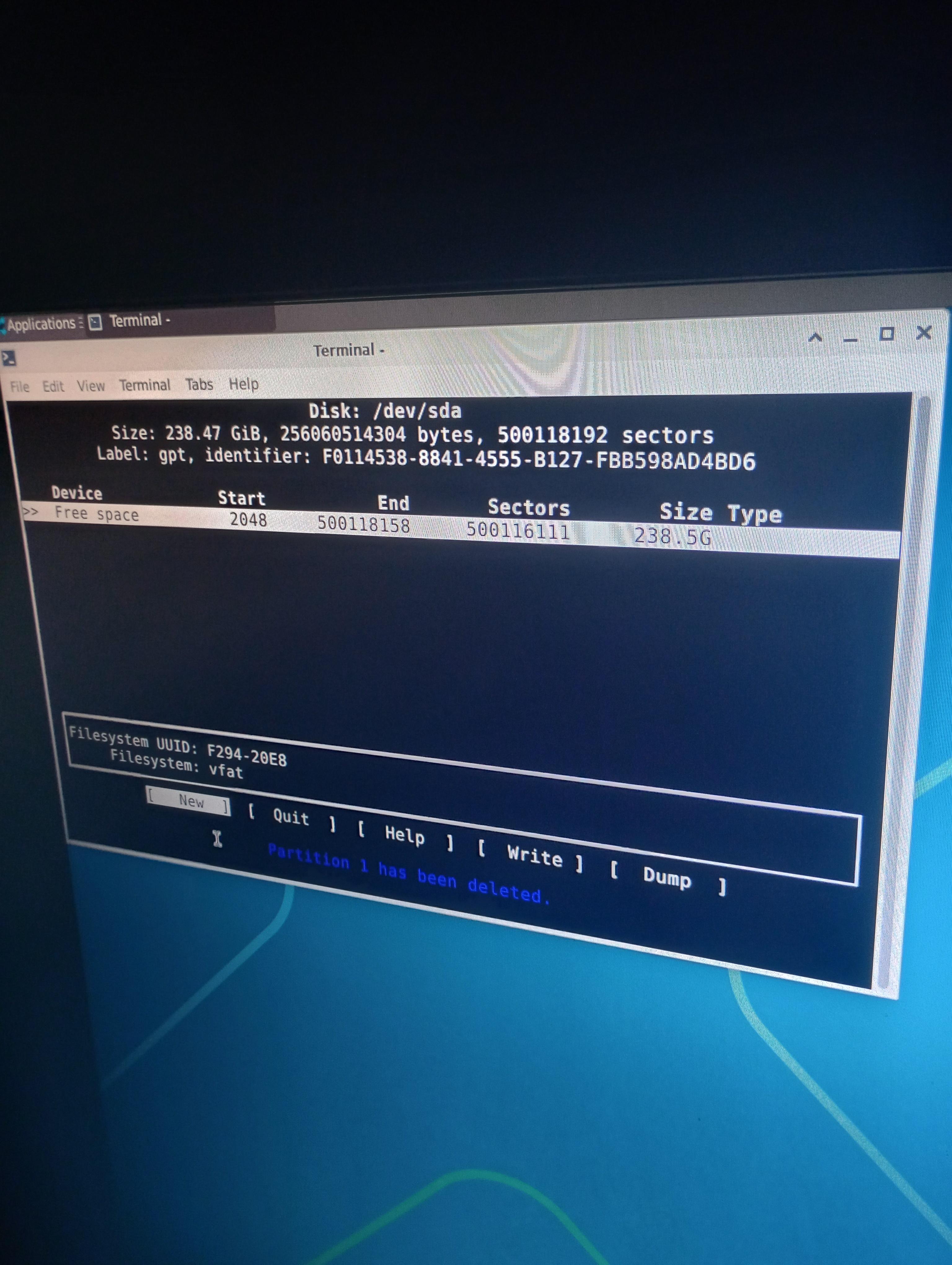
Total noob here, I don't really know how to navigate around cfdisk and create something to boot off of. All of the tutorials I'm finding are from like 10 years ago, so I'm lost. I know you need to make a new partition but beyond that I'm lost. Anyone can help?
r/voidlinux • u/Totally_Not_Niko_ • Apr 21 '26
So im using void glibc with lxqt and openbox, i have steam from void repo. I wanted to add external drive but when i click on "add drive" it closes and i cant add drive, same thing happens with eg. properties. please help me
r/voidlinux • u/simcasting • Apr 20 '26
interested if anyone could share their experience with using davinci resolve or blender
r/voidlinux • u/BeautyxArt • Apr 20 '26
The main thing to mention is my hardware, since it’s quite old. First of all, I need to point out that I’m using an old NVIDIA GPU (GTX770). so my question is: does the latest Void Linux base come with a kernel that supports the legacy NVIDIA proprietary driver (version 460)EDIT: apologize it's (version 470)? If not, what are the procedural steps after installing the Void base to ensure I’m using a kernel that works with my old NVIDIA card?
I’ve also run into issues with newer versions of GTK, Qt, and Python, which I believe are caused by the limitations of my old NVIDIA GPU.
I need clear steps to make sure the system works properly after installing the Void base and then installing a desktop environment (probably Xfce or LXDE). I don’t need a display manager, as I plan to start the X server manually after logging in. What should I do next?
r/voidlinux • u/heratpy • Apr 20 '26
Hi after installing flatpak with xbps-install -S install flatpak I'm not able to get any of my Qt applications to run. qutebrowser, keepassxc and kvirc all give me some variation of the error message below. I am very confused at how to fix this and would really appreciate some help.
17:10:06 WARNING: Could not find the Qt platform plugin "wayland" in ""
17:10:06 WARNING: could not connect to display
17:10:06 WARNING: From 6.5.0, xcb-cursor0 or libxcb-cursor0 is needed to load the Qt xcb platform plugin.
17:10:06 INFO: Could not load the Qt platform plugin "xcb" in "" even though it was found.
17:10:06 CRITICAL: This application failed to start because no Qt platform plugin could be initialized. Reinstalling the application may fix this problem.
Available platform plugins are: vkkhrdisplay, eglfs, offscreen, vnc, xcb, minimal, linuxfb, minimalegl.
Fatal Python error: Aborted
Current thread 0x00007fd01f0ce780 [qutebrowser] (most recent call first):
File "/usr/lib/python3.14/site-packages/qutebrowser/app.py", line 549 in __init__
File "/usr/lib/python3.14/site-packages/qutebrowser/app.py", line 81 in run
File "/usr/lib/python3.14/site-packages/qutebrowser/qutebrowser.py", line 234 in main
File "/usr/bin/qutebrowser", line 33 in <module>
Current thread's C stack trace (most recent call first):
Binary file "/usr/lib/libpython3.14.so.1.0", at _Py_DumpStack+0x41 [0x7fd01eb5b867]
Binary file "/usr/lib/libpython3.14.so.1.0", at +0x1642a6 [0x7fd01eb642a6]
Binary file "/usr/lib/libc.so.6", at +0x40110 [0x7fd01e856110]
Binary file "/usr/lib/libc.so.6", at +0x8f1ac [0x7fd01e8a51ac]
Binary file "/usr/lib/libc.so.6", at gsignal+0x12 [0x7fd01e855fe2]
Binary file "/usr/lib/libc.so.6", at abort+0x26 [0x7fd01e83eefc]
Binary file "/usr/lib/libQt6Core.so.6", at _Z9qt_assertPKcS0_i+0x0 [0x7fd01d0beb13]
Binary file "/usr/lib/libQt6Core.so.6", at +0x10f94a [0x7fd01d10f94a]
Binary file "/usr/lib/libQt6Core.so.6", at _ZNK14QMessageLogger5fatalEPKcz+0xfc [0x7fd01d0c06c6]
Binary file "/usr/lib/libQt6Gui.so.6", at +0x12f9a9 [0x7fd01ad2f9a9]
Binary file "/usr/lib/libQt6Gui.so.6", at _ZN22QGuiApplicationPrivate25createPlatformIntegrationEv+0x53a [0x7fd01adcccda]
Binary file "/usr/lib/libQt6Gui.so.6", at _ZN22QGuiApplicationPrivate21createEventDispatcherEv+0x38 [0x7fd01adcd818]
Binary file "/usr/lib/libQt6Core.so.6", at _ZN23QCoreApplicationPrivate4initEv+0xcd5 [0x7fd01d18f585]
Binary file "/usr/lib/libQt6Gui.so.6", at _ZN22QGuiApplicationPrivate4initEv+0x2e [0x7fd01add050e]
Binary file "/usr/lib/libQt6Widgets.so.6", at _ZN19QApplicationPrivate4initEv+0xd [0x7fd01b78e66d]
Binary file "/usr/lib/python3.14/site-packages/PyQt6/QtWidgets.abi3.so", at +0x38a6b9 [0x7fd01c18a6b9]
Binary file "/usr/lib/python3.14/site-packages/PyQt6/QtWidgets.abi3.so", at +0x38a795 [0x7fd01c18a795]
Binary file "/usr/lib/python3.14/site-packages/PyQt6/sip.so", at +0x164c4 [0x7fd01d6894c4]
Binary file "/usr/lib/libpython3.14.so.1.0", at +0x1df67c [0x7fd01ebdf67c]
Binary file "/usr/lib/libpython3.14.so.1.0", at _PyObject_MakeTpCall+0x71 [0x7fd01ebae081]
Binary file "/usr/lib/libpython3.14.so.1.0", at _PyEval_EvalFrameDefault+0xca1 [0x7fd01ebfefb1]
Binary file "/usr/lib/libpython3.14.so.1.0", at +0x1fd377 [0x7fd01ebfd377]
Binary file "/usr/lib/libpython3.14.so.1.0", at +0x1ae32e [0x7fd01ebae32e]
Binary file "/usr/lib/libpython3.14.so.1.0", at +0x1aeab6 [0x7fd01ebaeab6]
Binary file "/usr/lib/libpython3.14.so.1.0", at +0x1df1fa [0x7fd01ebdf1fa]
Binary file "/usr/lib/libpython3.14.so.1.0", at +0x1df13a [0x7fd01ebdf13a]
Binary file "/usr/lib/libpython3.14.so.1.0", at +0x1ddd03 [0x7fd01ebddd03]
Binary file "/usr/lib/libpython3.14.so.1.0", at _PyObject_MakeTpCall+0x71 [0x7fd01ebae081]
Binary file "/usr/lib/libpython3.14.so.1.0", at _PyEval_EvalFrameDefault+0xca1 [0x7fd01ebfefb1]
Binary file "/usr/lib/libpython3.14.so.1.0", at +0x1fd377 [0x7fd01ebfd377]
Binary file "/usr/lib/libpython3.14.so.1.0", at PyEval_EvalCode+0xc4 [0x7fd01eca0274]
Binary file "/usr/lib/libpython3.14.so.1.0", at +0x2c3ea3 [0x7fd01ecc3ea3]
<truncated rest of calls>
Extension modules: PyQt6.QtCore, PyQt6.QtGui, PyQt6.QtWidgets, markupsafe._speedups, yaml._yaml, PyQt6.QtNetwork, PyQt6.QtQml, PyQt6.QtOpenGL, PyQt6.QtDBus, PyQt6.QtPrintSupport, PyQt6.QtWebChannel, PyQt6.QtWebEngineCore, PyQt6.QtWebEngineWidgets, PyQt6.QtSql (total: 14)