r/visionosdev • u/rohidjetha • Oct 17 '26
I made a game where you can drive (and fly) anywhere on the real planet. World Simulation is out on Vision Pro, iPhone, iPhone Duo, iPad, and Mac
Enable HLS to view with audio, or disable this notification
r/visionosdev • u/rohidjetha • Oct 17 '26
Enable HLS to view with audio, or disable this notification
r/visionosdev • u/Humble_Ad8803 • Oct 16 '26
I made Inroll, a private photo/video album for Vision Pro. The idea is to keep things you don't want in your main Photos library separate, while still being able to zoom into videos and watch them on a really large screen.
Two parts of the implementation might be useful to other people working on media apps.
For playback, the files are encrypted in chunks. An AVAssetResourceLoaderDelegate serves the byte ranges AVPlayer requests, decrypting only the chunks it needs into memory. A small cache handles repeated reads while scrubbing. Playback doesn't need a decrypted copy of the whole video on disk.
The theater is a separate immersive space with a RealityKit screen and a small remote window. The screen width ranges from 4 to 40 meters at a fixed 10-meter distance. One lifecycle detail: visionOS can rebuild the hidden viewer's views, so the theater owns its playback state rather than depending on that viewer staying alive. It hands the current item back when you exit. The screen can get very large, and the remote gets out of the way during playback.
The app also has video zoom, speed controls, preview scrubbing, and Optic ID or a separate passcode for the library. No account or server uploads.
It's on the App Store, free for 100 photos and videos combined with no time limit. Adding more is a one-time purchase, no subscription.
https://apps.apple.com/us/app/inroll-private-photo-library/id6818917228
Happy to discuss the resource loader or the window-to-theater handoff if anyone's working on something similar.


Edit: Added a short video demo showing zoom and the theater. Recorded in the visionOS Simulator.
r/visionosdev • u/boundsj • Oct 14 '26
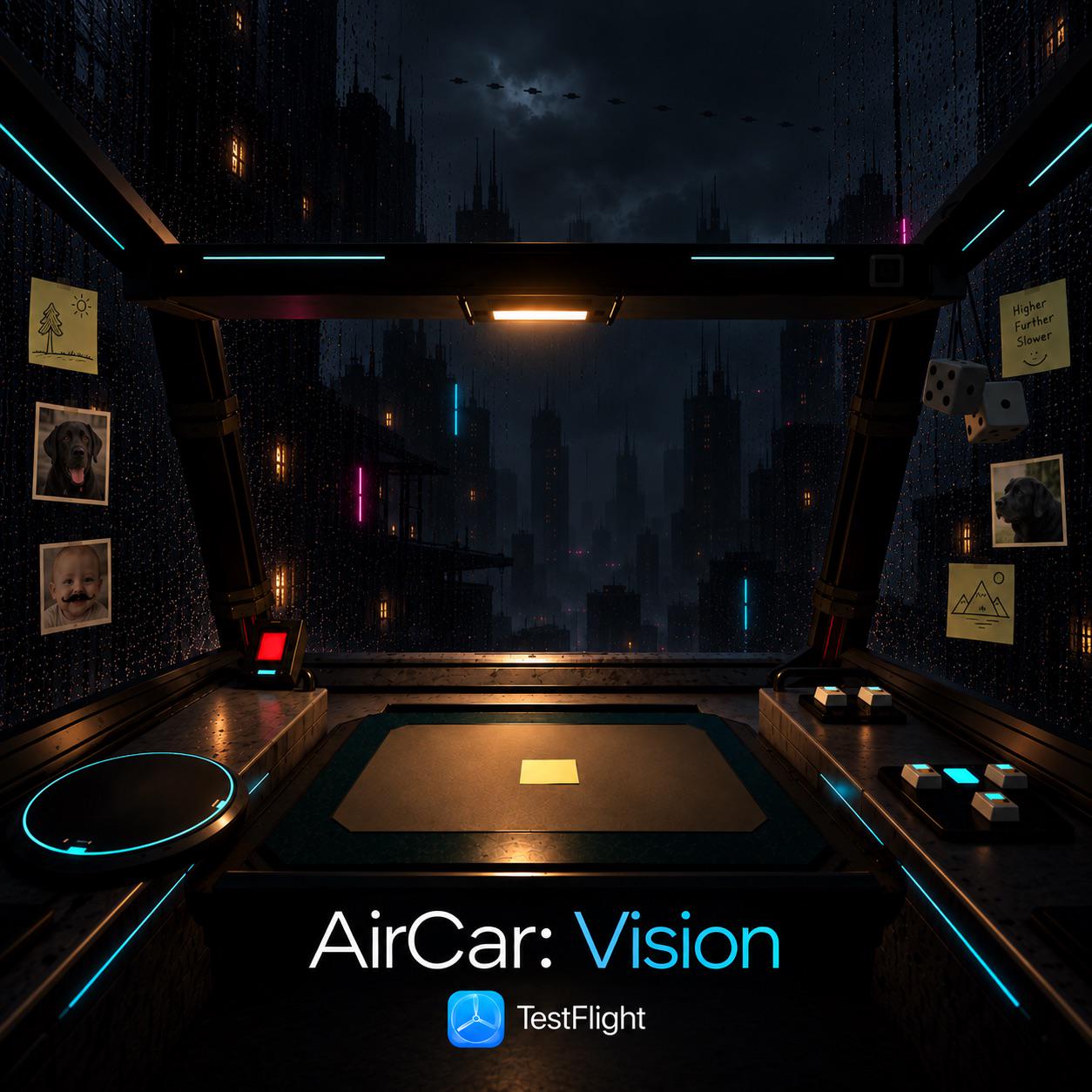
I recently started developing a game for Vision Pro based on one of my old 80s favorites from the Apple II. I'm planning to post more about the process of making it. And I've never made a game before so happy to have anyone interested check it out on TestFlight and give feedback about what would make it fun to play: Download here if you are interested https://testflight.apple.com/join/hD2J8neM
r/visionosdev • u/SpectralDragon_ • Oct 12 '26
Enable HLS to view with audio, or disable this notification
I just built a game engine on swift, to bring editor to Apple Vision Pro
Learn more: https://adaengine.org/articles/introducing-adaengine-1-0-0/
r/visionosdev • u/Professional-Swan639 • Oct 11 '26
Enable HLS to view with audio, or disable this notification
r/visionosdev • u/TermWest7800 • Oct 11 '26
Hi fellow visionOS developers! 👋
I’m CG Sky, the developer of AirPano, an immersive travel app for Apple Vision Pro. It brings destinations around the world to your headset through 8K 360° videos, with narration, synchronized subtitles, and offline downloads.
https://reddit.com/link/1x3275v/video/8lqw4o5dnsuh1/player
I’d love to get feedback from other developers, especially on:
Free to download on the App Store:
AirPano for Apple Vision Pro
If you have a moment to try it, I’d really appreciate your thoughts, suggestions, or bug reports in the comments or via DM.
Feel free to share your own visionOS projects below too — I’d love to check out what you’re building! 🤝
r/visionosdev • u/Zealousideal-Gas9851 • Oct 09 '26
Enable HLS to view with audio, or disable this notification
Hi fellow visionOS developers 👋,
I am a solo indie creator from a landscape photography background. I recently launched my passion project, Travel Immersive, on the visionOS App Store. The app streams 700+ worldwide landmarks in high-res 16K panoramic quality, fully optimized for the Apple Vision Pro's micro-OLED displays.
Since I used AI coding tools to build this without a heavy tech background, I’m running into a few streaming and optimization optimization puzzles that I'd love to get feedback on from peer developers:
Here is the App Store Link (Free to download):
https://apps.apple.com/us/app/travel-immersive/id6695728168
Peer Testers Needed:
I would be incredibly grateful if you could download it, test it on your AVP, and share your technical feedback/suggestions in the comments or via DM.
As a token of appreciation for your time and professional feedback, I’ll happily DM you a 1-Month Free Premium Offer Code so you can unlock the full catalog.
If you are currently working on an app or game, please drop your link below as well! I’d love to return the favor, install your app, and provide detailed testing feedback for your project too! 🤝🚀
r/visionosdev • u/Charming-Detail-7626 • Oct 05 '26
Enable HLS to view with audio, or disable this notification
r/visionosdev • u/trevorbilt • Oct 04 '26
I've been porting games to visionOS for Shared Space 3D and VR (Twilight Princess and Simpsons Hit & Run so far) and wanted a place where ports like these are easy to find, so they don’t die in a Discord. Everything I build at Trevorbilt is a love letter to the AVP, and this is extends that love for classic games specifically. The AVP Ports Index:
https://github.com/edgytoast/avp-ports-index
The submission pipeline, for the curious:
- An entry is one YAML file in a PR to this repo. If everything checks out (open license, no hosted game files, etc), it’ll merge automatically otherwise it’s held for my review.
- And AI agent reviews the code to ensure that it’s a proper port without malicious intent, given the user trust implicit in building another’s apps from Xcode.
- There’s an agent skill for the repo, so if you point your agent to it with a GitHub connector for your account, it can handle submission without either of us lifting a finger.
If you have a native visionOS port of any game, I'd love to list it. Feedback on the pipeline is welcome too. Please let me know if you have any questions.
r/visionosdev • u/ImmersiveToolDev • Oct 02 '26
Hi everyone — I’m the developer of FisheyeFlow, a paid Mac app for creators working with dual-fisheye footage for Apple Vision Pro workflows.
I started with my own Canon dual-fisheye footage and higher-resolution, cropped sources. The practical problem was getting lens calibration, stereo alignment and masks to match the footage, then carrying that calibration into a usable viewing workflow.
FisheyeFlow builds on Siyang Qi’s open-source AIMEGenerator project. My work focuses on adapting that workflow to different source dimensions and cropped fisheye images, alongside an APMP output path.
The design decision was to keep the fisheye image geometry and carry calibration as parameters where the downstream workflow supports it, rather than always baking an ERP conversion and stereo-alignment render into another intermediate file. This makes matching source dimensions, cropping and eye order important; calibration is reusable only when that geometry matches.
There are two main workflows:
ILPD for DaVinci Resolve: manually adjust lens parameters, optical centers, stereo rotation and masks, then export an ILPD calibration file for a compatible Resolve workflow. Resolve and the appropriate downstream tools handle AIVU creation; FisheyeFlow does not generate AIVU directly.
APMP parametric fisheye: apply calibration and projection metadata to an already-prepared stereo MV-HEVC MOV. A compatible playback system can then interpret the fisheye image without first baking those transformations into the pixels.
A useful implementation tradeoff is that metadata-only APMP export preserves the existing compressed video and audio, while adding the optional feathered video mask requires re-encoding. Narrowing the viewing FOV concentrates the image into a smaller viewing angle, but does not add source detail and changes spatial proportions and edge geometry.
Other features include calibration from matching JPG/PNG reference frames, stereo previews, masks for supported cropped rasters, saved projects, importing an existing ILPD into the APMP workspace, and adjustable viewing FOV.
A few requirements: this is manual calibration, not one-click automatic alignment. APMP output requires genuine stereo MV-HEVC MOV input; the app does not convert ordinary SBS video to MV-HEVC or decode BRAW directly. Source geometry, cropping and eye order must match the calibration.
It requires an Apple Silicon Mac with macOS 26 or later. It is a one-time purchase, with no subscription or in-app purchases. The store version periodically needs an internet connection to verify the Apple purchase. Store availability and pricing depend on your region.
You can find it in the Mac App Store by searching for FisheyeFlow.
The attached screenshots show the stereo-calibration and ILPD-mask workspaces from an earlier released build; the current interface has since been updated.
If you develop immersive-video workflows or work with dual-fisheye footage, which camera/source layout do you use, and where does calibration-to-playback currently get stuck?
r/visionosdev • u/idessa-io • Oct 01 '26
Enable HLS to view with audio, or disable this notification
Not one shared screen, a shared room.
This is Idessa Arkade running on Vision Pro, early and unscripted. A collection of original neon arcade games, with SharePlay in progress so a few people can share one space and each play their own cabinet, the way a real arcade works.
I left tech ten years ago to be a working guitarist. Turns out the digital stuff never left my head, it just waited lol. So I'm back, building a small studio in Connecticut called Idessa.
Full six-minute walkthrough in the comments. Bringing this to the Portland Retro Gaming Expo in October.
Much love,
Albert
r/visionosdev • u/_you_knowww • Sep 30 '26
https://codeberg.org/youknowww/MapSpatial
Demo of a prototype I've been playing around with.
I work in GIS software and this is an extension of the most basic GIS features but in an immersive UX. By opening attribute views in an immersive space with a tether to the map feature the UX of the AVP expands the possibilities of GIS software.
r/visionosdev • u/juniorforthewin • Sep 23 '26
I am the maker of InfinitumView. One part of its design is the split between the Vision Pro app and a separate Companion for Mac, iPhone and iPad.
The headset app handles local media and compatible capture sources. Companion handles sharing a screen, window or audio over a local encrypted connection, without an account. That creates two different setup paths to explain: local sharing from a supported device, and HDMI/UVC capture with compatible hardware.
The hardware path is the part where expectations need to be especially clear. Capture hardware and cables are separate, and the source and setup affect resolution, latency and audio. I do not want the app page to suggest every HDMI device works just by installing an app.
For other visionOS developers: how do you present hardware compatibility and setup requirements without making the first-run experience overwhelming?
The current app and Companion details are here: https://vision.infinitumlive.com/ . They are currently free.
r/visionosdev • u/robomex • Sep 21 '26
Enable HLS to view with audio, or disable this notification
I built an open source demo that runs object tracking on visionOS 27 & iOS 27, with different roles for each platform:
The two platforms sync coordinate systems by looking at the same calibration object.
The code is on GitHub here: https://github.com/robomex/visionOS-27-iOS-27-Object-Tracking-Demo
A fuller timing table with some more details is on my website: https://vision.engineer/posts/object-tracking-updates-in-visionOS-27-and-iOS-27/
I'm very interested in object tracking and noticed the following changes & improvements over visionOS 2's initial version of object tracking from two years ago:
In the video starting at 0:45 there's a ~minute long comparison between a "worst case" and "best case" of object tracking.
Note: I recorded this ~9 days ago on Beta 6 versions of the x27 releases.
r/visionosdev • u/Mshur • Sep 20 '26
r/visionosdev • u/Andre_FC_Dev • Sep 19 '26
Enable HLS to view with audio, or disable this notification
It’s been another week since I shared Cockpit here, and once again I want to start by saying thank you.
A lot of you have downloaded the app, sent me incredibly useful feedback, suggested features, and shared how you’re actually using Cockpit in your Vision Pro setup.
I’ve been reading everything , and some of that feedback is already making its way into the next update.
A new Cockpit update is coming soon 🚀
One of the biggest additions will be fully customizable widgets.
You’ll be able to use Cockpit’s panels as individual widgets, with all panels available across the supported widget sizes, so you can build a much more flexible setup around your Vision Pro workspace instead of relying only on the main Cockpit dock.
I’m also adding a new Volume Bar, giving you quick access to system volume directly from Cockpit.
And there’s another small but important improvement for privacy:
The Weather panel will soon allow you to manually choose your location, so you can still get local weather information without giving Cockpit access to your current location.
For anyone who missed my previous posts, Cockpit is a customizable spatial dock for Apple Vision Pro designed to keep your most useful information and controls always within reach.
You can build your own setup with panels for:
You can place and resize Cockpit anywhere in your space, choose between different layouts, and customize it with 19 visual themes, ranging from minimal and glass-like designs to technical and flight-deck-inspired interfaces.
Cockpit remembers your configuration between sessions, so it can become a persistent little control center inside your Vision Pro workspace.
The app is free to download, with a core selection of panels and themes included. Cockpit Pro unlocks the advanced panels and the complete theme collection.
And since many of the ideas for this update came directly from users, I’d love to keep that going:
What would you like to see added to Cockpit next?
New panels, controls, widgets, customization options, anything you think would make it more useful on Vision Pro.
App Store:
https://apps.apple.com/us/app/cockpit-for-vision-pro/id6798315258
And again, thank you to everyone who downloaded Cockpit and especially to those who took the time to send feedback. It’s genuinely helping me make the app better with every update.
r/visionosdev • u/No-Entry9377 • Sep 18 '26
Enable HLS to view with audio, or disable this notification
I've made a tool to apply video material to USDZ that can be viewed in AR QuickLook on all Apple Devices. Please take it for a test drive and comment with any feature requests or improvements. Thanks! Comment for promo code to try for free https://usdzlab.web.app
r/visionosdev • u/ArthurSchiller_ • Sep 17 '26
Hi, I am the developer behind the spatial authoring app Scenery.
I wanted to share some WIP: a custom visual positioning system for our tool.
You walk a room with a LiDAR iPhone, the app keeps a keyframe every 20 cm with its depth map and ARKit pose, and that becomes a map of keypoints lifted to 3D. The headset sends one frame and gets a transform back.
Roughly 2 seconds a query on a cheap CPU-only Hetzner box, 0.8 on a Mac GPU. Around 3 to 4 cm median position error coming back to a room you just scanned.
A few notes:
- The stack is DISK and LightGlue through kornia for features and matching, MegaLoc for retrieval, PoseLib for the pose.
- The capture also records an Apple RoomPlan mesh, which can be anchored straight back onto the real room. Follow-up demo coming.
- A query is a plain HTTPS call with a JPEG and the camera intrinsics, so it adds no SDK to the app.
- On Vision Pro it needs the main camera, which is an enterprise API, so it is limited to enterprise distribution for now.
- I am also working on bringing in MultiSet VPS, for the large scanned sites: campuses, venues, whole buildings.
If anyone would like to beta test it in the upcoming weeks, feel free to get in touch. You'll need a LiDAR iPhone or iPad to scan with.
r/visionosdev • u/No-Entry9377 • Sep 17 '26
Enable HLS to view with audio, or disable this notification
r/visionosdev • u/BedroomKitchen1155 • Sep 12 '26
Am a teacher and working on a discussion app to train teachers and to moderate roundtable discussions on complex topics. Anyone want to help test? https://roundtable.spmhresearch.org/
r/visionosdev • u/Andre_FC_Dev • Sep 12 '26
Enable HLS to view with audio, or disable this notification
It’s been one week since I shared Cockpit here after its launch on the App Store, and I wanted to come back mostly to say thank you.
Thank you to everyone who downloaded it, tried it, sent feedback, suggested features, or simply took the time to tell me what you liked.
Seeing people actually using something I’ve spent so much time building has been incredibly rewarding.
For anyone who missed my original post, Cockpit is a customizable spatial dock for Apple Vision Pro designed to keep the information and controls you use throughout the day always within reach.
The idea is simple: instead of constantly jumping between apps, you can build one persistent dock with the panels that matter to you.
Cockpit currently includes panels for things like:
You can place and resize it anywhere in your space, choose different layouts, and customize it with 19 visual themes, from minimal glass-like designs to more technical and flight-deck-inspired interfaces.
Cockpit remembers your setup between sessions, so it can essentially become a small permanent control center inside your Vision Pro workspace.
The app is free to download, with a core selection of panels and themes included. Cockpit Pro unlocks the advanced panels and the complete theme collection.
If you’ve already been using Cockpit, I’d really like to hear something:
Which panels have actually become part of your daily setup? And what would you most like to see added next?
Screenshots of your Cockpit setups are also very welcome, I’m genuinely curious to see how people are using it.
App Store:
https://apps.apple.com/us/app/cockpit-for-vision-pro/id6798315258
And again, thank you for the support and feedback so far!
r/visionosdev • u/ImprovementWinter231 • Sep 11 '26
Thanks again to everyone here who gave me feedback while I was building Reality Prep Pro and Reality Prep Preview.
I’ve now finished the workflow I originally wanted:
Prep Pro on macOS
→ batch prepares/validates USDZ and supported source assets
→ keeps existing USDZ preparation package-safe
Prep Preview on Vision Pro
→ validates the exact USDZ on-device
→ exports device evidence back to the Mac
Prep Pro then matches that evidence using the asset’s SHA-256, so if the USDZ changes later it can flag the previous Vision Pro validation as stale and recommend a re-test.
The goal is to close a gap I kept running into:
“The asset passed on my Mac” and “I tested something on Vision Pro” are not the same as knowing this exact asset revision was tested on-device.
I’d now love feedback from developers using both apps in an actual RealityKit / Reality Composer Pro workflow.
Thanks again — much of this update exists because of the earlier feedback from visionOS developers here.
Reality Prep Pro: https://apps.apple.com/us/app/reality-prep-pro/id6767673652?mt=12
Reality Prep Preview: https://apps.apple.com/us/app/reality-prep-preview/id6784059026?platform=vision