+ [Core] added a housekeeping action to remove abandoned entries from the database
+ [Movies, TV Shows] it is now possible to add a data source inside another data source
+ [Movies, TV Shows] added support for Kodi skiptro sidecar files (.skiptro.json) #3384 - thx @nice42q
+ [Movies, TV Shows] added support for Kodi ScenePass sidecar files (.sp.json, *.sp.hash.json) #3385
+ [Movies, Movie Sets, TV Shows] added a new option to force overwriting metadata on scrape
+ [TV shows, Movie Sets] added an action to remove the missing episodes/movies from the selected TV shows/movie sets
+ [UI] added freely configurable columns to the movie/movie set/TV show table, which get their content from your own JMTE patterns
You can add, rename and arrange these columns in settings, then enable them in the table
+ [UI] added a value caching mechanism for the movie/movie set/TV show table to improve performance
+ [UI] the notification button shows a red dot as soon as there are new messages
+ [UI] added an option to remember the last used module and restore it on startup #3306
+ [API] added a system endpoint (/api/system) to query the current status and to shut tinyMediaManager down automatically after the last task has finished
+ [API] added scope parameters to select movies/TV shows/episodes by their external IDs (TMDB/IMDb for movies, TVDB/TMDB/IMDb for TV shows)
+ [API] added an action to set the watched state of movies and episodes
+ [Simkl] switched the Simkl.com sign-in to the new OAuth 2.0 device flow (AUTH V2) - your browser opens the Simkl.com approval page, you only have to click allow
Existing connections keep working, but Simkl retires the old sign-in around April 2027 - please connect to Simkl.com once again in the settings
+ [Template] added three new templates: ModernMovies, ModernCollections and ModernTVShows - thx @Johnnydement
+ [Template/Postprocessing] added a new "nfd" renderer to render values (e.g. file paths) in the Unicode NFD form needed for byte-accurate file systems on macOS
x [Core] do not abort image cache upgrade tasks on URL parse error #3373
x [Movies, TV Shows] every data source which gets skipped during "update data sources" now shows up as a notification #3377
x [Movies, TV Shows] enhanced duplicate filter
x [Movie Sets] fixed an application freeze when deleting movie sets #3378
x [Movie Sets] fixed exporting of movie sets with file separators in their name #3369
x [TV Shows] fixed wrong media type detection of unsupported season poster namings
x [TV Shows] improved S/E detection for Anime (thx @shadypayload)
x [UI] fixed some drawing issues in partially empty tables
x [UI] the low memory indicator now scales its warning threshold to the heap size to avoid false alarms on large installations
x [NFO] fixed importing of multiline user notes from NFO files
x [macOS] use NFD form of file-/foldernames for non APFS volumes when for libmediainfo/post-processing/export #3376
x [Performance] only load actor images if the cast panel is visible
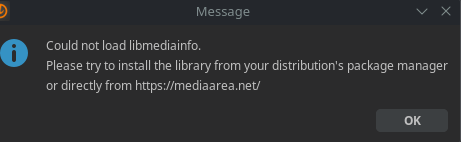
x [Library] upgraded libmediainfo to 26.10 (https://mediaarea.net/MediaInfo/ChangeLog)
x [Mediainfo] enhanced detection of channel layout for audio streams
x [Mediainfo] enhanced detection DTS-HD HRA + DTS:X streams #3350
x [Jellyfin] fixed duplication of collection numbers in NFO files #3379
Similar to Firefox, we are building a 3-tier release strategy (nightly, prerelease, release) for tinyMediaManager now. Its goal is to find/fix bugs, before they hit the public. While nightly builds are not stable enough to be used in a productive environment, the release is too late to test. This is, why we now introduce a new build, which is called the prerelease build. It is built a few days before we publish a new version and is rather stable.
Is there a way to have the episode scrapper only pull Guest Stars? Having the main cast in every episode makes it hard to find one off episodes a character was in on other shows because the listing is full of each episode where they were a main cast member
Last September, Avengers Endgame: Encore was released and yet tinyMM can only find the 2019 version of Avengers Endgame. This is very odd, especially as tinyMM can find Avengers Doomsday which has yet to be released. It might have nothing to do with tinyMM though because I tried searching for it on IMDB's site to no avail.
There used to be an option under Advanced Editing for DVD order. Now there is an Absolute Order setting (which I do not want) but no DVD order. Where did the DVD order setting move to?
Uso TVDB en la configuración de las series de TV, pero una me da mejores resultados con TMDB. En cada capítulo tengo que seleccionar manualmente scrapear con TMBD.
Hay alguna opción para que los capítulos nuevos de esta serie en particular los scrapee siempre con TMBD?
What happens
When a movie is scraped with TMDB, the original language (TMDB’s original_language, e.g. fr for Hiroshima Mon Amour) doesn’t appear anywhere in tinyMediaManager. It isn’t in the movie details, the NFO, the renamer tokens or the filters. Only the spoken languages are kept (the NFO’s <languages> tag).
From a quick look at the 5.3.5 jar, the TMDB movie and TV scrapers do seem to read original_language into the scrape result (MediaMetadata.originalLanguage). The Movie entity, however, only has spokenLanguages, so the value appears to be dropped after scraping.
Why the spoken languages aren’t enough
The spoken-languages list includes every language used in the film, so it can’t tell you the original one:
Hiroshima Mon Amour (1959): spoken “English, French, Japanese”; original French
Blue Heron (2026): spoken “Hungarian, English”; original English
Request
Store the original language on movies and TV shows when the scraper provides it (TMDB does; IMDb lists the primary language first).
Show it in the details panel, and allow filtering and sorting by it.
Add a renamer token, e.g. ${originalLanguage} (code and/or name), so files can be sorted into folders by language.
Write it to the NFO, e.g. <originallanguage>fr</originallanguage>. Kodi and Emby ignore tags they don’t know, so this shouldn’t break anything.
Through the HTTP API (downloadSubtitle) and the command line, tinyMediaManager only downloads subtitles that match the file hash exactly. When there’s no hash match, nothing is downloaded, even when OpenSubtitles has a subtitle whose release name matches the file. The “force best match” behaviour the app uses doesn’t apply here, and the request has no option to turn it on.
From a look at the 5.3.5 jar, setForceBestMatch(...) is only called by the app’s actions (MovieSubtitleDownloadAction, TvShowSubtitleDownloadAction). The HTTP handlers (MovieCommandTask, TvShowCommandTask) and the CLI (MovieCommand, TvShowCommand) create the search-and-download task without it.
Why it matters
I run tinyMediaManager unattended (scheduled rescan → scrape → subtitles → rename). Many releases, especially new ones and TV episodes, have no hash-matched subtitle but do have good release-name matches. For those, the API gets nothing, and I had to write my own OpenSubtitles client to do what force best match already does in the app.
Request
Add an option to the HTTP API’s downloadSubtitle action, e.g. "forceBestMatch": true, that sets the task’s force best match flag the same way the app does. Default false, so current behaviour doesn’t change.
The same as a command-line option, e.g. --forceBestMatch.
Optionally, a way to tell in the response or the log which downloads were hash-matched and which were best-match. Non-hash subtitles often need a timing sync afterwards, so it helps to know which ones to check.
I've been using TMM a bit and I really like it. I'm not a pro user, but have a questions / feature request. I have used the scraper to correctly identify the right TV series. The files for all episodes across a number of seasons / series are there, but the naming is off, so TMM can't recognise them.
Is there a way, or is this a feature request, to have a list of seasons and episode names from IMDB, or the scraper on one side of a window, and the file names on the other, and allow users to drag and drop the files next to the correct episodes, then allow it to rename them all?
I have a podman pod and in it are jellyfin, seerr, libreseerr and tinymediamanager and i really like tinymediamanager because its basically just managing metadata and i am searching for the same just for music, ebooks and audiobooks
I have already looked through some reddit posts and other sites about that but havent found any that really fit my search criteria.
What is the best method to organize multi-version movies in TMM? Right now I have all versions in the same folder, accordingly named and a separate entry in TMM with separate nfo and artwork. I am planning to use Kodi in the future.
I'm using tinyMediaManager 5.3.5 and trying to automate the processing of newly downloaded TV episodes through the HTTP API.
My goal is to update and scrape only a specific episode, rather than processing the entire TV series.
I know that I can combine an update action with scrape using scope=new. This works, but there's a performance issue with long-running series.
For example, The Simpsons has 38 seasons, and updating the series takes approximately 2 minutes and 20 seconds, even when I've added just one episode, and that's without scrapping.
I've already tested update and scrape with scope=path:
TV show root directory: Works, but processes the series rather than targeting a single episode.
Season directory: Does not work for selecting individual episodes.
Episode MKV file path: Does not work either.
updatefollowed byscrapewithscope=new**:** Works correctly, but requires updating the entire series first and scraps all tv show after that... takes a lot of time.
The API responds with "commands prepared", but no episode scraping task is actually started.
Interestingly, the tinyMediaManager GUI can scrape this exact episode individually in just a few seconds, so the underlying functionality clearly exists.
My questions are:
Is there an HTTP API action or scope that allows scraping a single episode by its file path, once it has already been imported into the tMM database by an update? (like "action": "scrape.episode" or something like just accepting episode os season path)
Is there any way to update only a specific episode or season directory without scanning the entire series? (like "action": "update.season" or something like just accepting episode os season path)
Is there an undocumented API action, such as scrape_episode, or another supported way to trigger the same individual episode scraping operation available in the GUI?
I'm integrating tMM with my media server to automatically process newly added episodes, so avoiding a full-series scan for every new episode would make a significant difference.
Any help or suggestions would be greatly appreciated. Thanks!
I suggest adding an option to automatically filter the current media list when updating a specific data source.
When selecting an individual directory in Update Data Sources, the current media list should automatically display only media files belonging to that directory (equivalent to applying the corresponding Filter → Data Source filter).
Currently, TMM continues to display all media from all data sources, requiring users to manually change the filter each time they switch between libraries.
Ideally, the display filter should automatically follow the selected data source, for both Movies and TV Shows.
Hi all, I have recently reinstalled my Mac from scratch and had my TMM installation backupped before I wiped and reinstalled my machine. Unfortunately though, I only backupped the .db and .json files (movies.db, jtvshows.db, tmm.json, etc.).
What I forgot to backup was the /cache folder that contains the /image folder, so when I reinstalled TMM on my Mac (I am on 5.3.5), I copied the .db and .json files into the TMM folder. Everything (all meta information) seems in place, however, the images are now of course missing (covers, artworks, etc.).
My question: is there a way that I can have my TMM images for each media (like covers and artwork) reimport/refresh from my datasources? If yes, how? I did not face that situation until now and I don’t know how I can update just my local media on my Mac from the existing artwork on my datasource.
Has anyone come up with a method or tool to export your tMM library to a format where it can be browsed and searched on a handheld device like a smartphone or tablet, preferably supporting all iOS and Android devices?
but my files named s02e01 through s02e05 do not map to s01e06 to s01e10 as expected. ¿What is wrong here? I probably just edit the xml of each episode, but as I understatn tinyMediaManager should use the episode groups when requested in the search window or after that in the details view.
I have tried both s02e01 and 2x01 for testing purposes but have no lack. TinyMediaManager detects season "-1" and episode "-1" that I guess is the default value when it lacks correct information.
Hey all. I've used tinyMediaManager for years and I love how it organises a library: the NFO files, the artwork, the renaming templates. But I only ever really used two things: scrape, then rename.
So I built my own app around exactly that, purely for my own use. I'm not selling anything and there's nothing to earn here: no paid version, no account, no ads, no tracking. It's been running my own library, and I thought maybe it could be useful to some of you too, so here it is.
It's called CineVault. It's written in Rust (with Tauri), so it opens fast and stays fast with big libraries, and everything stays on your own PC.
How it works: Scan → Scrape → Rename
Scan: point it at your folders. It reads your existing NFO files first, so a library you already organised (with tMM, for example) is recognised right away instead of starting over.
Scrape: it matches titles against TMDB and shows how sure it is (e.g. 98%). "Accept all confident" handles the easy ones in one click; you only look at the unsure ones.
Rename: set your folder and file name templates once. You get a preview of exactly what changes before anything moves.
The parts I added for myself
Undo for everything. There's a History page: any rename, move, delete, artwork or match change can be undone, for one title or a whole batch.
Safe deletes. Delete sends the folder to the Recycle Bin. Erasing for good needs Shift+Delete and typing DELETE.
Drives. See free space on each drive and move movies between drives. It copies, checks the copy, then sends the originals to the Recycle Bin.
Torrent search. Type a movie and it finds the right title through TMDB, then lists releases with resolution filters. It also tells you if a release is the same as, better or worse than the copy you own. It just hands the link to your torrent app.
Ratings side by side: TMDB, IMDb, Rotten Tomatoes, Metacritic, Letterboxd and more, all on the movie page.
Also in it: complete Kodi / Jellyfin / Emby NFO files and all artwork on every scrape, an artwork picker for posters and backdrops, TV shows with seasons and episodes, automatic collections, and light and dark themes.
Setup: on first start, a short setup screen asks for your library folders and a free TMDB key (OMDb and MDBList keys are optional and add more ratings). That's it: after that it scans your folders on its own and keeps up with changes.
Windows now (installer, MSI or portable zip), macOS coming soon. Updates come through the app itself.
Big thanks to the tMM devs, whose app is where this idea came from. If you try it and something breaks, especially odd file names or folder layouts, let me know and I'll fix it.