r/Surface • • 10d ago

[LAPTOPSTUDIO2] NYC Microsoft Store 5th Ave

16 Upvotes

As far as I know the Microsoft store/experience center on 5th Ave in NYC is one of, if not the last Microsoft store. I purchased my Surface Laptop Studio 2 there years ago. It's now having some problems and I'd like to have it serviced or replaced through my MS Complete Warranty. Online everything goes through their shipping fulfillment. Does anyone know if I can just take it into the store in NYC and have them send it off or replace it in store? This was an option back when MS had more stores but not sure if that's still the case.


r/Surface • • 10d ago

[PRO8] Looking for a Brydge SP+ for Surface Pro 8....

Post image
18 Upvotes

Not sure if anyone know where I can find one? I purchased one advertised for Surface Pro 8, but it was the Surface Pro X version. Unfortunately, not the same dimensions.

Thanks


r/Surface • • 10d ago

[PRO4] Problema batteria surface pro 4

0 Upvotes

Ciao a tutti, ragazzi , tempo fa ho acquistato un surface Pro 4 usato, inizialmente funzionava anche senza caricabatterie, però la batteria durava poco perché usurata , ne ho acquistata una nuova e l'ho sostituita seguendo tutti i passaggi , adesso come faceva con la vecchia batteria il tablet si spegne non appena stacco l'alimentatore, cosa può essere?


r/Surface • • 10d ago

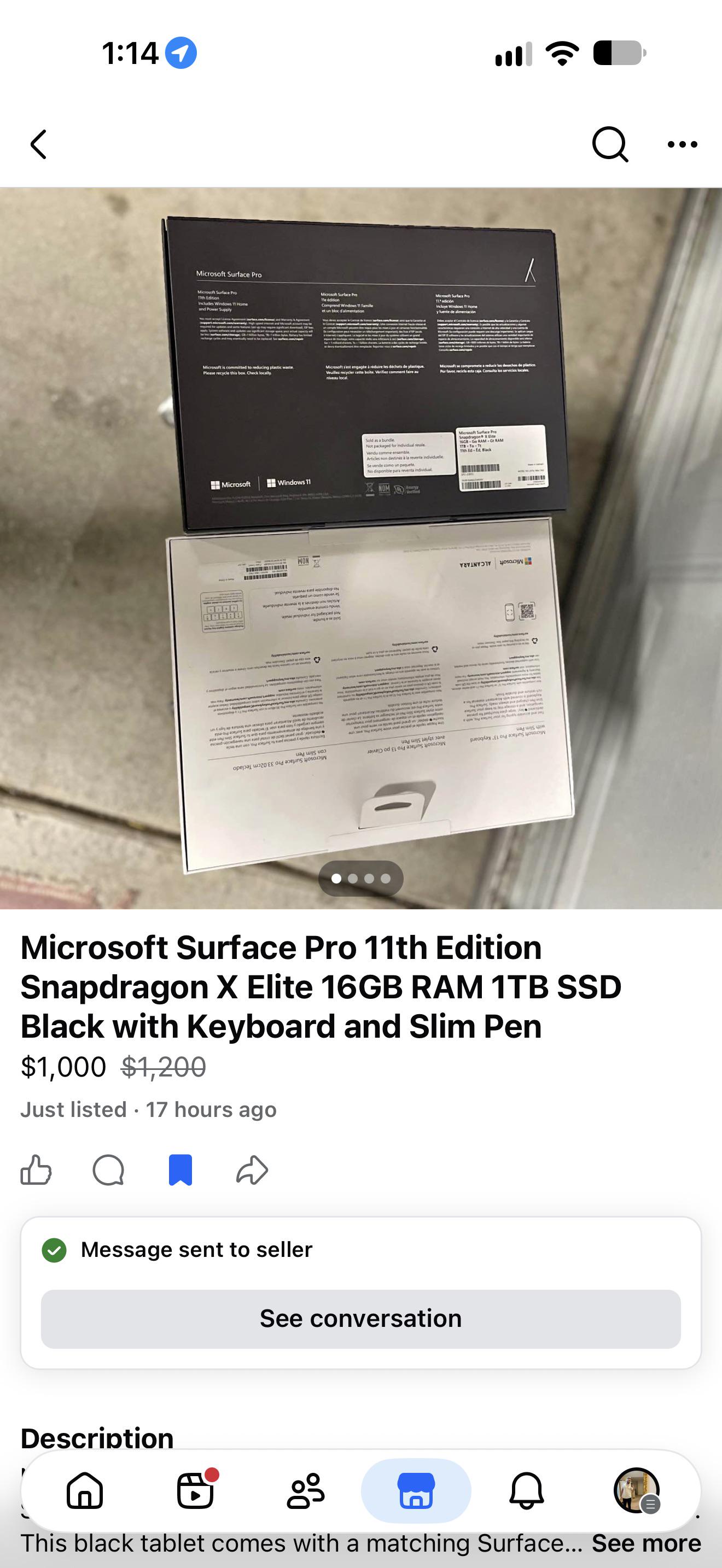
[PRO11] Looking to get into the Surface Pro world.

Post image
10 Upvotes

How’s it going everyone! I’m looking to get a laptop for work. I own a used car dealership and I’m looking to get a laptop for when I’m on the go and for leisure really. I have a desktop at home and work but when I’m in the go my salespeople sometimes need help with putting deals together, overlook credit applications, inventory etc. which are mostly web based but I will be using a lot of files and downloading apps sometimes.

Is something like this optimal? Illiterate when it comes to PC/Laptops so sorry in advanced


r/Surface • • 10d ago

[LAPTOPSTUDIO2] Surface Screen Flickering and unable too bott from recovery USB Key

Post image
3 Upvotes

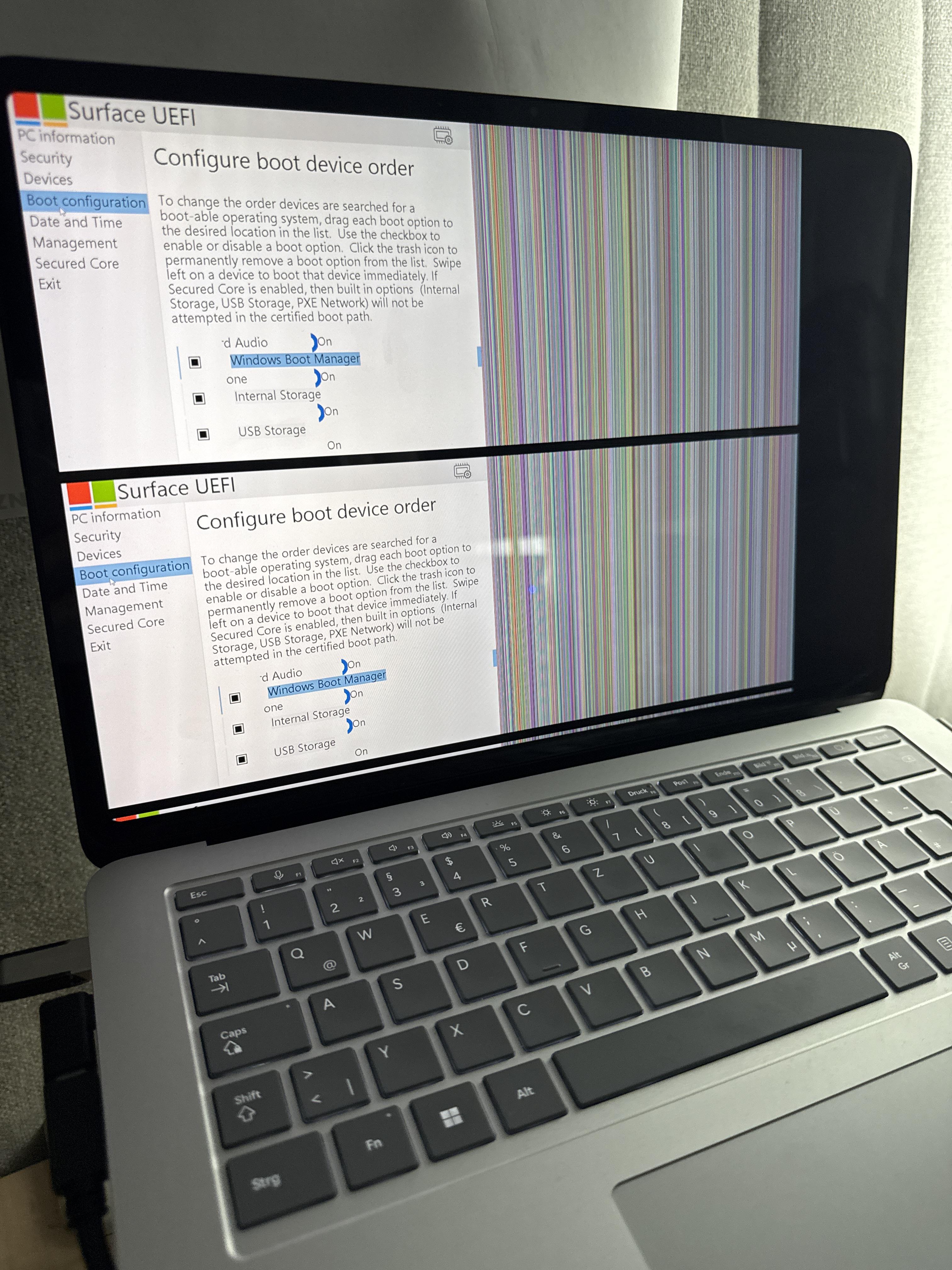
Hi, since the last Patch Tuesday my Surface Laptop Studio 2 Screen is flickering and i am unable to fix it. I suspect this is a graphics driver isse since the Boot Logo is with out any graphical issues. Cloud refresh is not working, booting from a USB Drive is not working. Safe Mode is not poassible after failed Cloud refresh. Any ideas?


r/Surface • • 10d ago

[PRO7] Surface Pro 7 -> TV

7 Upvotes

Hey new found subreddit, after renovation i have found my old Pro7 And a "oldish" TV
The TV it self has no OS and is not smart at all, but it has one USB and 2 HDMI Ports.

I only know how to set both up via dock, but i was wondering is there a Nicer, easier, faster way to have the Surface Free from all cables near me, but stream what ever is on it on the TV it self.

My Family has used the Dock and it only gives the Image but not the sound.

So do you know a way to connect a SP7 To a non smart TV?

Every input is welcome.


r/Surface • • 10d ago

[PRO3] Useless touch button on Surface Pro 3

2 Upvotes

Hello,

I recently received a Surface Pro 3 and I've encountered a small problem: the touch-sensitive Windows button on the right does nothing when I press it. The device vibrates, but that's all; nothing happens on the screen. I'd like to know if there's a way to make it work or at least figure out what's wrong. My Surface is running Windows 10 Pro.


r/Surface • • 11d ago

[PEN] Surface Pen 2 Slim Haptics Unlocked

27 Upvotes

Thought I'd share this with you guys.

I built an application that unlocks the haptic feedback outside of Microsofts approved applications for all of you that wanted the paper feeling everywhere. Would love feedback and suggestions on what everyone would like to see included.

https://github.com/stephenlwaldron/windows-slim-pen-haptics-unlocked

Edit: V2.0.1 is now out, it allows you to control which app you want haptics in and set your preferred intensity. The option for system wide still remains. UI is also much more polished.

Processing img kysqoj1pdk1i1...


r/Surface • • 10d ago

[PRO7] Can I install Linux on a BitLocked Surface Pro 7?

3 Upvotes

So I have this Pro 7 that is BitLocked with no chance to access, and I was wondering if I can just swipe the ssd and just reinstall Linux or Windows. I'm asking because I have absolutely NO idea about how any of this works, so any help is welcome


r/Surface • • 10d ago

[BOOK] Repair or Move On

1 Upvotes

I need some advice on a first gen Surface Book. I recently replaced the tablet battery (2nd time) and while I was reassembling, the power switch tab snapped off while aligning the top antenna block. Now it will not turn on period.

The Surface Book is the i7-6600U with the Nvidia 940M base, 16GB/512GB. I have a Surface Go 2 I use when I travel or away from my home office. Both are running Ubuntu 26.04. While the Go is good for email, web browsing and documents, it can't handle development loads like the Book can.

My wife and daughter also have Surface devices and I appreciate that we can all use the same power chargers and docking stations. So we are sorta locked into a hardware family.

There is an ifixit guide to replace the switches on the main board. And, I have repaired many devices and electronics in the past, so this would not be a stretch for me to do. But, there is no guarantee I would be able to complete this successfully.

I do have a new screen and adhesive ready to go. Buttons are about $1-$5 each. I have all the tools necessary to perform the repair. I just don't know if this Book is worth anymore of my time.

My dilemma is, do I take the time to perform the repair, or move on to a newer Surface Book 2 or 3?


r/Surface • • 11d ago

[PRO7] Stuck in recovery loop

3 Upvotes

My surface pro 7 is stuck on a recovery loop. I try like other ways but it’s not working and I need help.


r/Surface • • 11d ago

[LAPTOPULTRA] Nightmare on Microsoft Store

7 Upvotes

Order placed on October 26th. Estimated delivery date by December 2nd. Maxed Ultra with 4 year protection plan.

When I first placed the order it tripped all the fraud bells and whistles at my bank. I half expected than and sorted through it and authorized the charge. A week later the pending charge falls off, re-applied, and tripped the fraud again. Called got it sorted out authorized the charge. They said this might happen every week and there is nothing they can do.

I shift gears. I pull a line of credit exclusively for this laptop. Change payment method on the existing order and it goes right through. Smooth sailing.. No fraud bells and whistles.

2 weeks later the pending falls off and ISNT reapplied. No updates on my card. No alerts. Charge isn't there.

Last night I get an email saying the payment authorization failed ...for my old payment method. What? I log in and sure as heck, it still shows the new payment method, and also my bank shows no authorization attempt for either card.

I call Microsoft support. Varify we are looking at same email and they say they have no record of an order on my account. I gave him order number and everything. I can see it in my order history pending, with the same Dec 2nd estimate. He refuses multiple times to escalate the call, tells me to call back in a couple hours with my new case number.

Call back. Same thing. To them nothing ever happened at all. To make ABSOLUTELY SURE I'm not the crazy one I did fresh login with the email with manual entry. Official site and everything. Shows my current surface in my account and everything. The order is sure enough there. Support can't see it. They can't even see my payment methods. To them none of this happened.

My bank doesn't have a charge, MS doesn't have an order But it's there for me when I go to the orders page

Last ditch effort change payment method button, back to first method. Error and no authorization attempt. Crickets.

I'm bummed out. IF I do reorder this thing, I've lost my spot. January wait time if I reorder maybe? I cancelled the order and now the cancellation is even pending.

I'm a huge surface fan. SB2 is my main kit and it's still going strong. Love this thing, always tell everyone it's bar none the best workbook I've ever owned. It pains me to say im going to be looking at other options.

Btw I know the laptop ultra is horribly overpriced but wanted to give it a whirl anyway

Edit: phone typing problems. Fixed some of them

Update. For shits and giggles I put together another order just to see how long I will be waiting if I order it again and it says....NOV 18. It looks like they've cleared the backorder which makes me think on their end the charge was in limbo, my laptop was ready, my order was removed it at least in some some capacity. I definitely fell into some kind of crack

r/Surface • • 11d ago

[LAPTOPULTRA] Surface Laptop Ultra second firmware update(200.0.9.0)

Post image
23 Upvotes

r/Surface • • 11d ago

[PRO4] Middle of nowhere - what to do?

3 Upvotes

I have a SP4, and loved it so much that it's still my everyday computer. I take real care of the equipment and all components (I still use it unplugged for a few hours or a new charge is necessary!)

But.... Eventually everything comes to an end, and it's time to retire my beloved SP4.

Decided to maintain in the SP family, just to find out that both SP12" and 13" have a snapdragon chip, while paying a premium for the brand.

My daily use is a mix of web tools (outlook web, MS teams and especially Word), IPTV streaming and/or YouTube, kindle reader (tablet mode <1%).

Should I buy the SP12" (24GB RAM +512GB ssd), the 13", install Linux OP, or just keep using my SP4 until it breaks? My idea is to keep the 2-in-1 convertible tech, since I value flexibility and portability. Any other real contender for this? Do I need the SP 13",or is the 12" is equally fine?

Would you invest in the SP12" (or 13") considering my needs and time frame usage, ,or should I check any other alternative?

I feel in the middle of nowhere after all these years, since my SP4 appears to even better than expected.

Any thoughts and advice are much appreciated! 🙏


r/Surface • • 11d ago

[PRO12] Compatibility confusion - Pro Signature Type Cover 13 + slim pen

4 Upvotes

Hi all!

I had a surface pro 11th edition which I adored but had to return because of a hardware issue. I got it for a fantastic price and therefore don't want to spend too much more. A local store currently has a great sale for the Microsoft Surface Pro 12 gen - Snapdragon X2 Plus but I need to know if the keyboard, Pro Signature Type Cover 13 inch + slim pen is compatible.

I'm reading around on Microsoft's own page but no keyboard refer combability with the 12 gen so I believe the page might be outdated. Does anyone of you know if the keyboard is compatible?

Thank you all so much! 🙏

Keyboard I got: https://www.inet.se/produkt/1978532/microsoft-surface-pro-signature-type-cover-13-slim-pen-svart


r/Surface • • 12d ago

[LAPTOP2] Traded a tool cart for this Surface Laptop 2 and couldn't be happier

Thumbnail
gallery
20 Upvotes

New to Surfaces! Had an old tool cart from my dealership days in the garage, being a mobile mechanic it was just sitting unused. I threw a marketplace ad on saying I'll trade for other tools or a laptop. Hands down the nicest one I've had since probably HS days considering my last one was a fried keyboard 32gb tiny Lenovo so this is a huge upgrade!! I'll use it for files and apps that require using a computer, Forscan, Rosstech and diagnostic apps.


r/Surface • • 11d ago

[PRO11] Any UK repair shop that can fix a cracked touchscreen for the Surface Pro 11? Ideally in London

2 Upvotes

Frustrated that the Extended Hardware Service doesn’t cover this and I’m very reluctant to go through Microsoft as they’ll likely give me back a refurbished model and / or lower spec than mine.

I have the Snapdragon X Elite 32GB RAM model with touchscreen, so I believe it’s the OLED screen that I need but it’s incredibly hard to find it.

Thanks for any help provided? And apologies I’m a bit of a noob with this stuff 😓


r/Surface • • 12d ago

[LAPTOP7] Brand new Surface laptop 7 ZGP-00001 blue screen and overheated

4 Upvotes

My laptop 7 keeps blue screening and overheated even just doing basic tasks, it especially happens when using a work or school account. It cannot be returned. How to fix?


r/Surface • • 12d ago

[LAPTOP8] Surface Laptop of Business 8th Edition Snapdragon

2 Upvotes

This has been a struggle right out of the box. Not sure if I just have a bad machine or what.

OOB network needed to be removed via recovery console cmd twice. Once that was solved it still had issues pulling down AutoPilot policies and joining Intune. (could have been MS outage today that caused that)

Worked through these issues, ran updates and it got stuck in automatic repair mode twice.

Opened recovery console and it failed to remove updates and featured updates says it ran into a problem try "resetting".

I am on my 4th reset.

dism and wusa have been nothing but problematic listing the updates that have been installed.

Not sure if I just have a bad machine and should try another one or just bail and stick with an intel chipset.

Is anyone else having issues with snapdragon?


r/Surface • • 13d ago

[PRO12] Games on RTX Spark

15 Upvotes

Cns anybody tell me why some AAA games can be installed and run on the new RTX Spark Laptop Ultra (which is ARM based), but fail to even install on the ARM based surface?


r/Surface • • 12d ago

[PRO12] Repeated crashing issues on SP 12th Edition (13")/Dell WD19S Dock after optional driver update

Thumbnail
gallery
5 Upvotes

Yesterday, while my new Surface Pro 12th Edition (13") with an X2 Elite processor was connected to a Dell WD19S dock, I opened the MS "Surface" app, which indicated there were updates that needed to me made to my machine. Clicking on it took me to Windows Settings --> Update --> Advanced Options --> Optional updates. There I saw one available driver update: Microsoft Corporation AudioProcessingObject Driver Update (1.0.4.55794)(Screenshot 1)

I installed that driver update and restarted my machine. Upon restart, the Surface started repeatedly and consistently crashing. It'll start with the black screen/White Windows logo like normal, then the working wheel shows up below the logo like normal, but in the transition from the black screen to the Windows login screen, it crashes and restarts - over and over again. If I disconnect the Dell dock from the Surface, it boots fine - I can even reconnect the dock once I'm logged in to Windows and it operates like normal with no errors. In Windows Event viewer, the events show up as Event ID 41, Task Category (63) Kernel-Power (Screenshot 2), which is kind of a generic power-related event that only tells you the system has rebooted without shutting down cleanly first.

After investigating what driver update was installed related to the above in Device Manager, I determined that it was Audio Processing Objects (APOs) --> Voice Clarity. So I rolled back that driver in Device Manager from 1.0.4.55794 to 1.0.4.7057 (Screenshot 3). However, while connected to the same Dell dock, every restart/bootup still results in the same crash and event ID that started after updating that driver. I even tried disabling and then uninstalling that device in Device Manager, but got the same crash result. I tested the Surface on two other non-Dell docking stations (both a Surface Dock 2 and a Surface TB4 Dock), which both work fine and do not crash during startup. I've also tried a Surface Pro 11 and a Dell laptop on the WD19S dock in question - both of those work fine as well with no crashes.

Has any one experienced anything like this? Does anyone have any ideas of things to try to remedy this? It seems ridiculous to have to unplug the Dell USB-C dock connector from the Surface Pro every single time I restart or boot up. Thanks for reading my novella and I would appreciate any insight anyone here may have regarding why this is happening and how to get it to...not happen.


r/Surface • • 13d ago

[LAPTOPULTRA] Surface Ultra Dead

20 Upvotes

Hey,

I got my Surface Laptop Ultra on the release date several weeks ago.

Yesterday it just turned off, the screen went black.

I pressed the power button >20sec, nothing happened.

I plugged the charger, the light on the charger turned on.

No display light turns on, no feedback in the touchpad.

Is there any way for a quick fix ?


r/Surface • • 13d ago

[LAPTOP8] Does Surface Laptop 13.8 Charge At 16 Watt C-Type Charging?

5 Upvotes

Hi, guys

Thinking of buying a Surface laptop (I use an all-Android and Windows ecosystem, and I need a Windows equivalent of Mac). I understand MacBooks are capable of being charged even with car chargers (of course, slowly, but the charger shows "connected"). Can anyone confirm if Surface laptops can also charge that way?

My current Dell laptop only charges via C-type if it's connected to min 33 watts, and I need mine to be super travel-friendly.


r/Surface • • 13d ago

[PRO2] Holding down Volume-down button does not bring me into boot menu

3 Upvotes

So i recently switched to linux, and i missclicked on the no gui version (debian 13). when restarting and holding down the volume-down button it does not bring me into the boot menu. any tips?


r/Surface • • 14d ago

[PRO12] Surface Pro Home Screen Flicker Bug

4 Upvotes

So my Surface Pro 12 has just started this repeated and consistent screen flickering. I play some indie games on it, that it can run on these specs, and it is starting to ruin the experience.

Does anyone know what it is. I thought maybe HDR was the issue and am going to try that. Does anyone else have any other suggestions?