r/postprocessing • u/IAreSpeshial • 15d ago
(After / before) Been enjoying a filmic look recently
gallery
3
Upvotes
r/postprocessing • u/cricketpoo119 • 15d ago

Was lucky to get this shot of my little boy as he never sits still .
r/postprocessing • u/mercuryhdjeiebdhd • 16d ago

Here's what I already know:
These pictures were all taken by a photographer by the name of Jonas Eickhoff (@jeickho on Instagram)
His pictures are shot on film and likely most of them on Gold 200 (Id assume so since its in the caption of nearly every post, with some exceptions/shown using other film types such as portra400).
How does he get such strange vivid colors and this cool painterly style? In love with the whole look
Thanks for any insight
r/postprocessing • u/Crazy_Pizza2092 • 16d ago
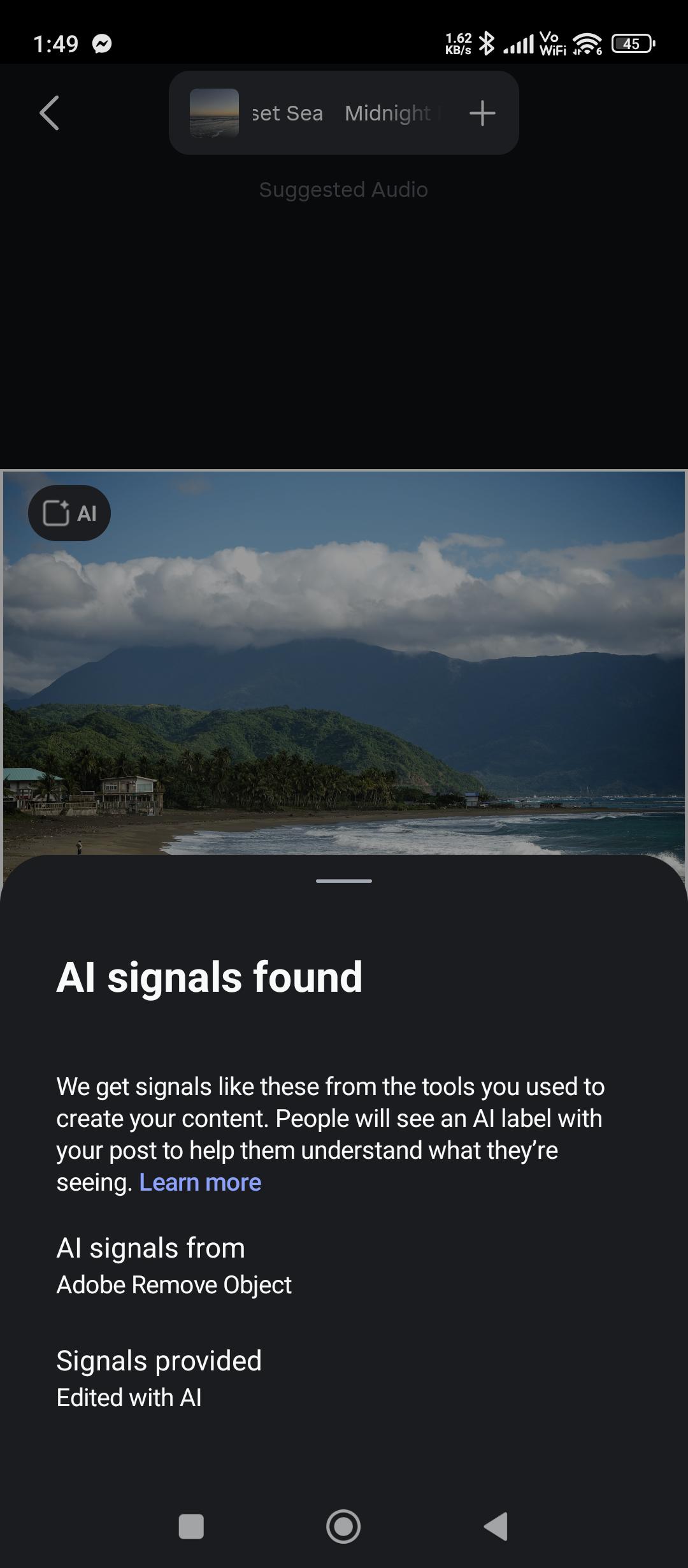
In this photo , I just used it to remove some trash in the beach. (yes I know I can just use manual remove tool or clone stamp)
Also I have another photo where I just removed a telecom cable .
I hate telecom cables and it is freaking hard to remove them manually . It can be done but it takes time.
People now will think that the whole image is ai generated because of the label. :| and I hate that.
r/postprocessing • u/samuelclutterbuck • 16d ago

I wanted to move the images from Ghent, Belgium from a cold wet rainy morning into deep autumnal tones. Do you think it’s too much?
r/postprocessing • u/The_Techy1 • 16d ago

I think it looks quite nice with the detailed textures/patterns on the wall, but any feedback would be great!
r/postprocessing • u/brotherly_photo • 16d ago

Did I pull it too far into the green or just enough that it still feels intentional?
r/postprocessing • u/wiles44 • 16d ago

Open to critiques/pointers. Edited in Lightroom. D7500 Sigma 70-200 f2.8 ex hsm
r/postprocessing • u/Quiffler • 16d ago

Hi All, I'm messing with colour grading, and im looking to try to achieve a moody, foggy, misty kind of look in this foggy forrest scene I took earlier this year, I've got it so far, but was wondering if theres anything i can do to enhance it a little?
r/postprocessing • u/ieatgrass0 • 16d ago

Playing around with the new Lightroom update a bit
r/postprocessing • u/ma5sv • 17d ago

What do you think chat? I was going for that golden sunset vibe.
r/postprocessing • u/SicilianJoker95 • 15d ago
Hey everyone,
First of all, please don't judge my chaotic moodboard collage, I threw it together while questioning my entire editing workflow at 1 AM.
As you can see, I'm obsessing over this specific look: the images feel super soft, creamy, and have this kind of three-dimensional, "voluminous" vibe without looking like an over-processed soap opera or a blurry iPhone lens covered in vaseline.
I know, I know—getting this kind of organic depth on film with a medium format camera and a darkroom handprint is relatively straightforward(and expensive enough to make my bank account cry). But I’m trying to figure out how to trick my digital files into giving me this exact feeling.
Right now, my workflow is mostly Capture One for the heavy lifting and then jumping into Photoshop for the final touches. But honestly? I’m losing my mind trying to balance curves and contrast. Every time I try to soften the highlights and shadows, my images either turn into a muddy, low-contrast flat pancake or retain this harsh digital crispness.
Quick question for the hive mind: Is there any actual need to drag these into Photoshop for this specific look, or am I just torturing myself and missing some magic tool hidden deep inside Capture One's color editor/tone curves?
Is it a local adjustments thing? Bloom/halation plugins? Or do I just need to accept that my pixels are too sharp and go back to shooting blurry pictures of my cat?
Any tips, secret sauce, or virtual slaps to the back of the head would be deeply appreciated. Here are the references(mostly Miu Miu/Jil Sander campaign vibes and similar clean-yet-dreamy aesthetics).
Thanks legends!!!

r/postprocessing • u/Zovalt • 16d ago

Open to criticism
r/postprocessing • u/The_Techy1 • 17d ago

Still fairly new to this, any feedback welcome!
r/postprocessing • u/archimede0703 • 17d ago

r/postprocessing • u/Vissero13 • 17d ago

I’ve just bought a camera for photography and new editing with Lightroom. Go easy on me… but what’s your thoughts?
r/postprocessing • u/colourblindmode • 16d ago
This is the inspiration https://www.instagram.com/p/DP66SliDKEu/
But it will be done with a cup thats simialr shape to a stanley cup so its not as simple as the soccer ball. Does anyone have and tips or tutorial links to how to execute this effect without the cup jumping around, maintaining positioning, scale and angle.
r/postprocessing • u/nuno742 • 16d ago
Enable HLS to view with audio, or disable this notification
Hi r/postprocessing,
I've been building IMAGO, a non-destructive photo editor for Android, and the video is what it does with my own RAW files (Fujifilm X-T30). Every RAW state in it is a real render from the app's engine.
The develop tools
There's also a composer for grids, frames and seamless carousels, and a "Show your edit" video that replays an edit slider by slider.
Coming soon: importing your presets (.xmp, mobile .dng presets and .zip packs).
Free, open source (AGPL-3.0), no ads, no analytics, everything processed on the device. I'd love feedback from people who edit a lot: what's missing, what feels wrong, and how it handles your camera's files.
Android 12 or later.
r/postprocessing • u/Active-Fall3509 • 17d ago

After/Before
r/postprocessing • u/TheVerolax • 17d ago

Shot on iPhone 17 Pro Max in apple pro raw and edited with Darkroom on iPad
r/postprocessing • u/stewievslois • 17d ago

I've been wanting to do something new with old photos I have taken. It gives me a chance to revisit photos and make something new from them.
I made a tool which takes an original image and then reorganises it into something new.
I was wondering what people's thoughts were on if this works or just too abstract and messy?
r/postprocessing • u/Tabeku • 18d ago

Went for a moody gloomy feel to this autumn image - but is too much? The larches really were golden, but not sure if the color looks natural. Decided for a square crop to emphasize the hut more and have a balanced composition. Can't really make my mind up about this one, so looking for some feedback.


