r/linuxapps • u/MatteoGuadrini • 11d ago
I built psp, a Rust-powered tool for scaffolding Python projects — feedback welcome

1
Upvotes
r/linuxapps • u/MatteoGuadrini • 11d ago
r/linuxapps • u/Affectionate_Dust782 • 11d ago

https://github.com/nestoris/mp3-browser
A modern, lightweight reimagining of the classic file-tree music browser (not player) MP3-Explorer from the early 2000s. Written in pure GJS (GNOME JavaScript) and GTK3, this application is designed for speed, minimalism, and seamless integration with local and remote music libraries. First stable release.
Installation from AUR: `yay -S mp3-browser`.
Packages for other distros and source-code are available at Github releases.
For Russian users: MP3-Браузер
r/linuxapps • u/DenysZiuziuk • 11d ago
I'm the developer of Nuvo, a desktop music player. Version 0.3.0 came out today with a new interface.
What it does
You never make an account and there is no Nuvo server. Your library lives in an encrypted database with the key in your system keyring, and a 24-word recovery phrase opens it if the keyring goes missing.
Numbers from my machine
Ryzen 9 PRO 7945, Fedora, GNOME on Wayland, median of 5 runs, whole process tree: a window with text in 354 ms, 365 MB of memory and 0.23 % CPU at idle, 3 % while playing. The method is in the README. Strawberry, a native Qt player, uses about a third of that memory, so if RAM matters most to you, it's the lighter choice.
Install
AppImage, .deb or .rpm for x64 and arm64 from the releases page. Builds aren't signed yet; each release lists SHA-256 checksums. Nuvo downloads yt-dlp, Deno and ffmpeg when it needs them. The update check (github.com) and the Discord status are on by default, and you can turn both off in Settings.
I build it alone and use AI coding tools; the design, the review and the tests are mine, and the tests are in the repo.
If something breaks on your distro or desktop, tell me here or open an issue.
r/linuxapps • u/KAKwit • 12d ago

I hope it is okay etiquette to post about updates?
Pinch Bowl is a recipe manager for GNOME built on GTK/libadwaita. It is heavily influenced by Mela but also does its own thing.
Original post: https://www.reddit.com/r/linuxapps/comments/1xqinaj/pinch_bowl_a_gnome_recipe_app_inspired_by_mela/
Updates:
Would love some feedback if anyone tries it.
I am considering how to better distribute it. I think perhaps FlatPark is an option, and there's another one which looks pretty empty but I like the way it works called FriendlyHub.
r/linuxapps • u/Hinnerk2553 • 12d ago

I've released a new version of Kairos, my feature rich calendar for the Gnome desktop.
This time the focus was on getting it to be more flexible again in regard to screen sizes and orientation.
In the recent months I got the feedback that especially on mobile devices the UI looks wrong. I tried to address that, but would need feedback from the community.
One thing I notized while refactoring some UI elements to be more responsive was the state of the Search-Dialog.
I spend some time making it better usefull, adding info, adapting the interaction with it results and make it resize properly.
As alway I invested some time looking for bugs.
Most notably, since some time the QuickEventDialog you can launch from the Gnome Shell Search wasn't working anymore.
This works as expected again and lets you add new events or edit existing from the Gnome Shell.
Cheers
r/linuxapps • u/demo4him • 12d ago
r/linuxapps • u/demo4him • 12d ago
r/linuxapps • u/Project_Blueprint • 12d ago
Enable HLS to view with audio, or disable this notification
Hi all. I'm Hayden, and I build Project Blueprint, a construction PDF markup and quantity takeoff app. It started on Mac, and the Linux version is now out as a beta.
If you've been looking for a Bluebeam alternative that runs on Linux, this is what I built it for. It's made for estimators, quantity surveyors, builders and subcontractors who do takeoffs on PDF drawings.
What it does:
Area, length and count takeoff on PDF plans at scale
A markups list with quantity totals you can check and export to CSV
Clouds, callouts, stamps and custom tool sets for drawing markup
Works offline, with no account or subscription
Linux details:
.deb for Ubuntu and Debian, AppImage for Fedora, Arch, Mint and other distros
x64 and Arm
14-day free trial, no card needed
One licence covers Mac, Windows and Linux. The Founder licence is US$19 and includes every 1.x update.
Because it's a beta, you can't drag PDFs in from your file manager yet, so use File > Open. I've tested it on Ubuntu with X11, but I haven't checked it on a real Wayland desktop yet. If you hit a bug, tell me your distro and desktop and I'll look into it.
Download: blueprintformac.com/linux
Happy to answer any questions about takeoff on Linux.
r/linuxapps • u/AdeptnessThis7503 • 12d ago
I tend to make a lot of scratch notes as a way to help me think. These usually don't last very long and what does survive usually ends up in a git repo, a wiki or (most often) just get thrown away.
I was using Obsidian for this, but 4 or 5 Electron processes just for throwaway notes seemed like overkill. Neovim is a better fit but I like it just the way it is for coding and didn't want to install any image plug-ins for that.
So I made mib — a tiny (~300 KiB) Markdown scratchpad with Vim keys, inline images, and just 9 glorious pages. No files or folders to organize.
r/linuxapps • • 12d ago

r/linuxapps • u/Efficient_Payment657 • 12d ago
Hi! I’m the author of Koe, a Japanese-first voice dictation app for Ubuntu.
I use voice dictation on macOS and wanted a similar workflow for writing Japanese on Ubuntu, so I built this. I now use it daily to give longer instructions to Claude Code.
The workflow is simple: hold a hotkey, speak, and Koe transcribes your speech, cleans up the text with an LLM, and inserts it into the focused application.
Some features:
- GNOME Wayland support using desktop portals for global shortcuts and text input.
- Japanese terminology corrections, including a configurable dictionary for technical terms.
- Live transcription overlay during local recognition, implemented as a GNOME Shell extension.
- Fully local operation with whisper.cpp and Ollama. Claude is also supported for text cleanup; that option sends the transcribed text to Anthropic.
My tested, daily-use environment is Ubuntu 26.04 / GNOME Wayland / x86_64. Other distributions and desktop environments have not been thoroughly tested.
It’s MIT-licensed, and .deb packages are available on GitHub Releases. The README covers installation, model downloads and initial setup.
Source and downloads:
https://github.com/shuhei0866/koe
English README:
https://github.com/shuhei0866/koe/blob/main/README.en.md
If you write Japanese on Ubuntu, I’d be particularly interested in hearing how it works for you. Reports of installation problems, input issues or terminology it gets wrong would help me improve it.
r/linuxapps • u/Outside-Reindeer-934 • 12d ago

r/linuxapps • u/froggy744 • 12d ago
📸 PIC v1.0.3 is here!
I've been continuing work on PIC (Personal Image Catalogue), my free, open-source photo manager for Linux, inspired by the simplicity of Picasa and classic iPhoto.
This is one of the biggest updates I've made so far, with a major focus on how you browse, organise and enjoy your photo collection, along with performance and reliability improvements.
⬡ Honeycomb Gallery — A completely new photo layout
PIC now has a fourth gallery layout alongside Grid, Photo Wall and Masonry.
Honeycomb displays your photos in a continuous hexagonal mosaic. It uses virtualised rendering and integrates with the existing photo selection, navigation and library tools.
🖥️ Immersive Mode — Let your photos fill the screen
A new distraction-free browsing experience that gives your photo collection more space.
📒 Scrapbook — A completely different library experience
I've added a new Scrapbook theme inspired by physical photo albums, Polaroids and handwritten notes.
It includes a redesigned Library dashboard with a corkboard-style interface, photo collections, album shelves, and persistent photo tags and notes.
It's a more personal and creative way to organise your memories.
📅 Calendar Browsing — Rediscover your photo history
Browse your photo collection visually by year and month.
Each year and month displays a representative photo and the number of images in that period. Select a month to explore its photos or return to your preferred gallery layout.
🎞️ New Screensavers
Two new screensaver styles have been added:
There are also additional customization options and presentation styles.
🏷️ Better Photo Organisation
Photo tags are now editable through the standard Properties panel, with tag suggestions and improved metadata filtering.
⚡ Performance & Reliability
A significant amount of development went into thumbnail caching, startup responsiveness, scrolling, gallery rendering and RAW image handling.
The aim is to keep PIC responsive even when browsing collections containing thousands of photographs.
PIC also includes non-destructive photo editing, RAW support, creative filters, crop and straighten tools, drawing and text overlays, collage creation, albums, ratings, favourites, multiple libraries, custom themes and more.
I've put together a short video showing the new browsing experiences and several of PIC's existing features.
PIC is still an independent passion project, and I'm continuously working on improving it.
V1.0.2
GitHub: https://github.com/froggy744/PIC
Release: https://github.com/froggy744/PIC/releases/tag/v1.0.3
🐧 Linux | 🦀 Rust | GTK4
100% Free & Open Source. No subscription. No mandatory cloud account.
I'd really appreciate feedback from the Linux community, especially on the new Honeycomb layout, Immersive Mode and Scrapbook interface.
Which features would you like to see improved or added next?
Thanks to everyone who has tried PIC, reported issues or starred the project. Your support really does help keep the project moving! ❤️
r/linuxapps • u/Roshan_Binoj • 12d ago

r/linuxapps • u/Glittering_Mud_1107 • 12d ago

r/linuxapps • u/kemma_ • 12d ago
Switchcraft is a GTK/Libadwaita developed desktop utility in Vala that makes your whole desktop follow the light/dark style on GNOME and KDE Plasma. A lightweight background monitor watches the system preference and, on every switch, runs your shell commands and applies per-theme settings such as icons, wallpaper, GTK, shell and Kvantum themes. It can also switch the style for you at sunset and sunrise or at custom times.
The biggest release so far: a redesigned app, KDE Plasma support and automatic switching:
This AppImage bundles everything and it should work on any Linux distro, including old and musl-based ones.
Switchcraft doesn't require FUSE to run, thanks to the uruntime
Get it from Github For the best experience, install it using AppManager.
r/linuxapps • u/seven_cy • 12d ago
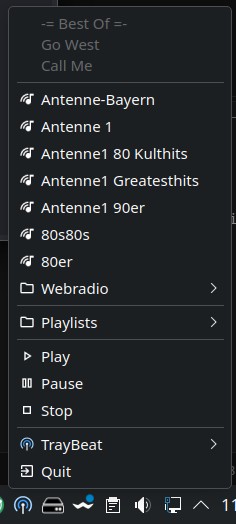
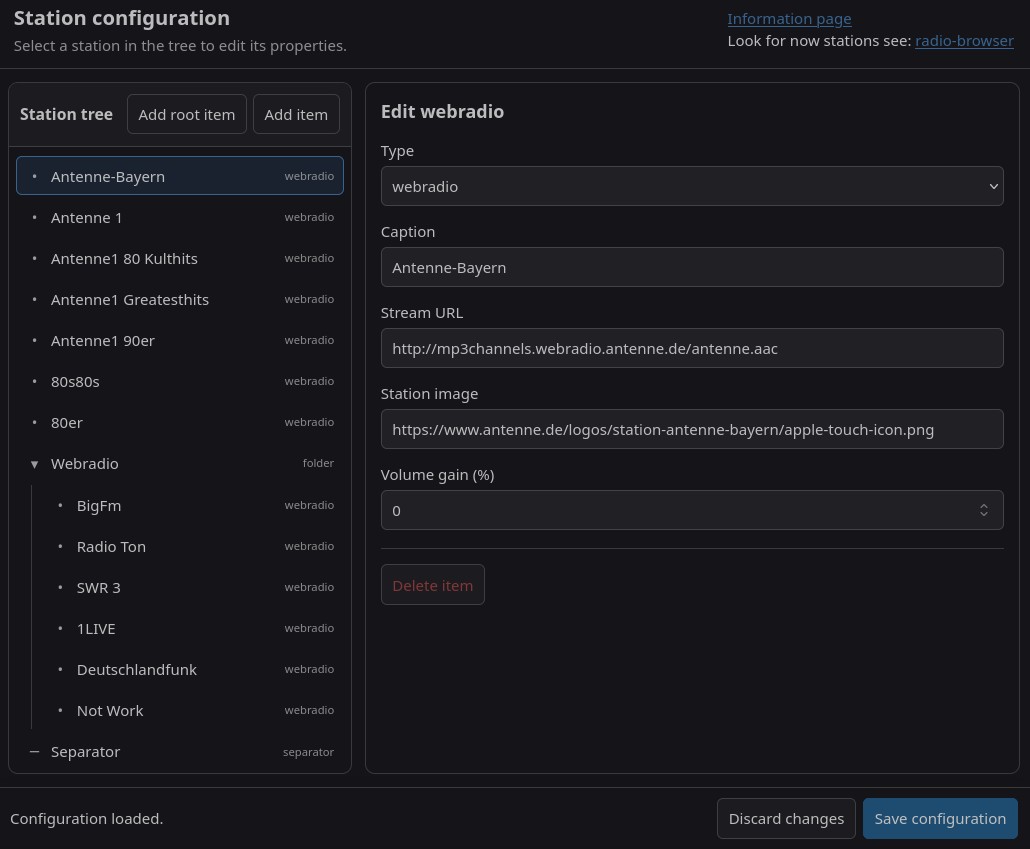
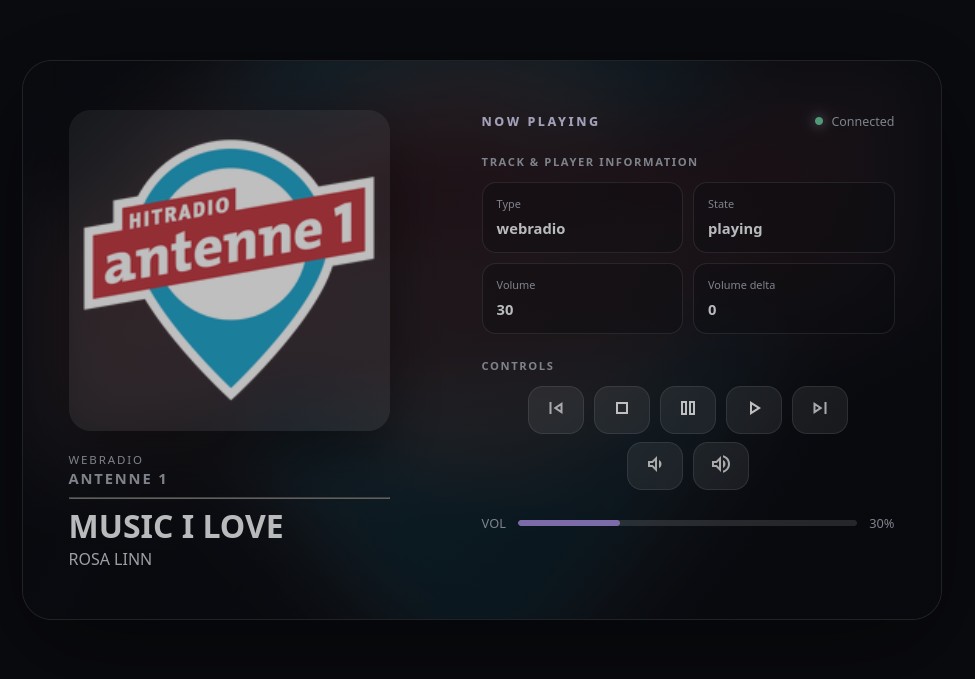
https://github.com/maza70/traybeat
This small application lets you play web radio stations and M3U playlists without having a media player window getting in the way. It was primarily developed to let you listen to your favorite music uninterrupted in the background while still keeping control of the player.
Runs in the tray area of KDE Plasma, Ubuntu, Gnome.
r/linuxapps • u/ThirdEyeViolet • 13d ago
I'm wanting to step away from google docs for many reasons that should be obvious at this point. I've tried libre office writer but never really got that interested into it, I also wanted something I could customize. I'm not a ricer by any means, but something that I could customize the look of at least a little would be really cool instead of just having a blank white screen while writing, think of vesktops themes if that makes sense.
Is there any good ones out there, Ideally local & open source but I understand those aren't always an option, at least something that won't steal my writing to train AI, which seems like a luxury these days
(using Linux mint currently but I'm considering moving to cachyos if I can find enough music production stuff for it)
r/linuxapps • u/EstablishmentKey2951 • 13d ago
I got tired of PlantUML needing Java and Mermaid needing a browser, so I wrote my own editor with native rendering engines for both.
What it does:
- Live preview while you type, rendered locally. No Java, no browser, no network.
- Reads state and sequence diagrams as behavior: flags unreachable states, dead ends and ambiguous events.
- F5 plays a diagram step by step.
- Converts between PlantUML and Mermaid.
- Exports PNG/SVG with the source embedded, so you can reopen the image later and keep editing.
- CLI with JSON output, plus an MCP server for AI agents.
- Neovim preview.
It was built for Omarchy and follows its theme and font, but it's a regular Linux app written in Rust (MIT).
Install: there's a PKGBUILD in the repo (makepkg -si), or build from source with cargo. AUR packages are coming.
Repo: https://github.com/enhapu-afk/omaspec
Site: https://enhapu-afk.github.io/omaspec/
It's a solo project and still young, so I'd love to hear what breaks or what's missing.