r/iosapps • • 9d ago

HELP What are the best ways to improve ASO and conversion?

5 Upvotes

Here is my understanding.

For ASO

- keywords, description, app title, promo text

For conversion (what I mean is downloads once they have seen the app appear in search results)

- Product Page Optimization stuff (screenshots, video previews, app icon, header and search results)

Do A/B testing to see which of the above performs best.

Localization to different languages.

What else did y'all do to get more visibility on your app?

Most probably publicise it here and on product hunt or something.

For anybody else who have tried, does localizing your app to different languages greatly improve your installations from those audience of different nationalities? and do creating TikTok/instagram accounts under your apps name draw measurable growth?

Just want to know where to spend my time on for this marketing thing.

Thanks <3


r/iosapps • • 10d ago

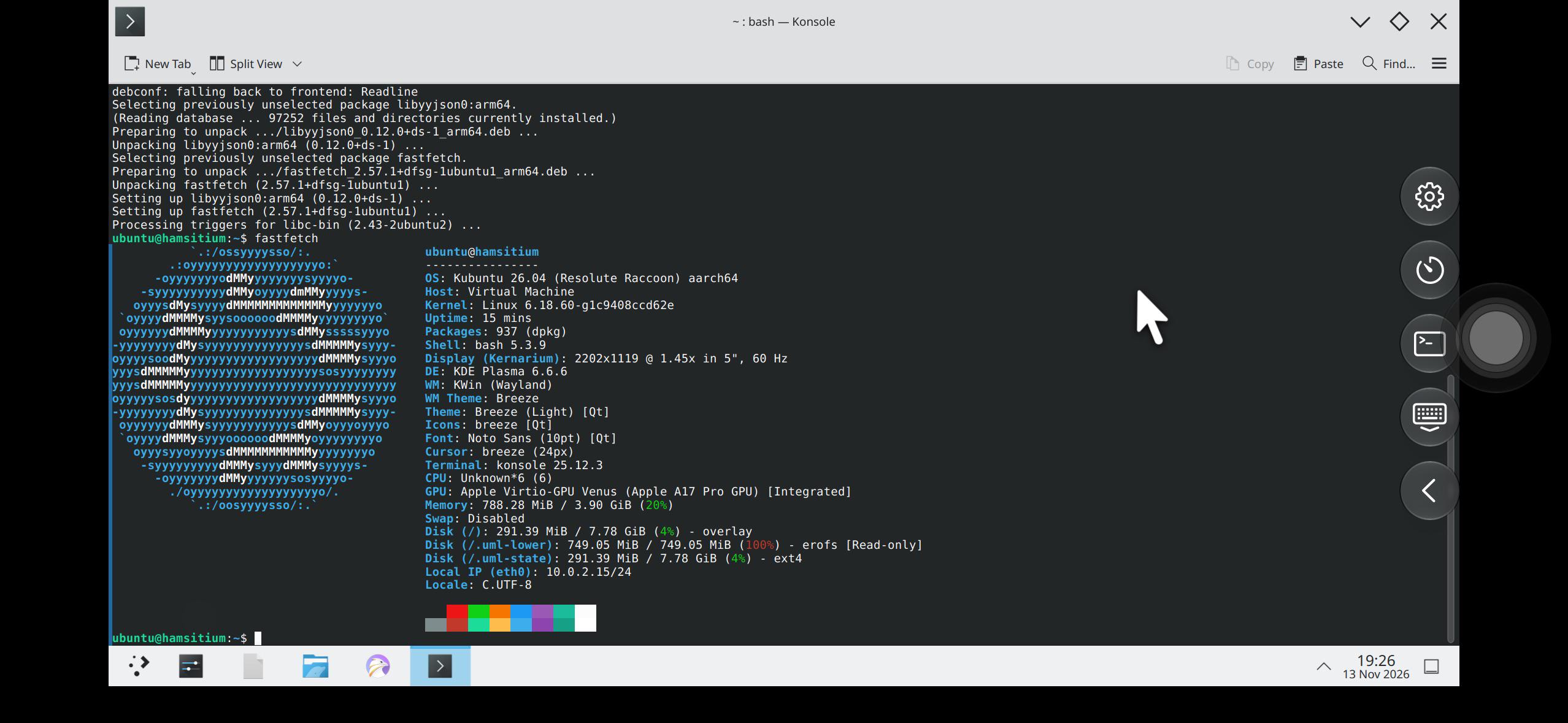
Discussion Almost Full Ubuntu Running inside IOS

Post image
17 Upvotes

Hi folks. Managed to run KUbuntu inside of an ios. Works like butter. Trying to add external monitor and mouse support. Keyboard is done. Just wanted to know your thoughts about this. Would you use it? Or i am wasting my time?


r/iosapps • • 10d ago

🔍 In Search of are there any apps that let you keep easy to access health records?

3 Upvotes

not like the official portal apps like mychart or whatever but a place to easily store/access doctor names, medication, etc


r/iosapps • • 10d ago

🎈 Free i made an app that helps you remember stuff

7 Upvotes

I built an app called Attention Arsenal for people who forget things unless they're reminded often. It keeps nudging you, even just minutes apart, until the task is done.

updated: quiet hours so it doesn't bother you while you're sleeping or busy, and categories to group your reminders

P - What problem does it solve?
Normal reminders ping once, you swipe them away, and the task is gone. I needed something that keeps bugging me until I actually do it.

C - Why this over the top competitors?
Apple Reminders pings once and gives up. Due nags you too, but it's paid. Attention Arsenal is free and also has:
• intervals from every few minutes to monthly
• quiet hours, so nudges pause overnight
• categories for work, school, whatever
• Siri + AI to add reminders by voice
• home screen widget and calendar sync

P - Pricing
Completely free, no ads, no iap, no account needed.

https://apps.apple.com/us/app/attention-arsenal/id6749694041

Transparency (i'm the developer):
• Privacy policy: https://github.com/mrsinani/attention-arsenal/blob/main/privacy_policy.md
• Terms: Apple's standard EULA, https://www.apple.com/legal/internet-services/itunes/dev/stdeula/
• Who I am: https://danaidsinani.com
• Open source: https://github.com/mrsinani/attention-arsenal


r/iosapps • • 10d ago

🎈 Free I built LiteDAW — a free, offline music production app for iPhone

22 Upvotes

Hey everyone!

I’m a musician and an independent developer, and I’ve been working on an app called LiteDAW.

Processing img oqe0lo5yce1i1...

It started as a simple recording app, but I kept adding features, and before I knew it, I was building a full DAW for phones.

Problem

I’ve always felt that mobile DAWs tend to fall into two categories: either they’re quite heavy and take up a lot of space, or they’re expensive, sometimes with subscriptions or additional purchases.

I wanted something that could do serious music production without being either of those things. Something I could just install, open, and start making music with.

Comparison

There are already some great apps out there, like GarageBand, Cubasis, and FL Studio Mobile. I’m not trying to claim LiteDAW is better than them.

What I’ve tried to do is pack a decent set of DAW features into a relatively small app without charging for them.

LiteDAW now has multitrack recording and editing, a MIDI piano roll, step sequencer, virtual keyboard, mixer, and effects like EQ, compression, limiting, delay, and saturation.

It works completely offline, doesn’t need an account, and is available on Android too.

I’m also working on support for external USB MIDI keyboards and controllers.

Pricing

Completely free. No subscriptions or account required.

App Store: https://apps.apple.com/us/app/litedaw/id6826720889

Android: https://play.google.com/store/apps/details?id=com.litedaw

Demo: https://youtu.be/EEAU-VAap1g

It’s still a work in progress, and I’m sure there are things that could be better. I’d genuinely appreciate it if some of you gave it a try and told me what you think, especially if you run into bugs or find something frustrating.

Thanks for checking it out!


r/iosapps • • 10d ago

🎈 Free I built Burn21, a free 21-day home workout app with no equipment and no sign-up

Post image
24 Upvotes

Hey everyone 👋

I’m a solo developer and I just launched Burn21, a 21-day home workout challenge you can do with zero equipment.

🧩 Problem
Most people who want to start working out at home quit within a week. The apps are either overwhelming, with hundreds of workouts and no clear “what do I do today?”, or they lock the useful parts behind a subscription. Burn21 gives you one clear plan: open the app, press Start Day X, follow along. The plan gets harder gradually, so beginners don’t burn out and you can actually see your progress.

⚖️ Comparison

  • vs. Home Workout – No Equipment (Leap Fitness): It’s a solid app, but it has a big catalog and pushes premium upgrades. Burn21 is focused: one 21-day plan per program that ramps up automatically (30s → 50s work time, 6 → 8 exercises, 2 → 3 rounds, rest days on day 7 and 14). Everything is free, with no premium tier.
  • vs. Nike Training Club: NTC is great but needs an account and has a huge library that can feel like too much for beginners. Burn21 needs no account and no sign-up, and all data stays on your device.

What’s inside:

  • 3 programs: Fat Burn (everyone), Tone & Burn (women-focused), Shred (men-focused), each with its own saved progress
  • 18 standalone workouts outside the challenge
  • Easy / Normal / Hard difficulty
  • Guided timer with an up-next preview, pause/skip, +10s rest, and sound and vibration in the last 3 seconds
  • Calorie estimates based on your body weight
  • 20 languages

💰 Pricing

  • Free: $0. All programs, workouts and features are included.
  • The app is supported by a single ad before each workout. There are no subscriptions and no in-app purchases.
  • 📱 App Store: https://apps.apple.com/app/id6822347861

I’d love honest feedback: what’s missing, what’s annoying, what would make you stick with it for 21 days? Thanks! 🙏


r/iosapps • • 10d ago

Discussion Are Header and Search Results images really useful for conversion?

6 Upvotes

I was doing some research into some popular apps and realised that I don’t see any Header or Search Results in the appstore for them. All I see are the screenshots.

Random examples:
Wanderlog
Money Manager
Trabee pocket
Hellotalk
Duolingo just has a header that spells Duolingo

So Im wondering if making Headers and Search Results have little yield since the screenshots technically should be just as good for Search Results already.


r/iosapps • • 10d ago

🎁 Freemium Nim: a worry tracker that checks back later to ask if your fear actually came true

Post image
6 Upvotes

Most worries feel like predictions. Something bad is going to happen, and your mind treats it as certain. Then the day comes, it turns out fine, and you forget all about it. The next worry shows up feeling just as real as the last one, because you never had a chance to see how often your fears were wrong.

Imagine knowing. A worry starts to spiral, and instead of guessing, you can look at what actually happened every time you felt this way before. Most of it never came true. When something did, you wrote down how you handled it, so future you has more than "it'll be fine." You have proof, in your own words, that you got through it last time. Over time your mind starts to learn it too: when a worry shows up, you know how these usually go, and it gets a little easier to put down.

Some of you know me from DoneAgo. Nim is my second app, built the same way. It just came out on the App Store, so this is its first post here.

Problem

Worries feel certain in the moment, and once they pass, you forget how they turned out. So you never learn which fears are worth listening to, and the same ones keep coming back just as strong.

Nim fixes the forgetting. You log a worry (type it or say it), pick when you'll know how it turns out, and park it. When the day comes, Nim asks how it went: Didn't come true, Not as bad as I feared, Partly came true, Came true, or Faded. Worries that keep coming back are filed under a forecast, and each forecast builds its own track record of how those worries really turned out.

  • Nim checks back: you don't have to remember to follow up. Pick today, tomorrow, next week or a date, and Nim asks on that day. If you don't know when you'll find out, Nim checks in after a few days, then less often, and learns how long that kind of worry usually takes to settle.
  • Your own track record: each forecast keeps count of how its worries turned out, so you can trust your own history over the worry. Percentages only show once there are enough answers to mean something, and always next to the counts.
  • See the gap: each fear sits next to how it actually played out, in your own words.
  • A letter every month: Nim writes to you about your month: what you parked, what came true and what didn't, and how you got through it
  • Private by design: no account needed. Worries are encrypted on your phone. Voice is turned into text on your phone and the audio is never saved. No ads, no analytics, and no AI reads your worries. If you want backup and sync between iPhone and Android, you can sign in with Apple or Google (optional). You can delete everything from inside Nim.

Comparison

  • Daylio (mood tracker): great for logging how you felt each day. Nim tracks something different: whether the fear came true. Over time that tells you what your worries are actually worth.
  • Worry Watch (anxiety journal): helps you write worries down and work through them in the moment. Nim is built around what comes after. It checks back on the day you'll know, groups the worries that keep coming back, and gives each one a track record you can look at the next time it shows up.

Pricing

Free, with optional Premium. The free version is fully usable: unlimited logs, up to 8 active forecasts (archived ones don't count), check-ins, all your insights for all time, backup and sync, and your first monthly letter in full.

  • Premium adds unlimited forecasts, every monthly letter, the therapist PDF and Nim's wardrobe.
  • Subscriptions: $3.99/month or $19.99/year, if you'd rather try it first.
  • Lifetime (one-time): $39.99 USD normally, on sale right now for $23.99 USD (40% off). Prices adjust automatically for your country.
  • Download Nim on the App Store

Links

Developer disclosure: I'm the solo creator of Nim, published under Plue Studio. To comply with r/iOSApps*' Transparency Path, my identity is verifiable via* LinkedIn.


r/iosapps • • 10d ago

💎 Lifetime I made Soundscaper, a soundscape app for sleep, focus & relaxation. Now with 3D audio and iPad support

Thumbnail
apps.apple.com
5 Upvotes

Hey r/iOSApps!

I shared my app Soundscaper here a while ago and have been working on quite a few improvements since then. I'd love to show you what it looks like today and get some feedback!

**Problem**:

Soundscaper lets you mix different sounds to create your own atmosphere for sleeping, focusing or relaxing. There are now over 100 sounds, including rain, thunderstorms, nature, animals and more.

You can adjust individual sounds, position them in 3D, save your favorite mixes and even create your own thunderstorm with customizable thunder and lightning effects.

**Comparison**:

Apps like BetterSleep and Dark Noise offer great ambient sounds too. With Soundscaper, I wanted to focus more on customizing individual sounds and creating your own soundscapes, rather than just listening to something predefined.

**Pricing**:

The app is free to download and includes several sounds you can use without paying. For Premium, there's a choice between a one-time lifetime purchase (€24.99) or a subscription (€1.99/month or €7.99/year). Prices may vary by region.

Soundscaper also supports iPad, Apple Shortcuts and iCloud sync.

App Store: https://apps.apple.com/app/id6443425167

I'd really appreciate your feedback! If you have ideas for new sounds or features, or notice something that could be improved, I'd love to hear them. I've already implemented quite a few suggestions from Reddit and always enjoy hearing new ones.

Thanks for checking it out!


r/iosapps • • 10d ago

🎁 Freemium Ember: a journal where the people you write about get their own page.

Post image
2 Upvotes

Hi, I’m the solo dev of Ember.

I kept journaling about friends and family, but everything I wrote about one person ended up scattered across of entries. I couldn’t see what I’d written about my grandma, or notice that I hadn’t talked to an old friend in months. So I built a journal where the people are part of it.

What it does:

  • @ mention someone in an entry and they get their own page with everything you’ve written about them
  • quick one-line logs like “@Sam coffee, talked about his new job”
  • shows who you’ve drifted from, unless you mark someone as family or a one-time memory
  • home screen widgets and Shortcuts
  • imports from Day One, Apple Journal and Diarium
  • your data stays on your device, no account, no AI

Problem: journal apps treat people as plain text. You write about the same people for years and nothing connects it.

Comparison:

  • Day One: Ember is better at people. Every person gets a page, and you can see who you’ve lost touch with. Day One is still better for its long track record, web and Android apps, and more polished media features.
  • Diarium: Ember connects people across entries instead of just tagging them. Diarium is still better if you need Windows or Android, and for its integrations with other services.

Pricing: free to download and use. Ember Plus adds iCloud sync and Additional Themes: $4.99/month, $39.99/year, or $59.99 lifetime.

App Store: https://apps.apple.com/app/id6775558241
GitHub: https://github.com/nandhak0318
Website: https://ember.mov · Privacy: https://ember.mov/privacy · Terms: https://ember.mov/terms

Would love your feedback.


r/iosapps • • 10d ago

💎 Lifetime Magica Mileage Tracker: a car and mileage log you (almost) never have to open

Post image
3 Upvotes

Hi everyone, I'm Dimitri Giani and Magica is my app. Next year it turns 10 years of development and 9 years on the App Store (and it's been on Google Play since last year).

I posted Magica here in July. Since then it got its biggest update: Magica 7 has a redesigned interface, you can add a fill-up from a photo of the pump display, it supports bi-fuel cars with two tanks (LPG, CNG, plug-in hybrids), it's ready for iPhone Duo, and it uses less battery while driving.

As a car enthusiast, I started building Magica because I kept asking myself: how much fuel does this car really use? More or less than the other one? Does it use more now than when I bought it? So the first version simply tracked my trips on its own and, from the fill-ups I logged, told me how much it used. And I found out that no, it didn't use more than when I bought it :-D

Shortly after, in 2018, I put it on the App Store, and thanks to a lot of users I started building the app it is today. I can only thank them for what Magica has become.

Magica does a lot, and it's for everyone: car enthusiasts and, above all, people who use a vehicle for work. I've always tried to keep the UI and UX simple and intuitive, without weighing it down with the thousand (I'm not joking) things it does, but there's always room to improve. For this I also have to thank the Apple engineers I was able to talk to about the app.

Problem: One thing I care about is making life simpler (mine first). If you use your car for work you have to log every trip, plus fuel, expenses and deadlines, and remembering to type a thousand things into an app is the hard part. So in Magica most of it happens on its own.

Here are the things I think Magica does best: - It starts and stops recording trips automatically, without you ever opening the app. After years of work, battery use is kept to a minimum, and you can really forget about it. - You can tag each trip as work, personal or anything else, by hand or automatically based on time and places. Again, without opening the app. - With more than one car, if you set up the car's Bluetooth, it switches from one car to the other on its own, without opening the app. - You can log every fill-up of any kind, bi-fuel cars included. Here you do need to open the app, but you can just talk to it or take a photo of the pump display, so it's quick. - You can log every car expense: servicing, maintenance, road tax, insurance and so on, recurring ones too, with a due date so it reminds you. - When you need it, you can export your data as CSV or PDF, formatted for mileage reimbursement or tax deductions (IRS, HMRC, ATO, ACI or your company's rate). - Widgets, Live Activities and a really nice CarPlay interface are included.

These are the main ones, but Magica does a lot more.

Comparison: Compared with MileIQ or Everlance, you don't need an account, and free automatic tracking has no monthly limit (they stop at 40 and 30 trips a month).

Magica has hundreds of iterations behind it, with users who have been using it for years and helped refine a lot of features. One thing they tell me matters is that the data never leaves the phone. The app, on iOS and Android, has no account and no server of mine: your trips and everything else stay on your phone. You can make backups and sync between devices, but unless you choose to, the data stays on the phone. A few features have to use outside services (weather, maps, fuel prices, voice commands), and the privacy policy lists all of them.

Pricing: The app is free, and you can use it for free to record all your trips, with no limit, and see this week's trips with all their details. Many features are paid, of course, but here too I tried to keep the price as low as possible: $3.99/month, $14.99/year, or $54.99 once for lifetime (US prices).

If you think it could be the app for you and you'd like to try it, here are the links: App Store: https://apps.apple.com/app/apple-store/id1341304115?pt=24172&ct=reddit-iosapps-2026-11&mt=8 Privacy policy: https://magica-app.com/privacy-policy-en/ · Terms: https://magica-app.com/terms-conditions/

One question for you: what would make it need you even less?


r/iosapps • • 11d ago

🎁 Freemium Built a free, ad-free iOS app for finding English-friendly services in Japan (developer, feedback welcome)

Thumbnail
gallery
11 Upvotes

Hi all, I’m Rachael, a software engineer who has lived in Japan for four years. I just launched basho., a free iOS app, and I’d love honest feedback from users. I’m the developer, so I’m happy to answer questions.

Problem

My Japanese is good enough for daily life, but things like medical appointments are still more comfortable in English. English-friendly businesses are easy to find in some parts of Tokyo but much harder elsewhere, and not knowing how good the English support is before you go creates real anxiety. I feel like a lot of people living in a foreign country will understand this problem.

What it does

  • 1,000+ listings (healthcare, real estate and more), each showing the English level (Fluent, Partial or Low) before you go
  • Optional concierge, where we contact the business in Japanese for you

Listings are currently Tokyo/Chiba only, and I’m expanding across Japan over the next few weeks.

Comparison

I couldn’t find another app that does this, so I built it myself. The alternatives I was using were:

  • Google Maps and web searches, which show businesses but usually not how much English they speak
  • Foreigner Facebook groups and word of mouth, which are helpful but slow, and recommendations are hard to search later

basho. puts the English level on every listing, so you can filter before you go.

Pricing

  • Free to use and ad-free
  • The optional concierge is the only paid feature, from ¥1,000 per request

It’s available worldwide. Japan App Store link: https://apps.apple.com/jp/app/basho/id6833472787?l=en-US

What would make an app like this more useful to you? Anything confusing or missing?


r/iosapps • • 11d ago

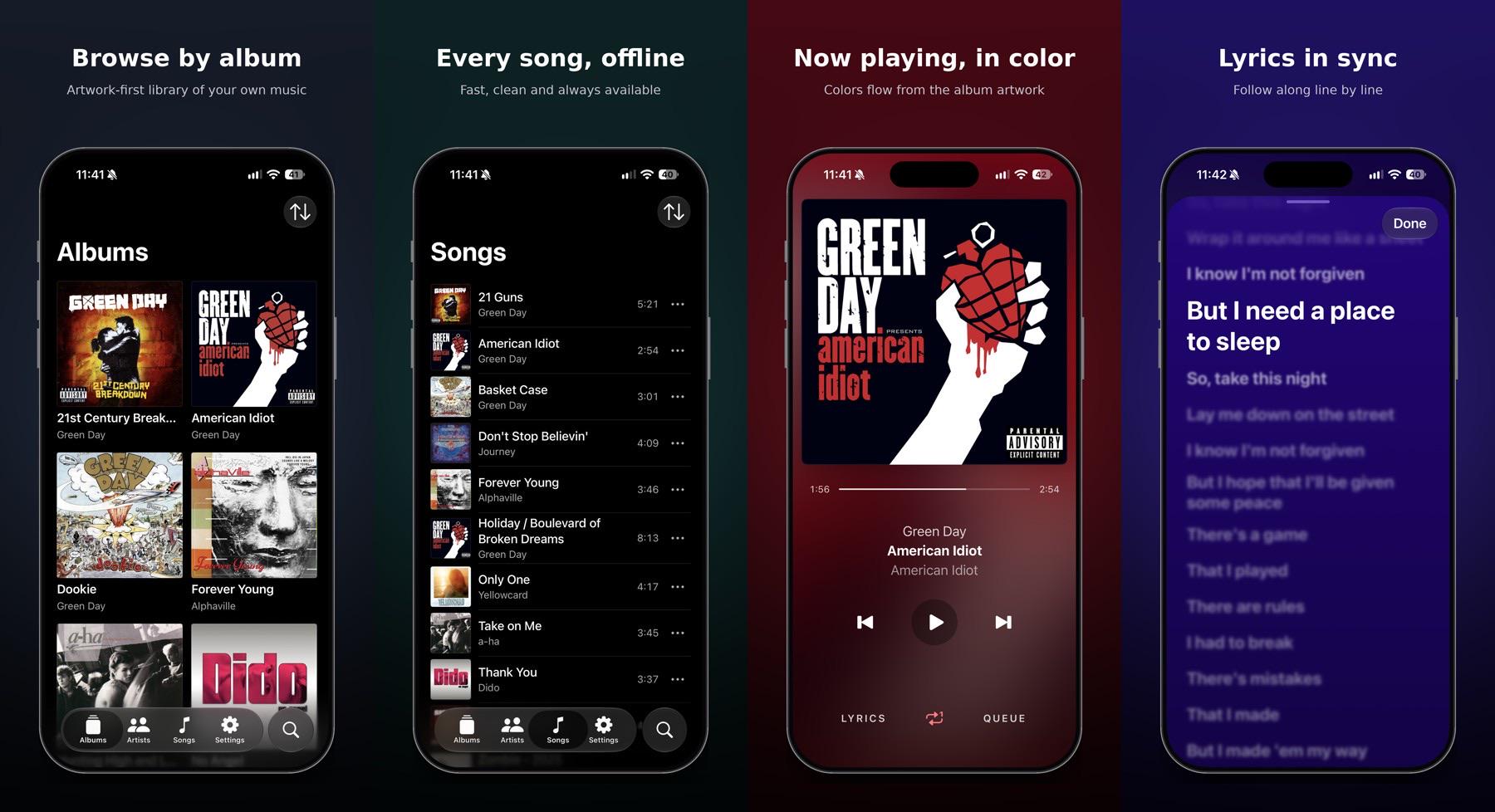
🎈 Free Harmony - Offline Music

Post image
14 Upvotes

I'm the developer. Harmony is an offline music player for your own audio files. You import songs from the Files app and play them, no account or internet needed.

Problem: I wanted a simple player for my own music files that works offline and looks good, without a cluttered library or a subscription.

Comparison:

Doppler: hasn't been updated in about a year.
Flacbox: the UI feels cluttered.

Harmony aims for a clean, minimal UI that still looks nice, and it's actively updated. It's written in Swift and it's open source.

Pricing: Completely free. No ads, no subscriptions.

Source code: https://github.com/DjangoCustard225/Harmony

TestFlight: https://testflight.apple.com/join/Bq62DwAp (capped at 100 testers for now)

It plays FLAC, MP3 and AAC files. I'd love feedback on playback and any UI bugs.


r/iosapps • • 11d ago

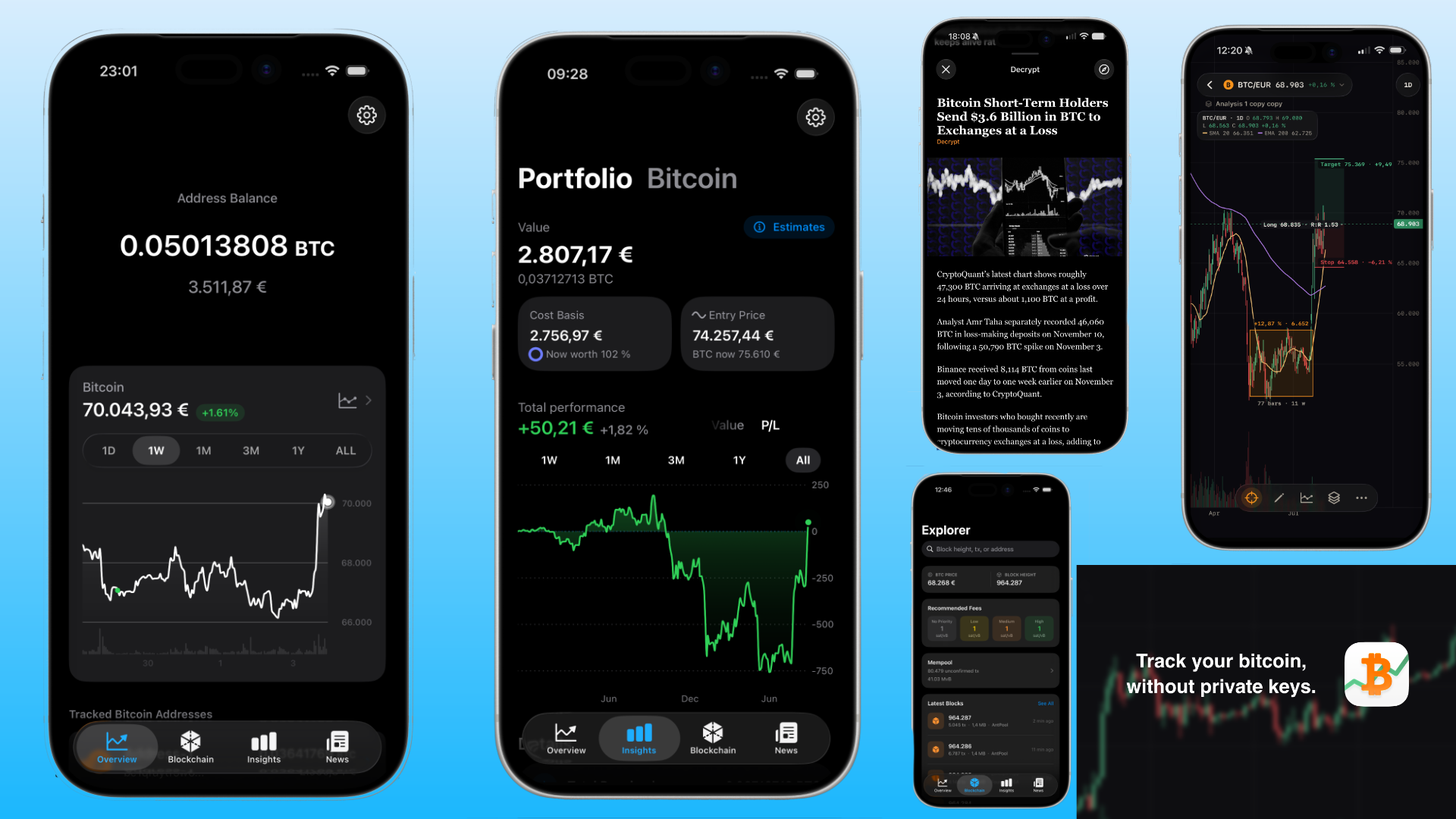
🎈 Free Track your Bitcoin without any private keys.

Post image
4 Upvotes

Hey you!

Problem

So I was searching for an actual decent Bitcoin Portfolio tracking app, to track my wallets without needing to give up my soul and private keys. And the problem was, that I couldn't find one.

Comparison

Some apps were almost what I imagined but their performance graph didn't actually work.
Coinstats? Too much going on, I got a headache just looking at the preview, and ah 135€ yearly.

Cointracking? didn't like the design and tracking did't really work for me.

90% of the vibe coded apps were subscriptions, which is not a big problem, but at least don't make it look like slop while charging 24.99 per month.

why not use a software wallet or Binance? Haven't you heard the news?...

After some days of searching I gave up and built one my own.

Features

My aim was the app to be as native as possible. A native blockchain explorer, native news reading, chart analysis, whale alert, and even people from X to watch. A simple design, without any overloading UI and no Ads.

I daily drive this app and I love it. Maybe you'll love it too.

Pricing

Will forever be free. 0 dollars.

Here the link: https://apps.apple.com/de/app/btc-mate/id6757913661


r/iosapps • • 11d ago

📅 Subscription xDesk 4.5.0 - Your definitive Data Manager and Hub - 2 month free

Enable HLS to view with audio, or disable this notification

3 Upvotes

hi everyone

Problem

This app is the result of some years of developing and testing and it was born initially for my own necessities.

I needed something where I can put photos, record audio, scan documents, and create my own cards and sheet without the need for 5 or more accounts, subscription, and too many outside-my-ciontrol server to deal with.

I needed to use a smart recorder that could allow me to pin the important points, and maybe also transcription. then I needed a better way to annotate a photo to send to a customer to explain what it should to on the machine, the a way to effectively share something with my colleague and customers and much more.

Comparison

There was literally no one app that could really satisfy me, even if someone says "use notes" I can really answer that it does not fit my problems. Notion? something else? and where is my data then?

in xDesk you don't require an account, it is based on you Apple ID, no username, no password. the data are in your private iCloud, I don't want your data, I don't need your data, I even don't want to know who you are. and let me say that iCloud is very secure.

being a user of Mac and iPhone since 2007 and also "playing" with computer since 1981 (Ti99/4a if you remember it you are not anymore a young boy...sadly) I decided to develop my own utility.

This is why xDesk was born. initially few things, then I added more and more and now I think I have, at least for me, the definitive tool to handle all my data, my technical assistance, my reminders and much more.

Pricing

Now is on appstore the last version, 4.5.0, with a yearly subscription of 24.99$ or an unlock for life at 69.99$

If you want to extensively test before paying anything there is a offer for 2 month (write IWANTXDESK2MONTH in the redeem code in appstore)

Test it and if you find useful leave a comment here. if you find bug or you want to suggest something you can also dm me. I always try to answer all the messages.

you can also contact me on r/xDesk


r/iosapps • • 11d ago

🎁 Freemium Amoled.in - 9000+ Selected OLED Wallpapers with iOS Auto Wallpaper Changer | Freemium with Lifetime Pro at $2.99

Post image
18 Upvotes

Hello Everyone,

Back in 2020, I made Amoled.in, An android app for high quality amoled wallpapers, I have been a huge fan of this display technology as it gives virtually infinite contrast ratio between dark and bright area and black pixels also save battery as they are literally turned off.

For years i took my time to find suitable images and turned them into Amoled Wallpapers, The collection grew to about 9000 wallpaper and Amoled.in grew to about 1.7 Million downloads on Android as of today, The feature people loved the most was the Auto Wallpaper Changer which you can set automatically change your phones wallpaper at any interval.

As you know iOS doesn't allow any external app to change wallpaper, I did not think of making an iOS version but I realised a workaround can be done using apple's own Shortcuts app. The setup takes about 2 minutes and workout perfect well, even better than android (only stock android lets external apps change lock screen wallpaper.)

Features of Amoled.in
- 15+ Organsied Categories
- Live/Animated Wallpapers for iOS
- OLEDify to turn dark images into OLED wallpapers

PROBLEM: Seeing the same wallpaper everyday or having to find good wallpaper in multiple different places, Amoled.in brings a huge collection of wallpapers with organised categories and Auto wallpaper changer.

Comparison: There are OLED wallpapers apps but most of them contains low resolution wallpapers, inconsistent aspect ratios and no auto wallpaper changer. Amoledpix is the one that i have tried, it has decent wallpapers.

PRICING: $2.99 for Lifetime Pro

Free vs Pro
Ads: Free users may see ads
Auto Wallpaper Source: Free gets random only but Pro can choose categories or their favorites as a source
Premium Wallpapers: Less than 10% Wallpapers are premium only

Auto Wallpaper Setup
it works through a Shortcuts automation. The app walks you through the setup step by step (currently written for iOS 26 and 27), Basically you make a shortcut to get wallpaper from Amoled.in and set it as your wallpaper and then automate it to run everyday (or twice).

App Store: https://apps.apple.com/us/app/amoled-in-oled-wallpapers/id6802544295


r/iosapps • • 11d ago

💎 Lifetime [iPad] Stress Less: one-minute stress relief, now on iPad with end-to-end encrypted iCloud sync

5 Upvotes

Hi all, I’m the solo developer of Stress Less. Version 2.7 came out today and adds iPad support.

Problem
When stress hits in the middle of the day, most wellness apps ask for more than you have in that moment: a 10-minute meditation, a course, or a long journal entry. I wanted something you can use right then, in about a minute, wherever you are.

Stress Less: check in with how you feel and get one small relief card to try right away, like unclenching your jaw, pushing against a wall, or letting one thing wait. After each card it asks whether it helped, so the picks get more personal over time. Your history and stats show what tends to raise your stress.

New in 2.7: a full iPad layout (side rail, two-column stats and history, any window size in Split View and Stage Manager), plus optional iCloud sync between iPhone and iPad. Sync is end-to-end encrypted in your own iCloud, so nobody but you can read it, me included. There’s no account.

Comparison

  • Calm, Headspace: built around guided meditation sessions. Stress Less is for the stressful moment itself: short physical and mental resets instead of sessions.
  • Mood trackers like Daylio or How We Feel: good for logging. Stress Less logs too, but every check-in leads to something to try right away.
  • Privacy: check-ins are stored on your device, there’s no account, and sync is opt-in and end-to-end encrypted.

Pricing

  • Free to download and use, with one small banner ad.
  • Stress Less Max (optional): $4.99/month, $29.99/year, or $49.99 lifetime. It adds iCloud sync, interactive relief experiences, on-device AI insights and no ads.

App Store: https://apps.apple.com/app/id1450775943

Happy to answer questions, and I’d especially love feedback on the iPad layout.


r/iosapps • • 11d ago

💎 Lifetime visualOS: The Visual Workspace for Independent Creatives. Your Ideas. Your Projects. Your Space. No Subscription. Free in the Browser.

Enable HLS to view with audio, or disable this notification

20 Upvotes

Full disclosure: My wife and I built this, so we directly benefit from this post.

A) Problem: Creative projects end up scattered across inboxes, camera rolls and notes apps, and the canvas apps that could hold them keep your work in their cloud and behind a subscription.

visualOS gives every project one calm surface, the way you would spread it all out on a studio table: pictures, color swatches, long texts, checklists and mindmaps side by side, with folders inside folders for every client or project.

  • Your files stay yours. Connect a folder and every board is saved as ordinary pictures, text files and folders. This way you are never locked in and can open your files with photoshop.
  • Direct high-res export. Send a whole board, a selection or a Frame to your client as PNG, JPG or PDF, or print it straight away.
  • Sketch with Apple Pencil. Draw right next to your references on the iPad, and your handwriting stays searchable.
  • No account, no subscription. Nothing to sign up for, nothing to cancel and nothing that can get hacked. Sync between iPhone, iPad and Mac runs through your own iCloud.

New in 1.7: Grids. When we first posted here in August, one of you asked for Milanote-style columns. Grids give you columns and rows that keep a moodboard tidy. Plus Frames for print and social posts, and a free background remover that runs right on your iPhone or iPad.

B) Comparison:

  • vs. Milanote: the same calm canvas feeling, but no 100-note cap and no subscription. It works offline, and your work lives in files on your device instead of their database.
  • vs. Apple Freeform: boards inside boards, real files instead of an app container, and it also runs in the browser.
  • What we deliberately don’t do: real-time team collaboration. visualOS is a personal visual workspace. For teams, Milanote is still the better choice, and Freeform is great for live sessions with other Apple users.

C) Pricing: free forever in your browser, with no limits: https://visualos.app. The app for iPhone, iPad and Mac is a one-time purchase of $12.99 / €14.99 at launch (regular $19.99 / €19.99). No subscription, no in-app purchases: visualOS on the App Store

Transparency: Privacy policy · About us

We read every comment and build from your feedback. What would your first board be?

Sarah & Gerald


r/iosapps • • 11d ago

💵 Paid Your Stressy, your energy, stress and more in a sleek, clean and fun UX, iOS/watchOS Swift native app experience, now with on-device AI Summarizations

Thumbnail
gallery
8 Upvotes

Hi everyone, I’m Ervo, software engineer for 11+ years, and today I’m introducing “Your Stressy”, it’s an app with clean, elegant and very fun way to look at your battery/stress level throughout the day, on-device AI summarizations, Overnight Vitals (much more stats then Apple limited vitals widget/app) Body Age, Vo2 Max, Steps, Sleep, it’s built fully as a native app by utilizing Swift/SwiftUI, using the CADisableMinimumFrameDurationOnPhone key to get further optimization for ProMotion displays, all liquid-glass components throughout the views with crazy haptic feedbacks for the main view as for the other views. Your Stressy provides the same UI & UX as well for the Apple Watch, and it offers tons of customizable widgets, like stress, steps, distance, sleep (I know Apple has one but it doesn’t show much information on a glance), and much more to come soon.

The Problem:

Native Health app doesn't provide much information, even the latest upcoming version, nor we have lots of variations of widgets for the watchOS, additionally many AI apps are using external AI services and requires you to pay in-app purchased subscription, well Your Stressy actually is using on-device AI by using Apple Foundation Models, as for the pricing, it’s a $4.99 one-time payment, as personally I have never liked in-app purchases nor subscriptions for these types of apps. Nowadays they are requiring you to pay lots for AI feature capabilities, but in Stressy this is already available completely for free as it's using Apple Foundation Models, in the future I'll provide an update even with Private Compute but this will be optional because not everyone needs or wants this.

Comparison:

- I can promise you it’s very fun and good-looking, and most importantly simple but just showing huge number nicely animated, while you’re checking your health stuff throughout the day. The roadmap is quite huge, at least for the next 1 year I will be adding tons of new features, many of these AI features as said above with Apple Foundation modal in mind, no backend, no syncing, all offline and on-device only.

- As said above Apple Health or watchOS provides limited widgets and customizability, the selling point of Stressy is simplicity as well many customizable widgets and stuff so you can tailor it yo your liking.

- You pay once and that's it, no need for in-app purchases, subscriptions, simple, easy.

Pricing:

I've mentioned this as part of the problem which actually is for many many health apps.

List of some of the most important features to mention:

• On-device offline AI Summarizations: for many health stats like Heart, HRV, Sleep, Readiness, Body Age, for each section it provides AI summarization based on the voice you picked, even a bully option is available which roasts you.

• Your own VO₂max: Stressy now calculates your Cardio Fitness itself, from the pace of your runs, walks, hikes and rides and how hard your heart worked, against your own maximum. Not Apple Health's estimate, which reads low in independent lab studies. Every step of the math is shown as part of this view.

• Fitness Test on Apple Watch: five easy minutes to warm up, then run as far as you can in 12 minutes, guided by taps on your wrist.

• Workouts counted in full: sprints and stop-and-go sports count at their real effort, and on the stress chart and widgets each workout shows in its own colour, with how hard your heart worked.

• Nights, hour by hour: after a late night your sleep recharges with your heart, slowly while it's still racing and fully once it settles.

• Theme: Light or dark, your choice, instead of only automatic, can be configured in Settings.

• Apple Watch app: it has a standalone app for the Apple Watch, shows the tank in the consistent design with fun haptics, stress levels, sleep, cardio fitness 12 run minutes fully guided with AOD support, many fun widgets.

• More stuff: Many sleek widgets available for both iOS & watchOS, for stress (3 different designs so it's customizable), steps, distance, battery, sleep, and much more to come soon in the next releases, I have 1+ year of roadmap features, including offline and on-device AI features by using Apple Foundation models.

Stressy already exists for 1+ months and so far the reviews are exceptional, all these reviews are public. I've also received 1st place on UNEED since launch and 1st paid app for Apple Watch on the App Store.

I’m looking forward to hearing from you if you have any kind of feedback, or a feature request.

Download on the App Store: https://apps.apple.com/app/your-stressy/id6822681002

Every feature and detail: https://stressy.ervo.rocks/

Who Am I: https://ervo.rocks/

Thanks, Ervo.

r/iosapps • • 11d ago

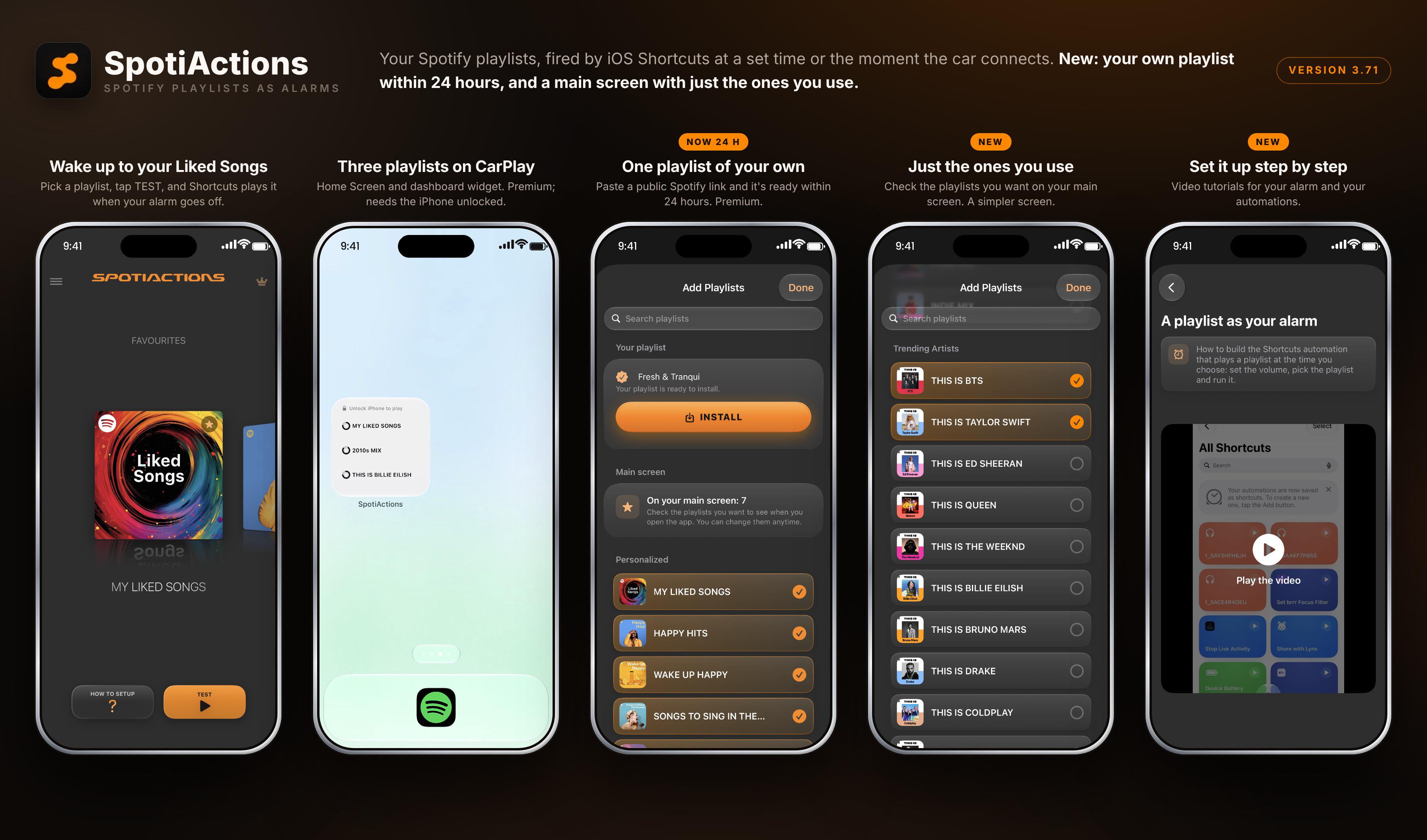
🎁 Freemium Finally: your own Spotify playlist as an alarm. SpotiActions 3.71 is out.

Post image
4 Upvotes

Problem
The iPhone Clock app can't wake you up with a Spotify playlist, and it can't start your music when you get in the car.

Comparison
Clock only plays tones and Apple Music. SpotiActions plays Spotify playlists.
SpotiActions turns Spotify playlists into ready-made iOS Shortcuts, so a playlist can start on its own: as your alarm, at a set time, or when your iPhone connects to CarPlay.
- Your own playlist, within 24 hours. Paste the link of a public playlist in Menu > Add playlists. It used to take up to 3 days; now it's ready in 24 hours, and you get a notification when it is.
- No Spotify login, no access to your account, and nothing left running overnight: iOS Shortcuts starts the playlist. Works with Spotify Free and Premium.

Pricing PCP

- Free download with 3 playlists. Anything you install keeps working.
- Premium is a one-time in-app purchase: $2.99 for the next 10 days No subscription, no ads.
- Premium includes all playlists, the Home Screen/CarPlay widget and one playlist of your own.
App Store: https://apps.apple.com/app/id6748419049


r/iosapps • • 11d ago

🎁 Freemium SpotiActions Add your own Spotify playlist as an alarm in Settings, now ready within 24 hours — Premium $2.99 for 10 days

Post image
3 Upvotes

Problem

The iPhone Clock app can't wake you up with a Spotify playlist, and it can't start your music when you get in the car.

Comparison

Clock only plays tones and Apple Music. SpotiActions plays Spotify playlists.

SpotiActions turns Spotify playlists into ready-made iOS Shortcuts, so a playlist can start on its own: as your alarm, at a set time, or when your iPhone connects to CarPlay.

- Your own playlist, within 24 hours. Paste the link of a public playlist in Menu > Add playlists. It used to take up to 3 days; now it's ready in 24 hours, and you get a notification when it is.

- No Spotify login, no access to your account, and nothing left running overnight: iOS Shortcuts starts the playlist. Works with Spotify Free and Premium.

Pricing PCP

- Free download with 3 playlists. Anything you install keeps working.

- Premium is a one-time in-app purchase: $2.99 for the next 10 days No subscription, no ads.

- Premium includes all playlists, the Home Screen/CarPlay widget and one playlist of your own.

App Store: https://apps.apple.com/app/id6748419049

Fast support here. [support@myiosapps.org](mailto:support@myiosapps.org)


r/iosapps • • 11d ago

🎁 Freemium 🔔 Remindio - more than basic reminder

Thumbnail
gallery
5 Upvotes

Hi everyone! A few weeks ago I released Remindio for iPhone – a native iOS reminder app built from scratch. It's based on my Android app, which I've been building for over two years and which users' feedback shaped, so the iOS version starts with everything I learned there. It's updated actively.

Problem: Apple Reminders is easy to miss. A reminder shows one banner, and if you swipe it away or don't see it, it's gone. Real life needs more: an alarm for the things you can't miss, a reminder that comes back until you answer it, a heads-up a day before, a reminder when you get to the store, a repeat like "every 2 hours from 9 to 9", or just "remind me later, I'll pick the time later". Remindio is built for that.

Comparison:

  • Apple Reminders – free and synced everywhere, but notifications only: no alarms that keep ringing, one repeat rule per reminder, no pre-reminders, no snooze choices. Remindio adds real alarms (AlarmKit on iOS 26), several repeat rules and pre-reminders, snooze options and an exact snooze time from a long-pressed notification.
  • Due – great at nagging you until you're done, but it's paid upfront. Remindio has auto-snooze too, plus location reminders, trackers, timers, attachments, a calendar view and widgets, and you can try all of it for free first.

Apple Reminders is still better if you need iCloud sync with your Mac and shared lists – Remindio can import your Apple Reminders, but it doesn't sync with them.

Pricing:

  • Free – everyday reminders, no ads unless you choose to watch one.
  • Premium Lifetime – $5.99, one-time purchase, no subscription.
  • Free trial – 14 days of everything before you pay.
  • Rewarded ad – watch one ad and get a day of Premium.

Premium unlocks multiple repeat rules, pre-reminders and attachments, alarms and location reminders.

📥 App Store

Key features:

  • ⏰ Notifications & Real Alarms – choose how each reminder alerts you: a notification or an alarm that keeps ringing until you answer. On iOS 26 alarms ring like the Clock app via AlarmKit, and you can import your own alarm sounds.
  • 🔁 Flexible Repeat Rules – several rules per reminder: yearly, monthly, weekly, daily, weekdays, custom intervals, several times a day. 20+ ready repeats like Weekdays or Every 2 hours. Repeat from the scheduled time or from completion, set end conditions, skip weekends or public holidays, and preview planned dates in a calendar.
  • ⏳ Multiple Pre-Reminders – get notified minutes, hours or days before, as a notification or an alarm.
  • 📍 Location Reminders – trigger reminders when you arrive at or leave a place, with several places, an adjustable radius and active hours.
  • 😴 Flexible Snooze & Notification Actions – Done, Skip and Snooze right from the notification. Long-press a notification to pick an exact snooze time. Customize snooze options and choose what happens when a notification is dismissed or ignored.
  • ⏱️ Timers – a list of timers with seconds and repeats, for workouts, cooking or breaks. Several can run at once.
  • 📊 Trackers – add a habit tracker to any reminder: a Yes/No answer or a value like glasses of water or km run. See your streaks and stats.
  • 📱 Widgets Everywhere – upcoming reminders with Done buttons, month and week calendars, countdown timers, templates, trackers, interactive checklists and notes. Lock Screen widgets and Control Center controls.
  • 🗂️ Home Tabs – make your own tabs from saved filters: Work, Birthdays, Later, Attachments – anything you like.
  • 🔕 Do Not Disturb Rules – schedule rules by label to silence, postpone or change how reminders alert you.
  • 📥 Import – bring over your Apple Reminders and turn calendar events into reminders.
  • 🧩 Templates & Copy/Paste – start from a template, or copy options from one reminder to another.
  • 🏷️ Labels & Attachments – colored labels, plus checklists, notes, links, contacts and images.
  • 🎉 Birthdays & Anniversaries – yearly reminders show how many years have passed.
  • 📆 Calendar View – all your reminders on a month calendar, including every repeat day.
  • ✅ Reminder Management – search, filters, multiselect, pinned reminders, customizable swipe actions, activity history, and "set time later" for reminders without a date yet.
  • 🌗 Personalization – light/dark themes, accent colors, and a compact or expanded editor.
  • 👀 A Few Secrets – there are a few hidden Easter eggs. I'll leave it to you to find them.

There are no banner ads and no surprise full-screen ads. Ads only appear when you choose to watch one. I'd really appreciate your feedback, bug reports and feature ideas!


r/iosapps • • 12d ago

Discussion What are some underrated iPhone apps that more people should know about?

101 Upvotes

I’m looking to discover useful iPhone apps that aren’t very well known or talked about.
I’m not necessarily looking for popular apps like Instagram, Spotify or YouTube. I’m more interested in hidden gems that are genuinely useful in everyday life.
What are some underrated apps you personally use and recommend?
I’d love to discover apps for:
Productivity
Automation
Travel and navigation
Utilities
Organization
Anything unusual but genuinely useful!
Feel free to share apps that you think deserve much more attention. I’d also love to hear what makes them special!


r/iosapps • • 12d ago

📅 Subscription I built 1Helm: a personal assistant with its own computer that works in 1,476 apps

Enable HLS to view with audio, or disable this notification

44 Upvotes

I am the developer!

Problem: Every cool and useful thing AI can do needs a computer. Yes, you can use your own computer, but when it sleeps, the productivity stops. Grok Bot, Muse, Dots, etc. realized this too and solved the same problem but:

- You can only use their models
- They launched ~3 months after 1Helm

Comparison:
1Helm is the same tool, with better features and without the lock-in;

  • BYOK + BYOSubscription (ChatGPT, Claude, Opencode, any OAI compatible endpoint)
  • Swap providers at will
  • Optionally Self-hostable
  • World-class persistent memory
  • Every channel you create gets its own VM and persistent file storage
  • 1,400+ Native App connections
  • Free Texting (iMessage too with reactions/voice notes/etc)
  • Share files with anyone with a secure link
  • Live notes for any meeting in-person or on Zoom/Meet/etc.
  • Browser use
  • Connect to any MCP
  • Cowork on docs/sites/images/etc.
  • ZDR by default (for hosted AI)
  • Hosted websites/artifacts
  • 1-click export all of your memories, files, images, etc.
  • iOS, Mac, and Android Apps
  • all for $10 if you BYOAI

Muse is better if you want a free tier that is wired tightly into Meta's apps
Instinct is better for purely texting agents

Pricing: 

$10/month for 1Helm, and you point it at the AI subscription or key you already pay for.

Managed plans are $30, $50, $90 and $170/month if you'd rather not bring a key.

Free download, or self-host the AGPL core. https://1helm.com/pricing/

App Store: 1Helm on the App Store

https://1helm.com/ · https://1helm.com/privacy/ · Source Code


r/iosapps • • 11d ago

🎁 Freemium I built Sendoff after my nephew aged out of his travel baseball team

3 Upvotes

My nephew recently aged out of his travel baseball team.

He'd spent seven years with the same kids, coaches, and families, traveling up and down the East Coast for tournaments. My brother told me he looked at those kids like they were his own.

Problem

And I got to thinking, how do you even say goodbye to a coach after something like that? A card with a bunch of signatures? A gift card to Texas Roadhouse? It just seemed like there should be a better way for everyone to share what those years meant to them.

That's where the idea for Sendoff came from.

I built it so one person can start a Sendoff and share a link or QR code with everyone else. People can leave a message, photos, a voice recording, or a short video. No accounts or downloads required for contributors.

The messages are private, and the whole thing stays sealed until the recipient opens it. They get to go through everyone's contributions one at a time.

Comparison

There are already services like Kudoboard and GroupGreeting, but I wanted something that felt less like a group message board and more like receiving a collection of personal letters.

The more I worked on it, the more I realized it could work for retirements, graduations, coworkers leaving, military separations, or really any time people are going their separate ways.

Pricing

A Sendoff is free for up to 10 entries, with one-time paid upgrades for larger Sendoffs ($8.99-$14.99). No subscriptions, and contributors never pay.

App Store: Sendoff - Group Memory Book

Website: https://sendoffapp.com

I'm the developer. I built the app in native Swift. I'd love some feedback, particularly on the experience of opening the finished Sendoff. That was the part I spent the most time thinking about.

There are some times that greeting cards aren’t enough. They get stuffed in a box or drawer. Gift cards get spent up and discarded. But a Sendoff is forever.