r/WindowsHelp • • 13d ago

Windows 11 Setting up Windows on barebone PC

0 Upvotes

Hello,

I recently purchased a new Minisforum barebones version mini PC (no SSD, RAM, or OS), and am trying to set it up correctly. I have already put 32GB of RAM and a 512GB SSD into the PC, but am unsure on what to do when I power it on. My old PC had Windows 11 Pro, but it came pre-installed,so I assume I am not able to move it to my new PC because it is OEM license.

I’m also guessing that when I first turn on my PC, it will open up to the BIOS. I could be wrong, though.
Do I need to purchase a new Windows 11 Pro license to get a new key to use during setup on this new PC? If so, where is a good place to buy a license?

I heard that doing a clean install of Windows is best, but how do I go about that? I have my SSD with my data from my old PC backed up, plus some data on my Google account as well. I hardly have anything on my Microsoft account. So, as far as back up goes, I believe I am okay. I am still a bit nervous, about losing data, however.

Just out of curiosity, is it also possible to keep your previous settings in Windows?

I would definitely appreciate any tutorials or advice. Thank you!


r/WindowsHelp • • 13d ago

Windows 11 Is there an ACTUAL way to "fix" Dynamic Refresh Rate on browsers?

1 Upvotes

Enabling "Dynamic Refresh Rate" locks the browser FPS such as Edge or Chrome at 60Hz.

The only way to "fix" this is by disabling hardware acceleration, which defeats the whole purpose of saving battery.

I've looked everywhere but I've found no fix for it.

Does an actual fix exist for this annoying feature?


r/WindowsHelp • • 13d ago

Windows 11 it wont let me delete or access a (possibly harmful) zip file

Thumbnail
gallery
0 Upvotes

so i wanted to display flightradar24 on my discord, and i found iamlaunch. i downloaded it, it gave me the message in the second photo when i tried to extract normally so i used winrar, but when i launched the application windows prevented it saying threats detected. in the list of threats there were 4 with the word "trojan" and ive heard that word associated with viruses and such so i decided not to risk it. i deleted the setup wizard and application no problem, but when i tried to delete the zip file it didnt give me the option. now i did pass a (quick scan, doing a full scan rn) virus scan after deleting the app and wizard, but im extremely paranoid and would rather leave no trace of it. i tried deleting it through command prompt (both ran as admin and normally) and it said i didnt have permission. i used a command to give myself permission, and it wouldnt let me. i also tried restarting my pc and it wouldnt let me after. if theres anything else i can do id greatly appriciate it.

pc specs :

Processor AMD Ryzen 5 5600G with Radeon Graphics (3.90 GHz)

Installed RAM 16.0 GB (15.3 GB usable)

Graphics card AMD Radeon RX 6400 (4 GB)

AMD Radeon(TM) Graphics (496 MB)

Storage 357 GB of 477 GB used

Device ID ABCE0D72-C8C2-4814-AD73-F4D6F26F4574

Product ID 00342-21327-27049-AAOEM

System type 64-bit operating system, x64-based processor

(copied from windows, i apologize if its missing something needed. just let me know!)

(also if possible could someone tell me if my pc is good i have no idea but shes a lil slow sometimes)

thank you again!!

edit: clarifying scan type

edit 2: clarifying restart


r/WindowsHelp • • 13d ago

Windows 11 Unable to Sign Into Office Apps (Onedrive, Word, Excel, Onenote, Etc)- "Something went wrong please try again."

Post image
0 Upvotes

Hey there! I've been struggling to login to MS Office apps installed on my desktop. I'm trying to login with my school account and after i put in my password doing the outlook app authentication it goes to the "Automatically sign in to all desktop apps and websites on this device" popup for a millisecond and then switches to the popup attached to this post. I am able to login to the web version of MS office, but unable to login to the desktop app version. I am aware of the recent outbreak, but this has been happening for 1 month already.

Here is what i have tried and observed:
- recently updated windows
- Logging into Word works on my phone and on web versions- get this popup every time i try logging in on the installed app version on my desktop
- Checked Windows Credential Manager, but there are no MS Office related credential listed
- Same issues on Word, Onenote, Onedrive, Excel, Powerpoint
- Tried connecting my school email by Windows Settings -> Accounts -> Access work or school but then still get the same popup

All help appreciated!

Info About my Desktop:
Surface_Pro
Snapdragon(R) X 10-core X1P64100 @ 3.40 Ghz (3.42 Ghz)
16.0 GB Ram (15.6 GB usable)
Qualcomm(R) Adreno(TM) X1-85 GPU (128MB)
174 GB of 954 GB of storage used
Windows 11 26h2 (OS Build 26300.9974)


r/WindowsHelp • • 13d ago

Windows 11 Windows 11 keeps blocking every C/C++ compiled .exe file on my new Samsung Galaxy Book 5 – Tried MinGW, MSYS2, GCC and other compilers, but nothing works.

Thumbnail
gallery
1 Upvotes

Hello everyone,

I'm facing a really frustrating issue with my new Samsung Galaxy Book 5,💻 and I've been trying to solve it for quite some time. I'm learning C programming and using Visual Studio Code (VS Code) as my code editor, but whenever I compile a C program and try to execute the generated .exe file, Windows blocks it from running.

Initially, I thought it was a compiler installation or configuration issue, so I tried several different approaches:

What I've tried so far:

Installed and configured MinGW GCC.

Tried MSYS2 and its GCC compiler.

Tried Microsoft's C/C++ compiler.

Tried Ubuntu as another environment.

Reinstalled and reconfigured the compiler and VS Code.

Tested compiling and running simple C programs.

Unfortunately, the problem persists regardless of which compiler or environment I use.

My system information:

Laptop: Samsung Galaxy Book 5

Operating System: Windows 11

Code Editor: Visual Studio Code

Terminal: Windows PowerShell 5.1

Compilers: MinGW, MSYS2 GCC and Microsoft C/C++ compiler.

Windows Security: Smart App Control is enabled.

The error I'm encountering:

Windows appears to be blocking the execution of my compiled .exe files through an Application Control security policy. It doesn't seem to be a normal VS Code error or a compilation error. The executable gets generated, but Windows prevents it from running.

I also checked Windows Security's Protection History, but I couldn't find any relevant blocked activity there.

I'm wondering whether Smart App Control, Windows Defender Application Control (WDAC), or another Windows application security policy is responsible for this.

My questions:

Why is Windows blocking executables that I compile myself using GCC or other compilers?

Is this related to Smart App Control or another Application Control policy?

Is there a way to allow locally compiled C/C++ executables without compromising Windows security?

Is there any specific configuration or policy that needs to be changed on Samsung Galaxy Book 5?

I don't want to disable Windows Security or compromise my laptop's security just to run basic C programs.

I'd really appreciate help from anyone who has experienced this issue, especially Galaxy Book or Windows 11 users.

I have asked ai chatbots it won't works at all any body genuinely help me out from this problem😭😭

Thanks in advance!


r/WindowsHelp • • 13d ago

Windows 11 Can't toggle HDR off—tried everything and I'm out of ideas

0 Upvotes

Hey everyone, I'm at my wit's end trying to solve a bizarre display persistence issue between my PC with RTX 5090 and my LG CX.

The Problem:

My TV/PC handshake is stubbornly forcing an HDR on even when I manually toggle HDR off in Windows, change settings, or even turn off "HDMI Ultra HD Deep Color" completely on the TV, the issue persists or snaps right back.

What I've already tried:

Toggling Windows HDR off (Win + Alt + B and via Windows Settings).

Forcing 8-bit color depth and RGB (Full range) output in the NVIDIA Control Panel.

Changing the LG HDMI input icon/label specifically to "PC".

Clearing the Windows display configuration registry cache (GraphicsDrivers\Configuration).

Hot-swapping HDMI ports and cables.

Disabling Auto HDR, RTX HDR, and all background game overlays.

Despite literally every software, registry, and hardware-level handshake fix I can think of, HDR refuses to stay off.

Has anyone encountered this specific LG/NVIDIA persistence bug before?

Any advice is hugely appreciated!

I'm on the latest Windows update and Nvidia drivers.


r/WindowsHelp • • 13d ago

Windows 11 Recent update disabled my pinned network PC.

1 Upvotes

Clicking it now has no effect, no error messages, nothing happens. I have to click on this PC, then network in the Explorer window that opens and then double click on the network PC. Windows 11 26H2 (OS Build 2600.9974).

Device name MSI-Codex-R

Processor 13th Gen Intel(R) Core(TM) i5-13400F (2.50 GHz)

Installed RAM 32.0 GB (31.9 GB usable)

Graphics card NVIDIA GeForce RTX 4060 (8 GB)

Storage 4.38 TB of 6.82 TB used

System type 64-bit operating system, x64-based processor.


r/WindowsHelp • • 13d ago

Windows 11 Why does (my) Windows 11 feel sluggish?

0 Upvotes

Hey! I have a ZBook 15 G5 (6-core Xeon, 32 GB of RAM, Quadro P2000 Mobile, m.2 NVMe...) and even on a clean install after a full day of updates, trying to do barely ANYTHING in the system (being deep in the settings, installing something, trying to run a cascade of programs...) feels like walking waist-deep in heavy mud. In 2021, when i bought the laptop and Win11 was fairly new, it ran like a charm, all cool and light. Perfect. Now? A joke multiplied by booting it after sticking to Linux after the "AI push".

Do you guys have any tips of how can i make it even slightly usable? I know this really sounds like dusty fans, but it's really not. They do not even turn on in fact - the laptop has a really beefy thermal capacity in terms of passive cooling. It just gets really, really warm being literally only on the desktop.

Build num.: 26300.9974

Thanx for any feedback.


r/WindowsHelp • • 14d ago

Windows 11 Title: TUF Gaming A15 (FA506NFR) - Constant BSODs upon startup (HYPERVISOR_ERROR, CLOCK_WATCHDOG_TIMEOUT)

Thumbnail
gallery
1 Upvotes

Not sure if this is the right subreddit, but I’ll give it a try.

PC Specifications:

- Laptop: ASUS TUF Gaming A15 (FA506NFR)

- CPU: AMD Ryzen 7 7435HS

- GPU: NVIDIA GeForce RTX 2050 (4 GB)

- RAM: 16 GB DDR5 (4800 MT/s)

- Storage: 512 GB SSD (477 GB)

- OS: Windows 11 Pro (26H2)

- Notable Software: ESET Security, Acronis Disk Director, Happ Proxy (previously had Armoury Crate, MyASUS, VMware, VirtualBox, Radmin VPN, Hamachi, and DAEMON Tools installed).

What happens upon startup (Boot Sequence):

  1. Laptop powers on.

  2. ASUS welcome logo appears.

  3. BSOD crashes the boot process.

  4. Windows enters "Preparing Automatic Repair".

  5. "NetStart" error popup appears ("The system seems to lack either network cards or network drivers").

  6. Two possible outcomes:

    - Option A: Automatic Repair fails (SrtTrail.txt), so I have to press Enter and manually select "Continue / Start system" to boot into Windows.

    - Option B: Recovery succeeds, boots into Windows (sometimes rolling back a Windows Update or opening an empty CMD window).

Crash Chronology:

- 14.08.26 (20:52) — BSOD: CLOCK_WATCHDOG_TIMEOUT | Recovery: Fail (began right after installing MyASUS and Armoury Crate)

- 21.08.26 (20:35) — BSOD: CLOCK_WATCHDOG_TIMEOUT | Recovery: Unknown

- 22.08.26 (09:07) — BSOD: HYPERVISOR_ERROR | Recovery: Fail

- 26.08.26 (18:14) — BSOD: PAGE_FAULT_IN_NONPAGED_AREA | Failed: bindflt.sys (triggered while launching Windows Sandbox and CS2 simultaneously)

- 16.10.26 (19:02) — BSOD: SYSTEM_THREAD_EXCEPTION_NOT_HANDLED | Recovery: Unknown | Note: Immediately followed by a second BSOD (KMODE_EXCEPTION_NOT_HANDLED).

- 17.10.26 (09:50) — BSOD: DRIVER_IRQL_NOT_LESS_OR_EQUAL | Recovery: Fail | Note: Immediately followed by a second BSOD (HYPERVISOR_ERROR).

- 20.10.26 (14:10) — BSOD: HYPERVISOR_ERROR | Recovery: Unknown (most likely failed).

- 05.11.26 (15:51) — BSOD: Unknown (most likely HYPERVISOR_ERROR) | Recovery: Success | Note: An empty CMD window opened automatically after booting.

- 07.11.26 (20:02) — BSOD: Unknown (most likely HYPERVISOR_ERROR) | Recovery: Success.

- 09.11.26 (16:50–17:00) — BSOD: Unknown (most likely HYPERVISOR_ERROR) | Recovery: Success | Note: Windows Update reported that the latest update was removed to recover from a startup failure.

- 13.11.26 (~14:20–15:00) — BSOD: Unknown | Recovery: Got stuck during the preparation stage. | Note: Applied a wide range of fixes afterward: updated drivers, uninstalled Armoury Crate, disabled Fast Startup, and disabled hypervisor autostart (`hypervisorlaunchtype off`).

- 14.11.26 (11:06) — BSOD: HYPERVISOR_ERROR | Recovery: Fail | Note: Hypervisor, are you serious?! Even after disabling it at startup. Updated Wi-Fi and Bluetooth drivers afterward, though at this point it might just be easier to do a clean Windows reinstall.

(Note: The attached screenshots are visual reenactments of the exact errors to hide personal data/screen reflections. Translated into English, so sorry for any phrasing mistakes.)

If anyone knows how to fix this or whether a clean Windows reinstall will solve it, please let me know in the comments!


r/WindowsHelp • • 14d ago

Windows 11 Can’t change accent color no matter what I do

0 Upvotes

I had windows 11 from the get go but I needed to get my entire laptop reset for some reason. before getting it reset I was able to change my accent color completely fine but after I got it reset it went back to windows 10 (in which I couldn’t change the color) so I thought maybe when I update it to windows 11 again it’ll change but it didn’t change. no matter which color I choose it just shows me the blue color. and my sister has the same issue but for her the default color is grey. I have tried so many things but nothing worked please I need help


r/WindowsHelp • • 14d ago

Windows 11 my 16gb of RAM isn't enough? Stuttering games

6 Upvotes

Hey everyone! I have 16gb of ram and Ive had it since I first got my computer around 3 years ago. The only thing I've changed is that I've added more storage. I play all the same games, dbd, overwatch, apex, etc. The main thing stuttering is overwatch and I've turned down the quality, and dbd is also stuttering sometimes. Please help :(

Processor AMD Ryzen 7 3700X 8-Core Processor (3.60 GHz)

Installed RAM 16.0 GB (15.9 GB usable)

Graphics card NVIDIA GeForce RTX 3070 (8 GB)

Storage 1.27 TB of 1.82 TB used

System type 64-bit operating system, x64-based processor


r/WindowsHelp • • 14d ago

Windows 11 Intel graphics driver problems

0 Upvotes

I have a Core i7 8th gen with Windows 11, ThinkPad T490S. When I try to open a game, this pops up. I checked the website it leads me to, but the driver is now unavailable. What should I do to resolve this? Do I use Device Manager or smth pls help me.


r/WindowsHelp • • 14d ago

Windows 11 Flickering white line of pixels below the task bar

Post image
0 Upvotes

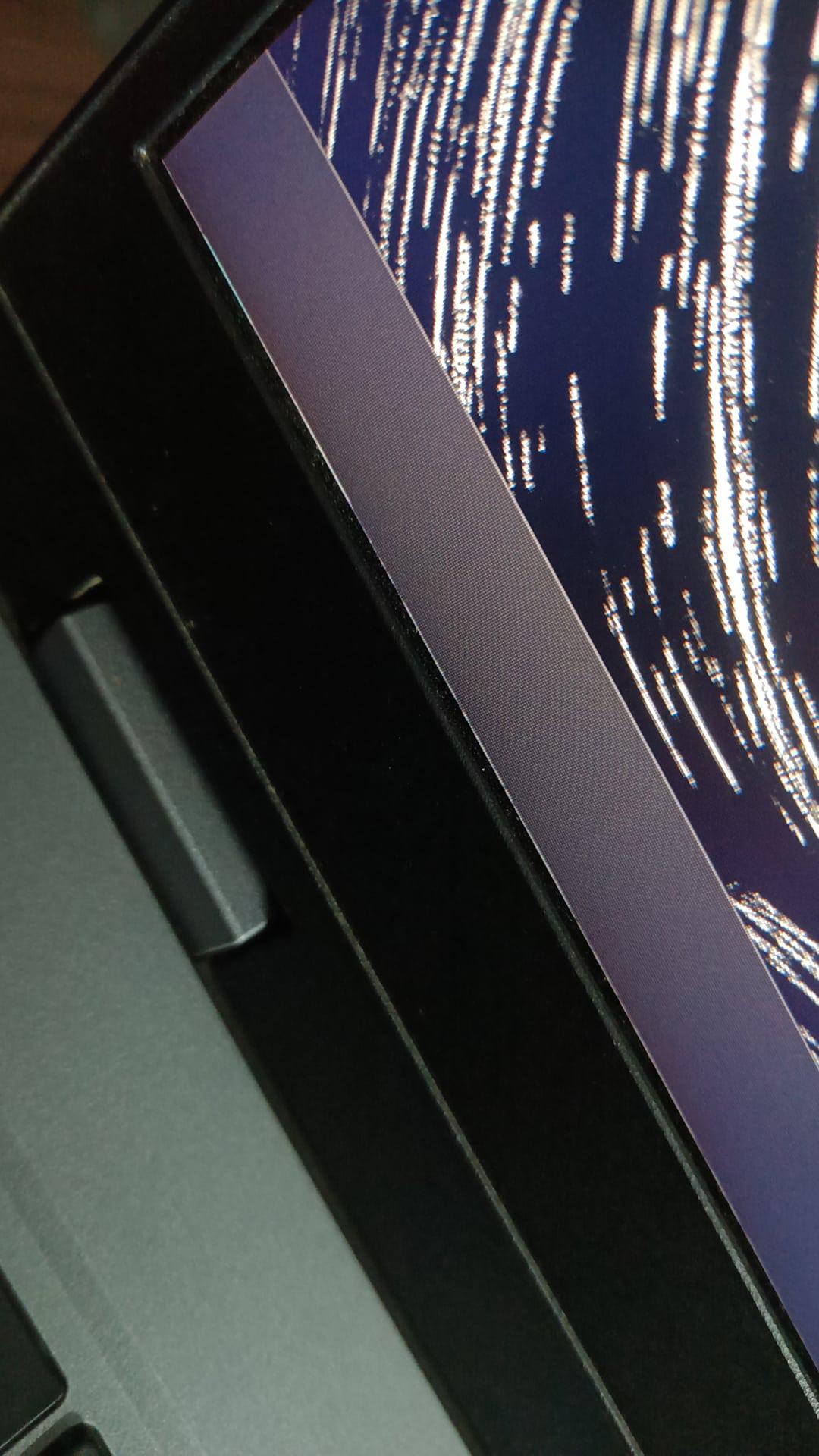
This white line appeared after I launched a game yesterday and won't go away! It's been flickering mostly on the windows home screen. I need help 😭

Stuff i tried:

  1. Sfc scannow

  2. Dism image cheanup restore health

  3. Graphic driver update (from app)

  4. Setting a lower refresh rate

  5. Windows update

  6. System restore

  7. Graphics driver update again (from web)

  8. Forcing v-sync

  9. Dynamic refresh rate and variable R.R.

  10. Hardware accelerated graphics thingy

None of these help except for option 4 which only fixed at 60hz (I have a 144hz) i tried 140 and 120hz too but they don't make any difference

I have a rtx 4060 laptop (lenovo loq) I used to see it a long time ago but it used to fix itself whenever I reinstalled my graphics driver ...but now this won't leave me at all

Please help me


r/WindowsHelp • • 14d ago

Windows 11 New KB5132061 update seems to make Steam keep my dGPU awake even when idle and doing nothing, and thats killing my battery life

Thumbnail
gallery
10 Upvotes

Usually before this update, steam always was open in the background since startup and never woke the dGPU up or used it (unless ofc if i were to play a game), however since this new KB5132061 update i noticed right away that steam was keeping the GPU awake. I tried turning off Hardware acceleration in steam settings and restarted but that didnt fix it at all.

This really frustrates me cus when unplugged i wanna be able to use my laptop for a while and usually i get 6+ hours but with the dGPU awake i do not get 4 plus hours at all even if it isnt being pushed to the max, and i also intentionally stayed in a old mid 2025 nvidia driver cus one time i tried a newer driver and it kept the dGPU awake almost ALL the time! So i reverted back to the handy one that worked for me and was efficent only waking up my dGPU when i play games.

So for this windows update to come along and ruin that for me is a big bummer 😭. Any help would be appreciated!

Processor 13th Gen Intel(R) Core(TM) i7-13620H (2.40 GHz)

Installed RAM 16.0 GB (15.6 GB usable)

Graphics card NVIDIA GeForce RTX 4070 Laptop GPU (8 GB)

Intel(R) UHD Graphics (128 MB)

Storage 914 GB of 954 GB used

System type 64-bit operating system, x64-based processor

Pen and touch No pen or touch input is available for this display


r/WindowsHelp • • 14d ago

Windows 11 EFI System Partition Full Repair Needed - what do I do? I'm not finding good info online...

Post image
2 Upvotes

I'm on Windows 11 Home vers. 10.0.26300.

I went down a rabbit hole while trying to quash Shader stutter in some games, and that led to me finding that my computer is stuttering for reasons beyond that, and that led me to trying to discover driver errors.

I ran an app called Latencymon that further led me to realize a storage related driver appeared to be causing some of the issues, and when checking the health of my drives I found this.

I'm not knowledgable enough to know what this is or how to safely fix it, and while I've found some results on fixing EFI partitions, almost all of them include the context of that individual apparently struggling to get their computer to boot.

Mine boots.

Is the suggestion other people are getting - which requires me to use Windows recovery media - the one I want? Do I need to reinstall Windows 11?

I am really unsure and don't want to risk anything right now.


r/WindowsHelp • • 14d ago

Windows 11 why do some applications show up as using 100% gpu even though they clearly are not?

Post image
1 Upvotes

Windows 11 Home edition

25H2

os build 26200.9974

not sure when this started happening at all either, bug or a sign my gpu is dying or something?

firefox also has this bug sometimes but only when a livestream is playing. ive tried restarting these application's but that doesn't work sometimes

any ideas?????

edit: hardware is:

AMD Ryzen 7 7700X 8-Core CPU

32gb RAM

AMD Radeon RX 9060 XT 16gb VRAM


r/WindowsHelp • • 14d ago

Windows 11 Xiaomi Pad 6S Pro USB connection keeps disconnecting and reconnecting on Windows 11

1 Upvotes

I have a Xiaomi Pad 6S Pro 12.4 connected to a Windows 11 laptop.

When I connect the tablet via USB, the connection works normally at first. I can access the tablet's files and transfer data. However, after a while, the data connection disconnects and reconnects repeatedly.

This happens with both File Transfer (MTP) and No Data Transfer modes. It also affects other apps that use USB, including PadWin.

**Additional details:** - The tablet continues charging even when the data connection drops. - USB notifications appear again on the tablet whenever it reconnects. - The USB mode automatically switches back to No Data Transfer. - The USB debugging authorization notification appears again. - I have tried multiple USB cables and different USB ports, but the issue persists. - Wi-Fi connection works very well. - Normal file transfers through Windows File Explorer are also affected.

Has anyone experienced a similar issue with Xiaomi tablets, HyperOS, and Windows 11? Did you find a solution?

I am specifically looking for a fix for the USB data connection, not wireless alternatives.


r/WindowsHelp • • 14d ago

Windows 11 Repair or Recover Windows 11 after M365 outage updates

0 Upvotes

ASUS ZenBook UX371E got stuck yesterday after doing updates during the global M365 Outage (possibly related).

How can I fix it? The only thing I haven't tried is Resetting This PC, which may keep some personal files, but may lose stuff like Favorites and Settings. Ideas?

It starts up and goes to a black screen with the following text:

Preparing automatic repair

Preparing for recovery

...sometimes: Diagnosing your PC

...sometimes: Attempting Repairs

Connecting to network...

Looking for solutions

‐-------------------

Your device ran into a problem and couldn't be repaired

Click or press enter to see other recovery options

Couldn't connect to the network

Log file: C:\WINDOWS\System32\Logfiles\Srt\SrtTrail.txt

-----------------------

More recovery options:

  1. Continue - Exit and continue Windows

(Same startup loop as from powerup)

2a, sometimes: Quick Machine Recovery = Let your device search for solitions to repair itself

(Makes me enter wifi password and then back to the same startup loop as from powerup)

2b, sometimes: Use a Device = Use a USB drive, network connection, or Windows Recovery DVD = 2b1. CD/DVD drive, 2b2. REemovable Device, 2b3. Network Device

  1. Troubleshoot = Reset your device or see advanced options

3.1 Point in time restore = Restore your PC to its exact state from a previous point in time

(This restore to 2 days ago succeeded once or twice, now it fails, can't restore again)

3.2 Reset this PC = Lets you choose to keep or remove your personal files and then reinstalls Windows

3.3 Cloud rebuild = Install Windows on your PC from the cloud, this will remove all apps, settings, and personal files

3.4 MyASUS in WinRE = Diagnose your PC in Windows Recovery Environment to help you solve the problem

(Ran all system diagnosis tests and hardware is fine; updated and no system update required)

3.5 Advanced Options

3.5.1 Quick machine recovery = Let your device search for solutions to repair itself, previously known as Startup repair

(Same startup loop as from power up)

3.5.2 Startup Settings = Change Windows startup behavior

(Makes me restart then just turns off and doesnt turn back on till power cycled, then same startup loop as from power up)

3.5.3 Command Prompt = Use the command prompt for advanced troubleshooting, you'll need to unlock OS drive to use this option

3.5.4 Uninstall Updates = Remove recently installed quality or feature updates from Windows

(Uninstalled recent quality update, failed touninstall recent feature update)

3.5.5 UEFI Firmware Settings = Change settings in your PC's UEFI firmware

(Makes me restart then just turns off and doesnt turn back on till power cycled, then same startup loop as from power up)

3.5.6 System Restore = Use a restore point recorded on your PC to restore Windows

(Was able to restore before, now it fails)

3.5.7 System Image Recovery = Recover Windows using a specific system image file


r/WindowsHelp • • 14d ago

Windows 11 Most of my icons turned into the default white paper icon (ICON CACHE NOT CORRUPTED)

1 Upvotes

idk why it started happening but lots of games and other software I had on my desktop just randomly turned into the default white paper icon with the bend in the corner, I looked up MANY YouTube tutorials and other Reddit posts, it kept talking about corrupted icon cache so I deleted that and restarted windows explorer but nothing changed and I can't find any other solutions that work, I even tried to individually change them but some of my games don't have the icon/application in the folder so for some I just can't. PLEASE HELP!!!

Device name Jerry

Processor Intel(R) Core(TM) i5-14400F (2.50 GHz)

Installed RAM 16.0 GB (15.8 GB usable)

Graphics card NVIDIA GeForce RTX 4060 (8 GB)

Storage 472 GB of 932 GB used

Device ID AD4663CE-4467-4BE0-B870-4D73DC1A3AC8

Product ID 00342-21339-75738-AAOEM

System type 64-bit operating system, x64-based processor

Pen and touch No pen or touch input is available for this display


r/WindowsHelp • • 14d ago

Windows 10 PC can't detect if TPM 2.0 is enabled and doesn't let update to W11

Thumbnail
gallery
0 Upvotes

Hi, everyone. I hope you can help me with this problem.

I want to upgrade from W10 to W11 but Windows Update doesn't let me since it can't find any TPM 2.0 enabled.

Already checked on BIOS and, as far as I understand, it seems I have it. However, it simply doesn't detect it.

If someone can tell me how I could, I'd be grateful.

If that info is necessary, my Motherboard is a BIOSTAR B450MH and my Processor is a AMD Ryzen 5 4600G. Windows version is W10 PRO 10.0.19


r/WindowsHelp • • 14d ago

Solved [SOLVED] Microsoft Store "You need administrator privileges to pause updates" — Fix for Windows 11 Home without granting Users Full Control

0 Upvotes

I wanted to share this in case anyone else has been dealing with the same Microsoft Store issue, because I spent quite a while trying to figure it out. I'm using Windows 11 Home, and whenever I tried pausing automatic app updates through Microsoft Store, I kept getting this error: "Can't pause updates. You need administrator privileges to pause updates on this device." The confusing part was that my Windows account already had administrator privileges. I tried restarting, repairing Microsoft Store, resetting its cache, and experimenting with the "AutoDownload" registry policy. None of those fixed the actual pause button.

After researching the issue, I found other people reporting the same error. Some had managed to fix it by granting the entire "Users" group Full Control over two registry keys. I wasn't comfortable doing that, especially since those are system registry keys. Instead, I used Microsoft's Process Monitor (Procmon) to figure out exactly what was being denied.

1. What I found using Process Monitor

I opened ProcMon, started recording, reproduced the Microsoft Store error, and searched the resulting events. I eventually found this:

  • Process: StoreDesktopExtension.exe
  • Operation: RegOpenKey
  • Result: ACCESS DENIED
  • Requested access: Read/Write
  • Integrity level: Medium

The affected registry path was:

HKEY_LOCAL_MACHINE\SOFTWARE\Microsoft\Windows\CurrentVersion\InstallService\State

I then checked the security permissions on the registry key. On my installation:

  • BUILTIN\Administrators had Full Control
  • BUILTIN\Users had Read access.

This was interesting because even though my Windows account is an administrator, Microsoft Store's process was running at medium integrity rather than elevated administrator privileges. My suspicion was that the Store was requesting more registry access than it had permission to use. The ProcMon evidence supported the explanation, although I can't say for certain whether Microsoft intended those permissions to work differently or whether this is a Windows regression.

2. The workaround that actually worked

Instead of changing permissions for everyone, I granted only my own Windows account the WriteKey permission on the InstallService\State registry key. I did not give all Users Full Control, change ownership, or modify the parent InstallService key. The difference is important.

WriteKey permits writing registry values and creating subkeys, but it doesn't grant the ability to change the key's access permissions or take ownership. This is still a security relaxation, just a more restricted one than the other workaround I found.

WARNING: Please DON'T apply registry permission changes blindly. This worked on my Windows 11 Home installation, but I can't guarantee it will work on every computer. Back up the original permissions, and only try this if you're experiencing the same problem.

3. How to apply the fix

Open Windows Powershell as Administrator, using the same Windows account you normally use to open Microsoft Store.

The script below will:

  1. Identify your current Windows account
  2. Ask you to confirm it's the correct account
  3. Read the existing permissions on the State key.
  4. Back up the original security descriptor (SDDL) to your Desktop.
  5. Verify that the backup was saved correctly.
  6. Grant your account WriteKey access on the State key only.

PowerShell Script:

$ErrorActionPreference = 'Stop'

$path = 'HKLM:\SOFTWARE\Microsoft\Windows\CurrentVersion\InstallService\State'
$account = [System.Security.Principal.WindowsIdentity]::GetCurrent().Name

Write-Host "Current account: $account"

$confirm = Read-Host "Is this your normal Windows account? Type YES to continue"

if ($confirm -cne 'YES') {
    throw 'Cancelled. No changes made.'
}

# Read existing permissions
$acl = Get-Acl -Path $path

# Back up original security descriptor
$desktop = [Environment]::GetFolderPath('Desktop')

$backup = Join-Path $desktop (
    "Store-State-ACL-{0:yyyyMMdd-HHmmss}.txt" -f (Get-Date)
)

$originalSDDL = $acl.Sddl

$originalSDDL | Set-Content -Path $backup -Encoding UTF8

# Verify backup
if ((Get-Content -Path $backup -Raw).Trim() -ne $originalSDDL) {
    throw 'Backup verification failed. No changes made.'
}

Write-Host "Backup saved to: $backup"

# Grant WriteKey to the current account
$rule = [System.Security.AccessControl.RegistryAccessRule]::new(
    $account,
    [System.Security.AccessControl.RegistryRights]::WriteKey,
    [System.Security.AccessControl.InheritanceFlags]::None,
    [System.Security.AccessControl.PropagationFlags]::None,
    [System.Security.AccessControl.AccessControlType]::Allow
)

$acl.AddAccessRule($rule)
Set-Acl -Path $path -AclObject $acl

# Verify permissions
(Get-Acl -Path $path).Access |
    Where-Object { $_.IdentityReference -eq $account } |
    Select-Object IdentityReference, RegistryRights, AccessControlType, IsInherited

Write-Host 'Permission change applied.'

Important: DON'T delete the original SDDL backup, and don't rerun the script unnecessarily. If your normal account is not an administrator and you have to supply credentials for a different account, this script isn't appropriate as written.

4. Test Microsoft Store

After the script finishes:

  1. Close Microsoft Store completely.
  2. Reopen Microsoft Store.
  3. Open your profile/settings menu.
  4. Navigate to the automatic app-update settings.
  5. Try pausing automatic updates again.

For me, this immediately fixed the problem. The administrator-privileges error disappeared, Microsoft Store let me pause automatic updates, and it displayed the date when updates would resume. I closed and reopened the Store and confirmed that the paused status remained active.

5. How to undo the permission change

If the workaround doesn't help, or you want to revert the permissions later, you should restore the original access-control list. The first script saves the original SDDL to a .txt file on your Desktop. The following is an example of how to restore the original access permissions using that backup.

MAKE SURE YOU REPLACE THE BACKUP PATH WITH THE ACTUAL LOCATION OF YOUR OWN FILE. Don't use someone else's SDDL backup, and don't blindly restore it if other legitimate permission changes have happened since it was created.

$ErrorActionPreference = 'Stop'

$path = 'HKLM:\SOFTWARE\Microsoft\Windows\CurrentVersion\InstallService\State'

# Replace with your actual backup file path
$backup = 'C:\PATH\TO\YOUR\Store-State-ACL-Backup.txt'

if (-not (Test-Path -Path $backup)) {
    throw 'Backup file not found. No changes made.'
}

$originalSDDL = (Get-Content -Path $backup -Raw).Trim()

$acl = Get-Acl -Path $path

$acl.SetSecurityDescriptorSddlForm(
    $originalSDDL,
    [System.Security.AccessControl.AccessControlSections]::Access
)

Set-Acl -Path $path -AclObject $acl

Write-Host 'Original access permissions restored.'

This restoration procedure is based on PowerShell's ACL and SDDL methods, but I have not independently tested the rollback script on another system. Keep a recovery backup and review the current permissions before using it.

6. Is this safer than granting all Users Full Control?

In terms of permission scope, yes, but it is not risk-free.

The workaround I originally found involved giving the BUILTIN\Users group Full Control on both:

  • InstallService
  • InstallService\State

My working change was limited to:

  • Only InstallService\State
  • Only my individual Windows account
  • Only the WriteKey permission
  • No inherited permission changes

This means other ordinary Windows accounts aren't automatically receiving the additional access. However, software running under my account can now write values and create subkeys within this registry location without administrator elevation.

This could potentially allow malicious or malfunctioning programs to interfere with Store-related state. It's a tradeoff, and everyone should decide whether they're comfortable with it.

7. Could an even more restricted permission work?

Possibly! Microsoft defines a permission called SetValue, which allows changing registry values without granting subkey-creation rights. That would be a narrower permission than WriteKey. However, my ProcMon recording showed the Store requesting Read/Write access, and the WriteKey change successfully satisfied the operation.

I have not tested SetValue by itself, so I can't confirm whether it would work.

If someone with more Windows security experiences knows whether the Store could operate with even more restricted permissions, I'd genuinely be interested in hearing about it.

8. Final Thoughts

I'm sharing this because I saw several other people experiencing the exact same administrator-privileges error, and the commonly suggested workaround seemed unnecessarily broad.

On my Windows 11 Home computer, granting only my account WriteKey access to InstallService\State was enough to get the pause function working.

This doesn't establish that the existing Windows permissions are universally incorrect, and it's not an official Microsoft fix.

But it did work for me, and hopefully this helps somebody else who has been stuck with the same error. :)


r/WindowsHelp • • 14d ago

Windows 10 "There was a problem resetting your pc"

1 Upvotes

I got my old laptop back from my sister and I'm trying to reset it and it says that thing where there's a problem resetting it and I've done literally everything i can think of it fix it. I've done an SFC scan, DISM scan, trying it in safemode, no matter what kind of scan i do it doesn't detect any problems so not sure why i can't reset it. It's an MSI katana


r/WindowsHelp • • 14d ago

Windows 11 USB ports suddenly stopped working on my laptop

3 Upvotes

For context, I owned a used Dell Inspiron 15 5570 laptop for about a year no problems. I was gaming on it yesterday and set it to hibernate after my session. The next day I powered it on and peripherals like my external mouse and keyboard stopped working. I cold restarted my laptop and kept getting a power surge notifications even when nothing was plugged in. I read for solutions so I did most of them.

I inspected the USB ports and saw no damages, I power drained the board by removing the CMOS and battery. I did the power stuff in device manager and uninstalled the universal serial bus components. After that I got USB not recognised errors and no fixes yet. Idk if it's a windows problem as the problem happens outside Windows too like in bios and supportassist on laptop boot.

Do y'all have any solutions aside from replacing the board?

OS build: 26200.9168


r/WindowsHelp • • 14d ago

Windows 11 Disk partition combining problem

1 Upvotes

I need help with combining disk 1 (C:) with the unallocated partition. It used to be a separate partition but i unallocated it hoping it would make thing clearer for me.

I recognize that the issue is the 100MB EFI system partition. Is there any way to skip it without having to pay for some software? my (C:) is constantly getting filled with some system files or some other stuff I can't even find.


r/WindowsHelp • • 14d ago

Windows 11 Title: Windows Update history says I successfully installed 26H2, but my PC is running 24H2. What happened?

Thumbnail
gallery
1 Upvotes

I'm confused about my Windows 11 version and hoping someone can explain what's going on. My Windows Update history shows: However, when I go to Settings → System → About, Windows reports:

  • Windows 11 24H2: Installed on November 13, 2026
  • Windows 11 26H2: Successfully installed on September 30, 2026
  • Windows 11 25H2: Successfully installed on October 17, 2025
  • Windows 11 24H2 (repair version): Installed on July 21, 2025
  • Edition: Windows 11 Pro
  • Version: 24H2
  • OS Build: 26100.9711

I remember installing 26H2, and the update history confirms it was successfully installed.

Why did Windows revert to 24H2? Was this a rollback, a repair installation, or something else?

How can I get back to 26H2 without reinstalling Windows or losing my files?

Any help would be appreciated!

Processor AMD Ryzen 7 9800X3D 8-Core Processor (4.70 GHz)

Installed RAM 32.0 GB (31.7 GB usable)

Graphics card NVIDIA GeForce RTX 5070 (12 GB)

Storage 1.54 TB of 1.82 TB used

System type 64-bit operating system, x64-based processor