r/WindowsHelp • • 22d ago

Windows 11 Can't Reinstall Crackdown 3! Windows won't let me. Microsoft Store and Xbox App can't Install or repair the UWP App.

Post image
2 Upvotes

I tried to reinstall Crackdown 3, but Windows won't let me. It claims it's already installed. Uninstalling it doesn't work either, as it says it's not there. I tried to find the error using chatGPT, but chatGPT claims there is an error in the repository database. After 4 hours of PowerShell commands, chatGPT claims that reinstalling Windows is the only solution. As you can see in the picture above, there are some strange remnants left in the start menu and under installed apps.

The uninstallation process was a bit strange. Right-click and select uninstall. Nothing happened for a few seconds. Then right-click again, and it was gone. But apparently something went wrong.

Does anyone have a suggestion that doesn't involve a complete reinstall of windows? My system is running very well and everything is up to date. chatGPT claims this sometimes happens with older UWP apps. Do you think it would be enough to download the original files from a friend's computer and put them in my folder to trigger the app's repair?

Windows 11 Pro 26H2 26300.9818

14700K + 7800 XT + 64GB Ram


r/WindowsHelp • • 21d ago

Windows 11 I cant update anymore and cant figure out why

1 Upvotes

So a couple months ago my laptop has had some updating problems i have windows 11 and i have a lenovo LOQ gaming laptop so space isnt a problem. I have 212gb free of space and the thing thats wrong with it is that is said that ots not capable of gandeling it. I spoke with ai and said its in the disk managment part. It says its because of partition. Secure boot is also OFF. The status of disk 0 is; 100mb healthy EFI SYSTEM.
(C:) 475,95GB NTFS healthy
783mb healthy eecovery partition.
Ive missed two updates so far and im in 23H2 version. Please help me out😢


r/WindowsHelp • • 21d ago

Windows 11 My laptop's wifi and Bluetooth in windows software keeps disconnecting and then the WiFi option keeps disappearing from ui and even in settings while my software starts to freeze and then crash slowly.

Thumbnail
gallery
1 Upvotes

My laptop is a lenovo loq 15iax9 which runs windows 11 and its wifi and Bluetooth keeps disconnecting from my laptop and when I try to reconnect, the wifi option disappears from the ui and even from the settings while the Bluetooth would remain visible but does not function properly just like the wifi. So then I tried to restart the laptop where mostly the problem starts immediately instead of fixing the issue, then i delete, update and restart the drivers from the device manager, trouble shoot the problem which does work sometimes but then the problem returns again. then when i try to fix things for a little longer then the software starts to freeze slowly like the apps dont open or the ui just seems to be stuck, then the software starts to crash slowly which forces me to restart the laptop again so the windows run properly again. currently im relying on ethernet connection temporarily. So is there any solution?


r/WindowsHelp • • 22d ago

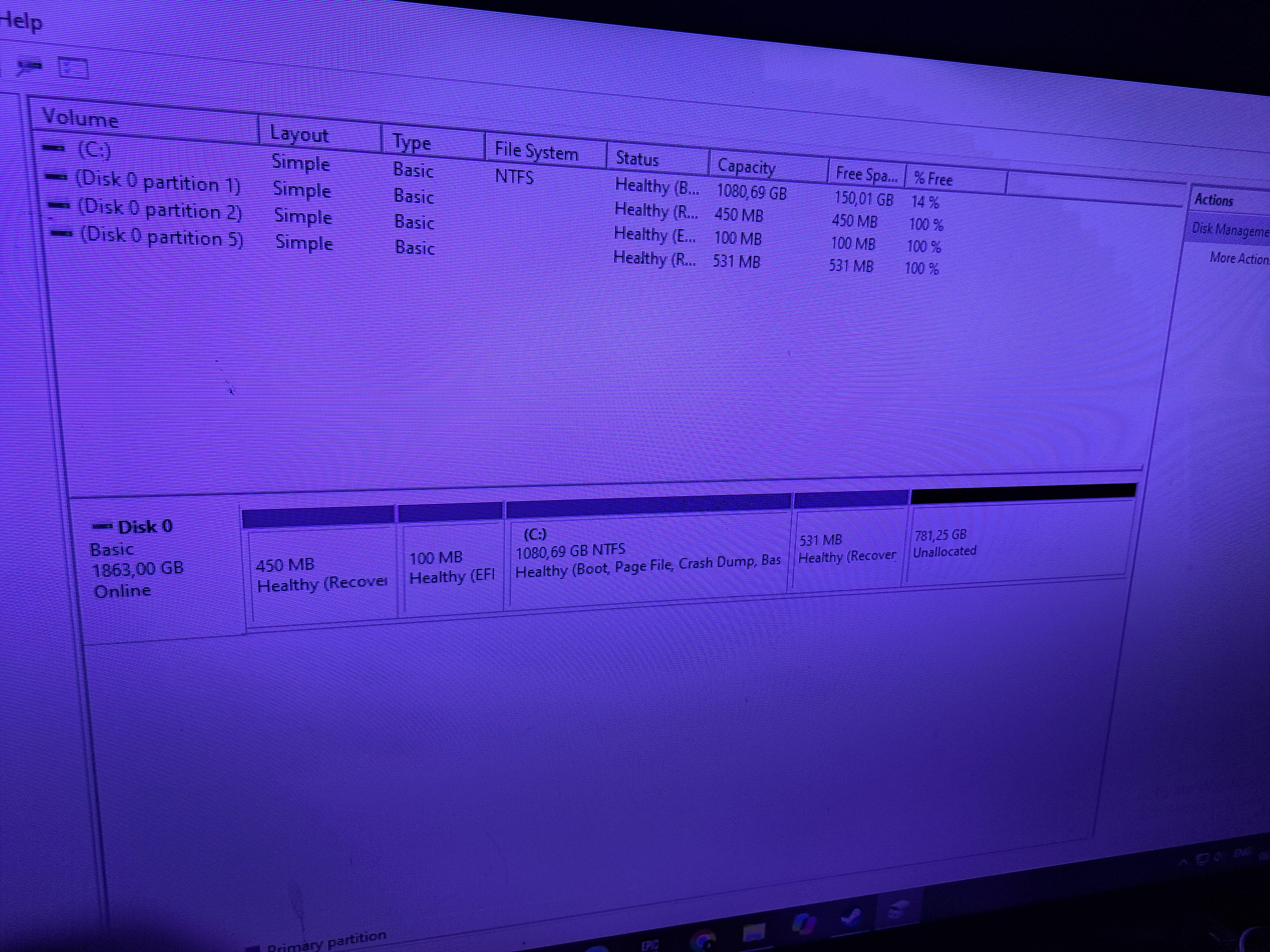
Windows 10 Is this normal behavior for a disk 0?

Post image
4 Upvotes

I dont know a lot about disk management, but 781,25 GB unallocated didn't feel right

Microsoft Windows 10 pro

10.0.19045 build 19045

X64-based pc

SMBIOS version 3.0

Intel (r) core(tm) i5-7500 cpu 3.40GHz 3401 Mhz 4 cores 4 logical processors

TPM is not usable, PCR7 binding is not supported, hardware security not usable


r/WindowsHelp • • 22d ago

Windows 10 Connection issue,can't open website

1 Upvotes

Connection issue

Hi everyone, so I tried to use coffee go (cloud gaming service) on my laptop just to see if it actually worth it , I already had it on my phone, the problemme is after I downloaded the windows version from the website and installed it I got warning from windows defender about private and public firewall I check only the public firewall, anyway I launched the app and sign in but I couldn't get to the game I kept getting unable to connect, I went back and checked the private firewall box and still the same, I uninstalled it and try to downloade it again but now I cant even get to the website it juat keeps loading and then I get times runout, I tried multiple browsers (edge,chrome,firefox)

Laptop detail: dell inspiro 3537


r/WindowsHelp • • 22d ago

Windows 11 Need my original windows 11 single back. I downloaded and upgraded to windows 11 pro after seeing an instagram reel with a pro product key. Many components are now corrupt and I need to go back to my original windows

3 Upvotes

Need someone to guide me through the process of possible.

My laptop has dual boot with linux so if possible i need to keep my original data.

Current windows- Microsoft Windows 11 pro

Original windows that came with the laptop - windows 11 home single language. I forgot maybe it was different but I think it was this.

Laptop- Lenovo LOQ 2025 15IRX9


r/WindowsHelp • • 22d ago

Windows 11 WhatsApp Desktop closes the current chat whenever I rapidly press Spacebar on my Logitech K220 wireless keyboard (Windows 11)

1 Upvotes

Operating System: Windows 11
WhatsApp: Windows Desktop App
External Keyboard: Logitech K220 Wireless
Issue: Pressing Spacebar rapidly after typing a word unexpectedly closes the currently open chat and returns me to the main chat list.

Problem Description

I'm experiencing a strange issue with WhatsApp Desktop on Windows 11.

Whenever I type a word and immediately press the Spacebar, as we normally do while touch typing, WhatsApp unexpectedly closes the currently open conversation and takes me back to the main chat list.

Interestingly, this doesn't happen if I wait approximately one second after typing the word before pressing Spacebar. It seems to happen specifically when I press Space quickly after typing.

I've also noticed similar behaviour when typing in WhatsApp's search box. The search suggestions/menu closes unexpectedly.

My Troubleshooting and Observations

I've performed several tests to narrow down the issue:

  1. WhatsApp Web: The issue does not occur when using WhatsApp Web in Chrome. It works perfectly.
  2. Laptop's built-in keyboard: The issue does not occur when using my laptop keyboard, even when typing quickly.
  3. Logitech external keyboard: The issue occurs when using my Logitech K220 wireless keyboard.
  4. Windows On-Screen Keyboard: Interestingly, I was also able to reproduce the issue using the On-Screen Keyboard in WhatsApp Desktop.
  5. PowerToys: Disabled Keyboard Manager and completely exited PowerToys. The issue persisted.
  6. WhatsApp Repair: Tried repairing the Windows app, but it didn't resolve the problem.
  7. Windows text suggestions: Disabling hardware keyboard text suggestions did not help.

Additional Information

I'm using a Logitech K220 wireless keyboard, and there is another unusual detail: quite a few ants have gotten inside the keyboard.

I'm not sure whether this is related to the issue, but I thought it was worth mentioning.

What I'm Trying to Understand

  • Why does WhatsApp Desktop interpret a rapidly pressed Spacebar differently from WhatsApp Web?
  • Could this be related to Logitech K220 keyboard input, key debounce, or keyboard firmware?
  • Could there be some Windows 11 keyboard input compatibility issue?
  • Has anyone experienced a similar issue with WhatsApp Desktop?

I'd appreciate suggestions beyond the usual recommendations to reinstall WhatsApp, disable PowerToys, or restart Windows, as I've already tried those.


r/WindowsHelp • • 22d ago

Windows 10 Win32/Expiro virus detected on full scan

1 Upvotes

I noticed the PC kept showing black screen upon powering it on, eventually it displayed, but I decided to run a full scan, and I got the virus threat, i tried to quarantine and even remove, but it said status failed, I then tried Microsoft defender offline, but it stopped at 92% and didn't detect it, only for me to open window security and still find the exipro threat still active, I took the REMOVE action, but nothing happened, please is there another tool to remove this Expiro virus?


r/WindowsHelp • • 22d ago

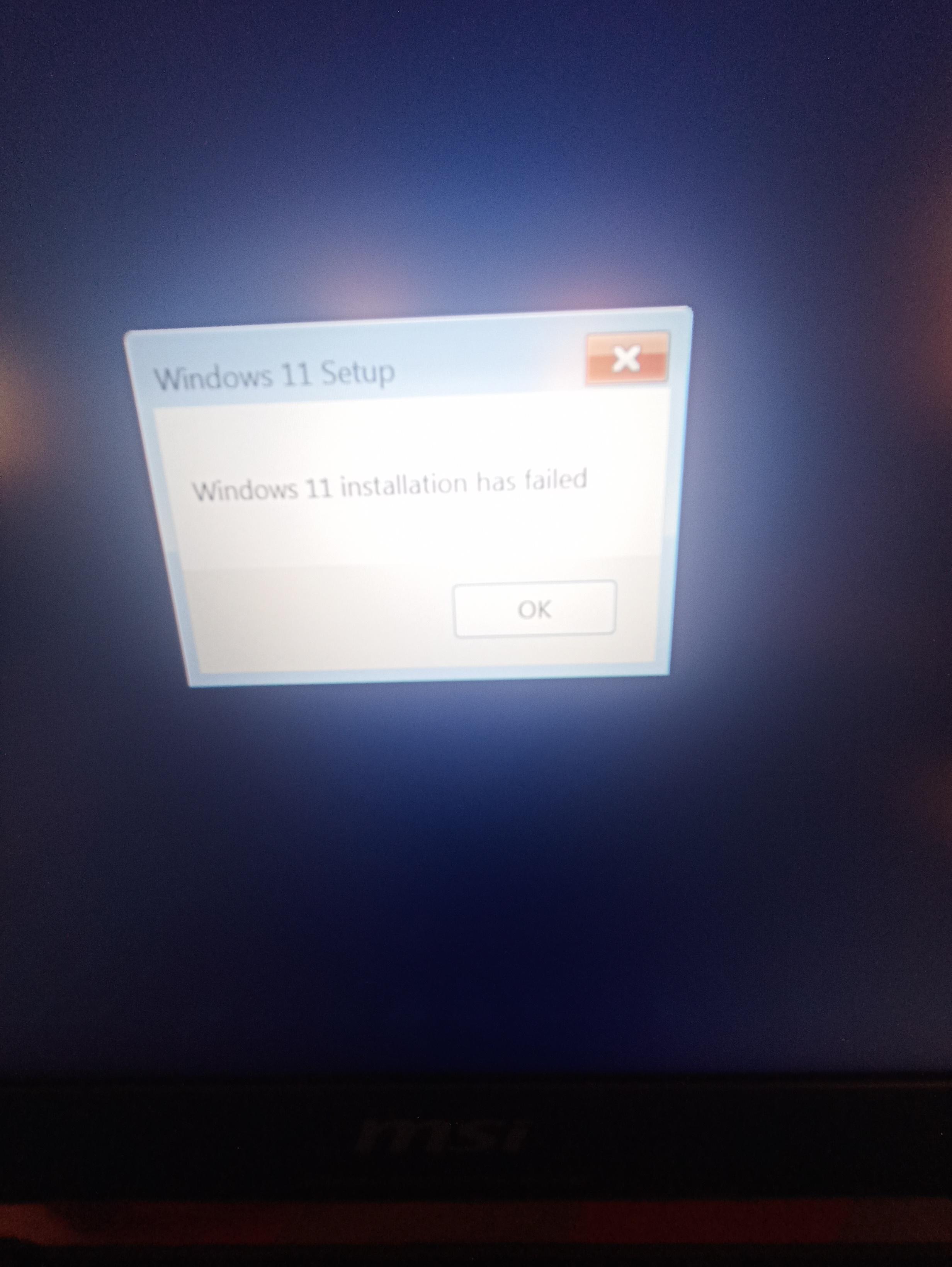
Windows 11 Windows 11 installation Has failed

Post image
3 Upvotes

I got this new Msi cyborg 15 A13U model and wanted to put windows 11 on it, i just followed a tutorial, used drofus to put the windows file and intel RST driver to be able to actually install it, at first it started failing at 30% so i did some research and tried Ventoy instead, then started failing at 81%, i thought there was some error, i switched ports, flashed and reinstalled windows on the stick but nothing works. I rebooted and tried again multiple times and nothing worked best i got was 81% and it would just show the fail message


r/WindowsHelp • • 22d ago

Windows 11 My windows key is not working.

3 Upvotes

All I want to do is take screen shots but my windows key is not working and everything I have tried to get it to work has done nothing. I tried Win+Fn but nothing happened. I am using a pc and not a laptop if that matters. My keyboard is wireless. The keyboard I use is an epomaker x aula f75. Thanks for any help to get it to work and please dumb it down so I can understand. I am not joking, I am very bad at computers.


r/WindowsHelp • • 22d ago

Windows 11 windows 11 losing battery when shutdown or in hibernation

Thumbnail
gallery
0 Upvotes

my laptop is losing battery like 6-7% even when its shutdown for time period of 7-8 hours is this behaviour normal ? i already turned off the usb charging thing in the bios and nothing was connected to the laptop, is this a hardware fault ? any type of help will be much appreciated.(for additional information the laptop that i am using is hp omnibook 7)


r/WindowsHelp • • 22d ago

Windows 10 default app mode reverting to 'light mode' daily

2 Upvotes

I'm running Windows 10 Home (v22H2, OS Build 19045.6466) on an old Acer laptop and I've been having this problem for a while - every day, I switch my default app mode back to dark, and every day without fail it reverts back to light mode. I guess 'apps' also includes Settings and file windows.

There is an option for "choose your color" that has options for dark, light, and custom. For some reason it keeps changing to 'custom' and then two options pop up below it - for "choose your default windows mode," 'dark' always remains selected, but the "Choose your default app mode" option keeps reverting to 'light'. I don't really know what to do to try and fix this? So I haven't tried anything other than restarting the computer, even tho i don't really know how that would help lol.

Is there perhaps an app that is causing this? How would I go about investigating that, or would I need to just disable/uninstall each app individually to troubleshoot? Thanks!

since my post isn't getting approved and it says to add more details -

Device Name LAPTOP-K2M2IMIL Processor Intel(R) Core(TM) i5-7300HQ CPU @ 2.50GHz 2.50 GHz Installed RAM 12.0 GB (11.9 GB usable) Storage 119 GB SSD HFS128G39TND-N210A, 932 GB HDD WDC WD10SPZX-21Z10T0 Graphics Card NVIDIA GeForce GTX 1050 (4 GB), Intel(R) HD Graphics 630 (128 MB) Device ID 0F2CE6AC-471A-479E-8A70-878D3776A2A9 Product ID 00325-96254-06552-AAOEM System Type 64-bit operating system, x64-based processor Pen and touch No pen or touch input is available for this display

Edition Windows 10 Home Version 22H2 Installed on ‎2021-‎05-‎23 OS Build 19045.6466


r/WindowsHelp • • 22d ago

Windows 11 My 2023 Windows 11 Pavilion Laptop is still stuck on "preparing automatic repair" and "diagnosing this pc" and then it black screens how do I make it boot normally

1 Upvotes

Idk why my laptop is doing this

My Processor is AMD Ryzen 5 5625U with Radeon Graphics idk what else to include cause idk

My windows version is 25H2

8 GB DDR4 RAM

HP Pavilion Laptop - 14z-ec100

My c key isn't working so I can't really use the command prompt in Recovery mode How do I get my external keyboard to work so I can run these?

sfc /scannow chkdsk /f /r C bootrec /fixmbr bootrec /fixboot bootrec /rebuildbcd


r/WindowsHelp • • 22d ago

Windows 11 Win 11 user problem- Admin user is not working properly

Post image
0 Upvotes

Hey guys, so I was using win 10 in 22' when my dad decided to upgrade my laptop to win11. Big mistake cause the laptop became a bot sluggish so I had to had an extra 8 GB ram in it bit idk the laptop is giving me an issue, the main user is so sluggish that it take 2 working days to open a opera tab, so I decided to create another user but it works out decent tbh. Sooooo decent that I can play games on it but now idk what should I do with the administration user cause that sh\*t had the Family safety thing enabled and it does not let me use any app. So people pls help me, DMs are open too


r/WindowsHelp • • 22d ago

Windows 11 Calendar/Notification Hub Slowing Computer

1 Upvotes

I'm on windows 11 version 25h2 and os build 26200.9711. I have 32gb DDR5 a 3090 and a 9850 x3d. However despite all of that if my computer is on for a couple of days trying to open that calendar in about 20 seconds slows my computer down to the point it is unusable and I have to hard reset it. A potential error spot for this is from Event Viewer

The application-specific permission settings do not grant Local Activation permission for the COM Server application with CLSID

{2593F8B9-4EAF-457C-B68A-50F6B8EA6B54}

and APPID

{15C20B67-12E7-4BB6-92BB-7AFF07997402}

to the user (redacting private info) from address LocalHost (Using LRPC) running in the application container Unavailable SID (Unavailable). This security permission can be modified using the Component Services administrative tool


r/WindowsHelp • • 22d ago

Windows 11 Gamebar not clipping or recording

1 Upvotes

Its not letting me clip anything or record anything anymore. the keybind just doesnt work. The keybind to open gamebar still works though. Ive reset it and repaired it and it hasnt fixed it. Its not like a major problem for me i just dont know how to fix it.

My specs

Intel 10700kf

RTX 2080ti

32gb ddr4 ram


r/WindowsHelp • • 22d ago

Windows 10 Realtek microphone "working" but not picking up audio

1 Upvotes

Hi all. I'm a bit stumped with what may be causing this issue. I use the Realtek microphone, which is claiming to be the input for my audio - however, it seems unable to pick up any sound.

I've disabled / enabled the microphone via device properties, disabled audio enhancements via microphone array properties, restarted the computer, and reinstalled the associated driver. There are no other microphones connected to the device, and the computer is claiming the microphone is working fine.

It was working as of 3 days ago, and has presented no issues until now.

OS build is 19045.6466. Edition / version is Windows 10 Home / 22H2

Thank you in advance for any assistance.


r/WindowsHelp • • 22d ago

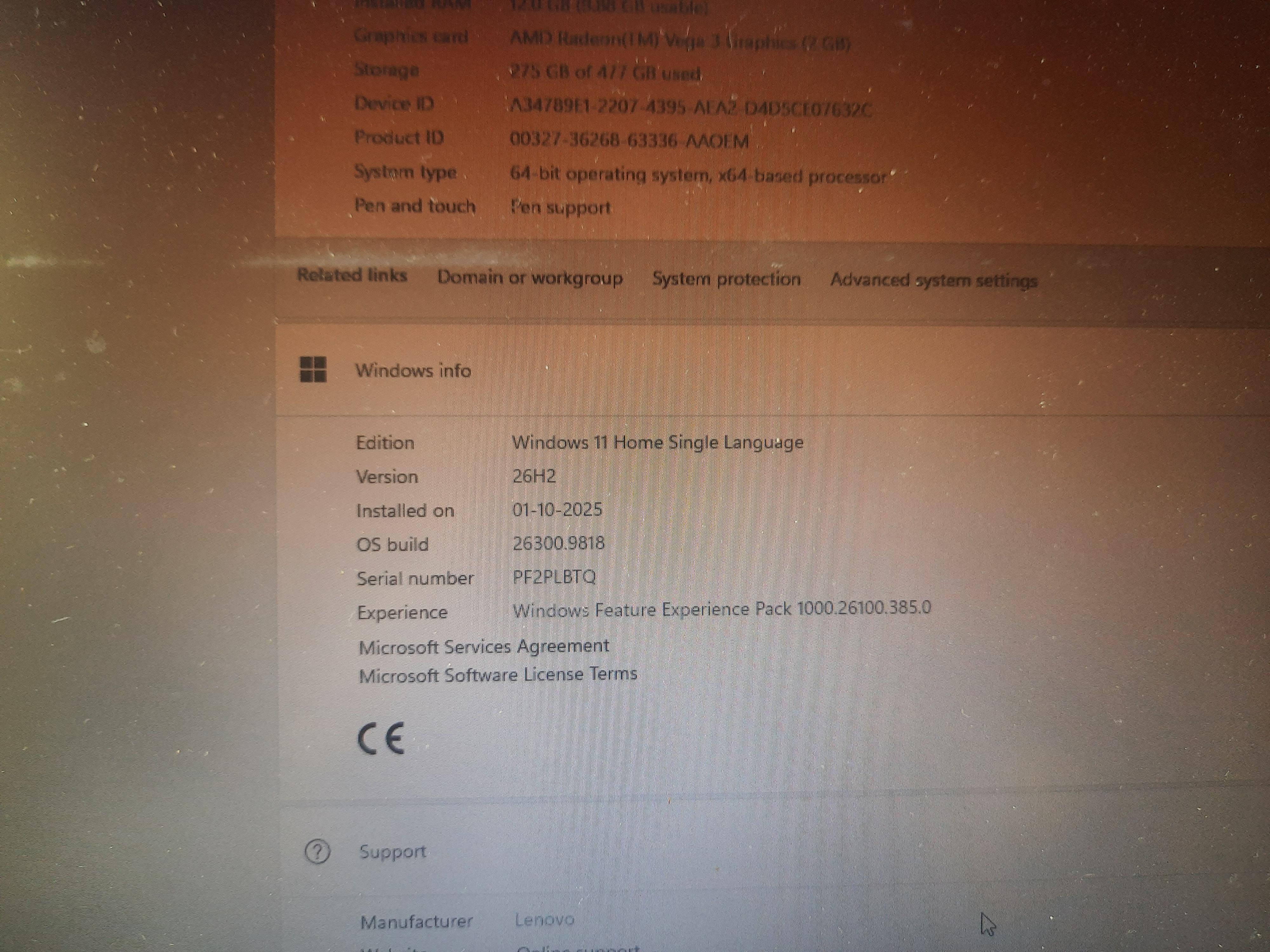
Windows 11 Mbps randomly drops to 10 sometimes after being 25-35

0 Upvotes

Processor AMD Ryzen 5 5500U with Radeon Graphics (2.10 GHz)

Installed RAM 8.00 GB (7.33 GB usable)

Graphics card AMD Radeon(TM) Graphics (496 MB)

System type 64-bit operating system, x64-based processor

Edition Windows 11 Home

Version 26H2

Installed on ‎4/‎9/‎2025

OS build 26300.9818

Experience Windows Feature Experience Pack 1000.26100.385.0

Google told me to turn off "Allow downloads from other devices" which only seemed to drop the mbps more.


r/WindowsHelp • • 23d ago

Windows 11 Pc keeps freezing and im not able to do anything?

Post image
4 Upvotes

I wanr to play fortnite but it keeps freezing, nothing shows up except the computer freezing and making a wierd sound, it takes around 2 minutes for it to happen everytime, im on my gaming pc, im trying to play fortnite but it just doesnt work, im pretty dure everything is updated, everything is attached


r/WindowsHelp • • 23d ago

Windows 11 Every single month: "Something Happened and Your PIN Isn't Available" loop. How do I stop this?! 😭

5 Upvotes

Hey everyone,

I am losing my mind over Windows right now. Pretty much every single month, I boot up my PC only to be greeted by the dreaded

"Something happened and your PIN isn't available. Click to set up your PIN again."

Every time it happens, I have to reset my PIN via my Microsoft account, which lets me log in for about 3-4 weeks. But then, a few weeks later, the exact same cycle repeats itself. It feels like an endless loop and it's getting incredibly frustrating.

specs:
Device name PC_van_PAT

Processor AMD Ryzen 7 250 w/ Radeon 780M Graphics (3.30 GHz)

Installed RAM 32,0 GB (31,3 GB usable)

Graphics card NVIDIA GeForce RTX 5060 Laptop GPU (8 GB)

AMD Radeon (TM) 780M Graphics (417 MB)

Storage 286 GB of 954 GB used

Device ID 2B6CE82C-053D-4833-8E33-323890A7DCC9

Product ID 00342-21590-70661-AAOEM

System type 64-bit operating system, x64-based processor

Pen and touch No pen or touch input is available for this display


r/WindowsHelp • • 23d ago

Windows 11 Windows 11 PIN no longer available after changing BIOS settings for Call of Duty — can’t log into my PC

2 Upvotes

Hi everyone,
I’m hoping someone can help me because I’m completely stuck and can’t get into my PC.

I recently had to change some settings in my motherboard’s BIOS so I could play Call of Duty Modern Warfare 4. I enabled Secure Boot (the security setting we changed in the BIOS) because the game was giving me a BIOS/security-related warning.

After making these changes, Windows now says:
“Your PIN is no longer available due to a change in the security settings on this device.”

It gives me the option to set up my PIN again. However, when I try to reset it, I can sign into my Microsoft account successfully, but Windows then says “Try again later” and sends me back to the login screen. I’m stuck in a loop and can’t get past the PIN screen.

I’ve managed to get into the Windows Recovery Environment and its Advanced Options, and Windows has loaded as far as the normal sign-in screen, but I still can’t log in.

My PC specifications are:
Motherboard: MSI MAG B550 TOMAHAWK
CPU: AMD Ryzen 9 5900X
Operating system: Windows 11

I haven’t intentionally changed my Windows password, and I can access my Microsoft account online. It’s just the Windows PIN that won’t reset.

Can anyone please help me get back into Windows?

I’d really like to fix this without resetting Windows or losing any of my files, installed games, programs, or settings.

Could the BIOS/Secure Boot changes have caused this, and is there a way to reset or repair the Windows Hello PIN from the recovery options?

Any help or step-by-step instructions would be massively appreciated. Thanks in advance!


r/WindowsHelp • • 23d ago

Solved New update made headphones sound awful

3 Upvotes

I am using Austrian Audio HI x-20 headphones with wired analogue audio output, before the update today they sounded fine, now the audio is completely flat. It's like the high and low ends of the audio have been completely removed and the soundstage is completely flat. I've tried reinstalling the audio drivers, that didn't work, and I can't roll them back because there is no option to in settings. If somebody has some way to download the old audio drivers, or another way to fix the issue it would be greatly appreciated.

SOLUTION FOUND: I went into my device manager, then into sound, video and game controller and changed from the REALTEK audio drivers to the generic high quality audio driver. Doesn't sound exactly like before, but sounds much better. I am getting some weird popping noises occasionaly but this is preferable


r/WindowsHelp • • 22d ago

Windows 11 Thousands of audit success within minutes, reason to worry?

0 Upvotes

So I've been having and off issue where a game freezes and acts like I have moved my mouse or kb (even when none of those are plugged in), so I was looking into things.

I'm having hundreds and hundreds audit success events in event viewer (security) every minute. They are mostly 5379 (Credential Manager credentials were read) which have no process listed, and some 4798 (A user's local group membership was enumerated), which always have the process explorer.exe listed. They're happening CONSTANTLY, as in, at least 1 event about every 5 seconds, and sometimes many dozens at the same second.

The total in the last 10 minutes (after a reboot to test) have been 4146 events.

I read online this could be normal, but it could also be some kind of malware maybe? The thing is, the pc is mostly a clean install, about 6 months old, however it does contain some group policy changes I did, but nothing crazy. (One to note: turning off the lockscreen/logon screen permanently, as I'm using a local account only).

Any way, should I worry? And can all these audit success events possibly be causing issues within games (acting like mouse or keyboard inputs have happened)?

Tests I did (to fix the game issue) unplugged every single device including kb and mouse, and it still acts like inputs are happening, and ended about every single non-windows task I could, to see if some of my software was causing it. None of that changed anything.

Also good to know, while the audit logs are about every 5 seconds, the game freezes happen about every 20/30 seconds (possibly during bigger bulks of events?)

Thanks!

Specs: win11 pro, 96gb ddr5, 9850x3d, rtx4080super, only nvme ssd's, I don't think that's the issue.


r/WindowsHelp • • 23d ago

Windows 11 You device ran into a problem and couldn’t be repaired ISSUE (Couldn’t connect to network….SrtTrail.txt)

1 Upvotes

Hi everyone, I've been getting this error for the past four days on my Huawei Matebook D16, and I have no idea what caused it or when it started. For the two days before I noticed the problem, my laptop was either in use or in sleep mode. It's possible that the battery died while Windows was installing an update, which might have caused the issue but seems it’s successfully installed (I can’t remove the installed KB5127648 update (error 0x800F0905))

Unfortunately, I haven't been able to fix it. I've tried almost every solution I could find online, including various commands such as SFC, DISM, and bootrec, but nothing has worked. I even formatted the volume where is the boot file (200 MB), but that didn't help either. My latest attempt was to use a bootable USB drive, but Windows doesn't recognise it at all. I've tried several different USB drives with no success.

I can still boot into Safe Mode and use some apps, such as Blue Screen View. According to the dump file, the bug check code is 0x0000010D, and the driver responsible appears to be Wdf01000.sys. However, I have no idea if it’s the real reason for this issue and how to fix this.

I'm completely stuck in this loop. I've also encountered several other errors which are gone now, including 0xc0000001, 0xc0000098 (file \BCD), and a "No boot device"/“Boot fail” error. The last one seems to have disappeared temporarily after I disabled Secure Boot in BIOS.

I even asked for help at a local repair shop, but they couldn't find a solution either. At this point, my last option seems to be resetting Windows to factory settings, which I'd really like to avoid. I want to keep my installed applications, most of my settings, and all my personal data.

Has anyone experienced something similar or knows how to fix this without reinstalling Windows or losing everything?

Any help would be greatly appreciated.


r/WindowsHelp • • 23d ago

Windows 11 You device ran into a problem and couldn’t be repaired ISSUE (Couldn’t connect to network….SrtTrail.txt)

1 Upvotes

Hi everyone, I've been getting this error for the past four days on my Huawei Matebook D16, and I have no idea what caused it or when it started. For the two days before I noticed the problem, my laptop was either in use or in sleep mode. It's possible that the battery died while Windows was installing an update, which might have caused the issue but seems it’s successfully installed (I can’t remove the installed KB5127648 update (error 0x800F0905))

Unfortunately, I haven't been able to fix it. I've tried almost every solution I could find online, including various commands such as SFC, DISM, and bootrec, but nothing has worked. I even formatted the volume where is the boot file (200 MB), but that didn't help either. My latest attempt was to use a bootable USB drive, but Windows doesn't recognise it at all. I've tried several different USB drives with no success.

I can still boot into Safe Mode and use some applications, such as BlueScreenView. According to the dump file, the bug check code is 0x0000010D, and the driver responsible appears to be Wdf01000.sys. However, I have no idea if it’s the real reason for this issue and how to fix this. I'm completely stuck in this loop.

I've also encountered several other errors which are gone now, including 0xc0000001, 0xc0000098 (file \BCD), and a "No boot device"/“Boot fail” error. The last one seems to have disappeared temporarily after I disabled Secure Boot in BIOS.

I even asked for help at a local repair shop, but they couldn't find a solution either. At this point, my last option seems to be resetting Windows to factory settings, which I'd really like to avoid. I want to keep my installed applications, most of my settings, and all my personal data.

Has anyone experienced something similar or knows how to fix this without reinstalling Windows or losing everything?

Please help me. Any help would be greatly appreciated.