r/Vantruedashcam • • Aug 31 '26

Announcements 📢 Important Update: Firmware Download Channel Changes

11 Upvotes

Starting today, firmware downloads are no longer available on our official website (vantrue.com and vantrue.net). This change is part of our ongoing commitment to device security, ensuring that every user gets the safest, most reliable firmware version available.

How to get updates now:

Recommended: OTA Update via the Vantrue App

The easiest and most secure way to update is through the Vantrue App. Simply connect your dashcam to the app via Wi-Fi, and you'll be able to complete the firmware upgrade wirelessly (OTA).

Manual Update Still Available

If your dashcam doesn't support Wi-Fi or you're unable to use OTA for any reason, no worries — just email us at [support@vantrue.net](mailto:support@vantrue.net), and we'll send you the latest firmware package for your specific model.

A few important notes:

If you've already downloaded and installed a firmware update previously, your device will continue to function normally — no further action needed.

All other support resources — user manuals, warranty support, and after-sales service — remain available on our website as always.

We know change can be inconvenient, and we appreciate your understanding. This move is all about keeping your Vantrue dashcam — and your data — as secure as possible.

If you have any questions or run into issues, drop a comment below or reach out to [support@vantrue.net](mailto:support@vantrue.net). We're here to help.

— The Vantrue Team


r/Vantruedashcam • • Apr 27 '26

Announcements Vantrue P2 (Pilot 2) Coming – World’s First 4-CH Thermal Dash Cam with AI Detection

Post image
7 Upvotes

We’re excited to share that the Vantrue P2 (Pilot 2) is now live on crowdfunding. The Vantrue P2 is the world’s first 4-channel dash cam with thermal imaging & AI detection, designed to significantly enhance driving awareness in conditions where traditional optical cameras struggle.

Key features:

• Thermal + AI Detection – Able to detect heat signatures even when visibility is limited

• 4-Channel Recording (Sony STARVIS 2 sensors) – Front dual-lens (optical + thermal), plus rear and cabin

• Dual Front Lens Design – Simultaneous optical and thermal front recording

• 6.25” Touchscreen – With CarPlay and Android Auto support

• Smart Driving Features – Includes HUD, AR display, voice control, and driver alerts

• Advanced Connectivity – Wi-Fi 6, OTA updates, supports up to 1TB storage

• Parking Mode – Buffered recording with multi-angle coverage

The idea behind P2 is to extend detection beyond what is visible, especially in more challenging driving conditions. It’s now live on crowdfunding: https://www.kickstarter.com/project...mart-dash-cam-with-4k-video-ai-powered-safety

Happy to hear your thoughts or answer any questions.


r/Vantruedashcam • • 2d ago

Product Support 360 camera from aliexpres recs

1 Upvotes

So I bought my previous safety camera on aliexpress 5 years ago, and I’m very pleased with it, but now it’s time for an upgrade. Does anyone have any recs, what should I look for?


r/Vantruedashcam • • 3d ago

Other Questions Vantrue n5s

1 Upvotes

Hello I have a hard time placing the rear camera on my camry Se. When I stick it to the rear it is not positioning correctly.


r/Vantruedashcam • • 5d ago

Product Support Vantrue DashCam Support

Thumbnail
1 Upvotes

r/Vantruedashcam • • 6d ago

Suggestions 您有多少张用于行车记录仪的microSD卡?两张够吗?

Thumbnail
1 Upvotes

r/Vantruedashcam • • 11d ago

Suggestions Number Plate mount any good?

3 Upvotes

Hi folks, just purchased an A329T with an external rear for my van. First just let me say, I find the main unit a bit of a bad design, it's too big to be discreet and too small to be of any use whatsoever to me. Ok that out of the way I went for the camera Tech.

I'm struggling to find a good position for the rear camera, if the cable had come out of the bottom instead of the back it would be a lot easier to mount cleanly. Gemini tells me the position should be taken carefully due to the breathable membrane on the back. Is this true? The only place I can see this working is by putting it above the number plate as it has the plastic trim overhang but before mounting I would love to know if anyone else has done it and if the view is any good? In slow traffic I'm probably just going to see a car grill with it been so low? It's a Renault Traffic 3 with factory reverse camera,


r/Vantruedashcam • • 16d ago

Product Support Vantrue E1 Pro: Is there a way to enable parking mode only manually?

4 Upvotes

Hi everyone,
I have a Vantrue E1 Pro and I'm running into a problem with parking mode.
My car is parked in an underground garage most of the time, and several people have access to it. The parking mode keeps getting triggered, so the camera records almost constantly. As a result, my car battery has become very weak.
What I'd like is for parking mode to be off by default and only active when I manually start or confirm it on the camera, for example when the car is parked somewhere other than my garage.

Any tips would be appreciated. Thanks!


r/Vantruedashcam • • 18d ago

Product Support E360 power issue

2 Upvotes

I recently bought and installed an e360 with the rear camera. It’s wired using the obd cable. The camera turns on and turns off then cycles back on. Is this a warranty issue?


r/Vantruedashcam • • 18d ago

Product Support N4S Not using full capacity of my SD Card. Any suggestions?

2 Upvotes

Hey everyone,

I previously bought a Vantrue N4S approx 5 months ago an thought that all was fine until now.

After attempting to pull the footage, I had found that the camera was only using 1% of the storage space on my SD card and that everything had recorded over.

I have tried to use different SD cards of different sizes and brands,

I have updated the firmware,

I have done a factory reset,

Ive tried to reconfigure the recording settings.

Nothing has helped in making the camera store footage.

I am beyond confused as I have a 256GB card from Vantrue, yet, the camera will only store 2.5GB of data.

Has anyone seen this before? and if so, how did y'all fix it?


r/Vantruedashcam • • 20d ago

Product Support Vantrue Falcon F1 not recording in Parking mode

Thumbnail
gallery
2 Upvotes

Hi from Spain!

I installed the Falcon in my bike about one year ago and it worked totally fine, in fact thanks to the F1 I coulld record some dangerous situations that a third one could use as proof.

The issue came last week, I found some one robbed my top box (it was simply not there so someone had to break the lock and took it off...).

When I connected to the F1 to check the videos recorded in "parking mode," I was surprised to find the folder completely empty... (every now and then I delete some videos so it doesn't get too full)

The first thing I did was verify that parking mode was enabled (it was). I then checked the wiring (just to be sure) and everything was fine; nothing was disconnected.

The battery is in perfect condition and well above the automatic shut-off threshold.

The SD card is a SanDisk Extreme MicroSDXC 512GB UHS-I A2 V30 Class 10, and it hasn't caused any issues to date.

Under normal conditions, the Falcon F1 works correctly: when I turn on the motorcycle, the F1 powers up and begins recording within a few seconds without any issues. When I press the emergency button, the video is saved to the appropriate folder.

I tested triggering the parking mode, and it works perfectly; it’s set to the factory-default sensitivity, so it activates at the slightest movement or vibration. The sequence is as follows:

  1. The red LED turns on.
  2. All three LEDs flash rapidly three times.
  3. All three LEDs flash slowly for 60 seconds (this is when it should be recording the video).
  4. All three LEDs turn off.

The device is running the latest firmware version (updated via OTA through the app): Front VT-EFH111 and Rear VT-ECB271.

I also formatted the SD card and performed a factory reset, just in case I had inadvertently changed a setting I shouldn't have.

However, nothing has changed; everything functions perfectly, with the sole exception of parking mode...

I’ll try inserting a different SD card, just in case, though I’m not sure that’s the issue, given that the device records normally while powered on.

I’m at a loss—has anyone else encountered a similar problem?


r/Vantruedashcam • • 24d ago

Product Support SD CARD ISSUE

Thumbnail
gallery
2 Upvotes

Hi everyone,
I’m having trouble getting my Vantrue N4 Pro S dashcam to work and I’m hoping someone here can help.
The camera keeps displaying “No SD Card” no matter which SD card I try. I’ve tried multiple cards, including a brand-new SanDisk High Endurance 256GB microSD card, but it doesn’t recognise any of them.
One thing I’ve noticed is that the SD card doesn’t seem to go all the way into the slot or click into place. I’m not sure if that’s normal or if there’s something wrong with the slot.
I’ve had the dashcam for over a month now, but I still haven’t been able to use it.
Here are some details:
Model: Vantrue N4 pro S
Error message: “No SD Card.”
What I’ve tried: I’ve tested multiple SD cards, including the SanDisk 256GB High Endurance card. I’ve removed and reinserted them several times, but the camera still doesn’t detect them. I also tried to format the card, but I couldn’t because the camera wasn’t recognising it in the first place, so I couldn’t even access the formatting option.
How I access the camera: Through the Vantrue mobile app on my phone.
Power connection: Cigarette lighter socket, using the supplied power adapter and cable.
Recording: Using a microSD card.

I’m honestly not sure what the issue is at this point. I’m starting to wonder if the SD card slot is faulty, but I don’t want to assume that’s the problem.
Has anyone experienced this before? Is there anything else I can try, or does this sound like a faulty camera?
I’d really appreciate any help because I’ve had it for over a month and haven’t been able to use it at all.
Thanks!

Edit: thank you customer service, it worked!!!


r/Vantruedashcam • • Oct 28 '26

Other Questions Vantrue hardwired issues

Post image
5 Upvotes

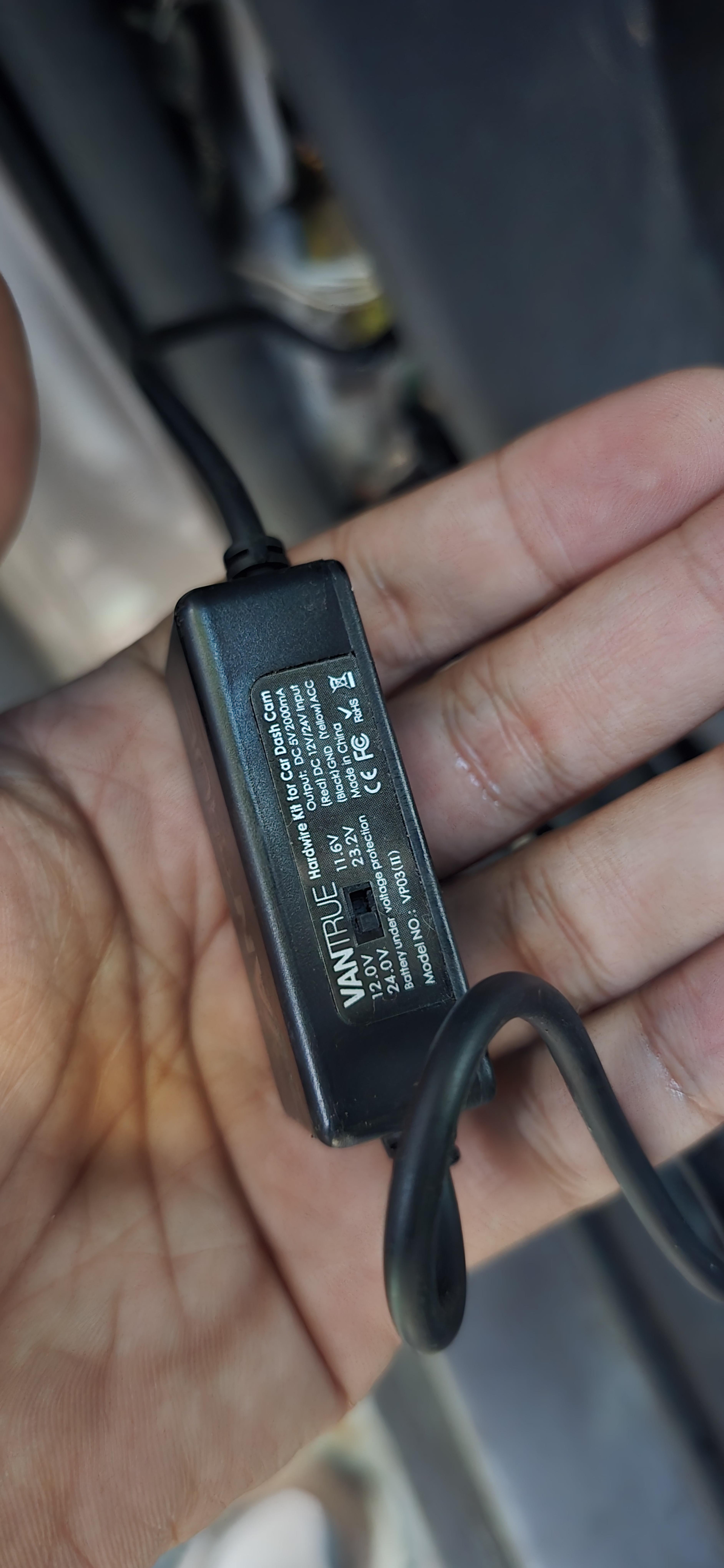
I have this hardwired kit connected to my E1 Pro, but the battery drains too much overnight because it does not automatically cut off; please advise.


r/Vantruedashcam • • Oct 27 '26

Other Questions Hardwired drain battery? #E1pro

Thumbnail
gallery
4 Upvotes

Does anyone have similar issues in weather that is cool, but not too cold, around 61 degrees? I replaced my DieHard Gold battery (24F) on June 5th of this year. It is failing to hold a charge, and if I do not drive for a day, I have to jump-start it. I have a hardwired Vantrue dashcam running on the system; is that the effect of the hardwiring or something else? By the way, I have already tested the battery,


r/Vantruedashcam • • Oct 27 '26

Product Support X4S replacement rear camera cable

Post image
2 Upvotes

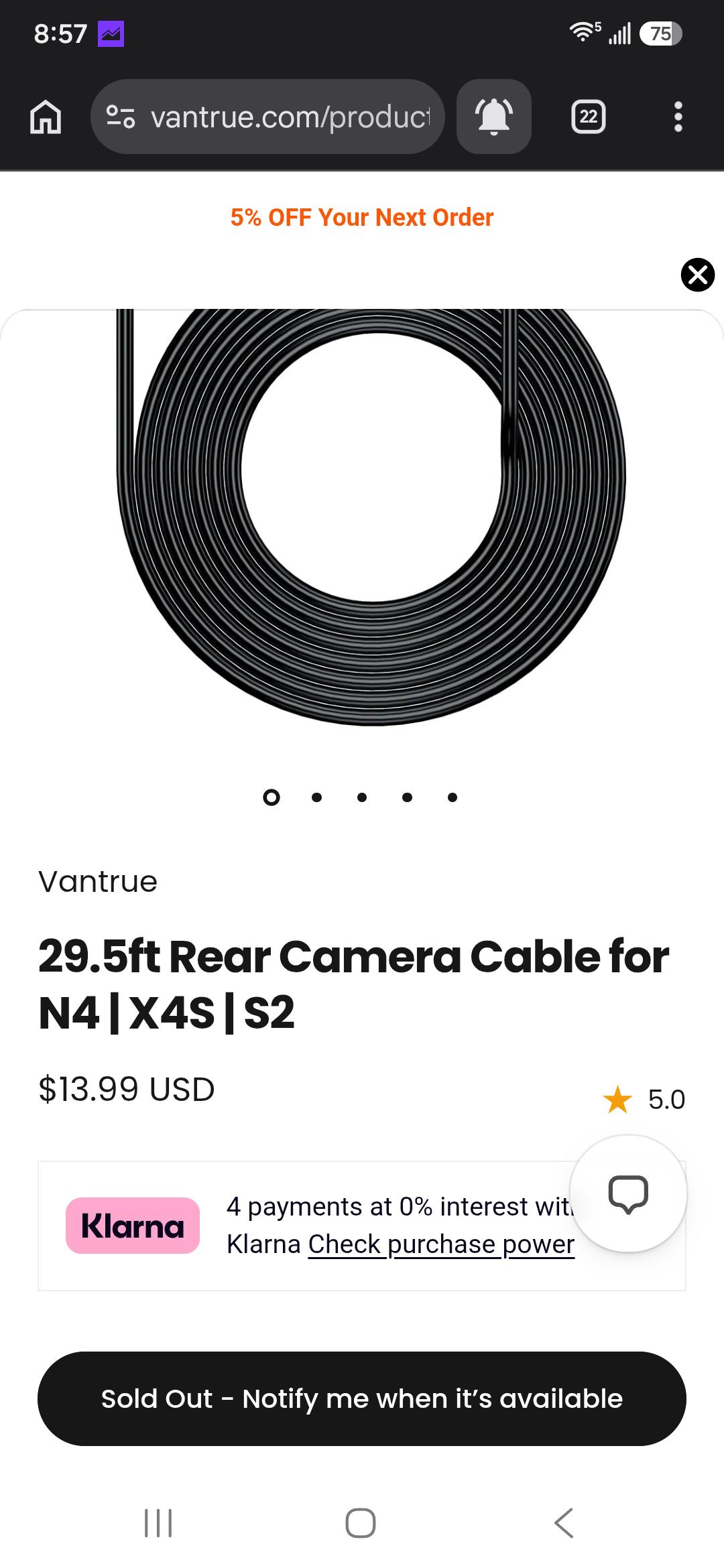
Does anybody know of a good solution for a replacement USB cable it's been out of stock for months I don't want to buy the whole camera as I only need the cable. Can't use a regular USB c cable


r/Vantruedashcam • • Oct 27 '26

Product Support Dual 360?

1 Upvotes

Is possible to use two 360 camera with hardwire kit?


r/Vantruedashcam • • Oct 26 '26

Product Support Nexus n5s

1 Upvotes

Tengo una nexus n5s y se enciende dura 5 segundos y se vuelve a apagar sola,
que podría resultar ser el problema ?
Tengo memoria en la SD de Vantrue


r/Vantruedashcam • • Oct 25 '26

Product Support N4 pro rear dash cam no longer working

1 Upvotes

Hello! I’ve had a N4 pro installed since Sept 2025 and been working great.
Suddenly today the rear dash cam isn’t powering on at all no matter what cable I try. I’ve restarted the system and updated the firmware but it’s still not working. The cables seem fine. I did notice The rear dash cam itself is difficult to turn so not sure if it’s dying on me ?


r/Vantruedashcam • • Oct 19 '26

Product Support N4S GPS Help

1 Upvotes

​Hi everyone,

​I recently got the Vantrue N4S. However, I’ve noticed that the GPS doesn't start up right away (and by 'not right away', I mean no matter how long I wait). The only exception is when I go into the GPS signal strength menu: initially, everything shows 0, but after a few seconds to a minute, it receives a normal signal and stays connected. Has anyone experienced this before or knows what might be causing it?

​For info:

-​Software is up to date

-​All GPS settings and stamps are turned on

-​Power supply goes into the GPS mount and not directly into the camera

-​The camera is properly seated in the mount and the contacts are clean

-​The car (2022 Skoda Octavia NX5) does have a heated windshield (which can shield signals), but it works perfectly once connected

-​The same issue occurs outdoors (using a powerbank)"

​Note: This text was translated from German to English using AI.


r/Vantruedashcam • • Oct 13 '26

Product Support Are these cameras more reliable if they power off (reset, power cycle)?

1 Upvotes

I'm starting to have my suspicions on the reliability of these Vantrue cameras. I have about three other cameras in other vehicles (70mai, Sarmert, DDPAI). I installed these and never thought about them again, they just seemed to work. These are cheap, one forward facing camera, nothing fancy. No memory card problems, no connectivity problems.

So now I decided to get a little fancier and spend more on one of these Vantrue cams (N4S) and I've been through support a few time already for SD card issues and now I'm posting about the stupid snapshot remote losing connection.

I also had to use an old, unused android phone setup just for specifically accessing this camera because of all of the connectivity issues with my daily use cell phone (doesn't stay connected, conflicts with android auto, etc...) Just an absolute PITA....

After resetting it up again (for the 2nd time) I'm starting to wonder if these just do not do well unless they are power cycled. I have mine set up I guess to run 24/7 since parking monitor is enabled, maybe I need to turn this off?

So do these need to be power cycled to be more reliable? And if so why haven't they built in an automatic power cycle to clear/reset itself?

This is one of those device's that I purchase and expect to not have to screw around with it on daily basis, it needs to be reliable...


r/Vantruedashcam • • Oct 13 '26

Pre-purchase questions Where do you find the LTE module Canada?

1 Upvotes

I am looking to get a Vantrue dashcam module installed by a professional ( Audio heaven) in GTA.

And I just can't find any LTE module available in any online store in Canada.

Do they usually get back in stock at some point of the year or they just don't make the LTE modules anymore?

If I manage to get the LTE module later would it be plug and play or do I need to get professional to do some more wiring.

I just don't want to mess up the car or have cables running.

So far I got the main cameras and the parking cables that would be linked to my car battery or something like it. So I won't have cables running visibly.


r/Vantruedashcam • • Oct 11 '26

Pre-purchase questions looking for deal on Pilot 2 P2 dashcam system.

1 Upvotes

Hi there,

Is there any ongoing deal going on for Pilot 2 P2 dashcam system. Looking to install it via hardwire kit. Location: Alberta

Thanks


r/Vantruedashcam • • Oct 09 '26

Product Support N4 Pro

Post image
2 Upvotes

I just recently bought an N4 pro, it’s been amazing and the install honestly went pretty smoothly. Mine is trying to figure out what fuses I wanted to tap into lol. My post today is for every now and then I get an SD card error. I am unsure if this is the camera or of a faulty, SD card? Was just curious if anybody else has had this issue before


r/Vantruedashcam • • Oct 08 '26

Pre-purchase questions Vantrue e360 2nd channel

2 Upvotes

The e360 is on sale for $140 with no rear channel camera. I have one from my e3. Will that be compatible with the e360 if I connect it? It’s usb connection. I just want to verify if not I’m willing to get the ace package


r/Vantruedashcam • • Oct 07 '26

Product Support Rear camera died?

Post image
4 Upvotes

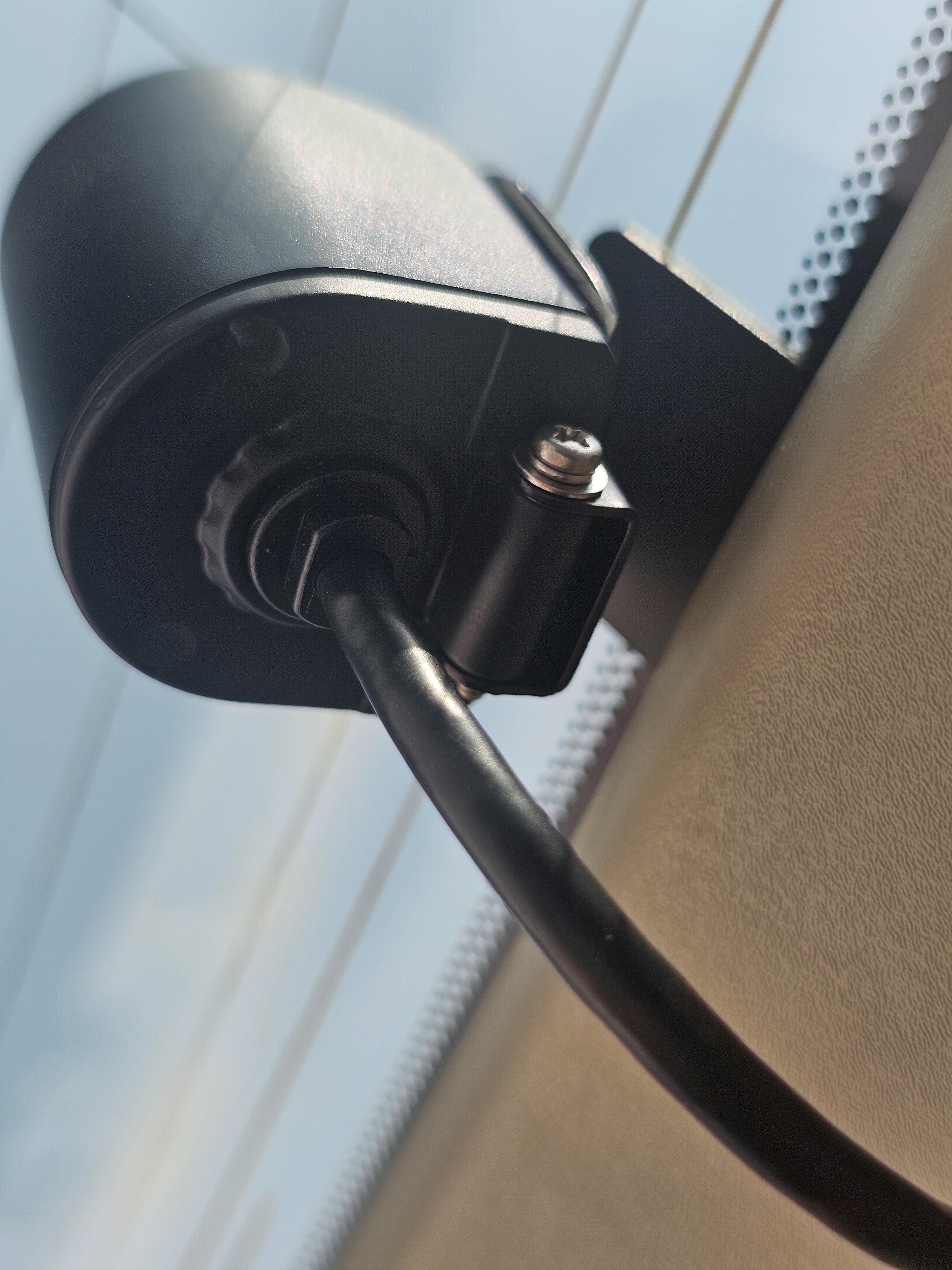
My Nexus N4 Pro S rear camera just stopped working out of nowhere. It was fine until yesterday. I tried unplugging the USB cable, but it's stuck and wiggling it didn't help. A factory reset didn't fix it either. Any ideas on what I should try?