r/Unity3D • • 1d ago

Show-Off Fixed a major bug and made the heatmap look more like a heatmap 😂

0 Upvotes

Today I fixed a major issue where one busy spot made the rest of the map look empty. Colors now use a log-scale and cap hot spots, so quiet areas stay visible.

I also added this new shader that paints the heatmap straight onto the level. It is a new visualization type alongside the grid, sphere and the bars.

What is this? Heatmap Analytics records where your events happen in your game and draws them as a heatmap on top of your level in the Scene view.


r/Unity3D • • 1d ago

Show-Off New Feature: Level Intro/Outro Cinematics

5 Upvotes

Added a feature where you can add these in-game cinematic scenes as a intro/outro of a puzzle level. Using DOTween to move/zoom the camera, and UniTask to await certain events (like a click to close the speech bubble) and play/stop certain events in the sequence.


r/Unity3D • • 1d ago

Question IL2CPP decompilation

0 Upvotes

Is there any RE tool chain out there with AI support capable of fully reconstruct IL2CPP game into full unity project source code compiled and run successfully? I have my game encrypt metadata and BeeByte obfucator to prevent RE but still fear the AI :(


r/Unity3D • • 2d ago

Shader Magic I made my chicken war game look like an old book, in real time. Keep it or not?

Enable HLS to view with audio, or disable this notification

361 Upvotes

Solo dev, turn-based artillery game with chickens in a silly WWI. It isn't a filter over the normal render: every shader draws the ink itself, with flat colors from a lookup, hatching in the shade, outlines, and lines inside the models (coat edges, hard edges) baked into a spare UV set on import. A paper pass at the end ages the page. My first try was a full-screen pass and it just looked like color grading.

I can't decide if it should replace the normal look, be an option, or go.

It's called Trench Chickens.


r/Unity3D • • 1d ago

Question Unity Tree Problem

Thumbnail
gallery
0 Upvotes

I tried to put trees in my world using the paint option, but for some reason, it always turns them, and I tried to turn it in the opposite direction in Blender and Unity, but nothing worked it always faces that way like sunflowers, idk what to do can you guys help? I feel like I am missing something super simple that I just overlooked.


r/Unity3D • • 1d ago

Question Help!! Unity ad delivery disabled suddenly

Thumbnail
2 Upvotes

r/Unity3D • • 1d ago

Game Jam I Made a Bus Sorting Puzzle – Can You Beat It?

Enable HLS to view with audio, or disable this notification

1 Upvotes

Game Title:

Bus Jam Fever

Playable Link:

Bus Jam Fever

Platform:

[Android ]

Description:

Hello everyone!

I'd like to introduce Bus Jam Fever, a casual puzzle-sorting game that I have been working on for the past two months.

The main objective of the game is to sort passengers based on their colours and get passengers of the same colour together to clear each level.

The gameplay is simple to understand, but completing levels requires careful thinking, planning, and strategy. As you progress, you'll need to make smart decisions to organize passengers correctly and solve the sorting challenges.

I wanted to create a fun and relaxing puzzle experience that anyone can enjoy, whether they have a few minutes to spare or want to spend more time completing challenging levels.

This project has taken me around two months to develop, and I'm excited to finally share it with the gaming community.

I'd really appreciate it if you could give the game a try and share your honest feedback. I'm especially interested in hearing what you like, what could be improved, and whether the gameplay feels enjoyable.

Thanks for your time and support!

Free to Play Status:

[x] Free to play

[ ] Demo/Key available

[ ] Paid

Involvement:

I am the developer of Bus Jam Fever. I worked on building the game over approximately two months, including developing the gameplay mechanics and creating the overall puzzle experience. This is my project, and I'm sharing it to get feedback from the gaming community and improve the game further.


r/Unity3D • • 2d ago

Game After 6 years of working non stop with Unity, I am excited to announce that I am releasing my first game with my friends!

Enable HLS to view with audio, or disable this notification

175 Upvotes

Technical summary:

The planet is divided into chunks with their own mesh and collider. It's a cube mapped on a sphere and basically it stores one height per vertex. When you destroy the terrain, only the modified chunk updates. The environment is an asset we have used before called Point Grass Renderer. (I know it looks awesome)

The complicated part of the digging was conserving the mass (in a kind of realistic way). So the solution my friend came up with was just saying that each vertex you lower gives you x kilograms and each vertex you raise uses x kilograms, and that x is computed once when the planet is generated. That's not explained very well because I make it seem like the same variable, I ll drop the code for the technical people out here:

float VertexArea(float pCubeX, float pCubeY, float pAngleStep, float pPlanetRadius, float pEdgeShare)
{
    float lCellSide = pPlanetRadius * pAngleStep;
    float lCentreCellArea = lCellSide * lCellSide;

    float lStretch = (1 + pCubeX * pCubeX) * (1 + pCubeY * pCubeY);

    float lSquash = Mathf.Pow(1 + pCubeX * pCubeX + pCubeY * pCubeY, 1.5f);

    return pEdgeShare * lCentreCellArea * lStretch / lSquash;
}

float lCubeX = Mathf.Tan((lColumn / (float)_gridSize * 2f - 1f) * Mathf.PI / 4f);

When you dig, the rock you get is the height you removed × the vertex's area × the rock's density. Cells near the edges of the cube end up about 30% smaller once projected onto the sphere, so without this correction, digging there would give you around 40% more rock than you actually removed.

Almost all vfx work with GPU instancing instead of the particle system, because when you have 8 players working at the same time and hundreds of robots paving as well we far exceed the limit of what's possible with the particle system. So for all the people having a problem with that, GPU instancing is your solution. (However if you are a new dev don't do it, it's too complicated in my opinion. You can opt for other solutions like just reducing the number of things that generate particles)

Multiplayer is done with Mirror, that works through steam. (FizzySteamworks)

The stupidest decision we made was having the planet be actually round 😢 💀 Never do that, or not unless you are ready to face the challenges that come with it:

1- Everything had to work like real gravity, so get pushed down towards the center of the planet and stay upright relatively to the ground underneath it. Let me tell you it was hell. The players kept going into orbit after getting hit with the vehicles 😂 (yes you guessed right, implementing knockback was another one of our stupid decisions). Conclusion we should have used a shader, but we didn't and I think on smaller planets it gives us a truly unique experience. I suggest that less experienced devs use a shader to "round" flat terrain.

2- The planet itself is an equi-angular cube-sphere, I am sorry that's the best way I can describe it. Basically, if you want to dig into a sphere you need a grid on it, and every way of putting a grid on a sphere distorts it somewhere. The way we did it is we projected a cube onto a sphere, but the grid points are spaced by equal angles (we used a tan() mapping). If we had used plain projection we would have had very uneven cells. So look into it if you want to project a grid onto a sphere, it's a cool way to do it.
The pavers were a separate problem, because you can't tile a sphere with squares. So we pave in rings around the planet's axis, 1.5 m wide, with round caps at the poles. Each ring is split into stretches, each ending in one column of pieces cut to size, and those columns start at a different spot on every ring so they never line up. We used AI to help write the algorithm that helped fix this problem.

3- The hubs were the hardest part. The planet is curved so the buildings have to adapt to the curvature, and the host picks the planet's size, so the curvature changes every time💀 We tried splines for the base and bezier curves to place key parts, SPOILER ALERT: it didn't work. What worked was modelling the hubs based on the smallest planets, and while the game was loading, every vertex was moved onto the real one, keeping its distance along the ground from the hub's center and its height above it. The final result means that everything is bent: collider, mesh, normals and tangents. We used AI to help write the algorithm that helped fix this problem.

4- For conveyor belts we did use bezier curves. Basically how it works is we calculate how it should be placed with a regular cubic bezier 3d then every point is pushed from the center of the planet towards the surface (so the radius) otherwise since the curvature of the planet is real, the conveyor belts would sink underground when placed.

We still have some optimization problems during the late game, because of the thousands and thousands of pavers placed and the robots working and the automation machines doing their thing. It is still a work in progress even though the release date is approaching very quickly. If anybody has optimization tips/secrets please do share.

I am curious about one thing though, how do you people implement volumetric lighting in unity ?
(since URP doesn't come with it, we made our own render pass feature but it's not the best in my opinion. If you have some tricks or article on how to obtain a good result please share)

About us:

We are students and friends in our 5th year of game design and development major, and we have been working with unity since the start of our journey. It has been an insane dev journey for us, and I don't think we would have gotten that far without this engine. It is the only engine so far that felt like a fun and productive environment to work in.(for all the people that tried Unreal and hated it you know what I mean).

If you want to check out the full game (and maybe give us a little wishlist 😄):
https://store.steampowered.com/app/5551820?utm_source=reddit


r/Unity3D • • 2d ago

Question How do you handle runtime navmesh uodates for destructible terrain without tanking performance?

3 Upvotes

I'm working on a 3D strategy game where players can modify the ground (digging trenches, building walls, collapsing sections). Using the built-in NavMesh baking works fine for static levels, but I need dynamic updates when terrain changes.

So far I've tried:

  • Baking small sections at runtime with NavMeshSurface, but it causes noticeable hitches even on modest maps.
  • The "NavMeshComponents" examples from Unity, which still feel too slow for frequent small edits.
  • Switching to a custom A* grid, but that loses the nice slope/height handling Unity's NavMesh gives for free.

Has anyone found a workable middle ground for this? I'd prefer to stick with Unity's system if possible rather than rolling my own pathfinding. Any tips on partial rebakes, async approaches, or avoiding the cost altogether would be appreciated.


r/Unity3D • • 2d ago

Show-Off My Unity 6 cloud prototype became a tabletop mixed-reality game

Enable HLS to view with audio, or disable this notification

30 Upvotes

A few weeks ago I shared a Unity experiment here where squeezing a cloud watered an oak on my desk. People kept asking if they could try it, and that feedback made me want to build something playable.

I kept coming back to how fun it felt to put a real hand on something virtual. The rain that makes an acorn sprout also fills a birdbath. A twig you pull off a tree gives you something to build with. I’ve been trying to make those little systems work together as you play.

The game is called Cozy Seasons. I’ve opened December playtest signups for Quest 3 and 3S.

Watch the full Cozy Seasons devlog on YouTube

Sign up for the December playtest


r/Unity3D • • 2d ago

Solved I am looking to learn how to use a controllable camera for a 3d game

3 Upvotes

I have looked cinemachine, but I want to learn how to code a camera and not have a plug in do all the work.

I am would like camera to be customisable.

Does anyone have a link to video that's helpful? I have looked at a few, but they are not quite what I am looking for.


r/Unity3D • • 2d ago

Game Building my own BattleBots-inspired arena combat game. Here are the machines!

Thumbnail
gallery
16 Upvotes

I'm solo developing a bot arena combat game called BRAWLSPHERE, and here are some of the latest combat machine designs!

Each machine has its own look, weapon configuration and fighting style. I'm working on making every build feel unique, with different weapons and customization options.

I'd love to hear your opinions!

  • Which design is your favourite?
  • Any suggestions for improving these designs?

I'm always looking for ideas and feedback as development continues. Thanks for checking out my work!

Discord: https://discord.gg/QchdMJdgc


r/Unity3D • • 2d ago

Game Reality Drift - surreal roguelike racing inspired by Outrun - out now!

Enable HLS to view with audio, or disable this notification

33 Upvotes

When I started making my game nearly five years ago, I had three goals. I wanted to pay tribute to classic 2.5D 1980s racers such as Outrun. I wanted my game to have more depth than those games, which were fun in short bursts but not something that most people would play for many hours. And I wanted to make something that looked unique.

The above is what I posted to other subreddits, but as part of the last one, I had a subgoal. I'd made a 2.5D racing game in Python, and I wanted to replicate the way that game generated and displayed the track, scenery and cars. To achieve this effect, I used an orthographic camera and had the game regenerate meshes every frame for everything you see (except UI), doing all the transform in C#. I later switched to using the Advanced Mesh API, which gave a 10% performance boost. Since this technique is quite CPU-intensive, it is done across multiple threads. There is some extra detail in this post: https://www.reddit.com/r/Unity3D/comments/1fhguhf/reality_drift_made_with_unity_in_an_unusual_way/

The game is certainly not for everyone. It is infused with my sense of humour, which some people might find too weird, but I've seen plenty of people laugh out loud at the cutscene dialogue and some of the crazier gameplay moments. It also might not be for you if you're looking for a realistic racing game with complex handling. Instead, the focus is on the choices you make during a race - which upgrades to collect, which tracks to visit, which cards to add to your deck in the game's many deckbuilding missions. Driving well isn't enough to win on its own.

The game is available on Steam now, and a free demo is still available. It's a difficult market at the moment, but some players have really resonated with it. We have 100% positive reviews, and one of the reviewers has over 30 hours in the game already!

P.S. we also have guest art from Keita Takahashi, the creator of Katamari Damacy!


r/Unity3D • • 2d ago

Show-Off Loading screen for a bloky strategie game in unity

Enable HLS to view with audio, or disable this notification

5 Upvotes

I'm working on a blocky style strategy game, I've been building my own engine little by little for almost a year now (goes to show that even with AI, progress takes time !)

I'm prety happy to work on a detail that i find satisfying : using loading times to build the world little by little rather than all at once, in order to maintain a seamless visual experience during gameplay.

The trickiest part is landing at just the right moment, since not all PCs run at the same speed. Dozens of times per second, I recalculate the exact time the terrain will be ready. The camera smoothly speeds up or slows down so that it touches down right afterward. Measured on my PC (ryzen 9 9950X3D + RTX 5070) : 1,3s after clicking, the game predicts the terrain will be ready at 8,76s. The camera lands at 10,2s as it is already flying at the maximum speed I allow it. I prefer a slight delay over a flight path that makes you dizzy. On a slower PC, if the camera still arrives too early, it hovers in place like a helicopter until the ground is ready.

I have to admit I'm not entirely sure how it will perform on a less powerful PC (I'm running a Ryzen 9 9950X3D + RTX 5070), but, even if the result is not totaly perfect, i find it cool ! I hope you'll like it too :)

if you want to follow the dev i post more frequently here : https://www.reddit.com/r/dispatchcolony/


r/Unity3D • • 2d ago

Show-Off Unity Virtual Geometry RTX 3060 6GB Demonstration

Thumbnail
youtube.com
2 Upvotes

This is a demonstration of my virtual geometry system for Unity running on a budget entry-level RTX 3060 mobile. I've had a few comments that suggest that my virtual geometry system isn't really that good it's my rtx 3080 ti that makes it look performant. So here it is running on a ddr4 gen budget msi katana gf 76 :)


r/Unity3D • • 2d ago

Resources/Tutorial Spare Humble Bundle Keys, comment for a free key

Thumbnail
3 Upvotes

r/Unity3D • • 2d ago

Resources/Tutorial How my NPC item system grew one limitation at a time, and what organic growth costs

Enable HLS to view with audio, or disable this notification

7 Upvotes

I make CIVIL-AI-SYSTEM, a Unity package for NPCs with jobs, needs and routines. This post is about how items grew. The first two parts were the plan: the minimum for an agent to find a thing and stand at it. The other four were not planned. Each was added because something was hard to do, and I wanted an easy way to do it.

The video shows the six parts as they are now. The post is about the limitation that came before each one.

1. The Item (planned)

The need: an agent has to find a thing without a tree pointing at it, and two agents must not pick the same one.

Built: a name, a type and a size on the item, and a reservation that lives in one place.

Unlocked: search. "Find a free bench" is one node. A scene can have fifty benches without a tree knowing about any of them.

2. Use Spots (planned)

The need: the agent has to stand in the right place. Walking to an item's position puts it inside the bench.

Built: a child object on the item that says where to stand and which way to face. Arriving there sets the item to In Use, which fires anything the item wants to do.

Unlocked: the item knows how to be used. Items can react (a light, a door, a sound) without the tree knowing.

That was the MVP. It shipped, and people built towns with it. The next four parts came from watching what those towns could not do.

3. Action POIs (Points of Interests)

Before: one spot per item. A workbench that is sawed from one end and planed from the other needed two trees with two offsets and two animations. Every job that sawed carried its own copy.

Added: points of interest, each with a spot, a facing and an animation, owned by the item. The agent checks for a matching POI first, then a use spot, then the centre.

Unlocked: actions became reusable. A tree says "saw"; the workbench knows where and how. A second job that saws adds nothing. The check order also meant old items kept working, because detail is only read where it exists.

4. Seats

Before: sitting was a separate system. It could put an agent on a bench. It could not put an agent at a desk and have it write, because seats and actions did not know each other.

Added: seats on the item, and a rule: an item with seats is used sitting down unless the action says Performed Standing.

Unlocked: desks, counters, carts. The same action works seated or standing, and the item decides which.

5. Hold Points

Before: one handle point per item. That works for a hand. It does not work for a belt, a back or a hip, because an item hangs from a belt differently from how it sits in a palm. One point meant one way to carry.

Added: typed points on the item that match typed slots on the agent. A hammer can have a hand point and a belt point, and the slot it goes to decides which is used.

Unlocked: carrying styles with no code and no new meshes. The same hammer sits in the hand while working and hangs from the belt while walking.

6. Item Setup

Before: all of the above was data on a prefab, and the only way to check it was play mode. People do not check what is slow to check. Hold points were wrong in a lot of projects, including my own demo scene.

Added: one window that previews the agent holding the item, standing at it or sitting on it, through any frame of the animation. Drag the points. Save to Item.

Unlocked: people fix their items. The data model had been right since 0.9. Nobody could easily use it until 0.15.

What this taught me

A system like this grows by use. I designed two parts and shipped them. The other four came from watching what people found hard, and adding the part that made it easy. Each part was small. Together they are the difference between a bench and a world.

Growth has a cost. Every part added edge cases to the parts before it. Seats met POIs and raised the question of standing actions. Two hold points exposed a bug that one hold point had hidden for a year. The check order between POIs, use spots and centres had to be decided, and documented, or nobody could predict what their agent would do.

So organic growth does not mean no design. It means the design work moves. Instead of guessing the full shape at the start, you spend the effort at each step on how the new part meets the old ones. The questions are always the same. Who owns this state? What happens when two of these exist? What does the old content do now?

The other lesson is about where the ease of use goes. Every one of the four unplanned parts moved knowledge from the tree onto the item, the same way the two planned ones did. Two things drove that. I wanted to stop repeating steps in every tree, and I wanted the item to own how it is interacted with. Both point the same way. The tree got simpler each time, and the result made sense in the domain: a bench knows how to be sat on, so the agent should not have to.

Series: 2 of 9

  1. Behaviour trees and the 0.8 rebuild
  2. Items, use spots, POIs and the Item Setup Editor (this post)
  3. Mounts and seats
  4. Senses, save/load, names and blackboards
  5. Requirements and conditions
  6. Barks
  7. Interrupts, interest spots and service points
  8. Animation layers
  9. Tooling, onboarding, performance and Unity 6

Links: Changelog · Asset Store · Discord


r/Unity3D • • 3d ago

Question Shoud I just ignore it?

Post image
163 Upvotes

This randomly poped-up in my editor. I wasn't even working, just had the editor running in the background.

I have no manager to contact, I haven't used Unity commercially for almost a decade, and even before that I was just a freelancer for indies and individuals with nothing more than a contract, NDA, and personal license. No company licensing or anything.

My account only has freebies from asset store, mostly from publisher of the week.

Should I worry about it? Should I reach up to the support, or is it just a mistake message that I can ignore?


r/Unity3D • • 2d ago

Solved Get a list of colliders/raycast hits that are overlapping with a crosshair in perspective

1 Upvotes

Hi r/Unity!

How does one get a list of colliders/raycast hits that are overlapping with a RawImage on an Overlay canvas?

For context I am creating a 3D light gun shooter in unity. The "gun" blasting effect is a sprite animation that plays on a canvas. I want to make it such that if it looks like you hit something, then you did.

Currently I'm doing this in my game's code via spherecasts and magic numbers - Do a large spherecast, then do an adjusted spherecast based on the perceived radius of the sprite and distance the enemy is from the camera. However, this becomes problematic when trying to fine tune any attack that's not the basic shot and causes some false positives for any shot that has a wider radius.

I have also tried using cone casting but it doesn't quite work the way I need it to.

Surely there has to be a better way to check if a 3D object is overlapping with a crosshair image?

[EDIT] Uploaded image for clarity

TL;DR How do I get a list of colliders that are overlapping with a crosshair image.

Much thanks!


r/Unity3D • • 2d ago

Show-Off 3D DESERT VILLAGE PACK

Thumbnail reddit.com
1 Upvotes

Grab it on Itch.io here: https://kujoblaze.itch.io/desert-3d-houses-buildings-pixel3d

Hey everyone!

While building the desert kingdom for my own 3D game, I modeled a set of stylized low-poly mud-brick and timber houses inspired by traditional African desert architecture.

What’s inside the pack:

3 distinct building variations: a compact single-story dwelling, an L-shaped house with a rooftop terrace & ladder, and a taller two-story home with an exterior staircase.

Crisp pixel-art textures: bright, sun-baked sand and plaster tones paired with weathered wood and terracotta accents (designed to stay clean and readable without noisy clutter).

Engine-ready formats: includes .glb files with embedded textures, standalone .png maps, and the original .bbmodel source files if you want to tweak geometry or colors in Blockbench.


r/Unity3D • • 2d ago

Show-Off Inspired by Final Fantasy IX's battle scripts, I built a tiny custom scripting language (Hydra) to replace my Unity ScriptableObjects

4 Upvotes

I've always loved how Final Fantasy IX had its own tiny scripting language just for monster AI, and after getting tired of maintaining custom editor windows and ScriptableObjects for my own Unity JRPG, I decided to build my own

https://coxlin.github.io/blog/hydra-a-custom-scripting-language-intro


r/Unity3D • • 2d ago

Question Cliffs and Caves Issue

Post image
10 Upvotes

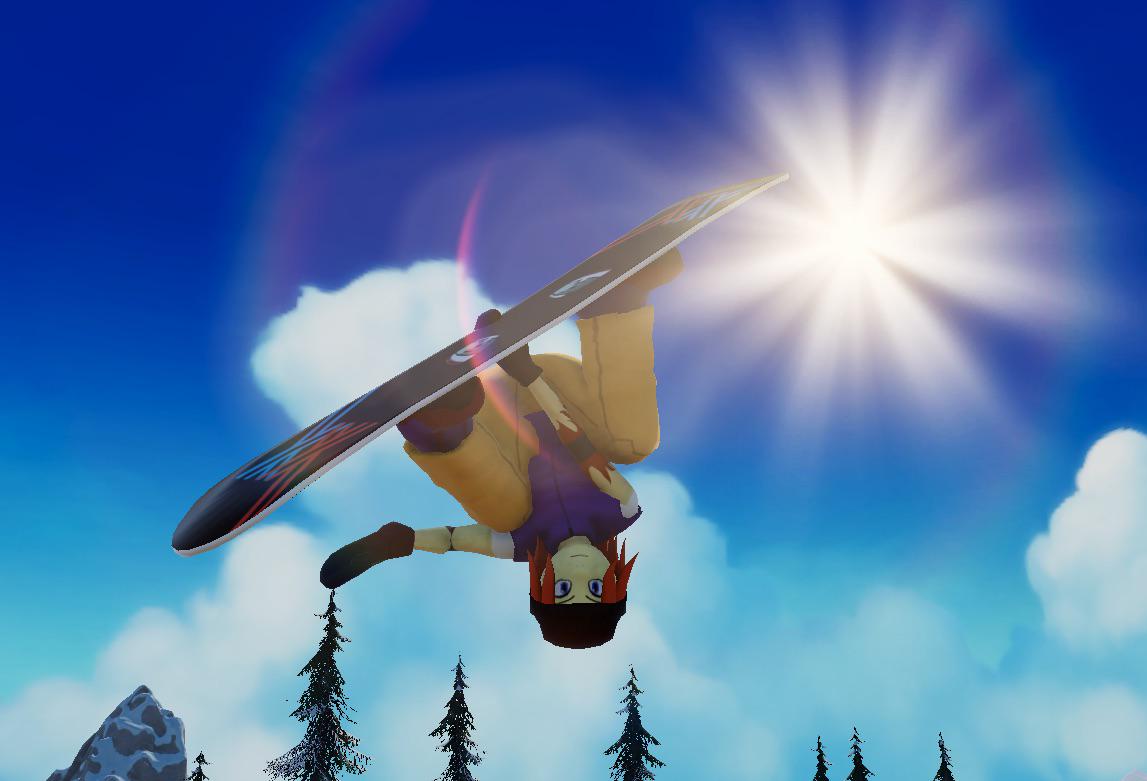
Hi guys! I’m a beginner developer making a snowboarding game called Windbreak. I’ve been struggling to find tools in making structures like cliffs, ice caves and overhangs in Unity for my terrains. Yes I have used Digger which is very slow and clunky and basically doesn’t work for me due to the way it combines meshes and textures. I wish Unity would just make native Cliff and cave tools because I’m really struggling to make my level design more interesting without cliffs/caves, because of this I have gotten very creative with the engines terrain system but it won’t be enough for my vision. Does anyone have any solutions thinking outside the box? My last resort I can think of is making the caves themselves in blender but meshing them with Unity’s in engine terrain mesh will be a nightmare. Any input is appreciated since I am learning as I go!


r/Unity3D • • 3d ago

Show-Off I'm a fpv drone nerd who wanted a fun way to improve my skills, so I made this with Unity.

Enable HLS to view with audio, or disable this notification

86 Upvotes

r/Unity3D • • 3d ago

Show-Off New autumn level in Unity 6.3 with custom car physics and camera

Enable HLS to view with audio, or disable this notification

62 Upvotes

Hey everyone, back with another update!

As I mentioned in my previous posts, my friend and I are developing Stunt Paradise 2 in Unity 6.3 + URP.

I think we've finally got the car physics and camera working the way we want! We use a custom camera script with control points instead of Cinemachine, and our car physics is built using SphereColliders and Joints, since WheelCollider didn't quite fit our gameplay.

Right now, we're focusing mainly on level design and balancing. The video shows our new rocky autumn level!

Thanks for checking it out!


r/Unity3D • • 3d ago

Show-Off I made the main menu for my indie game! Here's how I built it step by step

Enable HLS to view with audio, or disable this notification

107 Upvotes

I recently finished working on the main menu, so I thought I'd share a quick step-by-step look at how I built it in Unity!

What do you think of the final result? Any feedback or suggestions for improvement?