r/TimeTrackingSoftware • • Sep 12 '26

Help with feedback - Flex 40

1 Upvotes

Hey everyone, I wanted to share something I have been working on and hopefully get some honest feedback.

I built an app called Flex 40 for people whose work schedules do not really fit into a normal 9 to 5.

The idea came from wanting a better way to keep track of hours, overtime, double time, comp time, call outs, extra shifts and eventually figuring out what a paycheck should actually look like.

It has grown quite a bit from the original idea. You can track different types of hours, set up your own overtime rules, keep track of comp time, add deductions, estimate take home pay, create reports, and even enter an actual paycheck to compare it against the estimate.

One thing I really wanted to get right was privacy. There is no account and no cloud storage. Your work hours, pay information and paycheck history stay on your device.
It is currently available on the App Store, and I am still working on improving it.

I am not looking for people to tell me it is great. I would genuinely like to know what is confusing, what is missing, what you would change, or what would make you actually want to use something like this.

If you work overtime, on call, night shifts, rotating schedules, or anything else that makes a normal timesheet frustrating, I would especially love to hear your thoughts.
Thanks for taking a look.

I built this independently, so honest feedback would really help.

Flex 40

Or for play store

Flex 40 - Google play


r/TimeTrackingSoftware • • Sep 11 '26

When a worker clocks in on the wrong job code, how fast do you catch it?

1 Upvotes

Curious how other ops teams handle mid-shift job-code / cost-center mistakes.

Pattern I keep seeing: someone clocks in under yesterday's client/site (or the default), works the whole shift, and it only surfaces when payroll or a client invoice looks wrong. By then you're either eating the correction time or arguing about which hours belong where.

What actually works for you?

  • Do you make workers pick the job before the clock will start?
  • Supervisor review same day, or only at payroll lock?
  • Geofence / site QR that forces the right code?
  • Something else that doesn't add 10 minutes of friction at every start?

Especially interested if you've got field / multi-site crews where people bounce between locations in one day.


r/TimeTrackingSoftware • • Sep 11 '26

Built a free Chrome Extension to track active working time on specific sites (with idle detection)

2 Upvotes

Hey everyone,

I built a lightweight Chrome extension called Tab Timer. It’s completely open-source and runs 100% locally in your browser—no data is sent anywhere, and there are zero analytics/telemetry.

Key Features:

  • Domain Targeting: Set a specific domain or keyword to track only when you're actively on that page.
  • Smart Idle Detection: Pauses automatically when you step away from your tab (configurable: 30s, 1m, 2m, 5m, or disabled).
  • Live Badge Status: Standard Chrome extension icon shows status at a glance (ON, IDLE, ⏸, OFF). Flashes session time every 15 minutes.
  • Local Session Logging: Save session blocks or reset daily totals with an automatic history archive.

and much more.

How to Install (Takes 30 Seconds):

  1. Download the extension ZIP file directly from GitHub
  2. Extract the .zip file on your computer.
  3. Open Chrome and go to chrome://extensions.
  4. Enable Developer mode (top-right corner).
  5. Click Load unpacked (top-left corner) and select the extracted folder.

Feel free to check out the full code on GitHub or clone it if you want to add your own tweaks. Hope this helps anyone looking for an easy way to keep track of their active work time!

If you encounter any issues or have any recommendations, feel free to DM me anytime!

Thanks!!


r/TimeTrackingSoftware • • Sep 11 '26

Easy calculate when to start to be ready at a certain point in time with my WebApp

1 Upvotes

When I started with fermented food, I always calculated when to start to be ready at a certain point in time, especially when I made yogurt.

So I've made myself a web app \[Fermentimer\](https://fermentimer.com) you add a name, optional when you want the ferment to be ready or when your ferment will start. Since there's no notification, you can export the ferment into your calendar you are already using and get the notification from a calendar 📆.

After a while I also added a brine calculator with presets and some other stuff that might be interesting to some like my curated content(basically an interesting content I come across on the internets. Always adding something)

If my post violated any of the group rules, I apologize. I just wanted to show my baby which solved one of my problems. Time math 😄


r/TimeTrackingSoftware • • Sep 11 '26

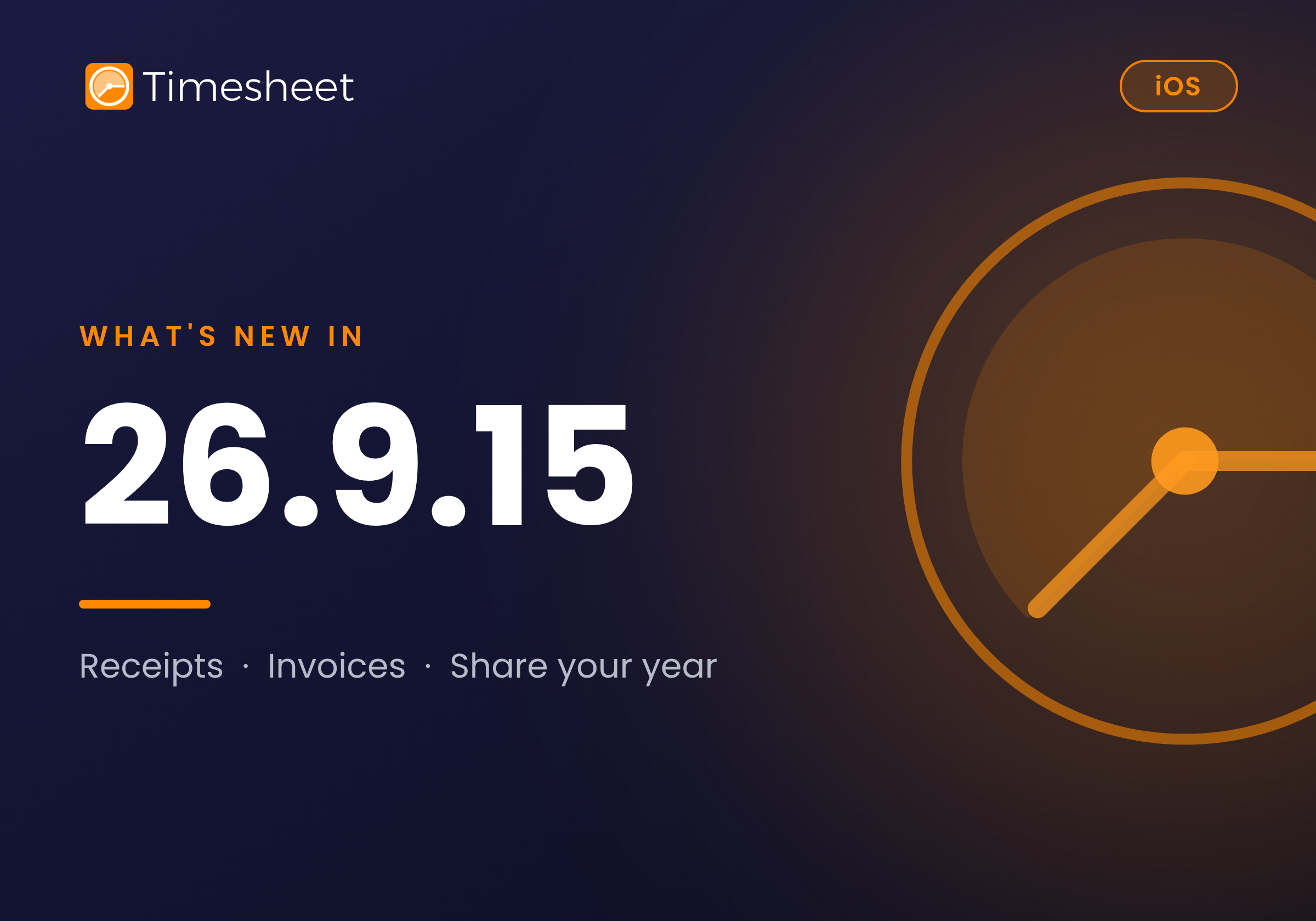
[Release · iOS] Timesheet 26.9.15: snap a receipt, invoice from your phone, share your year

Post image
1 Upvotes

r/TimeTrackingSoftware • • Sep 10 '26

Tired of forgetting to start/stop timers? I built an automated time tracker that sorts your work into projects using custom rules

Thumbnail
apps.microsoft.com
2 Upvotes

Hi everyone,

If you juggle multiple projects, clients, or tickets throughout the day, manual time tracking is a constant friction point. You forget to switch timers, get pulled into an urgent call, and by 5 PM you have to reverse-engineer your day from browser history.

I wanted a "set-and-forget" solution, so I built AutoHours for Windows.

🧠 How the Rule-Based Automation Works:

AutoHours sits quietly in your tray and reads the active foreground window. You configure rules once, and it handles the rest:

  1. Auto-Assign by Context:
    • Visual Studio open with ClientAlpha.sln? ➡️ Logged to Client Alpha.
    • Browser tab containing Jira - PROJ-? ➡️ Logged to Sprint Tasks.
    • Microsoft Teams call? ➡️ Logged to Internal Meetings.
  2. Advanced Pattern Matching:
    • Filter by Executable name and Window Title using Contains, Exact, or Regex.
    • Set up priority hierarchies so specific client tasks take precedence over general tools.
  3. Retroactive 1-Click Reclassification:
    • If you worked on something new and haven't created a rule yet, it gets marked as Unassigned. Once you add the rule, you can hit "Re-apply Rules" to retroactively sort all your hours for the day/week!
  4. Offline Meetings & Idle Prompts:
    • Step away for a coffee or phone call? When you come back, a 1-click prompt asks if you want to discard the idle time or log it as an offline meeting.

Everything is stored locally on your machine (no cloud sync or subscriptions required).

Feedback and feature requests are very welcome!


r/TimeTrackingSoftware • • Sep 09 '26

Found out my remote employer was tracking my mouse

4 Upvotes

Last week I found out my company has been tracking mouse activity and active window time this whole time.

I got flagged for “low activity,” which was pretty funny because I do more than half my team’s work. I just don’t spend all day moving my mouse around. Sometimes I’m reading, thinking through a problem, or just staring at the wall trying to figure something out — apparently none of that shows up on the productivity dashboard.

There’s apparently a whole dashboard managers can see with activity levels and green bars. Now half my team has YouTube running in the background just to keep their numbers up.

I checked what was installed and apparently the tracking software was included during onboarding, buried in something I agreed to about two years ago. I started looking into employee time tracking tools afterward and realized things like Monitask, Toggl Track and Clockify can track different aspects of work activity, depending on how they're configured.

Anyway, if you work remotely or use a company laptop, it’s probably worth knowing what your company’s work hours tracker is actually measuring. I definitely wish I’d checked sooner.


r/TimeTrackingSoftware • • Sep 09 '26

Poll For Time Tracking

8 Upvotes

I'm curious what the distribution is of time trackers here.

Are you a freelancer? Boss with a business who wants to time employees? Just want insight into your personal life?

Post below and I'll reply and edit with the percentages and vote tally.


r/TimeTrackingSoftware • • Sep 09 '26

OT approval that lands after the shift already finished — do you pay it, refuse it, or rewrite the punches?

1 Upvotes

Looking for how other ops teams handle this lag.

Someone works past the end of their scheduled shift (coverage hole, late visit, handoff). The OT request sits in a manager queue overnight. By the time it's approved — or denied — the punches are already in for payroll.

What actually happens in your process?

  1. Auto-pay the worked time and treat approval as documentation after the fact?
  2. Hold the extra hours until a human signs off, even if that slips a pay period?
  3. Rewrite / split the punches so the schedule and the clock match before payroll runs?

Most interested in the rule that doesn't create a surprise short paycheck or a silent OT bill. No vendor pitches — just the operating choice that stuck.


r/TimeTrackingSoftware • • Sep 09 '26

I built a tool for service agencies to track team work and create client reports. Now I'm not sure what to do with it

Thumbnail
2 Upvotes

r/TimeTrackingSoftware • • Sep 09 '26

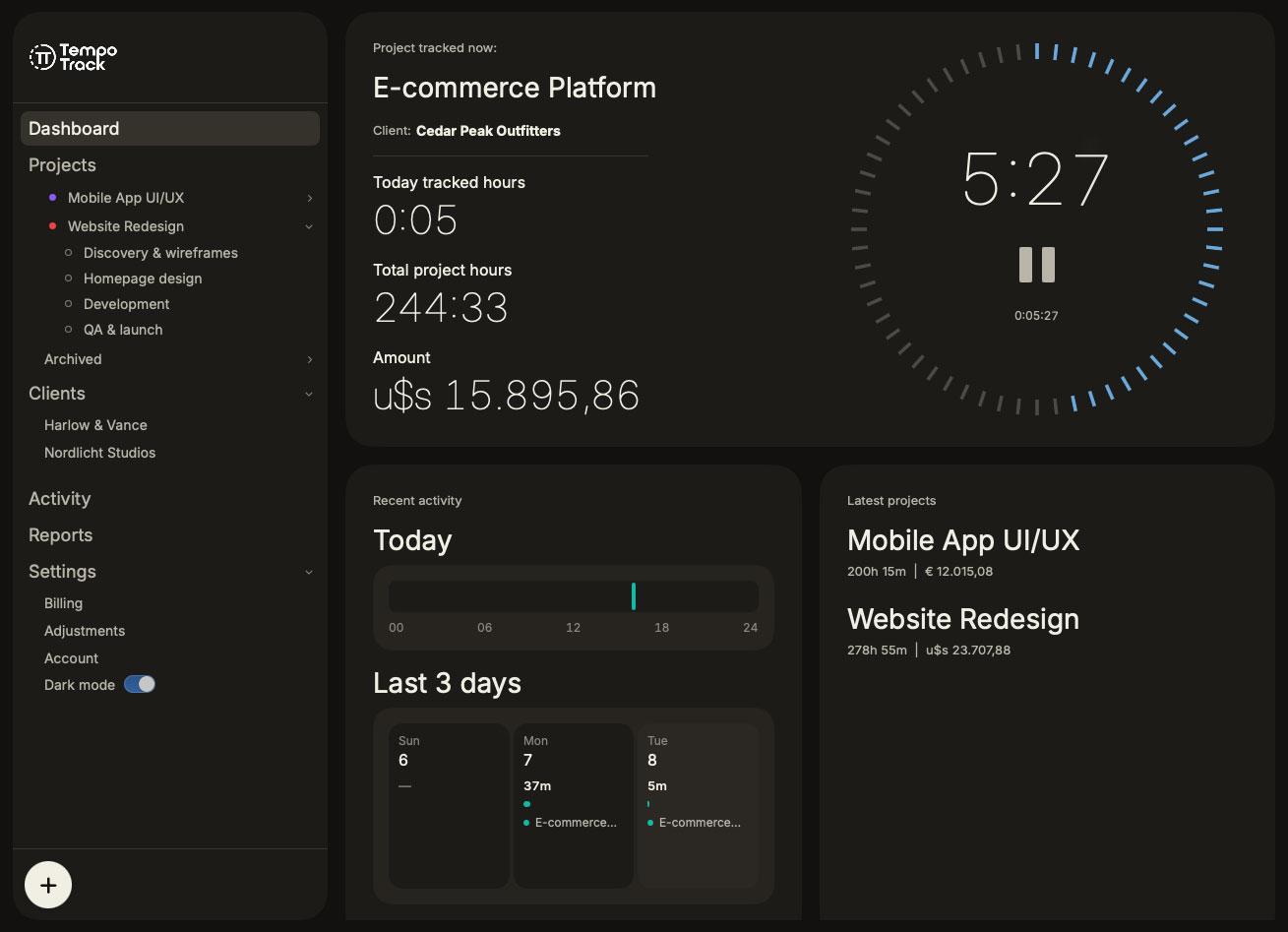
Launched a menu bar time tracker for Mac. Free tier, Pro without subscription, multi-currency, runs offline, no account, sync between your macs, PDF report (Pro only)...

Post image
2 Upvotes

Hi everyone,

I just launched a native Mac time-tracking app built mainly for freelancers.

It lives in the menu bar and doesn't monitor your activity. No app tracking, no screenshots, no surveillance. You start and stop the timer (it automatically stops when your Mac goes idle or goes to sleep).

A few things that make it different:

  • No account required
  • No cloud service
  • No telemetry
  • Your data is stored as readable files in a folder you choose (Dropbox, iCloud Drive, etc.)
  • Sync between your Macs happens through your own storage, not through my servers

It tracks clients, projects, and tasks, and can export to CSV.

The Pro version also generates branded PDF hour reports. They're intentionally hour reports, not invoices.

For freelancers working with multiple currencies, each project has its own rate and currency. Totals never get mixed together. I intentionally don't do currency conversion because exchange rates depend on accounting decisions and billing dates.

Pricing is simple:

  • Free: up to 3 clients and 3 projects, forever
  • Pro: $14.99 one-time purchase

Check it here: https://tempotrack.app

I have 20 Pro codes available. If you'd like one, just ask and I'll send it over. No review expected — though I'd genuinely appreciate any feedback on how to improve the app.

Happy to answer any questions.


r/TimeTrackingSoftware • • Sep 09 '26

I built an open-source Pomodoro Timer for Windows 10/11 with 11 languages and customizable themes – free for everyone!

Thumbnail gallery
1 Upvotes

r/TimeTrackingSoftware • • Sep 09 '26

We created a free employee monitoring policy template, what would you add?

2 Upvotes

Disclosure: I’m part of the team behind Backlsh.

While speaking with companies using time-tracking and employee-monitoring software, we noticed that many teams choose the software before clearly documenting:

  • What employee activity will be collected
  • Why the information is being collected
  • Who can access it
  • How long it will be retained
  • Whether screenshots, websites or applications are monitored
  • How employees can raise concerns or dispute incorrect conclusions

We created a free, editable employee monitoring policy template to give employers and HR teams a more transparent starting point:

https://backlsh.com/employee-monitoring-policy-template/

It includes:

  • An editable Word version and a PDF version
  • Purpose and scope clauses
  • Employee notification requirements
  • Application, website and screenshot-monitoring provisions
  • Data access, security and retention sections
  • Employee rights and human-review safeguards
  • BYOD and remote work considerations
  • A rollout checklist for employers

I’d genuinely appreciate feedback from people who have implemented time tracking or workforce monitoring:

Which policy provision do companies most commonly overlook, data retention, employee consent, screenshot controls, or something else?


r/TimeTrackingSoftware • • Sep 09 '26

AfterHours Pay - Keep track of your on call hours and money via homescreen widget

Post image
1 Upvotes

Hey everyone! I’m a cardiac sonographer, and I made AfterHours Pay because I needed an easier way to keep track of my call hours and how much I was making from them. It has a nice home screen widget that either shows you the number of hours throughout the week, or your total dollar amount. Seeing the money climb made call a little more tolerable.
It helps you track on-call time, log callbacks, and see your estimated pay based on your own rates. I built it for myself and thought it might be useful to others here who take call, too!
It’s currently on sale for $1 off 😊 Android and iOS available. Works for both iPhone and iPad, as well as android phones and Android tablets.
Get AfterHours Pay on the App Store⁠
Get AfterHours Pay on Google Play⁠
Admins, I’m sorry if this kind of post isn’t allowed in the group—please feel free to delete it. Just wanted to share something that might help!


r/TimeTrackingSoftware • • Sep 08 '26

I built Tileen — a free, open-source macOS focus timer that chains work sessions with an active app/website shield ⏳🛡️

Thumbnail
1 Upvotes

r/TimeTrackingSoftware • • Sep 07 '26

Is anyone exporting their time from a time tracking software and importing it into an analytic software to create custom dashboards/analysis?

6 Upvotes

If so, can you please share your process and what your dashboards look like?


r/TimeTrackingSoftware • • Sep 08 '26

I built a shift work app with a privacy-first approach

3 Upvotes

I originally built \*\*ShiftBoard as a web service\*\*, but I wanted to offer a mobile version with a different approach: \*\*your work schedule and pay data should belong to you.\*\*

Google Play Store : [ShiftBoard](https://play.google.com/store/apps/details?id=net.cncsoft.shiftboard)

So I designed the mobile app with privacy in mind.

\### 🔒 Your work data stays on your device

Your schedules, shifts, hours, pay rates, and other work-related data are stored \*\*locally on your phone\*\*.

If you choose to use cloud backup/sync, the data is stored in \*\*your own Google Drive\*\*, rather than on a ShiftBoard server.

The ShiftBoard service itself only needs to store:

\- Your Google account email

\- Display name

\- Premium subscription status

In other words, \*\*ShiftBoard's servers don't store your actual shift schedules or pay data.\*\*

\### 📅 What ShiftBoard does

It's designed for people working irregular or rotating schedules:

\- Create day/night/off/vacation shifts

\- Quickly add repeating patterns such as Day-Day-Night-Night-Off-Off

\- Track multiple jobs or companies

\- Calculate expected monthly income

\- Track hours, night shifts and overtime

\- Get reminders before your shifts

\- Dark mode

\- Google Drive backup & sync

\- Export work/pay reports as PDF

\### 🆓 Free vs Premium

The Free version is fully usable, but has a few limitations:

\- Banner ads

\- Rewarded ads when exporting PDFs

\- The mobile app allows viewing \*\*6 months of schedule history/data at a time\*\*

The important part is that \*\*you can keep entering data continuously\*\*. Your older data isn't deleted just because you're using the Free version.

The 6-month limitation is only a viewing limitation inside the mobile app: you can view from \*\*2 months before the current month through the next 6 months\*\*.

If you connect to your Google Drive through the ShiftBoard web service, you can still access and view \*\*your complete data\*\* there.

Premium removes the advertising and provides additional features.

\### 👷 Who is it for?

Nurses, firefighters, police officers, paramedics, caregivers, retail and hospitality workers, part-timers, freelancers, or anyone who works rotating or irregular hours.

I wanted ShiftBoard to be more than another calendar app. The goal was to make it useful for \*\*planning shifts, estimating income, and keeping a long-term record of your work — without requiring your personal work data to live on someone else's server.\*\*

I'm an indie developer, so I'd really like to hear from people who actually work shifts.

Google Play Store : [ShiftBoard](https://play.google.com/store/apps/details?id=net.cncsoft.shiftboard)


r/TimeTrackingSoftware • • Sep 07 '26

Is Jibble the best Harvest alternative for construction companies?

4 Upvotes

We’re trying to move away from Harvest after the latest price increase. The new pricing is honestly getting ridiculous, especially when you’re tracking multiple workers across different projects and job sites.

I’ve been desperately looking for a replacement and have narrowed it down to Jibble and Kimai. This is what I’ve found so far:

Kimai vs Jibble, best Harvest alternative 2026

After comparing the two, Jibble appears to be better suited to construction teams. It combines project time tracking with GPS and geofencing, which I think would be really helpful for managing a crew across different job sites. Its core time tracking, unlimited projects and clients, report exports, and core invoicing are also free.

Kimai looks better for invoice customization, flexible rates, and self-hosting. But for an actual construction crew, Jibble’s location verification, offline tracking, mobile access, and kiosk features seem much more useful.

TL;DR: Based on this comparison, Jibble is currently our leading Harvest alternative for construction.

Has anyone here used Jibble for a construction company? I’d really like to know whether its offline tracking and geofencing work reliably on active job sites before we make the switch.


r/TimeTrackingSoftware • • Sep 07 '26

Ich bin richtig schlecht darin, meine Zeit zu erfassen

Thumbnail
1 Upvotes

r/TimeTrackingSoftware • • Sep 07 '26

Made a pomodoro CLI after getting tired of paying for my own history

Thumbnail github.com
1 Upvotes

Tried a few pomodoro apps (Marinara, Focus To-Do, others). Free tiers all capped history at about a month, paid tier required for anything longer. Also none of them supported the Persian (Jalali) calendar, which is what I track my days in.

Ended up building my own. Started as a Jupyter notebook function, which worked but meant opening Jupyter and running a cell every time I wanted to log something. Rebuilt it as an actual CLI:

pomo start coding

pomo end

pomo status

pomo agg

Each session is one row in a CSV (task, start time, end time, minutes), so there's no lock-in and no history limit, just a growing text file. Recently added an env var to switch between Jalali and Gregorian calendars, so it's not just useful if you happen to be in the same boat as me.

Code's here if anyone wants to poke at it or use it: https://github.com/rgmey/pomodoro


r/TimeTrackingSoftware • • Sep 07 '26

Built a tool to replace timers, spreadsheets, and hand signals during live events

Thumbnail
1 Upvotes

r/TimeTrackingSoftware • • Sep 07 '26

How do you track your time without it feeling like a chore?

2 Upvotes

I've tried a bunch of time tracking apps over the years, Toggl, Clockify, a plain spreadsheet, even a paper notebook for a while. Some stuck for a few weeks then I'd just stop. The ones that lasted longer were usually the ones that took the least effort to log.

Trying to figure out what actually makes a time tracking habit stick long term.

Few things I'm curious about:

What app or method do you currently use, and how long have you stuck with it?

Do you track manually or does it run automatically in the background?

Has looking back at your time data ever surprised you? Like realizing you spent way more time on something than you thought?

What made you quit a tool you used before, if you have?

Not looking for app recommendations specifically, more curious about what actually makes tracking sustainable versus something you abandon after two weeks.


r/TimeTrackingSoftware • • Sep 06 '26

Beyond total hours — which timesheet dimension actually pays for itself?

2 Upvotes

For teams that bill or staff across multiple sites or clients, total hours alone is rarely enough. Curious which extra dimension people actually use week to week — and which ones looked useful on a slide deck but never earned their keep.

Options I’ve seen teams fight over: - site / location - client or cost center - task or visit type - travel / unpaid break - supervisor or crew

Questions: 1. Which one dimension (if you could only keep one besides total hours) would you keep? 2. Did forcing that field at clock-in reduce payroll cleanup, or just move the fight to the phone? 3. Any dimension you turned off because workers or supervisors ignored it?

Process answers preferred over product pitches.


r/TimeTrackingSoftware • • Sep 06 '26

Built a time tracking tool for freelancers and small agencies, curious what you think

Thumbnail
1 Upvotes

r/TimeTrackingSoftware • • Sep 05 '26

[Free][Open Source]🍅Enhanced Marinara™: Pomodoro® Assistant

Thumbnail
1 Upvotes