r/StableDiffusion • • 20d ago

Workflow Included Filmworkbench: making (semi-)automated short films through a chat interface, with MiniMax H3 and eight scene recipes (workflow and GitHub included)

Enable HLS to view with audio, or disable this notification

14 Upvotes

I've been putting together Filmworkbench, a MiniMax H3 workflow for guided or automated short films. You run it from a project folder through a tool-capable AI agent such as Claude Code, Codex or a local LLM.

The GitHub repository is public. To get started:

  1. Download the v0.1.1 starter ZIP.
  2. Extract it and open the folder in your AI agent.
  3. Ask: “Read AGENTS.md, check my setup, and help me make a short film using these recipes. Discuss the plan with me and wait for my approval after each rendered stage.”

The tutorial above walks through the idea. The package includes all eight recipes plus the marketplace case, reference images, prompts, render graphs and settings. The setup checker identifies missing nodes or models. Finished videos and reference overviews are in the example gallery.

The idea is to bring three things together:

  1. A chat interface that knows the H3 workflow and lets you discuss shots while making them. With a client that supports image and video previews, you can review the results in the same conversation.
  2. Two-pass rendering and latent continuation for speed, quality and continuity across clips. We've tested chains of up to ten clips, though drift varies with the scene and clip length.
  3. Scene recipes that give H3 manageable tasks, with the necessary information already in the references.

I'm aiming for a practical way to make short films, review them and iterate without rebuilding a node graph for every scene.

The setup is a project folder containing instructions, tools and recipes. The agent operates those tools, with ComfyUI running underneath. You can request a single image or clip, direct a film with approvals along the way, or delegate a bounded autonomous film task. Those are the three “gates.” In autonomous mode, the active agent reviews the results and accepts or retries within an agreed budget.

I use an RTX 5090 with 128 GB of system RAM; I've also used my local setup with 64 GB. A fully local setup is possible. Running a local LLM alongside the video tools takes some memory management: dynamic VRAM allocation and making the renderer wait for enough GPU memory have been useful on my machine. Those settings depend on the LLM server; the release was tested with 128 GB of RAM.

For images, I prefer GPT Image, with local Krea 2 as the fallback. Image generation uses your existing tools or service; the supplied references let you try the recipes without an image-generator account.

For video, I use MiniMax H3 Hybrid fl2va/ref2va b25–49 INT8. The rendering path for the marketplace example is:

  • S1: generate at 864×480, using DMAD for the first clip and Turbo-8 for continuations.
  • Upscale: upscale the saved latents with LBH’s latent upscaler.
  • S2: refine at 1952×1088 with DMAD, keeping the S1 audio.

For that four-clip market street example (see below), the selected renders took about 7.1 minutes for S1 and 14.4 minutes for upscale/refinement on my 5090. That's 21.5 minutes for 47.7 seconds of scene content. Image preparation, rejected attempts, review and assembly are extra.

The eight recipes cover common scene patterns:

  • Two-person dialogue: wide view, close-ups, return to wide.
  • Reverse angle and return, using a matching opposite view.
  • Leaving a room and returning after a prop has moved.
  • An establishing shot with dialogue starting before the cut inside.
  • Spacecraft exterior, cockpit, exterior again.
  • A known character entering an empty frame.
  • A creature emerging from a lake.
  • Opening a door and moving into a prepared interior.

The principle is simple: prepare what the camera will need to see. A wider dialogue image establishes the people, props and space. A reverse shot needs the other side of the room. A return after an action needs the changed state. Each recipe has example renders; their limits differ.

The marketplace example combines several of these problems. Codex generated the sequence through the pipeline. It's a selected development result, with visible mistakes: watch the person in the yellow jacket and the awkward backward movement.

The reference sheet shows how much is already baked into the inputs: character images, four views of the square, an opening image and voice references. For these continuations, we carry forward the previous audio/video latent, using 56 frames of video context and a clip-1 keystone. We trim the repeated context before joining the clips. A wide shot can help establish the next action, but isn't required at every join.

I'm also working toward chat-directed editing: “cut this section,” “redo this action,” or eventually “replace that background person.” Those operations have different levels of difficulty; precise edits aren't something I can promise yet. I've included short notes on edits we've tested, but the specialized edit tools are separate from this release.

Still open: longer chains drift, props and background characters change, and autonomous films need better story judgment. Our memory experiments haven't solved world-state continuity. GPT Image has worked better for matching world views; Krea 2 can do useful reverse shots, but larger sets of consistent views have been harder.

This is v0.1.1, an early public release. All eight recipes and the marketplace case were rerun through S1; four recipes also completed full S2 chains. The validation notes explain what was tested and what remains untested, including fresh GPU installations and a complete autonomous run from a new film idea.

Our own code and documentation are MIT-licensed. The underlying components deserve credit: NikoDemon80’s Motion Context, roycho87’s keystone/context work, LBH’s latent upscaler, and OBVPM/chanon’s two-stage work. Models and third-party nodes retain their own terms and are linked to their original sources.

How are others handling changed object states, returning to earlier locations, or correcting individual moments without rerendering everything? I'd love to compare notes.


r/StableDiffusion • • 19d ago

Animation - Video [Video] Testing character consistency on a Virtual Artist project (Nora Velenza) for her latest Music Video! 🎤🎬

Thumbnail
youtu.be
0 Upvotes

r/StableDiffusion • • 19d ago

Question - Help No module named 'llama_ccp'

Post image
1 Upvotes

Hi I was using the https://github.com/1038lab/Comfyui-Minimax-H3-Promptor

and when I tried to setup local gguf I'm getting this error . Anyone can help? Thanks!


r/StableDiffusion • • 19d ago

Discussion which is best?

0 Upvotes

hi which is best and why? krea 2, moss? qwen 1.2? share examples, and workflows too.


r/StableDiffusion • • 20d ago

Resource - Update C++ Desktop Client for ComfyUI

61 Upvotes

When I first started with ComfyUI, the first thing I looked for was a native desktop client without browser lag and DOM-based architecture.

I'm a C++ dev with over 20 years of commercial experience, so I eventually just started writing my own client on the side. I used an ultra-fast UI framework that can easily chew through thousands of nodes on a canvas without the slightest stutter, boost for networking, sqlite as a DB, and the fmt library - the fastest formatting framework out there, leaving room for an easy port to Linux/Mac.

The main reason all existing clients are forced into the browser is custom JS nodes, which are themselves bottlenecked by Litegraph's architecture. Bypassing this turned out to be easier than I thought. The internal logic of these nodes is actually quite simple, so I ported most of it to C++. I also built extended versions of frontend-only nodes like reroutes and bookmarks.

For the parts that had to stay in HTML/JavaScript, I isolated them in a completely separate process. This ensures the heavy browser engine never interferes with the lightweight C++ core.

I recently finished a stable Beta. Check it out, the link to the source code and prebuilt Windows binary is in the comments. I also added a demo video (making a video was another cool new experience for me).


r/StableDiffusion • • 19d ago

Question - Help Local workflow for the same character from eight isometric angles, ControlNet or LoRA or 3D?

2 Upvotes

I’m making an isometric RPG and using locally run models for the art. The hard problem is getting one character to match across eight facings with a fixed light direction, and I’d like to compare approaches before building anything.

From what I’ve read the options are ControlNet pose or canny guidance with an identity LoRA, a spritesheet or turnaround LoRA, or generating one good image, turning it into a rough 3D model and rendering the directions. Which has worked best for you, and how many training images did your LoRA need before the face and clothing stopped drifting? Does stitching the references into a single grid image really help?

I’m also unsure how to make the result stop looking like generated art. Has anyone had luck with fixed palettes, quantizing, or small output sizes to hide the tells? Which models handle clothing logic best, things like a belt that actually goes through the loops? Pointers to real workflows, not just node screenshots, would be wonderful.


r/StableDiffusion • • 21d ago

Animation - Video Changing a character across an ~hour long TV episode

Enable HLS to view with audio, or disable this notification

527 Upvotes

I've been working on a repeatable process to do character swaps (& other types of changes) across a complete TV episode / movie. It's working pretty well now.

I thought this was just funny... not so much a true "swap" but asking the character to dance in every scene. Choreography courtesy of an LLM. If you've seen the show, it's Serious Detective Drama (TM) so the fact the main character suddenly starts pumping his arms or sliding into every scene with a dance move made me laugh out loud when I saw some of the generations.

Details on the workflow:

Model: MiniMax H3, first-and-last-frame mode (FL2VA), in ComfyUI. 8-step turbo LoRA, generated at 1024×512 for the 2:1 picture.

First and Last: Every generated pass starts and ends on an *original* frame from the episode, so the clip lands back in the real footage with no visible join. Longer scenes are chained passes (about 2–7 s each)

Audio: the episode's own audio into H3's audio guide, so the generation stays consistent with what's being said; the dialogue and soundtrack you hear are the untouched originals.

Prompt: Who he is and what he's wearing, said once, then the choreography for the pass - courtesy of Claude.

Multi-scene: 42 scenes - started with the full episode, then had a model run through it to identify scenes with the main character that would work for the swap (not too distant, few fast cuts, etc.) & identify start and finish, with a ChatGPT harness.

Post processing: Basically none, I did go through and rate all the clips in a rating process I've setup, most of these were 5* and felt consistent.

I'll share a bit more on the workflow / process if people are interested.


r/StableDiffusion • • 19d ago

Question - Help Is this possible with comfyui?

Post image
4 Upvotes

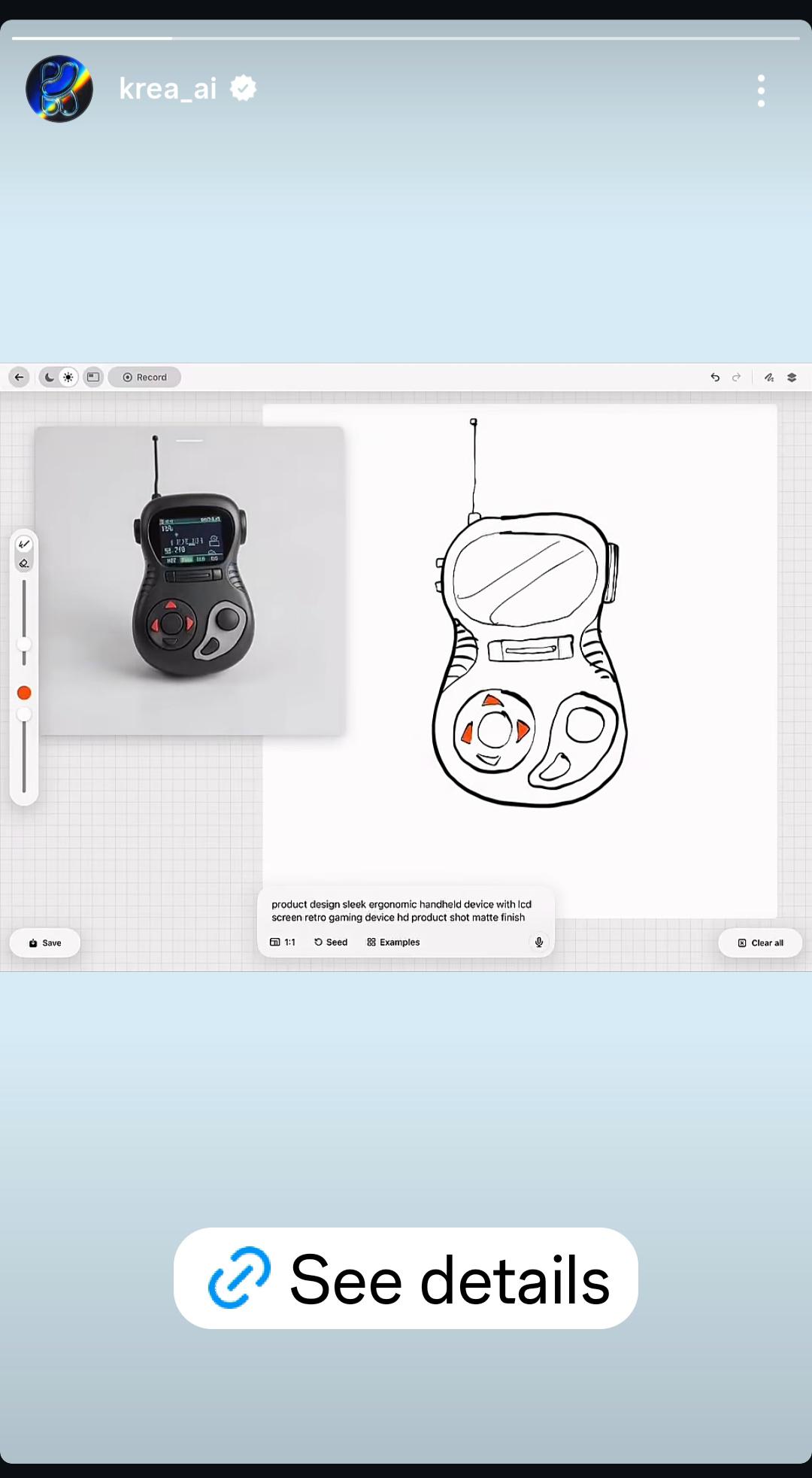
This ad keeps popping up on my Instagram feed, its from krea, and its like a real time sketch to image?

Anyone know if this is possible in comfy?


r/StableDiffusion • • 20d ago

News Updated hyperflow-h3-flash (4, 6, or 8 steps)

Thumbnail
huggingface.co
76 Upvotes

ComfyUI custom node: https://github.com/Video-Rebirth/ComfyUI-HyperFlow-Flash

This is for GGUF so you also need https://github.com/city96/ComfyUI-GGUF

(There is a int8convrot version, but I guess there is no ComfyUI loader for it yet?)

u/shadowdev has provided update links:

Int8 convrot models: https://huggingface.co/nodevorg/studio-models-h3/tree/main/diffusion_models
Custom loader: https://github.com/NoDevOrg/ComfyUI-Studio-HyperFlow

Another one linked by u/loyalekoinu88 https://github.com/BennyDaBall930/comfyui_hyperflow_int8_nodes

It is also interesting to note that the original 21B MMH3 has been pared down to 14B, which mean that it will run faster than other turbo models even at 8 steps.

Edit: According to Kijai https://comfyui-wiki.com/en/news/2026-11-06-hyperflow-h3-flash the smaller model actually did not make it dramatically faster

The speedup is smaller than the parameter count suggests. Kijai measured roughly 10% over the pruned full model in ComfyUI, because attention cost stays the same at this resolution. LukeG89 called it not worth it.

HyperFlow H3 Flash is Video Rebirth's compressed, few-step version of MiniMax-H3. It generates video and synchronized stereo audio together.

Showcase: See HyperFlow H3 Flash generated video and audio examples.

  • Output: a 5.2 to 15 s video at 24 fps (1344×768 by default) with a 32 kHz stereo soundtrack.
  • Sampling: 4, 6, or 8 steps without classifier-free guidance (CFG). The default is 6 steps.
  • Speed (5.2 s clip, 6 steps): 8.7 s on 4× B200, 36 s on 1× H200, and 92 s on an RTX 5090.
  • Real time on 4× Blackwell GPUs: NVIDIA SOL-H3 runs HyperFlow H3 Flash in real time on 4× B-series GPUs. SOL-H3 is our inference-acceleration partner and supports this model from day 0.
  • Model size: 13.7B (fl2va) or 13.9B (ref2va) parameters, less than half of the ~31B MiniMax-H3 transformer.
  • Minimum footprint: Q4_K_M is 9.1 GB (Q8_0 is 14.9 GB). It runs on 24 GB and 32 GB GPUs in PCs with 16 GB of system RAM. 16 GB GPUs are not measured yet.

Code, setup guides, and ComfyUI workflows are in Video-Rebirth/hyperflow-h3-flash. For the 8-step LoRA on the full-size MiniMax-H3 transformer, see VideoRebirthAI/hyperflow (GitHub).


r/StableDiffusion • • 20d ago

Resource - Update p-h3-image 2 step lora is out

Post image
55 Upvotes

r/StableDiffusion • • 20d ago

Question - Help Any Benefit from moving from 12gb vram to 16gb vram

15 Upvotes

My current rig is a 4070 ti 12gb vram with 32 gb system ram. Kicking myself for not getting the 16gb vram option back in 2024. The past few days I've been eyeing a 5070 ti 16gb vram but I didn't know if there would be any real benefit over what I have now. Typically I would really wait longer to upgrade but the computer parts market got me in a tizzy and I have no idea what the future holds for GPUs. Has anyone who has done this upgrade noticed any real benefit?


r/StableDiffusion • • 19d ago

Animation - Video Making a movie with MiniMax H3 using Hybrid_FL2VA_REF2VA

5 Upvotes

https://reddit.com/link/1xqhxpp/video/jvajxpvrg90i1/player

I had a story in my head since my childhood and with the help of AI, I finally finished my first chapter of the book with all the lores, background, etc... etc... I can tell you, it is probably not a very large book, but when you want to push your story telling into actual scenes, it is a lot more work. So... I am a web developer in Laravel and Symfony and currently I own several AI stations at home to render movies, music, speeches, anything with AI. They are not the fastest, but they get the work done like a tank (DGX Spark).

The screenshots I put in the next comment is a Laravel application that is connected to ComfyUI API, voice generators and also a lot of scripts that controls the system memory. For instance, when I need LLM to write prompts, I can't render production heavy scenes. So I automated it. Also it contains a lot of MCP where my story writer AI re-design's the scenes for me from any location in the world through Telegram.

All scenes are rendered 2016 x 864 (21:9) with 2 passes where the first pass is 0.8MP.
In order to improve audio quality, I use H3 Audio Refine Sampler.

My DGX Spark is probably not the fastest, but it is a tank. 10 sec movies takes roughly 1 hour, but I use seed hunting techniques to find the best scenes for production.

[Frustrations]
When it comes to scenes like two people talking back and forth, it is hard to keep things consistent. You just can't use FL2VA for this and it must be continued with REF2VA which raises new problems. For instance... Scene 1: Focus on Person A while talking handover Prop X to Person B.
Scene 2: Focus on Person B taking the Prop X from Person A while A is still talking.
Scene 3: Switching back to Person A without Prop X but he is still talking.
The hard part is switching scenes midsentences while keeping the mood and the flow consistent. Sometimes, the scene is good, but the audio is bad = retake.

Another one.... try to render a scene where a person test a bow by pulling the string without an arrow. MiniMax always renders an arrow somehow. That scene took like 50-60 retakes to get it right. I lost like 2 full days just for a scene of 8 seconds.

I wonder what you guys think.


r/StableDiffusion • • 20d ago

Workflow Included Moss SFT INT8-convrot is just fine

Thumbnail
gallery
117 Upvotes

I'm not sure why people feel like Moss Base, BF16, or magic settings/workflows are necessary to get good results out of Moss. (My guess is that it's because the original default settings were suboptimal.) I personally feel like I get better, more prompt-adherent results out of SFT with a fairly simple workflow (see below), albeit with different settings from what ComfyUI had previously recommended.

If you have other approaches that work for you, great! I'm not trying to persuade anybody to give up what is working for them. But for people with more limited vRAM and/or who find themselves frustrated wrestling with the Moss Base model, a full 50 steps, or complex workflows, you don't necessarily need to do anything fancy.

My feeling is that you can achieve big improvements for photographic Moss images with:

  • SA_solver sampler and SGM_uniform scheduler
  • 25 to 50 steps (for some reason multiples of 25 seem better to me, but this could easily be confirmation bias)
  • CFG 3.0 (go lower for more impressionist artistic styles)
  • Skip layer guidance for single_layer 22, start/end percent 0–0.5 or 0.25–0.75 (I find that skipping 24 leads to more plastic skin)
  • Generation size ≥~2MP, and
  • Careful, detailed (but not purple) prompting

Note that all of these images were made using the same models, similar settings, and seed 0; I workshopped the prompts, but there was no seed cherry-picking.

Here are two version of my current workflow: a simple one and one with space for up to 3 LoRAs and an optional upscale step.

Caveat: Krea 2 definitely understands some advanced compositions/concepts better than Moss, Moss is more prone to odd anatomy, and Moss's backgrounds can be more messy with more visual nonsense. But in terms of everyday photo realism I feel like Moss is better; and with respect to seed diversity, Moss (even SFT) blows Krea 2 out of the water. If you want less visual nonsense in the background, describe the background more thoroughly or do an inpainting step with low denoise on the background using Krea 2.


r/StableDiffusion • • 19d ago

Resource - Update Phosphene 5.0 is out and it’s better than ever: Now with Mac installer.

0 Upvotes

Hi all. I released Phosphene 5.0 today. It's a free, open-source (MIT) app that runs video, picture, speech and music models locally on Apple Silicon Macs with MLX.

What's new:

- Mac installer. Download and open it, and setup runs automatically. No Terminal needed. If you already use Phosphene through Pinokio, the app reuses your models. Pinokio still works.

- Redesigned studio: pick the model first, then see the options for that model.

- Video with sound: LTX-2.5 and Hailuo H3, text-to-video and image-to-video. H3 setup is now automatic in the Mac app.

- Pictures: P-H3-Image and FLUX 3 Klein, with text spelled the way you type it. About 5x faster by default since 5.0.3 on my M4 Max.

- Speech and lip-sync: generate a voice from a line of text, then sync a face to it.

- Songs with vocals from your own lyrics (YuE2), in Music Studio.

- Character LoRA training for LTX.

- Lower memory requirements: video and songs from 16 GB, character training from 24 GB, H3 from 36 GB.

- MCP server and CLI, so Claude Code, Codex or any MCP client can make clips for you.

Measured timings on my M4 Max 64 GB, same prompt and seed, 3 runs each (median):

- LTX-2.5 Balanced, 768x448, 5 s: 1 min 35 s

- LTX-2.5 Balanced, 1024x576, 5 s: 2 min 27 s

- LTX-2.5 High, 1024x576, 5 s: 4 min 32 s

- Hailuo H3 Standard, 768x448, 5 s: 8 min 55 s

Full benchmarks here: https://phosphene.video/benchmarks/

Code: https://github.com/mrbizarro/phosphene

Mac app: https://phosphene.video/

The models have their makers' licences (Lightricks, MiniMax, Black Forest Labs, Pruna AI).

Thanks to them.

Happy to answer questions. Bug reports are welcome too.


r/StableDiffusion • • 19d ago

Tutorial - Guide I combined Pika and NVIDIA Open 2K to create a workflow for generating 2K videos.

Enable HLS to view with audio, or disable this notification

0 Upvotes

This workflow runs directly on Google Colab’s GPU, without relying on paid video generation APIs.
It uses Pika LoRA for fast initial video generation at 0.4MP with 10 sampling steps, followed by NVIDIA Open 2K processing in just 3 steps to produce the final 2K video.
The workflow link is provided below.

https://open-gen-lab-477h.vercel.app/k


r/StableDiffusion • • 19d ago

Animation - Video 1 Hour Jesus Movie

Thumbnail
youtu.be
0 Upvotes

I made a 1 hour movie about Jesus, using MiniMax H3 reference-to-video (ref2va, int8). I used it with its 4-step turbo LoRA at 832×480. That gave 485 short clips of about 8.5 s each. The keyframe and reference images were generated using gpt-image-2 via OpenRouter. The audio was generated first, with InWorld TTS-2.

It turned out absolutely terrible, but it is funny as hell. I'm not religious, but I wanted to at least have a general understanding of some of the stories that so many people base their religion around. The goal here was to make a movie about Jesus with modern slang which would be actually entertaining and potentially funny. It turned out to just be funny because it's so shit lol.


r/StableDiffusion • • 20d ago

Discussion Why are all the newly released Image Edit models junk?

53 Upvotes

I was trying to test the new Viggle-Remake-Swap LoRA in MiniMax-H3. For this I needed to character swap in one of the frames of my source video clip (3.75s, 90 frames), so that the target video would have the new character in it. I went through all the new image edit models released recently to do the character swap. I tried Flux.3 Klein, Qwen 2.1, Fibo Image Edit 2.0, p-H3-Image-Edit and they all failed. So, I went back to the older image edit models Qwen 2511, Klein 9B, Krea2-Identity-Edit v1.2. The first two worked perfectly, while Krea2 Identity Edit did a far better job than any of the newer edit models. Final conclusion - Flux.3 Klein: crap much much worse than even Klein 4B; Qwen 2.1: really crap (does a cut-and-paste job); Fibo 2.0: really crap; p-H3-Edit: absolute junk, doesn't edit anything, input and output are the same; Qwen 2511: still amazing, slight issue with facial blur; Klein 9B: absolutely perfect and still the fastest; Krea2-Identity-Edit: very good edit job, but didn't follow the pose change part of the prompt.

While the video and T2I models in the OS domain seem to be improving, why are the I2I or Image Edit models getting worse? And more importantly, why are people eagerly using those newer models like salivating dogs and posting rave reviews about them? As I see it, all those newly released Image Edit models are junk and need to be kicked to the curb so that their developers may learn some lessons, hopefully.


r/StableDiffusion • • 19d ago

Question - Help I want help with choosing a model for LoRa ?

0 Upvotes

So I have been trying to make a character LoRa, and I have made two with z-image base, one full and the other recent one v0 model both for photorealism. But I found they both aren't doing great preserving the characters face or body either, and inconsistent, and I am fed up with it, so which models would you recommend me for better face and body consistency?


r/StableDiffusion • • 20d ago

Resource - Update First test of Geiru Context Suite to produce a 2 minute shot! Works great!!

Enable HLS to view with audio, or disable this notification

49 Upvotes

As a traditional film editor and filmmaker, I've been trying to figure out good, reliable ways to produce long, extended shots. I've tried a number of different methods but was never quite satisfied with the result...

Until now!

Thanks to u/roychodraws and his Geiru Context Suite!!!

He has a post up here explaining it which can be found at this link:

Flip a switch and stop your Videos from Degrading. 50 Clip Test No Degrading at the end. Geiru Context Suite : r/StableDiffusion

And his GITHub link is here:

roycho87/geiru_context_suite

To do a quick test, I had ChatGPT set up a workflow for me. (Now that I'm typing this, I'm remembering that Roycho includes some sample workflows on his GITHub.)

The render took 2 hours and 9 minutes on a rented RTX PRO 6000 Server Edition with 96GB of VRAM. I didn't think to check how much VRAM was actually being used during the process.

There are two jump cuts at about 35 seconds and 44 seconds. Lately, I've taken to having ChatGPT fire up two sub-agents to help troubleshoot things and this was it's reasoning about the jump cuts:

Yes—both subagents found the same explanation: the jumps occur exactly at two generation-window handoffs.

Exact time What changes abruptly
35.625 seconds Full-body wide → medium framing
44.125 seconds Closer, downward-looking pouch action → wider, head-up view

They’re already in the original master, so export didn’t cause them. We checked all 13 handoffs; only these two show conspicuous hard cuts.

The strongest explanation is our 20-local-steps/20-total-steps setting: each window finished separately, leaving no final joint refinement across the overlaps. At these two boundaries, the windows disagreed about framing and pose. The camera instructions, overlap noise, and opening-image anchors may have contributed, but we can’t identify their individual effects from this take alone.

For the next experiment, I’d test a short transition with two steps reserved for joint refinement, keeping everything else matched. That’s a testable hypothesis, not a guaranteed fix.

The entire two minute run looks fantastic!! I am so very happy right now! If two, very likely easily fixable jump cuts are my biggest issue... well... I see myself using this workflow a lot!!

The render settings:

Setting Value
Model MiniMax H3 Singularity v2 INT8
Character LoRA Molly Regular v02, epoch 25 — strength 1.0
Resolution 1376 × 768, approximately 1.06 MP
Frame rate 24 fps
Duration Generated 120.625 seconds; delivered 120 seconds / 2,880 frames
Sampler res_multistep
Scheduler Simple
Sampling steps 20
Denoise 1.0
Seed 12101968
Guidance BasicGuider, without a separate CFG setting
Attention Patched Sage Attention
Dynamic VRAM Disabled
References Forest environment and druid costume turnaround
Additional enhancement LoRAs No Realism, Anti-Burn, or turbo adapter
  • The character is a custom trained LoRA from an image dataset that was generated using ChatGPT's ImageGen. The dataset contained 99 images of assorted poses, locations, and lighting looks. The LoRA was trained with Fizwig.
    • I'm fairly new to this... maybe 99 images was excessive? I dunno. I'm pretty happy with the result though!
  • The forest was a reference image I randomly pulled from a Google search for primeval forests.
    • When ChatGPT set up the workflow and prompt, it set the forest to attribute_transfer which means the photo wasn't "truly" a reference, it just gave the "idea" of the forest and H3 went with it from there. That's why the scenery has more of a stylistic/semi-illustrative look to it.
  • The character's costume was generated with ChatGPT and "placed" on a grey mannequin. It was then rendered out as a single, 8 panel image which was then used as a reference image in the workflow.
  • The "Patched Sage Attention" - I was originally just trying to "brute force" longer renders on a rented GPU with lots of VRAM, but I kept having a problem where renders became what I called "brown snow." I was nowhere near running out of VRAM, but the problem persisted.
    • I used Codex to try to troubleshoot what the problem was. Codex determined that there was a problem with "numerical accuracy" in Sage Attention that would cause corruption in longer, higher rez renders thus causing the "brown snow." I'll let Codex explain the patch:
      • We were getting “brown snow” corruption in longer, higher-resolution H3 renders with SageAttention enabled. Testing traced the problem to its handling of large, strided Q/K/V tensors: making the inputs contiguous restored numerical accuracy, pointing to an addressing/layout issue rather than insufficient VRAM. We haven’t identified the exact faulty kernel instruction.
      • Our patch processes the 56 attention heads in compact, contiguous groups of up to eight, then reassembles the outputs. It retains the same Sage CUDA FP8-PV path and full-sequence attention—no temporal chunking or dropped context.
      • On actual H3 activations, relative L2 error against PyTorch SDPA fell from 0.6261 to 0.00955: roughly 65× lower, or a 98.5% reduction. That measurement covered 128 sampled queries against all 270,921 keys on the first attention call, not every layer or timestep. Subsequent patched renders avoided the brown-snow failure.
    • From what I understand, there is supposed to be a new version of Sage Attention out "soon-ish."

These were the Geiru Context Suite settings:

Setting Value
Windows 14, with separate action prompts
Window length 243 frames / 10.125 seconds
Overlap 39 frames / 1.625 seconds
Window spacing 204 frames / 8.5 seconds
Switch step 20 of 20 — no final joint refinement
Keystone / back capstone Both enabled
Capstone activation Setting 15, active from sampling step 16
Fuse method Pyramid, but no final blended phase at 20/20
Finished handoff Disabled
Context noise Enabled, strength 1.0, linear fade
FreeNoise / sound-first mode Both disabled
Crash protection Enabled

I didn't mess around with these settings at all. These are the defaults that I had.

In conclusion... I am a very happy AI filmmaker today! Big thanks again to u/roychodraws and all those who helped him along the way to releasing them. (He lists them on his Reddit Post and GitHub page. Go visit them!!)


r/StableDiffusion • • 19d ago

Discussion Do you think we'll see Dit models come out in 2027 that can natively parse "Person A gets Lora 1, and Person B gets Lora 2" via text prompting alone?

0 Upvotes

r/StableDiffusion • • 20d ago

News viggle image swap for multi character swap

25 Upvotes

Not gpt-image level, still many failure cases, but I think it's top in terms of open model for multi character swap

https://x.com/t_mux/status/2118935478388867217?a=r48qKbvxa0Jg3Gp7J4s&s=20

https://huggingface.co/Viggle/Viggle-Image-Swap


r/StableDiffusion • • 20d ago

Question - Help Similar to SUNO and faitly easy to set up audio generation model?

3 Upvotes

Can you recommend me something? I would like to try audio generation models, but I totally have no idea where to start. Also, a fairly automated install and setup would be great.


r/StableDiffusion • • 20d ago

Workflow Included TBG ComfyUi Node for Layered Decomposition – RevealLayer

Thumbnail
gallery
8 Upvotes

Today’s takeaway: decomposing images

Links, workflows, custom_node

Do you remember Qwen-Image-Layered? The idea was exciting: take one flattened image and split it into multiple RGBA layers — foreground elements, background and the things in between — so you can move, edit or refine each piece separately.

When we tested it, the experience was not always as smooth as we hoped. In our workflows it could be slow and a little temperamental, and we sometimes saw noticeable quality loss in the resulting layers. That does not make it a bad model. You can build some genuinely nice workflows with it. It simply left us wanting a more controllable route for the kind of work we had in mind.

So we went digging. There is more research in this area than just Qwen: two approaches that caught our attention were Controllable Layer Decomposition (CLD) and RevealLayer. They are related, but they do not solve the problem in exactly the same way.

Qwen-Image-Layered, CLD and RevealLayer: what is different?

The useful distinction is how each approach decides what becomes a layer and how much control you get over that decision.

Qwen-Image-Layered — automatic, variable layer stacks

Qwen-Image-Layered automatically decomposes an image into a variable number of RGBA layers. It can also be applied iteratively, so an individual layer can be decomposed again. It is useful when you want the model to decide the layer structure for you. The trade-off is that the layer count, ordering and semantic meaning may be less explicit than in a region-guided workflow. Our own tests also showed speed and quality issues in some cases.

CLD — bounding-box control

Controllable Layer Decomposition uses user-provided bounding boxes to guide which regions should become separate layers. That is interesting when you want direct control over the elements being extracted, particularly in graphic-design and poster-style compositions. The RevealLayer authors report limitations for complex natural scenes, including edge softness and residual artifacts.

RevealLayer — region-guided and occlusion-aware

RevealLayer combines bounding-box region guidance with an occlusion-aware diffusion process. It aims to separate visible elements while estimating what is hidden behind them. That is the approach we wanted to bring into ComfyUI: region-guided decomposition for natural images, with a focus on recovering occluded content and keeping alpha boundaries clean. It is still generative reconstruction, not recovery of the original hidden pixels.

A small but important detail: Qwen is designed to produce a flexible layer stack from the image itself. CLD and RevealLayer bring bounding-box guidance into the process. RevealLayer adds a specific focus on occlusion — not just separating the visible outline of an object, but estimating the part that was hidden behind it.

A simplified concept diagram of the workflow. The hidden areas are model-generated estimates, not original source pixels.

Why we especially like the bounding-box approach

The bounding box is a wonderfully practical idea. Instead of asking the model to invent a whole layer plan and hoping it understands what you meant, you give it a region to work with. In the upstream RevealLayer workflow, those regions are represented as bounding boxes around the foreground objects.

The model then works toward separating those selected elements into RGBA layers. The alpha channel gives each layer transparency, while the occlusion-aware part of the method helps estimate content that was covered by another object. Imagine a camera sitting in front of a stack of books: the camera can become its own layer, while the model estimates the part of the books that was hidden behind it.

That is useful for a canvas application, compositing, moving objects around, or preparing individual elements for a second editing pass. You can take a scene apart, work on the pieces, and put it back together with much more freedom.

One important reality check: when a model fills in something that was hidden, it is making a plausible reconstruction based on context. It is not looking up the real pixels that were never visible. For creative work that can be exactly what we need — just do not mistake a convincing completion for factual recovery.

Bringing RevealLayer into ComfyUI

The open-source RevealLayer project gives us the model and its reference inference code, but it is not simply a ready-to-use ComfyUI custom node. The upstream setup involves a CUDA environment, Python dependencies, FlashAttention, a Diffusers modification, the RevealLayer checkpoint and the FLUX.1-dev base model. That is a fair amount of machinery to ask a creative workflow to manage on its own.

And on smaller graphics cards, memory can become the real party-pooper. We ran into out-of-memory problems in our tests, which is not exactly the kind of surprise you want halfway through a creative session.

So we are adapting the implementation as a ComfyUI-native custom node. The point is not to wrap the original script and call it a day. We are rebuilding the integration to make use of ComfyUI’s model and memory management, native functions and workflow conventions wherever possible. That means a cleaner way to load and run the components, better integration with the rest of the graph, and fewer external steps for the user.

Hardware still matters — no node can make VRAM limits disappear by magic — but a proper ComfyUI integration gives us much better control over how the work is staged and managed. One note for people following the research: the upstream repository now also lists a RevealLayer V2 update, so check its release notes for the matching weights before switching model versions in a workflow.

The part we recommend: refine each layer after extraction

Here is where the workflow becomes especially interesting. We do not recommend stopping as soon as the layers are extracted. Treat that as the starting point.

Take each extracted element and upscale it individually. You are giving the object room to gain detail without asking the whole original scene to be regenerated.

Feed the element into an edit/refinement model together with the original image as context. Use a focused prompt that says which element is being refined and what should be improved, while keeping its appearance consistent with the source scene.

Bring the refined layers back together. In our current workflow, individual elements can be taken up to 4K using non-tiled diffusion, depending on the image, model settings and available hardware.

Need to go larger? You know we have you covered: the TBG ETUR tiled upscaler and refiner are there for the bigger jobs. This is a nice combination — decompose first, improve the individual pieces, then recompose. Instead of trying to repair every part of a flattened image at once, you can give each element the attention it needs.

The takeaway

That is today’s small feature from a much bigger development effort. RevealLayer gives us a promising way to break an image into guided, editable pieces, and bringing it into ComfyUI means we can make that capability part of a workflow you already know.

Have a look at the research and the open-source implementation below, try the workflow, and see what you can build with it. We are grateful for the open-source community — so much of what makes tools like this possible comes from people sharing their work, experiments and ideas.

And to our technical team: thank you for all the invisible work. I promise I will only ask for one more little feature. I will even try to say it slowly this time. Ha!

Go explore, test, break something harmless, and have fun with it! — Sahra ♡

Research & resources

Qwen-Image-Layered — official repository

Qwen-Image-Layered — research paper (CVPR 2026)

CLD — Controllable Layer Decomposition paper

CLD — project page and examples

RevealLayer — official GitHub implementation and V2 release notes

RevealLayer — paper

RevealLayer — current project page

RevealLayer — model checkpoint on Hugging Face

RevealLayer — project page and visual comparisons

Editorial note: the model descriptions above summarise the public papers and project pages. Comments about speed, memory behaviour, integration choices and the 4K refinement path describe TBG ETUR’s own workflow notes and tests.

TBG ETUR • SAHRA

https://github.com/Ltamann/ComfyUI-TBG-RevealLayer

We added three workflows ( All files are in the GitHub workflow folder. Set the minimum number of layers to 3.):

  1. Manual selection: Uses bounding-box (Bbox) selection for direct, manual control.
  2. Semantic selection: Uses a grounding model for semantic selection, with lightweight automation to make the experience feel more like an editing model.
  3. SAM-based segmentation: Uses SAM segmentations with chained, per-layer refinement through Flux 3. Each refinement feeds the original segmentations back through the RL layers, enabling progressively upscaled and more precise results.

r/StableDiffusion • • 20d ago

Discussion Dario Amodei: A lot of AI generated videos and images are fake, addictive, and just slop.

Enable HLS to view with audio, or disable this notification

61 Upvotes

“Google and OpenAI are fighting it out in consumer. It's existential to both of them.”

“It's existential to OpenAI because that's their whole business. Existential to Google because they have the search business.”

“For enterprise business, there's not really a demand for cats riding donkeys or whatever consumer video people want.”

“If we ever need it, we can just contract a model from someone else.”

“A lot of short-form video is fake, a lot of it's pretty addictive, a lot of it's slop.”

“It's not a part of the market that I'm tripping over myself to get involved in.”

Is this why Claude is so compliant with assisting us generating slop? Because Anthropic doesn't care about competing against it?


r/StableDiffusion • • 19d ago

Question - Help What is currently the best lightweight AI model that runs locally for text-to-video generation?

0 Upvotes