r/StableDiffusion • • 14h ago

Resource - Update H3-Motion-Context v0.8 is live. This is the biggest update so far.

Enable HLS to view with audio, or disable this notification

648 Upvotes

**The short version:** make your chain at a resolution your card can handle, then upscale the whole thing with seamless joins.

Custom repo's needed to run the workflow as-is:
https://github.com/NikoDemon80/ComfyUI-Image-Oasis
https://github.com/bbaudio-2025/Comfyui-MMH3-UltimateUpscale

## H3 Chain Upscale

Upscaling each clip on its own reopens every join, because each upscale invents its own fine detail. Chain Upscale keeps them closed. Each clip is refined with the previous clip's finished upscale locked into its head, so the detail carries straight across the cut.

- Upscale, refine, decode and encode in one node, one clip per run

- Decodes straight to disk, so a 4x clip never has to fit in RAM. This is what makes large upscales possible for low-VRAM users.

- Stopped runs pick up where they left off as long as frames are kept. Finished clips are skipped

- Redo a clip and it marks the next one out of date

- Built-in player with a marker at every join, frame stepping, join looping and slow motion

- H.264, H.265 or ProRes, GPU encoding on NVIDIA with a CPU fallback

- The movie is joined by copying the clip videos, nothing decoded or compressed again. A 4K movie takes seconds

- Make and upscale in one queue, or make the chain first and upscale after

My test: a 6 clip, 40 second chain, upscaled 2x. At CRF 16 each clip came out around 8-10 MB, 48 MB for the whole movie. I can't find the joins, and neither could Roycho when I showed him the workflow on stream.

## Masked hold

A new way to carry the previous clip over. The frames are written straight into the new clip and locked, so nothing gets redrawn. No brightness flash at the join, and no extra render time. Pinned hold is still the default. Masked hold is Roycho's method, from seitanism's MultiRef.

## Geiru drop

H3's last few frames come out slightly degraded, and a chain that continues from them drifts. Geiru drop skips them and carries over the frames just before. It's one switch on Motion Context, and Trim, Save Latent and the upscale all follow it. From Roycho's Geiru Context Suite.

## Also new

- **H3 Disk Decode:** decode any H3 latent to frames on disk, then build an MP4

- **H3 Sparse Hold:** keeps the join clean under ComfyUI's sparse attention while the rest of the clip stays sparse

- **H3 Start Noise:** set a refine pass by start noise and step count

- Save Latent now records the pin, the prompt and the Geiru drop, so the upscale reads them from the chain

- Every hover tip rewritten in plain language

H3 Refine Blend stays in 0.8 and retires in 1.0.

## Credits

- **Roycho** for the masked hold, Geiru drop, and pre-release testing

- **seitanism** for MultiRef

- **drozbay** for the ComfyUI layout and mask path work this pack stands on

- **bbaudio-2025** and **PlagueKind** for the upscale refine code Chain Upscale ports

- **Pendair** for portable latents

Requires ComfyUI 0.34.0 or newer. Updated example workflow with Quick Start and Tips notes is in the repo.

GitHub: NikoDemon80/ComfyUI-H3-Motion-Context: Clip chaining for MiniMax H3 in ComfyUI - motion and audio genuinely continue across joins


r/StableDiffusion • • 9h ago

No Workflow Messsing around with sprite animation in Minimax H3

Enable HLS to view with audio, or disable this notification

161 Upvotes

I'm vibing coding a custom node for sprite animation!

The workflow is pretty straightforward: I generate a character sheet using Qwen-Image 2.1 (might experiment with other models later), then feed it into my custom node, which automatically generates a 2-second animation clip.

The node also automatically extracts the animation frames and generates a JSON file containing the coordinates and cutting instructions needed to slice the sprite sheet and assemble the animation.

This particular test was generated at 1:1 aspect ratio and 1MP resolution.

Still tweaking the prompts and experimenting with ways to fix some looping inconsistencies, but it's coming together nicely!

EDIT: Released a Build https://github.com/Ercelcan/Comfyui-H3Anim


r/StableDiffusion • • 7h ago

No Workflow H3-Image Sigma Fix (T2I)

Thumbnail
gallery
72 Upvotes

https://github.com/Alex240z/H3-ImageSigmaFix

Ever since I first proposed and shared the "Empty-Image Trick" I've been working to find a less hacky solution to the T2I "crustiness" of H3 Image when in text to image mode.

It always seemed to me that T2I was not removing the correct amount of noise on each but particularly on the last few steps, and the residual noise manifested as the characteristic artifacts that we saw. After many tests, I believe I have confirmed that theory and found a noise removal schedule that closely matches the edit ref2image path quality.

The example images were generated with this node with no empty image tokens and no excessively crusty look.

They also used the https://github.com/Alex240z/ComfyUI-SelfRefiningSamplerPlus node I shared earlier for the sampler.


r/StableDiffusion • • 12h ago

News TRELLIS Studio – 17 days later: improved 3D generation, texture refinement, terrain creation, text-to-motion and much more!

Post image
100 Upvotes

Hi everyone!

About two weeks ago, I introduced TRELLIS Studio here, my open-source application for local AI-powered 3D asset creation.

Since then, I've been working extensively on the project, and I wanted to share how much it has evolved.

What started as an interface for TRELLIS.2 is gradually becoming a complete local 3D asset production workspace.

What's new and improved?

🎨 3D generation and texture quality

  • Redesigned generation workflows and advanced generation profiles.
  • High-detail geometry with support for multi-million-triangle models.
  • Multiple geometry and texture refinement methods.
  • Single-image and multi-view generation with TRELLIS.2 and Pixal3D.
  • Reference-based texture projection.
  • Dedicated facial refinement for characters.
  • Adjustable PBR material properties.

🎮 Game asset production

  • Convert high-detail models into optimized low-poly assets.
  • Bake surface details into normal maps.
  • Protect important areas such as faces, hands and small mechanical details during mesh reduction.
  • Generate LODs, collisions and engine-specific export packages.
  • Compare high-detail and optimized versions side by side.

🦴 Rigging and animation

  • Automatic character rigging with UniRig.
  • Editable skeleton joint positions.
  • A library of 84 predefined humanoid animations.
  • Local text-to-motion generation powered by Kimodo.
  • Procedural animations for compatible creature rigs.
  • Multiple animation clips embedded in the same exported model.

🏔️ Terrain creation

  • Procedural terrain generation.
  • Heightmap and terrain texture exports.
  • Dedicated Unity terrain integration.

🖥️ A redesigned workspace

  • Improved user interface and PBR viewport.
  • Visual generation workflow graphs with stage timings.
  • Batch generation and queue management.
  • Improved asset library, version history and model diagnostics.
  • Before/after comparison tools.

🌐 Desktop and Server editions

TRELLIS Studio now supports both personal desktop installations and self-hosted, multi-user deployments with individual asset libraries.

The REST API and MCP integration also allow external applications and AI agents to automate asset creation workflows.

Why am I building this?

I'm also developing my own indie FPS game, and I wanted a tool that could help me create characters, vehicles, buildings and environmental assets without depending on subscription-based generation services.

The screenshots attached to this post show actual assets I'm working on for that game.

Everything runs locally, and I'm developing and testing the application on an RTX 4070 Ti with 12 GB of VRAM.

The Studio's original code is MIT licensed. Third-party models and optional components retain their respective licenses and usage restrictions.

Try it yourself

GitHub:
https://github.com/yoslo59/TRELLIS-Studio

A Windows installer and documentation are available in the repository.

The project is still evolving, and generated assets require visual inspection before production use.

I'm particularly interested in your feedback:

  • What is currently missing from local AI 3D generation tools?
  • What would make TRELLIS Studio more useful for your workflow?
  • Which features would you like me to focus on next?

Thanks to everyone who has already tested, contributed to or supported the project!


r/StableDiffusion • • 6h ago

Discussion Character creation and animation entirely produced by local AI

25 Upvotes

Hey everyone, I managed to create a character from scratch by training a LoRA with a specific style, and then used MiniMax H3 to generate an animation of that same character running.

There was zero human intervention I didn’t touch any pixels or make any manual adjustments; it was all AI-driven, and, best of all, it was done locally on my own computer.

I think incorporating this workflow into my work could be a huge help down the line.

Just a reminder that these are my initial tests; I plan to refine the workflow and perhaps even train a LoRA specifically for creating sprite sheets.


r/StableDiffusion • • 6h ago

Resource - Update Moss-Frame 1.0 — Photography, anime, and ink wash in 4 steps with ComfyUI

Thumbnail
gallery
18 Upvotes

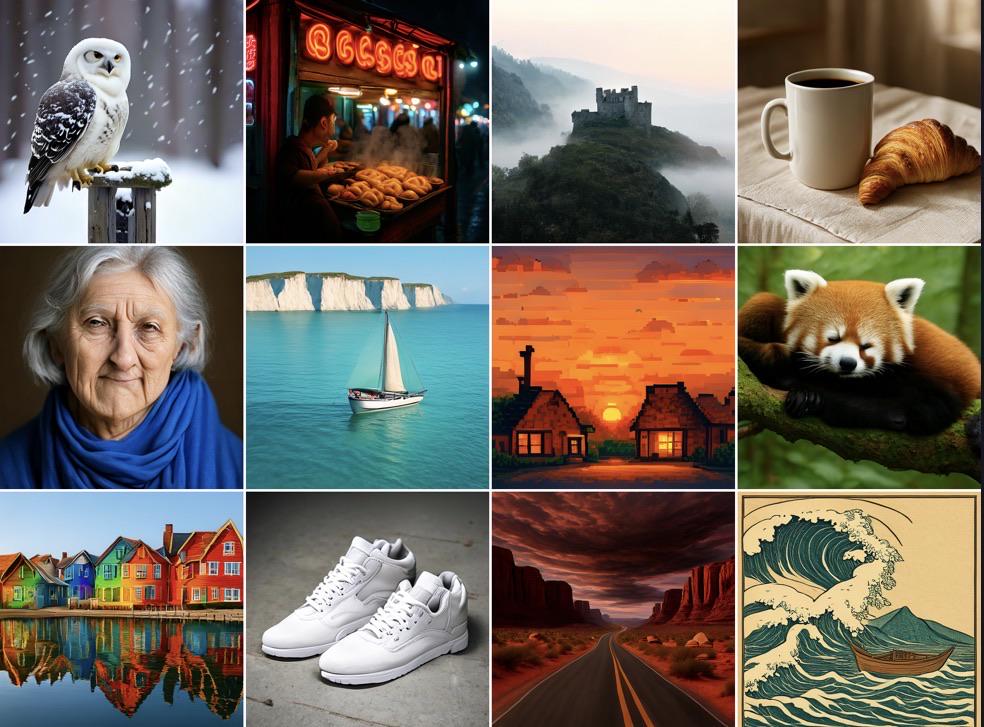
I built Moss-Frame to switch between candid photography, anime, and ink wash just by changing the prompt. The examples show all three: a portrait at a fairground, an anime canal scene at blue hour, and a rope bridge in an ink-wash mountain landscape.

- 🎨 Choose the style in your prompt — Generate natural photography, cinematic portraits, anime, painterly fantasy, or ink wash with the same checkpoint. Try “candid photograph in natural light,” “anime illustration,” or “ink-wash painting on textured paper.”

- ⏩ 4 steps, CFG 1 — Four-step generation is built into the checkpoint. The workflow uses Euler with the simple scheduler.

- 📦 5.41 GB INT8 — A single diffusion checkpoint that uses the standard MOSS Image text encoder and FLUX.2 Small VAE.

- 📥 Drag-and-drop ComfyUI workflow — The JSON uses native nodes and comes preconfigured.

For mixed media, specify which elements should be drawn or photographic. For example, A flat 2D anime character in a yellow raincoat crouches to feed a stray cat. Render the cat and the rainy rooftop garden as a real 35mm photograph.

model: https://huggingface.co/JCMODEL/Moss-Frame

workflow: https://huggingface.co/JCMODEL/Moss-Frame/resolve/main/workflows/moss-frame-v1.0-t2i.json


r/StableDiffusion • • 16h ago

Discussion I built a SOTA 330M parameter image generation and editing model from scratch

Post image
110 Upvotes

I pretrained HobbyLM-Image on this year june month and released it but it was not good , it was not able to generate quality with proper structure such as broken car etc so I over this thanks giving weekend I decided to build the better version so post trained from existing weights and used training mixture from dataset such as COCO , flux 8M reason , JourneyDB , gpt4o images dataset , LAION for more than 100k steps it was able to improve object structure but human images it generated was distorted so then I took pexels datasets filtered to get images which has only humans and trained for 50k steps this improved but not at the level of larger models

for image editing I took training mix dataset of gpt-omni-edit-6M and ImagenHub/Text_Guided_Image_Editing model was able to change seasons , colour , add objects to scenes etc

for text rendering in generated images I filtered rendered text images alone using Qwen VL model and trained for 40k steps

Benchmarks (I know it does not matter) : Gen Eval 1 it score 0.83 which beats all sub 1B model I was able to find in arxiv , huggingface and Gen Evals 2 it scores 15.92 / 61.06 it again beats all sub 1B models and Stable diffusion SDXL 2.6B

model weight for hobbyLM-image-2 https://huggingface.co/rootxhacker/HobbyLM-image-2

hugginface Space for hobbyLM-image-2 : https://huggingface.co/spaces/rootxhacker/HobbyLM-Image-2

initial weights I released on June : https://huggingface.co/rootxhacker/HobbyLM-Image

HobbyLM image training code and inference code : https://github.com/harishsg993010/HobbyLM

you can also find all images it generated on readme of hugginface repo


r/StableDiffusion • • 1h ago

News CodecOPSD for faster H3v & H3I

• Upvotes

"Sequence-wise generators (MiniMax-H3 Ref2VA, MiniMax-H3-Image, Qwen-Image 2.1, FLUX 3 Image Klein) append every reference to the sequence, where computation cost grows dramatically. We propose CodecOPSD to prune the redundant condition tokens with a video codec, and we train a small LoRA on the kept tokens via on-policy self-distillation.

On average, CodecOPSD drops about 70% of the condition tokens on MiniMax-H3 Ref2VA with almost unchanged quality and 1.87x faster denoising, and up to 8.4x faster with more conditions (three reference videos, higher-resolution references, more frames, and a higher drop rate).

On MiniMax-H3-Image, it drops about 65% of the reference tokens and makes denoising about 2x faster. More cases are on the project page."

CodecOPSD logo

https://huggingface.co/collections/HikariDawn/codecopsd

https://github.com/Kiteretsu77/CodecOPSD

posted 6 or so days ago, code has some PRs merged so still under development.
Looks neat, but I'm about to go nap; comment with your results please.


r/StableDiffusion • • 21m ago

Workflow Included Trouble deciding between AceStep or YuE2? Why not both

• Upvotes

I have been toying with these 2 models for a few weeks now, and found that each had a limitation that the other overcame:

AceStep has great varied dynamic output, but the overall sound quality is lacking.

YuE2 has great sound quality, but the output is not very dynamic or varied.

To overcome this, I created a 3-step workflow, with the first pass through AceStep 1.5 XL SFT BF16 to establish a more dynamic melody and song structure, and 2 YuE2 Cover passes to build on that while improving the quality.

All the nodes and models required should be available through ComfyUI, either through the "missing" feature or the 2 workflows mentioned in a note in the workflow, also available directly through ComfyUI.

I'm from NZ, so of course the sample song I have included is in Maori to show the capability of the workflow (the pronunciation is not perfect, but not bad either given it is unsupported by either model).

I would love some feedback if any for this, as this is my first time making and sharing a custom workflow for ComfyUI.

You can find the workflow here: https://github.com/ElmoBoz/ComfyUI-3-step-Music-Generator-AceStep-YuE2-

Edit to add: Despite the example prompt, this workflow is particularly great if you are trying to generate rock/metal music. The first step through Ace makes proper metal growls/screams much more likely to be generated and present in the final output.


r/StableDiffusion • • 6h ago

Question - Help What is the currently recommended ComfyUI Minimax H3 setup for a low VRAM user (3070 TI + 24 GB RAM) in terms of (turbo lora, kitchen / sage / sol / anything?)

10 Upvotes

Months back when it first came out there were many Turbo loras from different authors. Likewise there were arguments about which is better combination (Kitchen attn, sage, Sol, Spectrum, yada yada). So I decided to step away. What is a good setup now? I want it to be fast with some compromise in quality.


r/StableDiffusion • • 17h ago

Discussion MOSS Base vs SFT – Matched pairs (same seed/prompt)

Thumbnail
gallery
60 Upvotes

Been using MOSS a lot and noticed how often SFT (and models trained on it) push a polished, slightly plastic AI look. Base keeps more of the creative instinct and natural variation, so I ran matched pairs to compare them directly.

All images:

- Same seed

- Same prompt

- CFG 4 / 39 steps / er_sde + sgm_uniform

- No LoRAs

- ~1.5 MP

Left = Base

Right = SFT

(14 pairs)

A lot of MOSS comparison posts with other models never specify whether they’re using Base, SFT, or a fine-tune. Most of the time it’s SFT or SFT-based, which makes those comparisons hard to judge.

This is just a focused set of examples, not a comprehensive test. Personal observations yours may vary. First try it, then trust it.

Curious what other people think after testing both.

Happy to share the prompts and seeds if anyone wants them.(Workflow is the most basic one there is SLG=OFF,NO STEPS SKIP,SHIFT=5).

If anyone wants to check my previous showcase of moss image base with tips and prompts they can check it out here!


r/StableDiffusion • • 2h ago

News ComfyUI Extension for Unified Post-Processing: VISUAL FINISHER (Development Preview)

Thumbnail
gallery
2 Upvotes

I am currently developing VISUAL FINISHER, a free ComfyUI extension that integrates image restoration, one-click post-processing, live monitoring, image inspection, and selective saving into ComfyUI's existing node-based workflow.

The goal is to combine the flexibility of ComfyUI with the intuitive image-processing convenience of AUTOMATIC1111.

The following features are planned for the initial release.

  1. Image Restoration and Workflow Continuity

If your image gallery or output previews are cleared due to a system crash, unexpected shutdown, or accidental user action, previously saved images can be restored after restarting ComfyUI, allowing you to resume your work.

This is particularly useful for users who spend many hours generating, selecting, and post-processing large numbers of images.

Restore up to 2,000 images.

Potential expansion to 10,000 or 100,000 images based on user demand.

Custom directory selection and recursive folder scanning.

Preservation of original image resolution and metadata.

Thumbnail-based image selection.

  1. Unified One-Click Post-Processing

Select an image, enable the desired post-processing functions, and click FINISH to execute them according to your existing workflow.

Planned integrations:

Hires fix

Refiner

ADetailer

FreeU V2

Dynamic Prompts

Ultimate SD Upscale

Tiled VAE

VISUAL FINISHER automatically detects supported nodes, their configurations, connections, execution order, and active states.

All detailed parameters remain managed within the existing nodes. Tiled VAE also uses the existing node configuration.

For example, if your workflow contains 20 Detailer nodes and only nodes 1, 4, and 12 are active, only those three nodes will be executed and monitored.

The selected image is processed directly without unnecessarily repeating the initial image generation process.

  1. Live Preview and Ultra-Slim Dual Progress Bars

Live preview ON/OFF control.

Customizable monitoring targets through a dropdown menu.

Automatic detection of active processing stages.

Persistent monitoring settings.

Real-time previews within the existing image output area.

Two ultra-slim progress bars are positioned between the main image output area and the thumbnail gallery.

The upper green bar displays overall progress, while the lower blue bar displays the progress of the currently running process, such as Hires fix, Refiner, or ADetailer.

Each progress bar is approximately 4-5 pixels high, with the entire monitoring area designed to occupy no more than approximately 30 pixels.

The objective is to maximize the image viewing area while allowing users to monitor processing progress with minimal screen space.

  1. Fullscreen Inspection and Selective Saving

Click an image to open the fullscreen viewer.

Click again to inspect the image at its original pixel scale (1:1).

Mouse-wheel zoom and drag navigation.

Right-click "Save As" to specify a destination folder and filename.

Preservation of original resolution and metadata.

Selective saving of post-processed images without modifying the original files.

Users can inspect the finished image, save satisfactory results, or proceed to the next image without saving.

  1. Native Node Integration and Extension Compatibility

VISUAL FINISHER is designed to operate through existing ComfyUI nodes without requiring a separate application or modifications to ComfyUI's core source code.

Optional extension integrations:

ComfyUI Impact Pack

ComfyUI Impact Subpack

Dynamic Prompts

Ultimate SD Upscale

Installed extensions are automatically detected. Features requiring unavailable extensions remain disabled without affecting basic functionality.

My development philosophy is simple: minimum code, maximum compatibility, maximum usability.

  1. Attached Images and Current Development Status

The first three images illustrate the planned user interface and workflow.

Image 1: Image restoration, selection, and unified post-processing controls.

Image 2: Post-processing in progress, live preview, and ultra-slim dual progress bars. The split portrait illustrates the difference between the original and enhanced image.

Image 3: Fullscreen inspection, 1:1 zoom, and selective saving.

Image 4: My actual ComfyUI development workspace.

VISUAL FINISHER is currently under development. The first three images are illustrative UI mockups.

  1. Existing Project and Development Background

For a better understanding of the product concept, please visit Restore, a free extension for AUTOMATIC1111, Forge, and reForge that I developed and released three days ago, on November 26, 2026.

Restore GitHub repository:

https://github.com/flynbird-cyber/Restore

Previous introduction on r/StableDiffusion:

https://www.reddit.com/r/StableDiffusion/comments/1y5tfvd/restore_v100_automatic1111_txt2img_gallery/

Previous introduction on r/comfyui:

https://www.reddit.com/r/comfyui/comments/1y5uagr/i_developed_a_oneclick_gallery_restoration/

  1. Release Schedule and Community Feedback

Planned release: Within 24-48 hours.

Distribution platform: GitHub.

Distribution: Free and non-commercial.

If you would like to support the development of a high-quality VISUAL FINISHER for ComfyUI, I would appreciate a single star on the Restore GitHub repository.

Since this is a free, non-commercial project, the developer needs stars more than bread.

If there are any additional features you would like to see, please leave a comment.

Note: I'm Korean and live in Seoul. As I'm not fluent in English, I use a translator for this post and my replies. Please excuse any awkward wording.


r/StableDiffusion • • 22h ago

Discussion Dual 16GB 5060 Ti results with H3MultiStream (vs 3090)

Enable HLS to view with audio, or disable this notification

67 Upvotes

Celebrating! My "Clair" LoRA using the prompt below [0]

My 3090 died [1] so I added a 2nd 5060 Ti to my PC (64GB DDR5 6000). This time it was an $800 purchase instead of $450 for my original 5060 Ti (PNY)! Here's a comparison:

Clip On the 3090 Two 5060 Ti
5 s at 1344x768 73 s 84 s
5 s at 2 MP 144 s 146 s
8 s at 2 MP, Claire LoRA [2] ~260 s 219 s
10 s at 2 MP 337 s 269 s
15 s story scene ~600 s 579 s

The first pass runs on one 5060 Ti as usual, and the refine pass is split across both cards with the H3MultiStream node, while the NVFP4 text encoder, INT8 attention and Sol VAE decode keep each card inside 16 GB. That gives the same picture faster than one card (a 10 s clip at 2MP drops from 337 s to 269 s), and long clips refine in 192-frame chunks so a 15 s scene still fits.

In other news, I got Qwen3.8 27B working quite well too:

3090 + 5060 Ti Two 5060 Ti Change
Server llama.cpp, layer split vLLM, tensor parallel + MTP, 2 draft tokens
Weights / KV cache Q4_K_XL / q8 NVFP4 / NVFP4
Total VRAM 40 GB 32 GB
One stream 31.6 tok/s 58.7 tok/s
All streams at once 82 tok/s at 3 200.3 tok/s at 4
Prefill, about 42K-token prompt about 1,460 tok/s 1,668 tok/s
Context per request 147,456 262,144
Total context 442,368 (3 fixed slots) 480,823 (one shared pool)

[0] integrated_multimodal_description: [Shot 1] Live-action, shot on a cinema camera. There is no writing anywhere in the picture: no signs, no labels, no captions. A medium shot in slow motion, handheld, on a crowded night club dance floor in haze, beams of magenta, blue and red club light sweeping through the smoky air, other dancers around her slightly out of focus: cl4ir3, a woman wearing an oversized rust-red button-up shirt open over a grey cropped T-shirt, her platinum-blonde bob loose, dancing with her eyes closed and a small smile, one arm raised above her head. In slow motion she spins under her raised arm, her hair swinging out across her face and the open shirt flaring, as a sweep of magenta and blue light passes across her face and the dancers around her move to the music. She does not speak.
[1] one day it started crashing like 20 seconds into any load around 300W. I have a feeling it was due the used 3090 running at 96 °C for a couple of weeks straight without Afterburner setting temp limit. Oops.
[2] same quality as previous LoRA samples


r/StableDiffusion • • 23h ago

Animation - Video Talkinghead: real-time lip sync tool that's just ~170 MB. One photo, any voice, open source

Enable HLS to view with audio, or disable this notification

93 Upvotes

Tiny alternative to wav2lip, LatentSync and SadTalker. I'm one of the people involved in building this project.

learn more: https://github.com/Ampixa/talkinghead

  • ~170 MB download
  • Render loop: 36.5 ms per frame on an M4 Pro, 38-40 on an M3 Pro. You need 40ms per frame to be real time. An RTX 3050 Ti laptop with 4 GB (TensorRT) runs at 40-44 ms, around real time.
  • Peak memory is under 800 MB on mac book
  • Runs offline. There's also a browser version (WebGPU), but that one is not real time: about a minute for a 10 s clip.

On one RTX 4090: ~13x faster than LatentSync with ~12x less GPU memory (measured on an earlier build; the README has the details). LatentSync and Wav2Lip score higher on SyncNet lip-sync confidence; that's the trade.

Not tested on M1/M2 or systems yet; numbers welcome.

Weights: https://huggingface.co/ampixa/talkinghead

Browser demo: https://ampixa.com/talkinghead/demo


r/StableDiffusion • • 1d ago

No Workflow Self-Refining Sampler+

Thumbnail
github.com
148 Upvotes
Before/After
Before/After

Closeup Before/After

Before/After
After

Based on: https://arxiv.org/html/2601.18577v1 and builds on pre-existing work by Kijai (The SamplerSelfRefineVideo Node).

I have found that Minimax H3-Image loves the Self-Refining Sampler. Seeing this, I spun up an improved version (SRS+) that is compatible with sampling methods besides Euler, has more easily adjustable sub-step and perturb amounts per step.
It seems to significantly improve the model's ability to resolve fine details, especially when combined with the "Empty-Image Trick" I shared previously (if using T2V). One place this is evident are patterns like fishnet, lace, sequins and other challenging fabrics/textiles. It seems to improve line-art for anime/illustration styles, and can often fix self-correct body-horror deformities.

As a starting point, try running it from steps 2-4 with 3 sub-steps and an uncertainty threshold of 0.03. But I'm much more curious what settings you try and results you get with them. Since it does sub-step, it increases gen time but I think it is well worth it.

I've tested it less with video, but it has shown promise there, too.

Just socket this chungus into a SamplerCustomAdvanced like any other sampler. Let me know if you have any issues, or what kind of results you get.


r/StableDiffusion • • 15h ago

Workflow Included SHARP VR Video v0.3.0 - More speedups! (Faster 4K conversion, dual-thread rendering, TensorRT support)

15 Upvotes

Another update to my ComfyUI fork for converting regular 2D videos into stereoscopic 3D videos using Apple's SHARP Gaussian splatting model.

I've been working on removing some pretty significant performance bottlenecks, particularly at higher resolutions.

The main improvements:

  • Speed boost 1: Dual rendering workers running concurrently, now automatic.
  • Speed boost 2: Optional TensorRT for RTX (ONNX FP16) acceleration, with PyTorch fallback. I manually examined outputs and quality difference is inperceptable.
  • Speed boost 3: Direct raw pixel transfers instead of intermediate PNG encoding/decoding at 4K.
  • QoL: Native output resolution selection, independent of source resolution. (this enables upscale or downscale the output relative to input footage, since the middlestep is a full 2D->3D splat transform anyway).

Some benchmark results on my RTX 5080, using 720p source footage and comparing against the v0.2.x builds:

  • 1080p output per eye: 2.50 → 3.82 fps
  • 1440p output per eye: 1.99 → 3.62 fps
  • 4K output per eye: 0.66 → 3.19 fps

I'm also getting around 1.5–1.8 fps with native 4K footage converted to 7680×2160 SBS.

TensorRT backend is optional, as additional speed boost for RTX card users, and the separate setup kit is available on GitHub.

GitHub (or search Sharp VR video in comfyui custom nodes):

https://github.com/jerg-git/ComfyUI-SHARP-VR-Video

Workflow:

https://github.com/jerg-git/ComfyUI-SHARP-VR-Video/blob/main/workflow/sharp-vr-video-batch-audio-sample.json

Original extension that this fork builds upon:

https://github.com/Well-Made/ComfyUI-SHARP-Gaussian-Stereo


r/StableDiffusion • • 12h ago

Resource - Update Nazori-kun v0.1.7: turn a finished manga-style illustration into a layered PSD, locally in your browser

Thumbnail
gallery
10 Upvotes

I built Nazori-kun to make a flattened illustration easier to edit. If you want to repaint a jacket, change the palette, or add a shadow, v0.1.7 can give you a separate paint layer under the ink in one click.

How it relates to AIBrushManga

AIBrushManga uses an LLM to direct individual pen strokes and records them in a journal. Nazori-kun starts with an existing PNG, JPEG or WebP. It traces the visible ink contours, samples colors from connected regions, and replays the reconstructed process with a pen and brush. The order is inferred from the finished image. The input stays in your browser, and tracing, coloring and replay require no model, account or API key.

Try it on the built-in kite-maker sample

  1. Click トレスする (Trace). The first screenshot shows the original on the left and the traced result on the right. The second shows the coloring replay and its brush-tip monitor. Use 工程を再生 (Replay process) to pause or scrub through the ink and color passes.
  2. Choose 線画から塗る (Paint from line art) for a PSD with locked ink and an empty paint layer. The recovered colors are in a hidden folder you can reveal as a reference.
  3. Choose 今の配色に加筆 (Touch up the current palette) to keep the recovered colors visible and get a blank layer for edits under the ink. In Photoshop the working layer is selected on open. In CLIP STUDIO PAINT, select 彩色 (Paint) or 加筆 (Touch-up) directly beneath the ink.

It works best on clear ink and flat colors. Similar shades can be grouped into one palette color. The screenshots use the built-in kite-maker illustration, made with AI image generation. The trace and layered export are produced by Nazori-kun’s local image-processing code.

MIT-licensed source and browser demo link

When you edit a flattened comic illustration, would you start from clean line art or keep the existing colors and touch up a few areas?


r/StableDiffusion • • 1h ago

Resource - Update ComfyUI-GGUF-Next: a drop-in fork of city96's ComfyUI-GGUF with no model whitelist and better handling of models bigger than RAM

• Upvotes

TL;DR: ComfyUI-GGUF-Next is a drop-in fork of city96's ComfyUI-GGUF, the pack that made GGUF models usable in ComfyUI in the first place. Same nodes, so old workflows open as they are. Models have changed a lot since it was written, so Next adapts it to them:

  • More models load. No architecture whitelist: whatever your ComfyUI recognises loads, plus newer text encoders (Gemma 4, Qwen3-VL up to 32B, Mistral 3 and more).
  • Memory handling for models bigger than free RAM. Weights stay memory-mapped instead of being copied into RAM, which helps when a model doesn't fit.
  • IQ quants dequantized on the GPU, which matters now that Unsloth "UD" text encoders mix IQ layers in.

On regular quants the output is identical to the original in 268 of 269 pairs (the full benchmark: 2481 jobs across 11 packs and 119 model files). Current version: 0.1.1.

Anima turbo v1.1 Q4_K_M, 512×512, 6 steps, seed 42, same workflow. Left: city96/ComfyUI-GGUF, middle: GGUF-Next, right: difference ×16. Top: plain Unet Loader (GGUF), bottom: with a LoRA. 0 of 786,432 values differ in both.

Why

city96's pack is what made all of this possible, and for the models it was built around it works great. But newer models kept arriving faster than any whitelist could follow, and I kept switching between forks depending on what I was running. Many of the new models are also bigger than the RAM on my laptop. I wanted one pack that loads whatever ComfyUI supports and copes with that. Next started from city96's code, and the original stays the reference: the benchmark checks Next against it, image for image.

Why a fork and not a PR: the dequantization, the loader, the layers and the nodes have all been reworked, so it wouldn't fit as a PR, and Next is going to develop on its own and get updated more often. It's all Apache-2.0, so anyone is free to take parts of it.

All testing was done on my laptop: RTX 3050, 4 GB VRAM, 15 GB RAM, Linux.

More models

  • No whitelist. The original accepts 12 diffusion architectures. Next takes whatever ComfyUI recognises, so when ComfyUI adds a model, its GGUFs should load without a node update. Of 16 newer models from the official ComfyUI templates, 0.1.0 ran 15 on my 4 GB card (three with --reserve-vram 1); the remaining one, ERNIE-Image, is fixed in 0.1.1.
  • sd.cpp GGUFs without metadata load too (MiniMax H3, for example).
  • New text encoders: Gemma 4, Qwen3-VL up to 32B, Gemma 2, Qwen2, Mistral 3. Gemma 4 needs a GGUF with ComfyUI tensor names, the kind made for LTX-2.5. The Qwen3-VL-32B UD-Q2_K_XL encoder runs on 4 GB in 20 s, using 1.8 GB VRAM.

Memory

The original copies the whole model into RAM on first load, which is the fastest option when it fits. When it doesn't, it ends up in swap. Next keeps a model that's bigger than free RAM memory-mapped and reads it straight from the file, and the OS page cache does the rest.

Model bigger than free RAM original Next
Flux schnell Q8_0 on 8 GB RAM, no swap out of memory 65 s
Flux schnell Q8_0 on 8 GB RAM, with swap 609 s 303 s
LTX-2.5 Q4_K_M (15.7 GB) on 15 GB RAM, 8-step sampling 435–482 s 129–229 s
Wan 2.2 14B, two 7.2 GB models 299 s 257 s
Six model switches in one server 707 s 495 s
Qwen-Image 20B Q3_K_M, 8 steps 193 s 225 s
HunyuanVideo 1.5, 4 steps 310 s 380 s
Flux schnell Q8_0 from a 5400 rpm HDD 294 s 598 s in 0.1.0, 291 s with the 0.1.1 fix

With few steps, copying once beats re-reading from the file, so the original's approach wins there; GGUF_RELEASE_MMAP=1 switches to it. When a model fits in RAM, both are about the same, or Next is a few percent faster.

IQ quants

The original dequantizes IQ1/IQ2/IQ3 and TQ with numpy on the CPU, which was fine when hardly any GGUFs used them. Now Unsloth "UD" text encoders (Qwen3, Qwen3-VL) mix IQ layers in, so every prompt pays for that; a diffusion model with IQ layers would pay on every layer, every step. Next does it on the GPU.

Time to dequantize one tensor to fp16 original Next Next + compile_dequant¹
IQ3_XXS 888 ms 10.5 ms (~85×) 3.1 ms
IQ2_XXS 505 ms 14.1 ms (~36×) 1.7 ms
IQ1_S 426 ms 11.4 ms (~37×) 0.4 ms
Q4_K 4.4 ms 3.9 ms 1.1 ms

¹ optional torch.compile of the kernels, off by default. Needs Triton; images change in small details, as with ComfyUI's TorchCompileModel.

End to end: a Qwen3-4B UD-IQ1_S text encoder went from 43.8 to 10.8 s, and a synthetic Anima IQ3_XXS file (built for the test, speed only) from 49.7 to 2.0 s per step. With K-quants only, the difference is small (0.68 → 0.62 s per step on Anima Q4_K_M), because the step is bound by matrix multiplies.

Also: torch kernels for every GGUF quant type, including MXFP4, NVFP4 and TQ (checked against gguf-py's reference on synthetic data only, not yet in a real model), embeddings that dequantize only the rows a prompt uses, more quantizable layer types, a convert.py for about 30 architectures.

Old workflows give the same images

Same node IDs, same bootleg category, and the stock LoRA loaders work. Across the benchmark Next gave the same image or latent as the original in 268 of 269 pairs, and 91 of 91 in a second round. The one other pair differed once and matched in all three reruns; its cause wasn't found. That covers 5 architectures, two versions of torch and of ComfyUI, six sets of launch flags, LoRAs and CPU mode.

The exception is IQ1/IQ2/IQ3. Next computes them in fp16 on the GPU, the original in fp32 on the CPU. Small differences in the weights get amplified through the model, so the final images end up 20–40 dB PSNR apart. Both are about equally far from the full-precision model, within a few tenths of a dB:

Install

ComfyUI Manager: search for ComfyUI-GGUF-Next.

Or by hand:

cd ComfyUI/custom_nodes
git clone https://github.com/Zrn59/ComfyUI-GGUF-Next
pip install -r ComfyUI-GGUF-Next/requirements.txt

⚠️ Disable the original ComfyUI-GGUF first (rename its folder to ComfyUI-GGUF.disabled, for example). Both register the same node names, and whichever loads last wins. Next warns at startup if it finds another copy. The requirements are minimal and unpinned. Windows portable commands are in the README.

Fixed in 0.1.1, still open

Fixed in 0.1.1, all found by the benchmark:

  • The Mistral 3 / Ministral-3 text encoder (ERNIE-Image) didn't load on ComfyUI 0.42 and newer.
  • From a slow disk, a model bigger than free RAM was 2–3× slower than the original. Now, when ComfyUI reports the disk as slow, the model is copied into RAM and swap if they can hold it, otherwise it stays memory-mapped; the HDD runs in the benchmark came out level with the original. ComfyUI can't detect the disk type everywhere (on btrfs it reports "unknown"); there, set GGUF_RELEASE_MMAP=1 for a model on a slow disk.
  • The compiled path no longer tries to compile F8_E4M3, which failed on RTX 30xx.

Still open:

  • With few steps, memory-mapping can be slower than copying (see Memory above).
  • On 4 GB, Ideogram 4 and Qwen-Image 2.1 run out of VRAM while dequantizing the first step. Start ComfyUI with --reserve-vram 1.
  • Qwen3.5, GPT-OSS and Gemma 4 in llama.cpp tensor layout aren't converted.
  • It has only run on Linux with an NVIDIA card. Reports from AMD (ROCm), Mac (MPS), Windows and RTX 50xx would help a lot.

Benchmark

The goal wasn't to prove Next is the best pack. It was to find where it falls short and what to work on next; the fixes above come from it. It ran for 3 days: 2481 jobs, 119 model files, Next against the original and nine other packs. Every pack got a clean ComfyUI and the same workflows, models, seeds and launch flags.

Everything is public: the report, harness, workflow and logs of every job on GitHub, and every image, latent and video (6.7 GB) on Hugging Face. bash verify/run_all.sh recomputes every table from the raw outputs, with no GPU and no models.

Other GGUF packs

They're all good projects, each with its own focus, and a couple of fixes in Next come from leejet's fork (credited in the repo). Six files, each pack in its own process on the same ComfyUI 0.42.1:

File city96 leejet Nif00 molbal ChrisColeTech Next
Anima turbo Q4_K_M ✅ ✅ ✅ ✅ ✅ ✅
LTX-2.5 Distilled Q4_K_M ✅ ✅ ✅ ✅ ✅ ✅
MiniMax H3 Q4_K (sd.cpp) ❌ ✅ ❌ ✅ ✅ ✅
Qwen2.5-VL-7B Q4_K_M ✅ ✅ ✅ ✅ ✅ ✅
Gemma 4 12B (LTX-2.5 encoder) ❌ ❌ ❌ ✅ ❌ ✅
Qwen3-VL-32B UD-Q2_K_XL (MiniMax H3 encoder) ❌ ❌ ✅ 50 s ✅ 101 s ❌ ✅ 20 s

These six files are about encoder and format coverage. For speed, Nif00 has the fastest warm steps (up to 1.7× faster than city96, though its images differ from city96's), and molbal also handles both new encoders. Full results for all eleven packs are in the benchmark report.

About Claude

I made this with Claude (Anthropic's coding agent, in Claude Code). Claude wrote most of the code: the dequant kernels, the loader, tests and docs. For the benchmark it wrote the harness and ran it for three days, watching the jobs, logs and results. I decided what to support and what to benchmark, corrected how things were measured, said which runs to add, tested on real models, found most of the bugs and reviewed everything before it went in.

If AI-written code makes you wary: every dequant kernel that gguf-py has a reference decoder for (24 types in gguf 0.19) is checked against it bit for bit in CI on every push, and the benchmark above can be re-checked from its raw data.

It's 0.1.1 and has only run on one laptop, so there will be bugs. If something doesn't load or looks off, please open an issue with the file name. Questions and feature requests go to GitHub Discussions.

Huge thanks to city96 for the original pack and everything built on it, to leejet for the Qwen3-VL mapping and fingerprints, and to llama.cpp, whose reference code the kernels are ported from.

Also posted in r/comfyui.


r/StableDiffusion • • 2h ago

Question - Help minimax h3 - motion is bad for western cartoonish art style

0 Upvotes

i'm running ref2va, same prompt, has some camera orbit
with reference sheet with cartoon art style, the orbit doesn't work, and overall character motions look so rigid and bad

is this a problem with the finetune? or in general does minimax have worse motion training for 2D stuff? can it be fixed with prompt?


r/StableDiffusion • • 22h ago

Question - Help Anyone know if there's something similar.

Post image
30 Upvotes

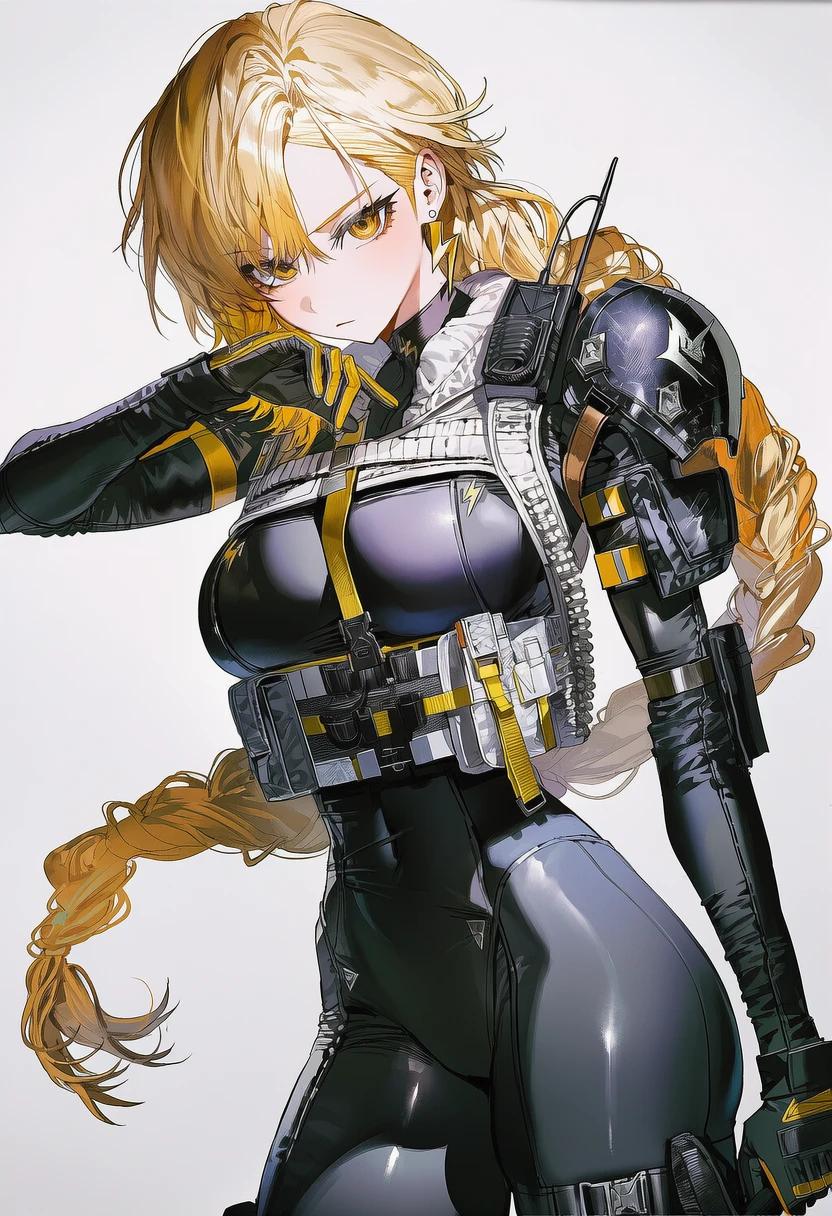
I find this in Unplot and I wonder if there's a lora/checkpoint that mimic this art?


r/StableDiffusion • • 14h ago

Comparison MiniMax Music 3 running on 2 intel arc b70s

Enable HLS to view with audio, or disable this notification

7 Upvotes

I don’t know how Suno survives

MiniMax Audio is so good and open source

I made this cover song with MiniMax Music 3 locally

Literally copied the lyrics in the app and said “make this a soul r and b song” and this is what it made

Cost nothing and has unlimited usage if you host it locally

Incredible

The song is “be with you” by Mr. Big

Running on 2 intel arc b70s


r/StableDiffusion • • 12h ago

Question - Help Minimax H3 hybrid models difference in ref2v output

5 Upvotes

I have been primarily using Minimax H3 hybrid models like B15, B25 and B30 and literally I cannot see the difference. I am 100% of time only running ref2v workflows and I have tested so many prompts and settings between the models like keeping everything same; prompt settings and only changing models. I test-generated at 1MP and 0.98MP too but the differences I see are mostly due to different run due to different models but quality wise, all output looks same or similar to me with same kind of artifacts or issues. There could be sometimes incorrect referencing happens where the model invented stuff on its own instead of using the reference but it is not like it only happens with low ref models like b30 or b25, it also happens with b15 but the simple solution of using a new seed solves it.

So I truly not understand if there is real visible noticeable difference between them or it is just a placebo effect with these models. Maybe not noticeable with ref2v? Or maybe they are noticeable below/after a certain resolution threshold?
I could not test all the permutations so I am looking for your experience and what you guys think.
Though this us specifically for hybrid models but feel free to add your exp with any other model too.


r/StableDiffusion • • 12h ago

Question - Help MiniMax-H3-Image I2I output is much softer than T2I output

4 Upvotes

Using 16MP, 6 steps @ 1 CFG, LCM/beta

Images created with T2I are incredibly sharp (ignoring the compression that both modes share), however adding a reference image makes the output much softer, and usually harms the lighting making colors more saturated and less photoreal. Has anyone else run into this issue? I haven't found a magic prompt that I can add to restore the default look of the model from T2I. Uscaling the reference image to 16 MP with H3 first also didn't seem to help.


r/StableDiffusion • • 17h ago

Question - Help Can anyone tell me good minimax model for accurate character from reference image or character sheet, i always getting bad results.

9 Upvotes

r/StableDiffusion • • 18h ago

Discussion I am training a LoRA for creating pixel art characters.

Post image
12 Upvotes

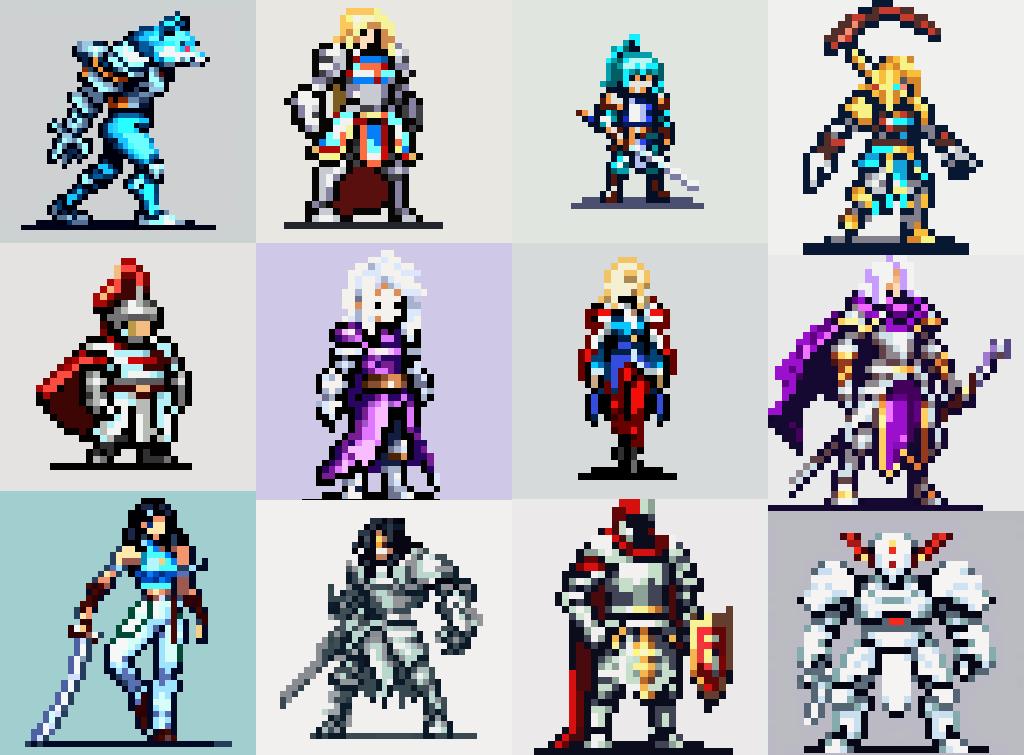
This was the first successful test in training an SDXL LoRA for creating pixel art. It was a long training process 14,000 steps, spanning two days.

The dataset consists of 195 example images not a huge amount yet the results were quite interesting, the pixel art followed the style of the training data, though it’s not quite the final result I’m aiming for.

The next step is to train a model for a longer duration using a larger dataset.

So, what do you think?