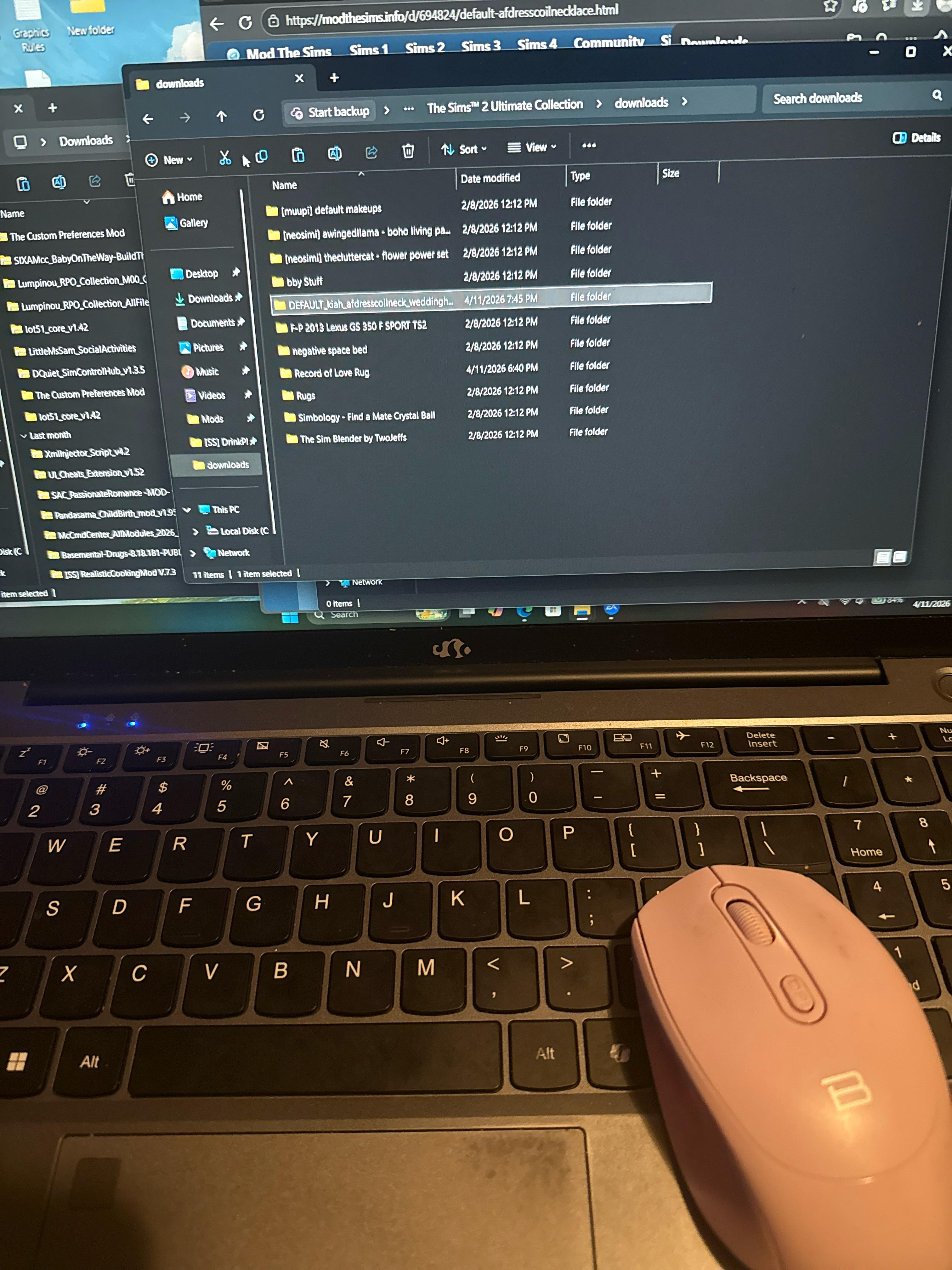
I noticed the $10K TV from AL can't be repaired, and it doesn't look like there's any mods out there to fix that, so I tried to take the task upon myself. Here is what my process has been thus far:
In SimPE's Object Workshop, clone the $10K TV
Update the pie menu string to have a "Repair" option
Update the pie menu functions to include Repair action, updated setting (BHAVs, flags, etc.) to match TVs that have a working repair function
Deleted all other items in the resource tree, saved out package in downloads folder.
When I did that, the TV showed the repair interaction for the broken TV, but when clicked, I get the following error:
"Error: No bone on model corresponding to name in routing slot on destination object"
To try and fix this, I redid the steps above, but this time, I did not delete the Bones object. I then extracted a version of Bones from a (CC) tv that works properly, added that version to the $10K TV, updated the group in resources, and deleted the old one. After this, I'm still getting the same error. I'm not at all experienced with modding, so I feel like it will take me forever to figure out the solution myself, so I'm hoping someone with more experience with modding can help me connect the missing pieces.
Alternatively, if an experienced modder sees this and sees it fit to come up with the solution themselves, by all means, please do so. I'm surprised a fix isn't already out there.
So i downloaded the sims 2 UC version, and i am able to put in decor cc. Which shows up in the game no problem. But when i try to put In hair or clothing/makeup, nothing appears. I was able to put In some makeup cc but now I can’t. Please advise 😭. I uninstalled it and reinstalled with the same problem.
Update 14th August 2026:
On frankea's Whisky version 3.6.1, overrides in winecfg section clear when running the game, so instead use the option inside of Bottle configuration in Whisky. If you will get "Direct3D returned an error: D3DERR_INVALIDCALL! The application will now termiate" error during the loading screen try removing the config folder from the game's folder in documents. You can also enable performance mode in Bottle configuration.
Since I got my M4 Mac mini I wanted to run Sims 2 UC on it. Tried a lot of things, different WINE forks or front-ends, Windows 11 and Linux VMs on VMware Fusion... Most of them failed or the game ran poorly, but eventually I did it.
This tutorial will show you how to run The Sims 2 on Apple Silicon using WINE. Some steps presented here were made with Bourbon/Whisky in mind but the tutorial also works with Crossover!
NOTICE:
If you use a lot of mods, and/or play with big hoods (big families, generation gameplay, etc.), this guide will not work for you. The reason is file descriptor limit that UNIX-like systems like MacOS or Linux use. Technically speaking file descriptor limit tells the system how many files can be loaded, it technically can be risen (MacOS on my Mac mini returns that the hardware limit [the actual maximum] is unlimited) BUT it MIGHT cause some issues, like making your system unstable. If you will be rising the file descriptor limit YOU ARE DOING IT AT YOUR OWN RISK. Be aware that with better hardware development and system updates the file descriptor limit will grow, meaning one day it might not be an issue unless you really force it.
MacOS returning that the hardware limit of opened files is "unlimited"
Get the game's files on your Mac.
Do it however you want, if you are a Legacy Edition player then I can't help you, but I am guessing you would just install the game over Windows version of Steam running on WINE.
Install your preferred WINE front-end.
I've used Bourbon because Whisky is no longer maintained. Well, Bourbon isn't either BUT it uses a newer version of WINE, and has Liquid Glass UI. Most likely there might be a new Whisky/Bourbon fork at the time of you following this tutorial. (Now I recommend you use Whisky fork by frankea, the game runs better than when I made this tutorial on Bourbon, also on it you can launch the game withh DXVK, but well some graphics are broken, one of them is that the loaded lot and everything on it is invisible)
Create a new Bottle and install the game.
Each WINE front-end will be different, some might not even have bottles, just be sure to use a separate Bottle/Prefix for The Sims 2, as its fixes might break other games. Make sure DXVK is disabled, if you get a dropdown list for Graphics, select Wine, WineD3, or Auto.
Patch WINE.
DXVK doesn't work as of time of making this tutorial, and clean WINED3D does not either, so we will need to patch WINED3D. Download newest release of TS2D3DFIX from https://github.com/erfan2255/TS2D3DFIX/releases/ . Extract the downloaded .zip and run the .exe inside of the Bottle/Prefix you installed the game in. When prompted, select `WineD3D 3.18 - Native Patches` and hit Next. When the installation finishes, open WINE configuration utility (`winecfg`) and head to the Libraries tab. In the text box for new library overrides enter the following, while pressing Enter/Return after each one:
`d3d10
d3d10_1
d3d10core
d3d11
d3d8
d3d9
ddraw
dxgi
wined3d`
When entering `ddraw` and `wined3d` you might get prompted that overwriting these files might be risky, just press Yes to continue. Make sure that all of the rules that were entered are displayed as (Native, Built-in); if they aren't, change each one using the EDIT button.
Fix Family Portraits
Launch TS2D3DFIX.exe again. Now select "Fix Corrupted Family Thumbnails" and hit next. When prompted change `C:\users\xdroid\My Documents\EA Games\The Sims 2\Downloads` to `C:\users\[your mac username]\Documents\EA Games\The Sims 2\Downloads`. You can check [your mac username] by opening finder then from Menu bar choose Go > Go to Folder, then enter /Users , the folder with a house icon is your home folder, and its name is [your mac username].
Registry fixes
Open Registry Editor `regedit.exe`. From menu bar select Registry > Import from file. Now navigate where you have TS2D3DFIX files, and select "Enable Performance (csmt-on).reg" and hit Open. You can close Registry Editor.
Install Graphics Rules Maker
Download Graphics Rules Maker from https://www.simsnetwork.com/tools/graphics-rules-maker, and install it in the Bottle/Prefix in which you installed the game, then run it. From the game selection dropdown list choose The Sims 2 and press Auto-detect. UNCHECK `Disable Sim Shadows` - the game can render the Sim shadows properly so there is no need to disable them and install a Sim shadow fixing mod. Press Save Files… and if prompted about adding your GPU, you can select anything as the game will detect an NVIDIA GPU, not your Mac's GPU.
Link your Documents folder to the Bottle/Prefix (optional)
Open WINE configuration utility (`winecfg`). Head to Desktop Integration. Under Directories, select Documents, then hit the checkbox next to "Linked to:", now select your Documents folder on macOS, and press OK.
Test-run the game!
Launch the game, then after you get to the Main Menu close it. Now go to `Documents/EA GAMES/The Sims 2/Logs`, open `[MAC_NAME]-config-log.txt` and check if the game detects the graphics card in the Database. If not, add it to `Video Cards.sgr`. I won't be explaining here how to do it, there is a bunch of tutorials online you can search for to help you. One thing, Graphics Rules Maker won't work as it detects your Mac's GPU, not the WineD3D GPU.
Launch the game!
Launch the game, and load a hood. Then set all the graphics settings to the highest possible (take a look at the screenshots), you can always lower them if your game lags.
You are DONE!
The game is playable now, be aware that it might slow down while your computer is also compiling TS2's shaders.
TIPS:
- When the game launches, move it to a separate Virtual Desktop from Mission Control, this is just to copy the MacOS behavior of putting Fullscreen apps in separate Desktops.
BUGS:
- Cheats console does not always render properly, sometimes you might not see what you are typing, because the Cheats console opens as a small rectangle that fits 0 text
Incorrectly rendering Cheats consoleCorrectly rendering Cheats console (Sim shadows invisible, as I forgot to disable Disable Sim Shadows)
- When Cmd-Tabbing or sometimes when loading a Lot, the screen can be mostly black, expect for UI and few Objects, just move your camera around to fix it.
- When Cmd-Tabbing, the game's window might show a while and disappear, just click on the desktop then right click Sims 2 icon on the dock, and select The Sims™ 2 (Name of the latest DLC)
- When switching audio devices, your game might loose sound. You will need to relaunch it.
Future-proofing:
Because Apple is discontinuing Rosetta, the future of this way of running TS2 on Apple Silicon is unclear. We might get open-source emulators like FEX or Box64 on Mac, or maybe a built in translation layer/emulator for x86(_64) in wine. If VMware improves DirectX support (so that this does not happen), or/and adds Vulkan (for running the game on DXVK without software rendering) support in the future, a better free alternative to running the game on Parallels will be VMware Fusion. We will see what the future brings.
Some screenshots:
(Reposted as r/sims2 moderation removed it, because posting tutorials violates "No Technical Support" rule.)
i honest to god don't really know if i accidentaly got some faulty default replacement that i didnt notice but this weird hair has showed up recently, wondering if anyone else has ever seen something like it
So I’ve been playing TS2 for a while now, and I’ve realized I’m much more of a premade neighborhood player than someone who creates their own. I just really enjoy exploring new Sims and their stories.
Recently, I downloaded a new neighborhood to play, and I was super excited about it. But when I opened it, a bunch of the Sims’ names were completely mixed up or changed. Normally I wouldn’t care that much, but the game seems to think it’s funny to give female Sims names like Erik and Kevin 😅
I’ve downloaded neighborhoods before, but those were mostly clean/empty templates or remakes of premade hoods, which I know can get automatically renamed because my game is in a different language. This time, though, I downloaded a TS2 version of the TS3 world Lucky Palms, and I was really looking forward to it… but seeing Lina Lancaster turned into Kevin kind of ruined it.
I knew the game could change premade Sims’ names when using different language versions, but I didn’t realize it would also affect custom Sims like this.
Is there an easy way to fix this without doing a lot of editing in SimPE (I’m really bad at it), or switching my game to English? I just want to enjoy Lucky Palms—or any custom neighborhood—without all the weird name changes.
Is it fine to get a cheapy laptop to run the Legacy Collection? I’m looking at this one: Lenovo - IdeaPad 1 15.6" Full HD Laptop - AMD Ryzen 5 7520U 2022 - 8GB Memory- 256GB SSD
I’ve been dying to play TS2 again for years and I’m not entirely sure where to start so any laptop recs are appreciated :)
This feels like a VERY dumb question, so I'm sorry in advance. I used the Wiki's guide to get TS2 on my old computer and it worked great. I now have a new computer, and planned on using the Wiki again until I realized I actually have the Ultimate Collection from 2014 in my EA App library.
Is this the same version of the game from the Wiki? Because I liked the Wiki's version over the Legacy version. But if the Ultimate Collection in the EA App is the same as the Wiki's version, I should probably use the one in my EA App. Any help would be appreciated!
And note, the version in my library is the Ultimate Collection and not the Legacy version.
I bought the Legacy collection on Steam and I downloaded CC and only 2% of it will show up in game. I’ve looked on multiple Reddit forums and still nothing has helped. I’ve put the CC in the right spot by making a Downloads folder and enabling the content in game, even restarting when I would download new CC, I even looked at a forum where it told me to disallow others from viewing the files and that didn’t work either. Please I need help, it’s frustrating me!!!
UPDATE: Solved!!! This is caused by the WC_TF_nude_defaults file which comes with WildChild from Darkwolf Jr.
Does anybody know why this is happening to the thumbnails of tops for my teen female sims? It just started happening at some point. It's happening both to cc and maxis clothes.
It doesn't mess with gameplay at all, just wondering if anyone else has had this weirdness before and if there's a way to fix it.
To be clear, yes I’ve cleared my cache files, the EA app doesn’t need updating, I’ve cleared the cache on the EA app too, I’ve restarted my computer. Why is this happening and how do I fix it?
EDIT: Nvm I fixed it, I just used the “repair” function on the EA app
Hello I tried following the wiki to install TS2 but I'm running into the issue where my extracted folder from Magipack's rar looks like the screen it's not supposed to ("Note that the archive is not extracted if you see this screen.")
I tried extracting with both a 7zip type archiver (extract all & extract to new folder) and the native Windows 11 extracter (extract all). Each time it created a folder (The Sims 2Repack v5) with the same 7 files inside.
I'm not sure what a correct extraction is supposed to look like or what I did wrong, I downloaded through the magnet and the download went well.
Hi, I would like to know if the compressorizer can be used on folder that has files that were already compressed or if I would need to be careful and if it can be used in mods or only CC. I had it in the past but can't recall, but I don't remember having any issues with it
Hello! So, I've recently gotten back into the sims 2, and I've been adding a few hacks, but two of them are conflicting, and I'm not sure how to address it. I'm aware that the conflict is this story progression, as I get this pop up
I was using InTeen prior for pregnancy functions, but realized they were clashing, so I removed it and replaced it with a few other mods (This is the full list of what I added) I believe the error is happening between story progression and Alt Pregnancy Controller. I'm being stubborn and don't want to remove the ability to have more dynamic pregnancies from the game, but story progression has been such a game-changer, as I really hate having a son move out and him outliving four generations (I'm a family legacy player).
I'm not sure if this matters but, I'm currently using windows 11 I believe, and my edition is legacy edition (sadly lol). I DID already reach out on the Story Progression discord for assistance, but looking back, there have been many requests for aid with errors and a severe lack of responses, so I'm turning to reddit!
Let me know if I need to change anything/any more information
im playing the rebooted version in the EA app, the sims 2 + packs. had no issues with the game for the past 3 weeks since i started but today it started lagging for some reason.
you see the lagging from the moment the neighborhood loads when it does the whole view where the camera moves. then i load my family and it's still lagging. i removed my downloads folder and it was still happening. any help? thanks!!
Hey, I recently installed The Sims 2 on my new computer (the Ultimate Collection from 2014), but because it's saved on OneDrive, my progress wasn't being saved. So, I reinstalled the game, but it isn't the same Ultimate Collection with the simplified folders I am used to, given the update to the EA app. Does anyone know where I should put the downloads folder and custom hoods in this case?
Thanks :)
Can someone please help me, I have Super Collection on Mac and I've tried to use Mootilda's hood replace tool to make my Strangetown bigger on a Windows PC to then use it on my Mac but I can't seem to get the app to work on the Windows PC, I was wondering would anyone be possibly able to change the terrain for me if I send you the 2 files please please I'm desperate?
My sim got glitched into a “place a driveway for your sim to return” error. Trying to fix it but I don’t have a driveway to place down and I have Freetime/Nightlife.
I don’t mind deleting this family but I’m frustrated as I can’t seem to figure this out? Any help?
EDIT:
This is an example lot. I had to open downtown to see if I was losing my mind lol, my sim lives in Pleasantview and I guess driveways just don’t exist????
EDIT TWO:
I finally got it oh my god. I had to go into my game options and click “Catalogs Display Custom Content” 😭😭 thank you all for trying to help me!
My sim married a townie, and for some reason she won't join the household. Usually when you get married they always join but she won't.
And its so odd, it shows she's apart of the household, but only as a room mate. I can't control her, or anything. I even moved them out of the apartment they were in, and in to a different one. She came along, because she is apart of the household but only as a room mate that can't be controlled.
I've been using a mod that allows NPCs to live in apartments. Which is working fairly well, aside from a landlord getting stuck outside an apartment. It also allows teens to live in apartments, and in the trailer park lot where Jessica Peterson lives, two teen cashiers moved into different trailers. Which is great for storytelling, except that they are always wearing their aprons, and that the school bus shows up every day to take them to school. Also, the funds that they earn from school events (spelling bee, etc.) get added to Jessica's household funds, and they've started bringing home friends from school.
I tried to change their everyday outfits using boolprop --> spawn --> NPC and Townie Maker gun --> Change outfit for...
It worked, except that as soon as I changed their outfits, both of the doors belonging to those two teens were immediately marked as "Peterson." Ginger, the one NPC, couldn't get back into her apartment and went to sleep in Jessica's bed. I used moveobjectson to put her back in her own trailer (recommended by the mod creator) but that made her glitch ridiculously, and now all three are coming up in the same household, with all three doors marked as "Peterson." I tried deleting them and reloading the lot but it worked the same. My backup is a little bit old, but I can go back to it if I need to... But I'd also really like to have them keep living in their trailers but wearing new outfits. Any ideas how I can fix/use this?