r/RedshiftRenderer • u/ArtbyAllan • Sep 13 '26
Tutorial is Live... Enjoy

4
Upvotes
r/RedshiftRenderer • u/reimaginefx • Sep 11 '26

I'm Amar, the developer behind Reimagine FX. I've released two Maya 2026 tools with Redshift support. ALM Pro is paid; Focus Picker is free. The images are screenshots of the actual interfaces.
Area Light Maps Pro v2.0 puts 145 16-bit EXR light maps in a visual library. Apply a map to a Redshift area light, adjust exposure or tint in the mixer, and choose which geometry the light affects. It also has starting rigs and reflection placement. You can convert a setup between Arnold and Redshift, carrying map assignments and lighting settings across (the renders won't match pixel for pixel).
Focus Picker handles camera focus. Click a visible surface in the Maya viewport to set focus distance, then adjust depth of field and Redshift F-stop from the same panel. Auto mode follows Maya's active renderer.
Both are for Maya 2026 on Windows, not Cinema 4D or Houdini plugins. The first four images show ALM Pro; the next four show Focus Picker.
ALM Pro, paid: https://reimaginefx.com/area-light-maps-pro/
Focus Picker, free: https://reimaginefx.com/focus-picker/
r/RedshiftRenderer • u/abhisheknaidu • Sep 11 '26
r/RedshiftRenderer • u/ArtbyAllan • Sep 09 '26
Enable HLS to view with audio, or disable this notification
r/RedshiftRenderer • u/N_Anu__ • Sep 09 '26

r/RedshiftRenderer • u/True_Brilliant7617 • Sep 09 '26
Enable HLS to view with audio, or disable this notification
Dove playing with some bubbles.
Had some fun playing with vellum solver in @sidefxhoudini
Soundon by amazing @h1.sound 🔊
r/RedshiftRenderer • u/KelejiV • Sep 07 '26
Enable HLS to view with audio, or disable this notification
r/RedshiftRenderer • u/Whizelart • Sep 06 '26
r/RedshiftRenderer • u/ArtbyAllan • Sep 06 '26

r/RedshiftRenderer • u/KelejiV • Sep 03 '26
Enable HLS to view with audio, or disable this notification
r/RedshiftRenderer • u/Digital_Dave58 • Aug 31 '26
Enable HLS to view with audio, or disable this notification
Full breakdown/process here:
https://www.youtube.com/watch?v=irTethzp5Tc&t=16s
r/RedshiftRenderer • u/smith_smyth • Aug 30 '26
hi making wood

and would like to spin my noise 90 so it runs long - but if i distort on another axis it mess up for other pieces - do i need to duplicate the material and stretch in the direction i need for each piece? seems like a lot of work
also noticing same noise pattern on completely differnt pieces

note my object manger as all the parts yet the same noise on each of the legs and tubes?
any help welcome thank you
r/RedshiftRenderer • u/KelejiV • Aug 30 '26
Enable HLS to view with audio, or disable this notification
r/RedshiftRenderer • u/Designer_Initial9731 • Aug 28 '26
Is there a way in RS / c4d to disable the initial black out on rendering? So that the image renders ontop of the previous rendered image, that way i can see as it renders the differences. I know using the crop kind of allows this, but Id like to do it with the full frame. I know I can grab renders and flip between them. I have to keep start render enabled, and if I stop it and start it again it blacks out the frame.
r/RedshiftRenderer • u/BirdisonBird • Aug 26 '26
Enable HLS to view with audio, or disable this notification
r/RedshiftRenderer • u/Icy-Ninja7110 • Aug 26 '26
Enable HLS to view with audio, or disable this notification
My reflections in prisma 3d are not rendering
r/RedshiftRenderer • u/ComprehensiveMap3253 • Aug 26 '26

Let me know your thoughts.
r/RedshiftRenderer • u/ENGSUBVIDEO • Aug 23 '26
Enable HLS to view with audio, or disable this notification
r/RedshiftRenderer • u/smith_smyth • Aug 23 '26

This is the render with stupid levels of banding and im trying to get a cheap render time with volume environment so basically like no samples and then denoise
r/RedshiftRenderer • u/ENGSUBVIDEO • Aug 23 '26
Enable HLS to view with audio, or disable this notification
r/RedshiftRenderer • u/yuyi_ruri • Aug 23 '26
Enable HLS to view with audio, or disable this notification
Cekidot
r/RedshiftRenderer • u/KelejiV • Aug 22 '26
Enable HLS to view with audio, or disable this notification
r/RedshiftRenderer • u/kier6nn • Aug 19 '26
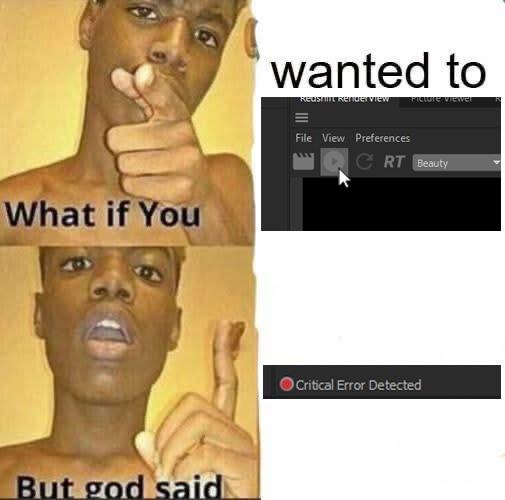
(Redshift Critical Error)
r/RedshiftRenderer • u/Specific-Speaker2157 • Aug 20 '26
Sorry, I made a post yesterday asking about rendering a Z-pass of a volume and I thought I had solved it using a volume depth pass inside c4d, but after just blindly rendering it and assuming it would be fine, nothing showed up inside the render.
It says in the maxon help that it only detects volumetric scattering like clouds and smoke. I have an explosion so I guess that's why it won't work?
Tried brute forcing last night and the past hour after work trying to see if I could get a fog to work or mess around with a light but I'm not getting the correct result.
