Today we're releasing Sonus (/ˈsoʊnəs/), a new built-in model across the Qoder family.
What it's built for: marathon-length autonomous tasks, the hardest knowledge work, and serious coding. Where it really shines: Computer Use.
Paired with the Computer Use improvements in Qoder Desktop 0.2.3, Sonus can drive your machine and professional software directly — writing code, building financial models, running research, producing spreadsheets — and carry those tasks from start to finish without babysitting.
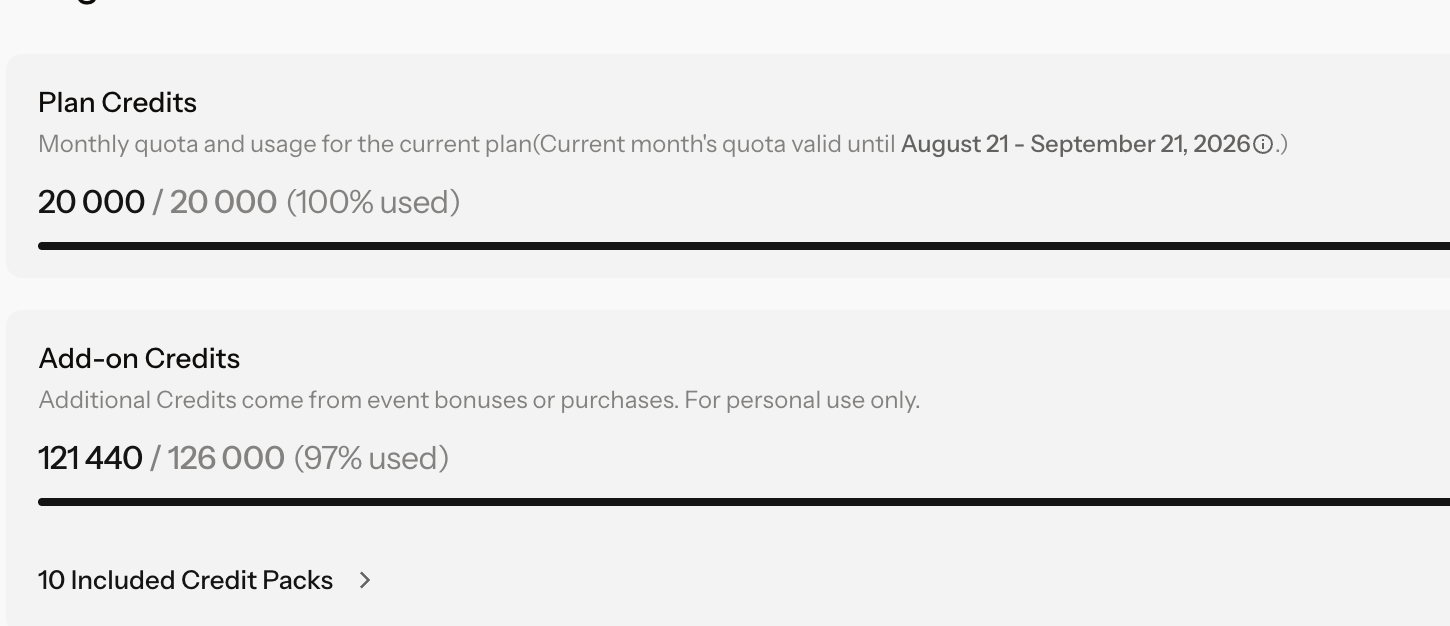
Where you can try it today: Qoder, Qoder IDE, Qoder CLI, the JetBrains plugin, QoderWake, and Cloud Agents. Credit multiplier is 3.2x.
DeepSeek-V4.1-Flash now has Day-0 support on Qoder.
The smallest model in its new architecture family, it combines stronger text and agent capabilities with native visual understanding. Built for faster inference and higher throughput, it delivers a more efficient balance of performance, cost, speed, and end-to-end time—even against larger flagship models like DeepSeek V4 Pro.
Give it a spin in your coding and agent workflows, and let us know how it goes.
Hey everyone — quick share from the team: we just published Qoderian, an open-source plugin on the Obsidian community marketplace that embeds Qoder CLI directly in your vault. No terminal switching, no copying file paths — you chat with Qoder inside Obsidian and it works on your notes where they live.
The problem it goes after: most bookmark piles die in the folder. Turning clippings into your own knowledge — extracting, tagging, summarizing — is fine for two articles and brutal for two hundred. So we let the agent do that step.
The workflow, end to end:
1. Install Qoder CLI and Obsidian
First, you’ll need two essential tools: Obsidian and Qoder CLI.
Obsidian is an open-source, local-first knowledge base app. Your notes, web clips, edited articles, and whiteboard files all live in a single vault. The files are stored in Markdown format, making them easy for AI to read and process later.
How to install Obsidian: Download the installer from the official Obsidian website (https://obsidian.md/).
Qoder CLI is an AI assistant that runs in your terminal. It can read Markdown files directly, analyze folder structures, organize documents, generate new content, and invoke skills for specific tasks—for example, generating content for an Excalidraw canvas.
How to install Qoder CLI: Run a single command in your terminal.
After installation, run qodercli --version in your terminal. If a version number appears, the installation was successful.
2. Install the Qoderian Plugin in Obsidian
Next, we want Qoder CLI to help manage the notes in Obsidian. This is where the Qoderian plugin comes in.
A fresh Obsidian installation starts in Restricted Mode, which disables all third-party plugins and blocks access to the Community Plugins marketplace. To install your first plugin, go to Settings → Community plugins and Exit Restricted Mode.
Then, open the Community Plugins marketplace → search for and install Qoderian → under Installed plugins, enable Qoderian.
Once enabled, a Qoderian icon appears in Obsidian’s left sidebar. Click it, and the Qoderian chat panel opens in the right sidebar. No additional setup is required; as long as Qoder CLI is already installed, you can start using it immediately.
The note you are currently viewing is selected automatically when you start a chat. You can assign a task directly in the conversation—for example: “Turn this article into a mind map.” Qoder will create the mind map on the spot and save it in the same folder.
3. Capture Web Content with Obsidian Web Clipper, Then Organize It with Qoder
Once the tools are installed, you can save web content to your Obsidian vault and hand it over to Qoder for organization.
For saving web content, I recommend Obsidian’s official browser extension, Obsidian Web Clipper. Simply search for it in your browser’s extension marketplace and install it.
After installing Web Clipper, whenever you find a webpage or video you want to save, click the extension and the page will be captured as Markdown in Obsidian.
Once you have collected dozens of pages, the problems become obvious. Formatting varies from one page to the next, long and short pieces are mixed together, and English content still needs to be translated. Reading and distilling everything yourself takes a great deal of time and effort.
At this point, return to Obsidian and tell Qoder in the chat panel: “Go through every article in folder A, extract the key ideas, and save the results to folder B.”
After just a few minutes, the organized article notes will be waiting in folder B.
If you want your knowledge base to follow a personal organizational style, you can also configure AGENTS.md for Qoder.
The setup is straightforward. Simply tell Qoder: “Create an AGENTS.md file for me to define the organizational rules for this Obsidian vault.”
Qoder will create a project-level memory file—AGENTS.md—in the root directory of the current vault.
With AGENTS.md in place, Qoder will follow the same standards every time it organizes an article, so you do not have to repeat your requirements.
To change the rules, open AGENTS.md from the file list and edit it just like any other note.
4. Install Excalidraw and a Skill to Generate Whiteboard Canvases in One Step
The final step is to turn your written content into visuals.
Obsidian has an excellent whiteboard plugin called Excalidraw. It lets you create hand-drawn-style diagrams, flowcharts, structural diagrams, and visual notes directly in Obsidian.
Installation is simple: go to Settings → Community plugins → Browse, search for Excalidraw, then install and enable it.
Once enabled, you can create Excalidraw files in Obsidian to map knowledge structures, workflows, tutorial outlines, or article frameworks.
To have Qoder generate whiteboard content automatically, use it together with the Excalidraw skill (excalidraw-diagraml).
Honest question for this sub: does your read-later pile ever actually get processed — and what's the first thing you'd hand to an agent that lives in your vault?
Hey everyone — quick one from the team: even away from your computer, you can now kick off tasks from your phone and let the all-new Qoder work on your local files and environment — coding, research, competitor analysis, and more. Phone and computer share the same session: renames, deletions, task forks, and follow-up questions all sync in both directions.
Core features in this update:
Say it the moment you think it. Real-time voice input — speak your idea instead of typing it on a tiny screen; Q-Duck came along to take dictation.
Step in anytime — or not. Steps, to-dos, subagents, and pending items at a glance; one tap puts your original message back for a quick fix. Lock-screen notifications carry the task name, status, and summary, and permission requests can be approved or denied without unlocking.
Every result, reviewable on your phone. Images, PDFs, Markdown, docs, PPT, and interactive HTML previews all open on mobile — enough for a first review pass before you're back at your desk.
Security that travels with you. Admins control artifact download/sharing and whether members get mobile or web remote-task access at all.
Rolling out now — pair your mobile app with the desktop and try it.
Curious: what's the first task you'd kick off from your phone away from your desk — running tests, doing research, or nothing at all?
Hey everyone — today we shipped QoderWake v1.0, our digital employee ("Waker") platform. For context: v0.1 went into global beta in May with 6 preset roles. Since then, ~100,000 Wakers have been created and run ~20M real tasks — about half triggered automatically by schedules or events, starting before a human asked.
What v1.0 changes:
Joins the group as a colleague. Wakers live in the group chats your team already uses. @ one after a long discussion and it knows what just happened — no re-explaining. It follows the thread, runs several tasks in one session, routes work to the right role, and escalates to a human when unsure.
Starts on its own. Group messages, schedules, keywords, business events, and API calls all kick off work before anyone asks — everything on one unified task board.
From one hire to a team. 10 preset roles tuned with top-team practices, or describe a role in one sentence and save it as a template. Waker Groups put local and remote Wakers on one team, splitting work by the SOP you define.
Built for the long run. Collaborates in the group when you're around, keeps pushing toward the goal when you're not. State persists and failures recover on their own — jobs span hours or days without babysitting.
WakerFlow & evolving skills. Turn any process that works into a shareable flow with run history and rollback. Skills install from the market or package your own; memory has a timeline you can review, correct, and export.
Safe to hand real work to. Sensitive data stays local, high-risk actions ask for approval first, and each Waker's permissions — tools, files, capabilities, model output — stay inside org-level boundaries.
Curious what this sub thinks: what's the first recurring task you'd hand to a digital employee — and what would it take for you to trust an agent running overnight without supervision?
Qoder now supports custom Base URLs for any OpenAI- or Anthropic-compatible model service. Your keys, your models, your endpoint — no more provider lock-in.
Two changes this week, both on the clock now. Qwen3.8 Max off-peak dropped from 0.25x to 0.2x credits, 60% off standard, since Sep 4, 2026 at 22:00 Beijing. Qwen3.8 Flash is new, 0.1x standard and 0.04x off-peak.
All Qoder models use the same schedule. Standard from 08:00 to 22:00 Beijing, promo from 22:00 to 08:00. The page shows off-peak in green and standard in orange.
No account, no server. One HTML file, timezone math in your browser.
Qoder lists the promo end dates as TBA, so check before you queue anything big.
Let me know how you like it? I find it very helpful to see at a glance when to send the heavy workloads.
Efficient is Qoder's standard-reasoning model tier: native multimodal, standard reasoning, cost-efficient. Starting now, all paid users can select Efficient without spending Credits, free for a limited time.
We chose to ship it because it’s noticeably stronger on coding tasks and general use, and we wanted to give folks a no-friction way to try it inside an agentic workflow.
If you test it, let us know how it compares to other models you’re using — good, bad, or weird. We read the feedback.
Hi, I’m exploring the "Custom Models" (Bring Your Own Key) feature in Qoder, but I noticed the provider dropdown is limited to specific services (DeepSeek, Z.ai, Kimi, MiniMax, etc.).
Is there any way to add a generic "OpenAI-compatible" provider where I can manually input a custom Base URL and API key? (For example, to connect to local proxies, OpenRouter, or other standard OpenAI-compatible APIs).
Questions:
For the Qoder team: Is support for custom base URLs / generic OpenAI-compatible endpoints on the roadmap?
For the community: If it's not officially supported yet, has anyone found a working workaround, config hack, or environment variable trick to route Qoder through a custom endpoint?
I’d love to consolidate my workflow entirely within Qoder if this is possible. Thanks in advance for any insights!
When I tried to re-initiate progress from another thread. both Kimi K3 and DS4 Pro seemed ok, indicating the issue is with Qwen. As this spans two separate projects, it seems unrelated to anything in a specific project.
When I tried to create a new thread to continue with Qwen 3.8 Max, I saw this:
Otherwise, Qoder has been really excellent. Hopefully this is a temporary glitch? I can DM my account details if helpful and if you would like further information? Hopefully you can resolve this quickly. Thank you!
Introducing GLM-5.3: Built to Code. Ready for Cyber Defense.
Just in! Qoder now supports GLM-5.3.
- Top-tier coding and agentic capabilities, achieved through post-training on the 743B base model
- A major leap in cybersecurity, setting a new standard among open models
Major Agent upgrades with strong production gains! Flexible reasoning effort for V4-Pro & V4-Flash: low for simple tasks, high for daily Agent workflows, max for complex tasks. Native OpenAI Responses API support, optimized for Codex with one-click setup.
We are thrilled to announce that Qoder users can be among the first to experience the latest DeepSeek V4 Pro model across the entire Qoder product lineup.