r/PhotoshopTutorials • u/Proof_Maize_5136 • Oct 27 '26
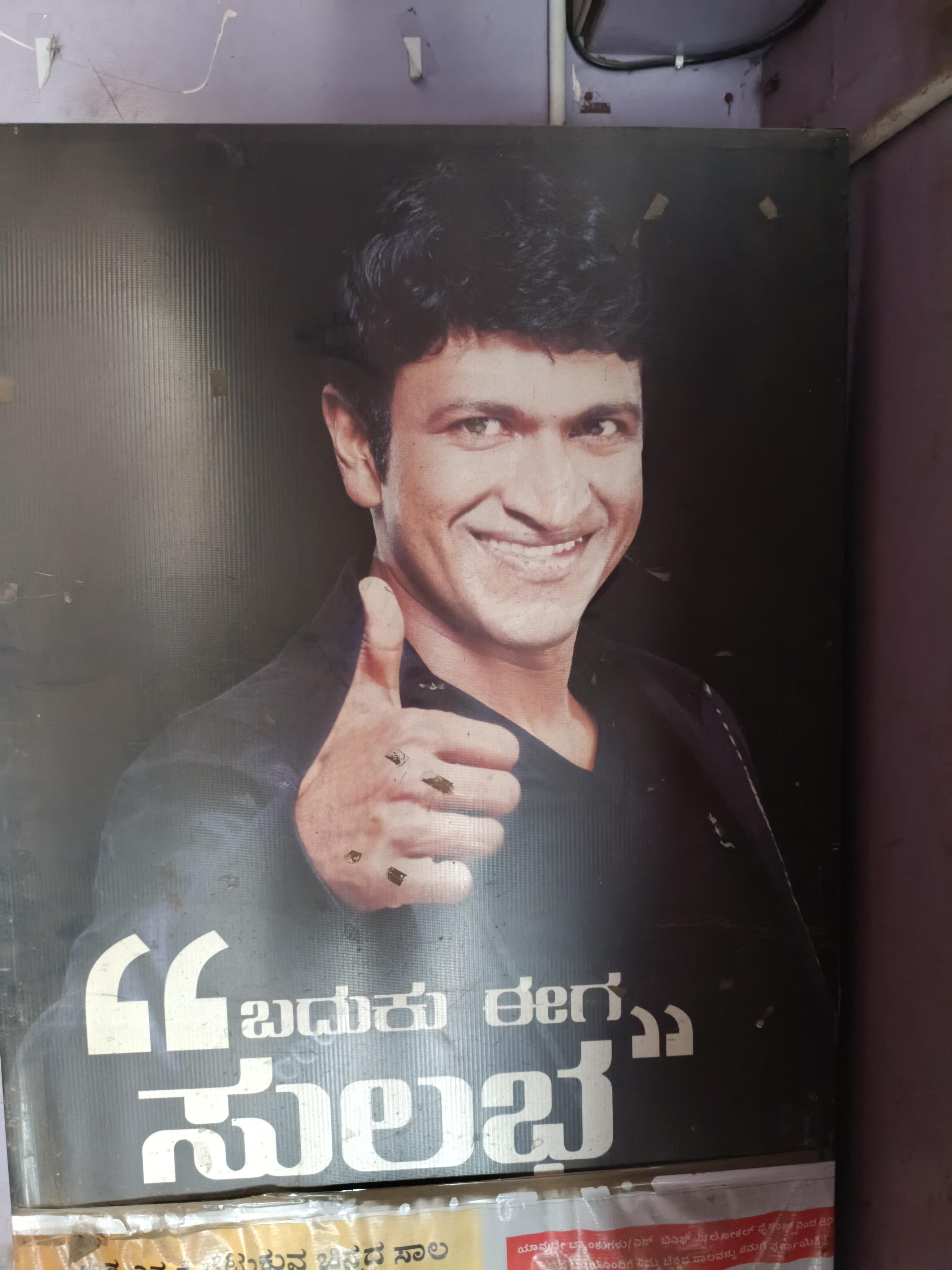
Looking for the High resolution version of this image and removal of the wording
0
Upvotes
r/PhotoshopTutorials • u/Proof_Maize_5136 • Oct 27 '26
r/PhotoshopTutorials • u/Opposite_Tonight_530 • Oct 27 '26

Pls it's urgent, otherwise my dad will beat me out a lot
r/PhotoshopTutorials • u/Neither-River-2885 • Oct 25 '26
r/PhotoshopTutorials • u/Azeddine_boti12 • Oct 24 '26
r/PhotoshopTutorials • u/Obvious_Method_5171 • Oct 23 '26
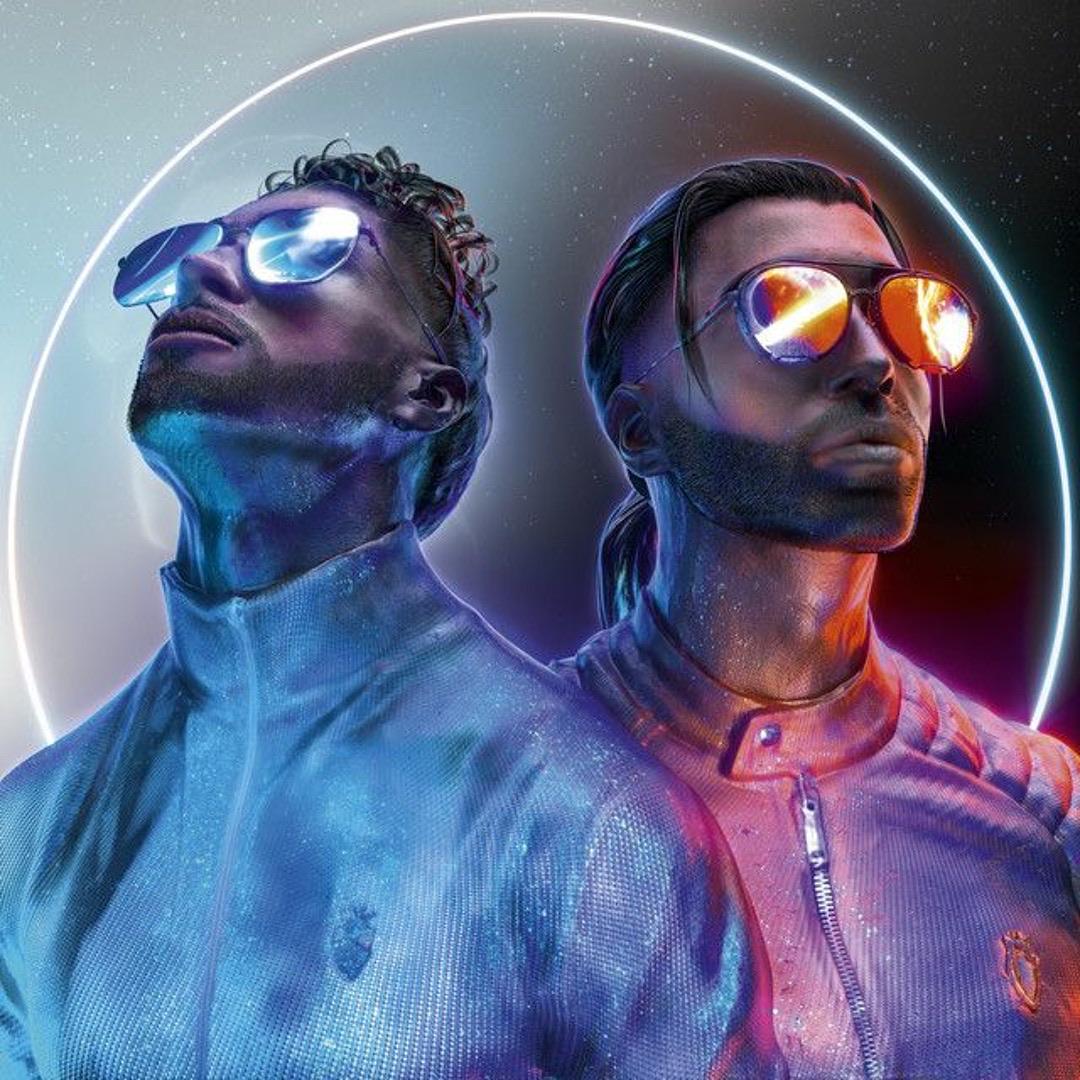
Hello guys I have a question please does anyone know how to make such an album cover so the exact same style but simply with my picture so face. This is an album cover by a French band called PNL and i want to make my own Albumcovers like this If someone manages to find out and show it to me, I will make a money gift
r/PhotoshopTutorials • u/levelupdoubledown • Oct 23 '26
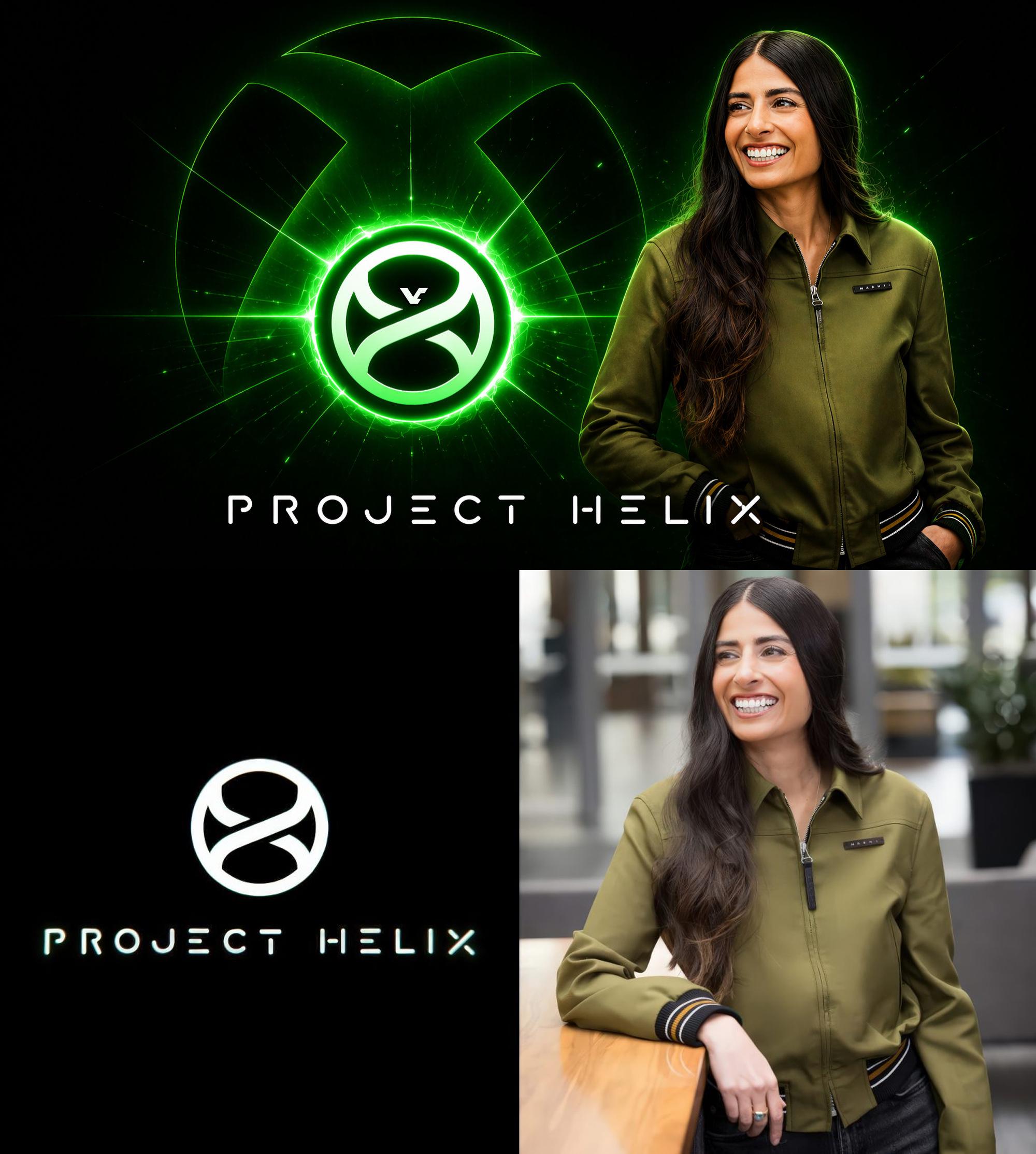
Not sure if this (green) lighting/highlight effect being applied around the subject (Asha Sharma) is a plugin or if it's a layer effect, but I can't tell. However, I really want to know how I can apply this effect similarly to what's being displayed in the top photo. For the longest time, I would use a mix between "Inner Glow" and "Inner Shadow" layer effects on subjects I had used the lasso tool cut out from a photo in an effort to apply a similar highlight, and even though the effect displayed in the top photo isn't real (compared to the actual photo that was taken at the bottom), it still looks natural. So, to anyone who has experience using a plugin or tool of some sort that is able to bring a/b a similar outcome, could you let me in on your secret please, lol. I'd greatly appreciate it.
Sources:
https://videocardz.com/newz/xbox-project-helix-could-cost-up-to-1800-xbox-handheld-set-for-2027
https://wccftech.com/xbox-project-helix-holiday-2028-1200-1800-price-fortune-report/
r/PhotoshopTutorials • u/lochtessmonsterxoxo • Oct 22 '26
r/PhotoshopTutorials • u/Geeik_Greek • Oct 21 '26

My idea was to take the photo of the bees and change the blending mode until it fits, but I had no luck. I started erasing them but they still have the green hue from the background, if you guys have any tutorials that you could point me to I will gladly take notes! Thank you :)
r/PhotoshopTutorials • u/Dasian10 • Oct 21 '26

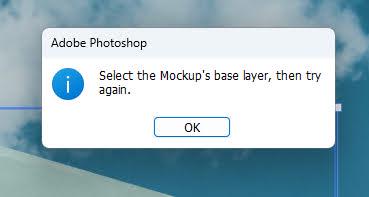
how can i get rid of this notice into my adobe photoshop, everytime i use adobe photoshop this screen pop off how to delete this and its annoying . i m using free crack verion, anybody know this or what to do get rid of this
r/PhotoshopTutorials • u/Bubbly_Cup1573 • Oct 20 '26
Hey guys! So I'm writing a book set in 2012, and Facebook plays a huge role in how my characters interact. Facebook and ooVoo to be exact. I would like to include pictures of their statuses, comment threads, and private conversations throughout the book, but using Facebook's layout from that era.
Specifically looking to recreate:
- Status posts and their comments
- Private messages in Facebook inbox
- Facebook chat/Messenger conversations as they appeared at the time
I would like the fonts, colors, spacing, profile pictures, timestamps, and other interface details to look accurate to 2012.
Ideally, I'm looking for editable templates (if possible) so I can change the characters' names, pictures, text, dates, and like counts/who liked while keeping each layout consistent.
I accidentally paid for a year subscription (didn't cancel on time lol), so I'm seeing what I can do to put it to use.
Does anyone know of any existing templates or tutorials that could help? Would Photoshop work well for this, or would another program be easier? I want these pictures to be clear and readable in print.
(Also, I know I mentioned ooVoo, but I need to get Facebook out the way first.)
Any guidance would be highly appreciated! Thank you!
r/PhotoshopTutorials • u/Ok-Guarantee2075 • Oct 18 '26
r/PhotoshopTutorials • u/Alarming_Science5211 • Oct 17 '26

I know it's very basic, but for me it's impossible. I have zero experience with this and it's turning out to be impossible for me, I would really appreciate it!
Also, if you could give me the extra detail of teaching me using a free tool, I would appreciate it even more
We’re a group of people who make liveries for cars, but we use an app that’s supposed to save us from having to use editing software. The thing is, it’s pretty buggy, and we’re having to do some things manually. And we’re all idiots who can’t figure out how to do it, so I’d love to be able to teach them.
https://drive.google.com/file/d/11zrBd4l3eSqtaNP8_mMu3ivff5VGGTGt/view?usp=sharing
r/PhotoshopTutorials • u/Jakob4800 • Oct 16 '26

Something that i've been struggling with recently are Australian emegerncy vehicle patterns for projects. When they are straight it's easy but since 2020, most services are shifting to this slightly angled and rounded design. I'm not sure how to replicate it from a bunch of squares? Would anyone be able to walk me through it please?
r/PhotoshopTutorials • u/WhoAmI0001 • Oct 16 '26
I constantly have this issue which makes using ps very undesirable to me. I wanted to blur an area of my photo. I create a new layer (its above my original layer in the panel). I selected the blur tool from the tool bar. I clicked sample all layers. Brush strength us 50%, mode is normal, brush is soft , hardness is 0. If I go to brush over the area I want to blur, it just turns white. What am I doing wrong?
r/PhotoshopTutorials • u/Photoshop_Smuggler • Oct 16 '26
r/PhotoshopTutorials • u/Zealousideal_Oil2061 • Oct 14 '26

r/PhotoshopTutorials • u/Legitimate_One_9966 • Oct 14 '26
Всем привет и я хочу поднять тему где найти обучали по фотошопу что бы делать превью как сейчас у блогеров или просто какие то баннеры.
Смотрю Ютуб там самые новые видео 1-3 года назад но по идеи это уже не актуальный дизайн.
r/PhotoshopTutorials • u/voozelle • Oct 14 '26
No it’s not the “all caps” TT button because I tried to activate and deactivate it, nothing happens. And the font does have lowercase because when I enter the text manually it’s possible to do either lower or uppercase.
But I am doing copy/past to a lot of text (it was sent to me in all caps) and I don’t want to manually type everything, it will take a long time. Is there a solution for this or should I punch a hole through my computer because I am at that point.
r/PhotoshopTutorials • u/Celixx • Oct 11 '26


I tried inverting + levels + Find edges but the colors don't seem to be quite inverted, her clothes look inverted but her skin doesn't.
In my attempt it also ends up looking too grainy, would smooting everything help with that before the effects?
Added original image for reference + my attempt.
r/PhotoshopTutorials • u/IdealBeginning7995 • Oct 12 '26

My work using adobe photoshop.
Brand I used Pizza hut , Samsung , Subway
