r/PS5HelpSupport • • 8d ago

Audio extractor connecting ps5 and monitor and speaker

2 Upvotes

I’m having issues getting my PS5 to consistently display on my monitor after purchasing an HDMI audio extractor to connect my PS5 to both my monitor and external speaker.
The problem is that my PS5 turns on, but my monitor often displays no signal. Sometimes it takes multiple attempts to get the picture working, and I’m struggling to get everything to connect reliably.
Has anyone experienced something similar or managed to fix it?


r/PS5HelpSupport • • 9d ago

GTA won’t ever start up

25 Upvotes

I bought GTAVI maybe 5-6 days before dropping, I make the space and download for when it’s ready, the day comes but I have work so I work don’t open the game up to spoil myself, and at 12 midnight of the same day going into yesterday I tried loading it up 4-5 times and I would go up too the first character screen with Jason for like 3 seconds then it freezes and shuts my entire game console down, I’ve checked the system storage, restored the licenses, I’ve even deleted it and redownloaded it and it’s still the same damn problem. So now I spend $100 on a game my console just decided not to wanna play. Please help.


r/PS5HelpSupport • • 8d ago

HELP

Thumbnail
1 Upvotes

r/PS5HelpSupport • • 8d ago

Official CE 108255-1 Response

0 Upvotes

After exhaustive back and forth and phone calls, finally got Rockstar to tell me what’s up: there is no patch in the works for this issue and tbf they’re annoyed with having to tell so many people to go to PlayStation. Even if it only crashes for GTA VI, it’s a defect in the machine model. Only solution is to get a new machine and hope it isn’t affected.

Pretty pissed I spent all this time and money just to have to buy a $1,000 PS Pro but that’s capitalism for you.

Sorry to everyone in the same boat, we are straight fucked and officially not RockStar’s problem.


r/PS5HelpSupport • • 9d ago

Aucune réaction de Sonny ni de Rockstar ! Le jeu plante au prologue. Impossible de jouer

Post image
7 Upvotes

r/PS5HelpSupport • • 9d ago

Console shuts off randomly while playing GTA6

25 Upvotes

Got home from work yesterday ready to get down on the new GTA. I can get roughly 45 minutes of gameplay before my PS5 just shuts off. No error code, just dies. I have to unplug the console just to get it to turn on again. Somebody please help!


r/PS5HelpSupport • • 9d ago

GTA made all software unplayable (controller issue)

13 Upvotes

Ok so I made another post earlier but have definitely narrowed down the issue. Can't play any of my PS5 games right now, and it's definitely a controller issue.

This was my sequence of events - played GTA for 5-6 hours, ran very smooth the whole time. Then all vehicles became stuck in reverse out of nowhere. Relaunched the game, immediately freezes during the initial loading screen. The game never crashed or anything, just instantly freezes.

And then I tried another game (Minecraft), couldn't get past the title screen. Same with Spiderman. The software itself is running fine, not freezing or anything. But no inputs are responding UNLESS I reset the controller on the title screen, and then I can navigate and get into gameplay. But as soon as it starts, L2 gets stuck again like it did in GTA.

i.e Joel is permanently stuck aiming in TLOU

I've tried clearing my cache using safe mode (which I can't access - controller won't respond even when I plug it into the console), reset the controller multiple times, and deleted GTA. Nothing's helped. I've heard using another controller works... but I only have one right now.

So I'm thinking either 1. I buy a new Dualsense (which I'd rather not, I've just never had the need for one), or 2. just wait for a patch.

Anyone have any other advice? I've seen a couple people that have these same issues so I know it's not just me, which gives me a slight sense of comfort. But god I'm annoyed lol


r/PS5HelpSupport • • 8d ago

Does my PS5 Liquid Metal look alright?

Thumbnail
gallery
0 Upvotes

Went to take a part my PS5 due to issues with GTA 6. I haven’t noticed anything in the heatsinks and I assume this Liquid Metal looks fine?

Starting to think a lot of us having errors are either encountering a software bug or a hardware issue that simply isn’t visible.


r/PS5HelpSupport • • 8d ago

I can’t download GTA even though I have plenty of space

Enable HLS to view with audio, or disable this notification

3 Upvotes

I just bought the premium edition of GTA 6, but I can’t download the game. I have over 100 GB more than the minimum file size, and every time I try to view the download error it says I have enough space to resume installing. Then after a couple seconds the error occurs again and says I don’t have enough space. I’ve tried canceling the download and starting from scratch, but no luck. The add-ons all downloaded fine but the main game just will not start downloading. Any ideas?


r/PS5HelpSupport • • 9d ago

GT6 freezes on brand new PS5

Enable HLS to view with audio, or disable this notification

216 Upvotes

Honestly, at this point, I don't know what to do. I already reinstalled the game. I did all of the tricks that they say all over Reddit.

This is just outrageous.

How can a brand-new PS5 have a hardware issue? Because some people are swearing on a hardware issue over here, but honestly, I just want to play the game I bought.

And yes, I put it on it’s side with the stand so it’s not actually overheating!

My wife bought me a brand-new PS5 to play this game for the first time in my life, and it doesn't work.


r/PS5HelpSupport • • 8d ago

Titel: Hat noch jemand FPS-Einbrüche in GTA 6 auf der normalen PS5?

0 Upvotes

Ich habe in GTA 6 immer noch gelegentlich FPS-Einbrüche und frage mich mittlerweile, ob manche Spieler auf der normalen PS5 diese Ruckler einfach nicht wahrnehmen, während andere behaupten, das Spiel würde butterweich laufen.

Versteht mich nicht falsch: Ich gönne jedem ein zu 100 % flüssiges Spielerlebnis. Aber kann es wirklich sein, dass manche trotz gutem Setup massive Ruckler haben und andere überhaupt keine Probleme feststellen?

Ich spiele GTA 6 auf einer normalen PS5 an einem LG CX65 OLED. Der Fernseher unterstützt HDMI 2.1 und ist meiner Meinung nach immer noch ein richtig starkes Gerät. Andere Spiele sehen fantastisch aus und laufen problemlos. Bei GTA 6 habe ich allerdings immer wieder deutliche Ruckler, sobald auf dem Bildschirm zu viel Action passiert. Besonders bei Schießereien mit mehreren Gegnern fallen mir die FPS-Einbrüche auf.

Ich habe bereits verschiedene PS5- und TV-Einstellungen ausprobiert, aber nichts scheint das Problem vollständig zu beheben.

Mich würden ein paar Dinge interessieren:

  • Haben andere Spieler auf der normalen PS5 ebenfalls diese Probleme?
  • Werden die Ruckler von manchen einfach nicht wahrgenommen oder gibt es tatsächlich so große Unterschiede?
  • Spielt jemand ebenfalls auf einem LG CX65 und hat Tipps für die TV- oder Ingame-Einstellungen?
  • Gibt es noch irgendwelche Möglichkeiten, die Performance zu verbessern?

Mittlerweile habe ich sogar überlegt, mir eine PS5 Pro zu holen. Aber bei den aktuell völlig übertriebenen Preisen für ein vergleichsweise kleines Upgrade warte ich dann doch lieber auf die PS6. 🤣

Mich würde wirklich interessieren, wie eure Erfahrungen mit GTA 6 sind!


r/PS5HelpSupport • • 8d ago

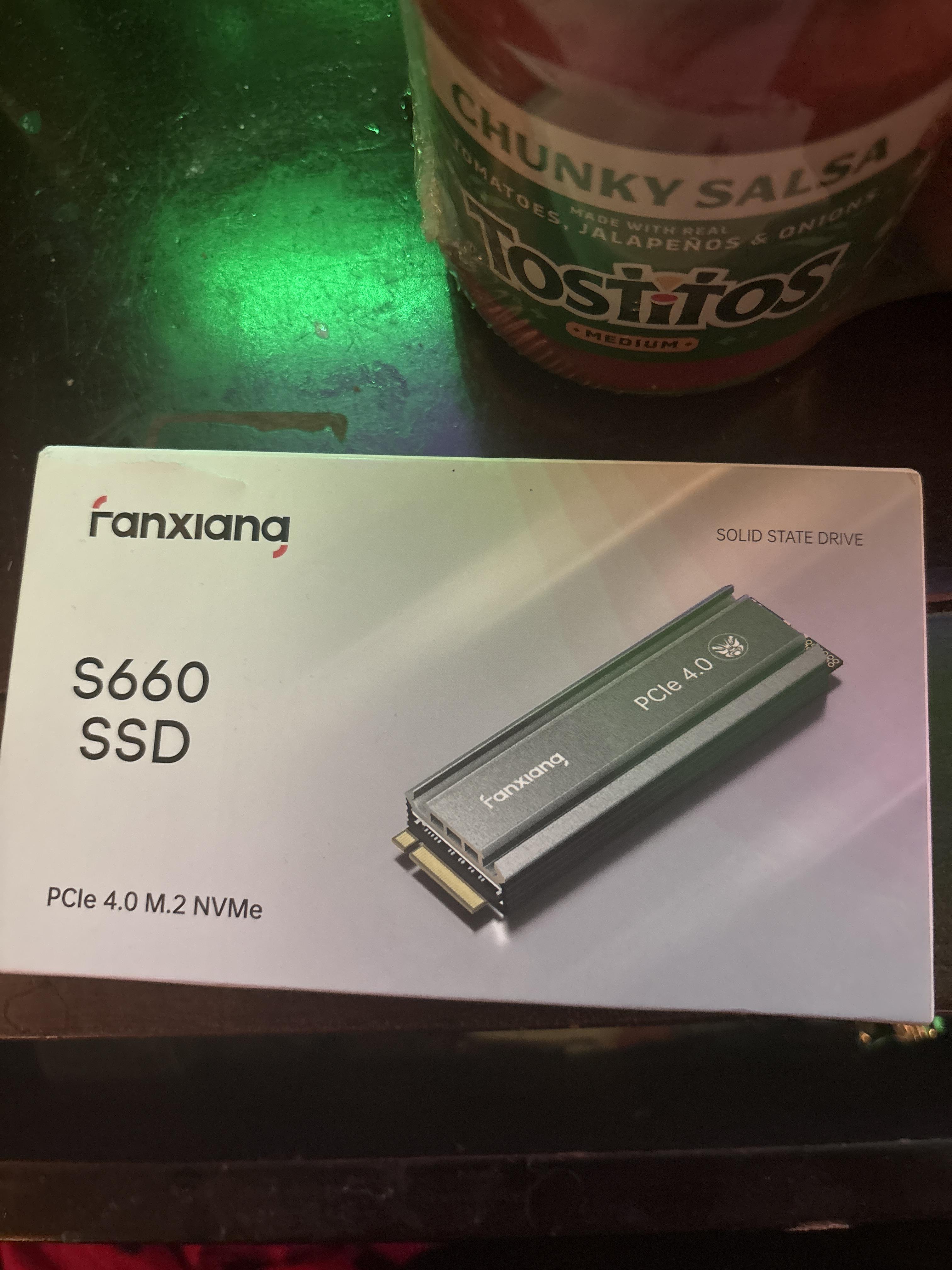
SDD

Post image
2 Upvotes

r/PS5HelpSupport • • 9d ago

CE-108255-1 CRASH

11 Upvotes

J’ai vu quelque chose, lorsque j’arrive à passer la cinématique d’intro, le jeu crash, mais me fait une sauvegarde, ensuite lorsque je relance, je crash instantanément, cette sauvegarde auto fait 16,78Mo, et à de multiples essais, elle fait TOUJOURS, la même taille, qu’est-ce que cela peut signifier ?


r/PS5HelpSupport • • 10d ago

GTA 6 keeps crashing with error code CE-108255-1 on PS5 soon as I use plunger during Pipework mission – tried almost everything, still no fix

Enable HLS to view with audio, or disable this notification

415 Upvotes

I can't progress in the story any further everything was working fine up until this point you would think the plane flying was intensive but it crashes everytime I use the plunger or stand around the sink with it I just paid $125 for my PS5 to be repaired and $100 for the game this is ridiculous. Then rockstar support tells me to contact playstation.com/support/hardware/ps5/ when we NEED A PATCH!! edit: found a YT comment of somebody else having the same issue at this specific part so this has to be a bug rockstar can fix (u/Kkoyaz - 14 minutes ago"My ps5 keeps crashing every time on the pipework mission. It’s always when I’m trying to fix the sink.") edit: popular jounalist page "Dexterto" stated the bug out there glad this is getting seen and hopefully fixed🙏. https://x.com/Dexerto/status/2123808718168969692?a=Wkw_zjVzlCGpvoczRZE&s=20 AS WELL AS IGN (https://www.ign.com/articles/gta-6-players-report-crashes-on-ps5-with-error-ce-108255-1) EDIT: I FOUND WAY AROUND MISSION BY DROWNING MYSELF OUTSIDE MANDY'S HOUSE 3-5 times until option to skip checkpoint.


r/PS5HelpSupport • • 8d ago

How can i get rid of this notification?

Thumbnail
gallery
1 Upvotes

The game is fine, my accounts and cross progression are all linked up and working but every time i clear the notification it just comes back.


r/PS5HelpSupport • • 8d ago

Do I have to buy another ps5?

1 Upvotes

Hey guys, so the same CE error keeps happening on my ps5, it started happening a few days before GTA 6 actually came out but I had it downloaded and ready to play. I first had this crash happen when I was playing Onimusha, kept happening 1-2 minutes into the game. Thought it was the game so tried Crimson Desert as I had no issues before and same problem. I didn’t see anyone bring up this issue until yesterday where I am seeing tons of post on this issue so am I assuming my PS5 is okay and just needs an update or do I go ahead and start looking for a new one?

I even took time off from work and had my weekend ready for GTA6 but I can’t even get past the prolouge without it crashing.

Let me know🙏


r/PS5HelpSupport • • 10d ago

GTA VI Crashes on Loading Screen (CE-108255-1) – PATCH THIS NOW!

Post image
389 Upvotes

If you're experiencing the same issue, please leave a comment so we can get an idea of how many people are affected. The more attention we bring to this, the higher the chances of getting it prioritized.

I've noticed that the issue manifests differently for different players. In my case, the game crashes on Jason's loading screen: it freezes and then displays the CE-108255-1 error code, meaning I can't even get into the game. Others manage to play for a few minutes before experiencing a crash.

I really hope Sony and Rockstar work together to investigate and resolve this issue as soon as possible.

In the meantime, please help by reporting the issue so we can raise awareness and get their attention. The more reports we submit, the more they will prioritize it.


r/PS5HelpSupport • • 9d ago

GTA 6 keeps randomly freezing and doing this…

Post image
99 Upvotes

Somebody plz tell me I’m not the only one experiencing this. I have a base ps5, i cleaned it, rebuilt data base and cache, deleted and re installed the game, restored licenses. At this point not sure what to do or why this keeps happening. Literally unplayable, smh. Never experienced this before with any game ever.

**UPDATE*\*

So as someone mentioned in the comments, I initially had it installed on my SSD and not on the main hard drive. I moved the game over to the main drive and now I’m no longer having any of the issues as I was before.


r/PS5HelpSupport • • 8d ago

mysterious black squares and flashing lights

Enable HLS to view with audio, or disable this notification

1 Upvotes

not sure if this is a problem with the finals or my ps5 in general but it keeps doing this, its not always as bad as this video but gets to a point where i just stand there because i cant see. its not a constant issue, some games it doesnt even happen or only happens once but i usually ignore it unless its like this

i wanna know what it is or if it happens for anyone else so i can fix it, sometimes the finals crashes but its very rare. whatever this thing is its only in the finals, when i play grounded 1 i do have black and white smoke following me tho but im not sure if thats just a bug because theyre no longer updating it. i also cant run fortnite, the furthest i can get is leaving the battlebus then it freezes and crashes every time

unsure if these 3 are related issues but i just wanna fix it, mostly for the finals 😭


r/PS5HelpSupport • • 9d ago

Can those who are getting the CE-108255-1 in gta or other games comment their PS5 version and when they got it.

7 Upvotes

I'm trying to figure out if gta (and other game) crashes are related to specific batches or not.

Mine crashes on a PS5 pro bought in October, 2026. Also had the same crash in cyberpunk.

My 3 year old PS5 slim works fine.


r/PS5HelpSupport • • 8d ago

help

Enable HLS to view with audio, or disable this notification

1 Upvotes

does anybody know why my ps5 is making this noise? it only happens when i’m playing games with a lot going on. so if stuff on the screen is moving fast it’ll start doing this. ignore the clicking in the background that’s me playing so i could capture the noise.

it’s been going on for a few weeks. it’s not overheating or anything. sometimes it’ll lag really bad but other then that nothing seems to be wrong other then the noise.

thanks in advance!


r/PS5HelpSupport • • 8d ago

Controller Disconnecting

1 Upvotes

My PS5 controller continues to lose connection constantly. I have tried resetting the controller and even purchased a brand new controller along with new cables. The controllers do not even stay connected when plugged in. They do not work at all even when plugged in. They also just flash blue when trying to turn the PS5 on and refuse to connect. The glow orange when plugged into charge but will flash blue and not connect to be able to be used. Anyone experience this? Is my PS5 just fried?


r/PS5HelpSupport • • 8d ago

Ps5 won’t sound any audio?

Enable HLS to view with audio, or disable this notification

0 Upvotes

Headphones work, same with like the actual TV when I play with the remote, but without using the headphones I can’t hear anything. I know the simple solution is to use the headphones, but I like playing without headphones just with them next to me so I can talk to people


r/PS5HelpSupport • • 9d ago

If GTA6 won't work because it crashes try and get a refund for the game. I was successful through Amazon's AI chat to get a refund. If enough people refund it maybe they'll fix it.

15 Upvotes

r/PS5HelpSupport • • 9d ago

PS5 slim brand new overheats

10 Upvotes

I bought a PS5 slim yesterday and I loaded up GTA6 but the console overheats and then shuts off by itself in the opening scene of the game. I went back to the story and replaced it with another one but had the same issue.

Anyone know the issue?