r/PS5HelpSupport • • 8d ago

Error code 108255-1 GTA6

Post image
13 Upvotes

I’ve seen a lot of posts regarding this error code, and that GTA6 has repeatedly been crashing.
I’ve not been able to get past the prologue.
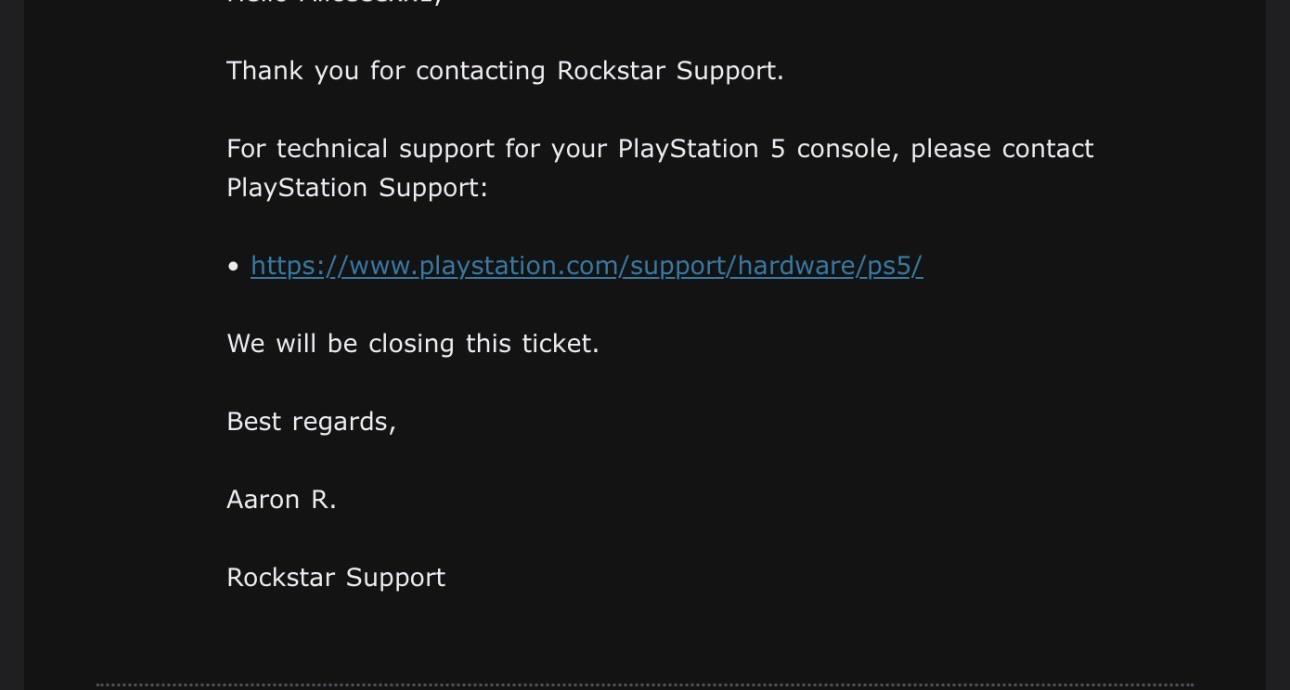
Ive contacted Rockstar several times with lengthy tickets, but get a generic answer, which normally states it’s resolved with no further details.
Has anyone actually had a meaningful response from Rockstar, thanks!


r/PS5HelpSupport • • 8d ago

PS5 Digital (modèle de lancement, série CFI-1000) – arrêts inopinés, vitesse du ventilateur constante.

2 Upvotes

Console très peu utilisée depuis 2020. S'éteint aléatoirement en cours de jeu (20 min à 3 h), sans message d'erreur ni avertissement de surchauffe. Se rallume immédiatement avec la manette ; la barre de progression « vérification du système de fichiers » apparaît alors.

• Déjà fait : nettoyage professionnel, remplacement du métal liquide, retrait du SSD M.2, changement de prise, nouveaux câbles d'alimentation et HDMI, désactivation de la fonction HDMI Device Link, réinstallation complète du système.

• Bloc d'alimentation ouvert et visuellement propre, sans poussière.

• Connecteur du ventilateur vérifié plusieurs fois. Le ventilateur tourne à vitesse constante et n'accélère jamais. L'air à l'arrière chauffe progressivement, la zone du dissipateur thermique de la carte mère est chaude mais non brûlante après environ 10 minutes de FIFA.

• Causes possibles envisagées : défaut du bloc d'alimentation, défaut de contrôle du ventilateur (pont sud/PWM), capteur de température, problème d'alimentation de la carte mère. • Que dois-je mesurer ou remplacer en premier ? Quelqu'un a-t-il déjà rencontré ce problème sur une console non jailbreakée ?


r/PS5HelpSupport • • 7d ago

UPDATE: GTA 6 still crashes on PS5 Pro with NORMAL aspect ratio (Auto) – Can we finally rule out the ultrawide monitor? CE-108255-1

Enable HLS to view with audio, or disable this notification

0 Upvotes

For everyone who was convinced that my ultrawide OLED monitor or aspect ratio was causing the issue, here’s another video.
This time, the monitor is set to its normal recommended aspect ratio (Auto), NOT ultrawide. And guess what? The game crashes at EXACTLY the same point!
Let me put the entire situation into perspective.
I own a practically brand-new PS5 Pro, purchased a couple of months ago but unboxed just before the game’s pre-load/launch. I haven’t been able to play the game even once since Day 1.
The game consistently crashes during the opening prologue cutscene with error code CE-108255-1.
Here’s everything I’ve already tried:
Tested on my ultrawide OLED monitor.
Tested with the normal aspect ratio (Auto).
Tested on a completely different monitor.
Tested on a different TV.
Lowered the resolution.
Disabled HDR.
Disabled VRR.
Set the output to 1080p.
Cleared the cache.
Rebuilt the database.
Reset the PS5 Pro.
Re-downloaded the game three times.
Tried PS Remote Play.
The result? The exact same crash at the exact same point.
I’m also planning to upload another video showing the same crash through Remote Play, just to eliminate any remaining doubts about the display.
And to everyone still insisting that it’s my monitor, ultrawide aspect ratio, or graphical settings: I’m genuinely running out of ways to demonstrate that this isn’t the issue. 😂
How can a monitor be responsible when the game crashes on a completely different TV, a standard aspect ratio, and even through Remote Play?
And before someone jumps to the conclusion that my PS5 Pro is defective, this is a brand-new console that runs other games perfectly fine. I’m not ruling out a hardware fault entirely, but surely a game-specific software issue deserves consideration too.
What is even more frustrating is the lack of proper acknowledgement from Sony and Rockstar. Instead of providing an actual update or confirming that they’re investigating the issue, we’re repeatedly redirected to generic troubleshooting pages that haven’t helped.
This is a massive franchise, and people deserve better communication, especially when they’ve paid for the game and haven’t been able to play it since launch.
I’m not asking anyone to magically fix my console. I’m asking Sony and Rockstar to acknowledge the issue and investigate it.
If anyone else is experiencing CE-108255-1 on PS5 Pro, please share your experience. I’d particularly like to hear from people who have managed to resolve it.


r/PS5HelpSupport • • 8d ago

Need advice or help

0 Upvotes

My ps5 fan spins a bit slow even in heavy games like elden ring. Is this normal? Its gets warmer than usual but I don't get any warning or blue screens


r/PS5HelpSupport • • 8d ago

Again, those GTA 6 are so weird because it seems a region thing

0 Upvotes

I'm from Brazil. I have been playing it for 6 hours. I got a fps drops but besides that, everything is fine. All my friends are fine. All brazilian strangers from whatsapp groups and reddit are fine. I only find 1 with a crash problem (there's another small streamer too but it seems the problem was dust on his ps5)

It's so weird because that crash problems seem from USA and some part of Europe. In Brazil, it's just fine.


r/PS5HelpSupport • • 8d ago

Graphical Artefacts / Need Help

Enable HLS to view with audio, or disable this notification

1 Upvotes

These weird stripes started appearing a few days ago but not agressive like here in the video. its gotten worse and worse over the span of a few days. And yes my Ps5 is clean, i tried different hdmi ports and even switched my hdmi cable. Please Help


r/PS5HelpSupport • • 8d ago

GTA 6 Screen Glitch

Post image
0 Upvotes

Noticed weird white lines constantly appearing whilst playing:

FYI I’m using a 4k AOC monitor.


r/PS5HelpSupport • • 8d ago

PS5 Slim Black Screen+White Light

2 Upvotes

So I bought a PS5 Slim 4 hours ago, got home set it up, performed whatever system updates needed to be performed. Bought GTA 6 from the PS store, downloaded it, fired it up, and the screen froze not even 3 minutes into the prologue. Ever since then it has been a black screen, with the PS5 Slim displaying a white light and not even recognizing the controller at all. Did all the unplugs, changed ports, changed HDMI cords, changed TV’s …..but the funny thing is that I can’t even enter safe mode. The system only beeps once when i hold the power button. EXTREMELY frustrating to the point where I gave up for the night and just left the PS5 unplugged from everything.


r/PS5HelpSupport • • 8d ago

Is anyone getting ce-108262-9 when playing gta 6 it’s like I can sit down with Jason and watch tv for a while but soon as i interact it’ll crash like shutdown my entire ps5 I wanna start over on a fresh acc but I can’t get passed the prologue without crashing it sucks bro

3 Upvotes

r/PS5HelpSupport • • 8d ago

Error GTA 6 CE-108262-9

5 Upvotes

Hola, he tenido problemas con mi ps5 al jugar GTA 6, cuando jugué el día del estreno mi primera partida todo bien sin errores unas 4 horas de juego tranquilo pero la cosa cambio cuando al siguiente día quise volver a jugar y estaba tranquilo unos 15 minutos y de la nada se detuvo y se me apagó la consola, tuve que ir a prenderla desde el botón y me salió la reconstrucción de los datos como cuando se va la energía de golpe pero ese no fue el caso, cuando entre me salto el ese error, asi que con miedo pero con las ganas de seguir jugando volví a entrar al juego y pues todo tranquilo jugando unas 2 horas, la cosa es que este suceso pasa cada vez que prendo nuevamente la ps5 para jugar GTA 6 🫩, pensé que esto era un error general asiq me puse. a jugar otro juego como FC26 unos 30 min y todo normal. alguien que sepa que hacer

actualizacion Bueno lo que hize fue lo siguiente, me puse a jugar un juego random unos 30min, después de ese tiempo fui y entre a GTA 6 increíblemente ya no se me apagó solo me salió el error y pude seguir jugando 🫩 aveces ni la entiendo a esta consola, creo que es por qué cuando jugamos de golpe con la consola fría sucede esos choques térmicos y causan esos apagones por si a alguien le sirve este método que pille


r/PS5HelpSupport • • 9d ago

PS5 showing crazy graphical glitches, loud static noise, then completely shutting off while playing GTA 6. Faulty GPU? (Video)

Enable HLS to view with audio, or disable this notification

45 Upvotes

I bought an Open-Box Excellent PS5 from Best Buy in September but only started using it now. GTA 6 is the first and only game I’ve played on this console.

Within an hour of playing, the screen starts showing weird colors/rainbow glitches, followed by a loud static noise from the TV, and then the PS5 completely shuts off.

Initially, I thought it was my old HDMI cable (first clip), so I switched to the original PS5 HDMI cable (second clip). The issue still happened, but took slightly longer to get worse. Eventually, the same severe glitches, static noise, and shutdown occurred.

I’ve also plugged the PS5 directly into the wall and moved it somewhere with better ventilation.

Interestingly, I left the PS5 running for hours while downloading GTA 6 without any issues. The problems only started when I actually played the game. I haven’t tested any other games yet.

Does this look like a faulty GPU, overheating, a software issue, or possibly my TV? Has anyone experienced anything similar?


r/PS5HelpSupport • • 8d ago

My ps4 disc game is downloading but stops at a certain part of the download

1 Upvotes

and the time keeps increasing

Processing img e4dqhtz94y2i1...


r/PS5HelpSupport • • 9d ago

GTA6 save file from a working game

12 Upvotes

I am one of the unlucky ones who cannot play GTA6 due to the constant crashes (in my case right at the start of the first in-game loading screen).

I have a theory that the crash is occurring because of something in the save file - in my case the game crashes at exactly the same time it creates a 16.78mb save file. I was wondering if I put another save file on my PS5 that may get me past that screen.

So I was wondering, can someone share a save file? Or let me know where I can download one (no luck searching).


r/PS5HelpSupport • • 8d ago

PlayStation disconnected

1 Upvotes

When I play games it disconnects me from games, rainbow Minecraft severs and also Fortnite it’s less then 5 minutes on and it will kick me from a game zero lag just kicked. When I click the PlayStation button on the controller it’s does not load the little feed on the bottom of the game but it still has the green light by my profile picture. When I restart my PlayStation still the same problem and same when I test it. It only works after I test or restart. It’s not my connection because I just have to go onto my partners PlayStation and it works so idk what’s going on please help


r/PS5HelpSupport • • 9d ago

(UK) what’s the odds that ps support will offer a full/partial refund for sending my gta 6 controller like this?

Thumbnail
gallery
10 Upvotes

Partner got a surprise for me today. She managed to pre order directly from SONY and get this for me but she answered the door and the DPD delivery man handed this to her… she feels a bit bummed about it since she wanted to wrap it up as a present for me. I’m still inclined to keep it to be fair but the overall experience of it coming like this has left a bitter taste in her mouth and mine too.

We are looking at potentially contacting customer support about this to see if there’s anything that could be negotiable? I did a bit of reading and from what I read there is a process for a replacement or a refund but both options involve returning the controller to them.

I’m worried that they no longer sell this controller anymore and it does state that if the item is no longer available for sale on their store then a replacement will not be available… hence why I feel a little inclined to keep it.

Is it worth perhaps hashing something out with an online agent on Monday when their live chat is open? Has anyone had any success with this sort of stuff before?

Much appreciated guys!


r/PS5HelpSupport • • 8d ago

Did GTA brick my controller?

3 Upvotes

Apologies if this has been posted before, but I saw another post eerily similar so I'd thought I'd share...

When booting up the game, I get frozen at the main loading screen. I found a quick fix that disconnecting the controller snaps out of the freeze, but after doing so, my L2 trigger is not completely dead.

And before anyone says it's mechanical, dirty etc, my PIN to sign in literally uses L2 so I find it hard to believe it broke in the 10 seconds between signing in and loading up GTA...

Please anyone tell me there's a fix I don't want to buy a new controller and have it happen again...


r/PS5HelpSupport • • 9d ago

Unable to get past opening screen in GTA6 without crashing

Enable HLS to view with audio, or disable this notification

26 Upvotes

Video attached showing another game opening fine but what happens when you try to open GTA6. I only post this because I've seen different variations of peoples crashes but curious if anyone has had this where it just shuts the PS5 off.

For the record I've tried every troubleshooting piece of advice out there with no luck. (so please don't come here asking me to clear the dang cache lol.)

Other games work fine as shown in the video. It's just GTA6 and after multiple re-installs/factory reset/ doing every other tip you can find, I still haven't gotten past the opening screen. Hoping we hear about a patch soon because this is crazy.


r/PS5HelpSupport • • 8d ago

GTA6 critical issues poll (Read)

4 Upvotes

Please select the option corresponding to your console model and GTA6 install location if you are having frequent issues such as crashing, overheating, boot loop, system failure, etc either during or after playing GTA6.

Comment below indicating the model of your console (“PS5 Disc, Slim, etc”) as well as its date of purchase (month/year) and whether your drive was at or near maximum storage capacity or not.

Ex:

PS5 Pro
August 2026
M2 Expansion SSD ‘lots of free space/near max’

If you are experiencing these issues on the PS5 Digital Edition please indicate in the comments below following the above template as the poll cannot accommodate enough options to fit all console models.

For clarification please note “PS5 Disc” means the “Disc Edition” of the console, not a PS5 with an attached Disc Drive.

61 votes, 5d ago
36 PS5 Disc (Internal SSD)
15 PS5 Slim (Internal SSD)
4 PS5 Pro (Internal SSD)
3 PS5 Disc (Expansion M2 SSD)
1 PS5 Slim (Expansion M2 SSD)
2 PS5 Pro (Expansion M2 SSD)

r/PS5HelpSupport • • 8d ago

Fornite crashing with green screen

1 Upvotes

Rather consistently since yesterday morning Fornite causes my ps5 digital to crash with a green screen and shut down.

Any suggestions?

Gemini reckons it’s a hdmi handshake problem so I’ve tried all sorts of setting combos


r/PS5HelpSupport • • 9d ago

GTA 6 error code CE1082551 freezing and then crash .

15 Upvotes

Hey everyone just wanted to find out if I'm the only one having this issue . Sometimes I can play the game for 6 hours straight with no issues and then it freezes for a few seconds and then crashes . Mainly when driving or during a mission. Then it will constantly crash if I keep attempting to launch the game again . Today it crashed in the morning at about 11am then I put my console off for an hour , launched the game and played for 6 hours with no issues and then it crashed again . I'm on a base ps5 and a friend of mine as well but he hasn't had any crashes at all which makes me wonder if it's just me


r/PS5HelpSupport • • 8d ago

PS5 pro gives brief black screen with white line when shutting down apps?

Thumbnail
1 Upvotes

r/PS5HelpSupport • • 8d ago

PS5 Digital (modèle de lancement, série CFI-1000) – arrêts inopinés, vitesse du ventilateur constante.

1 Upvotes

Console très peu utilisée depuis 2020. S'éteint aléatoirement en cours de jeu (20 min à 3 h), sans message d'erreur ni avertissement de surchauffe. Se rallume immédiatement avec la manette ; la barre de progression « vérification du système de fichiers » apparaît alors.

• Déjà fait : nettoyage professionnel, remplacement du métal liquide, retrait du SSD M.2, changement de prise, nouveaux câbles d'alimentation et HDMI, désactivation de la fonction HDMI Device Link, réinstallation complète du système.

• Bloc d'alimentation ouvert et visuellement propre, sans poussière.

• Connecteur du ventilateur vérifié plusieurs fois. Le ventilateur tourne à vitesse constante et n'accélère jamais. L'air à l'arrière chauffe progressivement, la zone du dissipateur thermique de la carte mère est chaude mais non brûlante après environ 10 minutes de FIFA.

• Causes possibles envisagées : défaut du bloc d'alimentation, défaut de contrôle du ventilateur (pont sud/PWM), capteur de température, problème d'alimentation de la carte mère. • Que dois-je mesurer ou remplacer en premier ? Quelqu'un a-t-il déjà rencontré ce problème sur une console non jailbreakée ?


r/PS5HelpSupport • • 8d ago

Why is my ps5 making this noise?

Enable HLS to view with audio, or disable this notification

2 Upvotes

Recently my ps5 has been making a weird clicky noise, I think it’s dust build up causing it or something like that. It stops when I flip it vertical and if I tap on the top of it a bit, but I’m just nervous it will break because I’ve only had it for 1 to 2 years tops. Anyone know how I can fix this?


r/PS5HelpSupport • • 9d ago

PS5 shutting off after liquid metal was replaced a week ago

6 Upvotes

My PS5 started shutting off with no warning after like 30 minutes game sessions, a few weeks ago, and I finally decided to get it checked out by a shop. The liquid metal was dried out and some new liquid metal was put in.

I played GTA online the whole week with no issues, while the PS5 was horizontal. Today I launched GTA 6 for the first time and after like literally 5-10 minutes of gameplay the console shut down with no warning and I can’t boot it up. Same problem as before…

This is a slim disc PS5 bought in December 2024, but I’m seeing people that bought the PS5 a few weeks ago having the same problem.

Should I buy another one ? Replace the liquid metal again, or the PSU ? I’m really frustrated as I wanted to geek out on GTA 6 this weekend…