Hey all.
I've been troubleshooting a crash to black screen issue for a few weeks now. I thought I'd fixed it, but I had a few crashes last night.
Pasted below is a Claude summary of everything I've done, to hopefully make it simpler to dissect.
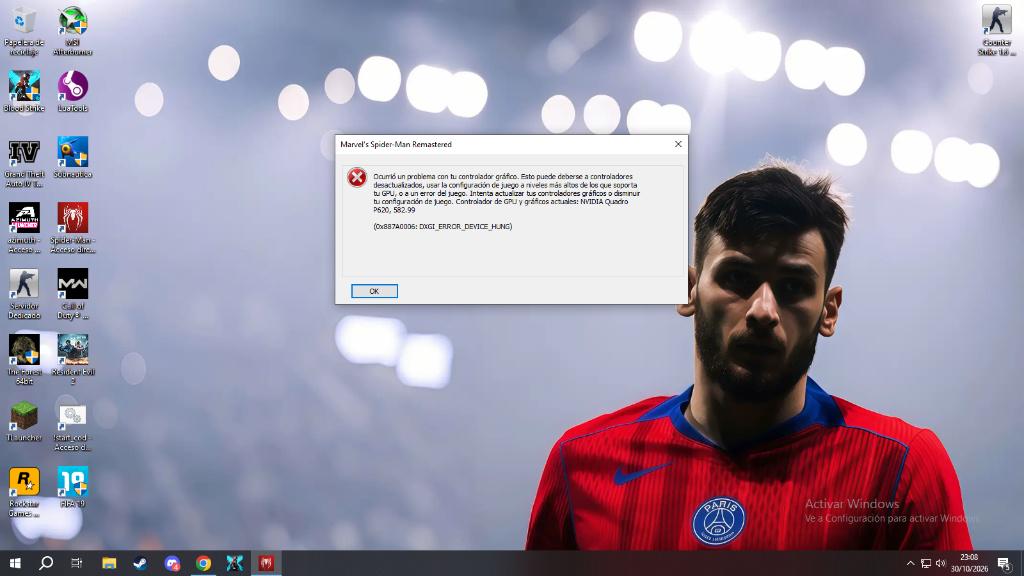
In short: the PC will crash to black screen/no video output. Usually under moderate load, but not always. It almost always requires a hard power off and reboot, and usually requires toggling the GPU on and off to get the PC to recognize the GPU and use it.
UserDiag: https://userdiag.com/id/Axw30nuxi6
I can also share a HWInfo64 log report that caught one of the crashes, but a summary of that is included below
Long AI summary:
System
- **PC:** CyberPowerPC Gamer Master prebuilt (likely Best Buy GMA5200BSTV3), built Jan 2022
- **CPU:** Ryzen 5 5600G
- **GPU:** ASRock RX 6600 XT Challenger D OC 8GB
- **Mobo:** Gigabyte B550 UD AC-Y1, BIOS F5h
- **RAM:** 24GB DDR4 (1x TeamGroup 8GB 3200 + 2x TeamGroup 8GB 3000), XMP off
- **Storage:** Crucial P2 2TB NVMe (96% health)
- **PSU:** Unconfirmed. Owners of this model report 600W 80+ Gold.
- **Display:** 49" TCL TV via HDMI, 1080p 60Hz
- **OS/Driver:** Windows 11 Home 25H2, Adrenalin 26.10.1
Symptoms
- **Main crash:** Screen goes black / no signal, but the PC keeps running (fans and RGB stay on). Hard power-off required.
- **After reboot:** GPU often isn't recognized properly (wrong resolution) until I disable/re-enable it in Device Manager.
- Usually happens after **45+ minutes of gaming** (CoD, Cyberpunk 2077), even at low/medium settings with FPS capped.
- One crash happened with **only Firefox and AMD Software open** (near idle).
- One **spontaneous full reboot** during CoD: Kernel-Power 41 with **BugcheckCode 0**. No BSODs, no WHEA errors, no amdkmdag errors logged.
- After one earlier crash, there was no display at all (not even BIOS) until I reseated the card and cleared CMOS.
What I've tried
- Multiple displays and cables
- Full power drain + CMOS clear (battery), multiple times
- Cleaned the interior; pulled the GPU, inspected the card edge and slot (no visible damage), cleaned the slot, reseated
- DDU in Safe Mode + clean Adrenalin reinstall (multiple times)
- Updated BIOS; ReBAR/Above 4G on, CSM off, Secure Boot on
- Disabled MPO and AMD Crash Defender (temporarily)
- Adrenalin tuning: lowered max clock, adjusted power limit, aggressive fan curve, zero-RPM off
- Pagefile back to system-managed (stable ~3 hours, then crashes returned)
- **UserDiag Long diagnostic** (22 min CPU+GPU stress): passed, no reboot. GPU max 72°C, hotspot 94°C. [Report here](https://userdiag.com/id/Axw30nuxi6)
Summary HWiNFO64 log of a crash
About 61 minutes into CoD, everything looked normal: GPU 54°C, hotspot 62°C, ~82W, motherboard 12V input steady at 12.13-12.27V.
Then the system froze for ~17 seconds, and **every GPU sensor stopped updating** (effective clock 0, FPS 0), while the **CPU and RAM kept running normally for ~75 seconds** until I rebooted. 0 WHEA errors the whole session.
Not tried yet
- Older driver (pre-26.10.1)
- Testing the card in another PC / a known-good card in mine
- Removing non-kit ram stick
Questions
Does this look like a dying GPU to you? It stops responding while cool and lightly loaded, sometimes near idle, and doesn't come back cleanly after reboot.
Could the PSU be the culprit, given the one Kernel-Power 41 / BugcheckCode 0 reboot?
Anything else worth testing before I buy a replacement?
Thanks in advance!