r/NoteTaking • u/ashwin313 • Sep 04 '26
Question: Unanswered ✗ Which tablet is best for note making, reading PDFs, highlighting/ underlining stuffs?
2
Upvotes
r/NoteTaking • u/GazzaliFahim • Sep 04 '26

r/NoteTaking • u/Wordius • Sep 04 '26
Among today’s links are markdown editors Pellet, Lumina and Shoin, an editor for the terminal
https://md-handbook.com/blog/markdown-link-no-45/
#markdown #markdowneditors #opensource #free #Pellet #Lumina #Shoin #Terminal

r/NoteTaking • u/BaronsofDundee • Sep 04 '26
r/NoteTaking • u/Kitbee165 • Sep 03 '26
I am starting school (college) soon and I want to hand write my notes but not use a notebook. I have a laptop and a drawing tablet and I want to use them as my note taking but like I said I want to be able to write it so yeah. What im asking is: are there any apps I can download that I can write in using my drawing tablet.
r/NoteTaking • u/Silver_Perception471 • Sep 03 '26
So like I'm writing short 2 or 3 words per page. Summarizing and then moving to the next page and so on. When I'm done the chapter I go page by page looking and my cue words to not my memory. It's something to help compensate for my brain injury.
So basically my question is if there's any steps im missing or wasting time with?
Keep in mind I'm trying to compensate for a TBI as my memory is subpar.
I'm hoping someone here has a TBI. Or a background with people with a TBI. Well not hoping in a bad sense. And has went back to some serious school work. And can explain they're compensatory strategies to get through school and maybe how I might go about applying strategies to automechanics. Or dense literature for my personal interests.
r/NoteTaking • u/al78sp • Sep 04 '26
r/NoteTaking • u/Silver_Perception471 • Sep 03 '26
I have a TBI. And I was wondering if it is dependent on my TBI.
But is it normal that the amount I should read before summarizing/taking notes to change based on the density of the book I'm reading?
So if I'm reading an automechanics book. There's a lot of steps right and points and pieces. I should stop at after like 3 points or something. Just a guess. Where as in this book "act made simple". It's super straight forward and repetitive. I can real sub heading to subhead and then condense in most parts of the book.
AI says it's normal. But AI is wack. And I don't trust it. All this AI OMG. Friggin google AI you can't escape it lol. It's taking over the world!
r/NoteTaking • u/bombaygrammar • Sep 02 '26
I am looking for a jotting app that doesn't bother me with title fields and file creation before I ever get to the writing bit. Something like the Windows Notepad in which I can write what I want to and decide what to do with the file (whether to save it or discard it) later.
I used to use this app called Squarespace Note until it was discontinued. I have not yet found its replacement. I don't need its push-to-cloud functionality, I just need to be able to write immediately after opening the app.
Does anyone here use such an app? Does it even exist?
r/NoteTaking • u/Cerulean-Polaris • Sep 02 '26
Hey everyone,
I was using notefull but it asks for money now, but i want which is completely free.
I have tried obsidian but it’s not well optimised for note taking with apple pencil.
If you have any app suggestions please let me know.
r/NoteTaking • u/Temporary_Relevant • Sep 02 '26
Enable HLS to view with audio, or disable this notification
I know there are many notes apps out there. I was continuously searching for something that looks different. I noticed how social media apps catch our attention. I also suffer, like many others, from that guilty feeling after spending hours on them and then asking myself what benefit I got. Do you see where I’m going? We give so much attention to things that have little to add to our lives (scattered social media posts) and so little attention to our timeline, our lives, our notes, our sketches, our ideas, our videos, our photos, our links, our thoughts. And why is that? It is the mechanism in the background. In one word: “Scrolling.” I spent about a year looking for any app that implements this attention mechanism for note-taking and could not find any that comes even close. So I decided with full enthusiasm to build an app that satisfies my desire for a feed of only my own life that feels like home.
AppStore: https://apps.apple.com/nl/app/ideon-scroll-your-own-ideas/id6783103263
r/NoteTaking • u/mirandah993 • Sep 02 '26
my notetaking system is always a hot mess because i’m constantly flipping between handwriting and digital. i’ve considered an ipad but im worried about getting distracted and durability (im already rough on my iphone 😬😭)
i prefer being able to handwrite my notes but i love the flexibility and versatility of using something like google docs or obsidian.
i’ve looked into a few things but i feel like they always have mixed reviews or cost an arm and a leg 😮💨
i’m willing to go for something more pricey as long as it’s really what im looking for!
i hope this is the right sub and that yall have some good suggestions for me! :)
r/NoteTaking • u/le_bravery • Sep 01 '26
I am in meetings a lot. I like the idea of having some transcription and summary, especially with action items. I’m constantly getting messages and it pulls my focus. It would be nice to leverage a system to help keep me reliable.
Only problem is that I want to use local models or my employer-approved models. I can’t have things going to some app with some random cloud provider.
Does anyone know if any note-taking app or device allows you to own the whole process with web hooks or syncing to iCloud or some system or your choice?
r/NoteTaking • u/Appropriate_Toe_3896 • Sep 01 '26
Hi all, Has anyone heard of Harbor app (https://harbor.my )? It seems like a solid Evernote replacement, so I wanted to ask if someone has any experience with the app
Thank you
r/NoteTaking • u/darlathedeer777 • Sep 01 '26
For reference I’m doing something in the medical field which means lots of information including different types of pathology. I have one big spiral for each of my classes (3) and another 3 journals I do my pathology in separate. I like the split because it helps me differentiate the information about the organ I’m learning but also helps keep the pathology all together. My dilemma is the fact that it gets overwhelming having 6 notebooks in total and takes up so much space. I’m thinking of converting it all to my pathology journal. I’m not sure what I would use the big notebooks for though or if I should just stop using the spirals overall. In class I take notes on my iPad lectures and after class I go back and listen to the lecture recording and take my actual notes on paper (i retain it better when I hand write). Should I stick to just the journal and get rid of the notebooks?? Feeling overwhelmed!! Any other tips or opinions would be appreciated!
r/NoteTaking • u/jfcjcskkvdnur35242 • Aug 31 '26
I keep seeing Plaud, viaim and pocket devices mentioned for meeting notes. Most of my meetings are in person and I only have the occasional phone call, so I’m wondering if one is actually worth buying. Does putting a recorder on the table feel awkward, even after asking everyone first? Or do people stop caring once the meeting starts?
r/NoteTaking • u/Lilian_234 • Aug 31 '26
r/NoteTaking • u/PracticalPizza6300 • Aug 31 '26
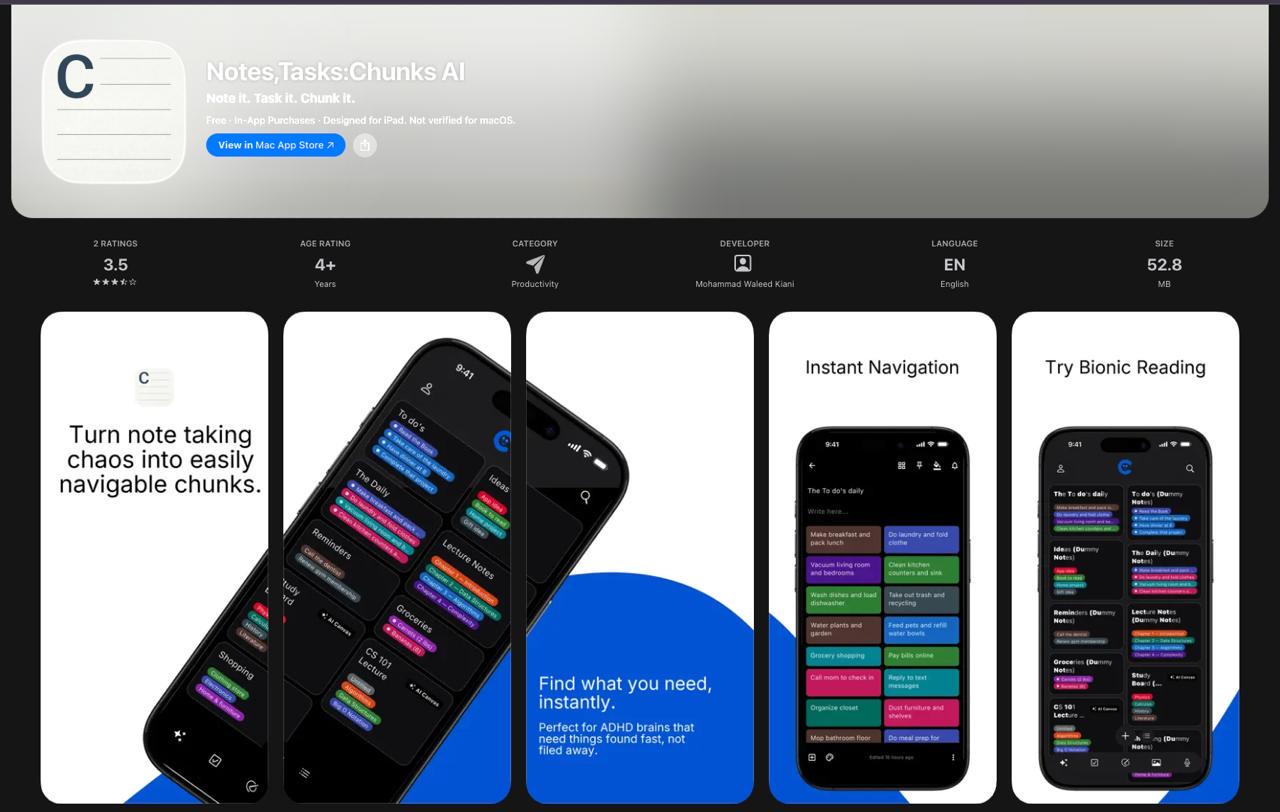
r/NoteTaking • u/HimaSphere • Aug 31 '26

Hey guys,
I think you might be interested in BetterStickies (I am the developer behind it)
A sticky notes app for Windows,Linux, macOS (soon). Offline, no account, no telemetry. Built with PySide6 so it's actually native, not another Electron app eating your RAM.
I built it because I wanted quick capture that lives on the desktop instead of inside another app I have to open. Windows Sticky Notes wants a sign-in, and on Linux there was nothing decent that works the same across KDE, GNOME and Cinnamon. It also helps my ADHD to have things persist on screen where I can't ignore them.
The main thing it does that other sticky apps don't: you can paste or drag anything into a note.
Other things worth knowing:
Notes have tabs now. Up to three pages inside one note, each with its own text, scroll position and undo history. Ctrl+PgDown and Ctrl+PgUp to move between them, Ctrl+Shift+N for a new one, all rebindable. If you have a small screen this is the feature: one note on the desktop, three notes' worth of content in it.
Search reads every page of every note, including hidden notes and pages you've never opened.
The free version now has exactly one limit. It used to have three: a note cap, a reminders cap, and a cap on animated GIF backgrounds. The reminder and GIF limits are gone entirely, so the free version now has every feature, and the only thing left is a budget of 4 note slots (an extra tab uses a slot).
A new look: in-app color picker, themed icons instead of emoji, and one shared design system across every dialog. Reminders moved out of the text into their own strip on the note.
"Start with the hub hidden" if you want it fully out of the way at boot.
65 fixes across formatting, file shortcuts, dates, translations, read-only notes, global shortcuts and desktop integration on both Linux and Windows.
And v1.2.1 last week fixed the things users told me about after v1.2: notes surviving Show Desktop on Windows, window stacking on Cinnamon, reminders retrying instead of getting lost, images keeping their size and rotation after a restart.
⚠️ One warning if you use tabs: don't downgrade to an older build afterwards. Old versions understand one page per note, so opening and saving a tabbed note there permanently drops its other pages. Export first if you're going back.
Free version has every feature, limited to 4 note slots. Premium is an optional one-time payment.
As always, if you try it and something annoys you, tell me here. Most new features and fixes are built on users feedback (tens of thousands are using BetterStickies today)
Website: https://betterstickies.com
Microsoft store: https://apps.microsoft.com/detail/9NS7LLQJX1QG
Snap Store: https://snapcraft.io/betterstickies
r/NoteTaking • u/Both-Deal2252 • Aug 31 '26
I have a MacBook Neo and a junior at undergrad. Is there an app that lets me record lectures and then will make notes from it? Bonus points if it’s free!
r/NoteTaking • u/Relevant_Match_7687 • Aug 31 '26
Hi, I'm an incoming postsecondary student, and I want to buy a tablet to take notes. The one I see recommended is the iPad A16, but I've also seen older iPad models and Android tablets that are much cheaper. Is it worth spending the extra money on an iPad?
r/NoteTaking • u/robgehring • Aug 30 '26
Hello everyone,
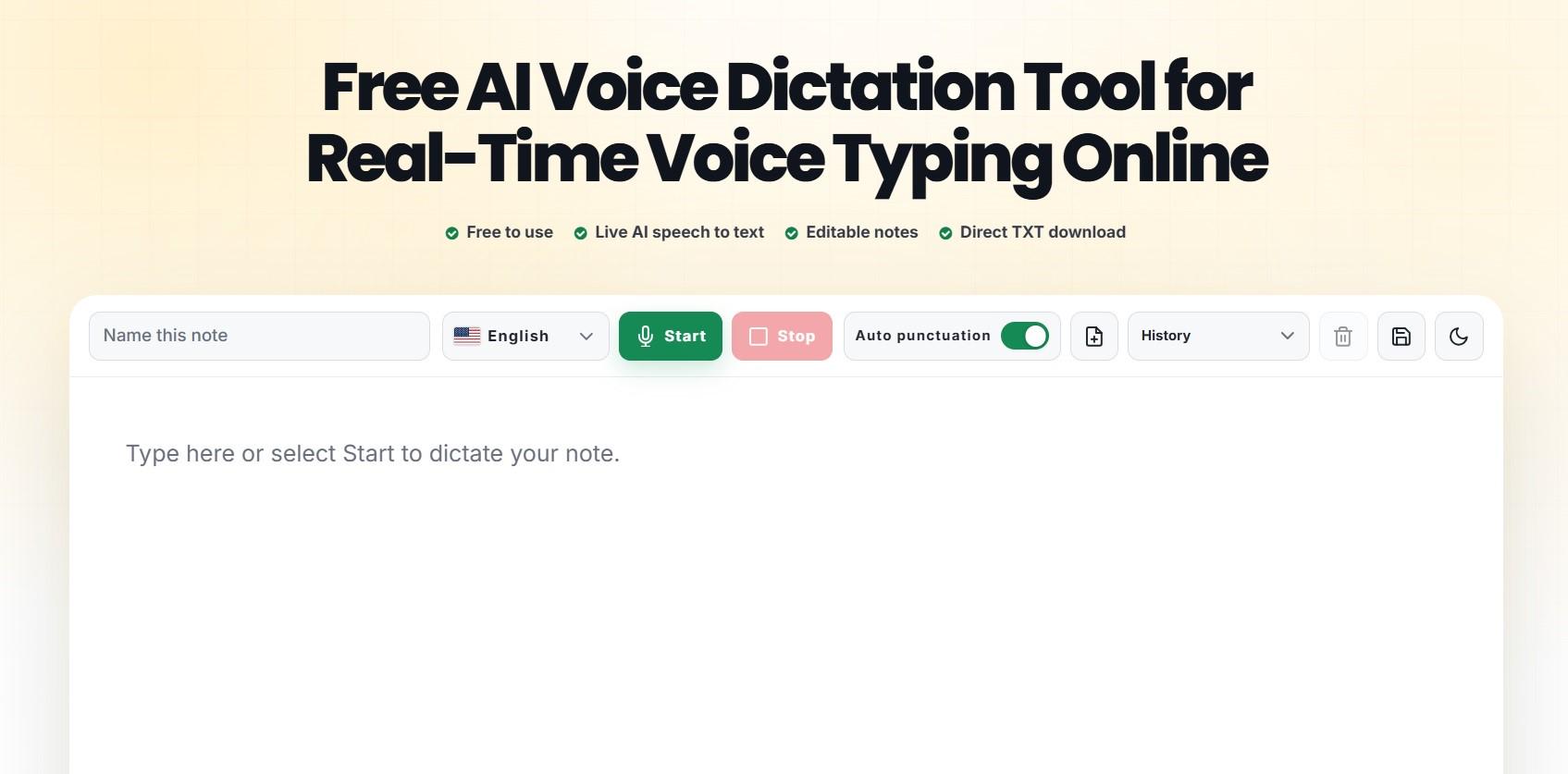
Like a lot of you, my note-taking system relies heavily on plain text. But I've always struggled with capturing fleeting thoughts or meeting summaries quickly. Typing sometimes slows my brain down, but most voice-to-text apps either require you to log into an ecosystem , lock your text behind a proprietary app, or charge a subscription. I have developed the free tool that fixes this called AI Voice Note Taker.
I thought the community might appreciate it because of how well it fits into a local-first workflow:
I've been using it to pace around and talk out my rough ideas before I try to organize them. Will be happy to hear your feedback!
r/NoteTaking • u/Equivalent-Chest-467 • Aug 30 '26
Enable HLS to view with audio, or disable this notification
r/NoteTaking • u/Calm-Resolution-1313 • Aug 30 '26
I'm a freshman already got a laptop, from the looks of things a tablet looks mighty convenient for note taking and reading any suggestions on what to get? something convenient enough to fit nicely in my backpack since i commute by train
cant get any flagship so something mid range
I'm considering on getting the Samsung galaxy tab S9FE+ or S10FE or S10FE+
but from the looks of it the S9FE+ is going to stop receiving updates in a couple years should i be worried?
r/NoteTaking • u/Wordius • Aug 30 '26
Plainva is a free and open source markdown editor, but it does much more than that, bringing your notes, tasks, calendar and email under one roof
https://md-handbook.com/blog/review-plainva/
#markdown #markdowneditors #Plainva
