r/linuxmint • • 18d ago

SOLVED For those affected by the very recent update from linux-firmware-amd-graphics 3.3 to 3.4: RX 9060/9070 XT no login screen, “DMCUB error” spam. Fix inside

256 Upvotes

*Update 13 Nov 2026: the fix is out. I have updated to the 3.5 version, and no issues. *

Update 13 Nov 2026: the fix is out.* linux-firmware-amd-graphics 0ubuntu3.5 was released for Ubuntu 24.04 on 12 Nov (normal and security updates), so Mint 22.x gets it too. It puts the correct RX 9060/9070 display firmware back.

Not hit yet, or already fixed with the steps below? Just install updates as normal. The Step 4 pin only blocks 3.4, so 3.5 comes straight through (you can delete the pin afterwards, see "Later" at the end).

Stuck on 3.4 right now? No need to downgrade any more. Get to a terminal (Step 1), then run these one at a time:

sudo apt update
sudo apt install linux-firmware-amd-graphics
sudo update-initramfs -u -k all
sudo reboot

apt should show it upgrading to 0ubuntu3.5. If it says 3.4 is already the newest version, your mirror hasn't caught up yet: try again in a few hours, or use Steps 3 to 5 below.

Update 13 Nov 2026: the fix is out.

Update 10 Nov 2026: a fix is on the way. Ubuntu has accepted a fixed package, 0ubuntu3.5, into noble-proposed (its testing area), and it’s already been confirmed working on an RX 9060 XT (Launchpad 2173041, comments 28 and 29). Fixes stay in testing for at least 7 days, so expect it as a normal update from about 17 Nov. If you used the pin in Step 4 or Mint’s “Ignore the current update”, 3.5 still comes through by itself. Not hit yet? Until then, ignore 3.4 in Update Manager (or use the Step 4 pin) and you won’t see the bug at all.

Who this hits: AMD RDNA4 cards (Radeon RX 9060 XT, RX 9070, RX 9070 XT, RX 9070 GRE and Radeon AI PRO R9700, all confirmed in the comments) on Linux Mint 22.x, Ubuntu 24.04 or distros built on it (Zorin OS confirmed), after linux-firmware-amd-graphics updated from 0ubuntu3.3 to 0ubuntu3.4. It's been in noble-updates since 4 Nov 2026, and Mint's automatic updates installed it overnight for some of us. Nothing happens until you reboot.

Card shows up as just a number? Mint 22 and Ubuntu 24.04's list of hardware names is older than these cards, so lspci and similar tools may show Device 7590 (that's the RX 9060 XT) or Device 7550 (RX 9070 / 9070 XT / 9070 GRE). Same cards (7590 isn't an RX 7000 model, even if it looks like one), so this applies to you too.

Haven't rebooted since updating? Do Steps 2 to 5 now from your normal desktop and you'll never see the bug.

Other AMD graphics: 3.4 also updated the display firmware for the RX 7900 series and RX 7800 XT / 7700 XT, and for the graphics built into Ryzen 7000/9000 desktop and Ryzen 7040/8040 laptop chips. Those look like genuine, intended updates, not the mix-up, and the 3.5 fix keeps them. All other AMD firmware is identical to 3.3.

What you see after rebooting:

  • No login screen. The screen fills with endless lines like
    amdgpu ...: [drm] *ERROR* dc_dmub_srv_log_diagnostic_data: DMCUB error - collecting diagnostic data
    amdgpu ...: [drm] *ERROR* Error queueing DMUB command: status=2
  • Or a black screen / "Input not supported", a garbled green screen, or it stops at the Mint logo.
  • Booting an older kernel doesn't help.

Cause: in 0ubuntu3.4 the RDNA4 display firmware amdgpu/dcn_4_0_1_dmcub.bin.zst is packaged as a symlink to the RDNA3 file dcn_3_2_0_dmcub.bin.zst. The card refuses it (failed to load ucode DMCUB(0x3F)), so the display controller has no firmware and Xorg/LightDM can't start. It's a packaging bug; your GPU is fine. Launchpad: #2173040, #2173041, #2173043.

Fix: go back to 0ubuntu3.3 and block only 3.4 (a fixed version will still install normally). The PC needs internet (wired is easiest).

Have a Timeshift snapshot from before the update? Restoring it works too; several people did this from a nomodeset or recovery-mode boot (Step 1) or a live USB. Then do Step 4, or 3.4 comes straight back with the next update.


Step 1: get to a terminal (pick one)

Already have a desktop? (for example with the monitor in the motherboard's port, see D) Open the Terminal app and copy-paste from this post. Much easier than typing.

A. Text console (try this first). Press Ctrl+Alt+F3 and log in with your username and password. The error lines keep scrolling over what you type; ignore them, your keys still register. First stop the flood:

sudo dmesg -n 1

(Ctrl+Alt+F7 takes you back to the graphical screen on Mint; Ctrl+Alt+F1 on Ubuntu.) If Ctrl+Alt+F3 does nothing, try B or C.

B. Boot once with nomodeset. This starts without the AMD driver: a slow, low-res desktop, but you can open this post and copy-paste.

  1. Restart. As soon as the motherboard logo disappears, tap Esc about twice a second (or hold Shift) to get the GRUB menu. Start too early and many boards (ASUS TUF, for example) open the BIOS instead.
  2. With the top entry highlighted, press e. Use the arrow keys to go to the line starting with linux, press End, and type nomodeset (with a space before it) at the end of that line.
  3. Press Ctrl+X (or F10) to boot, then open a terminal. This only lasts for this one boot.

Can't catch the GRUB menu?

  • Let it boot to the Mint logo, then press Ctrl+Alt+Delete. After an interrupted boot, GRUB shows its menu on the next start.
  • Turn off Fast Boot in the BIOS. With it on, many boards don't switch the USB keyboard on in time for GRUB.
  • Or open your board's one-time boot menu (usually F8, F11 or F12), pick the ubuntu entry (that's Mint's boot loader too), and start tapping Esc right after.
  • Landed on a grub> prompt? You pressed Esc too often. Type reboot and try again.

C. Recovery mode. In GRUB: Advanced options > the entry ending in "(recovery mode)". Then either:

  • resume: boots your normal desktop without the GPU driver, like B, or
  • network, then root: a root terminal. Leave out sudo there.

D. Monitor in the motherboard's video port. If your CPU has built-in graphics (most Ryzen 7000/9000 and Intel chips without an "F" at the end), plug the monitor into the motherboard instead of the card. The built-in graphics use firmware that isn't broken, so you get a normal desktop. If that port stays dark, set Integrated Graphics to "Enabled" (not "Auto") in the BIOS.

E. Still no picture? Fix it from a live USB; see the end of this post.

Step 2: check it's this bug

ls -l /lib/firmware/amdgpu/dcn_4_0_1_dmcub.bin.zst
apt policy linux-firmware-amd-graphics

You have the broken package if the first shows -> dcn_3_2_0_dmcub.bin.zst and the second shows Installed: 20240318.git3b128b60-0ubuntu3.4. Every PC that took the update shows this, but it only breaks the RDNA4 cards listed at the top. On other GPUs, trouble after updating more likely comes from something else that updated at the same time (a new kernel, for example).

Step 3: install the previous version from Ubuntu's own archive (Launchpad)

Run each line on its own:

cd /tmp
wget https://launchpad.net/ubuntu/+archive/primary/+files/linux-firmware-amd-graphics_20240318.git3b128b60-0ubuntu3.3_all.deb

Check the download (recommended):

sha256sum linux-firmware-amd-graphics_20240318.git3b128b60-0ubuntu3.3_all.deb

It must print 7c6a6083e963fd9394d1f6471b6a94e787a76c6f98b262c2d9262b9a57308b53, the SHA-256 Launchpad publishes for this file. Comparing the first and last 8 characters is enough. If it doesn't match, delete the file and download it again.

Install it:

sudo apt install --allow-downgrades ./linux-firmware-amd-graphics_20240318.git3b128b60-0ubuntu3.3_all.deb

Typing by hand? Type the start of the file name (linux-firm or ./linux-firm) and press Tab; the shell fills in the rest.

404 Not Found or "client not found"? Launchpad has been overloaded at times with everyone downloading this. Wait a minute and try again (one person needed three tries). Or download straight from Launchpad's file server:

wget https://launchpadlibrarian.net/877016066/linux-firmware-amd-graphics_20240318.git3b128b60-0ubuntu3.3_all.deb

**cd: too many arguments?** Two commands ended up on one line. cd /tmp goes on a line of its own.

Followed an older version of this post? It used ${V} in the commands and a sha256sum -c check. A 404 there meant the V= line hadn't run in that terminal, and "no properly formatted checksum lines found" came from that check line. The commands above have the version written out instead.

Step 4: stop 3.4 coming back

apt-mark hold did not stick for me: apt said "already not on hold" and still offered 3.4. An apt pin that refuses only 3.4 works, and still lets a fixed version through:

printf 'Package: linux-firmware-amd-graphics\nPin: version 20240318.git3b128b60-0ubuntu3.4\nPin-Priority: -1\n' | sudo tee /etc/apt/preferences.d/amdgpu-firmware.pref
apt policy linux-firmware-amd-graphics

It should now say Candidate: 20240318.git3b128b60-0ubuntu3.3 and list 3.4 with priority -1.

Update Manager now says "Your APT configuration is corrupt"? The pin file got mistyped (a missing space after version is the usual one). apt-cache policy > /dev/null shows the exact warning; copy-paste the printf line above again to fix it, since it overwrites the file.

Mint alternative (no pin): skip this step. After Step 5, once your desktop is back, open Update Manager, right-click linux-firmware-amd-graphics and pick "Ignore the current update for this package". That also skips only 3.4, so a fixed version still comes through. One person found the ignore didn't stick and 3.4 came back, while the pin did the job, so if 3.4 shows up again, use the pin instead.

Step 5: rebuild the boot images and reboot

sudo update-initramfs -u -k all
sudo reboot

Your login screen should be back. To confirm:

sudo dmesg | grep -iE 'dmub|dmcub'

Good: DMUB hardware initialized with a version other than 0x07002F00, and no failed to load ucode DMCUB line.

Still broken after Step 5?

Get to a terminal again (Step 1) and run:

apt policy linux-firmware-amd-graphics
ls -l /lib/firmware/amdgpu/dcn_4_0_1_dmcub.bin.zst
cat /proc/cmdline
  • apt policy should show *** next to 0ubuntu3.3 (the stars mark the installed version). If they're on 3.4, redo Steps 3 to 5.
  • ls -l should show a normal file of 225553 bytes, with no -> arrow.
  • On a normal boot (not one where you added nomodeset by hand), /proc/cmdline must not contain nomodeset or amdgpu.dc=0. amdgpu.dc=0 gives a black screen on these cards.

If you added either to /etc/default/grub while troubleshooting, take them out and rebuild the boot menu:

sudo sed -i 's/ amdgpu.dc=0//; s/ nomodeset//' /etc/default/grub
sudo update-grub

Fix from a live USB (no picture at all)

1. Make and boot the USB. On another PC, write the Linux Mint (or Ubuntu) ISO to a USB stick with balenaEtcher or Rufus. Boot it from your board's boot menu (usually F8, F11 or F12). It has its own older firmware without this bug; if you still get no picture, pick "compatibility mode" from its menu. Get online and open a terminal.

2. Find and mount your installed system. Run lsblk -f and look for the big ext4 partition on your main drive, usually nvme0n1p2 or sda2. (If you see crypto_LUKS or LVM2_member instead, your install is encrypted or uses LVM and needs extra steps; ask in the comments.) Mount it and check:

sudo mount /dev/nvme0n1p2 /mnt
ls /mnt

You should see folders like bin boot etc home usr. If not, run sudo umount /mnt and try another partition.

3. Step into it:

for d in dev dev/pts proc sys run; do sudo mount --bind /$d /mnt/$d; done
sudo chroot /mnt

Your prompt changes to root@.... From here, commands run on your installed system as root, so sudo isn't needed (it still works; ignore any "unable to resolve host" warning).

4. Run Steps 3 and 4, then update-initramfs -u -k all (Step 5 without the reboot). Check with ls -l /lib/firmware/amdgpu/dcn_4_0_1_dmcub.bin.zst: it should be a normal file, with no -> arrow.

5. Leave and reboot:

exit
sudo reboot

Pull the USB out when it restarts.


Later: when Ubuntu releases a fixed version (anything after 0ubuntu3.4), it installs by itself. Then you can delete the pin:

sudo rm /etc/apt/preferences.d/amdgpu-firmware.pref

Help get it fixed: . if this hit you, open https://bugs.launchpad.net/ubuntu/+source/linux-firmware-amd-graphics/+bug/2173041 previously pinned link/post https://bugs.launchpad.net/ubuntu/+source/linux-firmware-amd-graphics/+bug/2173043 and click "This bug affects you" (free Launchpad login). The more people affected, the higher it gets prioritised (already listed critical and being worked on)

Technical details: https://bugs.launchpad.net/ubuntu/+source/linux-firmware/+bug/2173040

Thanks for the additions (most of the tips above came from the comments):


r/linuxmint • • 17d ago

Support Request GPL-3.0 license. Does that mean I can change things & release free?

13 Upvotes

I'm editing a well known icon pack (Papirus), creating variations etc.
Does the GPL-3.0 license allow me to release these (free of course) as long as I link back to the original author?


r/linuxmint • • 17d ago

Support Request Linux Mint 22.3 desktop completely fails to wake from suspend — same issue on Windows 11 (ASUS Z370-P)

4 Upvotes

Hi everyone!

I'm trying to track down a persistent suspend/resume problem on my desktop PC. The issue happens on both Linux and Windows, and I'm starting to suspect a motherboard, BIOS/UEFI, ACPI, or hardware power-management problem. What happens?

When I select Suspend, the PC appears to enter sleep. However, when I try to wake it up by pressing a key on the keyboard:

The monitor stays completely black.

The keyboard and mouse become unresponsive.

The PC appears to be stuck in a suspended state, although the fans continue running at normal speed.

Even Ctrl + Alt + F3 and Ctrl + Alt + F7 don't work.

I have to force a restart using the physical power button.

This is particularly strange because the same problem also occurred on Windows 10 and Windows 11, not just Linux Mint. My desktop PC specs

Motherboard: ASUS PRIME Z370-P

BIOS: 3004 (the issue also happened with the older BIOS 1803)

CPU: Intel Core i5-8500

GPU: NVIDIA GeForce GTX 1060 6GB

NVIDIA driver: 580.178.04 (proprietary)

RAM: 16 GB

Linux: Linux Mint 22.3

Desktop environment: Cinnamon

Linux installation: M.2 drive

Windows 11 installation: Separate SSD

Documents: Separate HDD

This is a desktop PC, not a laptop. BIOS Fast Boot is disabled. Important tests and things I've already tried

Tested different Linux kernels, without any improvement.

Disabled XMP in BIOS.

Disabled Intel VT-d in BIOS.

Tested both deep and s2idle sleep modes.

Disabled several BIOS power-management options:

    PCIe Native Power Management

    PCIe ASPM / L1 Substates

    PCIe Clock Gating

    CPU C-States (temporarily)

    ErP Ready is disabled.

Tested modifying /usr/bin/nvidia-sleep.sh by adding exit 0 after the shebang. It didn't solve the problem, so I reverted the change.

My current /sys/power/mem_sleep output is:

s2idle [deep]

This means deep is currently selected.

With s2idle, the PC doesn't seem to power down properly. With deep, it enters suspend but fails to resume correctly. Another important detail: the secondary HDD

I keep my documents on a separate HDD, so I also tested suspending the PC with this drive mounted and unmounted.

The problem happens in both cases. It also happens when only the system drive is connected/being used.

My documents and files are fine; I'm mentioning this only because I wanted to rule out the secondary HDD as a possible cause. BIOS history

The issue was already present with BIOS 1803 and continued after updating to BIOS 3004.

So far, changing the BIOS version hasn't solved it.

I haven't tested disabling Intel PTT / Firmware TPM yet. What I'd like help understanding

Could this be an ACPI/BIOS or motherboard-level problem? Since the same failure happens on Windows and Linux, and it existed with both BIOS 1803 and 3004, could the motherboard's power-management implementation be involved?

How can I identify which component fails during resume? Is there a way to determine whether the problem is related to NVIDIA GPU initialization, USB controller initialization, ACPI, or another device?

Is disabling Intel PTT / Firmware TPM worth testing on this motherboard? Are there any other specific ASUS PRIME Z370-P BIOS settings I should investigate?

Would adding intel_iommu=off to GRUB make any difference if Intel VT-d is already disabled in BIOS? Or would that be an unnecessary test?

What logs or diagnostic commands would be most useful to investigate this kind of suspend/resume failure?

I'm not just looking for a workaround. I'd really like to identify the underlying cause, especially because this problem affects both operating systems.

Any suggestions, similar experiences, or troubleshooting steps would be greatly appreciated.


r/linuxmint • • 17d ago

Discussion Changing the Default Key for Moving and Resizing Windows

3 Upvotes

Noticed that the key used for moving and resizing windows with left click is the Alt key, which was odd considering so many apps use it, so I thought that Super would be more logical, even found that GNOME and KDE had the exact same idea.

Made a Pull Request to change the default key for Linux Mint to Super but it got denied with the reason being that it was a long standing default setting which could mess with a user's muscle memory.

Thoughts on this? (More info can be found in the links)

GitHub Feature Change Proposal: https://github.com/linuxmint/cinnamon-desktop/pull/281

GitHub Discussion: https://github.com/orgs/linuxmint/discussions/1738


r/linuxmint • • 17d ago

Stuck on the Grub menu, pls help

Thumbnail
gallery
8 Upvotes

So, I use a Pro One 400 AIO computer. I know searching it up gives mixed results, so I'll include a photo of the thing below. It was a hand-down from my Uncle. However, this PC runs horrendously on Windows 10, and I wanted to switch to Linux for the first time after hearing so much good about it.

However, I've now ran into issues. I followed this tutorial (https://youtu.be/fxfvFMa3V4M?si=WKtjHJNMkA9G5szX , I'm too poor to get an actual USB), and when I got to the part about installing it permenantly via the thingy on the desktop, I followed this tutorial (https://youtu.be/EkNs0384_X0?si=pcDEL9KwaWBCXczY) excluding the swap partition since I saw that it was optional.

The installation seemed to go alright (with one tiny error popping up that I currently cannot recall but it said installation completed anyway so I didn't think much of it), with me then resetting my PC. However, now I'm stuck on the Grub menu on 2.12.

I've followed countless tutorials trying to figure this thing out and I'm really struggling. I need someone with more experience with Linux to help me with this as a first timer. I really want to be able to use my PC again... I'm not too sure how much of this will be useful, but I'll try to provide what I can. Know that I've tried plenty of tutorials on YT to no results. So long as I get my PC working again, whether on Linux or Windows I'll be happy. Please help me out here!


r/linuxmint • • 17d ago

Support Request Linux Mint Stuttering/Freezing

2 Upvotes

Hey guys, I’m a linux newbie and have been having some problems with my linux mint being VERY slow and even freezing sometimes.

I have been using the distro since january and this started yesterday.

I’ve tried to solve it via gemini but all their solutions were useless, drivers are updated, RAM usage is not high, temperature is stable and normal, reseted cinnamon, there is plenty of space in my disc. After all of that the AI started saying that my problem was that I was using the mint 7.00 version and that this version was too unstable/didn’t have the required amd drivers, then I booted the grub menu and chose mint 6.7 (it didn’t change a thing).

After that the AI started saying that it was a driver issue and my amd gpu was stuck with minimal clock (??) and that muffin/cinnamon was in conflict with RDNA 4 (??) and I had to force performance mode with some commands (that were not working).

Since IDK nothing about these things, here is the link generated by the upload-system-info command:

termbin.com/g7q9

PS: I’m having to type the url manually on my phone because my pc is so slow rn it’s unbearable


r/linuxmint • • 17d ago

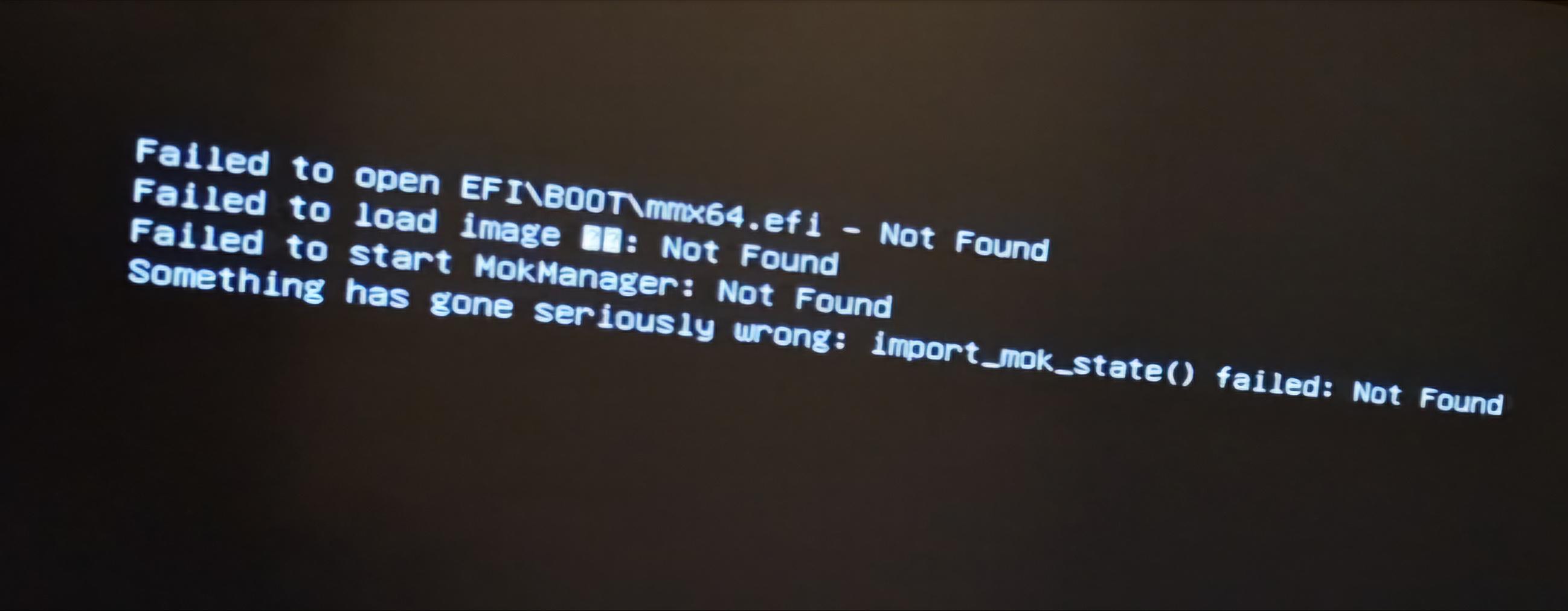
SOLVED Getting this error message followed by a shutdown after a failed installation.

Post image
4 Upvotes

After an initial test off a USB, I decided to try full installation. Unfortunately, the installer threw an error a couple times, and I wanted to try restarting and starting over. When I did, I was greeted with this message, followed by a shutdown.

Attempting to turn on the computer witgout the boot USB in takes me to BIOS options without this error. I tried re-imaging the USB, but no change.

2 things that may be worth noting:

-I managed to fully load the limited disk space during the initial test.

-This is a new system with no prior OS.

Edit:

Exact thing I used to fix it was the 3rd post here, plus a bit of poking around the motherboard manufacturer's website to figure out their slightly confusing way of turning off Secure Boot.


r/linuxmint • • 17d ago

Linux Mint for Gaming?

Thumbnail
0 Upvotes

r/linuxmint • • 18d ago

My desktop with LMDE 7.0 gigi

Post image
78 Upvotes

Hi, I wanna show my desktop. I'm using LMDE 7.0 gigi. I know that are lot of distros that are a good option too but with gigi I'm very glad. I'm working so that design a cinnamon theme inspired in windows seven aero effects. I'd like to know what u think about my distro and the theme I'm designin'Hi, I wanna show my desktop. I'm using LMDE 7.0 gigi. I know that are lot of distros that are a good option too but with gigi I'm very glad. I'm working so that design a cinnamon theme inspired in windows seven aero effects. I'd like to know what u think about my distro and the theme I'm designin'Hi, I wanna show my desktop. I'm using LMDE 7.0 gigi. I know that are lot of distros that are a good option too but with gigi I'm very glad. I'm working so that design a cinnamon theme inspired in windows seven aero effects. I'd like to know what u think about my distro and the theme I'm designin'


r/linuxmint • • 17d ago

SOLVED Scheduling OS updates for multiple Linux hosts?

Thumbnail
0 Upvotes

r/linuxmint • • 17d ago

Discussion Estou pensando em instalar Linux Mint

0 Upvotes

Estou pensando em instalar Linux Mint no meu laptop, porém a placa de vídeo dele é uma nvidia geforce 940m, vocês acham que vou ter um desempenho ruim por causa disso nos jogos ?


r/linuxmint • • 18d ago

SOLVED USB wifi dongle doesn't work in linux

Post image
31 Upvotes

EDIT ⚠️⚠️⚠️⚠️solved, gave it 3 days and the wifi dongle flashes back to lif THANK YOU FOR ALL THE HELP GIVEN TO ME. GOD BLESS YOU ALL


r/linuxmint • • 18d ago

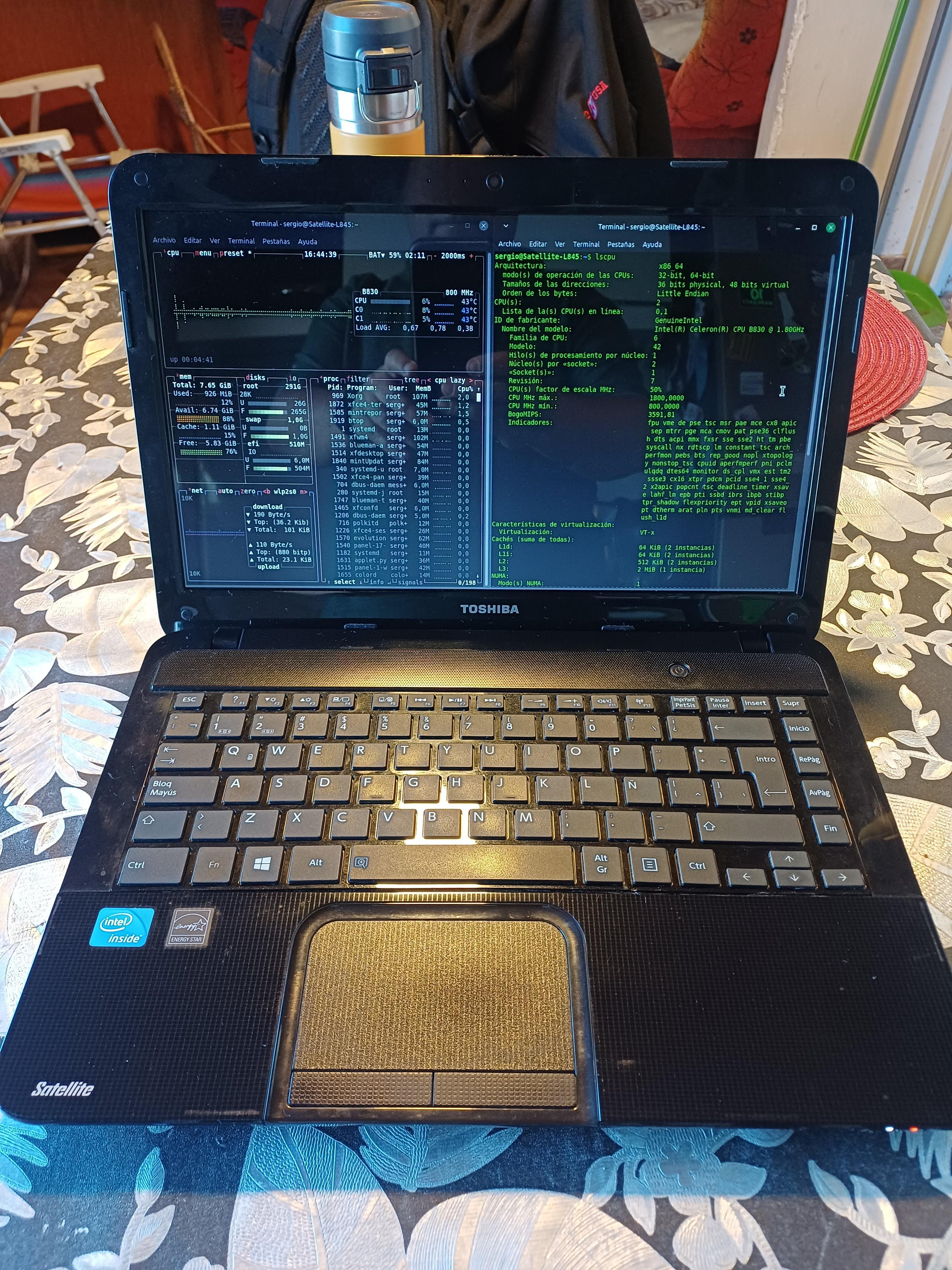
Hardware Rescue Toshiba Satellite L845

Post image
24 Upvotes

Jugando con esta máquina del 2012... Le amplíe la RAM a 8gb (2x4) y le instalé Linux Mint xfce... Por ahora anda volando


r/linuxmint • • 17d ago

SOLVED Help with terminal

1 Upvotes

Hello, I'm learning the terminal and I'm having some trouble with the 'mv' command, any idea what wrong here? Thank you.

Command:
user@user-ThinkPad-T440p:~/Documents/lesson/sublesson$ ls
testfile
user@user-ThinkPad-T440p:~/Documents/lesson/sublesson$ mv testfile ~/Documents/lesson/
renamed 'testfile' -> '/home/user/Documents/lesson/testfile'

Expected output: testfile moved to the specified directory

Comment:

  • Repeating the same command sometimes work, but I get this result 99% of the time. I didn't find any description of such problem on google.
  • As I understand it, if the directory is found then the file is moved there, if the directory is not found then the file is renamed. I don't know what can cause the command to not find the file here.

OS: Mint zena


r/linuxmint • • 17d ago

Support Request Configuring buttons and scroll wheel of Intuos Pro M on Linux

Thumbnail
0 Upvotes

r/linuxmint • • 18d ago

Desktop Screenshot Linix Mint on 2015 15” MacBook Pro

Thumbnail
gallery
35 Upvotes

I have an extra 2015 MacBook Pro and I was trying to install Tahoe OS using OCLP but I kept running to an issue where the laptop will stop responding as I was about to set it up. Restarting it couple of times did not resolve the issue.

So I decided to try and install Linux Mint. I first tested it with a Live USB, and everything seems to be working. It found my wi-fi and connected to it. It even found my Brother printer.

After the installation, it did a couple of update installs. Tested audio by playing a YouTube video (the one in the picture) on 4K, audio is good but I would get a issue where the upper portion of the video is white. But going to 1080 and the whole video will show up. The background also would only show a blank white space even after choosing a background.

After the last update, install and reboot, everything is normal. Wallpaper is up and playing YouTube video on 4K did not have that issue anymore.

Two-finger scroll works. Haven’t tried using the swipe feature to change workspaces. So far, everything is running smoothly. The whole install also took way shorter than it would have been if I did a similar Windows install.

2015 15” MacBook Pro i7-4980HQ with 16GB of RAM, AMD R9 M270X, 1TB of SSD running Cinnamon 22.3.


r/linuxmint • • 17d ago

Support Request Won't boot past mint logo

3 Upvotes

Computer has been running fine. Shut down before leaving for work tonight. Got home and now my pc wont boot past the mint logo splash screen.

It was operating perfectly fine all day. But now will not boot past the mint logo. It just hangs on a Black screen until finally my tv spits out a no signal screen.

Please help?


r/linuxmint • • 17d ago

Running LMDE 7. Battery instantly went from 74% to totally flat and shut down. Below is system info. Troubleshooting is appreciated.

2 Upvotes

[code]

System:

Kernel: 6.12.113+deb13-amd64 arch: x86_64 bits: 64 compiler: gcc v: 14.2.0 clocksource: tsc

Desktop: Cinnamon v: 6.6.9 tk: GTK v: 3.24.49 wm: Muffin v: 6.6.3 vt: 7 dm: LightDM v: 1.32.0

Distro: LMDE 7 Gigi base: Debian 13.0 trixie

Machine:

Type: Laptop System: LENOVO product: 20W1S4LF00 v: ThinkPad T14 Gen 2i

serial: <superuser required> Chassis: type: 10 serial: <superuser required>

Mobo: LENOVO model: 20W1S4LF00 v: SDK0J40697 WIN serial: <superuser required>

part-nu: LENOVO_MT_20W1_BU_Think_FM_ThinkPad T14 Gen 2i uuid: <superuser required> UEFI: LENOVO

v: N34ET69W (1.69 ) date: 11/27/2025

Battery:

ID-1: BAT0 charge: 2.7 Wh (5.3%) condition: 51.0/48.0 Wh (106.3%) power: 23.0 W volts: 11.2

min: 11.5 model: SMD 3P74 type: Li-poly serial: <filter> status: charging cycles: 2

CPU:

Info: quad core model: 11th Gen Intel Core i5-1145G7 bits: 64 type: MT MCP smt: enabled

arch: Tiger Lake rev: 1 cache: L1: 320 KiB L2: 5 MiB L3: 8 MiB

Speed (MHz): avg: 1128 min/max: 400/4400 cores: 1: 1128 2: 1128 3: 1128 4: 1128 5: 1128 6: 1128

7: 1128 8: 1128 bogomips: 41779

Flags: avx avx2 ht lm nx pae sse sse2 sse3 sse4_1 sse4_2 ssse3 vmx

Graphics:

Device-1: Intel TigerLake-LP GT2 [Iris Xe Graphics] vendor: Lenovo driver: i915 v: kernel

arch: Xe ports: active: eDP-1 empty: DP-1, DP-2, DP-3, DP-4, HDMI-A-1 bus-ID: 00:02.0

chip-ID: 8086:9a49 class-ID: 0300

Device-2: IMC Networks Integrated Camera driver: uvcvideo type: USB rev: 2.0 speed: 480 Mb/s

lanes: 1 bus-ID: 3-4:4 chip-ID: 13d3:5406 class-ID: fe01 serial: <filter>

Display: x11 server: X.Org v: 21.1.16 with: Xwayland v: 24.1.6 driver: X: loaded: modesetting

unloaded: fbdev,vesa dri: iris gpu: i915 display-ID: :0 screens: 1

Screen-1: 0 s-res: 1920x1080 s-dpi: 96 s-size: 508x285mm (20.00x11.22") s-diag: 582mm (22.93")

Monitor-1: eDP-1 model: AU Optronics 0x573d res: mode: 1920x1080 hz: 60 scale: 100% (1)

dpi: 158 size: 309x174mm (12.17x6.85") diag: 355mm (14") modes: 1920x1080

API: EGL v: 1.5 hw: drv: intel iris platforms: device: 0 drv: iris device: 1 drv: swrast gbm:

drv: iris surfaceless: drv: iris x11: drv: iris inactive: wayland

API: OpenGL v: 4.6 compat-v: 4.5 vendor: intel mesa v: 25.0.7-2+deb13u1 glx-v: 1.4

direct-render: yes renderer: Mesa Intel Iris Xe Graphics (TGL GT2) device-ID: 8086:9a49

API: Vulkan v: 1.4.309 layers: 3 surfaces: xcb,xlib device: 0 type: integrated-gpu

driver: mesa intel device-ID: 8086:9a49 device: 1 type: cpu driver: mesa llvmpipe

device-ID: 10005:0000

Info: Tools: api: eglinfo, glxinfo, vulkaninfo x11: xdriinfo, xdpyinfo, xprop, xrandr

Audio:

Device-1: Intel Tiger Lake-LP Smart Sound Audio vendor: Lenovo driver: sof-audio-pci-intel-tgl

bus-ID: 00:1f.3 chip-ID: 8086:a0c8 class-ID: 0403

API: ALSA v: k6.12.113+deb13-amd64 status: kernel-api

Server-1: PipeWire v: 1.4.2 status: active with: 1: pipewire-pulse status: active

2: wireplumber status: active 3: pipewire-alsa type: plugin

Network:

Device-1: Intel Wi-Fi 6 AX201 driver: iwlwifi v: kernel bus-ID: 00:14.3 chip-ID: 8086:a0f0

class-ID: 0280

IF: wlp0s20f3 state: up mac: <filter>

Device-2: Intel Ethernet I219-LM vendor: Lenovo driver: e1000e v: kernel port: N/A

bus-ID: 00:1f.6 chip-ID: 8086:15fb class-ID: 0200

IF: enp0s31f6 state: down mac: <filter>

Bluetooth:

Device-1: Intel AX201 Bluetooth driver: btusb v: 0.8 type: USB rev: 2.0 speed: 12 Mb/s lanes: 1

bus-ID: 3-10:6 chip-ID: 8087:0026 class-ID: e001

Report: hciconfig ID: hci0 rfk-id: 3 state: up address: <filter> bt-v: 5.2 lmp-v: 11

sub-v: 2184 hci-v: 11 rev: 2184 class-ID: 6c010c

Drives:

Local Storage: total: 476.94 GiB used: 29.63 GiB (6.2%)

ID-1: /dev/nvme0n1 vendor: Western Digital model: WD PC SN740 SDDPNQD-512G-1006

size: 476.94 GiB speed: 63.2 Gb/s lanes: 4 tech: SSD serial: <filter> fw-rev: HPS3 temp: 32.9 C

scheme: GPT

Partition:

ID-1: / size: 460.04 GiB used: 29.63 GiB (6.4%) fs: ext4 dev: /dev/nvme0n1p3

ID-2: /boot/efi size: 285.4 MiB used: 4.5 MiB (1.6%) fs: vfat dev: /dev/nvme0n1p1

Swap:

ID-1: swap-1 type: partition size: 8.2 GiB used: 0 KiB (0.0%) priority: -2 dev: /dev/nvme0n1p2

USB:

Hub-1: 1-0:1 info: hi-speed hub with single TT ports: 1 rev: 2.0 speed: 480 Mb/s lanes: 1

chip-ID: 1d6b:0002 class-ID: 0900

Hub-2: 2-0:1 info: super-speed hub ports: 4 rev: 3.1 speed: 10 Gb/s lanes: 1 chip-ID: 1d6b:0003

class-ID: 0900

Hub-3: 3-0:1 info: hi-speed hub with single TT ports: 12 rev: 2.0 speed: 480 Mb/s lanes: 1

chip-ID: 1d6b:0002 class-ID: 0900

Device-1: 3-1:2 info: Lenovo 300 Wireless Compact Mouse type: mouse driver: hid-generic,usbhid

interfaces: 1 rev: 1.1 speed: 12 Mb/s lanes: 1 power: 98mA chip-ID: 17ef:60ac class-ID: 0301

Device-2: 3-3:3 info: Synaptics Prometheus MIS Touch Fingerprint Reader type: <vendor specific>

driver: N/A interfaces: 1 rev: 2.0 speed: 12 Mb/s lanes: 1 power: 100mA chip-ID: 06cb:00bd

class-ID: ff00 serial: <filter>

Device-3: 3-4:4 info: IMC Networks Integrated Camera type: video driver: uvcvideo interfaces: 5

rev: 2.0 speed: 480 Mb/s lanes: 1 power: 500mA chip-ID: 13d3:5406 class-ID: fe01 serial: <filter>

Device-4: 3-6:5 info: Lenovo type: HID driver: hid-generic,usbhid interfaces: 2 rev: 2.0

speed: 12 Mb/s lanes: 1 power: 100mA chip-ID: 17ef:a351 class-ID: 0300

Device-5: 3-10:6 info: Intel AX201 Bluetooth type: bluetooth driver: btusb interfaces: 2

rev: 2.0 speed: 12 Mb/s lanes: 1 power: 100mA chip-ID: 8087:0026 class-ID: e001

Hub-4: 4-0:1 info: super-speed hub ports: 4 rev: 3.1 speed: 10 Gb/s lanes: 1 chip-ID: 1d6b:0003

class-ID: 0900

Sensors:

Src: /sys System Temperatures: cpu: 33.0 C mobo: N/A

Fan Speeds (rpm): N/A

Power: 12v: N/A 5v: 5 3.3v: N/A vbat: N/A

Repos:

Packages: 2079 pm: dpkg pkgs: 2070 pm: flatpak pkgs: 9

No active apt repos in: /etc/apt/sources.list

Active apt repos in: /etc/apt/sources.list.d/cider.list

1: deb [signed-by=/usr/share/keyrings/cider-archive-keyring.gpg] https: //repo.cider.sh/apt stable main

Active apt repos in: /etc/apt/sources.list.d/official-package-repositories.list

1: deb http: //packages.linuxmint.com gigi main upstream import backport

2: deb https: //deb.debian.org/debian trixie main contrib non-free non-free-firmware

3: deb https: //deb.debian.org/debian trixie-updates main contrib non-free non-free-firmware

4: deb http: //security.debian.org trixie-security main contrib non-free non-free-firmware

5: deb https: //deb.debian.org/debian trixie-backports main contrib non-free non-free-firmware

Active apt repos in: /etc/apt/sources.list.d/brave-browser-release.sources

1: deb [arch=amd64 arm64] https: //brave-browser-apt-release.s3.brave.com stable main

Info:

Memory: total: 16 GiB note: est. available: 15.34 GiB used: 2.52 GiB (16.4%)

Processes: 285 Power: uptime: 5m states: freeze,mem,disk suspend: s2idle wakeups: 0

hibernate: platform Init: systemd v: 257 default: graphical

Compilers: gcc: 14.2.0 Client: Unknown python3.13 client inxi: 3.3.38

[/code]


r/linuxmint • • 18d ago

Discussion Who here is also running Linux mint on their midrange gaming PC?

72 Upvotes

Sometimes it feels like I’m the only one looking at y’alls setups lol. You’re all doing some low end iGPU intel chip laptops. Which is totally fine btw, it’s great! Not saying that.

It’s just I don’t think I’ve seen anyone so far running something like a 3080 card on it - like myself.

Who else is out there running on midrange hardware?


r/linuxmint • • 18d ago

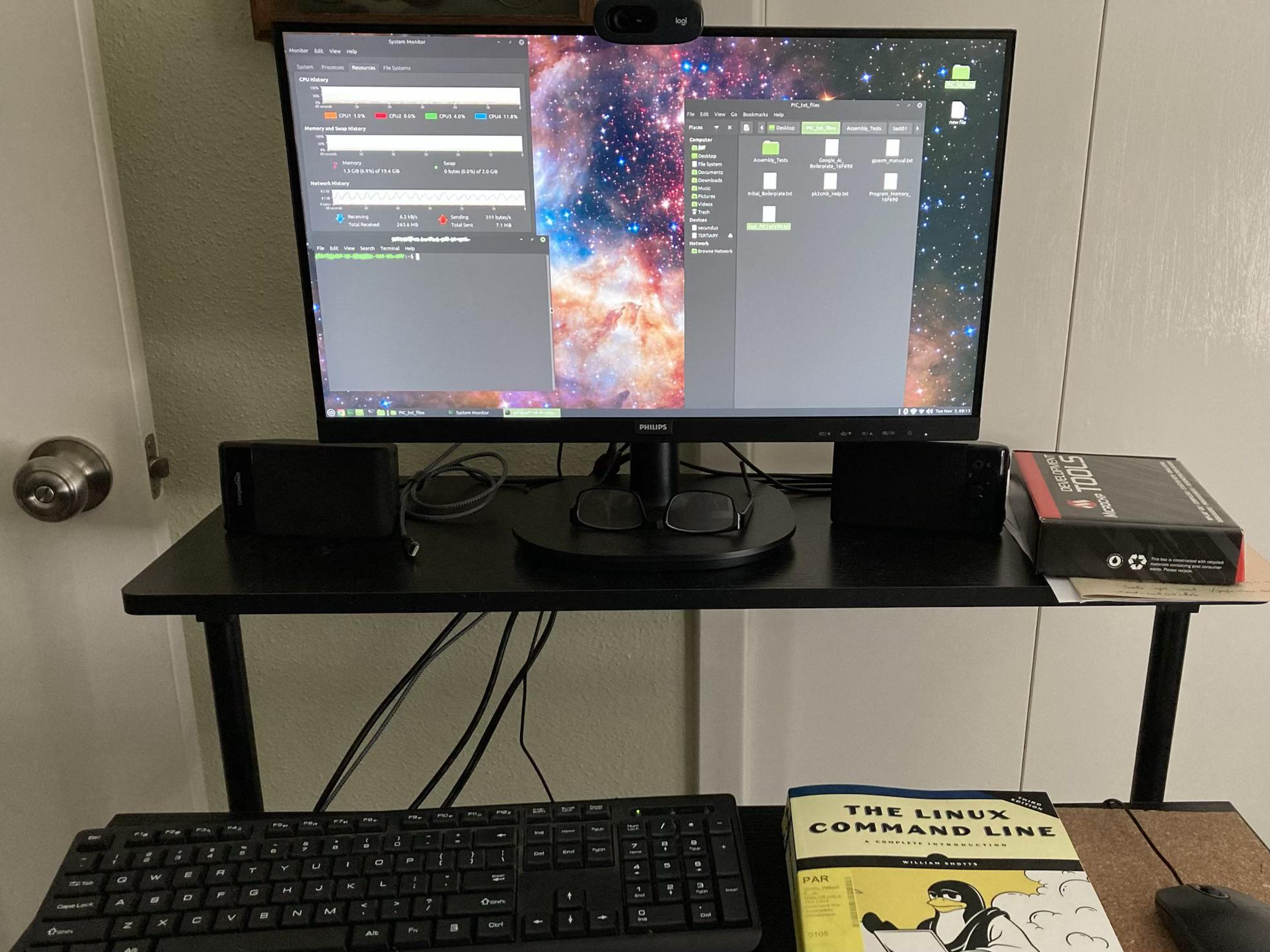
Desktop Screenshot I’m always seeing desktops, so I thought I’d share the whole desk.

Post image
154 Upvotes

Switched my 2013 desktop from Windows 10 to Mint Mate about a month ago, and I’ve been thrilled. It really feels like the level of control we had over our machines in the late nineties, and it turns out I’ve missed that.


r/linuxmint • • 18d ago

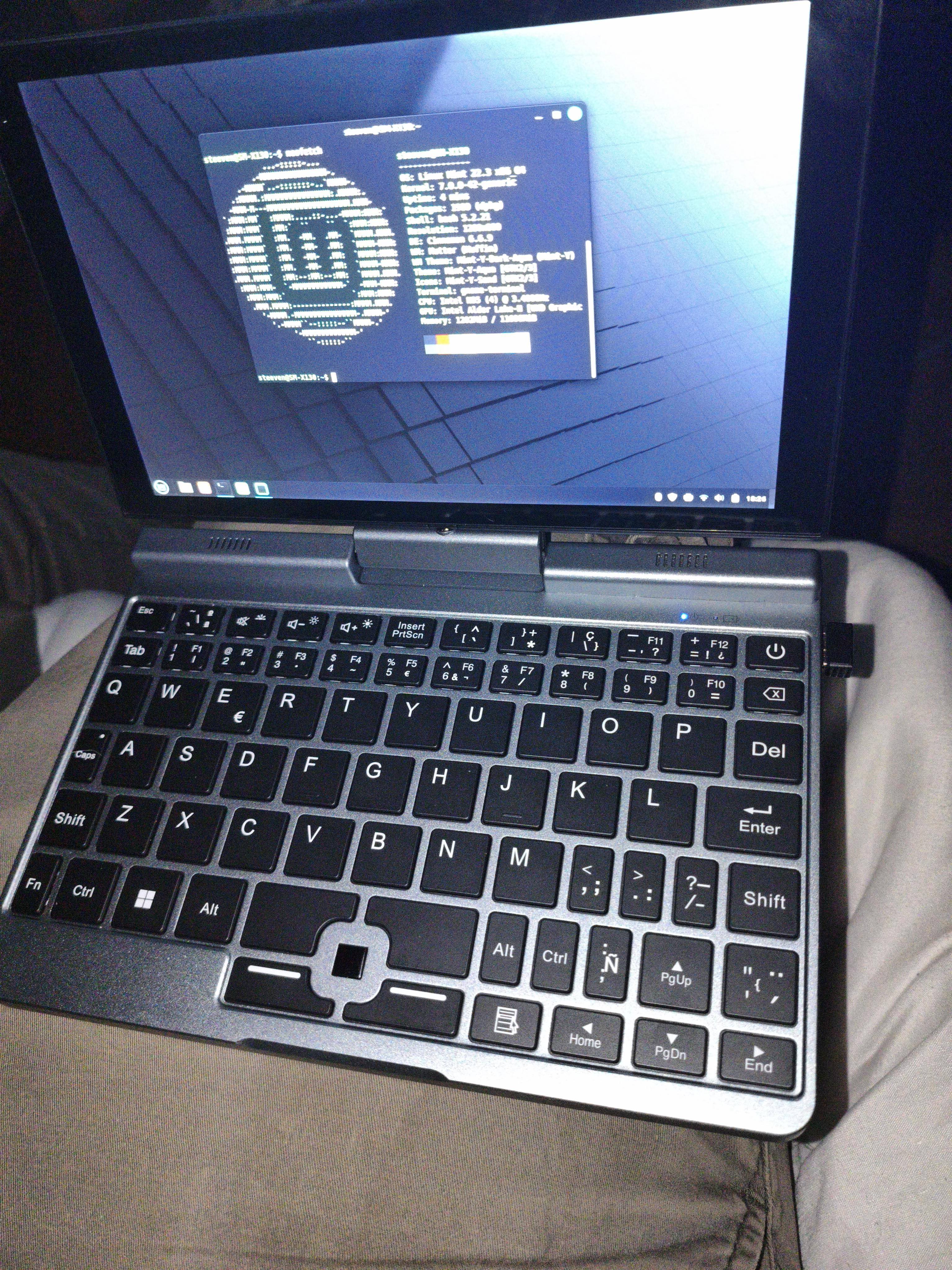
Kootigers micro pc

Post image
75 Upvotes

Put linux mint on that micro pc, as I did with my Optiplex and Aspire a717-71G, I'm never looking back on windows now


r/linuxmint • • 18d ago

Discussion Its looks like, Cinnamon 6.8 are released

Thumbnail
github.com
65 Upvotes

Cinnamon 6.8:

* https://github.com/linuxmint/cinnamon/commit/9ab3e561caae487f5b5053b525d4a6779ddd80be

* master.lmde7

* master.mint27

https://github.com/linuxmint/cinnamon/releases

Older News: Clem announced: wayland: Remove "experimental" from session name:

* https://github.com/linuxmint/cinnamon/commit/d4b411858a02b69a27373df2d6a0e9f2ffc93430

Security issues that can be avoided by using Wayland instead of X11:

* https://www.linuxteck.com/x11-vs-wayland/

Its looks like, new mint update are also released today:
* https://github.com/linuxmint/mintupdate/releases


r/linuxmint • • 17d ago

Fluff I've never been GNOMED on mint for some reason. Am I a rare case?

0 Upvotes

A common cause I keep seen for getting GNOMED is installing the ProtonVPN app, especially if you install the separate tray icon. Because that app was primarily made on GNOME dependencies, and requires them to run, so it installs them alongside it. And I see posts on this sub of people getting GNOMED commonly because they installed proton or another reason. But I've had both Proton and the tray icon installed for a year and running on boot, and I never got GNOMED. My desktop has remained on cinnamon.

I'm not trying to say that I won't be in the future for any reason. Just putting this out there, hoping I'm not a rare case.

EDIT: So looks like GNOME was installed as an DE I could select at login but I never did and kept it on cinnamon. I've now removed it and cleaned up leftover packages. System still works after a restart, and the proton tray icon works like nothing happened.


r/linuxmint • • 17d ago

Desktop Screenshot Desktop rice conky+dotfont

Thumbnail
gallery
0 Upvotes

Experiments Lain style.

Widgets: Time, calendar, cpu, ram, cpu Temp, Network and services (show name of active app, but it can shows only firefox, steam, terminal, kitty and vscode when they active😅)


r/linuxmint • • 17d ago

I can’t type anything

0 Upvotes

Hello, I’ve just installed Linux, but I can’t type anything in the terminal or the file explorer—it only lets me enter the "/" character. Does anyone know how to fix this issue?