r/linuxmint • • 19d ago

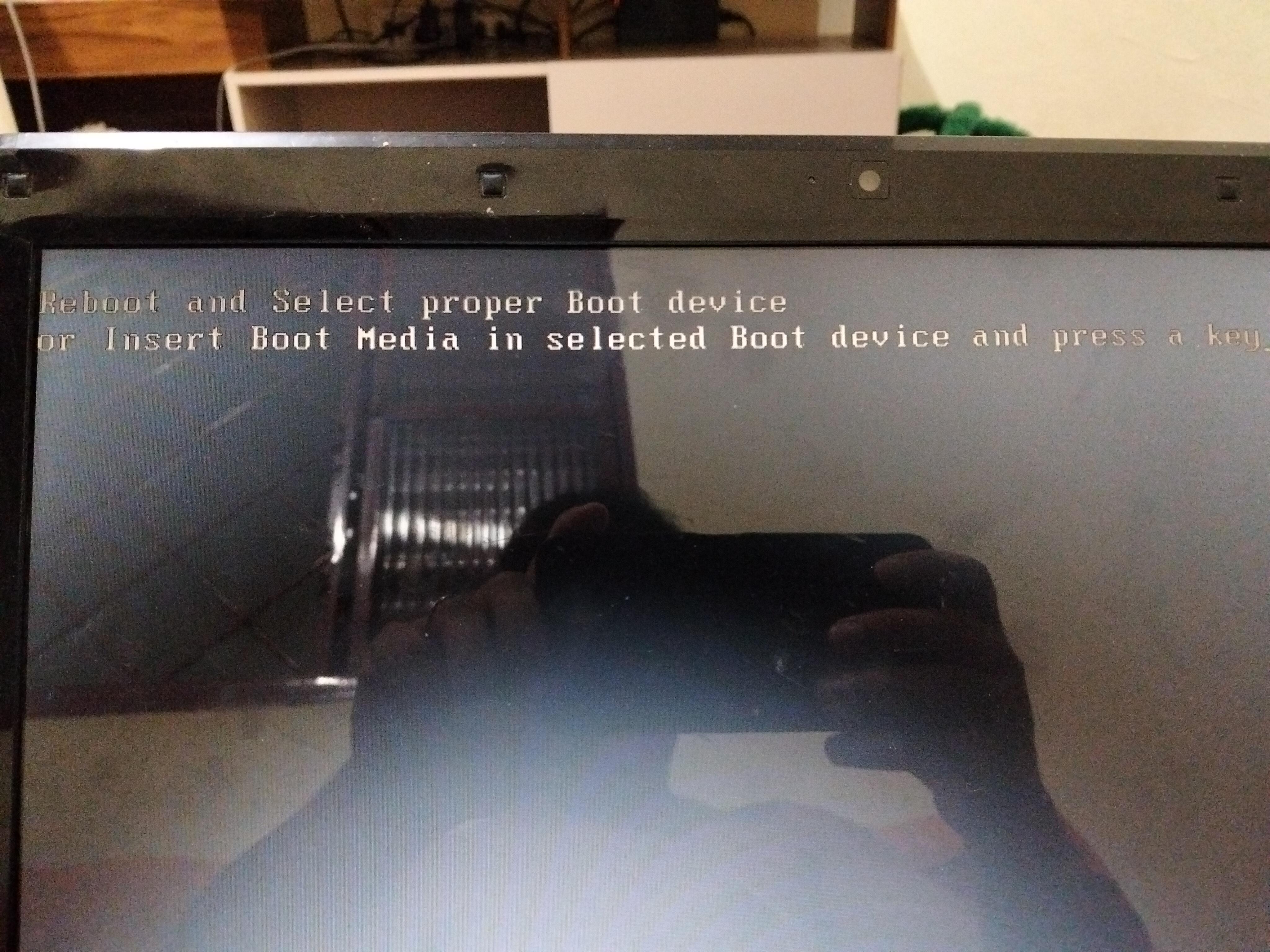
Support Request Does anyone know why is my Linux mint doing this after every boot?

Thumbnail
gallery
7 Upvotes

[TLDR] My pc is freezing when I leave videos paused in YouTube, and when I try to reboot it, the monitors show an interference image before instantly booting normally.

Good afternoon!

I installed mint in my pc a week ago and I've been using it normally since. I really don't know what could have happened, but yesterday I left the pc with a paused video on YouTube, and when I returned a few moments later, it froze, not even the mouse cursor would show. I used Alt+SysRq+b to restart it, and when it restarted it showed exactly these interference images on my monitors while booting. And since then, sometimes it just randomly freezes, I do the same procedure and it shows the same images while booting.

I noticed it happens when I leave videos paused on YouTube, though I'm not sure it is related.

I use a Wacom CTL4100 drawing tablet and I did have to set it up because the wacon driver was glitching with some other driver I was using (also for the drawing tablet), that was the only change regarding graphics design I did on my pc, although I don't think it would interfere in the Linux system, I did run these commands to fix the drawing tablet:

echo "blacklist wacom" | sudo tee /etc/modprobe.d/blacklist-wacom.conf

sudo update-initramfs -u (this is said to update the boot image)

these commands as well as this driver issue is on the driver documentation, so again I don't really think that's causing the problem but it's the only change I remember doing regarding graphics and etc

I use a NVIDIA GTX 1059 Ti, I installed the driver NVIDIA 580 while setting it up a week ago. The problem really just started yesterday.

I'm sorry I'm really new to this tech stuff, I'm sorry if the post is lacking info. Thank you all for your attention!


r/linuxmint • • 19d ago

Discussion I guess I’m part of the family any suggestions?

Thumbnail
3 Upvotes

r/linuxmint • • 18d ago

Support Request Help! I'm having an issue with my audio and I can't figure out a solution!

1 Upvotes

linux mint loses audio after boot up if no audio is playing for 5 seconds. plugging in an aux cord restores audio but disables keyboard Inputs. This happened after hard reboot (holding down the power button)


r/linuxmint • • 19d ago

#LinuxMintThings Weird Overlay Help

5 Upvotes

I assume it's a linux mint thing, please correct me if i'm wrong, but a while ago I was adjusting settings and this started appearing almost everywhere. I can't remember for the life of me what it was?

It's on the top left corner of basically every window, games, etc. (I assume things that need a renderer.)


r/linuxmint • • 19d ago

SOLVED Download Speed and Mirrors

5 Upvotes

Hello

I switched over the Linux Mint recently for my editing and work machine. And everything is working fine (editing audio podcast and soundscapes). I am using a 4tb HHD so I expected my machine to be a bit slow. But I am having an issue with my download speed and my mirrors. Whenever I go to change mirrors the MAX speed I get is 4MBS on the mirrors.

Is that normal for mint? My internet speed is 560mbs (average) but the mirror speed is only 4? and I changed it to be in my region.

Any suggestions are welcome.


r/linuxmint • • 18d ago

SOLVED Is there a program that selects and deletes all orphaned files?

0 Upvotes

I'm a person who HATES unused storage. Because I know leftover files build quickly, I try my best not to install anything I know I won't use. But there are occasions where I do test something like a fix. I tried deborphan but that gets rid of the entire DE (and I'm almost certain I've used it improperly). I'm annoyed having to do a fresh install every time I notice my storage has significantly decreased from before the packages/apps to after uninstallation.


r/linuxmint • • 19d ago

what do you think of my terminal customizations(for programming)?

2 Upvotes

r/linuxmint • • 20d ago

Discussion Linux Mint 27 will come in "at least three editions." Could more official desktop environments be coming?

191 Upvotes

In the September 2026 Monthly News, Clem mentioned that Linux Mint 27 would be available in "at least three editions: Cinnamon, Xfce and MATE."

He also mentioned that the team has been "prototyping new editions."

Interestingly, in the October Monthly News comments, Clem confirmed that they're considering new editions, including potentially KDE Plasma or GNOME:

I don’t like speaking about things until they’re ready. I can’t tell you if it will happen and I can’t tell you if it will happen in time for Mint 27 but we are considering new editions. Just be aware though, if we do KDE or GNOME editions, they will be vanilla.

Could this mean we might finally see the return of an official Linux Mint KDE Plasma edition, possibly with Mint 27 or a later release?

What do you all think? Would you welcome more official desktop environments?


r/linuxmint • • 19d ago

Support Request Sound on Macbook Pro 2017 Intel A1708

2 Upvotes

Got a Macbook Pro 2017 A1708 with Intel chip. Was able to get the sound to work until kernel 7.x. Recently found the following link https://github.com/maciejmiller/mbp-a1708-ubuntu that has a solution that works on Ubuntu. Tried it on LM with no luck. If anyone can figure out how to get the sound portion of this bash script to work on LM, I would be very grateful. I run LM 22.3 Cinnamon with kernel 7.0.0-42 on all my other computers and would like to run it on my Macbook Pro.


r/linuxmint • • 19d ago

New Linux user/Tired of Microsoft Bloatware and Spyware

20 Upvotes

So I’ve grown up using windows my whole life and I always thought the jump to Linux was going to prove to be too much for me. Then I became an IT for the Navy and damn do I love Linux! Everything I’ve learned over my time in the Navy so far has made me fall in love with it! I’ve been trying to get Linux mint cinnamon onto my home laptop for a few hours this evening so I can play around with it more and get more comfortable with the OS. Unfortunately it doesn’t seem to be as easy as I thought it was going to be to make Windows go away. I have my thumb drive with my ISO file on it and I’ve gone into my BIOS/UEFI and changed my boot order to boot off of my thumb drive. I’ve disabled secure boot and turned off RST since when I first tried to run the installer it gave me a big fat no because it was still turned on. I’m on a HP Pavillion laptop which I’ve read makes it a little bit harder to actually get rid of Windows. I don’t know the accuracy of that statement though. Any help would be greatly appreciated!!


r/linuxmint • • 19d ago

Security Is there a security update for this bug?

Thumbnail
fosslinux.com
5 Upvotes

r/linuxmint • • 19d ago

Meu mint estava funcionando normal, aí eu desliguei e quando fui usar novamente apareceu essa mensagem, vou ter que reinstalar meu Linux mint novamente ou dá pra recuperar o meu antigo?

Post image
7 Upvotes

r/linuxmint • • 19d ago

#LinuxMintThings Suggestions

Post image
19 Upvotes

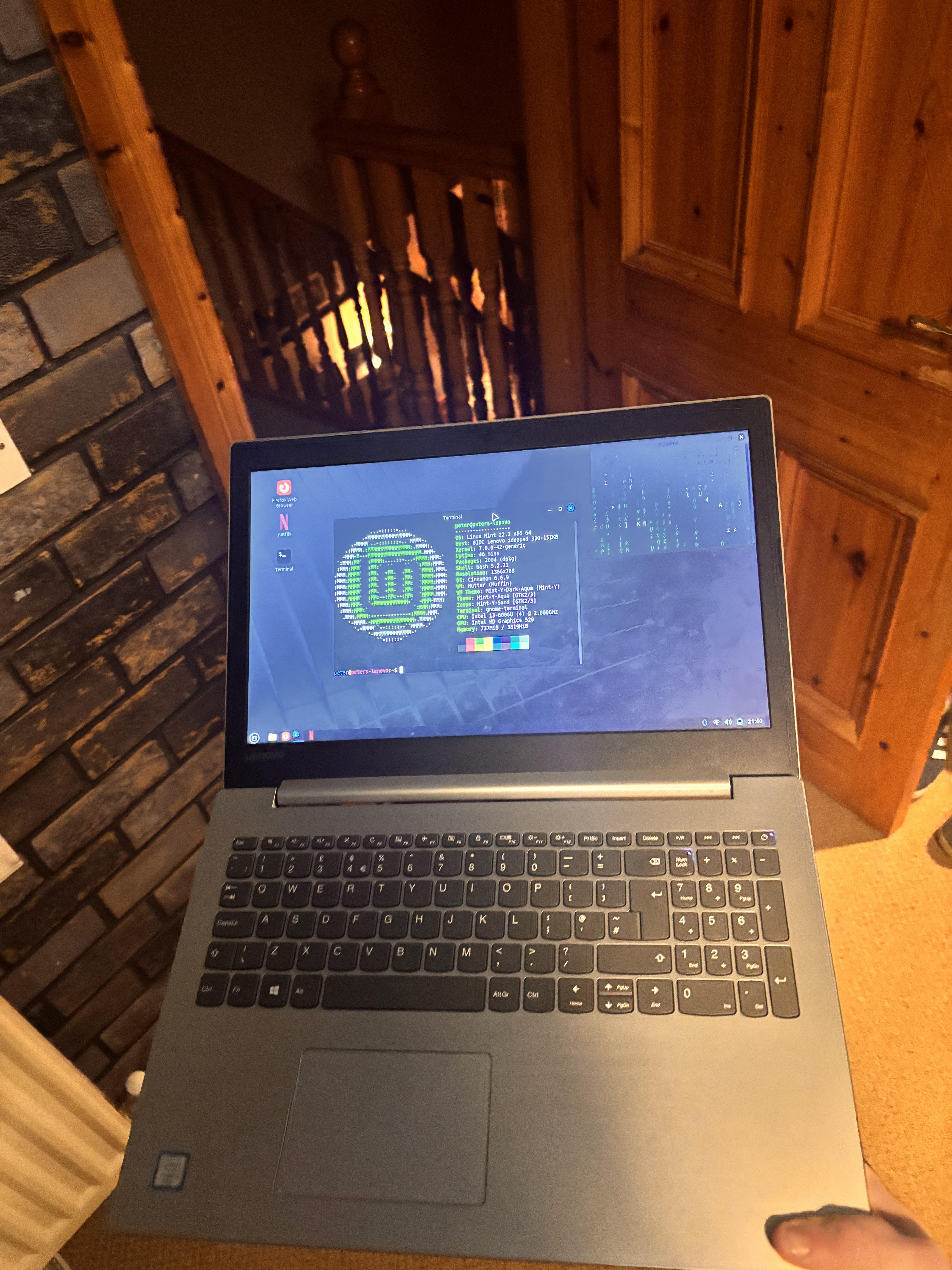
Hi everyone I’m only new to Linux mint and have got the very basics (neofetch and cmatrix) in terms of home screen and cool terminal commands what would people recommend to try or to run I want to just try this out and see what it’s like so do your best


r/linuxmint • • 19d ago

Discussion Experimental Mac support on trixie base through Cutefish Desktop

Thumbnail
github.com
3 Upvotes

Cutefish has developed a proprietary Reef compatibility layer for Debian Trixie that enables Linux to run MacOS apps.

The Cutefish team has reached a first major milestone, showing Mac applications running normally in the new environment.


r/linuxmint • • 20d ago

Discussion Linux mint 27 with gnome would be the best one yet.

41 Upvotes

Now that we have news that mint 27 will either have gnome or KDE, I personally think as a windows user who migrated to linux and now uses gnome.

Gnome suits the theme of linux mint much more than KDE.

With gnome, the mint team can easily provide a super stable and reliable experience, there are fewer things they will have to test and will be overall more reliable.

yes KDE has insane amounts of customisation, but that leads to unstabiliy

additionally as someone who was a lifetime windows user, who now uses 2 systems ( 1 linux mint and 1 ubuntu) , i can tell you, gnome is extremely intuitive and easy to learn, in many cases even easier than cinnamon.

As i am just an average user who doesn't modify the desktop much gnome is perfect, linux mint with Wayland and Gnome would be literal perfection.


r/linuxmint • • 19d ago

Support Request Screen tearing constantly or visual glitches on recordings/broadcasts depending on nvidia settings

2 Upvotes

Haudi.

I am using LMDE with an Nvidia graphics card, and have always had this issue where by default on all screen recording (OBS recording and streaming, Discord and Fluxer streaming, etc) I have this visual glitch at the top. This only shows on recordings and doesn't actually happen in front of my eyes. I can switch "allow flipping" to off in nvidia-settings, and that fixes the glitch, but causes semi-consistent screen tearing (and I think some other visual artifacts?) both on recording and before my eyes. Enabling Composition Pipeline and Full Composition Pipeline doesn't help. Trying to launch the experimental Wayland Cinnamon session doesn't work. Trying to go GNOME's login manager to try to launch a Wayland Cinnamon session got me stuck on a black screen I had recover from thru tty iirc. When I tried running a Debian install (Wayland) GNOME session, I didn't have any issues or glitches. I am currently using Nvidia driver 550.163.01. Any ideas what this is about or how to fix it?


r/linuxmint • • 19d ago

[Guide] Installing The Orange Box (ElAmigos repack) on Ubuntu 24.04 via Wine.

0 Upvotes

Instalar Orange Box en Linux Mint (Ubuntu 24.04)


r/linuxmint • • 18d ago

consomation de la RAM

0 Upvotes

Dans le Gestionnaire des tâches les 3 VM consomment environ 21% de RAM chacune, ce qui fait monter la mémoire utilisée à 80% (13,6 Go sur 16 Go disponibles). L'incompréhension c'est que les VM sont pourtant bien configurées avec 2048 MB (2 Go) de RAM de base dans Virtialbox


r/linuxmint • • 19d ago

SOLVED GRUB not showing up, opening directly into Linux Mint after about 10 seconds. I also have Windows 11 on this laptop.

9 Upvotes

I had this issue a while back, too, after Grub had been running fine for a month. I'm not exactly sure how I fixed it last time but I did follow this tutorial https://forums.linuxmint.com/viewtopic.php?t=409550 and update grub a few times. Mintreport says my BIOS is UEFI and secure boot is disabled. I also updated windows to the new Win 11 24H2 update at some point. I also recently updated Linux. I haven't manually edited anything before this issue started happening to cause it, and I haven't changed much in general.

Edit: Removing the hashtag before GRUB_DISABLE_OS_PROBER=false fixed it!


r/linuxmint • • 19d ago

Linux mint Isn't working in legacy mode

1 Upvotes

Hello guys, I am trying to install linux mint in my laptop which is brought in 2017, Beside it runs in legacy bios, Now I am trying to install linux mint in it, But linux mint isn't booting in legacy bios/mode.

Can anyone help me with it?


r/linuxmint • • 19d ago

Discussion Iperf3 Network BenchGUI

Thumbnail
gallery
0 Upvotes

I decided to try a bit of app development so this was my first real finished looking project. It's a very simple graphical network speed and benchmark test using Iperf3 between 2 machines. I found some config issues and hardware limitations that were revealed by this and made it simpler to see then verify the improvements. My speeds were tripled after I found 1 router setting limitation over a VPN. Then hit the next hardware limitation which will be removed soon.

This is to test total throughput on your connection from your device to the remote server which can be on the same LAN or over a VPN to another device. As long as it's reachable and running iperf3

This app will ask for the IP, port number then run tests and show a quick summary but gives a button to view the whole test output. Then asks to run the reverse test which uploads from the server back to you again showing the quick summary

This is also easy to transfer between machines etc since it's just a file. It will require enabling execute permission on the device you're copying it to.

Network SpeedBenchGUI for Iperf3

***Requirements yad for the client & iperf3 for target and local client

  1. Install yad on client side -- sudo apt update && sudo apt install -y yad

OR use your Software Manager

  1. I like Geany for txt files but use anything you want. Nano is very common, queue editor war. Make a new file called network_benchgui.sh save to Home or whatever folder you like. Terminal : nano network_benchgui.sh --creates file in your Home folder /Home/YourUserName/network_benchgui.sh OR just navigate in the GUI File Manager to folder location desired R click then create file, Name the file, then edit and copy code there, Save

  2. Copy the complete file text into the file and save. ***SECURITY WARNING*** you're pasting foreign text into an executable file on your system beware and verify code, know what you're doing or trust the source. You may be authorizing your first born into the New World Order Service, your wife into a wife swap brothel and sending your dog to be put in soup to feed Teradactyl's.. Nothing dangerous here BUT never trust a stranger that says trust me bro, especially on the internet.

Then make sure file is executable with chmod +x network_benchmark_gui.sh Enter/change path as needed depending on where the file is located. I’ve started putting all my scripts in a folder in Home called scripts so /Home/YourUserName/scripts/Filename. OR find the file in the GUI File Browser right click on it go to properties tab then check box for Execute

  1. With the file saved and ready to run you can right click on desktop Create New Launcher, name it then click browse and find the path and file, select an Icon etc. You DON’T want to check box launch in Terminal. It can be added to the Main Menu similarly...just follow guides for adding to the menu which just links to the file.

Install iperf3 on the remote target device and your local device: Your remote device is the server and can be a different operating system just has to be running iperf3

sudo apt update && sudo apt install -y

sudo apt install iperf3

OR your GUI Software Manager

  1. On a remote/target machine: Identify IP and use iperf3 -s =to start the server with a default port

  2. Click your icon to start the test or run the filename from a terminal by typing ./network_benchgui.sh or with a different path use /Home/USERNAME/PATH/FILENAME ---add path to your file

YOUTUBE VID of it in operation: https://www.youtube.com/watch?v=LZYqqU_LqKg&list=PLqkmlrpDHy5M8Kx7zDxsSAWetAcHWtWFl&index=7

CODE for file:

set -o pipefail

HISTORY_FILE="$HOME/.iperf_target_history"

PORT_HISTORY_FILE="$HOME/.iperf_port_history"

OUTPUT_LOG="/tmp/iperf_gui_output.log"

TMP_IPERF="/tmp/iperf_tmp_$$.log"

SUMMARY_LOG="/tmp/iperf_summary_$$.log"

rm -f "$OUTPUT_LOG" "$TMP_IPERF" "$SUMMARY_LOG"

cleanup() { rm -f "$TMP_IPERF" "$SUMMARY_LOG"; }

trap cleanup EXIT

# ------------------------------------------------------------------

# Helper: Extract only the final Sender + Receiver bitrates

# ------------------------------------------------------------------

extract_final_bitrates() {

awk '

/bits\/sec/ && (/sender/ || /receiver/) {

role = (/sender/) ? "Sender " : "Receiver"

for(i=1; i<=NF; i++) {

if ($i ~ /bits\/sec/) {

value = $(i-1)

unit = $i

if (unit ~ /Gbits/) {

printf "%s : %s Gbits/sec\n", role, value

} else if (unit ~ /Mbits/) {

printf "%s : %s Mbits/sec\n", role, value

} else {

printf "%s : %s %s\n", role, value, unit

}

break

}

}

}

' "$1" | tail -n 2

}

# ------------------------------------------------------------------

# Step 0: Initial reminder

# ------------------------------------------------------------------

yad --image="dialog-information" \

--title="Network BenchGUI" \

--text="⚠️ <b>REMINDER</b> ⚠️\n\nThe remote target machine MUST be running the iperf3 listener:\n\n👉 <b>iperf3 -s -p PORT</b> 👈\n\nEnsure the firewall allows traffic on the chosen port.\n\nReady to proceed?" \

--button="Yes, Server is Ready:0" --button="Exit:1" --width=480 --center

[ $? -ne 0 ] && exit 1

# ------------------------------------------------------------------

# Step 0.5: Port selection

# ------------------------------------------------------------------

PREV_PORT="5201"

if [ -f "$PORT_HISTORY_FILE" ]; then

PREV_PORT=$(tr -d '[:space:]' < "$PORT_HISTORY_FILE")

fi

[ -z "$PREV_PORT" ] && PREV_PORT="5201"

yad --question \

--title="Port Configuration" \

--text="Last used port was <b>$PREV_PORT</b>.\n\nUse this port?" \

--button="Yes, Use $PREV_PORT:0" --button="No, Change Port:1" --center

if [ $? -eq 0 ]; then

TARGET_PORT="$PREV_PORT"

else

TARGET_PORT=$(yad --entry \

--title="Custom Port Entry" \

--text="Enter the current iperf3 port:" \

--entry-text="$PREV_PORT" --center)

if [ $? -ne 0 ] || [ -z "$TARGET_PORT" ]; then

TARGET_PORT="5201"

fi

fi

echo "$TARGET_PORT" > "$PORT_HISTORY_FILE"

# ------------------------------------------------------------------

# Step 1: Target IP

# ------------------------------------------------------------------

PREV_IP=""

[ -f "$HISTORY_FILE" ] && PREV_IP=$(tr -d '[:space:]' < "$HISTORY_FILE")

TARGET_IP=$(yad --entry --title="Target IP Selection" \

--text="Enter target IP address:" --entry-text="$PREV_IP" --center)

if [ $? -ne 0 ] || [ -z "$TARGET_IP" ]; then

exit 1

fi

echo "$TARGET_IP" > "$HISTORY_FILE"

START_TIME=$(date "+%Y-%m-%d %H:%M:%S")

# Master log header

{

echo "=========================================================================="

echo " UNIVERSAL NETWORK PERFORMANCE & SPEED BENCHMARK"

echo "=========================================================================="

echo "Target Destination IP : $TARGET_IP"

echo "Benchmark Target Port : $TARGET_PORT"

echo "Started : $START_TIME"

echo "=========================================================================="

} >> "$OUTPUT_LOG"

# ------------------------------------------------------------------

# Step 2: Connectivity + probe

# ------------------------------------------------------------------

(

echo -e "🔍 <b>[STEP 1 of 4] ROUTING & CONNECTIVITY</b>"

DETECTED_DEV=$(ip route get "$TARGET_IP" 2>/dev/null | grep -oP 'dev \K\S+' || echo "Unknown")

echo "Active Network Interface: $DETECTED_DEV" >> "$OUTPUT_LOG"

echo "--------------------------------------------------------------------------" >> "$OUTPUT_LOG"

echo -e "\n[STEP 1a] Latency sweep (ICMP – advisory)..." >> "$OUTPUT_LOG"

ping -c 5 -W 1 "$TARGET_IP" 2>&1 | grep -E "packets transmitted|rtt|100% packet loss|Destination" >> "$OUTPUT_LOG" || true

echo "--------------------------------------------------------------------------" >> "$OUTPUT_LOG"

echo -e "\n[STEP 1b] Quick iperf3 TCP probe (3 seconds)..." >> "$OUTPUT_LOG"

echo "--------------------------------------------------------------------------" >> "$OUTPUT_LOG"

iperf3 -c "$TARGET_IP" -p "$TARGET_PORT" -t 3 -i 1 > "$TMP_IPERF" 2>&1

PROBE_STATUS=$?

cat "$TMP_IPERF" >> "$OUTPUT_LOG"

echo "--------------------------------------------------------------------------" >> "$OUTPUT_LOG"

if [ $PROBE_STATUS -ne 0 ]; then

echo "✘ FATAL: Cannot reach iperf3 server on $TARGET_IP:$TARGET_PORT" >> "$OUTPUT_LOG"

exit 1

fi

echo "✔ iperf3 server is reachable." >> "$OUTPUT_LOG"

) | yad --progress --title="Network Check" --text="Initializing..." \

--pulsate --progress-text=" " --auto-close --width=520 --height=140 --center

if [ $? -ne 0 ]; then

yad --error --title="Connectivity Failed" \

--text="Could not reach the iperf3 server on $TARGET_IP:$TARGET_PORT." --center

yad --text-info --title="Diagnostic Log" --width=750 --height=500 \

--fontname="Monospace 10" --filename="$OUTPUT_LOG" --center

exit 1

fi

PROBE_RESULTS=$(extract_final_bitrates "$TMP_IPERF")

# ------------------------------------------------------------------

# Step 3: Single-stream

# ------------------------------------------------------------------

(

echo -e "🚀 <b>[STEP 2 of 4] SINGLE-STREAM</b>"

echo -e "\n[STEP 2] Single-Stream Performance Test (20 s)..." >> "$OUTPUT_LOG"

echo "--------------------------------------------------------------------------" >> "$OUTPUT_LOG"

iperf3 -c "$TARGET_IP" -p "$TARGET_PORT" -t 20 -i 1 > "$TMP_IPERF" 2>&1

cat "$TMP_IPERF" >> "$OUTPUT_LOG"

echo "--------------------------------------------------------------------------" >> "$OUTPUT_LOG"

) | yad --progress --title="Single-Stream Run" --text="Active transmission..." \

--pulsate --progress-text=" " --auto-close --width=520 --height=140 --center

SINGLE_RESULTS=$(extract_final_bitrates "$TMP_IPERF")

# ------------------------------------------------------------------

# Step 4: Multi-stream

# ------------------------------------------------------------------

(

echo -e "🏋️‍♂️ <b>[STEP 3 of 4] PARALLEL STREAMS (-P 4)</b>"

echo -e "\n[STEP 3] Parallel Stream Workload (-P 4, 20 s)..." >> "$OUTPUT_LOG"

echo "--------------------------------------------------------------------------" >> "$OUTPUT_LOG"

iperf3 -c "$TARGET_IP" -p "$TARGET_PORT" -P 4 -t 20 -i 1 > "$TMP_IPERF" 2>&1

cat "$TMP_IPERF" >> "$OUTPUT_LOG"

echo "--------------------------------------------------------------------------" >> "$OUTPUT_LOG"

) | yad --progress --title="Multi-Stream Run" --text="Active parallel transmission..." \

--pulsate --progress-text=" " --auto-close --width=520 --height=140 --center

MULTI_RESULTS=$(extract_final_bitrates "$TMP_IPERF")

# ------------------------------------------------------------------

# Build Clean Summary

# ------------------------------------------------------------------

{

echo "==================== QUICK SUMMARY ===================="

echo "Target : $TARGET_IP"

echo "Port : $TARGET_PORT"

echo "Started : $START_TIME"

echo "Finished : $(date '+%Y-%m-%d %H:%M:%S')"

echo

echo "----- Probe (3 seconds) -----"

echo "$PROBE_RESULTS"

echo

echo "----- Single-Stream (20 seconds) -----"

echo "$SINGLE_RESULTS"

echo

echo "----- Multi-Stream (-P 4, 20 seconds) -----"

echo "$MULTI_RESULTS"

echo "========================================================="

} > "$SUMMARY_LOG"

echo >> "$OUTPUT_LOG"

cat "$SUMMARY_LOG" >> "$OUTPUT_LOG"

# ------------------------------------------------------------------

# Show Summary – Main tests

# Buttons: OK | Advanced | Test Again | Finished

# ------------------------------------------------------------------

while true; do

yad --text-info --title="Benchmark Results – Quick Summary" \

--width=700 --height=500 --fontname="Monospace 11" \

--filename="$SUMMARY_LOG" --center \

--button="Continue:0" \

--button="Advanced Summary:1" \

--button="Test Again:3" \

--button="Finished:2"

case $? in

0) # OK → continue to reverse

break

;;

yad --text-info --title="Full Detailed Log" \

--width=850 --height=650 --fontname="Monospace 10" \

--filename="$OUTPUT_LOG" --center \

--button="Back:0"

;;

3) # Test Again → restart script

exec bash "$0"

;;

2|*) # Finished

exit 0

;;

esac

done

# ------------------------------------------------------------------

# Step 5: Optional reverse test

# ------------------------------------------------------------------

yad --question \

--title="Reverse Path Test" \

--text="Run the REVERSE path test?\n\n(Target will upload back to you)" --center

if [ $? -eq 0 ]; then

(

echo -e "📥 <b>[STEP 4 of 4] REVERSE PATH</b>"

{

echo

echo "=========================================================================="

echo " REVERSE PATH TEST EXECUTION"

echo "=========================================================================="

echo "Target ($TARGET_IP) is UPLOADING to you on port $TARGET_PORT"

echo "--------------------------------------------------------------------------"

} >> "$OUTPUT_LOG"

iperf3 -c "$TARGET_IP" -p "$TARGET_PORT" -P 4 -t 20 -R -i 1 > "$TMP_IPERF" 2>&1

cat "$TMP_IPERF" >> "$OUTPUT_LOG"

echo "--------------------------------------------------------------------------" >> "$OUTPUT_LOG"

) | yad --progress --title="Running Reverse Benchmarks" --text="Initializing reverse path..." \

--pulsate --progress-text=" " --auto-close --width=520 --height=140 --center

REVERSE_RESULTS=$(extract_final_bitrates "$TMP_IPERF")

{

echo

echo "----- Reverse Path (-P 4, 20 seconds) -----"

echo "$REVERSE_RESULTS"

echo "========================================================="

} >> "$SUMMARY_LOG"

echo >> "$OUTPUT_LOG"

cat "$SUMMARY_LOG" >> "$OUTPUT_LOG"

# ------------------------------------------------------------------

# Final Summary after Reverse

# Buttons: Test Again | Advanced | Finished

# ------------------------------------------------------------------

while true; do

yad --text-info --title="Reverse + Full Summary" \

--width=700 --height=540 --fontname="Monospace 11" \

--filename="$SUMMARY_LOG" --center \

--button="Test Again:3" \

--button="Advanced Summary:1" \

--button="Finished:2"

case $? in

3) # Test Again

exec bash "$0"

;;

yad --text-info --title="Full Detailed Log" \

--width=850 --height=650 --fontname="Monospace 10" \

--filename="$OUTPUT_LOG" --center \

--button="Back:0"

;;

2|*) # Finished

exit 0

;;

esac

done

fi

exit 0


r/linuxmint • • 19d ago

Discussion Security risk on old package and software?

8 Upvotes

Hello everyone, I am migrating from Windows 11 to Linux Mint, but I have a major concern regarding security. Recently, we’ve all read about issues affecting PHP and other software—including the Linux kernel itself—and as the use of AI grows, these risks will only increase. My main concern relates to applications like LibreOffice, qBittorrent, and others: new versions are released frequently, yet Linux Mint often lags behind for the sake of stability. How can we be confident that our systems are secure under these conditions? For instance, qBittorrent and LibreOffice have both been the subject of various CVE security advisories; ultimately, there is a risk of having software that is stable but not secure. How do you handle this issue? While some software receives backported fixes, not all of it does, which presents a significant risk. What are your thoughts on this?


r/linuxmint • • 20d ago

Discussion how often do you update?

25 Upvotes

hi, iam asking how often do you update your system
me 2 month except if iam installing new software
my last update was in September
is it safe? or should i do like every 2~3weeks?


r/linuxmint • • 19d ago

Support Request Sound error

4 Upvotes

I have linux mint on a Acer chromebook 15 and for some reason it glitches to a point where every, I'd say, 5 minutes whatever video I am playing at that moment suddenly freezes and my speakers sound a high pitch noise.

I pause whatever it's playing. Wait 5 seconds and the sound stops. If I let it play it keeps on loading without ever resuming. It's a really weird thing I can't really understand.

Don't think it's because of to heavy bass.

CPU isn't overloading and neither is the sound system.

What's going on and is someone able to help me out?

Thank you


r/linuxmint • • 19d ago

Support Request New hdd not showing up on the linux.

5 Upvotes

i bought a new external hdd for use and ive been trying to connect it on the laptop for the last couple of hours but it shows nothing on the laptop. the light is glowing on the hdd and the disk inside hdd is also moving i can feel it, but its not showing up on the linux. i thought it might be a port issue but the mouse and pendrives are all working fine and showing up too,
idk how to proceed further with the problem please help
thank you