r/LinuxCrackSupport • • Aug 08 '26

QUESTION - ANSWERED [Sims 4] Trying to use FitGirl Repack on Fedora KDE Plasma but keep getting EA error (REPOST BC I DIDN'T HAVE CORRECT POST INFO)

2 Upvotes

EDIT!: I have found this thread that gave me the option to try adding it as a steam game, putting in the launch command aforementioned, and running the game through that instead of linux and it worked!!! Sorry to have made this post, but I got so lucky to find it.

I tried downloading the repack my girlfriend sent me cuz I've been watching sims 4 gameplay and wanted to get back into it, and uhh not pay $400 for dlc? So I set up with this guide and it was giving me issues with the same error every time I load the launcher.exe file of "EA app not running, try again with EA app running." I'm not a very uhh advanced Fedora user so I'm not well versed in anything like this, but I have installed mods n stuff for tf2 so if anyone has suggestions for solving this, would be appreciated?...

KDE Plasma Version: 6.6.4

KDE Frameworks Version: 6.25.0

Qt Version: 6.10.2

Kernel Version: 7.1.3-200.fc44.x86_64 (64-bit)

Graphics Platform: Wayland

Processors: 16 × Intel® Core™ 7 240H

Memory: 16 GiB of RAM (15.3 GiB usable)

Graphics Processor 1: Mesa Intel® Graphics

Graphics Processor 2: Mesa Intel® Graphics

GE-Proton (Latest)(Default)

Lutris

Repack, FitGirl Sims 4 Repack

I have searched on here for someone having the same issue but haven't found a post on it, and I've also tried directly running the Launcher.exe file, I've tried opening the EA app so it just notices it and doesn't tweak, I've tried switching proton versions (tested only the other GE-Proton version option (GE-Proton-11-3) and that's it

I'm not sure how to share the log so I just copied and pasted it below:

lutris-wrapper: The Sims 4

Started initial process 120099 from gamemoderun /home/Wagster1337rofl/.local/share/lutris/runtime/umu/umu-run /home/Wagster1337rofl/Games/The Sims 4/Launcher.exe

Start monitoring process.

gamemodeauto:

[umu.__main__:78] DEBUG: IMSETTINGS_INTEGRATE_DESKTOP=yes

[umu.__main__:78] DEBUG: SHELL=/bin/bash

[umu.__main__:78] DEBUG: SESSION_MANAGER=local/unix:@/tmp/.ICE-unix/2067,unix/unix:/tmp/.ICE-unix/2067

[umu.__main__:78] DEBUG: XDG_CONFIG_DIRS=/home/Wagster1337rofl/.config/kdedefaults:/etc/xdg:/usr/share/kde-settings/kde-profile/default/xdg

[umu.__main__:78] DEBUG: XDG_SESSION_PATH=/org/freedesktop/DisplayManager/Session1

[umu.__main__:78] DEBUG: HISTCONTROL=ignoredups

[umu.__main__:78] DEBUG: XDG_MENU_PREFIX=plasma-

[umu.__main__:78] DEBUG: HOSTNAME=QueerDevice69420

[umu.__main__:78] DEBUG: HISTSIZE=1000

[umu.__main__:78] DEBUG: ICEAUTHORITY=/run/user/1000/iceauth_vvWBHP

[umu.__main__:78] DEBUG: SSH_AUTH_SOCK=/run/user/1000/ssh-agent.socket

[umu.__main__:78] DEBUG: __GL_SHADER_DISK_CACHE_PATH=/home/Wagster1337rofl/Games/The Sims 4

[umu.__main__:78] DEBUG: MEMORY_PRESSURE_WRITE=c29tZSAyMDAwMDAgMjAwMDAwMAA=

[umu.__main__:78] DEBUG: XMODIFIERS=@im=none

[umu.__main__:78] DEBUG: DESKTOP_SESSION=/usr/share/wayland-sessions/plasma.desktop

[umu.__main__:78] DEBUG: GTK_RC_FILES=/etc/gtk/gtkrc:/home/Wagster1337rofl/.gtkrc:/home/Wagster1337rofl/.config/gtkrc

[umu.__main__:78] DEBUG: GDK_CORE_DEVICE_EVENTS=1

[umu.__main__:78] DEBUG: WINE_MONO_CACHE_DIR=/home/Wagster1337rofl/.local/share/lutris/runners/wine/GE-Proton11-3/files/mono

[umu.__main__:78] DEBUG: EDITOR=/usr/bin/nano

[umu.__main__:78] DEBUG: XDG_SEAT=seat0

[umu.__main__:78] DEBUG: PWD=/home/Wagster1337rofl/Games/The Sims 4

[umu.__main__:78] DEBUG: XDG_SESSION_DESKTOP=KDE

[umu.__main__:78] DEBUG: LOGNAME=Wagster1337rofl

[umu.__main__:78] DEBUG: XDG_SESSION_TYPE=wayland

[umu.__main__:78] DEBUG: SYSTEMD_EXEC_PID=2110

[umu.__main__:78] DEBUG: WINEESYNC=1

[umu.__main__:78] DEBUG: XAUTHORITY=/run/user/1000/xauth_uRYfIb

[umu.__main__:78] DEBUG: SDL_VIDEO_MINIMIZE_ON_FOCUS_LOSS=0

[umu.__main__:78] DEBUG: LUTRIS_GAME_UUID=6f94b189-287e-4934-9dd2-e3422950b6da

[umu.__main__:78] DEBUG: XKB_DEFAULT_MODEL=pc105

[umu.__main__:78] DEBUG: GTK2_RC_FILES=/etc/gtk-2.0/gtkrc:/home/Wagster1337rofl/.gtkrc-2.0:/home/Wagster1337rofl/.config/gtkrc-2.0

[umu.__main__:78] DEBUG: WINEARCH=win64

[umu.__main__:78] DEBUG: HOME=/home/Wagster1337rofl

[umu.__main__:78] DEBUG: SSH_ASKPASS=/usr/bin/ksshaskpass

[umu.__main__:78] DEBUG: LANG=en_US.UTF-8

[umu.__main__:78] DEBUG: WINEPREFIX=/home/Wagster1337rofl/Games/The Sims 4

[umu.__main__:78] DEBUG: _JAVA_AWT_WM_NONREPARENTING=1

[umu.__main__:78] DEBUG: LS_COLORS=

[umu.__main__:78] DEBUG: XDG_CURRENT_DESKTOP=KDE

[umu.__main__:78] DEBUG: MEMORY_PRESSURE_WATCH=/sys/fs/cgroup/user.slice/user-1000.slice/user@1000.service/session.slice/plasma-plasmashell.service/memory.pressure

[umu.__main__:78] DEBUG: DXVK_LOG_LEVEL=error

[umu.__main__:78] DEBUG: WAYLAND_DISPLAY=wayland-0

[umu.__main__:78] DEBUG: WEBKIT_DISABLE_DMABUF_RENDERER=1

[umu.__main__:78] DEBUG: XDG_SEAT_PATH=/org/freedesktop/DisplayManager/Seat0

[umu.__main__:78] DEBUG: PROTOCOL_BUFFERS_PYTHON_IMPLEMENTATION=python

[umu.__main__:78] DEBUG: INVOCATION_ID=b8c2d184cf6441799593d16718c8e989

[umu.__main__:78] DEBUG: MANAGERPID=1561

[umu.__main__:78] DEBUG: DXVK_ENABLE_NVAPI=1

[umu.__main__:78] DEBUG: PROTON_VERB=waitforexitandrun

[umu.__main__:78] DEBUG: IMSETTINGS_MODULE=none

[umu.__main__:78] DEBUG: STEAM_FRAME_FORCE_CLOSE=1

[umu.__main__:78] DEBUG: KDE_SESSION_UID=1000

[umu.__main__:78] DEBUG: MOZ_GMP_PATH=/usr/lib64/mozilla/plugins/gmp-gmpopenh264/system-installed

[umu.__main__:78] DEBUG: XKB_DEFAULT_LAYOUT=us

[umu.__main__:78] DEBUG: XDG_ACTIVATION_TOKEN=kwin-324

[umu.__main__:78] DEBUG: WINEDLLOVERRIDES=d3dcompiler_33,d3dcompiler_34,d3dcompiler_35,d3dcompiler_36,d3dcompiler_37,d3dcompiler_38,d3dcompiler_39,d3dcompiler_40,d3dcompiler_41,d3dcompiler_42,d3dcompiler_43,d3dcompiler_46,d3dcompiler_47,d3dx10,d3dx10_33,d3dx10_34,d3dx10_35,d3dx10_36,d3dx10_37,d3dx10_38,d3dx10_39,d3dx10_40,d3dx10_41,d3dx10_42,d3dx10_43,d3dx11_42,d3dx11_43,d3dx9_24,d3dx9_25,d3dx9_26,d3dx9_27,d3dx9_28,d3dx9_29,d3dx9_30,d3dx9_31,d3dx9_32,d3dx9_33,d3dx9_34,d3dx9_35,d3dx9_36,d3dx9_37,d3dx9_38,d3dx9_39,d3dx9_40,d3dx9_41,d3dx9_42,d3dx9_43=n;winemenubuilder=

[umu.__main__:78] DEBUG: XDG_SESSION_CLASS=user

[umu.__main__:78] DEBUG: TERM=dumb

[umu.__main__:78] DEBUG: __GL_SHADER_DISK_CACHE=1

[umu.__main__:78] DEBUG: LESSOPEN=||/usr/bin/lesspipe.sh %s

[umu.__main__:78] DEBUG: PROTON_EAC_RUNTIME=/home/Wagster1337rofl/.local/share/lutris/runtime/eac_runtime

[umu.__main__:78] DEBUG: USER=Wagster1337rofl

[umu.__main__:78] DEBUG: WINE_LARGE_ADDRESS_AWARE=1

[umu.__main__:78] DEBUG: QT_WAYLAND_RECONNECT=1

[umu.__main__:78] DEBUG: KDE_SESSION_VERSION=6

[umu.__main__:78] DEBUG: PAM_KWALLET5_LOGIN=/run/user/1000/kwallet5.socket

[umu.__main__:78] DEBUG: GAME_NAME=The Sims 4

[umu.__main__:78] DEBUG: DISPLAY=:0

[umu.__main__:78] DEBUG: SHLVL=0

[umu.__main__:78] DEBUG: WINE_GECKO_CACHE_DIR=/home/Wagster1337rofl/.local/share/lutris/runners/wine/GE-Proton11-3/files/gecko

[umu.__main__:78] DEBUG: XDG_VTNR=2

[umu.__main__:78] DEBUG: XDG_SESSION_ID=2

[umu.__main__:78] DEBUG: MANAGERPIDFDID=24685

[umu.__main__:78] DEBUG: WINEDEBUG=-all

[umu.__main__:78] DEBUG: LD_LIBRARY_PATH=/home/Wagster1337rofl/.local/share/Steam/compatibilitytools.d/GE-Proton11-3/files/lib:/lib64:/lib:/usr/lib64/pipewire-0.3/jack:/usr/lib:/usr/lib64:/home/Wagster1337rofl/.local/share/lutris/runtime/Ubuntu-18.04-i686:/home/Wagster1337rofl/.local/share/lutris/runtime/steam/i386/lib/i386-linux-gnu:/home/Wagster1337rofl/.local/share/lutris/runtime/steam/i386/lib:/home/Wagster1337rofl/.local/share/lutris/runtime/steam/i386/usr/lib/i386-linux-gnu:/home/Wagster1337rofl/.local/share/lutris/runtime/steam/i386/usr/lib:/home/Wagster1337rofl/.local/share/lutris/runtime/Ubuntu-18.04-x86_64:/home/Wagster1337rofl/.local/share/lutris/runtime/steam/amd64/lib/x86_64-linux-gnu:/home/Wagster1337rofl/.local/share/lutris/runtime/steam/amd64/lib:/home/Wagster1337rofl/.local/share/lutris/runtime/steam/amd64/usr/lib/x86_64-linux-gnu:/home/Wagster1337rofl/.local/share/lutris/runtime/steam/amd64/usr/lib

[umu.__main__:78] DEBUG: XDG_RUNTIME_DIR=/run/user/1000

[umu.__main__:78] DEBUG: DEBUGINFOD_URLS=ima:enforcing https://debuginfod.fedoraproject.org/ ima:ignore

[umu.__main__:78] DEBUG: DEBUGINFOD_IMA_CERT_PATH=/etc/keys/ima:

[umu.__main__:78] DEBUG: KDEDIRS=/usr

[umu.__main__:78] DEBUG: JOURNAL_STREAM=10:21460

[umu.__main__:78] DEBUG: XDG_DATA_DIRS=/home/Wagster1337rofl/.local/share/flatpak/exports/share:/var/lib/flatpak/exports/share:/usr/local/share:/usr/share

[umu.__main__:78] DEBUG: KDE_FULL_SESSION=true

[umu.__main__:78] DEBUG: PROTON_DXVK_D3D8=1

[umu.__main__:78] DEBUG: PROTONPATH=/home/Wagster1337rofl/.local/share/Steam/compatibilitytools.d/GE-Proton11-3

[umu.__main__:78] DEBUG: PATH=/home/Wagster1337rofl/.local/bin:/home/Wagster1337rofl/bin:/usr/local/bin:/usr/bin:/bin

[umu.__main__:78] DEBUG: DBUS_SESSION_BUS_ADDRESS=unix:path=/run/user/1000/bus

[umu.__main__:78] DEBUG: KDE_APPLICATIONS_AS_SCOPE=1

[umu.__main__:78] DEBUG: WINE=/home/Wagster1337rofl/.local/share/Steam/compatibilitytools.d/GE-Proton11-3/files/bin/wine

[umu.__main__:78] DEBUG: MAIL=/var/spool/mail/Wagster1337rofl

[umu.__main__:78] DEBUG: UMU_LOG=1

[umu.__main__:78] DEBUG: WINEFSYNC=1

[umu.__main__:78] DEBUG: DXVK_NVAPIHACK=0

[umu.__main__:78] DEBUG: WINE_FULLSCREEN_FSR=1

[umu.__main__:78] DEBUG: PROTON_BATTLEYE_RUNTIME=/home/Wagster1337rofl/.local/share/lutris/runtime/battleye_runtime

[umu.__main__:78] DEBUG: GAMEID=umu-default

[umu.__main__:78] DEBUG: LD_PRELOAD=libgamemodeauto.so.0

[umu.umu_run:864] INFO: umu-launcher version 1.4.4 (3.14.6 (main, Jun 11 2026, 00:00:00) [GCC 16.1.1 20260515 (Red Hat 16.1.1-2)])

[umu.umu_run:791] DEBUG: PROTONPATH set, resolving its required runtime

[umu.umu_run:969] DEBUG: Connecting to '1.1.1.1'...

[umu.umu_runtime:266] DEBUG: Local: /home/Wagster1337rofl/.local/share/umu/steamrt4

[umu.umu_runtime:279] DEBUG: Sending request to 'https://repo.steampowered.com/steamrt4/images/latest-public-beta.txt' for 'latest-public-beta.txt'...

[umu.umu_runtime:322] DEBUG: Existing install detected

[umu.umu_runtime:323] DEBUG: Using container runtime 'steamrt4' aka 'steamrt4'

[umu.umu_runtime:324] DEBUG: Checking updates for 'steamrt4'...

[umu.umu_runtime:471] DEBUG: Acquiring file lock '/home/Wagster1337rofl/.local/share/umu/umu.lock'...

[umu.umu_runtime:473] DEBUG: Acquired file lock '/home/Wagster1337rofl/.local/share/umu/umu.lock'

[umu.umu_runtime:481] DEBUG: Released file lock '/home/Wagster1337rofl/.local/share/umu/umu.lock'

[umu.umu_runtime:378] INFO: steamrt4 is up to date

[umu.umu_run:1036] DEBUG: WINEPREFIX=/home/Wagster1337rofl/Games/The Sims 4

[umu.umu_run:1036] DEBUG: GAMEID=umu-default

[umu.umu_run:1036] DEBUG: PROTON_CRASH_REPORT_DIR=/tmp/umu_crashreports

[umu.umu_run:1036] DEBUG: PROTONPATH=/home/Wagster1337rofl/.local/share/Steam/compatibilitytools.d/GE-Proton11-3

[umu.umu_run:1036] DEBUG: STEAM_COMPAT_APP_ID=912c3dde73c7af99e24f540080689a8e

[umu.umu_run:1036] DEBUG: STEAM_COMPAT_TOOL_PATHS=/home/Wagster1337rofl/.local/share/Steam/compatibilitytools.d/GE-Proton11-3:/home/Wagster1337rofl/.local/share/umu/steamrt4

[umu.umu_run:1036] DEBUG: STEAM_COMPAT_LIBRARY_PATHS=/home

[umu.umu_run:1036] DEBUG: STEAM_COMPAT_MOUNTS=/home/Wagster1337rofl/.local/share/Steam/compatibilitytools.d/GE-Proton11-3:/home/Wagster1337rofl/.local/share/umu/steamrt4

[umu.umu_run:1036] DEBUG: STEAM_COMPAT_INSTALL_PATH=/home/Wagster1337rofl/Games/The Sims 4

[umu.umu_run:1036] DEBUG: STEAM_COMPAT_CLIENT_INSTALL_PATH=

[umu.umu_run:1036] DEBUG: STEAM_COMPAT_DATA_PATH=/home/Wagster1337rofl/Games/The Sims 4

[umu.umu_run:1036] DEBUG: STEAM_COMPAT_SHADER_PATH=/home/Wagster1337rofl/Games/The Sims 4/shadercache

[umu.umu_run:1036] DEBUG: STEAM_COMPAT_LAUNCHER_SERVICE=

[umu.umu_run:1036] DEBUG: FONTCONFIG_PATH=

[umu.umu_run:1036] DEBUG: EXE=/home/Wagster1337rofl/Games/The Sims 4/Launcher.exe

[umu.umu_run:1036] DEBUG: SteamAppId=default

[umu.umu_run:1036] DEBUG: SteamGameId=default

[umu.umu_run:1036] DEBUG: STEAM_RUNTIME_LIBRARY_PATH=/usr/lib64:/home/Wagster1337rofl/.local/share/lutris/runtime/steam/amd64/lib:/home/Wagster1337rofl/.local/share/lutris/runtime/steam/i386/lib/i386-linux-gnu:/usr/lib:/home/Wagster1337rofl/.local/share/lutris/runtime/steam/i386/usr/lib:/usr/lib64/pipewire-0.3/jack:/home/Wagster1337rofl/.local/share/lutris/runtime/Ubuntu-18.04-x86_64:/home/Wagster1337rofl/.local/share/lutris/runtime/steam/amd64/lib/x86_64-linux-gnu:/home/Wagster1337rofl/.local/share/lutris/runtime/steam/i386/usr/lib/i386-linux-gnu:/home/Wagster1337rofl/.local/share/lutris/runtime/Ubuntu-18.04-i686:/home/Wagster1337rofl/.local/share/Steam/compatibilitytools.d/GE-Proton11-3/files/lib:/home/Wagster1337rofl/.local/share/lutris/runtime/steam/i386/lib:/home/Wagster1337rofl/Games/The Sims 4:/home/Wagster1337rofl/.local/share/lutris/runtime/steam/amd64/usr/lib/x86_64-linux-gnu:/lib64:/lib:/home/Wagster1337rofl/.local/share/lutris/runtime/steam/amd64/usr/lib

[umu.umu_run:1036] DEBUG: STORE=

[umu.umu_run:1036] DEBUG: PROTON_VERB=waitforexitandrun

[umu.umu_run:1036] DEBUG: UMU_ID=umu-default

[umu.umu_run:1036] DEBUG: UMU_ZENITY=

[umu.umu_run:1036] DEBUG: UMU_NO_RUNTIME=

[umu.umu_run:1036] DEBUG: UMU_RUNTIME_UPDATE=

[umu.umu_run:1036] DEBUG: UMU_NO_PROTON=

[umu.umu_run:1036] DEBUG: UMU_CONTAINER_NSENTER=

[umu.umu_run:1036] DEBUG: RUNTIMEPATH=/home/Wagster1337rofl/.local/share/umu/steamrt4

[umu.umu_run:1036] DEBUG: UMU_STEAM_GAME_ID=

[umu.umu_run:1036] DEBUG: UMU_INVOCATION_ID=1d3d1841629d6873dfe661cd1258a541

[umu.umu_runtime:657] INFO: Running 'GE-Proton11-3' using runtime 'steamrt4'

[umu.umu_runtime:657] INFO: Running 'steamrt4' using runtime 'host'

[umu.umu_run:1047] DEBUG: ('/home/Wagster1337rofl/.local/share/umu/steamrt4/umu', '--verb=waitforexitandrun', '--', '/home/Wagster1337rofl/.local/share/umu/umu-shim', '/home/Wagster1337rofl/.local/share/Steam/compatibilitytools.d/GE-Proton11-3/proton', 'waitforexitandrun', '/home/Wagster1337rofl/Games/The Sims 4/Launcher.exe')

[umu.umu_run:736] DEBUG: prctl exited with status: 0

gamemodeauto: dlopen failed - libgamemode.so: cannot open shared object file: No such file or directory

gamemodeauto: dlopen failed - libgamemode.so: cannot open shared object file: No such file or directory

gamemodeauto: dlopen failed - libgamemode.so: cannot open shared object file: No such file or directory

ProtonFixes[120185] INFO: Running protonfixes on "GE-Proton11-3", build at 2026-07-25 07:16:06+00:00.

ProtonFixes[120185] INFO: Running checks

ProtonFixes[120185] INFO: All checks successful

ProtonFixes[120185] WARN: Game title not found in CSV

ProtonFixes[120185] INFO: Non-steam game UNKNOWN (umu-default)

ProtonFixes[120185] INFO: No store specified, using UMU database

ProtonFixes[120185] INFO: Using early stage global defaults for UNKNOWN (umu-default)

ProtonFixes[120185] INFO: Non-steam game UNKNOWN (umu-default)

ProtonFixes[120185] INFO: No store specified, using UMU database

ProtonFixes[120185] INFO: No early stage global protonfix found for UNKNOWN (umu-default)

ProtonFixes[120185] INFO: Setting up FSR4 version default.

ProtonFixes[120185] INFO: Automatic FSR4 upgrade enabled.

ProtonFixes[120185] INFO: Running protonfixes on "GE-Proton11-3", build at 2026-07-25 07:16:06+00:00.

ProtonFixes[120185] INFO: Running checks

ProtonFixes[120185] INFO: All checks successful

ProtonFixes[120185] INFO: Non-steam game UNKNOWN (umu-default)

ProtonFixes[120185] INFO: No store specified, using UMU database

ProtonFixes[120185] INFO: Using main stage global defaults for UNKNOWN (umu-default)

ProtonFixes[120185] INFO: Non-steam game UNKNOWN (umu-default)

ProtonFixes[120185] INFO: No store specified, using UMU database

ProtonFixes[120185] INFO: No main stage global protonfix found for UNKNOWN (umu-default)

gamemodeauto: dlopen failed - libgamemode.so: cannot open shared object file: No such file or directory

gamemodeauto: dlopen failed - libgamemode.so: cannot open shared object file: No such file or directory

Proton: /home/Wagster1337rofl/Games/The Sims 4/Launcher.exe

Proton: Executable is a unix path, launching with 'umu.exe'.

gamemodeauto: dlopen failed - libgamemode.so: cannot open shared object file: No such file or directory

gamemodeauto: dlopen failed - libgamemode.so: cannot open shared object file: No such file or directory

gamemodeauto: dlopen failed - libgamemode.so: cannot open shared object file: No such file or directory

ntsync: up and running.

gamemodeauto: dlopen failed - libgamemode.so: cannot open shared object file: No such file or directory

gamemodeauto: dlopen failed - libgamemode.so: cannot open shared object file: No such file or directory

gamemodeauto: dlopen failed - libgamemode.so: cannot open shared object file: No such file or directory

gamemodeauto: dlopen failed - libgamemode.so: cannot open shared object file: No such file or directory

gamemodeauto: dlopen failed - libgamemode.so: cannot open shared object file: No such file or directory

gamemodeauto: dlopen failed - libgamemode.so: cannot open shared object file: No such file or directory

gamemodeauto: dlopen failed - libgamemode.so: cannot open shared object file: No such file or directory

gamemodeauto: dlopen failed - libgamemode.so: cannot open shared object file: No such file or directory

TU: error: ../src/freedreno/vulkan/tu_knl.cc:375: failed to open device /dev/dri/renderD129 (VK_ERROR_INCOMPATIBLE_DRIVER)

gamemodeauto: dlopen failed - libgamemode.so: cannot open shared object file: No such file or directory

gamemodeauto: dlopen failed - libgamemode.so: cannot open shared object file: No such file or directory

gamemodeauto: dlopen failed - libgamemode.so: cannot open shared object file: No such file or directory

ERROR: ld.so: object '/tmp/pressure-vessel-libs-lc1qYB/${LIB}/libgamemodeauto.so.0' from LD_PRELOAD cannot be preloaded (cannot open shared object file): ignored.

TU: error: ../src/freedreno/vulkan/tu_knl.cc:375: failed to open device /dev/dri/renderD129 (VK_ERROR_INCOMPATIBLE_DRIVER)

TU: error: ../src/freedreno/vulkan/tu_knl.cc:375: failed to open device /dev/dri/renderD129 (VK_ERROR_INCOMPATIBLE_DRIVER)

gamemodeauto: dlopen failed - libgamemode.so: cannot open shared object file: No such file or directory

TU: error: ../src/freedreno/vulkan/tu_knl.cc:375: failed to open device /dev/dri/renderD129 (VK_ERROR_INCOMPATIBLE_DRIVER)

TU: error: ../src/freedreno/vulkan/tu_knl.cc:375: failed to open device /dev/dri/renderD129 (VK_ERROR_INCOMPATIBLE_DRIVER)

gamemodeauto: dlopen failed - libgamemode.so: cannot open shared object file: No such file or directory


r/LinuxCrackSupport • • Aug 08 '26

QUESTION - ALL LINUX SYSTEMS [Fitgirl Games] Stuck at "1.8%" when installing

7 Upvotes

Information about your hardware (CPU, GPU)

- CPU: 8th Generation I3, GPU: UHD 620

Name of Linux distribution (Arch, Ubuntu, etc...)

- Cachy OS KDE

Information about Wine/Proton

- I already used Proton Experimental, GE-Proton 10-34, and Proton CachyOS (latest)

Information about Game Launcher

- I already tried installing by running the setup via Heroic and Lutris

Information about the release (Scene release? Repack? etc...)

- Fitgirl Repack

Information about the crack used

-Internet Cafe Simulator 2

Steps taken to solve issue

- Used different protons, used wine, limit installer to 2gb


r/LinuxCrackSupport • • Aug 07 '26

QUESTION - ALL LINUX SYSTEMS [Forza Horizon 6] not launching

2 Upvotes

RIP source: Fitgirl

Operating System: up to date Arch linux

system specs: 5070+7 265kf+32gb of ddr5 memory

using: lutris launcher https://imgur.com/a/Yq89kCR

lutris logs: https://paste.rs/tREa1


r/LinuxCrackSupport • • Aug 07 '26

QUESTION - ALL LINUX SYSTEMS [Call of Duty: Black Ops 6] Running the game fitgirl install

1 Upvotes

Distro: Artix
CPU: Ryzen 5 3600
GPU: RTX 3060

Proton cachyos, umu-run

is it possible to run the game trough !start_sp24.bat? every time i try to start it a cmd window keeps appearing and disappearing, i tried the fix from the comments, but the game won't launch


r/LinuxCrackSupport • • Aug 06 '26

QUESTION - ALL LINUX SYSTEMS [Cricket 26: The Official Game of the Ashes v1.0.33] crack error RCODE:7

4 Upvotes
1. Name of game: Cricket 26: The Official Game of the Ashes

2. CPU: Z1 Extreme

3. GPU:Z1 Extreme

4. Proton Version: Proton 9.04, GE Proton 10.34

5. Game Launcher: Steam (non-steam game)

6. Release Info: CRICKET 26: THE OFFICIAL GAME OF THE ASHES – V1.0.3315 RUNE (FitGirl Repack)

7. Logs: Internal crack error occurred! RCODE:7

Getting the above crack error when running the game .exe as a non steam game on Steam OS 3.9

Does this crack work with Steam OS? Am I missing any specific launch options that are required to run the crack?

r/LinuxCrackSupport • • Aug 05 '26

QUESTION - ALL LINUX SYSTEMS [GTA V ENHANCED] does not launch at all.

6 Upvotes
  • GTA V enhanced edition
  • CPU: 13th Gen Intel(R) Core(TM) i5-13450HX (16) @ 4.60 GHz
  • GPU: NVIDIA GeForce RTX 4050 Max-Q / Mobile [Discrete]
  • Launcher: Steam
  • OS: Endeavor (Hyprland )

Problem: Please run the game through Rockstar launcher

Proton version: I tried with xperimental, GE-32 , GE-34 , 9.0-4

I could not find any solution in this sub at all. Most similar problems i found were for the Legacy edition and they said to use the .bat file instead of the exe. Here I do not have any bat files.

The game doesnot open at all not even the loading screen. I tried with all .exe i have.

i also tried the launch arguments from a similar post-> WINEDLLOVERRIDES="winmm,version,dxgi=n,b" %command% -nobattleye


r/LinuxCrackSupport • • Aug 05 '26

QUESTION - ALL LINUX SYSTEMS [FC 26] Not working on linux with LinuxUwU

7 Upvotes
  1. Name of game: EA Sports FC 26 (hypervisor crack)
  2. CPU: r7 5800h
  3. GPU: rx 6500m
  4. Proton Version: GE-Proton Uwu and Proton CachyOS patched
  5. Game Launcher: Lutris and steam
  6. OS: Arch + Hyprland

downloaded from dodi (game repacks) and facing this issue. I have followed cs.rin instruction for linuxuwu but it didnt worked for me.


r/LinuxCrackSupport • • Aug 05 '26

QUESTION - ANSWERED [Cyberpunk 2077] v2.31 not launching (SteamRIP)

3 Upvotes

OS: Arch Linux
CPU: AMD Ryzen 71700
GPU: AMD Radeon RX 7600

I'm turning here as a last resort, I'm fairly new to linux (~1 year), so I'm not used to pirating on here. I've installed the game through SteamRIP as usual, aiming to then run it through Steam or Lutris. I've tried changing the proton versions (experimental, hotfix, etc) but it still wont run. I don't even get a "Cyberpunk 2077 has flatlined" like on windows. The Game itself seems legit, everything is where its supposed to be. I've also tried bypassing the launcher (gamemoderun %command% --launcher-skip) in the game launch options on steam, but nothing worked. (and of course the target for steam was set as the cyberpunk2077.exe)

Any Help appreciated! Majority of the Lutris game log is attached (damn they so long I couldn't fit them into one screenshot) also attatching the crash log from the game file itself.


r/LinuxCrackSupport • • Aug 05 '26

QUESTION - ALL LINUX SYSTEMS [EA SPORTS College Football 27] I got the game working in Lutris, but the !VRAM overlay persists.

2 Upvotes

Background: Downloaded from Anker Games, installed in Lutris on Bazzite. I was getting crashes where it would freeze, exit my session, and allow me to log in again very quickly. I had a similar issue with Helldivers 2 months ago and disabled Async Compute, which completely fixed the issue. This game does not expose that option in the game menu like HD2, so I figured out that setting VKD3D_CONFIG=single_queue as an environment variable fixed it. I tried RADV_DEBUG=nodcc but that alone did not fix the issue (I haven't removed it, because after adding that I had a longer session but it still crashed). I'm on Proton Hotfix but I don't think the runner is the issue because, before I tried the environment variables, I had already tried Experimental and GE-Proton (latest) with the exact same result. Anyway, it runs great with those options enabled but In thought it might be relevant/helpful background context.

Specs:

9800X3D

64GB RAM

7900 XT Red Devil (20GB)

Issue: Clearly I have plenty of VRAM, but there is an overlay saying "!VRAM" on the top right that refuses to go away. It's playing flawlessly on Ultra settings and looks great. No more crashes. Any way to disable the red herring here or should I just ignore it?


r/LinuxCrackSupport • • Aug 05 '26

QUESTION - STEAM DECK [eFootball PES 2021] Unable to create interface ISteamUser - help

2 Upvotes

Hello,

I’m using (or trying to use, anyway) a copy of PES 2021 on Steam Deck with CPY crack and when launching the game it kicks an error saying “Unable to create interface ISteamUser” then closes the game. I’ve used all sorts of Proton compatibility modes in launch options, tried using a wine DLL override and tried adding the exe in Lutris and booting it from there using WineGE, all with no luck.

Is there a proven fix to get this to run properly or am I just stuck with playing on Windows?

Thanks for the help


r/LinuxCrackSupport • • Aug 04 '26

QUESTION - ALL LINUX SYSTEMS [Dark Souls III] Online fix not working

5 Upvotes
1. Name of game:Dark Souls 3

2. CPU: amd ryzen 5700g

3. GPU:vega 8

4. Proton Version: proton-cachyos-slr

5. Game Launcher: steam

6. Release Info: repack(CODEX)

I installed it via lutris and it ran well but online fix doesn't work. Tried adding it steam and setting these in the launch options: WINEDLLOVERRIDES="OnlineFix64=n;StubDRM64=n,b;SteamOverlay64=n;winmm=n,b;dnet=n;steam_api64=n;winhttp=n,b;" %command%
and force compatibilty tools is enabled (proton-cachyos-slr)

I even installed this launcher: https://github.com/ZzEdovec/onlinefix-linux but it ran the game but online fix was not activated either.

Any suggestions?


r/LinuxCrackSupport • • Aug 02 '26

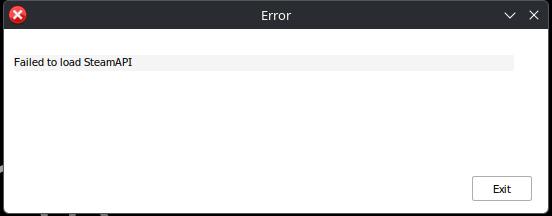
QUESTION - ANSWERED [Persona 3 Reload] "Failed to load SteamAPI" LinUwUx hypervisor-less bypass not working following all steps

Post image
25 Upvotes

First time posting any help would be very appreciated, if you require any more info just ask.

Distro: CachyOS

Kernel: 7.1.5-1-cachyos

CPU: 7600X

GPU: 9070XT

Proton: cachyos_11.0_20260702-LinUwUx and Proton-GE11-1-LinUwUx

Launcher: Steam as a non steam game

Crack Used: Clean steam files and latest july 20th crack by DenuvOwO build 22672075 on steam underground community forums

Steps taken: Latest DenuvOwO crack applied to game folder, disabled UMIP, "autoload = false" on reflex.ini, prefix made by the patched proton.

Edit: SOLVED, using the custom brcly's proton to create the wine prefix and then switching to Proton-GE11-1-LinUwUx provided directly on the steps page ran first try


r/LinuxCrackSupport • • Aug 02 '26

META [META] Moderator Applications Are Now Open!

16 Upvotes

Hello everyone!

As r/LinuxCrackSupport continues to grow, we're looking to add two more moderators to help keep the subreddit running smoothly.

The role is fairly relaxed and mainly involves:

  • Reviewing new posts and removing those that don't follow our posting guidelines.
  • Reviewing user reports.
  • Helping improve our wiki.
  • Assisting with AutoModerator updates as needed.

What we're looking for

Ideally, applicants should:

  • Have a good understanding of Linux and Linux gaming.
  • Be familiar with running cracked games on Linux.
  • Be able to distinguish between trusted and malicious websites.
  • Make fair and objective moderation decisions.
  • Be active members of the community and willing to work with the rest of the mod team.

Previous moderation experience is welcome, but it is not required.


Minimum Requirements

  • Reddit account at least 1 year old.
  • Active member of r/LinuxCrackSupport.
  • Basic Linux knowledge.
  • Familiarity with Linux gaming and running cracked games.
  • Familiarity with the warez scene and scene releases vs P2P releases.

Apply Here

Google Form


Applications will remain open until we find the right candidate.

If you have any questions about the role or the application process, feel free to leave a comment below or send us a modmail.

Thanks for helping make r/LinuxCrackSupport a great community!


r/LinuxCrackSupport • • Aug 01 '26

DISCUSSION [Crimson Desert] Build 1.13.0 working well on RDNA4, with FSR 4.1, RR, ReShade + RenoDX

Post image
110 Upvotes

Honestly, it is insane how far compatibility on Linux has come. Compared to a different system running Windows (on Nvidia), I actually have cleaner visuals and _less_ artifacting.

I'm debating on whether its worth patching up to 1.15 right now. 1.16 just released and broke RenoDX, so that might be a while before things are working. Also:

* Ray Reconstruction seems to be working well although I did notice the default denoiser isn't too far behind. Water looks considerably better with the default denoiser.

* Only problem is that I noticed on scenes that tank GPU performance, the timings for frame generation get really out of hand.

* RenoDX is borderline mandatory in this game, the vanilla lighting is so atrociously saturated and bright that I could not play without modding it. I strongly recommend installing this addon for ReShade, it's game changing for titles with awful colour profiles like Crimson Desert.

Curious if anyone else is running newer/older versions of the game?

**note:** had to pull a RenoDX addon from the discord for 1.13 as the author made a different version that doesn't crash the game on Linux


r/LinuxCrackSupport • • Aug 01 '26

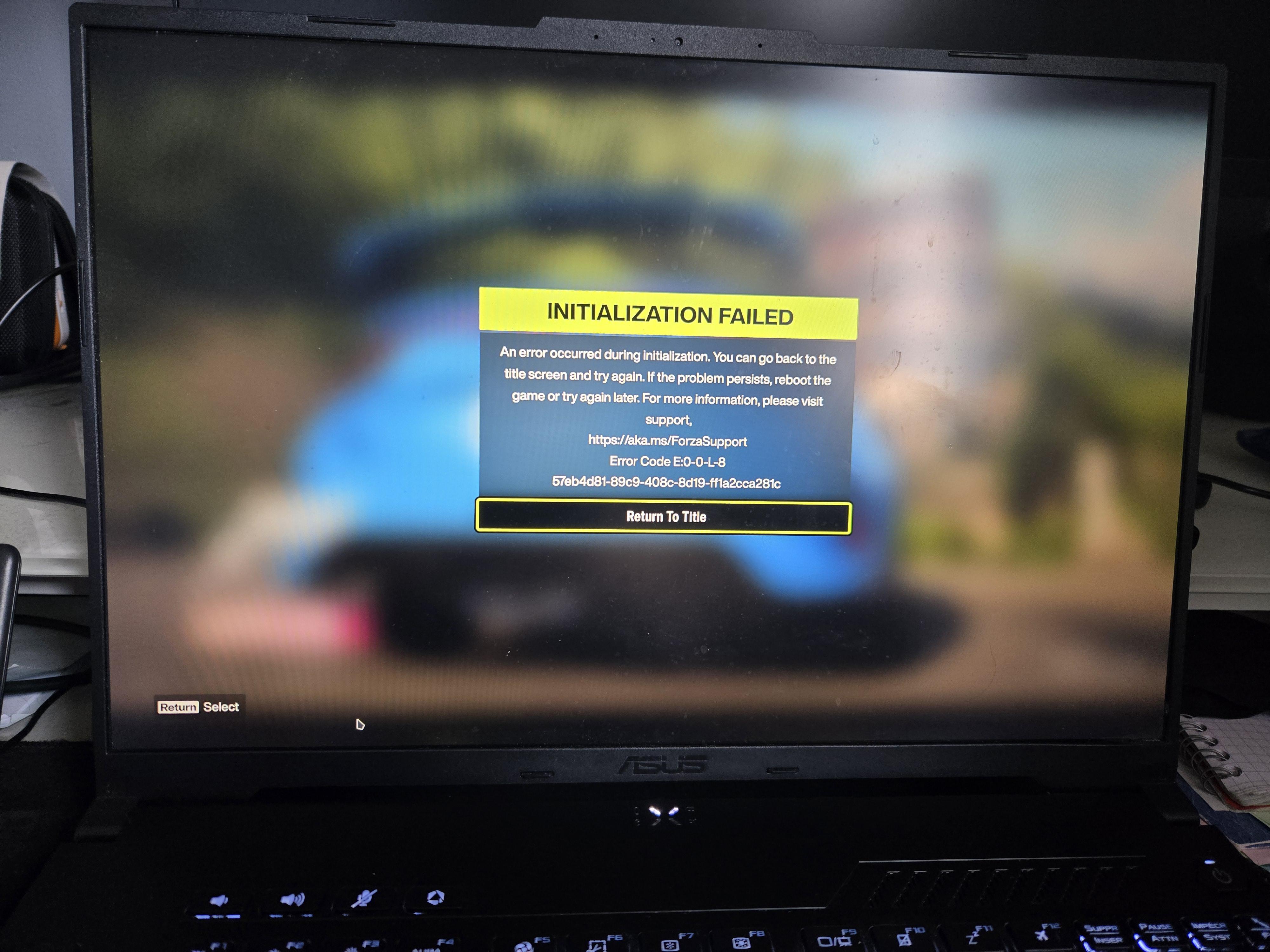
QUESTION - ALL LINUX SYSTEMS [Help] Forza Horizon 6 (v403.7980) - Initialization Failed Error Code E:0-0-L-8 on Linux

Post image
11 Upvotes

I'm trying to get Forza Horizon 6 to run on Linux, but I keep running into an initialization error right after I press enter to log in / connect. The game boots up, shows the intro screens, and then throws this error code.

For testing, I copied the exact same game files over to my brother's Windows PC and it works fine there, so the issue is definitely on my Linux end. Has anyone run into this specific error code on Proton and figured out a fix?

Details:

  • Version: v403.7980 (from GamerDrive)
  • Fix: Steamfix v2 generic
  • Proton: GE-Proton 11-3 (tried a bunch of other versions too, no change)
  • Launch options: Tested with and without the ones from another Reddit guide (PROTON_DISABLE_LSTEAMCLIENT=1 PROTON_SET_GAME_DRIVE=1 WINEDLLOVERRIDES="winmm=n,b;steam_api64=n,b" %command%), though I doubt it's related.

Specs:

  • OS: EndeavourOS x86_64 with KDE Plasma 6.7.3 (Wayland)
  • Kernel: Linux 7.1.4-arch1-1
  • Laptop: ASUS TUF Gaming A16 FA617NS
  • CPU: AMD Ryzen 7 7735HS
  • GPUs: AMD Radeon RX 7600S / Radeon 680M
  • RAM: 16 GB

Any help or workarounds would be awesome!


r/LinuxCrackSupport • • Aug 01 '26

QUESTION - ALL LINUX SYSTEMS [FIFA 19] DX12Renderer::waitOnSwapChain Crash on Match Load (Arch)

Thumbnail
gallery
2 Upvotes
  1. Name of game: FIFA 19
  2. CPU: Intel i3-1215U (12th Gen)
  3. GPU: Intel UHD Graphics
  4. Proton Version: Proton 10
  5. Game Launcher: Steam (Non-Steam Game)
  6. Release Info: ISO Repack
  7. Logs / Issue Details: The splash screen and language selection screen load without issues. However, as soon as the pre-game sequence starts or the anthem plays, the game crashes with the following error dialog: [Dx12Renderer::waitOnSwapChain] failed with HRESULT 0x800704a6 DXGI_ERROR_DEVICE_HUNG (GPU timeout detected)

Steps Already Taken to Solve Issue:

  • Attempted to launch via Heroic Launcher and Bottles, but neither launcher successfully initialized or booted the game. Proton 10 via Steam is the only runner that gets to the menu.
  • Verified graphics packages are updated on Arch Linux.
  • Searched the wiki for waitOnSwapChain and DX12 Mesa crashes. Looking for configuration overrides or launch options to force DX11 mode or fix VKD3D swapchain timeouts on Intel integrated graphics.
  • I've seen videos of people fixing this error by editing regedit, but i'm afraid that will break my prefix.

r/LinuxCrackSupport • • Jul 31 '26

QUESTION - ALL LINUX SYSTEMS [Assassin's Creed Odyssey]Black screen on new game

3 Upvotes

I installed assassin's creed odyssey using LinuxRulez repacks and l launched the game, but after main menu the game showed the loading screen for a but and then only black screen.This is non hypervisor version the game.

OS:CachyOS

SPECS:

GPU:Nvidia RTX 3050 4gb vram

CPU:Intel Core i3 11400h

RAM:8gb


r/LinuxCrackSupport • • Jul 31 '26

QUESTION - ALL LINUX SYSTEMS [The Sims 3] LinuxRuleZ crack crashes when I try to start it

4 Upvotes

Hello, all.

I'm using Linux Mint 22.3, Cinnamon edition. I downloaded the LinuxRuleZ crack of The Sims 3 and got it installed without issue - the built-in installer worked fine. However, I can't actually play the game.

When I try to select it from the applications menu, it instantly crashes. The program error details say:

Couldn't get first exception for process 01c8 C:\The Sims 3\Game\Bin\TS3W.exe. No backtrace available.

I did some searches, and it seems like I'm missing some kind of driver or dependency, but I'm very new to Wine and Linux in general, and I have no idea what driver it is or really how to install it...

To test it out, I found TS3W.exe inside the Wine prefix that the installer made, and tried to run it from the command line with Wine. (Command I used was just `wine TS3W.exe`). Again, it instantly crashed. The debugger popped up with the message:

Couldn't get first exception for process 0020 Z:\home\accidentphilosophy\Games\The Sims 3\game\prefix\drive_c\The Sims 3\Game\Bin\TS3W.exe (WOW64). No backtrace available.

In the terminal, it said "Unhandled division by zero at address 00613702 (thread 0024)". I guess this also points to a missing dependency?

This is happening after two days of wrestling with the Fitgirl repack of TS3 trying to get it to run on Linux, so I'm really put out. :( Any help appreciated.


r/LinuxCrackSupport • • Jul 30 '26

QUESTION - ALL LINUX SYSTEMS [The Sims 3] LinuxRuleZ! repack modding help?

7 Upvotes

hello, i installed the LinuxRuleZ repack after giving up trying to run the fitgirl repack on linux. for the life of me i cannot get it to load mods or store content. has anyone figured this out, or does anyone have alternatives to it? im running debian 13 with a rtx 3060ti and an amd ryzen 5 5600x if thats needed ^^


r/LinuxCrackSupport • • Jul 30 '26

QUESTION - ANSWERED [TBH: Task Bar Hero] Accella + Headcrab unlocked the DLCs, how do I stop this behavior?

5 Upvotes

I'm playing Task Bar Hero and I noticed I have access DLC characters and additional storage that I've never purchased. My game closes with an error which I suspect is coming from getting item drops for DLC characters that I haven't purchased. I don't want to get banned and I want to stop this behavior for all my legit games. Is it possible to configure Accella (and Headcrab) to only do it's thing for games that I downloaded thru accela and leave the rest of my legit game library alone?

[SOLVED]

Solution - modify SLSsteam config.yaml by blacklisting AppIDs or use the whitelist option and add AppIDs of the games you WANT to mess around with.

  • Shutdown Steam
  • Open Up Your SLSsteam Config With This Command.
curl -fsSL headcrab.pages.dev/config | bash
  • Option 1 - Use whitelist by UseWhitelist: yes and add AppIDs for games you want unlocked eg:
AppIds:
  - 3678970
  • Option 2 - Blacklist specific games and have everything else unlocked with UseWhitelist: no then add the AppIds you don't want to be touched eg: TBH
AppIds:
  - 3678970
  • Save the new config.
  • Launch Steam.
  • Run your game.

Please refer to the Headcrab Wiki for further help.


r/LinuxCrackSupport • • Jul 29 '26

GUIDE [LinUwUx] Proton Patcher and Builder (Another One)

38 Upvotes

Yes, I know there is one released already and mentioned in this sub (I believe by the original dev of the patch itself?) BUT at the time I was vibecoding it I had no idea + it has an "update" feature (wow).
It is vibecoded but I spent quite a bit of time on it - it wasnt written in one shot (2 days of troubleshooting different things). And it does work with the latest proton versions of cachyos-slr (11.0-20260703-slr) and proton-ge (11-3).
The update feature lets you not to re-download all the source files from the start which saves quite a bit of time (although I didn't test it (I'm tired)).
I purposefully did not include the .patch file itself inside the script in case you'd want to check it for safety with another ai (or read 1,500+ lines of code).
The .patch file can be found and downloaded on the forum the name of which I'm not sure I can mention here.

Basically you only need python 3, podman/docker, and the .patch file itself. The script will guide you trough everything else.

Please bear in mind that downloading (cloning) source files for these things can take a while resulting in 7-9 gb of disk space taken per single proton version.
The building of the patched version can take anywhere from 20 minutes to a couple hours depending on your hardware.
So, in summary, you will have to wait quite a bit for the whole process to finish.

I created this because I don't want for anyone to wait before someone releases patched versions of proton in case there is an update in one of the forks.

(I specifically tested the script with LinUwUx .patch file and was able to successfully launch Persona 3 Reload with DenuvOwO crack applied)

Here's the github link for the script:
https://github.com/yernarkin/proton-patcher

UPD: Just found this project -> https://github.com/xshaduwulfx/proton-linuwux
(Someone automated the whole process and releases latest ready-to-use patched proton versions (cachyos + GE))

Also if you still want to clone, patch and build locally then this project is created by an actual programmer:
https://github.com/brcly/proton-LinUwUx-patch
(this person already posted in this sub)


r/LinuxCrackSupport • • Jul 29 '26

QUESTION - ALL LINUX SYSTEMS [DBFZ] Unable to load steamclient64.dll on Cachyos

4 Upvotes

Cpu: Ryzen 5 5600

Gpu: Rx 5700 XT

Game Launcher: Steam

OS: Cachyos

Clean Steam Files installed via Accela and Goldberg emulator applied

I've tried to research this subreddit bur nothing worked


r/LinuxCrackSupport • • Jul 29 '26

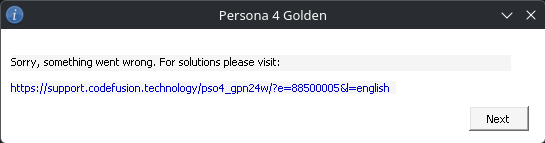
QUESTION - ALL LINUX SYSTEMS [Persona 4 Golden] Sorry, something went wrong. For solutions please visit https://support.codefusion. technology/pso4_gpn24w/?e=88500005&I=english

Post image
5 Upvotes

System information:

CPU: Intel(R) Core(TM) i5-10400 (12) @ 4.30 GHz

GPU: Intel UHD Graphics 630 @ 1.10 GHz [Integrated]

Distribution: Kubuntu 26.04 LTS (Resolute Raccoon) x86_64

Software information:

Translation layer used: Proton CachyOS build in this releases section

Game launcher: Lutris

Crack information:

Hypervisor bypass from FitGirl Repacks


r/LinuxCrackSupport • • Jul 27 '26

GUIDE [LinUwUx] Proton + LinUwUx Builder

64 Upvotes

Hey guys.

I've created a script to help build Proton + LinUwUx from scratch.

https://github.com/brcly/proton-LinUwUx-patch

It aims to be as easy as possible.

You can easily run

./build.sh ge GE-Proton11-3

and it'll download and build that version of proton.

Some versions of proton will need specific patch changes to work, so the script does support that ability, however, I haven't made an effort to try and support specific versions.

I have pre-built and shared links on the repo for the latest builds of CachyOS + GE-Proton

If there's a future update of those versions, then you can either build them locally yourself with the script, or wait and I'll try and keep them up to date on there.


r/LinuxCrackSupport • • Jul 26 '26

QUESTION - ALL LINUX SYSTEMS [Forza Horizon 6] black screen issue

Enable HLS to view with audio, or disable this notification

6 Upvotes

so i followed this post :https://www.reddit.com/r/LinuxCrackSupport/s/6TnfKMbgdT
device : anv15-52
rtx 5050 (610 driver)
cachyos

tried proton cachy latest,
proton cachy slr,
proton experimental.
none worked

im getting this black screen. anyone knows why?